

How Long Does It Take to Build a Website and Launch It?
See how long it takes to plan, build, test, and launch a website. Compare realistic scopes and follow a three-day Enter Pro project plan with clear checks.
How long does it take to build a website? A page preview can be ready long before the public site is ready. For a simple landing page with approved copy, a working form, and domain access, you might plan a few working days. A multi-page site with original content, migration, or checkout needs a longer schedule. Estimate the work and the waiting time separately so you can tell which decision actually controls the launch date.
Estimate the Timeline From the Scope
Separate Draft, Review, and Launch Dates
A draft demonstrates page structure and a first version of the design. Review readiness means the right content and interactions are present for approval. Launch readiness means a visitor can open the public site and complete its intended action. A good estimate gives these three milestones their own dates. A two-hour draft does not mean the copy is approved, enquiries arrive, or the final domain is configured.
The ranges below are planning examples, not universal delivery promises. They assume a small team, an available decision maker, and the stated scope. Record the exact handoff between tasks so content, design, and review can overlap where their dependencies allow.

Alt text: Illustration of a web team reviewing separate draft, approval, and launch milestones.
| Launch scope | Illustrative elapsed window | Assumptions | What usually extends it |
|---|---|---|---|
| One landing page | 1–3 working days | Approved copy and images, one form, domain access, one review. | Late copy, form routing, unavailable approver. |
| Small service site | 1–3 working weeks | A few page templates, real service information, a testable contact path. | Original copy, shared navigation revisions, legacy redirects. |
| Small online store | 3–8 working weeks | Prepared catalogue, a chosen payment provider, defined fulfillment and returns. | Product variants, merchant approval, inventory import, test orders. |
| Custom site or portal | Scope discovery before commitment | Multiple roles, private records, migrations, or an external integration. | Unconfirmed API access, permissions, data cleanup, integration testing. |
Count Templates and Workflows, Not Pages Alone
Ten articles that share an approved template can be easier to deliver than one custom booking page. Separate reusable page types from routes, then list what each workflow needs: a public form, payment, member access, integration, or migration. A form that only sends an enquiry is a different schedule from a booking system that reserves a slot, collects a deposit, and handles cancellation.
Write a route inventory and a behavior inventory. Home, Services, and Service Area may share one navigation and footer, while Request a Tuning introduces labels, validation, submission handling, and follow-up expectations. Mark shared components once and list the exceptions. This gives you a useful estimate of repeated work without assuming that every page takes exactly the same amount of time.
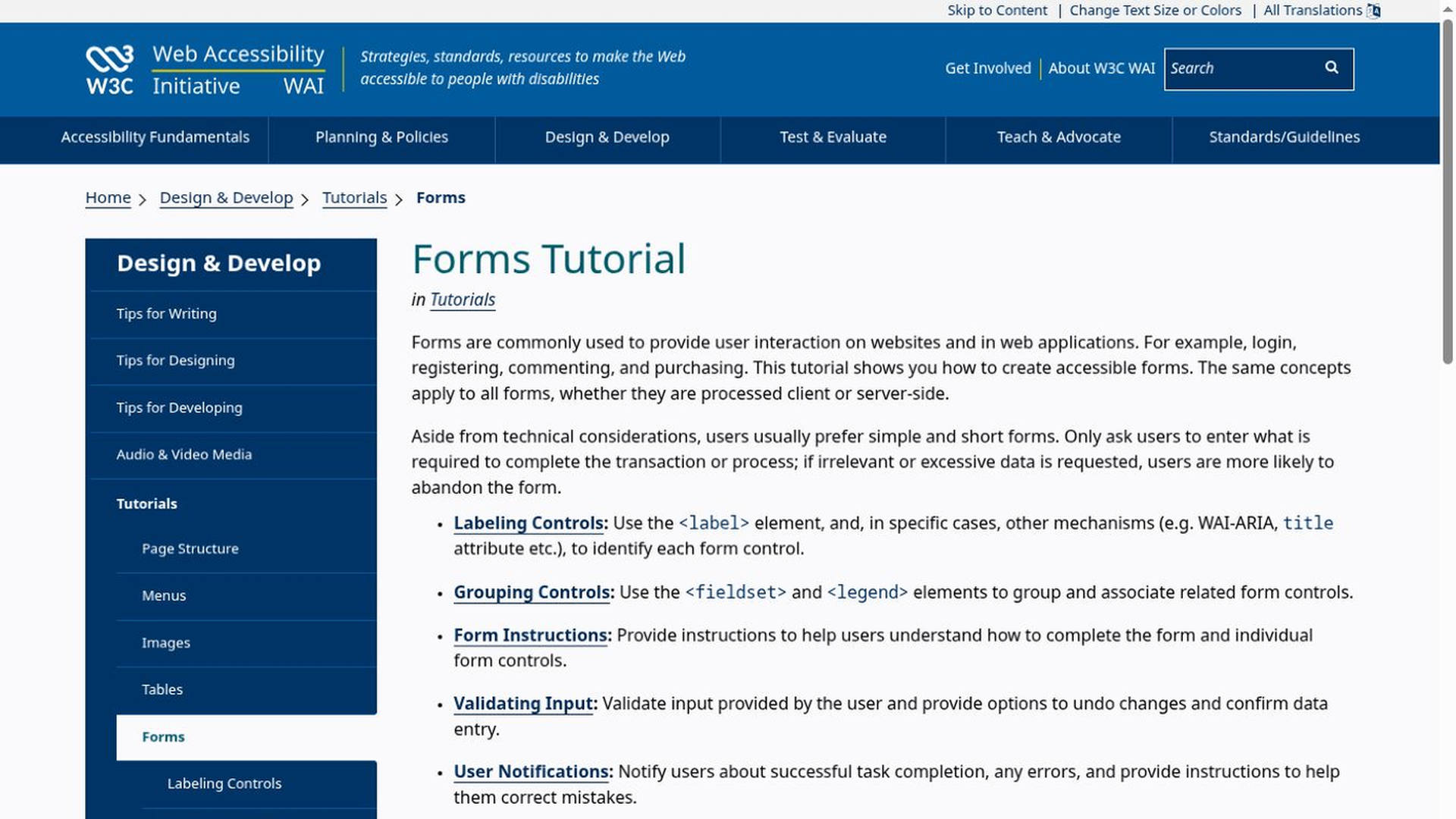
W3C Forms Tutorial showing labels, validation, and user-notification requirements.
For a replacement site, include the work that protects existing visitors: important old URLs, redirects, downloadable documents, and links used in email or business listings. A new four-page build and a four-page migration are different jobs. The visible page count can be identical while the release risk and validation work differ substantially.
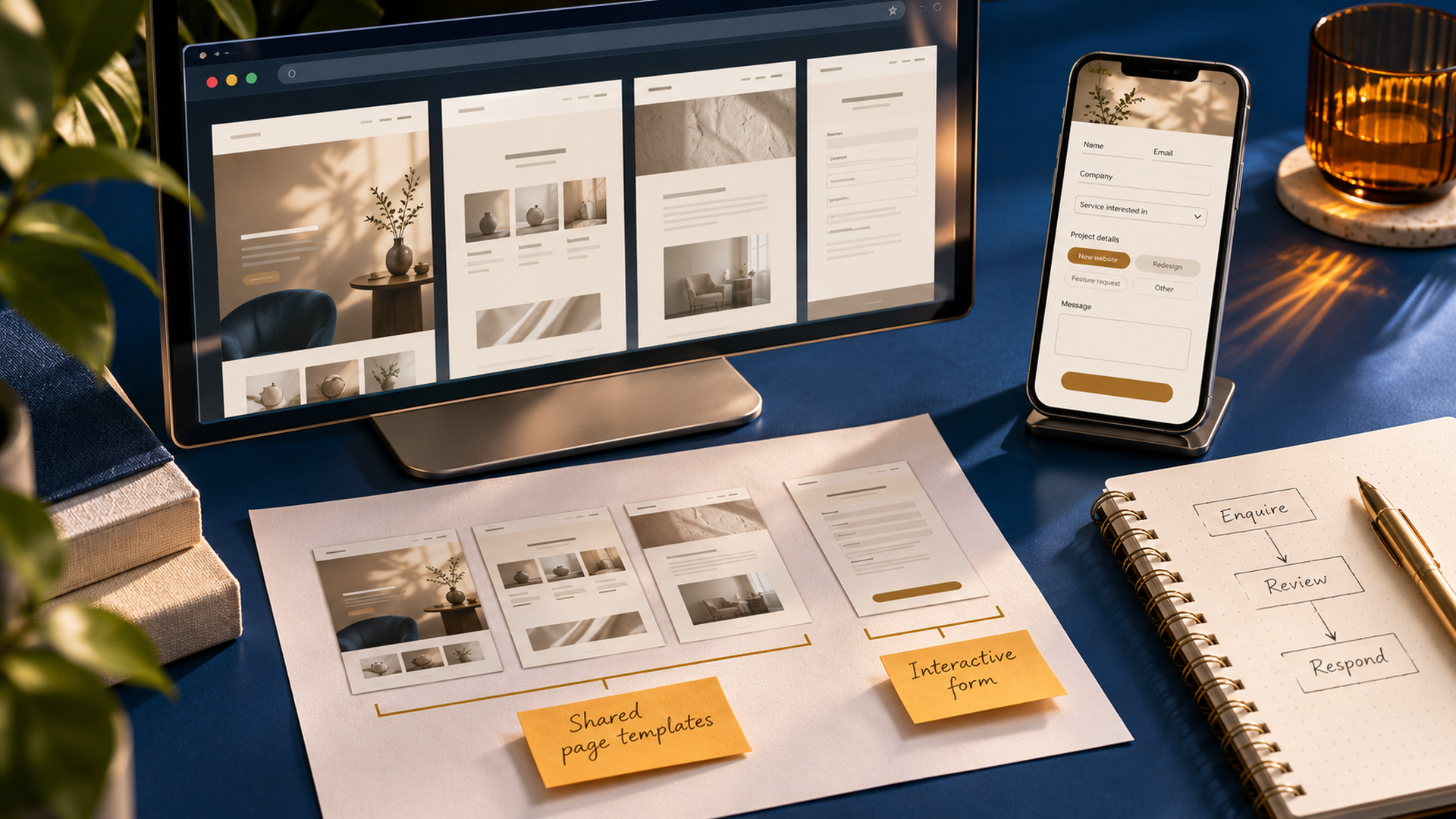
Alt text: Illustration comparing shared website templates with a separate interactive enquiry workflow.
Find the Tasks That Control the Launch Date
Estimate Active Work and Elapsed Time Separately
Count the hours someone actually spends on design, implementation, and testing. Then add calendar constraints such as a client’s review window, access approval, and the next available release slot. If copy and layouts can progress in parallel, the slower branch governs when both are ready. If a review cannot start until both are complete, its waiting time sits after that branch, not inside the build estimate.
Consider a small site with two days of content work and one day of layout work starting together. The joint milestone is day two, not day three. A one-day approval after both are ready moves implementation of the final revision to day four. Show that dependency in the estimate instead of quoting one combined number and discovering the wait later.

Alt text: Creative web design illustration featuring responsive layouts, research, branding, analytics, and website development.
Use a dependency calculation for the earliest credible launch: the longest necessary sequence of ready tasks, reviews, and release checks determines the date. Add waiting time only where the next task genuinely depends on it. Two independent tasks can overlap, but the same person cannot be assumed to complete both full time at once. Record availability as well as the nominal task duration.
A ten-hour effort estimate can therefore occupy three working days without being inefficient. Six hours may produce the first reviewable version on day one. The owner may not review it until day two. Four more hours of revisions and release checks can then fall on day three. If the owner's response moves to day five, the active effort may stay near ten hours while the elapsed schedule changes.
Confirm Inputs Before Scheduling the Build
Ask who controls the domain, who approves copy, where form submissions should go, and whether the project replaces an existing site. Give each input an owner and a date. If the business cannot provide all pages on time, agree on a release that can work independently. A smaller useful launch beats publishing blank services, incomplete forms, or unapproved claims.
| Dependency | Ready condition | Work that can overlap | What to do if it slips |
|---|---|---|---|
| Content and media | Final page copy, usable assets, and permission to publish. | Wireframe with realistic text lengths and image ratios. | Reduce launch scope or move the approval date explicitly. |
| Review | One accountable approver and a defined feedback window. | Prepare acceptance checks and populate approved pages. | Send a decision list with the affected milestone. |
| Domain and integrations | Authorized access and the required settings or test credentials. | Build and test in a preview environment. | Keep the preview separate from a public launch commitment. |
| Existing URL migration | Old-to-new map for important routes. | Prepare page content and test representative redirects. | Stage the change until high-value routes have a safe destination. |
Define what content-ready means. Approved copy should include real service descriptions, a usable contact route, the service area, and any price wording the owner is prepared to publish. Image-ready means the file is usable at the intended size and you have permission to use it. A note saying 'photo to come' is an unresolved dependency, even when the first generated layout looks complete.

Alt text: Illustration of website copy, photographs, and brand assets prepared before implementation.
I would ask for one consolidated approval rather than several disconnected rounds of comments. Give the reviewer a decision list: correct the service area, approve the promise beside the form, and confirm the destination for enquiries. Distinguish those decisions from optional stylistic preferences. The schedule becomes easier to protect when everyone knows which answer is blocking the next milestone.
Choose a Build Method That Fits the Project
Compare the Best AI Tools to Build a Website With a Small Trial
The best AI tools to build a website are the ones that handle your actual content and handoff. Compare an AI site builder, a template editor with AI assistance, and an AI coding workflow on the same page brief. Use a real heading length, an image you own, and one interaction. Track how many edits are needed, who can maintain the result, and what must be configured before a public release.

Alt text: AI website creation and development tools displayed around a laptop, including Shopify, Wix, Webflow, Hostinger, Framer, and GitHub Copilot.
If you want to build a website with AI, compare the time to a usable second edit as well as the first preview. Test a content replacement, a mobile layout change, and a form failure. A tool that gives you a quick initial design but makes revisions or ownership difficult can add time after the first demonstration.
| Trial route | Use the same test brief | What to compare |
|---|---|---|
| AI-assisted builder, such as Wix | Generate a service page and replace its draft with approved copy. | Time to the revised page, usable mobile layout, and publishing requirements. |
| AI-assisted WordPress workflow, such as Elementor | Assemble the same page in a WordPress environment and update a shared section. | Setup effort, template reuse, required add-ons, and ownership of ongoing maintenance. |
| Enter Pro project workflow | Plan the routes and enquiry behavior, build a preview, and apply a scoped revision. | Whether the generated flow meets the brief and what still needs review before launch. |
Use these as routes to test, not a performance ranking. The supplied vendor guides describe their own workflows; confirm the plan and features available to your account before committing a schedule.
Run the same revision after the first preview: replace a long heading, change a service description, and inspect the resulting phone layout. Then test a missing required field and the route back from the form. Record the work required to obtain the usable result, including setup and corrections. A visually impressive first response is only one observation in that trial.
Ask who will maintain the project after launch. If the owner needs to update a service area or replace a photograph, check that operation before selecting the workflow. If a developer will take over, examine the available code and handoff process. The fastest route for a demonstration can differ from the best route for a site that will change every month.

Alt text: Illustration comparing template, AI-assisted, and coding workflows on a common brief.
Know When a Template, AI Builder, or Custom Build Saves Time
A template is useful when the site closely matches an established structure and the team can supply content promptly. An AI builder is useful when you need a first draft from a structured brief and can inspect or correct the generated result. A custom implementation can suit integrations or constraints that a standard builder cannot meet. Use the acceptance requirements to choose the route, then estimate time for learning, review, testing, and maintenance.
Alt text: Web Vitals documentation introducing performance metrics for evaluating website experience.
Plan the AI Build Around What You Still Need to Verify
How to Build a Website With AI From a Launch Brief
A decision about how to build a website with AI should include both the first draft and the later handoff. Supply the intended routes and acceptance requirements together, so the generated project has a clear destination beyond its initial appearance.
Decide how to build a website with AI by describing the routes, audiences, content, required actions, and what must stay outside scope. Ask for a first version using approved inputs rather than letting the tool fill critical facts with guesses. Review the site against a short checklist before requesting broader design changes. Fix incorrect service information and broken actions before polishing decorative details.
How to Use AI to Build a Website Without Losing Review Time
Understanding how to use AI to build a website includes knowing what to test manually. Try the navigation on a phone, submit valid and invalid form data, verify the destination of enquiries, and confirm focus is visible when using a keyboard. For a redesign, test old routes and keep a record of the published URLs. Treat AI generation as one task inside the schedule, followed by explicit acceptance and release work.
Keep a short acceptance sheet beside the project. For each public page, name its purpose, required information, important links, and one pass condition. For the enquiry, state what constitutes acceptance, what happens on failure, and which system receives the request. When the generated result differs from the brief, request the smallest correction that resolves the mismatch before adding another feature.

Alt text: Illustration of a website owner and designer consolidating a scoped revision list.
Schedule Quality Checks and Release Work Before the Deadline
Define a Launch Gate for the Public URL
Set the minimum conditions for launch: correct copy and contact information, working mobile navigation, an accepted and rejected test submission, and safe public access. Check that the intended pages return a successful response and contain the content you expect. For search visibility, distinguish access and eligibility from eventual indexing; a newly published page may need further observation.
Make the launch gate observable: a visitor can open each intended route, read accurate information, navigate on a phone and by keyboard, and complete the approved enquiry task. Inspect the actual destination of a test request where a backend is used. Confirm the domain and HTTPS configuration with the responsible account holder. A preview badge or a screenshot of a filled form cannot establish those checks.
Keep operational readiness in the plan. Someone must receive the first enquiries, recognize test messages, and know how to correct an urgent content error. Document who can publish a revision and how to recover a previous working version. These are small tasks for a small site, but leaving them unowned can turn a quick launch into an avoidable interruption.
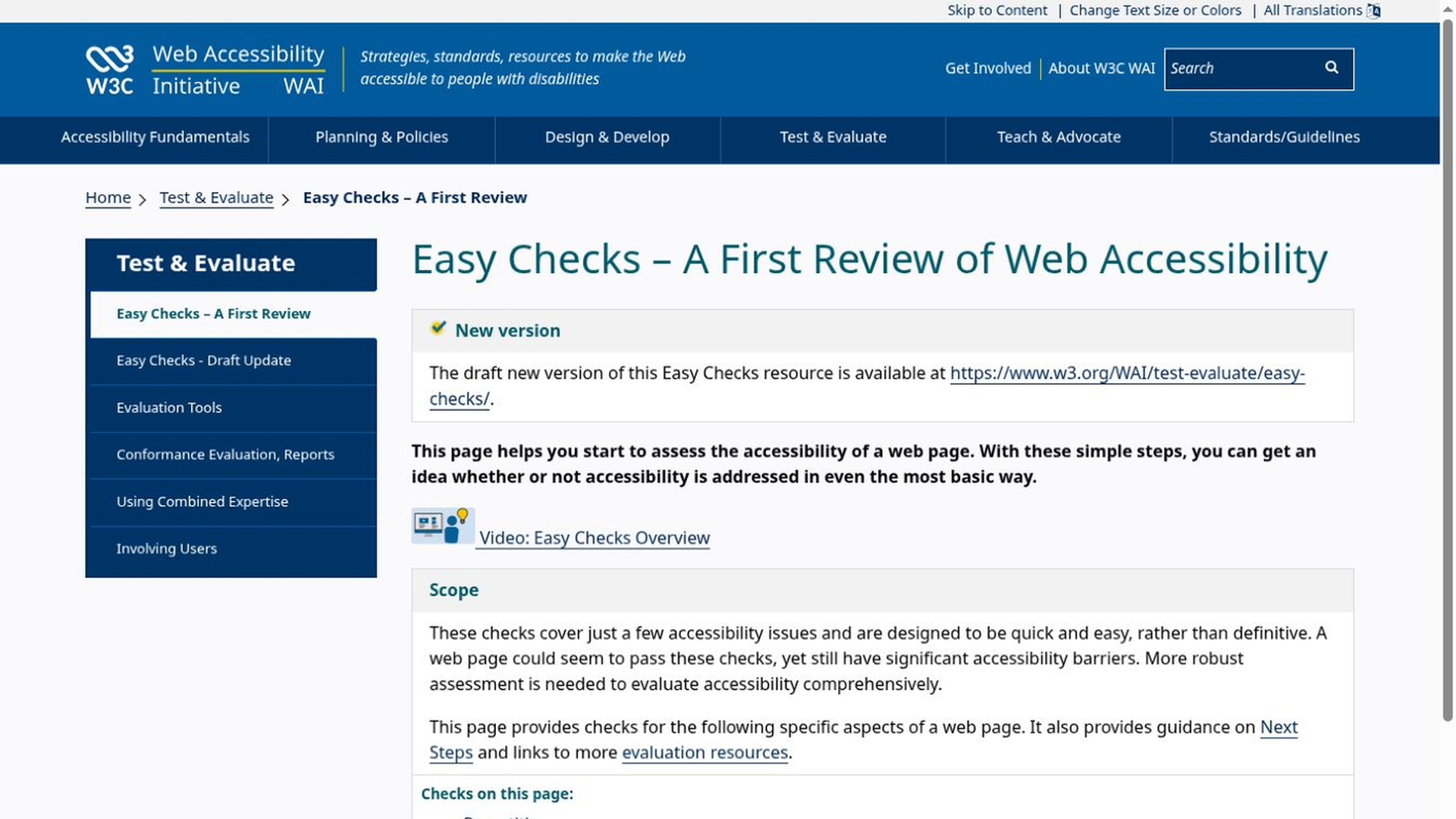
Alt text: W3C Easy Checks documentation describing a preliminary website accessibility review.
Build in Time for a Scoped Revision, Not an Open-Ended Buffer
Reserve time for a consolidated set of changes. Agree on what qualifies as a defect against the existing brief and what requires a new estimate, such as adding payments after approving an enquiry-only release. Track the revision owner, the public URL checks, and the first post-launch review. A schedule can be fast and credible when it makes room for known decision points.
Use a change rule that protects the agreed outcome. A broken navigation link is a defect against the approved scope. Adding deposits, appointment availability, automated reminders, and cancellation handling changes the workflow. Estimate that change before attaching it to the existing deadline. A separate later release can preserve a useful enquiry-only launch while the more complex booking work is planned.
Alt text: Illustration of desktop and mobile enquiry checks before a website launch.
After release, record actual active effort and elapsed dates against the estimate. Note whether the largest difference came from content, implementation, review, or account access. That history is more useful for the next estimate than claiming that one builder always launches a website within a fixed number of minutes.
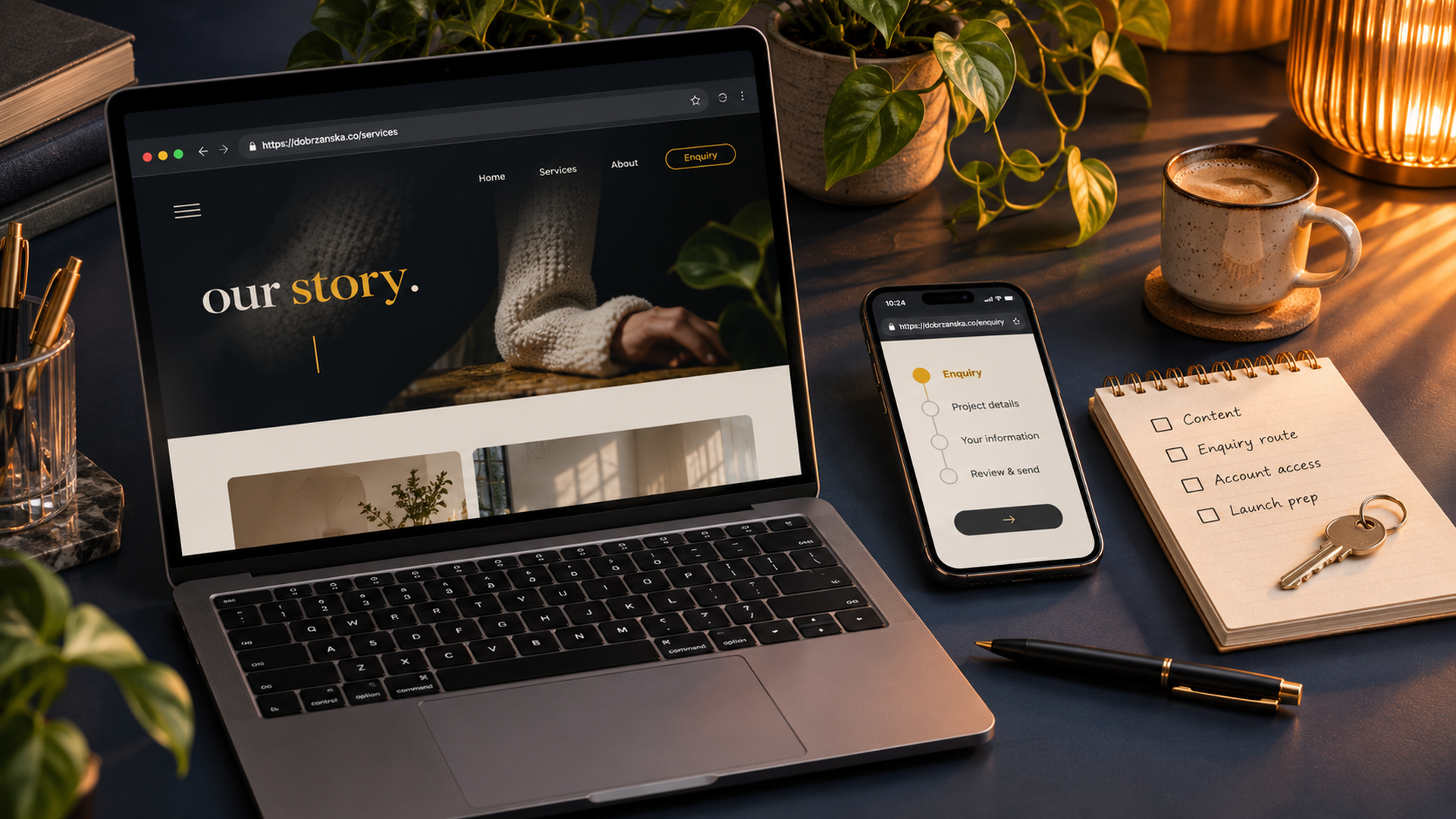
Alt text: Illustration of public-route, account-access, and release-readiness preparation for a website.
Plan a Three-Day Enter Pro Launch: Alder Key Piano Tuning
Alder Key Piano Tuning is a fictional service-site demonstration. The initial brief requests four pages and a tuning enquiry, excluding payment collection and confirmed appointments. The ten-hour, three-working-day schedule below is an estimating scenario, not a measured Enter Pro speed result. The supplied captures show the prompt, returned plan, homepage preview, and a filled form. They also expose a scope change and incorrect form wording that need revision before release.
Step 1 — Freeze the Brief and the First Release
Use the prompt to define Home, Services, Service Area, and Request a Tuning. Set the release boundary: visitors can understand the offer and send an enquiry, but they cannot pay a deposit or reserve a time. In Plan Mode, record approved copy, image permissions, the service area, and who can approve the preview. Set the owner's review window before promising a launch date.
The scenario allocates two active hours to planning and preparation. That allowance assumes the inputs are ready; it does not include an unbounded search for content or account access. If a necessary fact is missing, assign it an owner and revise the milestone rather than allowing the generated page to invent the answer.
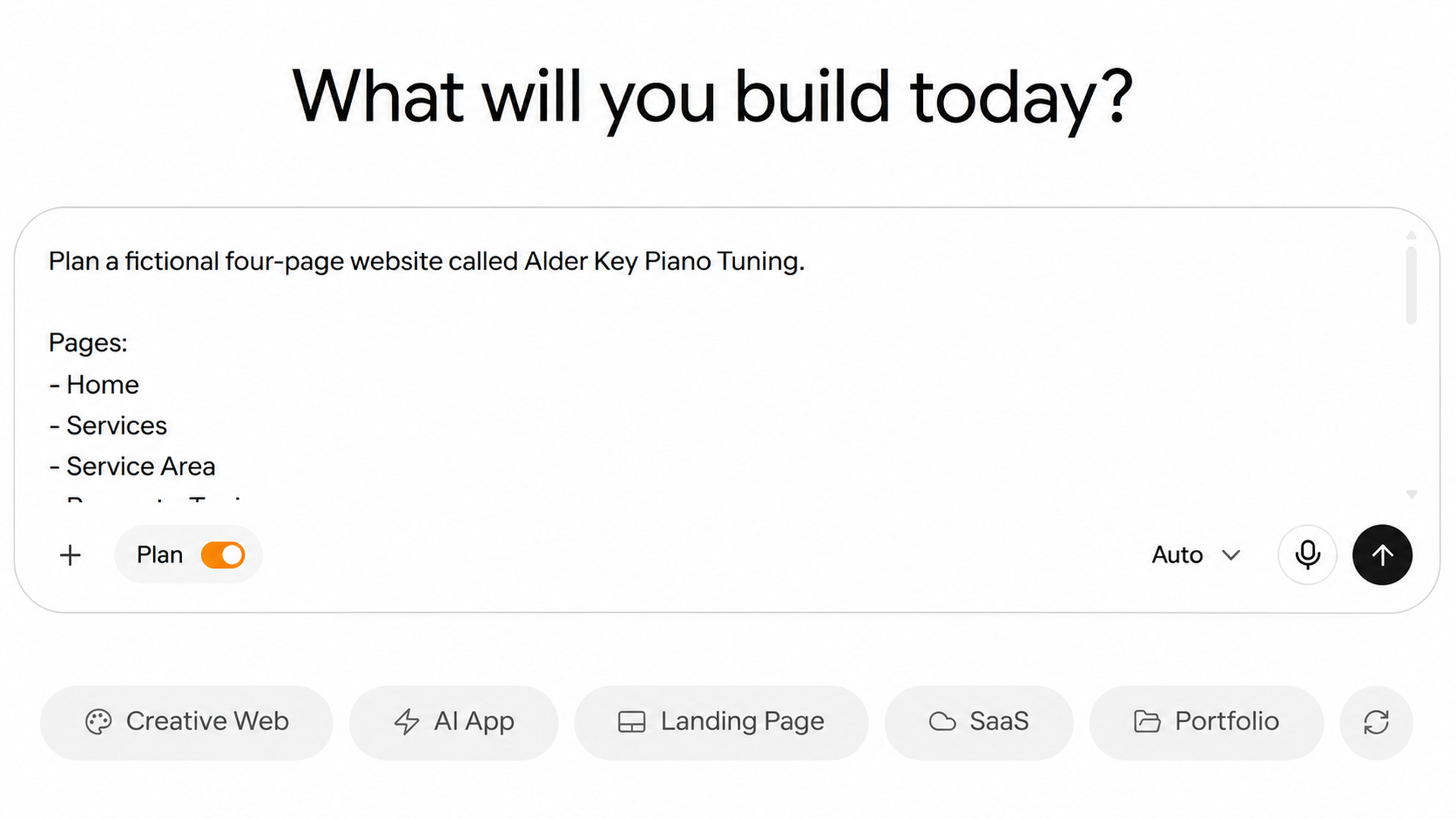
Alt text: Enter Pro prompt requesting four pages for the fictional Alder Key piano website.
Step 2 — Review the Plan and Reserve Approval Time
The returned plan lists five pages, adding About to the four-page request. It also describes the enquiry fields and excludes online payment and confirmed appointments. Treat that extra page as a scope decision: approve and estimate it, or remove it before building. A new calendar, payment provider, or reminder system would likewise need its own estimate.
Allow four active hours for the first implementation in this scenario, then send one consolidated decision list at the end of day one. Reserve day two for the owner to review service information, service-area wording, and the contact process. The planned wait is part of elapsed time even when the builder is doing no active work during it.
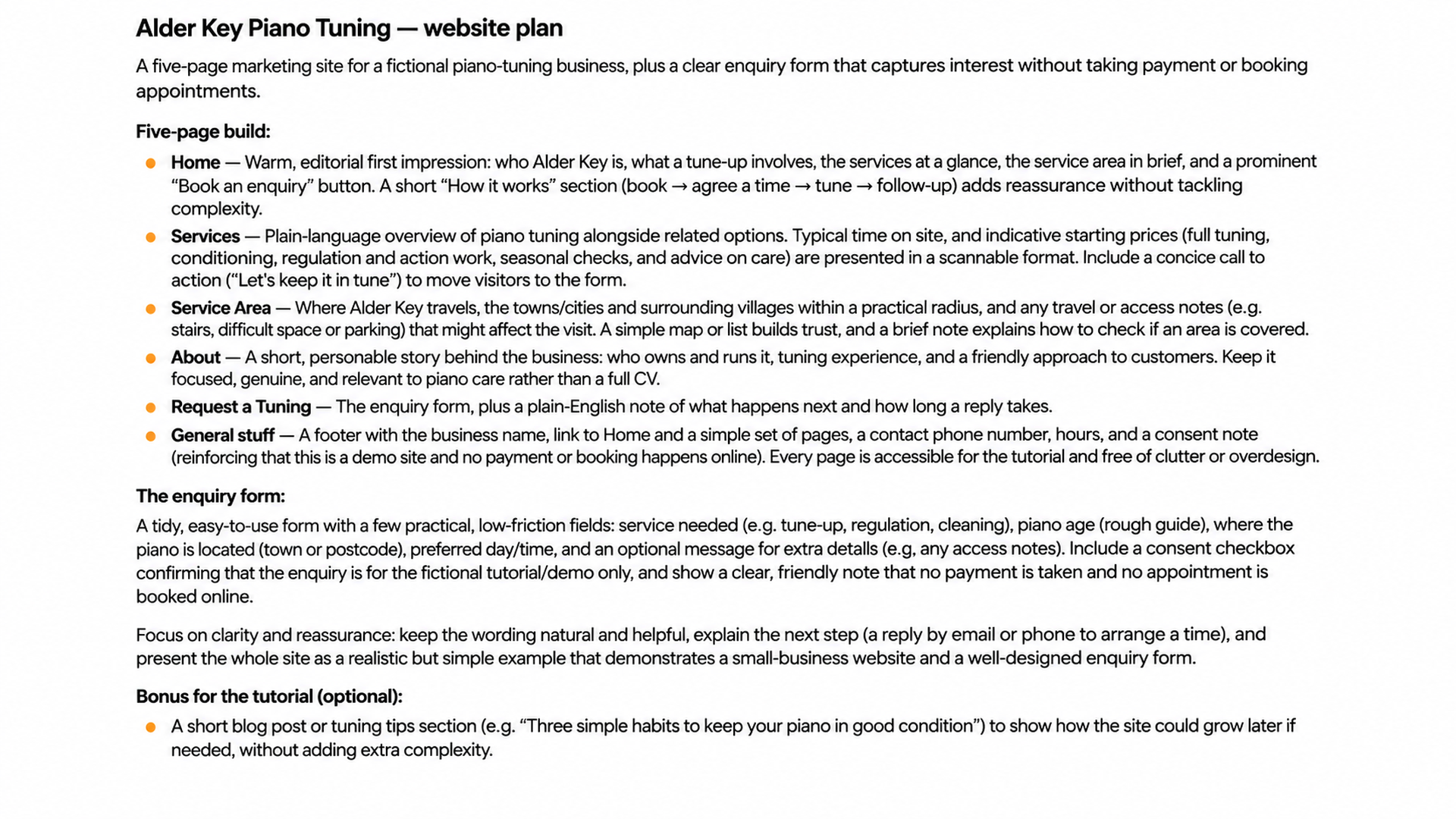
Alt text: Returned Alder Key plan adding an About page to the original four-page scope.
Step 3 — Review the Homepage and Apply Scoped Revisions
The homepage preview establishes the piano-tuning offer and a Request a tuning action. Its service-related notices, such as a reply window or time on site, describe the fictional business; they are not evidence of how long the website took to build. Review the content against the approved brief, then use the Visual Editor for bounded copy and spacing changes.
The scenario reserves three active hours on day three for revisions and quality checks. Inspect mobile navigation, keyboard focus, direct page routes, and both valid and invalid enquiry behavior. If the owner requests an appointment calendar during review, separate that addition from the approved enquiry-only launch. The estimate should follow the actual behavior being delivered.
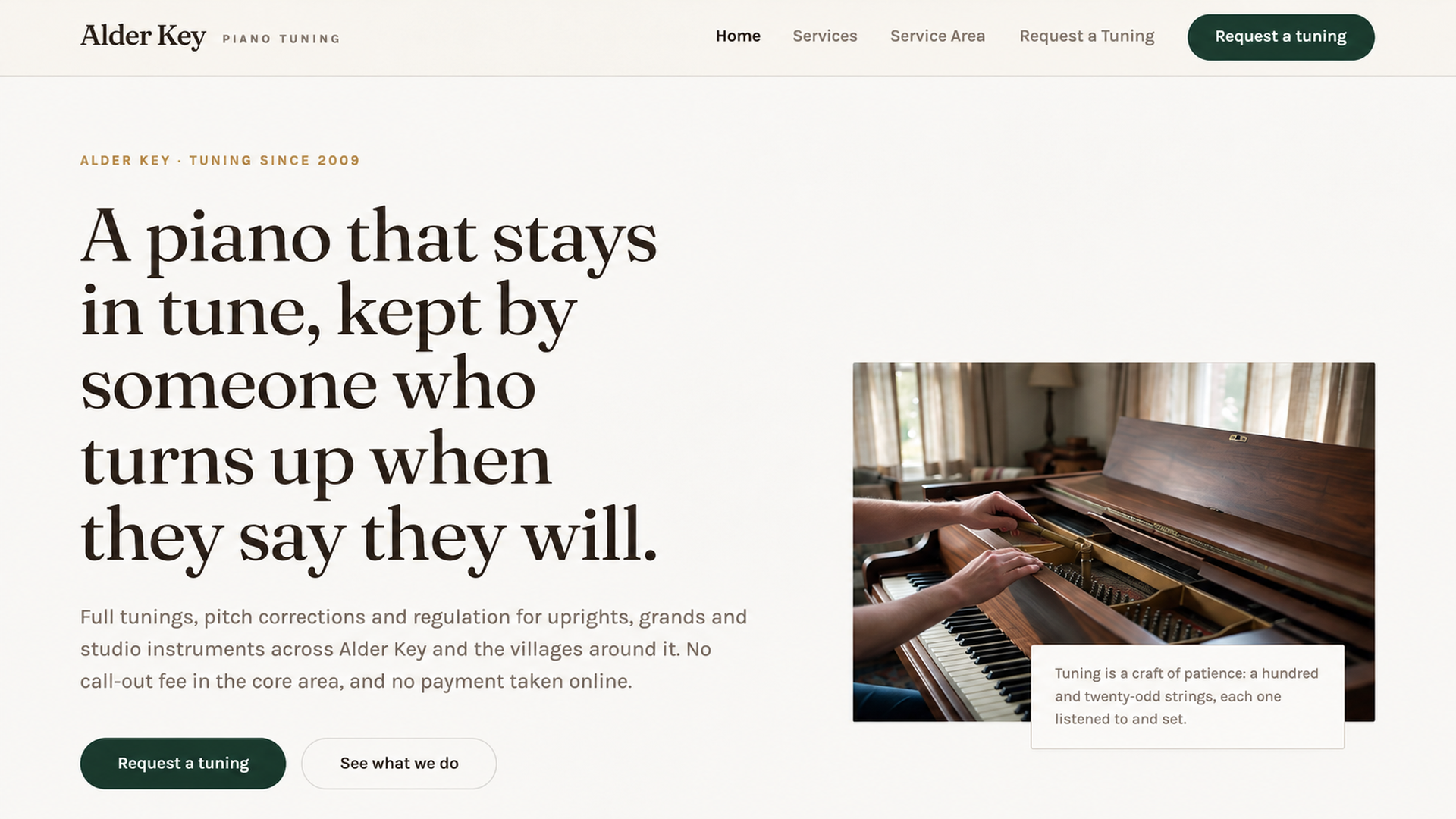
Alt text: Alder Key homepage preview showing the piano-tuning offer and enquiry action.
Step 4 — Use the Enquiry Form as a Release Gate
The final supplied capture exposes a defect: labels such as “Where the bike is,” a drivetrain-related message, and repair FAQs conflict with the piano-tuning brief. The consent checkbox and no-payment notice are visible, but the form is not ready for a piano-service release. Correct the labels, examples, options, and surrounding copy, then retest. This filled preview is not evidence of request delivery.
Use the planned publishing hour only after those form defects and the remaining acceptance checks are resolved. Follow the custom-domain setup, open the deployed routes, and submit designated fictional test data. Confirm delivery in the intended system and record the actual launch date. If correction, domain setup, or acceptance testing remains incomplete, move the public milestone while keeping the approved preview available.
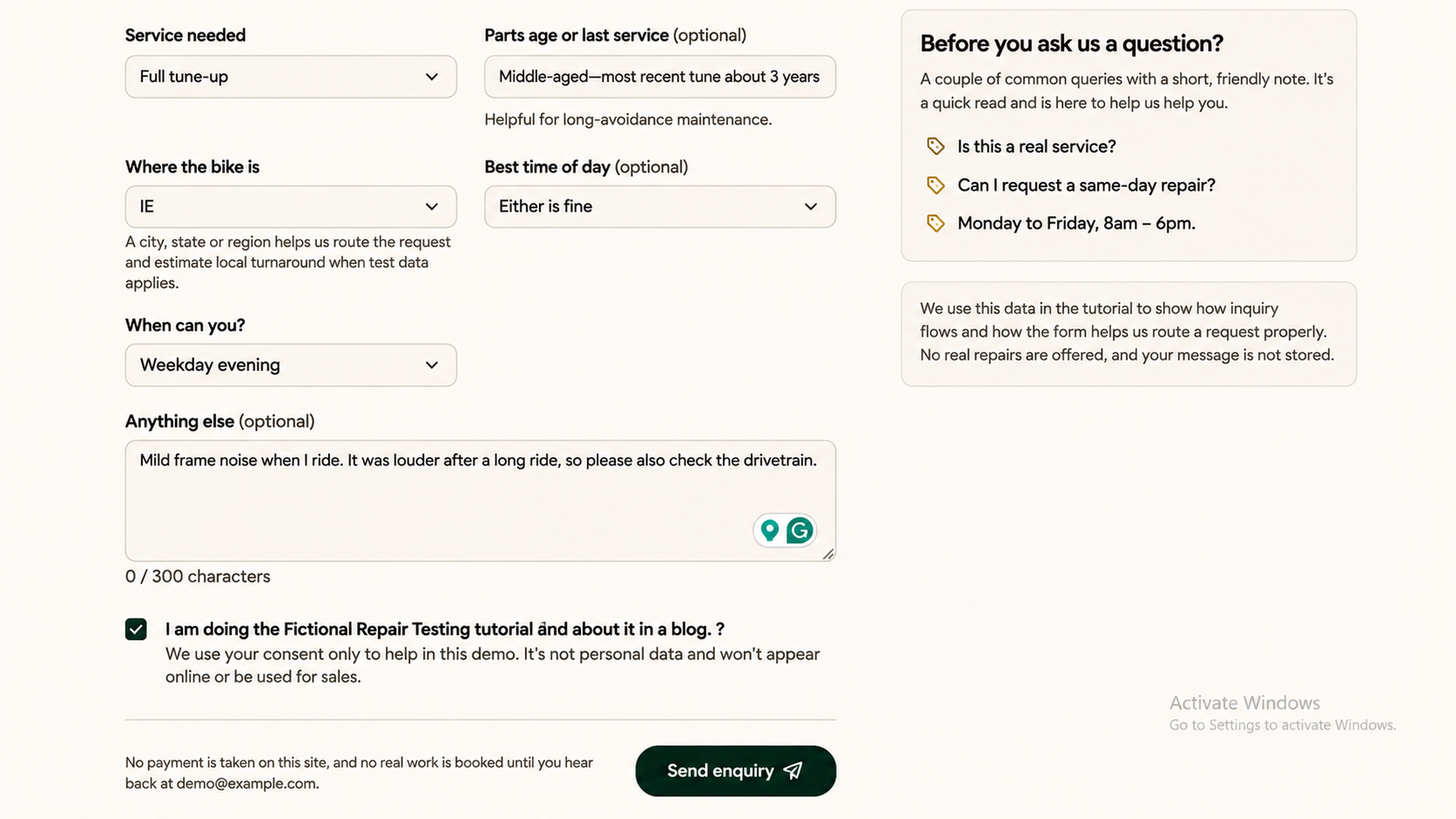
Alt text: Enquiry preview exposing bicycle-repair wording that conflicts with the piano-tuning brief.
Conclusion: Set a Date for a Tested Public Site
To answer “how long does it take to build a website?”, follow the path from approved inputs to a verified public release. Estimate the work, name the waiting points, and give the preview, review, and launch separate milestones. Start with a first version your team can actually approve and maintain.
Plan a useful first release around real inputs and explicit checks. Start your Enter Pro project → and separate the first preview from the public launch.
FAQ About How Long Does It Take To Build A Website
Can I Launch a Website in One Day?
A narrow launch can fit into one day when content, access, scope, and approval are ready. A public launch still requires testing the actual route and any action visitors are expected to complete.
What Usually Delays a Small Website?
Unapproved content, slow decisions, missing account access, and late additions often delay a small project. Name an owner and deadline for each dependency before giving a date to the team.
Can I Build a Website With AI Without a Separate Testing Stage?
AI can accelerate a draft and some revisions. You still need to choose the right content, inspect the interface, test important actions, and approve what will be visible on the public site.
Why Can a Small Store Take Longer Than a Larger Blog?
A store adds catalogue data, payment setup, fulfillment rules, and test orders. Many articles can share one approved template. The number of workflows and their dependencies can matter more than the page count.
Should I Quote Hours or Calendar Days?
Use both. Hours describe active work, while calendar or working days account for approvals and dependencies. State which one you mean and the assumptions behind each number.
When Is a Website Actually Ready to Launch?
Launch when the approved public pages work and the intended actions have passed realistic checks. Keep later search indexing, optional improvements, and maintenance on a separate follow-up list.
How Can Enter Pro Plan a Faster First Release?
Use Enter Pro Plan Mode to define the smallest useful route set, required inputs, and acceptance tests. Review the plan before generating the project, then track which decisions still depend on an owner or external system.
Can Enter Pro Guarantee a Same-Day Public Launch?
No fixed launch time follows from using Enter Pro. The final schedule depends on content readiness, scope, approvals, domain access, and testing. Use the preview and public deployment as separate milestones.