
How to Make an Art Portfolio for School or Client Work
Learn how to make an art portfolio for school or client work. Select strong pieces, explain your process, and build a clear gallery with Enter Pro.
Learning how to make an art portfolio starts with choosing who will review it and what they need to see. An admissions panel may ask for observational drawing and evidence of development. A client may want a particular illustration style and a clear way to enquire. The same work can support both goals, but its selection, order, and delivery should change with the audience.
Choose the Reader and the Decision First
How to Start an Art Portfolio With an Audience Brief

An artist develops a professional portfolio by selecting relevant artwork and creating an audience brief that defines target viewers, project goals, visual style, and key messages.
Write one sentence that names the reviewer and the decision the portfolio should help them make. For example: “Show an editorial art director that I can develop a clear visual concept and deliver a finished illustration in several sizes.” This sentence will help you decide whether an impressive but unrelated piece belongs in the first view.
If you are deciding how to start an art portfolio for an application, check the target program before designing the presentation. Record its required subjects, number of pieces, file limits, upload method, deadlines, and any statement or process requirements. Treat the published brief as the rule for that submission. A public site can introduce your work, while the actual application may still require separately formatted files.
| Audience | What the reviewer needs | A useful submission | What to avoid |
|---|---|---|---|
| Art-school application | Fit with the assigned brief, original work, and signs of development. | Required pieces, carefully labeled images, and process evidence where requested. | Applying another school’s piece count or subject list to the wrong program. |
| Freelance commission | Relevant style, reliability, and clear availability. | Selected projects, role and deliverables, and one enquiry route. | A gallery that never explains what kind of work the artist accepts. |
| Studio role | Role-specific strengths and how the artist worked within constraints. | A few clear projects with decisions, process, and accurate credits. | Presenting a team project as individual work. |
Make a small requirements sheet before touching the layout. Include the intended reviewer, the purpose, the allowed format, the deadline, and the evidence you need to show. Add a column for requirements that must be confirmed. A commission site might need a clear statement of available work; an application might need a prescribed drawing exercise. When the same piece appears in both, its caption and place in the sequence may still change.
I would keep one master collection and create a separate selection for each audience. That prevents an application-specific edit from accidentally replacing the public portfolio or removing a credit. Keep the original image, the web export, and the submission export distinguishable. A folder of final-final versions becomes a practical risk when the deadline arrives.
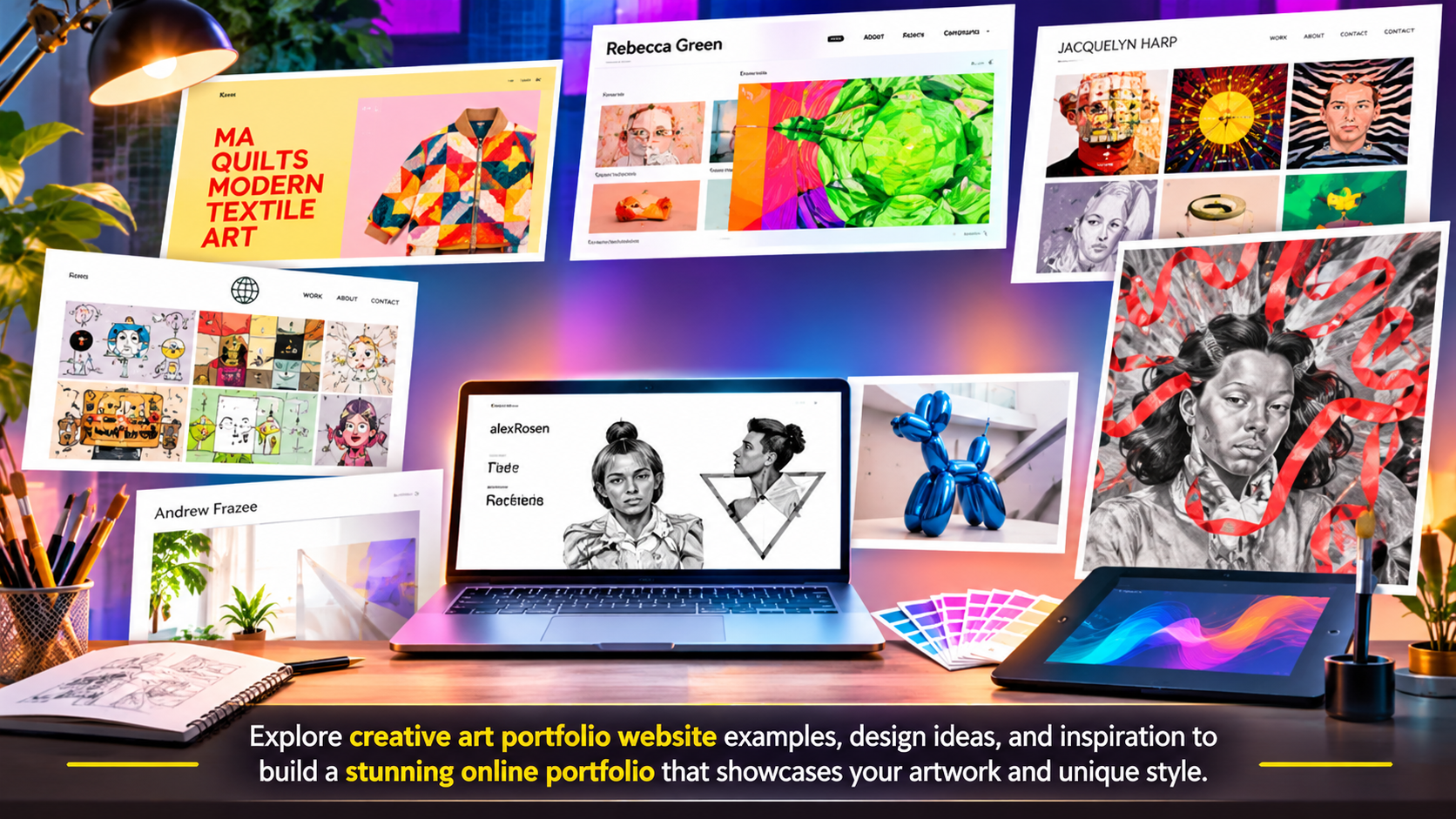
Creative art portfolio website examples showcasing unique artwork, modern gallery layouts, digital illustrations, and inspiring design ideas for artists.
Keep the Submission Format Separate From Your Public Site
A program can require a specific selection and format even when your site has more work. For example, the NYC public-school guidance in the supplied research calls out particular visual-art assignments and a student introduction. Those requirements apply to the relevant program, not to every applicant elsewhere. Keep a master folder and make one submission copy per brief, with a final check against the official instructions.
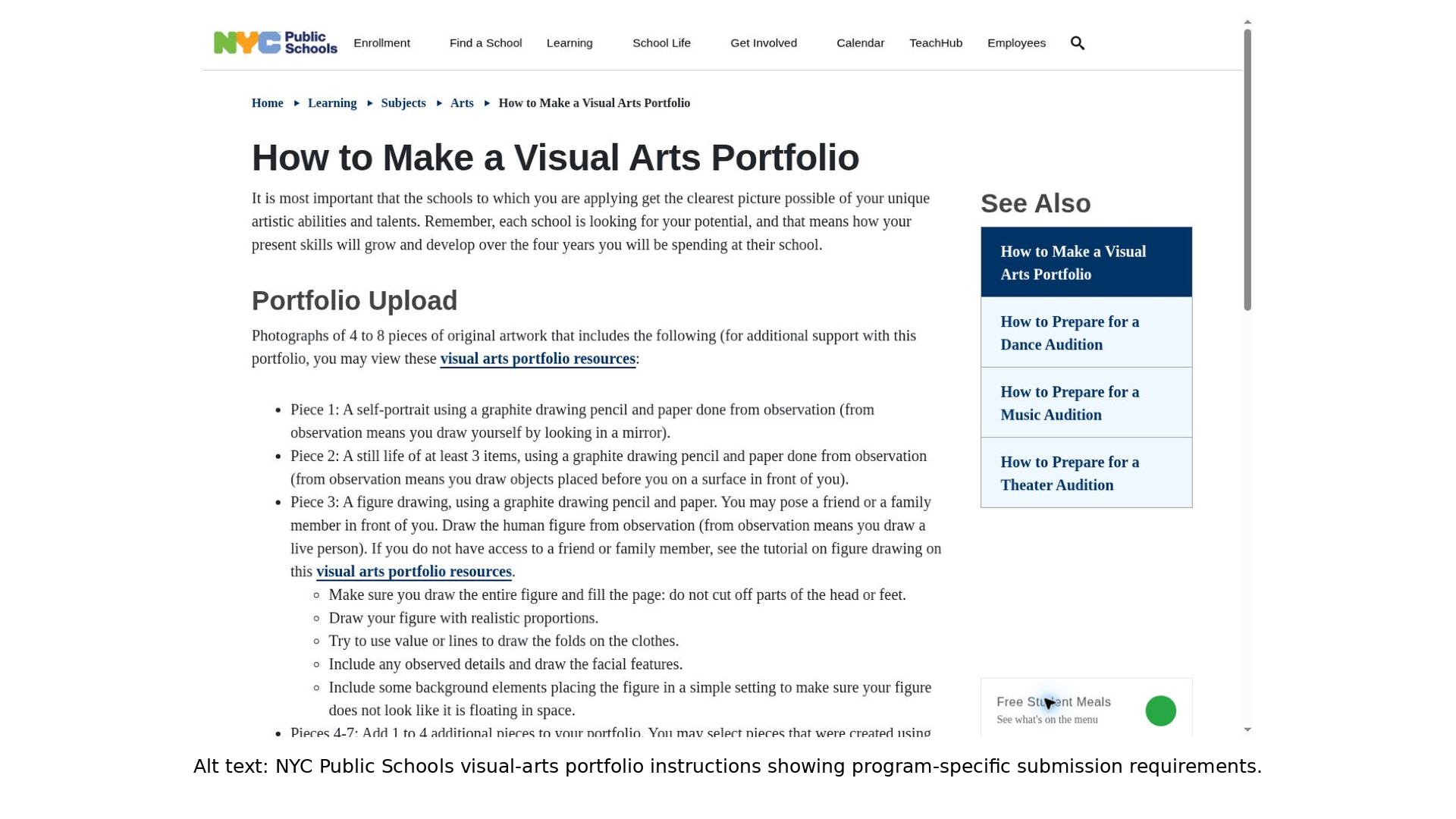
https://www.schools.nyc.gov/learning/subjects/arts/how-to-make-a-visual-arts-portfolio
Select Work With a Practical Curation Test
Build a Shortlist Based on Relevance, Craft, and Evidence
List the candidate pieces with their medium, date, role, and what each proves. Ask three questions: Does it answer the reviewer’s brief? Is the presentation clear enough to judge? Does it demonstrate something the other pieces do not? Two polished landscapes may serve the same purpose; one landscape and a useful composition study might reveal more when the brief values process.
Make a second pass for permission and attribution. State your contribution on collaborations, obtain permission before showing confidential work, and identify a self-initiated project honestly. A portfolio can show a fictional commission brief without implying that a named client hired you. Keep school-only or private work out of the public collection if its permission is limited.
Give every candidate a reason to be included. One print may demonstrate composition, another a difficult registration process, and a third an ability to adapt a concept to a different format. If two pieces prove the same thing, compare their clarity and relevance rather than keeping both out of attachment. A weaker piece should not survive only because it fills an arbitrary grid cell.
For a collaborative publication, name the illustrator, printer, designer, and writer where those roles differ. Explain the part you completed. If a photographed object includes another person's work, clarify what the reviewer is evaluating. This makes the selection more credible and gives a client a realistic view of what you can deliver independently.

A creative collection of vintage photographs and surreal artworks, bringing together visual memories, artistic imagination, and storytelling in one captivating display.
Use Art Portfolio Ideas to Fill a Specific Gap
Choose art portfolio ideas that resolve a specific weakness in the current selection. A new study should add relevant evidence, such as observation, composition, material handling, or adaptation, rather than repeat a strength the reviewer can already see.
Useful art portfolio ideas emerge from the skill you cannot yet demonstrate. If all your work is a finished print, document two or three decisions from a new print project: an early sketch, a rejected color test, and the final edition. If a client needs artwork across placements, show one concept adapted to a cover crop, a narrow banner, and a detail view rather than making unrelated mockups.
Set a manageable exercise with a constraint. A printmaker pursuing editorial commissions could interpret one short public-domain text, develop two compositions, and adapt the chosen one to a cover and a small interior placement. Keep the exercise labeled as self-initiated. The useful outcome is evidence of decisions under a relevant constraint, not an invented client relationship or a set of unrelated decorative mockups.
Alt text: Google SEO Starter Guide explaining search engine optimization basics and how Google Search works.
Study Examples for the Decisions They Show
Art Portfolio Examples for Three Different Reviewers
Use art portfolio examples to compare evidence, not just style. An admissions sequence can open with a required observational piece and then show selected experimentation. A printmaker’s commission portfolio can start with work close to the buyer’s brief and end with a clear contact route. A concept artist can show the final result first, followed by iterations that explain why it changed.
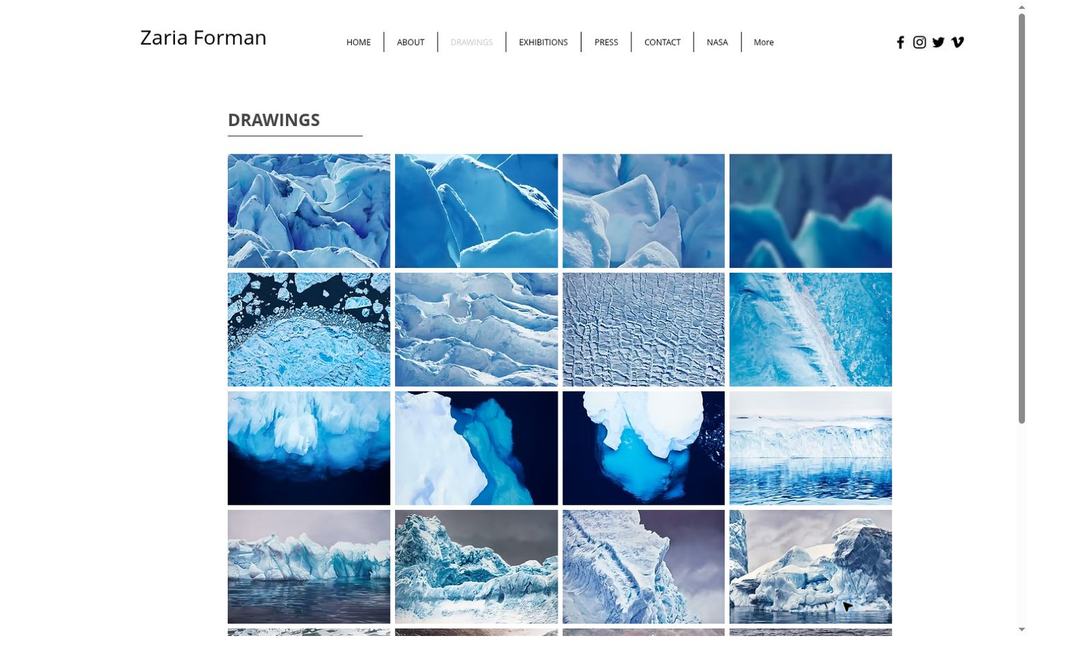
Alt text: Zaria Forman Drawings page showcasing a cohesive collection of artwork arranged in an image grid.
What to Look for in Art Portfolio Website Examples
The most useful art portfolio website examples make it easy to answer three questions: what does this artist make, what should I open first, and how do I contact them? Inspect the gallery on a phone, open an individual project, and read the caption without relying on the thumbnail. Save the structural choice that works, such as labeled categories or consistent detail views, rather than copying another artist’s identity or images.
The portfolio references below offer three different presentation questions. The Zaria Forman observations are supported by the current captures; the other two approaches come from the supplied research and should be checked on the original sites before relying on a current layout detail.
| Portfolio reference | Approach described in the supplied roundup | What you can adapt |
|---|---|---|
| Liron Eldar-Ashkenazi | Labeled gallery items lead to dedicated project descriptions. | Give each image a clear title and a destination with context. |
| Zaria Forman | The opening photograph shows the artist working at the scale of the artwork. | Include a scale reference when a flat image cannot communicate the size of a piece. |
| Timothy Goodman | Distinct blocks organize different kinds of information on the About page. | Separate biography, selected credits, and contact information so each is easy to find. |
On Zaria Forman's captured Drawings page, repeated image tiles establish a coherent body of work and make the collection itself the starting point. The captured About page includes a working-process video frame showing the artist beside a large drawing. That human scale communicates something a cropped thumbnail cannot. These are observations about the referenced pages, not a reason to reuse the artist's images in your own portfolio.
Borrow the review question rather than the surface style: does the visitor need to compare a series, understand an object's scale, or inspect a single technique? A grid supports comparison. A full project view supports context. A process image can establish scale or method. Choose the view that answers the question and keep navigation predictable between them.
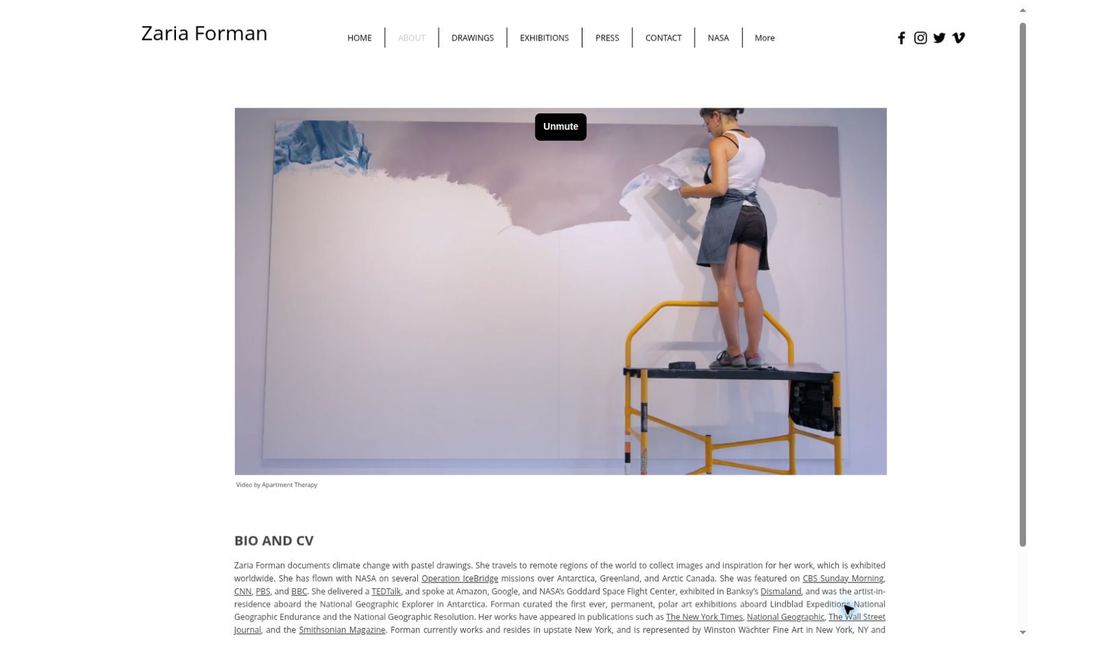
Alt text: Zaria Forman About page featuring an artist-at-work video highlighting the scale and detail of her drawings.
Show the Process Without Burying the Finished Work
How to Create an Art Portfolio With Clear Project Notes
If you are working out how to create an art portfolio from scattered files, give every selected project a consistent record: title, year, medium, dimensions where relevant, project purpose, your role, and credits. Start the project page with the strongest finished image. Follow it with one or two supporting views and only the process material that explains a meaningful decision.
For a print project, a concise note can explain a visible production decision and show its effect on the finished work. Pair an overview with a useful detail rather than several indistinguishable photographs. Keep the title, medium, and process facts consistent across the gallery and the individual project page.
A strong note links a constraint to a visible decision. For a fictional linocut called Harbor Lights, you could explain why a second color was removed to keep the image readable at a small editorial size, then show the two versions. This is a separate teaching example; the Night Ferry project shown later uses different demonstration metadata. Do not invent a process explanation for a real piece just to make its page sound more sophisticated.
Keep the notes short enough to scan but specific enough to assess. Title, medium, year, dimensions, role, and credits can be structured labels. A short paragraph can then explain purpose and one meaningful choice. Reserve a longer process account for a project where it adds evidence. The reviewer should not have to read an essay before locating the finished image.
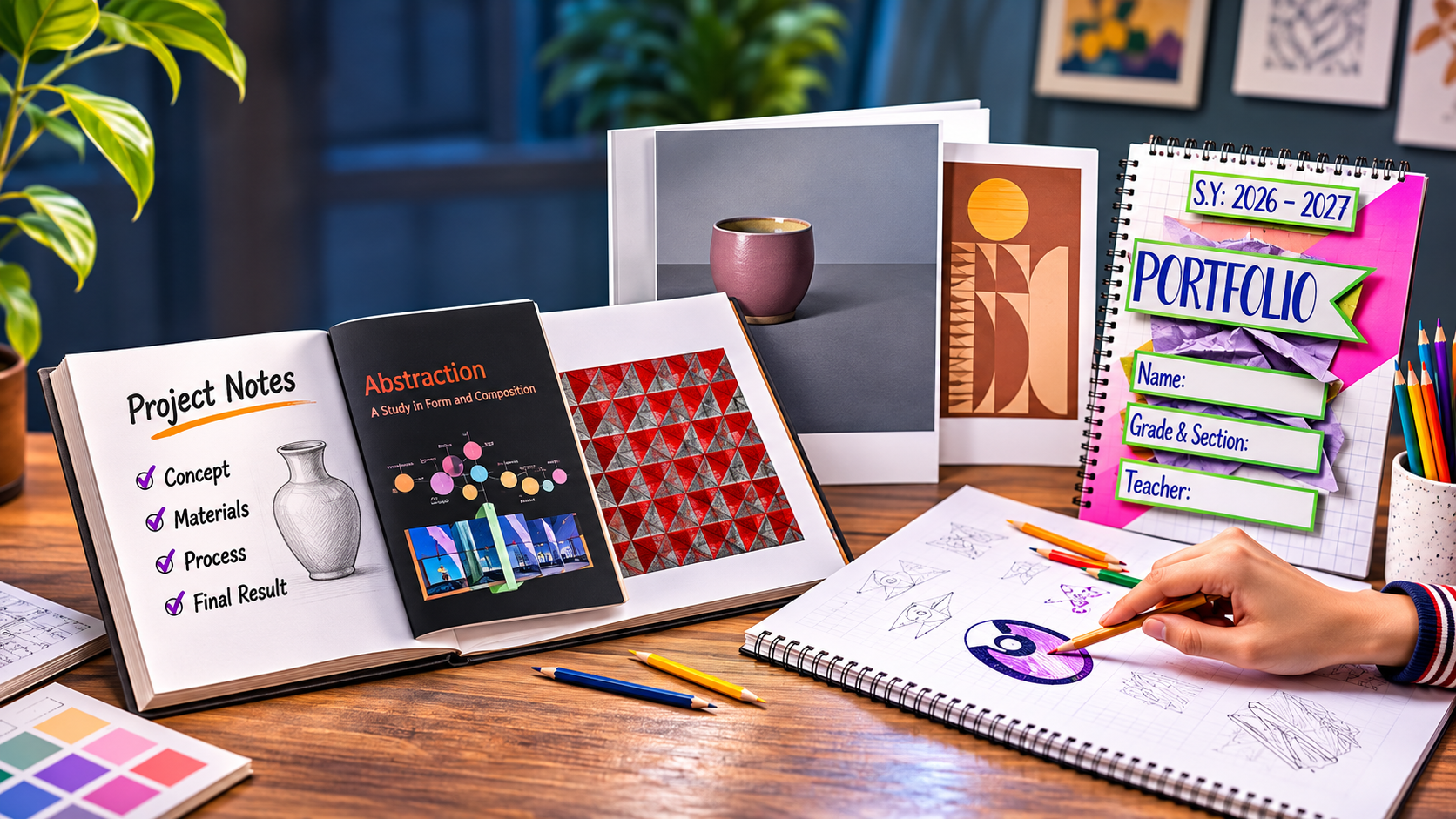
A well-organized art portfolio combines finished artwork, creative sketches, and clear project notes to showcase the artist’s ideas, techniques, process, and artistic development.
Prepare Images for Both Inspection and Loading
Keep original masters outside the public upload folder and export web copies at useful display sizes. Photograph physical work square to the piece under even light, then compare the result with the original for color and cropping. For a sculpture, use a main view and a detail or second angle. Make sure the text alternative communicates the image’s purpose and that essential information is available as ordinary text.
Create an overview that preserves the work's edges, then add a detail image where texture, mark-making, or construction matters. Do not crop away part of the artwork merely to make all thumbnails identical. A consistent thumbnail frame can contain different proportions while the detail view preserves the original. For three-dimensional work, choose angles that reveal form rather than several nearly identical front views.
Use text alternatives according to the image's purpose. A link thumbnail needs a meaningful project destination; a detailed image may need a concise description of the visual information. Put longer technique and context notes in the page text so all readers can reach them. If an image contains necessary labels or diagrams, make the equivalent information available outside the image too.
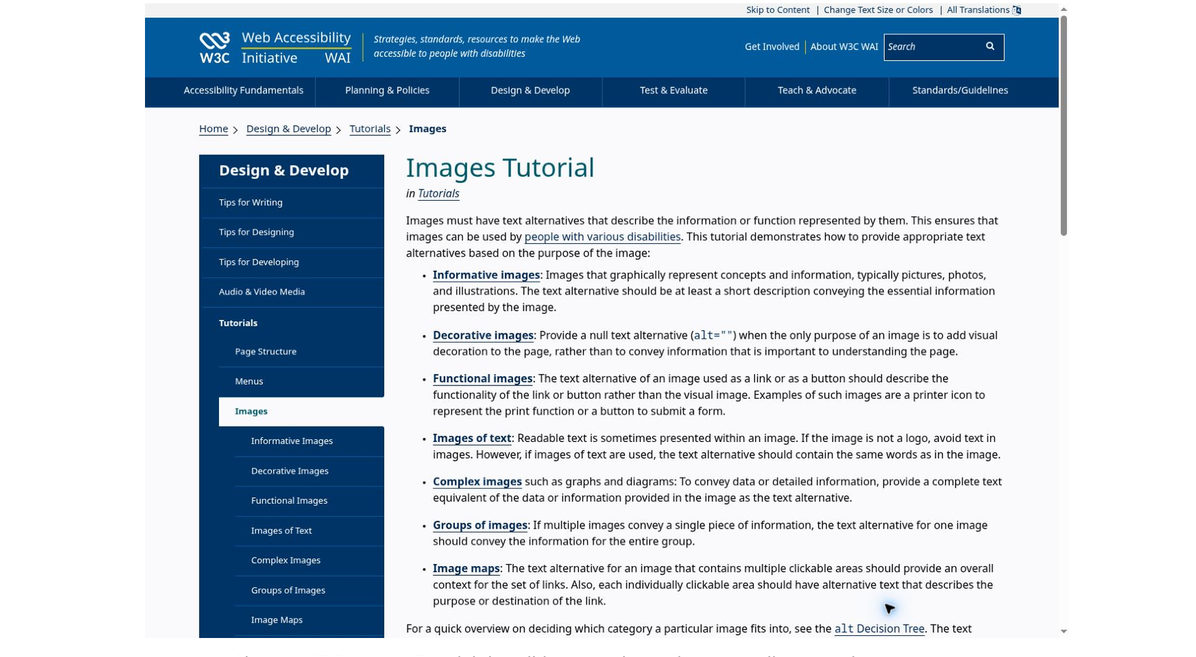
Alt text: W3C Images Tutorial explaining how to write appropriate alternative text based on an image’s purpose and context.
Build a Gallery That Is Easy to Review
An art portfolio website needs a strong entry point, a short path to the work, and a clear contact or submission action. A workable first version has a home page with selected pieces, individual project pages, and an About or Contact page. Avoid putting the strongest work behind an unlabeled menu, a splash animation, or several clicks through a carousel.
Check the Route Like a Busy Reviewer
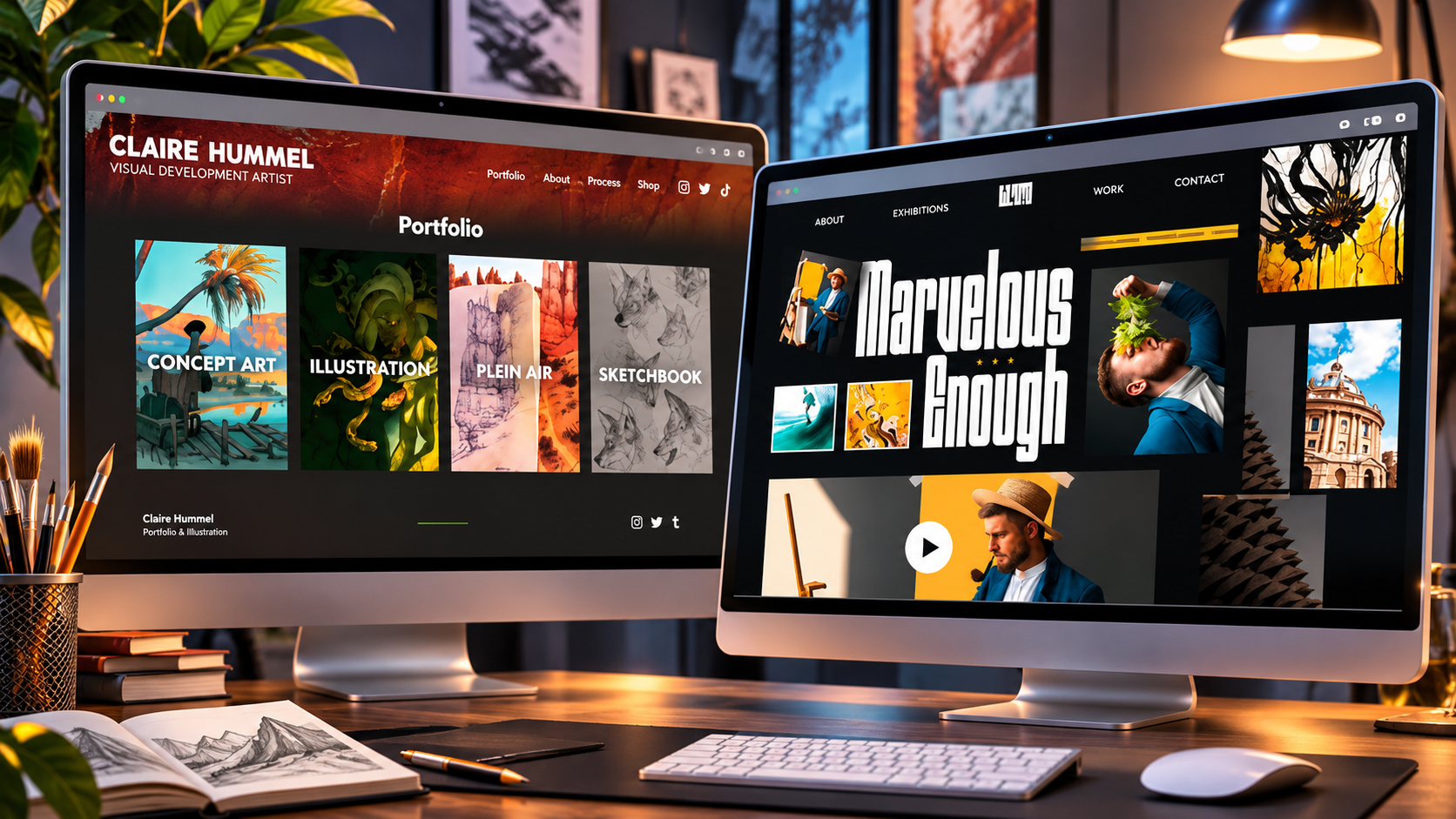
Creative art portfolio website designs featuring Claire Hummel’s organized illustration galleries and a bold, editorial-style portfolio with striking typography, immersive visuals, and modern layouts.
Test the gallery with real titles and mixed image proportions. On a phone, the visitor should be able to read the project label, open the work, return to the selection, and find contact information. Use keyboard navigation to check visible focus and every gallery control. Ask one person unfamiliar with the work to locate a project and describe the artist’s role without coaching.
Before sharing an art portfolio website, open the final public URL in a signed-out browser. Test direct project links, the form success and error states, and any portfolio download. For an application, check that the submitted files open independently and follow the target program’s naming and format rules.
Run a short review with someone who has not seen the project. Ask them to find the strongest relevant piece, identify your contribution, and locate the contact route. Observe where they hesitate before offering an explanation. If they cannot tell whether a tile opens a project, improve its label or affordance. If the biography interrupts the work, move supporting background to a more appropriate point in the journey.
Before an application deadline, check the exported files as a separate deliverable. Open them in the required order, inspect orientation and legibility, and confirm that filenames and captions match the submission. A polished public gallery does not repair a missing upload or an incorrect file type in an admissions portal. Keep the last verification focused on what the reviewer will actually receive.
Build a Printmaker’s Portfolio in Enter Pro: Iris Vale Prints
Iris Vale Prints is a fictional print studio designed to demonstrate an editorial-commission portfolio. The plan describes a selected-work gallery, three project pages, and a contact route. The supplied preview currently uses neutral artwork placeholders and invented production credits. It demonstrates information structure and navigation; it is not a finished portfolio of real artist-supplied work. Replace the placeholders and verify every credit before presenting it as a real studio.
Step 1 — Brief the Portfolio Around Editorial Commissions
The prompt asks Enter Pro to plan a portfolio for a printmaker seeking editorial commissions. Give that brief a concrete review question: can an art director quickly find relevant work, understand its medium and the artist's role, and start an enquiry? Ask for a selected-work entry point, project detail pages, and a clear About or Contact route.
Use Plan Mode to record which assets are available and which are still placeholders. If the actual artwork has not been supplied, keep the missing-image state deliberate and label the site as a demonstration. Do not ask the generator to invent client names, testimonials, or production facts to fill the space.
Enter Pro Prompts for the iris Vale Prints editorial-commission porfolio
Step 2 — Review the Gallery and Project-Page Plan
The returned plan puts Night Ferry first and names Saltmarsh Almanac and Paper Weather as additional demonstration projects. It specifies a finished-work position, supporting detail or process view, medium, role, credits, and a link to the next project. This shared anatomy gives the reviewer a consistent way to compare the work without forcing every image into the same crop.
Confirm the selection before building. For a real artist, each image needs a title, permission status, factual caption, and accurate attribution. The plan's proposed six-image selection is a content requirement to fulfill, not evidence that six original artworks have already been uploaded. Keep the demonstration metadata separate from the artist's eventual records.
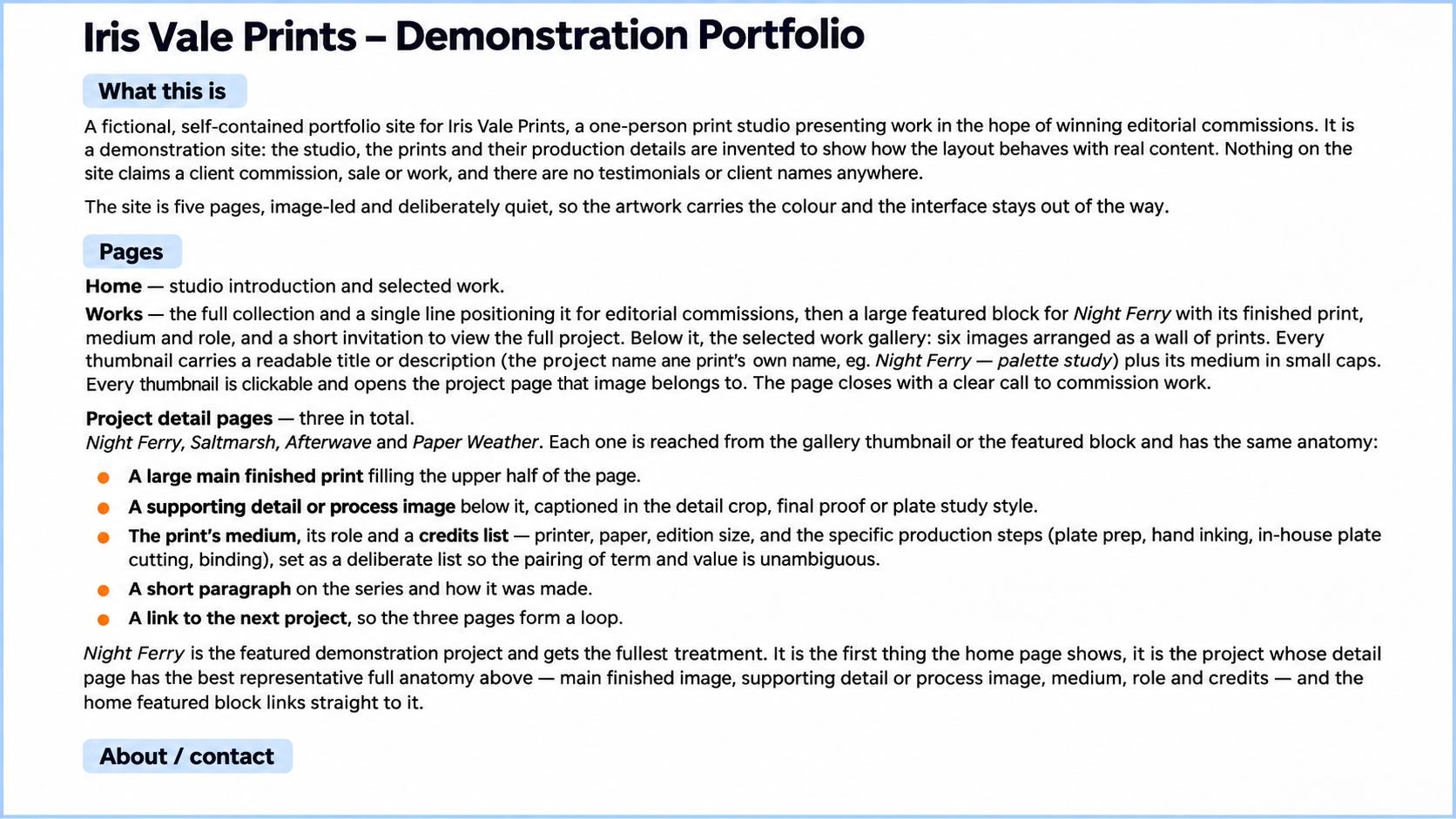
Iris Vale porfolio describing the selected-work gallery and three project detail pages
Step 3 — Inspect the Gallery With Realistic Labels
The gallery preview positions the studio around editorial illustration and features Night Ferry. Its neutral image panel is a placeholder. That still lets you check the relationship between the project title, medium, description, and detail link. Use the Visual Editor to refine approved labels and spacing, then replace the placeholder with the correctly proportioned original before judging the final presentation.
Check that a portrait work and a landscape work can both fit without losing important edges. Keep thumbnail labels meaningful and test the route back from a project. A gallery that looks coherent with empty panels may behave differently with real colors, contrast, and image heights. Repeat the review with the actual selection rather than assuming that the scaffold establishes the finished result.
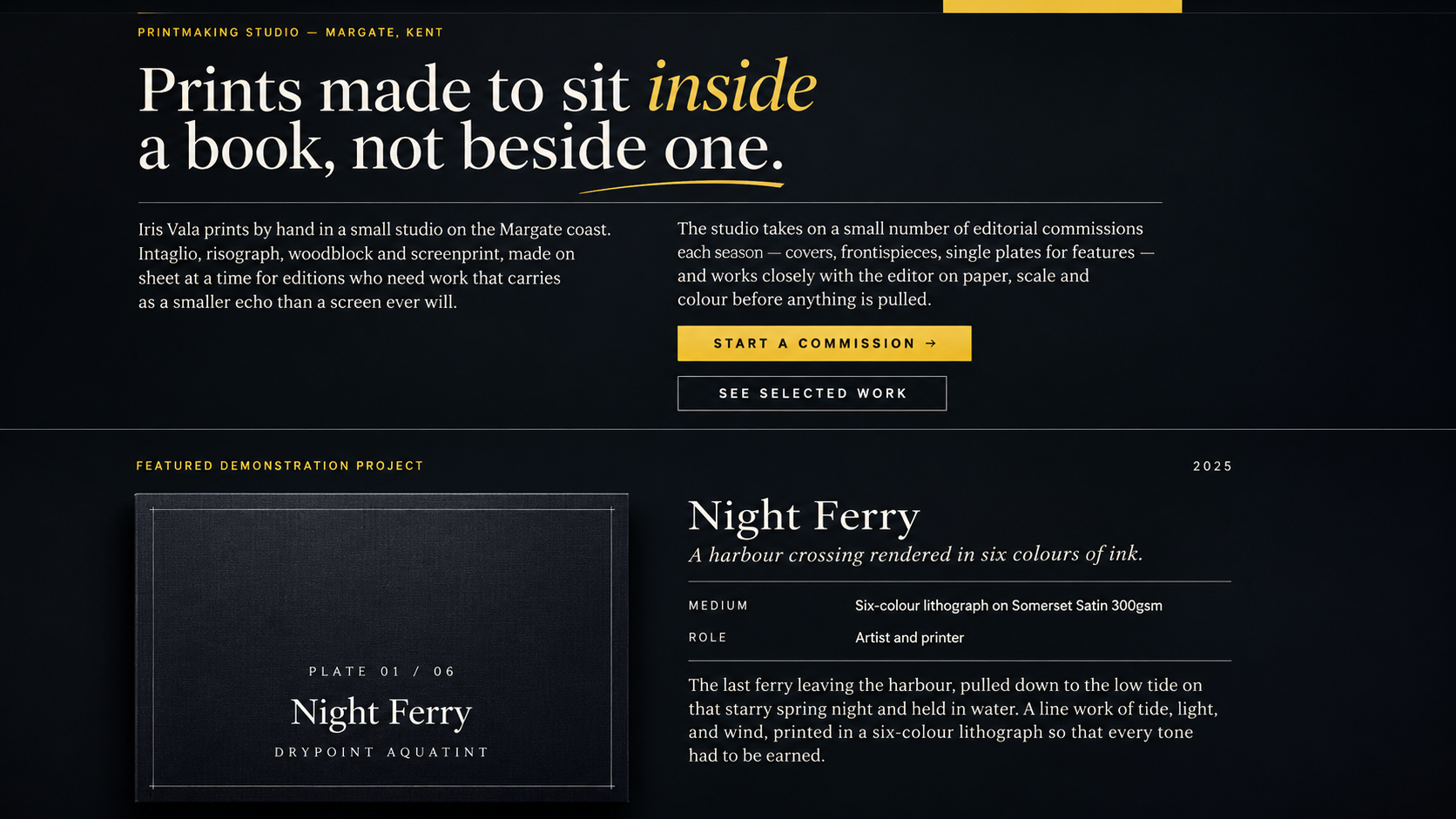
Iris Vale selected-work preview featuring Night Ferry with clearly visible neutral artwork
Step 4 — Check Project Context Before the Public Release
The Night Ferry detail capture shows structured production credits, a supporting placeholder, and a next-project route to Saltmarsh Almanac. The demonstration labels describe a six-colour, hand-pulled lithograph. Treat those as invented teaching content, not verified facts about a real print. The useful pattern is the pairing of a visible work with its medium, contribution, and context.
Before sharing a real portfolio, replace every placeholder, verify the credits, and inspect the strongest image on a phone. Test direct project URLs, keyboard navigation, and the contact route on the public deployment. Configure the custom domain when the required access is ready. The supplied detail screenshot does not demonstrate a successful enquiry or published-domain test, so those remain release checks rather than completed results.
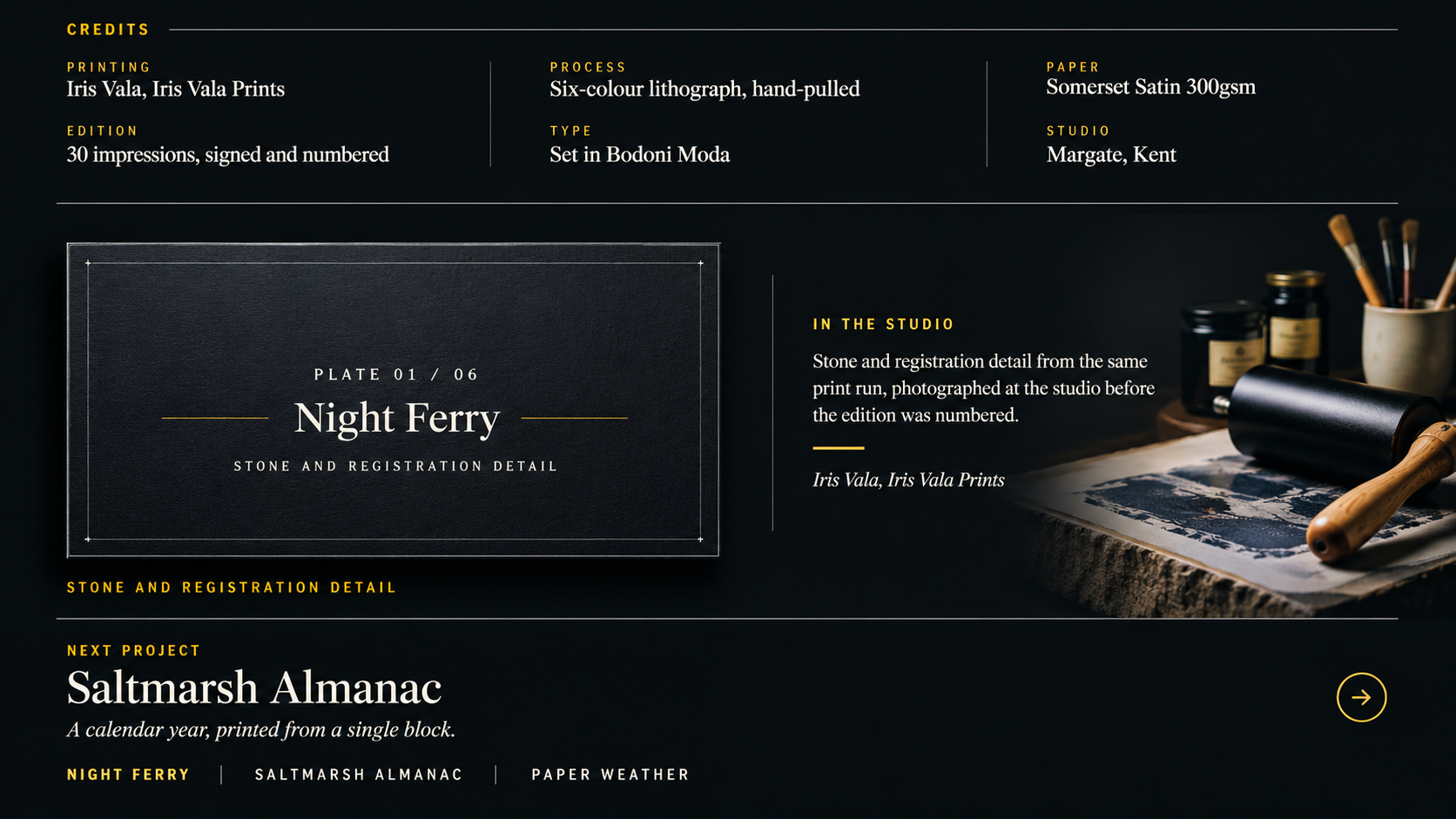
Iris Vale selected-work preview featuring Night Ferry with clearly visible neutral artwork and next project link
Conclusion: Give the Reviewer a Clear Path Through Your Work
Knowing how to make an art portfolio means choosing relevant work, providing evidence of your decisions, and presenting it in the format the reviewer needs. Start with one audience and one strong sequence, then test the actual route from the first image to the final submission or enquiry.
Give your selected work a clear route from gallery to enquiry. Start your Enter Pro portfolio → with your own approved artwork, labels, and project context.
FAQ About How To Make An Art Portfolio
How Many Pieces Should I Include?
Follow the required number for an application. For a public site, choose enough distinct work to show the relevant range without repeating the same skill. A few well-explained projects can serve a clearer purpose than an unedited archive.
Can I Include Unfinished Work?
Include it when it documents a useful decision or the brief asks for process. Label it as a sketch, study, or iteration. A reviewer should be able to tell which piece represents the final result.
Should I Use a PDF or a Website?
Use the format requested by the reviewer. A website supports discovery and direct project links, while a PDF can provide a fixed submission sequence. The same source files can support both once the selection and permissions are confirmed.
Can I Include Work From a Team Project?
Yes, when you are allowed to share it and explain your role accurately. Credit collaborators and distinguish your decisions or deliverables from the team’s combined output.
What Should I Do If I Have No Paid Client Work?
Use relevant self-initiated work, course projects, or exercises you are allowed to share. Label the context and explain the constraint you set yourself. Do not imply an actual commission or client outcome.
How Often Should I Update the Collection?
Review it when the target role, application brief, or type of commission changes. Remove work that no longer supports that purpose. Check important links and contact details before sending a new submission.
Can Enter Pro Build a Portfolio From My Own Artwork?
An Enter Pro project can be planned around your selected images, labels, project pages, and contact route. Supply the approved artwork and attribution yourself, then verify the generated layout and image presentation before sharing it.
Can Enter Pro Replace a School’s Submission Portal?
Use Enter Pro to prepare a public presentation if a link is useful. Follow the school’s own upload and file requirements for the application itself, including any requested individual images, captions, or process material.