

How to Start an Ecommerce Business From Scratch
Learn how to start an ecommerce business from scratch, choose products, set up an online store, calculate costs, and launch with a practical plan.
You have an idea for an ecommerce business. But how should you get started? Do you buy products first, or build a website and find customers? Starting an ecommerce business is more complex than just putting a few products online and waiting for customers to come and make purchases.
The first step in learning how to start an ecommerce business is finding a product that people want to buy, and can be sold for a reasonable profit.
To help you follow along, we’ll use the example of a small stationery business selling study planners. We’ll go over how they get started, from choosing a product to setting up a store, taking orders and payments, and fulfilling orders.
What Is an Ecommerce Business?

An ecommerce business sells products or services through online channels, such as websites, marketplaces, and social media.
In our example, someone buys a study planner from our stationery business. They read the product description, pay online, and get a delivery confirmation once the order ships. All of this takes place behind the scenes, as the ecommerce business takes care of inventory, payments, shipping, and customer support.
Although the website is only a part of this process, it’s an important one.
Ecommerce Business Models: Which One Fits Your Budget?
You don’t need a warehouse to start an ecommerce business. But choosing the right model for your needs will affect costs and responsibilities.
| Business Model | Inventory | Main Consideration |
|---|---|---|
| Wholesale resale | You buy and own stock upfront | Risk of holding unsold products |
| Handmade products | You make your own products | Production time |
| Print on demand | Supplier produces the orders | Less control over quality |
| Dropshipping | Supplier fulfills your orders | Delivery times and supplier reliability |
| Own-brand manufacturing | Usually involves holding some stock | Higher upfront development costs |
Our stationery seller can choose to buy 30 notebooks and store them, or find a supplier to fulfill the orders for her. Buying stock upfront allows for more control over packaging, but working with a supplier means she won’t need to worry as much about holding inventory.
If you’re considering the second approach, our guide on how to start a dropshipping business can help.
How to Start an Ecommerce Business in 9 Steps
The process of how to start an ecommerce business from scratch will become more manageable if you work on each step at a time. You don’t have to have everything figured out, but you need to be clear on your costs and responsibilities before you start taking orders.
Step 1. Find a Niche and Validate Product Demand
Let’s say that our stationery seller is going to make refillable study planners for university students.
Before buying any inventory, she can read reviews of similar products on marketplaces, and also talk to students about their planning needs. Perhaps she’ll hear that existing planners don’t have enough space to note down assignment deadlines.
That’s a potential opportunity, but knowing people are interested doesn’t mean they’ll pay her the price she intends to charge.
Step 2. Choose Products and Calculate Unit Economics
Just because you can sell a product doesn’t mean you’ll make money from it.
Let’s say our seller sells her planner for $30. Here’s what a typical order might look like.
| Per-Order Item | Amount |
|---|---|
| Selling price | $30 |
| Cost of product | −$12 |
| Packaging and shipping | −$5 |
| Payment fee | −$1 |
| Customer acquisition | −$4 |
| Remaining before overhead and taxes | $8 |
But this $8 is not necessarily pure profit. You have to deduct returns, software, storage, and other costs, and the amount left might be even smaller.
You should get quotes from suppliers and estimate the total cost of delivery for each order before deciding which products to sell.
Step 3. Choose Your Business Model & Find Suppliers

Our seller needs to find a reliable supplier of planners. Instead of ordering in bulk, she can ask several suppliers for samples. She can compare factors like the paper quality, printing, delivery time, and minimum order quantity. They can order a small batch to get a feel for the product and ask for customer feedback. She should also find out what happens if the product arrives damaged or is unavailable.
Step 4. Prepare Your Brand, Registration & Policies
It's exciting to decide on a business name for yourself, but there are other less visible tasks too.
You need to check which registration, tax, privacy, and consumer protection laws are applicable to your business location and target market. You may also need to put in place policies on returns, product types, and business bank accounts.
Our seller should have a policy on refunds and contact information in place before she launches her stationery store. The legalities of business may vary from place to place, so it's best not to copy the practices of another business in your country.
Step 5. Decide Where to Sell: Marketplace vs. Your Own Ecommerce Store
Should our seller set up an account on a marketplace or build her own ecommerce website?
Each has its own benefits.
| Factor | Marketplace | Own Ecommerce Store |
|---|---|---|
| Customer Discovery | You are exposed to the existing customer base of the marketplace | You need to find a way to attract customers to your website |
| Branding | You are restricted by marketplace guidelines | You have more control over the branding of your website |
| Costs | Marketplace and transaction fees | Website hosting and other tool costs, and payment fees |
| Management | You have to follow marketplace guidelines | You have to manage more aspects of your website |
Our seller can use a marketplace to test out her product and see if there is demand for it. She can set up her own website to have more control over her brand and customer experience. She can even use both if she is willing to put in the extra effort and money.
Step 6. Set Up Your Ecommerce Website and Product Pages
If you want to learn how to start an online ecommerce business on your own website, the first thing you need to do is set up the website and its pages.
Our seller can set up a homepage, a collection of her planners, product pages, a shopping cart and a contact page for her ecommerce store.
The product page should have information about the size of the planner, its paper and other materials, the contents, price and delivery information.
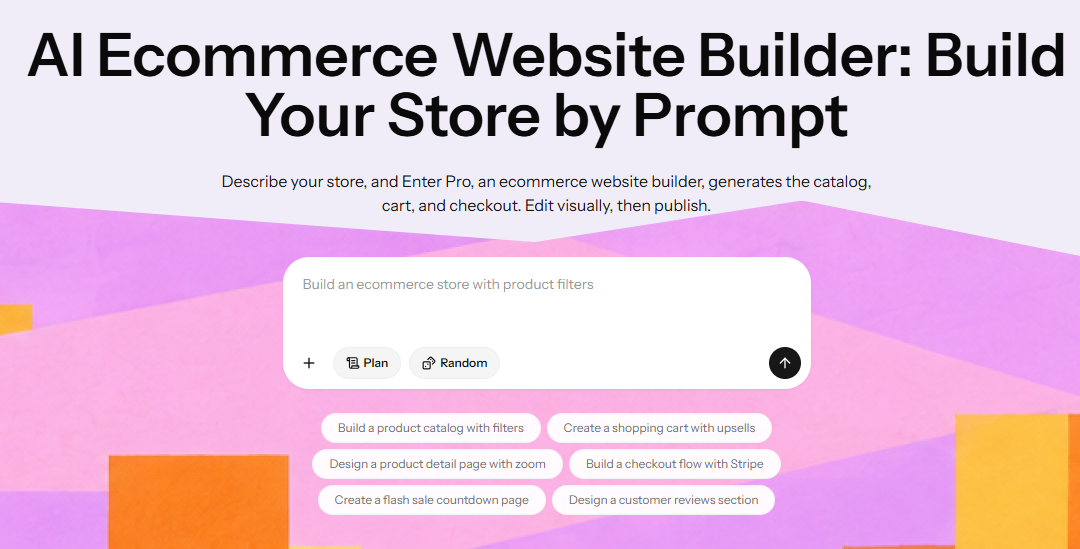
Enter's Ecommerce Website Builder can help you set up a branded ecommerce store and organize your pages. You'll need to set up your payment, orders, and other integrations before going live. I have explained the complete process of making the site with the help of Enter Pro below.
1- Open Enter Pro
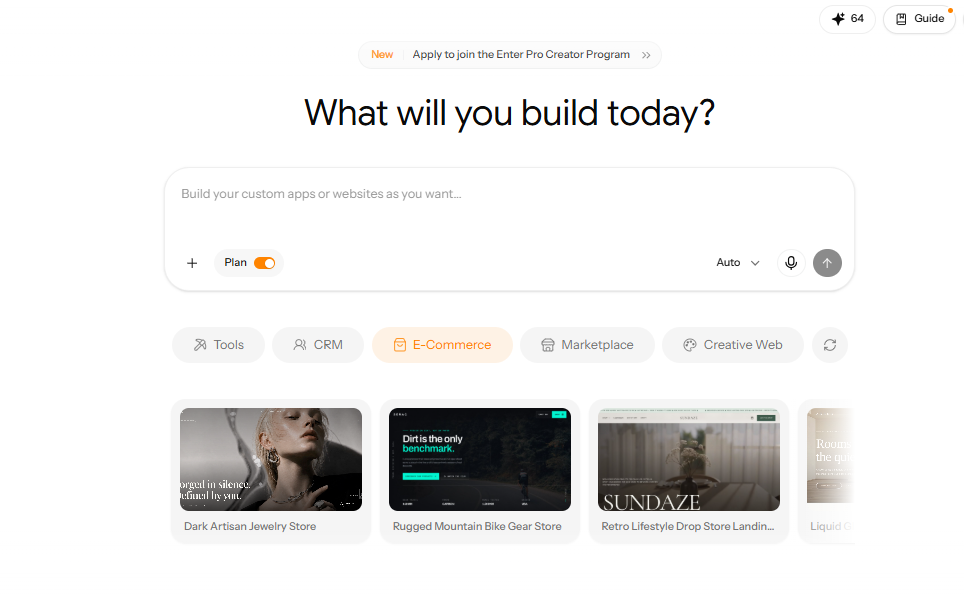
Open Enter Pro, and then choose e-commerce. Write about your store details about your niche, your theme, and your products give it all the details.
2- Write a Detailed Store Prompt
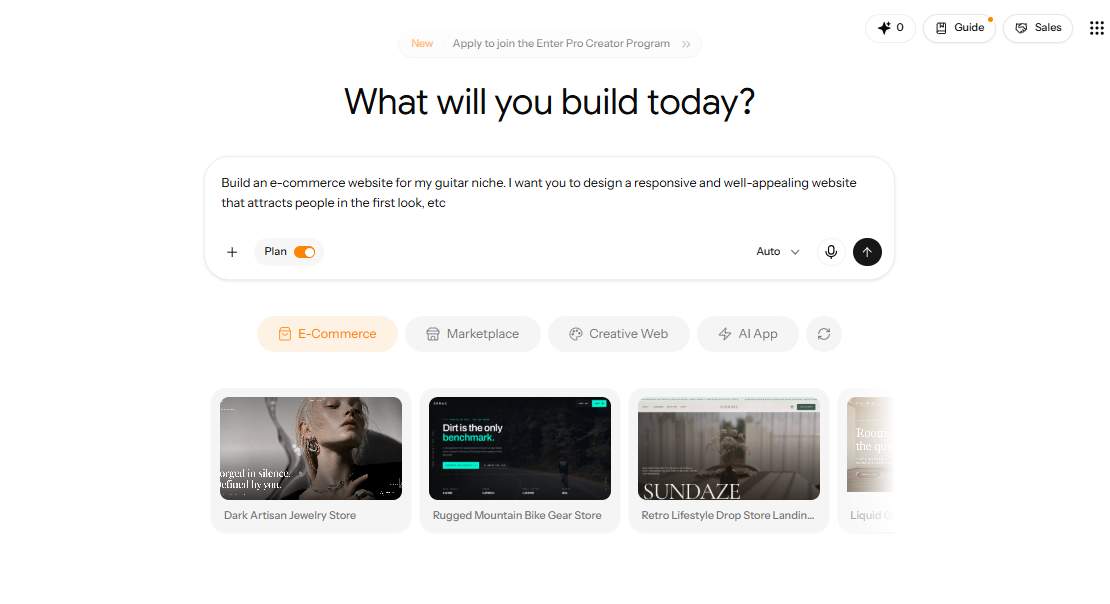
Write a command that gives Enter Pro enough detail to organize the store like:
"Build an e-commerce website for the guitar niche. I want you to design a responsive and well-appealing website that attracts people in the first look, etc."
3- Review The Website Structure
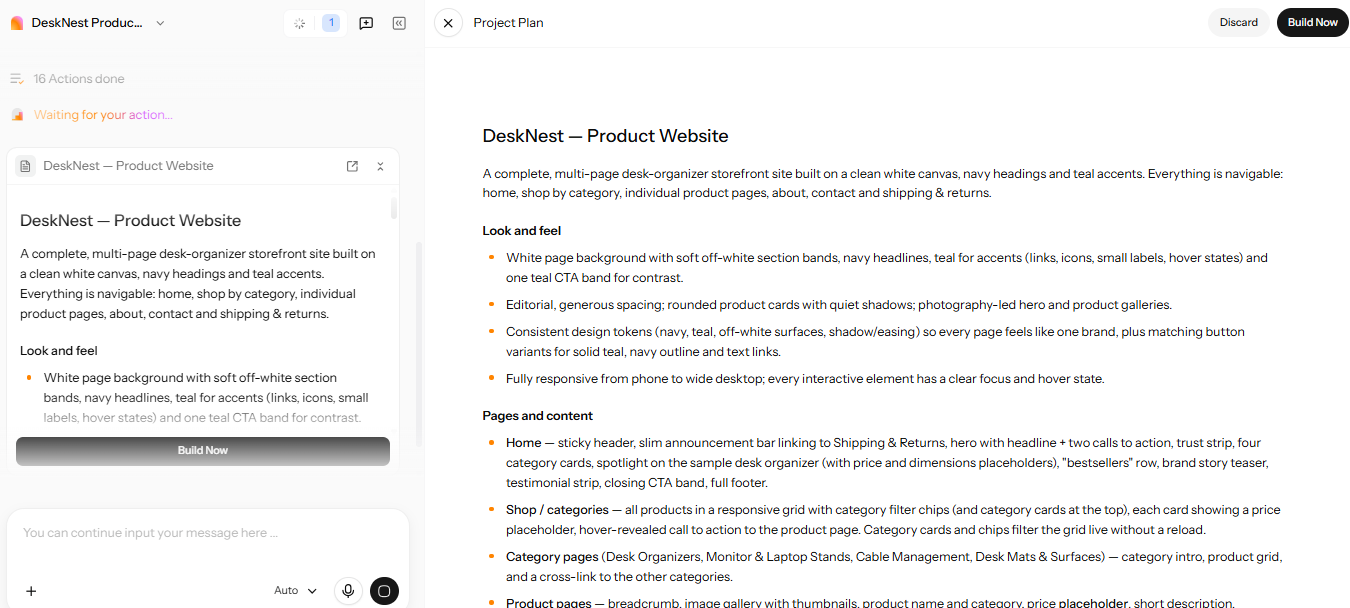
After that, take a look at the details of your store read everything in details. Make sure you are providing all the information here in this step.
4- Build and Customize Your Pages
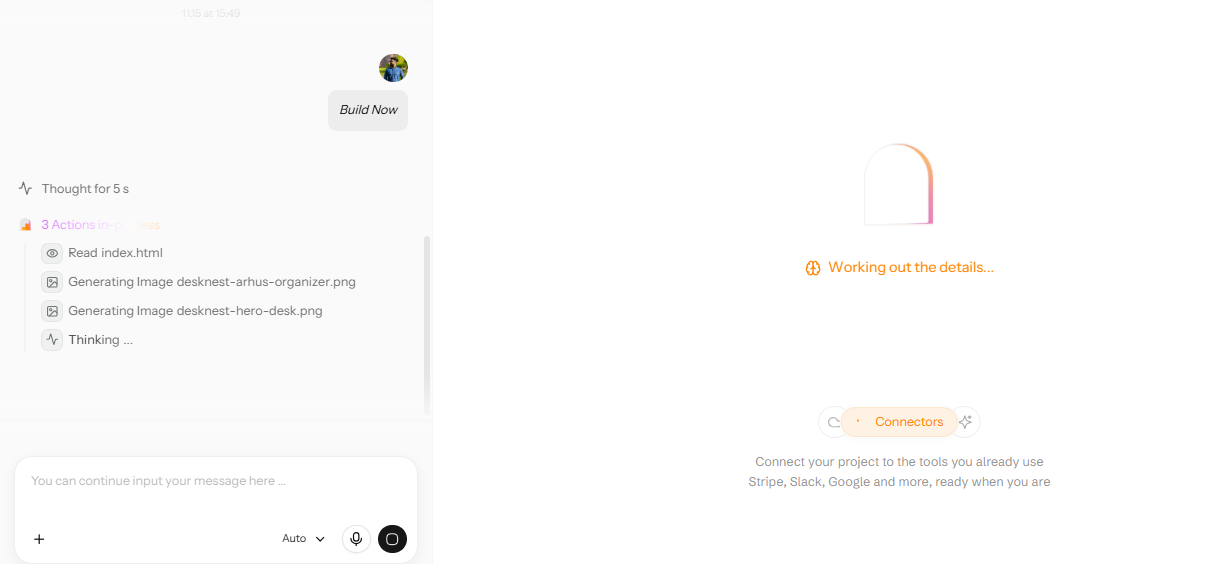
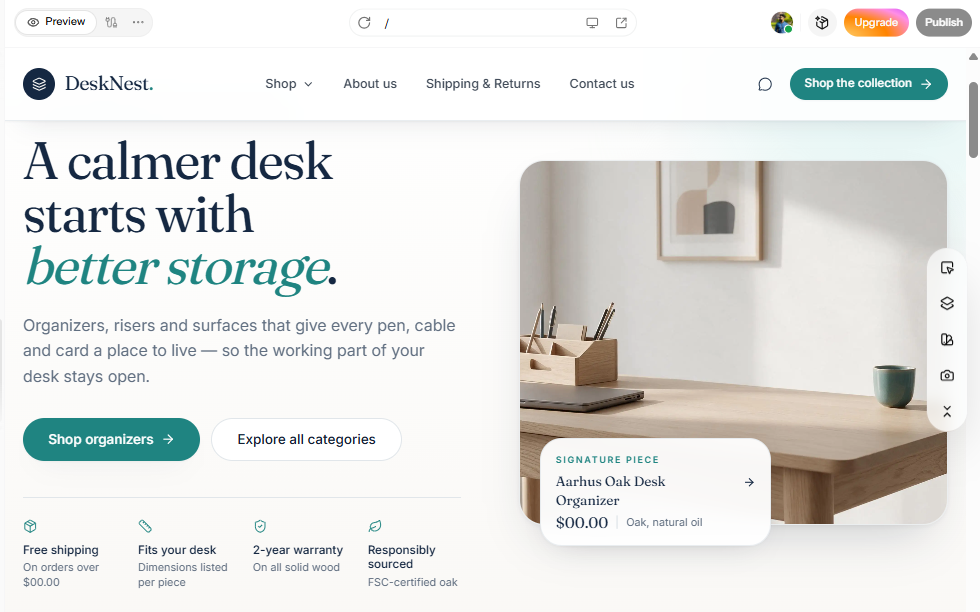
Create your web page and see what it looks like. After that, replace the temporary images and descriptions with original images and descriptions.
5- Publish and See Live Website
You need to wait until all the content and features are tested. Test your live website for the proper functioning of its navigation, which should differ from your previewed one.
Step 7. Set Up Payments, Shipping and Customer Support
It's no use having a beautiful website if you can't make a sale.
First, find out what payment providers you can use based on your business location. Then set up your shipping zones and packaging, shipping, tracking, and returns policies.
Our seller can test her website and make a test order herself to ensure that her payment process works and the order is received in her system. She can also check that the customer receives the correct confirmation.
Step 8. Launch Your Store With a Marketing Plan
Instead of running ads right away, our seller can show how students can use her planner during exam season.
She can write an article on planning studies, and make short videos of her product. She can also post on social media to help customers find her product.
She can also use her website to get email subscriptions with the customer's permission.
The idea is not to attract more views and followers to her website, but to see if people are actually interested in and willing to buy her product.
Step 9. Measure Results and Improve Operations
When orders start coming in, it is important to track not only sales, but also the percentage of sales, average sales price, shipping costs, refund rates, and customer reviews. If many customers start dropping out at the checkout page when they see the shipping price, it is important to check the problem before expanding your assortment.
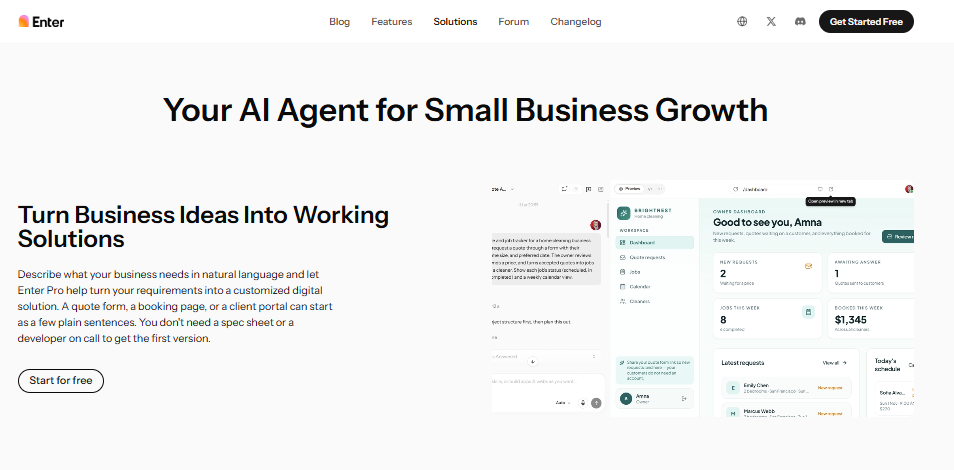
You can also use the Enter Pro's AI for Small Businesses solution to build custom analytics dashboards to track order and sales metrics and an app to manage orders.
Before launching your website, make sure that you can supply the products you sell, that prices are set correctly, that the checkout works, that you have set up shipping and return policies, and that you provide information about customer service. For example.
How Much Does It Cost to Start an Ecommerce Business?
The cost of starting an ecommerce business depends on your approach. A seller who wants to test a few products will need different resources than a person who wants to buy hundreds of products in advance.
| Expense | Lean Test | Inventory-Based Store |
|---|---|---|
| Product samples | Relatively low initial cost | Product samples and inventory |
| Website or platform | Basic subscription or marketplace | Website subscription and apps |
| Packaging | Low initial investment | Higher inventory |
| Marketing | Organic content, low-cost ads | More substantial advertising |
| Registration and compliance | Varies by location | Varies by location |
When setting your budget, do not forget to include the costs of getting started buying samples, setting up a website, etc. You will also need to keep enough capital to fulfill orders until your customers’ payments reach you.
How to Design an Ecommerce Store Customers Can Trust
Let’s say you want to buy a planner. You see two ads, one with a blurry photo and a brief description, and another with photos of the planner pages, its size and specifications, shipping and return conditions. Which ad would you trust more?
A stationery store should be designed to make it easy for customers to understand products, for example, on a mobile device.
| Weak Product Page | Improved Product Page |
|---|---|
| One blurry photo of the product | Several clear product photos |
| Product name only | Description of size, materials, and features |
| Shipping info not shown | Shipping info visible |
| Unclear call to action | Clear call to action and price |
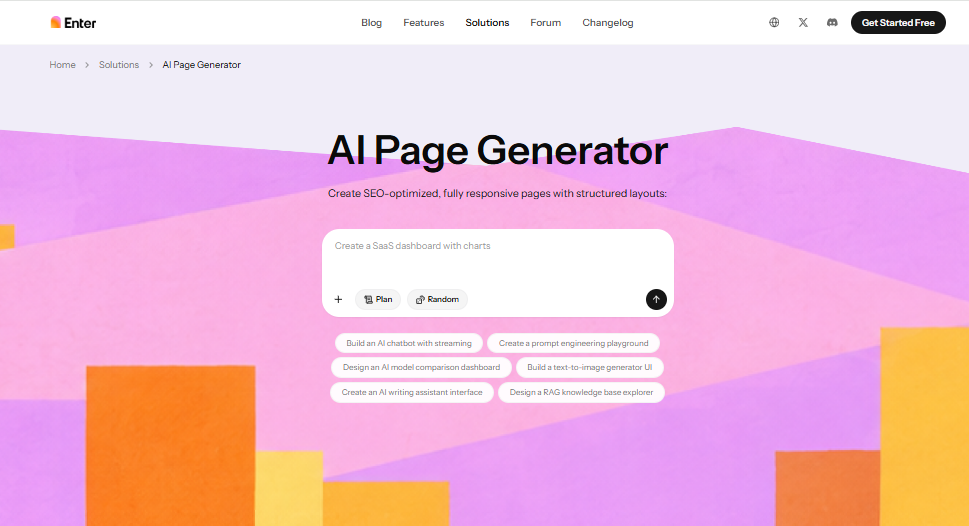
Enter Pro’s AI Page Generator can help you create structured product and promotion pages, but you still need to ensure the correctness of the product information, the relevance of your policies, and the functionality of your checkout.
Common Mistakes New Ecommerce Businesses Make
Many of the problems faced by new ecommerce businesses actually arise before the first order is received. Here are some of the issues to be aware of if you are selling stationery, for example.
| Mistake | Possible Problem | Better Approach |
|---|---|---|
| Ordering too much inventory | Excess inventory | Test with a smaller batch |
| Not considering shipping costs | Low profit margins | Calculate all costs |
| Copying product descriptions | Customers don’t understand the offer | Use your own accurate descriptions |
| Not testing the checkout | Checkout doesn’t work | Test the checkout yourself |
| Not clarifying supplier terms | Delivery and dispute issues | Clarify all terms and conditions |
| Increasing ad spend too quickly | Higher losses | First check profitability of sales |
It may seem like these are small details, but checking them before launching your website can help you avoid unpleasant complaints from customers.
A Practical 30-Day Ecommerce Launch Plan
You don’t have to do everything in a week, of course. A simple plan can help you organize the process.
| Period | Main Activities | Deliverable |
|---|---|---|
| Week 1 | Research target audience and competitors | Shortlist of products to sell |
| Week 2 | Contact suppliers, check business requirements | Samples and setup checklist |
| Week 3 | Create product pages and configure operations | Website with test orders |
| Week 4 | Run a small promotion and gather feedback | First results and improvement tasks |
Here’s a sample timeline. Keep in mind this is not a guarantee that everyone can launch their own business in 30 days. Some may take longer to register, source products, or meet other technical requirements.
Final Thoughts: Begin Small and Focus on Demand
When you sell one product to a single group of customers, starting an ecommerce business is much easier.
For example, the seller of stationery doesn’t need to create hundreds of planners right away. They do not need a sophisticated website. But they do need to have a product that students will find useful, understand costs, and have an effective way to receive and fulfill orders.
With that in place, you can use customer feedback and sales data to decide how you want to improve or expand your business. You can use Enter's Pro e-commerce website builder to create your website from scratch. Also, you can use marketing solutions and run campaigns with the help of Enter pro as well.
FAQ: Starting an Ecommerce Business
Do I need experience to start an ecommerce business?
You don’t need any prior ecommerce experience to start an ecommerce business. But you will need to learn the basics of product research, pricing, customer service, and order management. Keeping your range of products small will give you time to learn about the business without having to deal with a lot of inventory or operational tasks.
How much money do I need to start an ecommerce business?
This depends on the type of products you want to sell, the platform you want to use, and the inventory requirements. If you want to test your ecommerce business with minimal inventory, you can start with less. You also need to budget for product samples, business registration, payment processing fees, shipping costs, marketing, and other unexpected expenses.
Do I need to have an LLC or register my business?
This depends on where you live and what you plan to sell. The requirements for business registration, taxation, and licensing depend on your location, the type of products you sell, and other business activities. Make sure to check what applies to you before launching your business.
How can I create an ecommerce website without coding?
If you want to create an ecommerce website but don’t know how to code, you can use a website builder. Enter Pro’s ecommerce website builder can help you set up your ecommerce storefront and product pages. You will still need to set up payment processing, shipping, store policies, and test your website for orders.
What is the easiest product to sell online?
If you are new to ecommerce, you may want to sell a product that is easy to pack and ship. While this doesn’t guarantee that you will be able to sell, it’s easier to handle than selling more fragile or restricted products. You should also look for a product that has demand and decent margins.
Do I need inventory to start an ecommerce business?
You can sell products without having inventory. Through dropshipping and other arrangements, you can sell products without keeping them in stock. However, you will still need to manage customer expectations, coordinate with suppliers, ensure product quality, and manage delivery issues.
Should I sell my products on Amazon or on my own website?
If you are wondering how to start an ecommerce business like Amazon, keep in mind that there is a difference between selling on Amazon and having your own ecommerce marketplace. Selling on Amazon allows you to take advantage of the existing platform. On the other hand, setting up your own storefront allows you to better control your brand. Neither will guarantee sales for your business.
How long will it take me to start selling?
There is no guaranteed timeline for when you will be able to start making sales. Some ecommerce businesses get their first orders as soon as they launch, while others may take longer to find customers and improve their products. Sales depend on demand, pricing, traffic, the competition, and how much trust you can build with your customers.