

SEO Friendly Website Guide: From Planning to Successful Launch
Discover how to create an seo friendly website from scratch. Explore technical SEO, website design, platform comparisons, and actionable optimization tips.
Having a well-designed website is not enough to ensure that it is visible to search engines. I found that one client's website wasn't indexed because the developers forgot to remove a noindex tag. This experience is a testament to the fact that it takes more than a good-looking website to make it SEO friendly. It requires a clear structure, technical optimization, and valuable content. This guide offers a prioritized checklist, platform comparisons, and a practical 30-minute audit to help you plan, launch, and improve your website's performance. You will also learn about a no-code tool called Enter Pro for fast custom SEO site building.
H2: What is an SEO friendly website? A plain-language definition
A website that is good for SEO makes it possible for search engines to crawl, comprehend, and index your pages, as well as for visitors to locate information easily. SEO should not be a last-minute fix, but should be part of your web development from the ground up. I felt this difference when I tested a rebuilt site with no SEO strategy versus a site that had been planned from the ground up with keywords. So, there are 3 layers of SEO: technical optimization, valuable content, and website authority.
H2: SEO friendly website structure: plan pages before you design them
The first step to an SEO-friendly website is to structure pages based on relevant keywords and search intent. A clear structure makes it easier for visitors to navigate and find information and for search engines to find important pages. So, before you begin designing your site, draw up your site structure. Take into account these six key steps:
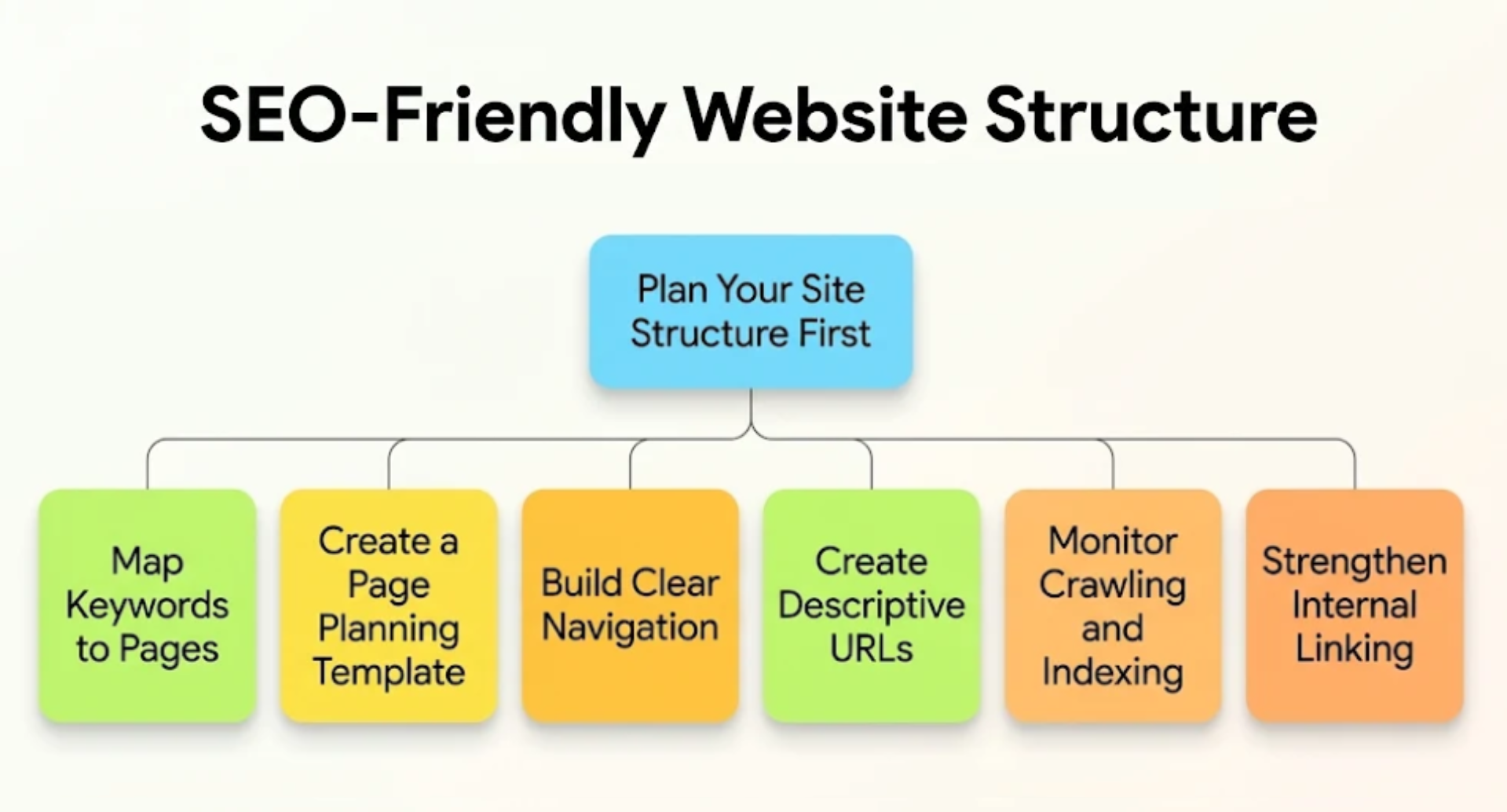
- Map keywords to pages: Assign a page for each group of keywords. Match its main keyword with search intent and relevant internal links. This not only helps avoid keyword cannibalization but also helps boost topical relevance.
- Create a page planning template: Plan the content of your website before designing each page. Include four fields: page name, primary keyword, search intent, and internal links.
- Build clear navigation: Use a simple hub-and-spoke structure for better navigation. Connect your homepage with category pages and relevant supporting content.
- Create descriptive URLs: Keep URLs short, readable, and relevant to page content. Hyphenate words and eliminate ID or stop words.
- Monitor crawling and indexing: If there are delays in crawling and indexing, check Google Search Console. It can take longer to be found if the page is buried 4 or 5 clicks deep.
- Strengthen internal linking: Link relevant pages together with descriptive and relevant anchor text. Avoid using generic links such as "click here" for important links. Think about these links in advance before even building a website.
H2: SEO friendly website design: mobile-first, fast, and easy to read
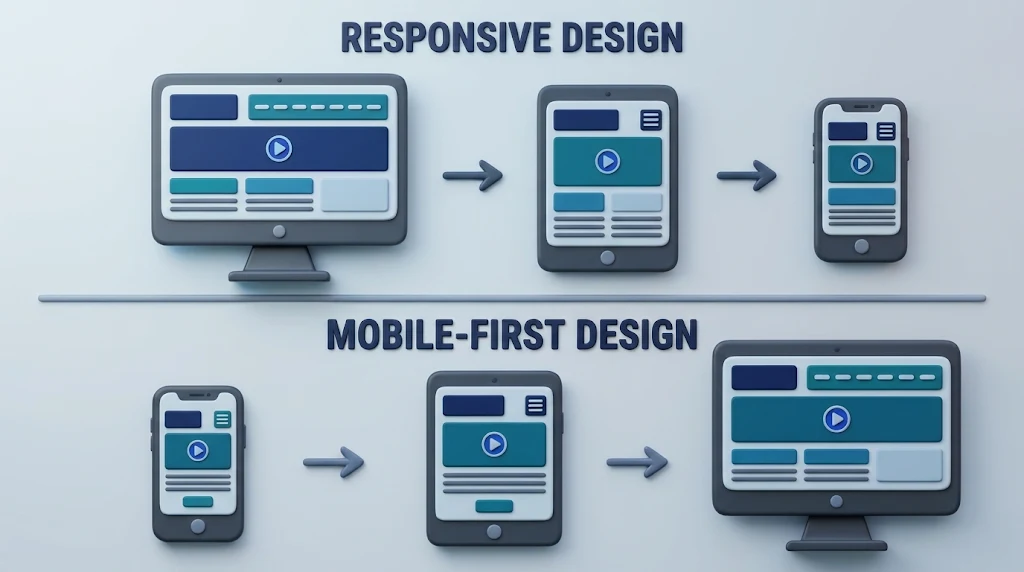
It's not enough to have a beautiful website in order to rank well. Mobile-first design is key to responsive layouts, readable fonts (at least 16px), and easily tappable buttons. Google mainly indexes and ranks the mobile version. Core Web Vitals are metrics that assess loading (LCP), responsiveness (INP), and visual stability (CLS). You can compare the results of your PageSpeed Insights reading before and after compressing images and eliminating heavy scripts. Also, focus on readable paragraphs, clear headings, and minimal intrusive pop-ups.
H2: On-page basics that still move rankings
On-page SEO is still a crucial aspect of enhancing visibility and search performance of the website. Even minor alterations such as page titles, descriptions, and content structure can enhance the appearance of pages. Hence, it is better for businesses to optimise these aspects first before trying out any advanced SEO strategies.
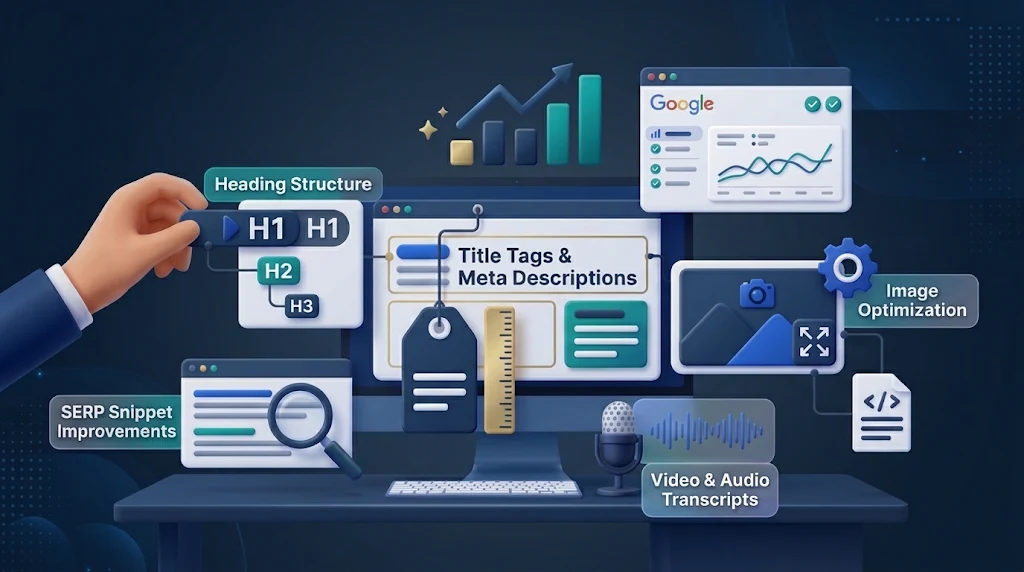
- Title tags and meta descriptions: Create unique title tags around 50-60 characters long. A good guideline for meta descriptions is to stay at or below 155 characters. Clearly explain the value of each page by using relevant keywords.
- Heading structure: Use one clear H1 heading per page. Align supporting material with appropriate H2 and H3 headings. This can be useful for visitors and search engines to see the topic of your page.
- Image optimization: Write descriptive alt text and meaningful image file names. Optimize images for WebP format and dimensions to minimize unnecessary image weight. Optimization also helps improve page performance and accessibility.
- Video and audio transcripts: Transcribe video and audio material. This helps visitors and search engines understand the spoken information. Add keywords that are relevant to the content, but not at the expense of readability.
- SERP snippet improvements: See the difference between a weak and strong title tag in sample SERP images. For instance, using specific keywords that focus on the benefits rather than general terms can draw clicks. Monitor changes in Google Search Console and assess CTR improvements.
Consistent on-page optimization strengthens content clarity and search presentation. Review these elements regularly to identify further improvement opportunities.
H2: SEO friendly website builder: which platform fits your goal?
Most popular website builders are capable of ranking. It's not really about the brand: WordPress, Shopify, Wix, Squarespace, and Webflow are all driving brands that rank on page one for competitive searches. In terms of ranking, useful content and sensible metadata do more than the logo in your dashboard, and so do fast pages and a clean structure. The true question is which platform provides you with the control you need without fighting back.
H3: What to look for in an SEO friendly website builder
Before you commit, check that the platform lets you:
- Edit titles and meta descriptions for every page, post, and product, not just the homepage.
- Set custom URLs, so you can write short, readable slugs and avoid auto-generated strings.
- Create 301 redirects, so you keep ranking signals when you rename pages or migrate from another site.
- Control your sitemap and robots.txt, or at least get an auto-generated sitemap and a way to keep pages out of search.
- Add code to the header, which you need for analytics, Search Console verification, and schema markup.
- Use mobile-friendly templates that respond properly on small screens.
- Load fast, with lightweight templates, image compression, and not too many third-party scripts.
H3: Platform comparison
| Platform | SEO control | Ease of use | Best for | Watch out for |
|---|---|---|---|---|
| WordPress (self-hosted) | Very high: full control of URLs, redirects, sitemaps, robots, and schema, plus SEO plugins | Moderate; has a learning curve | Blogs and content-heavy sites | Slow hosting, plugin bloat and ongoing updates and security |
| Shopify | Strong for stores: editable metas, built-in redirects, auto sitemap, editable robots file | Easy | Online stores | Fixed URL prefixes (such as /products/), duplicate URL paths and a basic blog |
| Wix | Good: SEO checklist, custom URLs, redirect manager, custom code on paid plans | Very easy | Small businesses and beginners | Switching templates later can mean rebuilding, and heavy pages can run slow |
| Squarespace | Good basics: metas, slugs, redirects, auto sitemap | Very easy | Portfolios, creatives and service businesses | Less technical control, and code injection depends on your plan |
| Webflow | High: clean code, custom URLs, redirects, sitemap and robots control, custom code | Steeper for non-designers | Design-led marketing sites | Learning curve, plan limits and costs as the site grows |
Plans and features change, so confirm the details on your chosen plan before you pay. Some course platforms and basic site builders restrict custom URLs, redirects, or header code. They are fine for a simple page, but they can hold you back if search traffic is your main goal.
H2: How to check if a website is SEO friendly: a 30-minute audit
Not sure if your website is SEO friendly? If you're wondering how to check website seo friendly, a technical audit can be done to identify technical problems, content gaps, and performance issues. You don't need expensive software to get started. Follow these 6 steps and use free tools to find improvements in 30 minutes.
H3: Check indexing
- Tool: Google Search Console
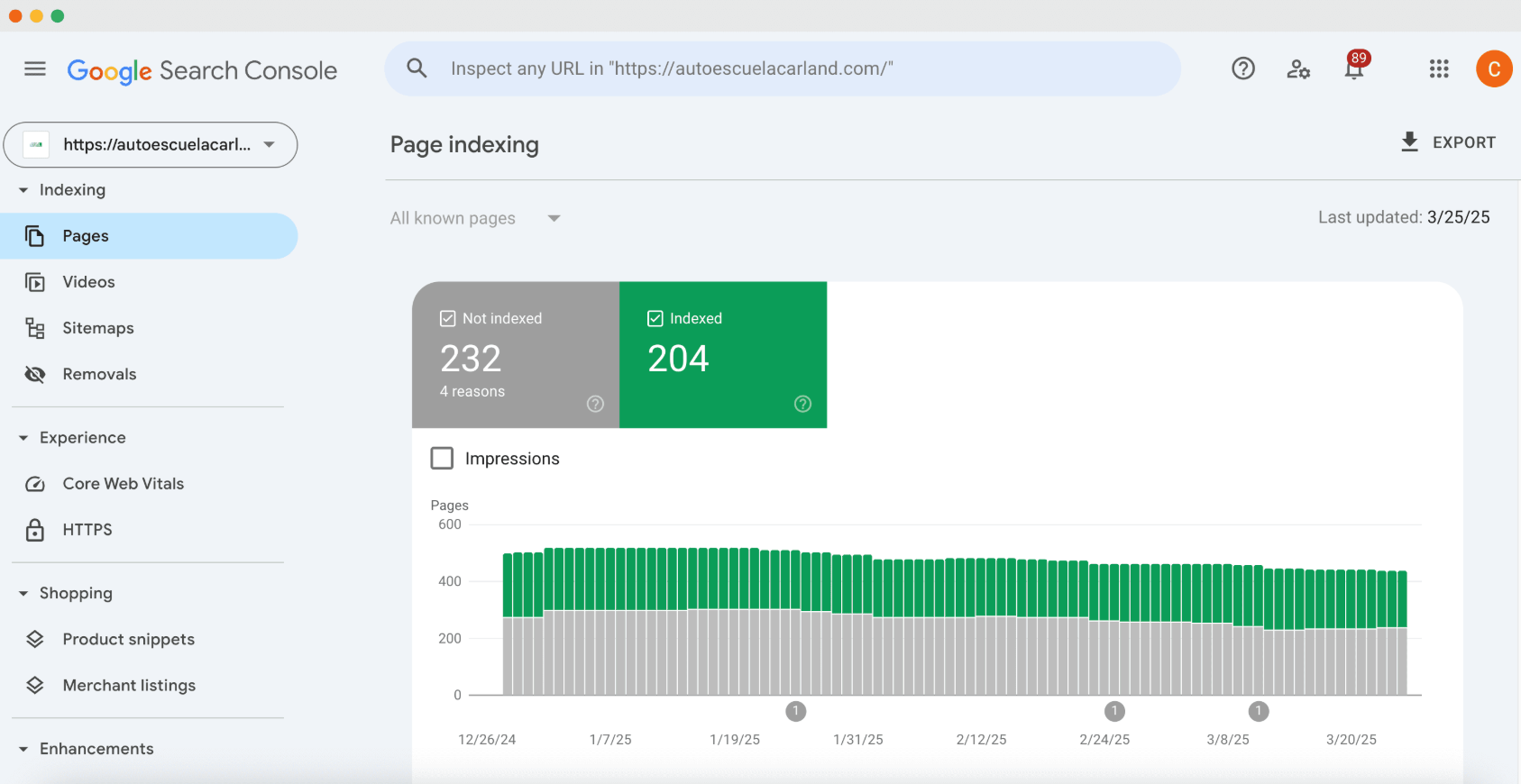
- Open the Pages report to see how many URLs are indexed and why others are not. Then paste your key pages into** URL Inspection** to confirm Google can crawl and index them.
- Look for: important pages marked "Crawled, currently not indexed" or "Excluded by noindex."
H3: Test speed and Core Web Vitals
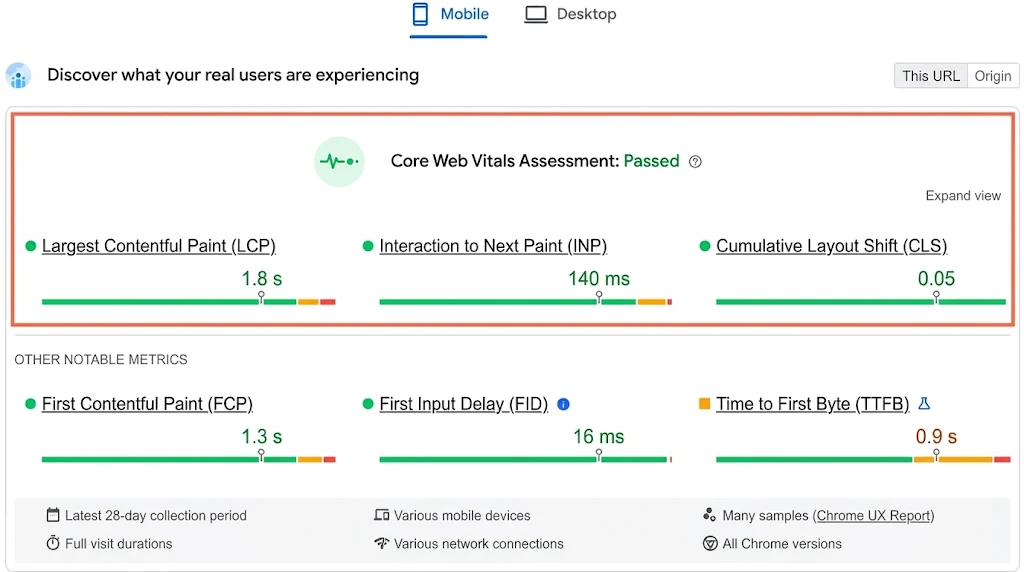
- Tool: PageSpeed Insights
- Run your homepage and one key page, and read the mobile results.
- Targets: LCP of 2.5 seconds or less, INP of 200 ms or less, CLS of 0.1 or less.
- Test mobile usability
- Tool: your own phone, plus Chrome DevTools device mode
- Access the site on an actual phone. Ensure text is legible, buttons are easy to tap, there is no layering of content, and no popups block content.

- Crawl for technical errors
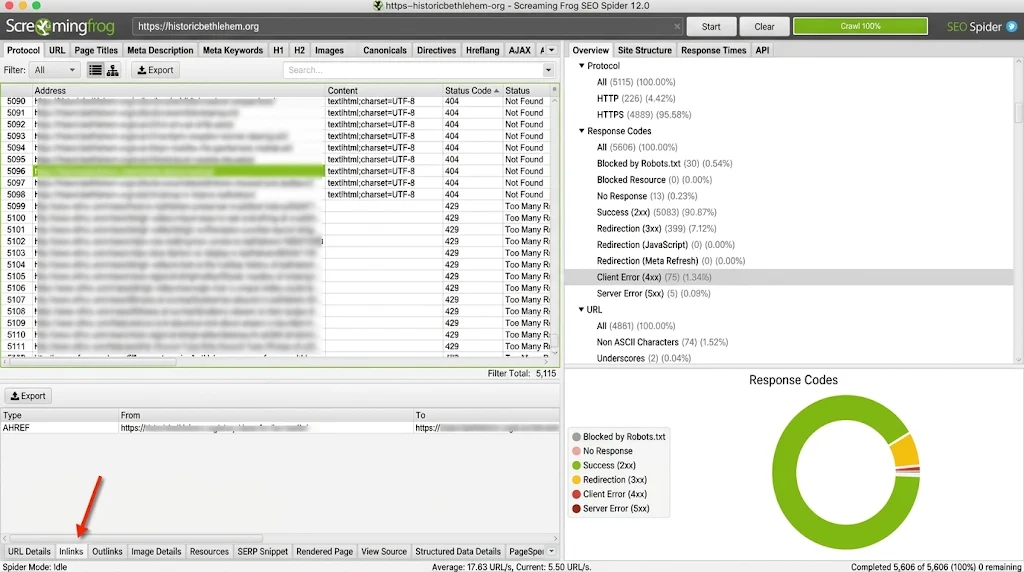
- Tool: Screaming Frog SEO Spider (free up to 500 URLs)
- Look for broken links (4xx), missing or duplicate titles, pages with multiple or missing H1s, and redirect chains.
- Review on-page basics
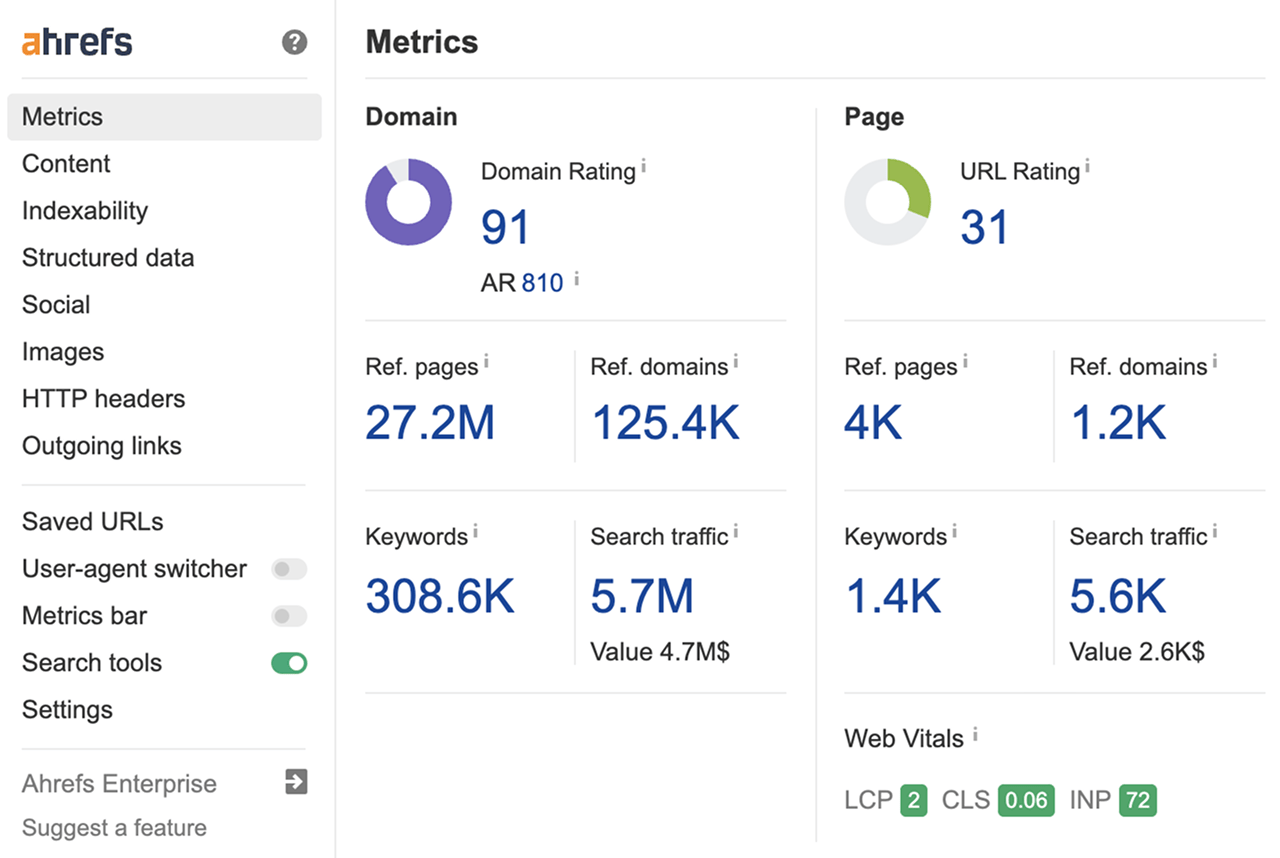
- Tool: your crawl export, or the free Detailed SEO Chrome extension
- On your top 5 pages, ensure that each page title and meta description is unique and relevant to the page, that there is one clear H1 tag with logical subheadings, and that there is meaningful imagery with descriptive alt text.
- Confirm the technical foundations
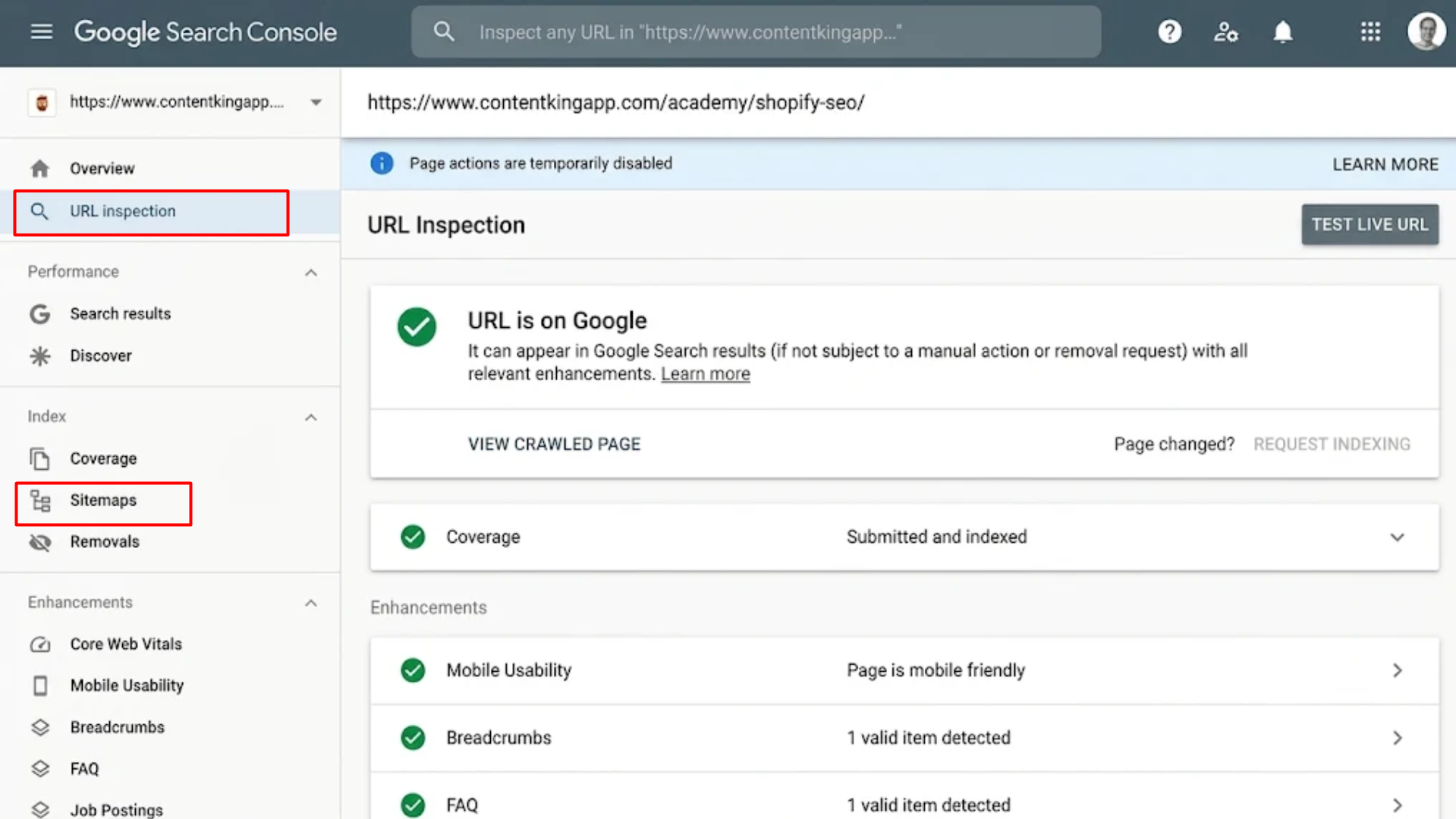
- Tools: your browser, Search Console's Sitemaps report and URL Inspection
- Make sure that the site loads on HTTPS without warnings and that /robots.txt doesn't block important pages. Make sure the sitemap is submitted and error-free, and that each key page's canonical is pointing to itself (URL Inspection will display the Google-chosen canonical).
H4: Priority checklist
Start at the top and work down.
| Fix | Impact | Effort |
|---|---|---|
| Remove accidental noindex or robots.txt blocks on key pages | High | Low |
| Fix missing or duplicate titles on top pages | High | Low |
| Submit the sitemap and fix its errors | High | Low |
| Repair broken internal links | Medium | Low |
| Collapse redirect chains into single 301s | Medium | Low |
| Compress images and lazy-load below the fold | High | Medium |
| Fix duplicate or missing H1s | Medium | Low |
| Add alt text to key images | Low–Medium | Low |
| Resolve canonical conflicts | High | Medium |
| Improve LCP, INP, and CLS (scripts, fonts, layout shifts) | High | High |
H2: Build a budget-friendly website faster with Enter Pro
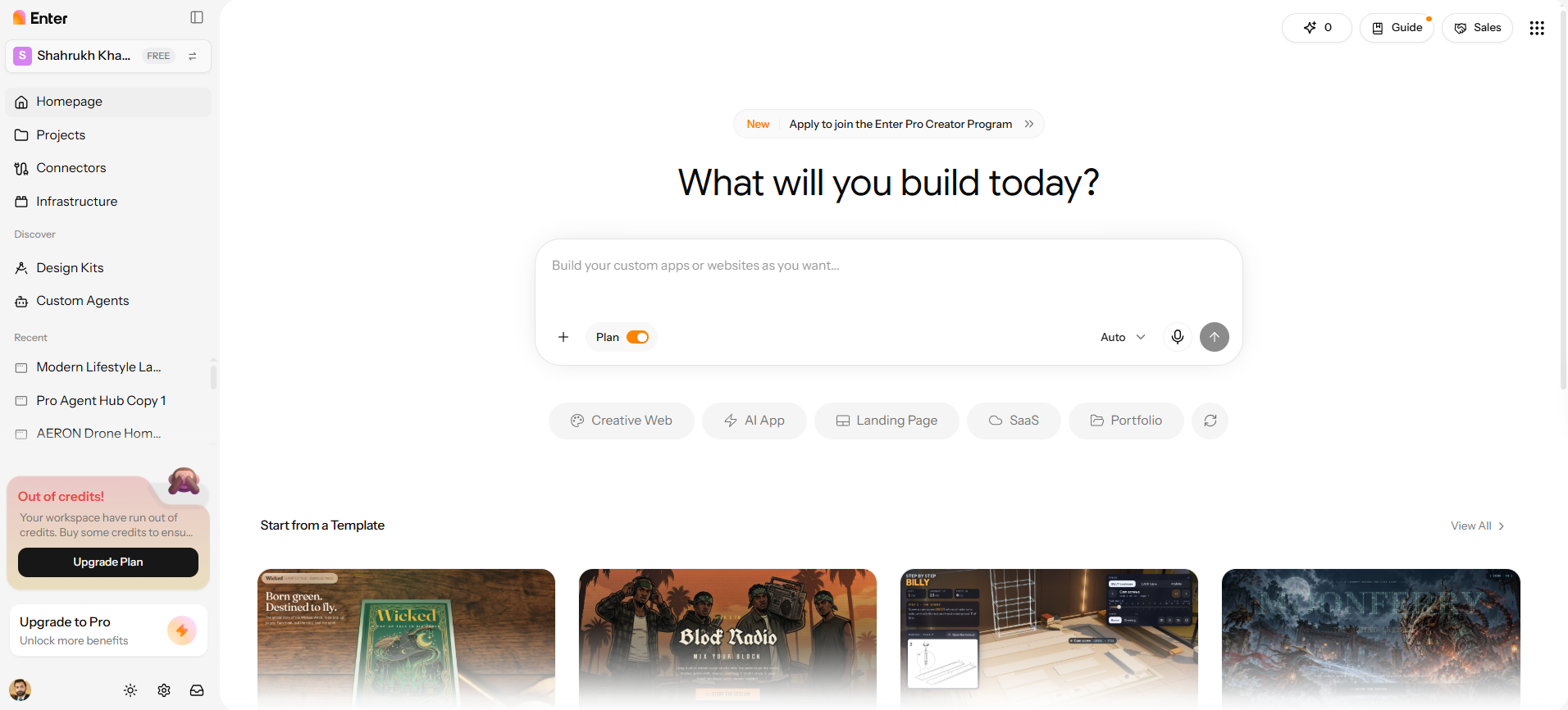
Building a website on a limited budget can be challenging, especially when you need results quickly. Therefore, Enter Pro offers an AI-powered way to create customized websites with minimal manual coding. In my experience, you can quickly put an early website prototype in front of visitors and gather feedback. Then, use audit findings to improve site structure, loading speed, and on-page elements before launch. This approach makes Enter Pro useful for discovery prototypes, MVP testing, and smaller production websites.
H3: Why use Enter Pro to build an SEO friendly website
- Multiple AI models
Choose different models depending on your website requirements. Enter Pro supports GPT-5.4 and Claude Opus 4.7 for different creative and development tasks.
- AI-powered website creation
Describe your website idea and generate a working draft. Enter Pro's AI Website Builder helps turn your instructions into website layouts and content.
- Visual editing and customization
Refine layouts, headings, and spacing without writing code. The Visual Editor helps address design and formatting issues identified during website audits.
- Complete source code access
Access the generated source code for greater control. You can customize the website, manage technical elements, and export code for self-hosting. This flexibility also supports further development as your website grows.
H3: How to launch an SEO optimized website with Enter Pro
Step 1: Describe your niche
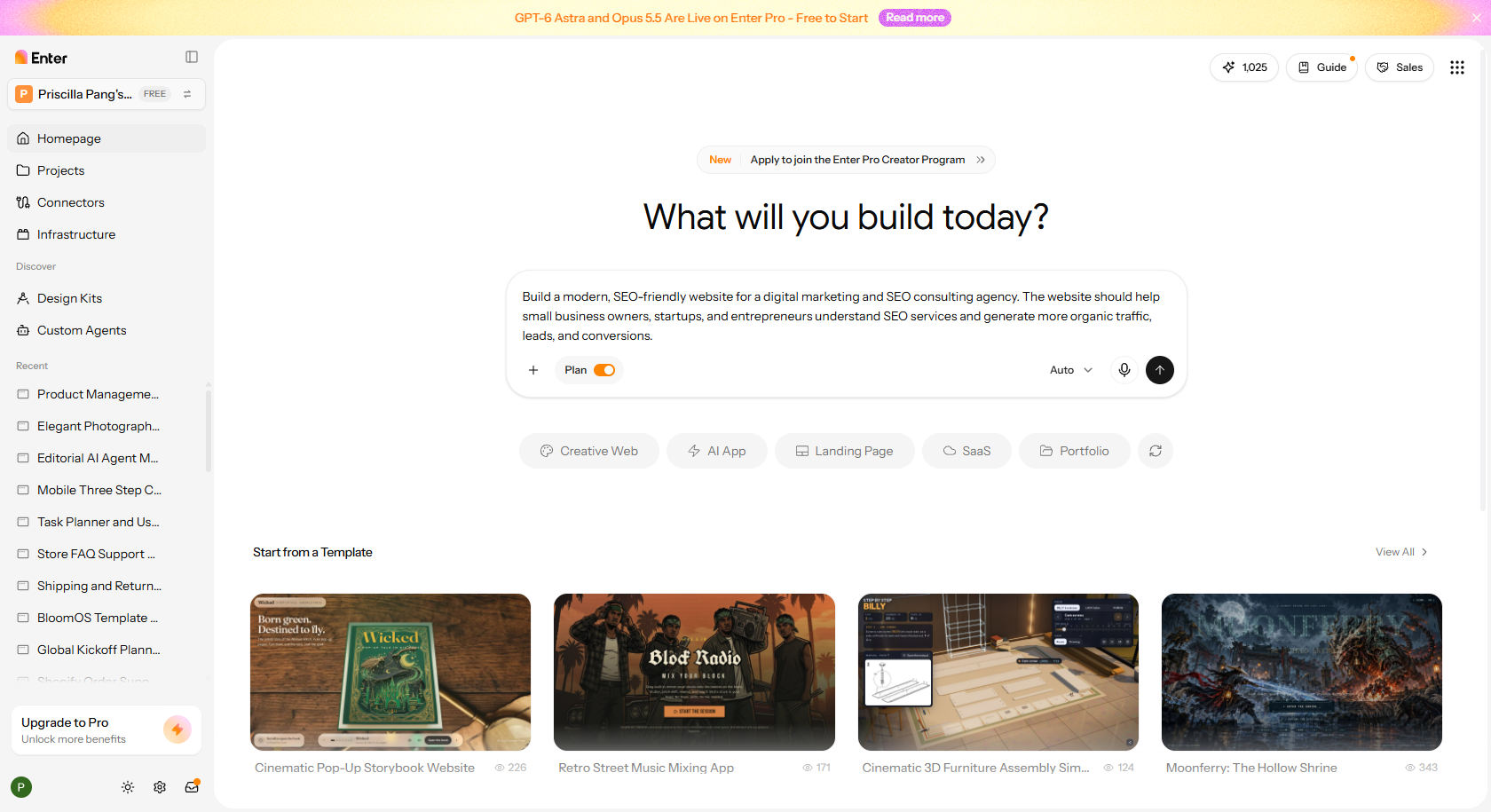
Write a prompt explaining your website's niche, purpose, target audience, and required pages. Include relevant keywords, content structure, navigation requirements, and essential features. Specify your preferred visual style and SEO requirements, such as page titles, meta descriptions, and mobile responsiveness. Review your instructions and click "Generate" to create the initial website draft.
Step 2: Customize your site
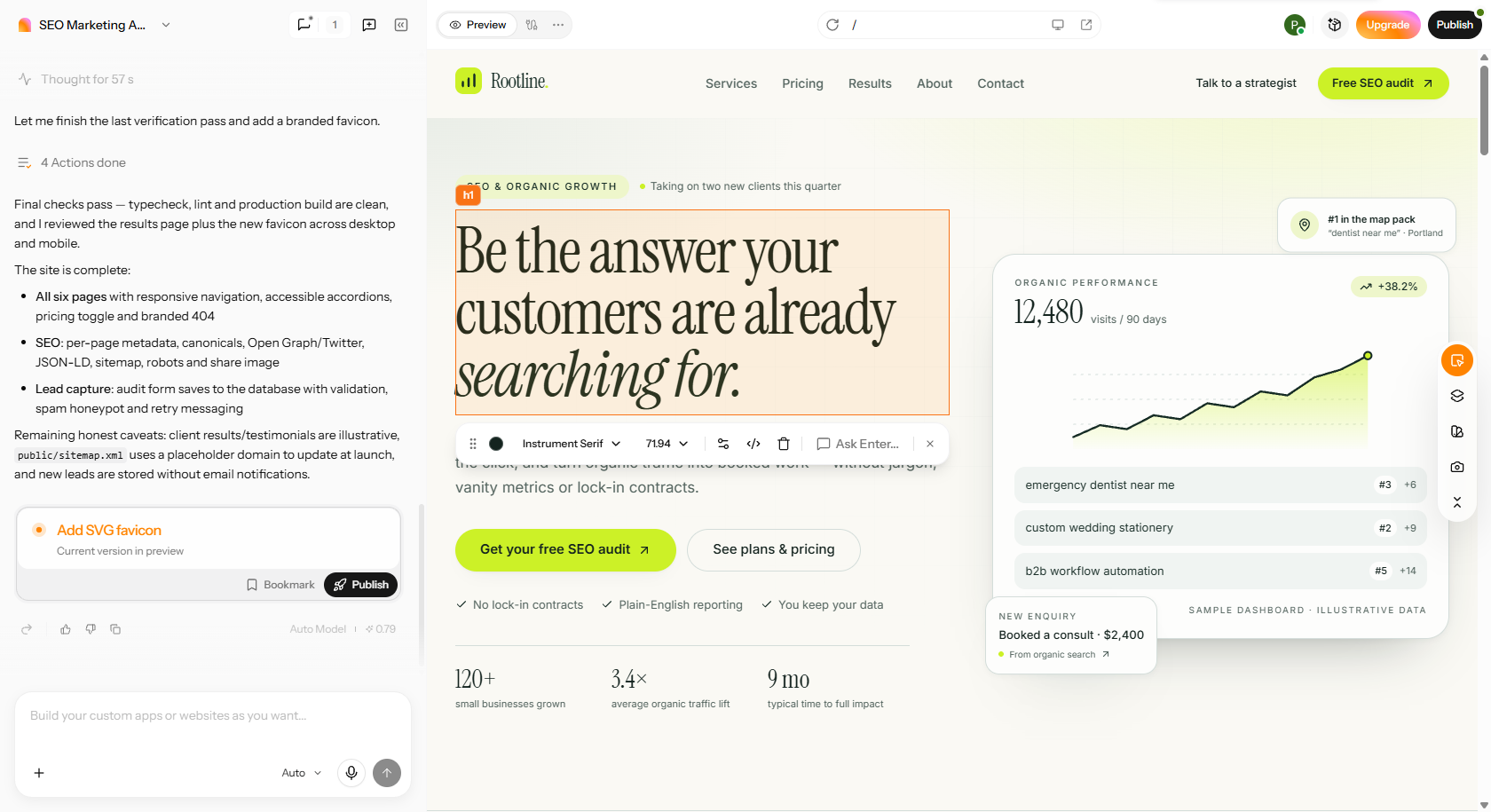
Once Enter Pro generates your website, click "Build Now" to begin development. Open the "Preview" tab to review page layouts, navigation, content, and interactive elements. Check headings, URLs, internal links, and mobile responsiveness. Use the available editing options to refine page designs, improve content structure, and address issues before publishing.
Step 3: Publish the site
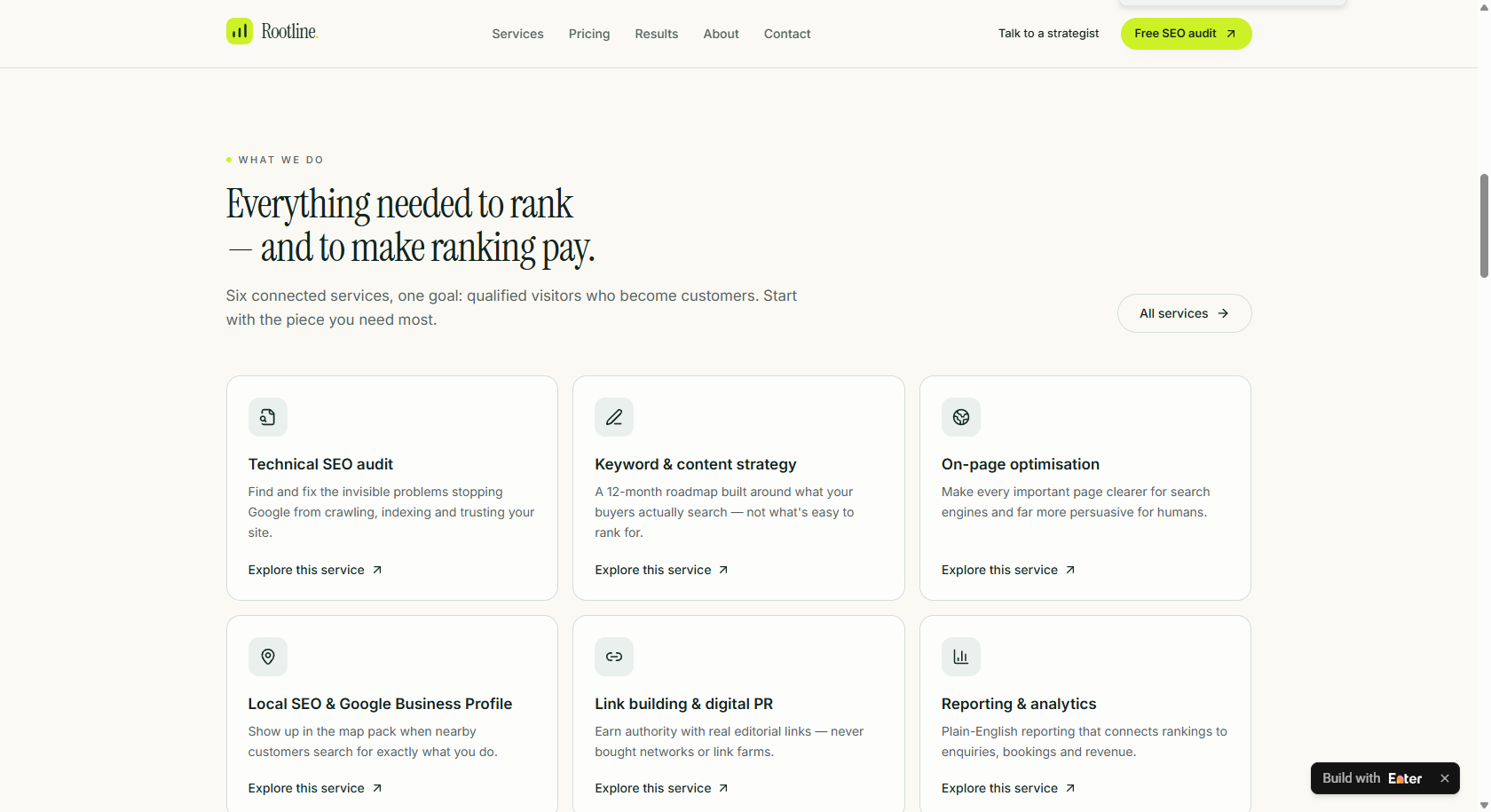
After reviewing your website, confirm that its pages, links, and navigation work correctly. Check that SEO elements, including title tags, meta descriptions, and headings, are properly configured. Once everything looks ready, select the available "Publish" option to deploy your website.
Build Your SEO-friendly Website →
H2: Where to start based on your role
Your first SEO priorities depend on your role and the responsibilities you manage. Use the table below to identify the most important action to take, how to approach it, and why it should come first.
| Role | First Action | How | Why First |
|---|---|---|---|
| Business owner | Check indexing in Search Console | Open the Pages report and look for key pages marked "Crawled, not indexed" or "noindex." | Unindexed pages can't rank. |
| Freelancer or coach | Fix titles and platform SEO settings | Rewrite default or duplicate titles, and make sure "discourage search engines" is off. | Fastest win, and one setting can hide your whole site. |
| Developer | Check rendering, speed, and schema | Use URL Inspection, PageSpeed Insights, and the Rich Results Test. | Content must be visible, fast, and understood. |
| Marketer | Map keywords and run redesign checks | Assign one keyword per page, and list the URLs and redirects to keep before any redesign. | Prevents cannibalization and redesign ranking losses. |
| E-commerce owner | Set canonicals on variant and filter pages | Point size, color, and filter URLs to the main product or category page. | Stops duplicate pages from wasting crawl budget and splitting signals. |
Build Your SEO-friendly Website →
H2: Conclusion
Creating an SEO-friendly website involves more than just pretty designs or keywords. Always begin with a clear structure, mobile-first design, valuable content, and strong technical foundations. Afterwards, conduct periodic audits to pinpoint problems and focus on improvements. There are tools available that can make things easier when it comes to creating and customizing a website, such as Enter Pro. Take the 30-minute SEO audit today, address your top issues, and create a website that is ready for long-term search visibility.
H2: FAQs about SEO friendly website
H3: How can SEO friendly website design improve user engagement?
An SEO-friendly website design enhances engagement by ensuring quick loading times, responsive layouts, and intuitive navigation. Pages load efficiently with compressed images, clean code, and caching. Headings and internal links help visitors navigate to relevant information. Moreover, optimizing Core Web Vitals minimizes frustrating layout changes, enhancing overall browsing experiences.
H3: What SEO features should an SEO friendly ecommerce website have?
Product pages, site structure, and technical aspects all require optimization for an SEO-friendly e-commerce website. Use descriptive URLs, unique product titles, original descriptions, and optimized image alt text. Include product schema, canonical tags, XML sitemaps, and HTTPS security. Customer reviews and buying guides also help to build trust and organic discovery.
H3: What makes an SEO-friendly website easy to navigate?
An SEO friendly website employs logical categories, descriptive menus, and logical internal linking. Make important pages 3-4 clicks from the home page. Breadcrumbs assist visitors in seeing where they are and allow them to browse more related areas. Also, mobile-friendly navigation, readable URLs, and integrated search enhance content discovery on larger sites.
H3: What features should an SEO friendly website builder offer?
An SEO friendly web builder will include necessary technical and on-page optimization controls. Look for customizable metadata, readable URLs, heading structures, and responsive layouts. Other factors include image compression, SSL certificates, XML sitemaps, and schema support. Enter Pro offers AI website building, visual editing, and even source code to edit your website.
H3: How to create an SEO friendly website structure for large sites?
For large websites, internal linking, thematic categories, and hierarchy are necessary. Organize pages into logical hubs and related subpages. Get valuable information within 3-4 clicks from the home page. Use Canonical tags or Noindex rules to manage filtered URLs. Additionally, try Enter Pro, which helps create initial website structures through customized AI-generated drafts.
H3: How to make a React website SEO friendly?
To make content accessible to search engines, rendering strategies should be used properly on React websites. Implement server-side rendering or static generation with tools such as Next.js, and set up custom metadata, crawlable anchor links, XML sitemaps, and robots.txt. Also, optimize JavaScript bundles, images, and Core Web Vitals. Another option is Enter Pro, which offers a more customizable website construction with minimal coding.