

What is Supabase - Features, Uses, and Benefits Unveiled
What is Supabase? It is a system that offers essential tools to build and manage apps. Enter Pro is a powerful alternative with a focus on AI development.
If you're building an app these days, you want to ship fast, handle growth, and enjoy the process. That's exactly what Supabase helps you do. In this guide, I will cover what Supabase is, how it works, and its main benefits and limitations. The guide also covers the steps to using Supabase, practical app development tips, and its integration with the top AI app development tool, Enter Pro. I will explain why combining Supabase and Enter Pro is the best choice for simplifying code and AI-powered application development.
What is Supabase software?
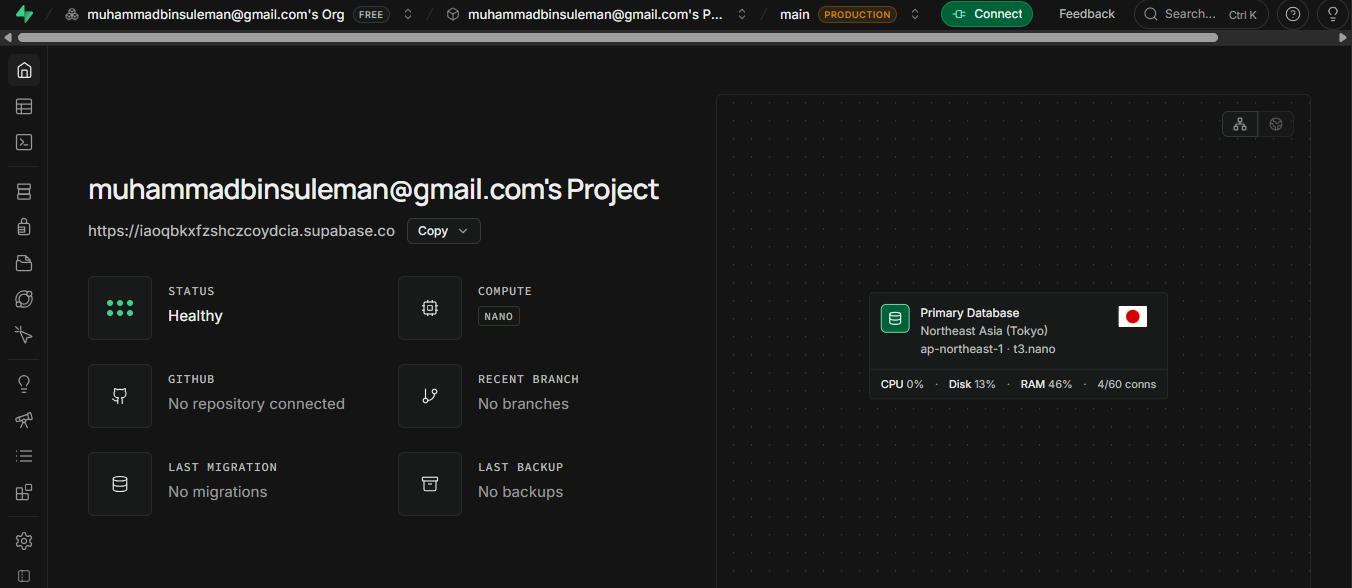
Supabase is an open-source backend platform that enables you to build web and mobile apps faster. I particularly like it as it offers a variety of features, like a PostgreSQL database, APIs, authentication, storage, and real-time features, all in one place. You can easily handle backend tasks without having to build everything from scratch. It also supports a variety of AI features, like vector search, making it an excellent choice for modern AI applications.
Key features of Supabase
- PostgreSQL database: The Supabase database consists of a fully managed PostgreSQL database to store and organize application data. It supports SQL queries, extensions, relationships, and scalable data management.
- User authentication: Supabase Auth provides secure user registration and login. It also supports social logins, email/password, passwordless authentication, and user management.
- File storage: Supabase storage enables users to securely store and manage files, like images, videos, and documents. Access controls and policies protect the stored files properly.
- Real-time updates: Applications can receive database changes without repeatedly requesting or refreshing data. It is especially beneficial for live dashboards, chat apps, and collaborative features.
- Instant APIs: Supabase generates APIs from database schemas, which reduces backend development work. It enables developers to quickly access and manage database data through REST APIs.
- Edge functions: Edge Functions let developers run server-side code close to users, resulting in faster response times. They can handle tasks like API integrations, webhooks, and custom backend logic.
- Real-time capabilities: Supabase enables real-time communication between users and applications through top-notch features such as broadcast, presence, and database change events. This supports interactive and collaborative experiences.
Now that you know what Supabase is and its key features, let's explore Supabase in more depth.
How does Supabase software work?
Supabase primarily provides the backend infrastructure needed to build and run applications. I have personally used it to connect it to a PostgreSQL database. It handles APIs, storage, authentication, and real-time data updates. As the data constantly changes, applications can access it using automatically generated APIs or real-time features. This enables me to build applications without having to build the entire backend from scratch.
What is Supabase used for?
SaaS applications and dashboards
Supabase provides the APIs, database, authentication, and storage needed for SaaS products. It also supports dashboards that display and update data in real-time, making it effortless to create high-quality products with fewer backend components.
Web and mobile app backends
You can use Supabase as the backend for web and mobile applications. It easily handles user authentication, data storage, file management, and APIs, without needing a backend from scratch. It works smoothly for both simple and complex applications.
AI and RAG applications
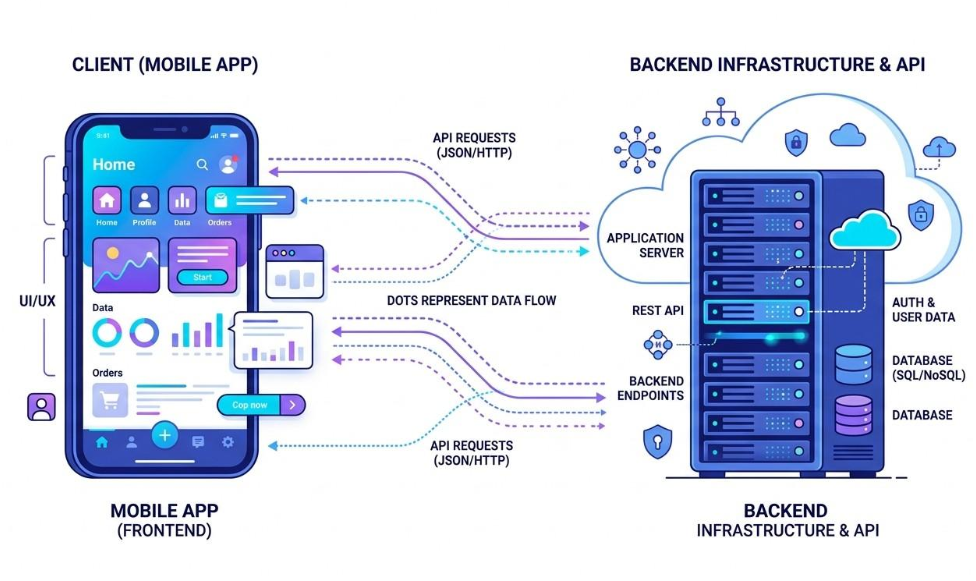
Supabase supports AI applications by offering PostgreSQL with vector capabilities for storing and searching embeddings. This makes it particularly beneficial for building RAG systems, AI assistants, and semantic search features. Developers can combine vector search and application data within the same backend.
MVPs and prototypes
Supabase enables developers to launch prototypes and MVPs by offering ready-to-use backend services. It lets teams focus on building core features and testing ideas, instead of setting up backend infrastructure. It also makes it effortless to modify the product as the requirements change.
E-commerce applications
Supabase manages products, customers, orders, inventory, and other application data. Authentication and storage also support different customer accounts and product images. Its APIs help connect the backend with storefronts and other application components.
Real-Time applications
Supabase's real-time feature enables applications to receive data changes in real-time. This makes Supabase ideal for collaborative tools, chat apps, notifications, live dashboards, and multiplayer experiences. Users can easily view updates without manually refreshing the application.
Content management systems
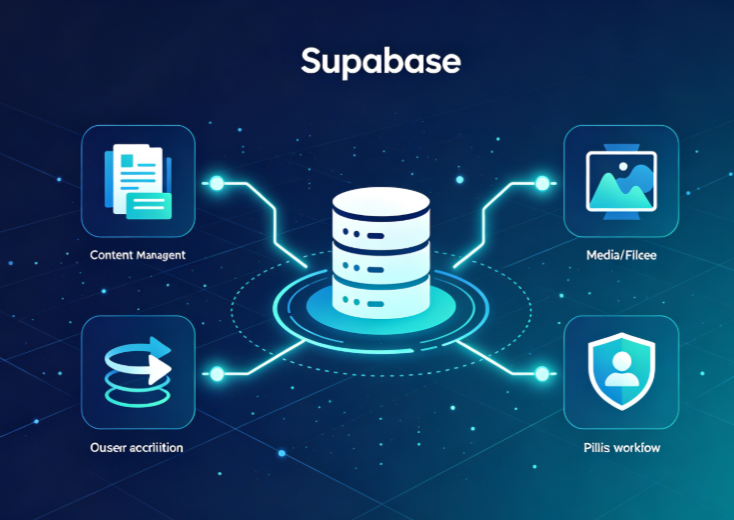
Supabase provides the database, authentication, and APIs needed to build custom CMS platforms. Thus, it manages content, media files, users, and publishing workflows from a single backend. It provides developers with more flexibility to create CMS solutions tailored to specific needs.
How to use Supabase
Step 1: Create a Supabase project
To begin with, sign in to the Supabase Dashboard and create a new project under an organization. Next, select the project name, region, and database password. Then, wait for Supabase to provision the project.

Step 2: Set up the Supabase database
The next step you need to take is to open the project and create the required columns, tables, relationships, and other database objects using the "Table Editor" or "SQL Editor." Add the data that your application requires and configure the necessary database permissions.

Step 3: Connect Supabase to your app
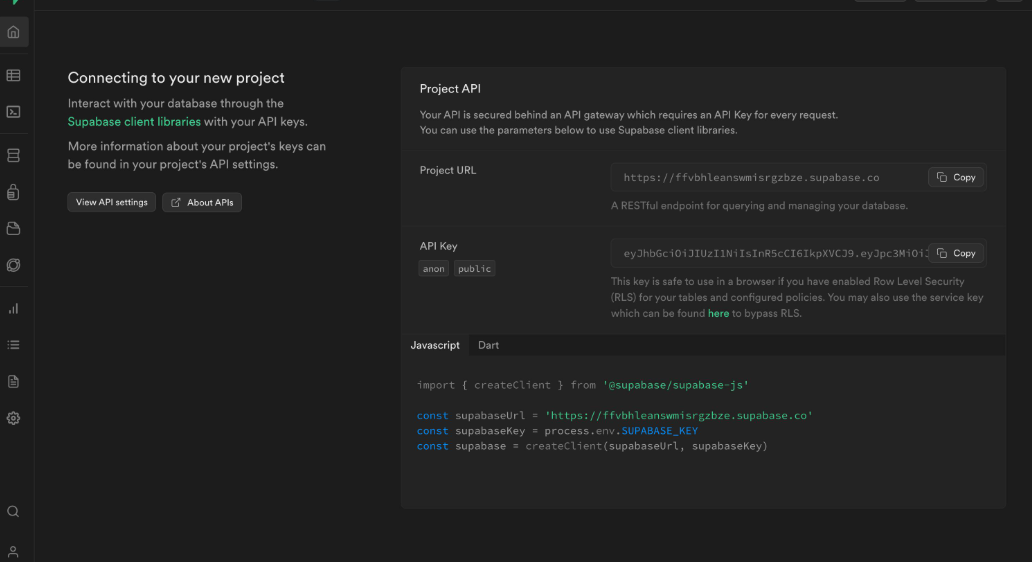
Install the appropriate client library for your framework or programming language. Then, initialize the client with your Project URL and publishable key from the project's Connect panel.
Step 4: Add and manage data
Use Supabase client libraries or the Data API to read, insert, update, and delete the database records from your application. The client libraries offer an excellent way to interact with your PostgreSQL database using Supabase's API.

Step 5: Configure authentication and security
Set up the authentication methods your application needs in Authentication, like email/password or supported social providers. After that, enable "Row Level Security (RLS)" on exposed tables and create policies that define exactly which users or roles can access each type of data.
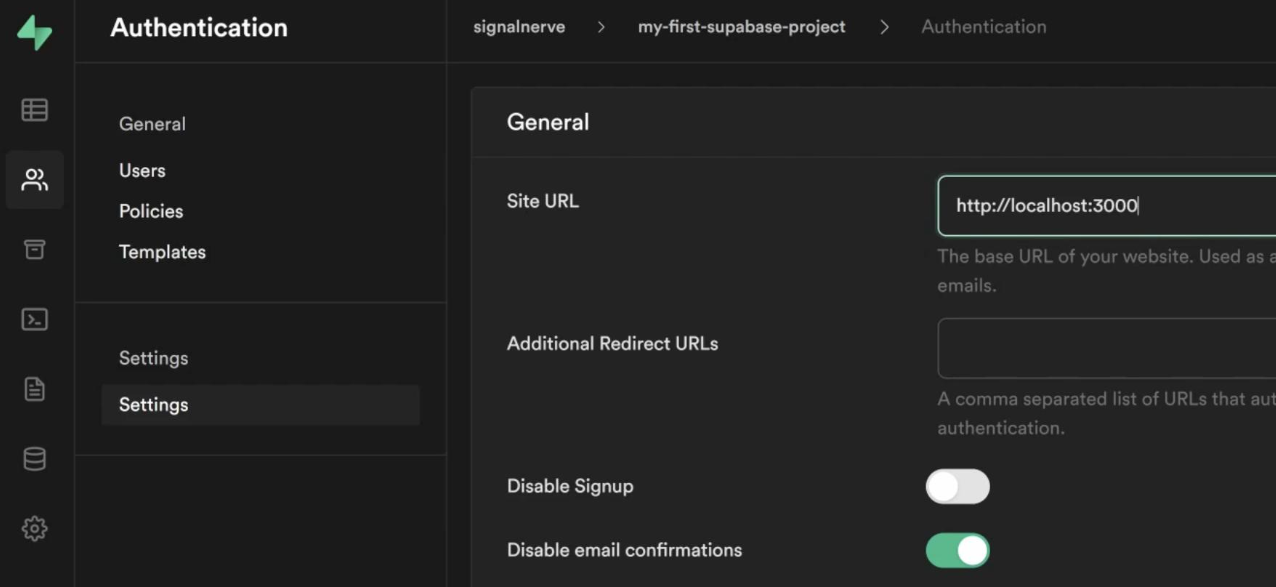
Step 6: Test and deploy your application
Finally, test your application's database queries, authentication, status, and other Supabase features before making it live. During deployment, store Supabase credentials in environment variables rather than committing them to source control. In the end, review your RLS policies for production data.
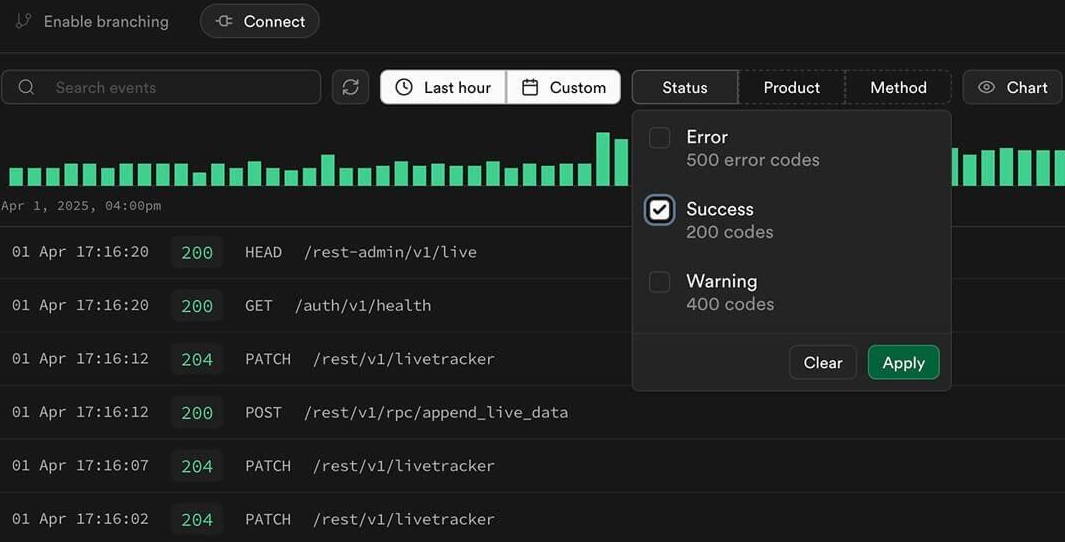
My hands-on testing of Supabase - What worked well and what didn't?
Many online sources highlight Supabase's PostgreSQL features, such as complex queries, strong data integrity, and extensive customization. Although these capabilities make Supabase an excellent backend platform, my experience with the platform was a bit different. Regretfully, I found Supabase to be too complicated because I wasn't familiar with the backend system and terminology. I think that the interface is somewhat complicated; however, that might be due to the fact that I am a non-technical person. The thing that I understood and liked about it is its strong authentication features, instead of a basic login. One thing is quite obvious: I figured out that you need a front-end tool to work with it and make a complete application. Overall, I think the platform is well worth your time, but if you are non-technical, it's better to use a more beginner-friendly tool.

Now, you are well aware of what Supabase is, its applications, and how to use it. Enter Pro can complement it with a low-code app. In my humble opinion, combining Supabase and Enter Pro will help teams build, customize, and launch applications more quickly while reducing development effort.
Enter Pro + Supabase: Build apps with seamless integration
Enter Pro is a low-code development platform, specifically designed to help you build applications more quickly and with less manual editing. It simplifies the development process while providing tools for creating functional, scalable apps. With the Supabase integration, Enter Pro developers can connect Supabase databases, applications, and other backend services to Enter Pro, making it easier to build and launch high-quality applications with less development effort. Try Enter Pro today and start making feature-rich applications with ease with Supabase integration.
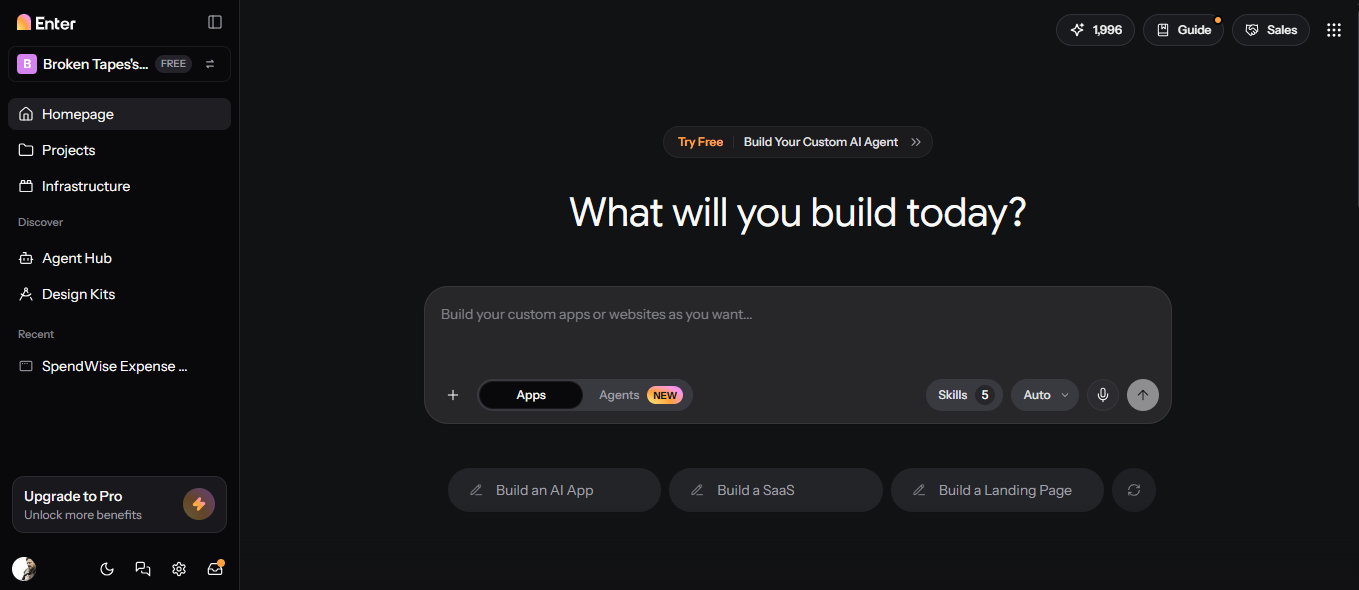
How to use Enter Pro for building apps
Step 1: Describe your app requirements
First, log in to your Enter Pro account, start a new project, and enter AI chat. After that, clearly describe the app you want to build in the provided dialogue box. For example, "Build an AI-Powered Personal Fitness Planner..." Choose your preferred AI method, then click the "Generate" button to create your app.
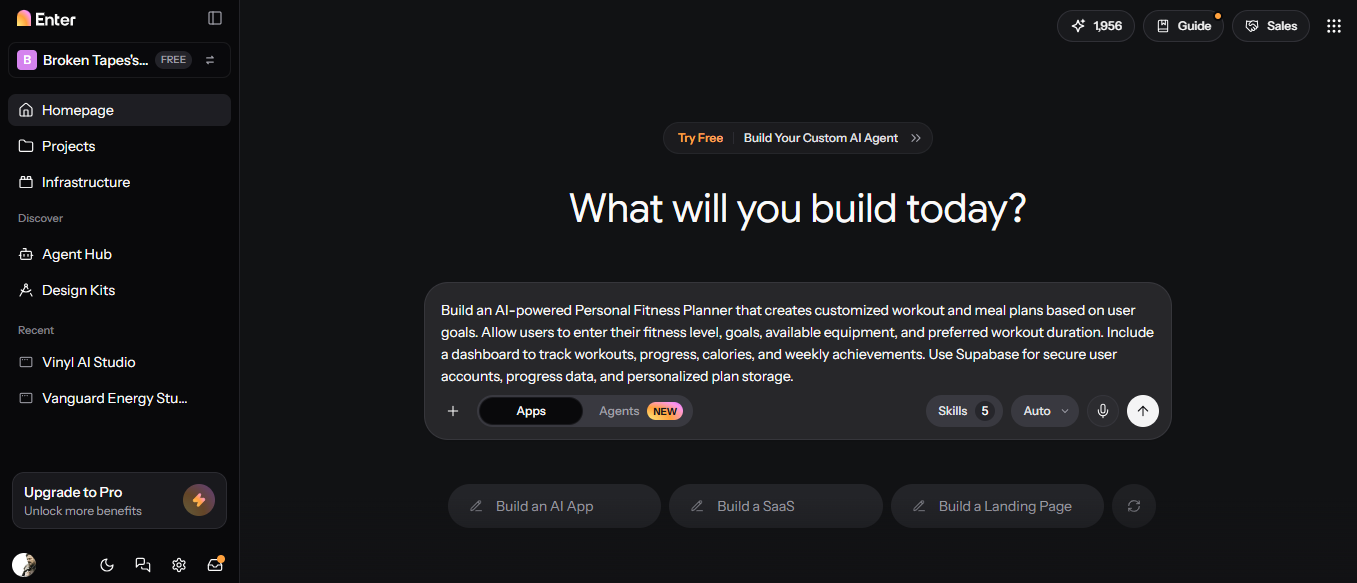
Step 2: Customize the app
The AI will generate your app within seconds. After the app has been created, you can use the visual editor to make changes, such as editing specific areas with AI and applying different design kits. You can also refine the app with recommendations.

Step 3: Publish the app
You can review the app across mobile, desktop, and tablet to ensure that it meets your needs. Make any final necessary adjustments, then click the "Publish" option in the top-right corner of the screen. Then, click "Publish to Live" to make the app live.

Integration of Enter Pro and Supabase
- AI-powered app development: Enter Pro streamlines the development of AI-powered applications with low-code tools, while Supabase provides the infrastructure to store and manage application data.
- Seamless Supabase integration: Enter Pro smoothly connects with Supabase, enabling you to use its database, authentication, storage, and APIs within the application development workflow.
- Visual development: Enter Pro decreases the need for manual coding through a visual development environment. When combined with Supabase, teams can easily build the application layer while relying solely on Supabase for backend services.
- Responsive apps and website designs: Enter Pro helps in creating responsive apps and websites, offering a consistent experience across desktops, tablets, and mobile phones. Supabase complements this by offering powerful backend services and data that these applications can rely on.
Beginner tips for high-quality app development
- Begin with a clear purpose: Define the app's core features, target users, and primary goal before development. This helps to avoid unnecessary features while keeping the project focused.
- Use a high-end backend system: I would advise using a platform like Supabase. It can handle all the vital backend requirements, like authentication, databases, storage, and APIs. Beginners can use these pre-made services instead of building everything from scratch.
- Build a responsive website design: Ensure the application works smoothly across desktops, tablets, and smartphones. Enter Pro offers a variety of features that simplify the process of creating responsive website designs, requiring less manual coding.
- Plan for scalability: I strongly suggest building the application with future growth in mind rather than focusing solely on current requirements. Enter Pro can speed up development, whereas Supabase provides backend services that can support the app as its data and user base grow.
- Test and optimize before launching: Test the core features, performance, security, and responsiveness. With Enter Pro, beginners can iterate on the application more quickly, while Supabase focuses on the backend.
Conclusion
In conclusion, this article has discussed in detail what Supabase is and its associated features. It is a powerful backend platform for building web, mobile, and AI-powered applications, offering features like databases, APIs, authentication, and storage. Although it offers backend services, combining it with a low-code platform makes the overall development process much easier. So, I would recommend using a combination of Supabase and Enter Pro to build, customize, and launch applications with less manual editing. This combination brings together Supabase's reliable backend infrastructure and Enter Pro's AI-powered low-code development capabilities. So, try Enter Pro today and start creating high-quality applications with effortless Supabase integration.
FAQs about what is Supabase
What type of database is Supabase?
Supabase utilizes PostgreSQL, an open-source relational database management system. Each Supabase project includes fully managed PostgreSQL, offering features such as relationships, SQL queries, extensions, and row-level security.
Can Supabase replace a traditional backend?
Supabase can replace several traditional backend components by offering databases, authentication, storage, APIs, and server-side functions. It can easily handle large portions of backend development without requiring developers to do everything from scratch.
How do I complete the Supabase login process?
You can complete the Supabase login process by visiting the official Supabase website and choosing the login option. Next, sign in using an available extension method, such as your email or an associated account.
Is Supabase down now?
You can check whether Supabase is down right now by visiting its official status page. It provides information on service availability, current incidents, and the status of various Supabase services.
Does Supabase support serverless functions?
Yes, Supabase supports serverless functions through Edge Functions. They allow you to run server-side TypeScript code for tasks like webhooks, APIs, integrations, and other backend logic without managing traditional servers.
How can I check the Supabase status?
You can check Supabase's status on its official status page, which shows the operational status of its services. It can help determine whether an issue is affecting Supabase or is specific to your application.
What are the main limitations of Supabase?
The main limitation of Supabase is that it requires more technical knowledge for advanced database configurations, security policies, and backend customization. Developers looking to create highly specialized applications may also require additional services or tools beyond Supabase.
What is the best Supabase alternative?
The best Supabase alternative depends upon the application requirements and development approach. Some popular alternatives include Firebase and Appwrite. If you are looking for a simpler way to create applications with a backend system like Supabase, Enter Pro is a useful low-code option that complements Supabase rather than simply replacing it.