

What Is Coding and How Does It Work? A Beginner's Guide
What is coding used for, and how does it work? Learn the basics, top languages, careers, and which AI is best for coding, plus how to build apps with Enter Pro.
What is coding? Coding is writing instructions in a programming language so a computer can do a task. Think of it as a recipe for a very literal cook. The cook follows every step exactly as written. If a step is missing, the dish fails. Computers work the same way. They do what you wrote, not what you meant.
Most people picture code as something only engineers do. It isn’t. Anyone can learn the basics, and the basics explain a lot about the apps you use daily. In this guide, I’ll walk you through how code works, what it’s used for, and what AI is best for coding in 2026. You’ll also build a small app yourself, even with zero experience, in the Enter Pro section.
What Is Coding? A Simple Definition
Coding means giving a computer clear, step-by-step instructions. The computer follows them exactly. It never guesses, never fills in gaps, and never reads between the lines. That's why code needs to be precise.
Here's a real example. Say an online store wants to offer free shipping on bigger orders. You'd explain the rule to a person like this: If the cart total is over $50, show "Free shipping." A computer needs that same rule in its own language. In JavaScript, it looks like this:
if (cartTotal > 50)
{ showMessage("Free shipping");
}
Three lines. The first checks the cart total. The second shows the message. The third closes the rule. Change 50 to 100, and the store changes its offer. That's the whole idea, just on a small scale. You'll also hear the words "programming" and "software development." People mix them up with coding all the time. They overlap, but they aren't identical.
What Is Coding in Computers?
A computer is made of billions of tiny switches. Each one is either on or off. That's all it understands. So every instruction, from a game to a bank transfer, ends up as binary, which is just a long string of 1s and 0s. Early programmers wrote binary by hand. It was slow and painful. One wrong digit could break the whole program, and finding the mistake took hours.
Today, we skip that. We write readable code, and a compiler or interpreter converts it into binary. A compiler translates the whole program before it runs. An interpreter translates it line by line as it runs. Either way, you write in words, and the machine gets its 1s and 0s. Think of a translator sitting between two people who don't share a language. You speak English. The computer speaks binary. The translator carries the message across, and neither side needs to learn the other's language.

How Does Coding Work?
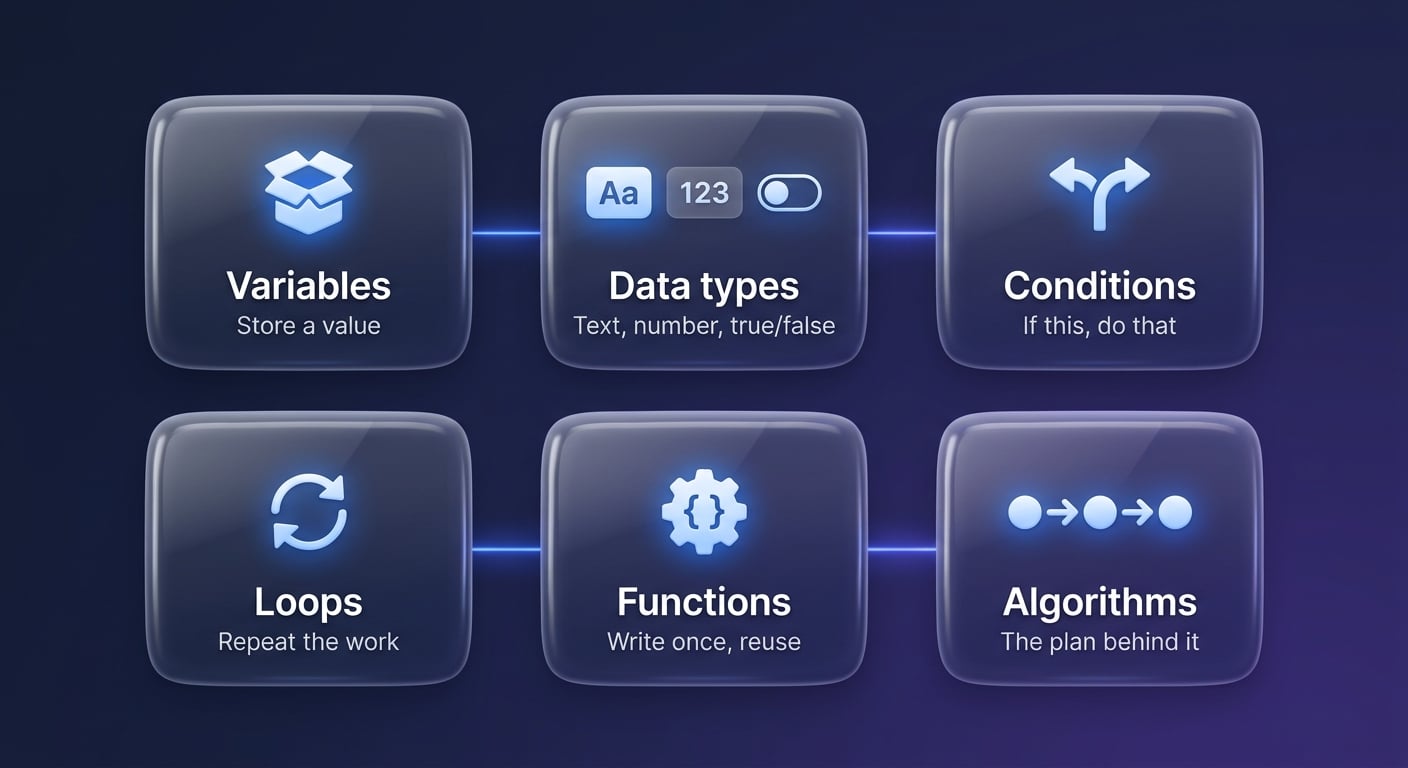
Almost every program, from a calculator to a social network, is built from the same ideas. Learn these, and most code starts to make sense.
Variables
A variable is a labeled box that stores a value. It might hold a user's name, age, or a price. You name the box, put something in it, and use it later.
Data Types
Data types tell the computer what kind of thing is in the box. It could be text, a number, or a true/false value. This matters because a computer treats them differently. It can add two numbers, but adding two words just joins them.
Conditions
A condition, usually written as if/else, lets the program make a choice. Take a login screen. If the user is logged in, show "Welcome back, Sam." If not, show the login button. The program checks the situation and picks the right path.
Loops
A loop repeats work. Imagine sending 500 order emails. Without a loop, you'd write 500 separate instructions. With a loop, you write one and tell the computer to repeat it 500 times.
Functions
A function packages a task so you can reuse it. A function that adds tax to any price is a good example. Write it once, then call it whenever a price needs tax. If the tax rate changes, you fix it in one place.
Algorithms
An algorithm is the plan behind it all. It's the list of steps that solves a problem. Code is simply how that plan gets written down in a language the computer can run. Good coders plan first, then type.
Common Coding Languages and What Each One Does
There are hundreds of programming languages, but most people only meet a handful. Each one was built for certain jobs. The 2026 Stack Overflow Developer Survey shows how popular the main ones are. JavaScript leads at 62%, for the twelfth year in a row. SQL, HTML/CSS, and Python follow closely, each around 58%.
| Language | Main use | Beginner-friendly? |
|---|---|---|
| Python | Data, automation, AI | Yes |
| JavaScript | Websites and web apps | Yes |
| HTML/CSS | Page structure and style | Yes |
| SQL | Databases | Yes |
| Java and Kotlin | Android and enterprise | Medium |
| Swift | Apple apps | Medium |
| C++ and C# | Games, systems, desktop | Harder |
It also helps to know where each language sits. The front end is everything a user sees and touches: buttons, text, and layout. The back end is the hidden part that runs behind the scenes, like databases, logins, and payments. HTML/CSS sits at the front. SQL sits at the back. JavaScript and Python can work on both sides. Want the full numbers? Read the 2026 Developer Survey results.
What Is Coding Used For? Real-World Examples
Long lists of everyday objects don't teach you much. These examples show what code actually does.
Websites and Apps
Every online store checkout, banking app, and social feed runs on code. Here's a food order as an example. You tap "Add to cart," and code updates your total. You tap "Pay," and code sends your details to the payment system and checks that it went through. Then code tells the restaurant to start cooking, and later it updates the delivery map on your screen. One order, dozens of small instructions, all running in seconds.
Everyday Devices and Cars
Code runs far from your screen, too. Traffic lights adjust their timing based on traffic. Smart thermostats learn when you're home and heat the house to match. Washing machines pick the right cycle for the load. Car systems handle braking alerts, navigation, and dashboard warnings. You rarely notice any of it, which is the point.
Data, Automation, and AI
Coding also saves you from boring work. A short script can rename 1,000 files in seconds. A spreadsheet macro can clean a messy report while you get coffee. A trained model can sort your photos by who's in them. It's the same skill each time. Tell the computer once, and let it repeat the work.

What Is the Best AI for Coding in 2026?
What AI is best for coding? It depends on the job. No single AI wins at everything, so I'm giving picks by need instead of crowning one.
| Need | Good pick | Why |
|---|---|---|
| Complex refactors and agent loops | Claude Opus 5 | Handles large, multi-file changes |
| Steady multi-step tasks, quick prototypes | GPT-5.6 Sol | Reliable on step-by-step work |
| Open weights you can self-host | GLM-5.2 | You control where it runs |
| Light local model for a normal laptop | Qwen3-Coder-Next | Small enough to run locally |
| Full app from a plain-English prompt | Enter Pro | Several models in one subscription |
One honest caveat: AI-written code still needs a human to read and test it. AI can produce code that runs but does the wrong thing. If you know the basics, you'll catch those mistakes faster. Want a deeper comparison? Read our best LLM for coding guide.
Coding Careers and How to Start Learning
The U.S. Bureau of Labor Statistics (BLS) splits coding jobs into separate groups, and the numbers differ for each. Software developers, quality assurance (QA) analysts, and testers are counted together. Their employment is projected to grow 10 percent from 2025 to 2035, much faster than the average for all occupations. Software developers alone had a median annual wage of $135,980 in May 2025. The median means half the workers earned more and half earned less.

There’s a twist. Computer programmers are a separate group, and BLS projects their employment to decline 7 percent from 2025 to 2035. Their median annual wage was $100,390 in May 2025. BLS says some higher-skilled programming tasks will likely shift to other workers, such as software developers. So don’t just learn syntax. Learn how to think about the whole product: what it should do, who uses it, and how it breaks.
Starting is easier than it looks. In the AI era, there are two ways to begin, and they work well together. Pick the one that fits your goal, or try both.
Route 1: Learn the fundamentals
- Pick one language. Python or JavaScript works well.
- Learn variables, conditions, loops, and functions.
- Build one tiny project, like a to-do list or a tip calculator.
- Share it and ask for feedback.
Don’t try to learn three languages at once. That’s the most common way beginners burn out. Free routes exist, too. FreeCodeCamp’s curriculum is a solid place to begin. So is MDN's web development path.
Route 2: Start with vibe coding, at zero cost
Vibe coding means describing what you want in plain English and letting AI write the code. You test the result, ask for changes, and repeat. You don’t need to install anything or memorize syntax first, and many AI app builders let you start with a free account.
- Pick one small idea you’d actually use, like a budget tracker or a habit tracker.
- Describe it in a clear prompt. Name the parts, the behavior, and the look.
- Run the result and test it. Does it do what you asked?
- Ask the AI to explain the code, then change one thing at a time.
The second route teaches the same ideas as the first. You still meet variables, conditions, loops, and functions; Only you see them working before you write them yourself. The catch is that AI-written code still needs a human to check it, so the more basics you learn along the way, the better you’ll judge the output. So how do you try this without setting up a code editor or installing anything? You need a tool that turns a plain-English prompt into a working app and shows you the code behind it. Enter Pro does exactly that, so let’s use it to build your first app.
Try Coding With Enter Pro: Build Your First App in 5 Steps
Let’s put the vibe coding route into practice. Enter Pro is an AI development agent. You describe an app in plain English, and it turns your prompt into a working app. It’s a fast way to watch code run, and you keep 100% ownership of the code you export. To be clear, it doesn’t replace learning the basics. It shows them working, which is often what makes them click. The steps below build a simple monthly budget tracker, so you can compare what you see on screen with the ideas you just learned.
Sign In to Enter Pro
Go to the Enter Pro workspace. Sign in or create a free account if you're new. Your account saves the project, so you can come back later, edit it, and export the code whenever you want.
Describe Your App in Plain English
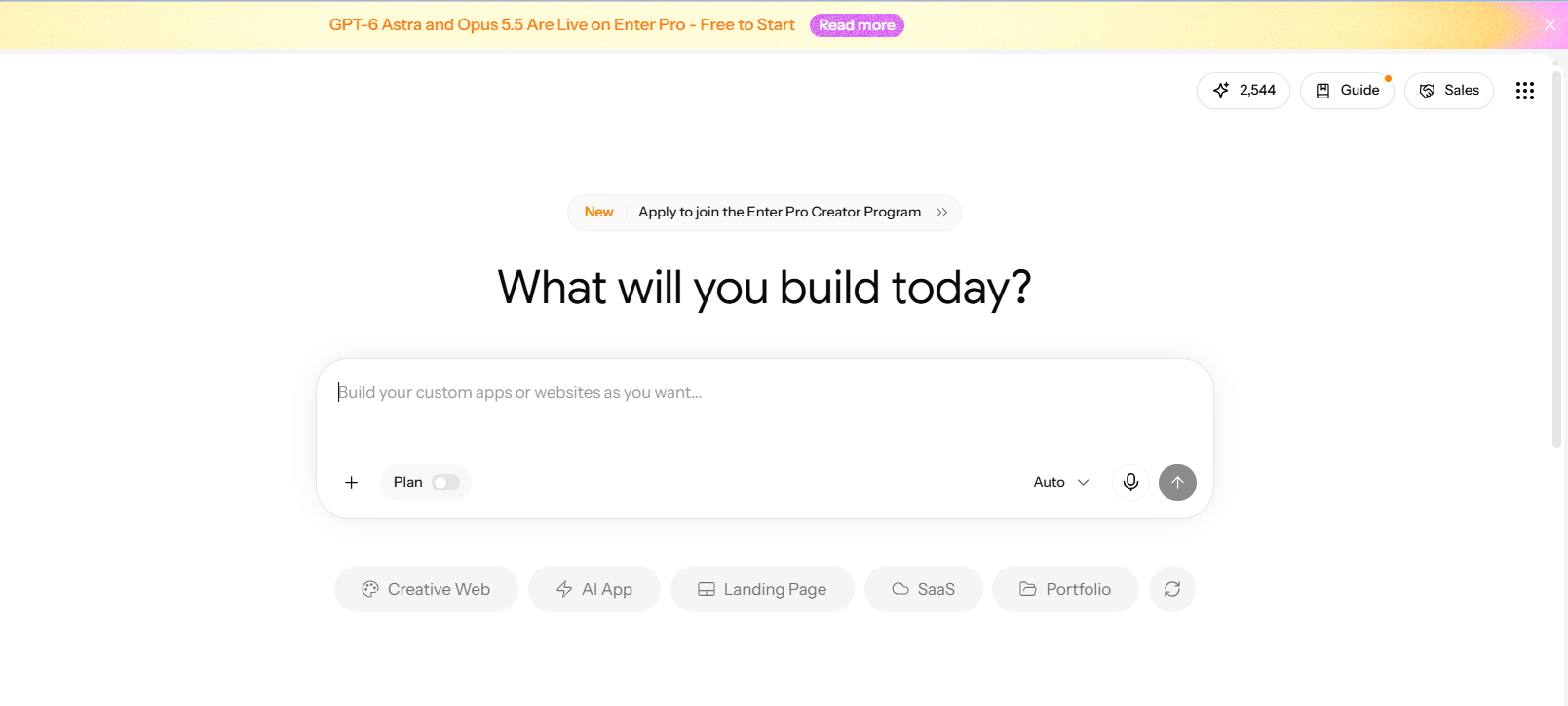
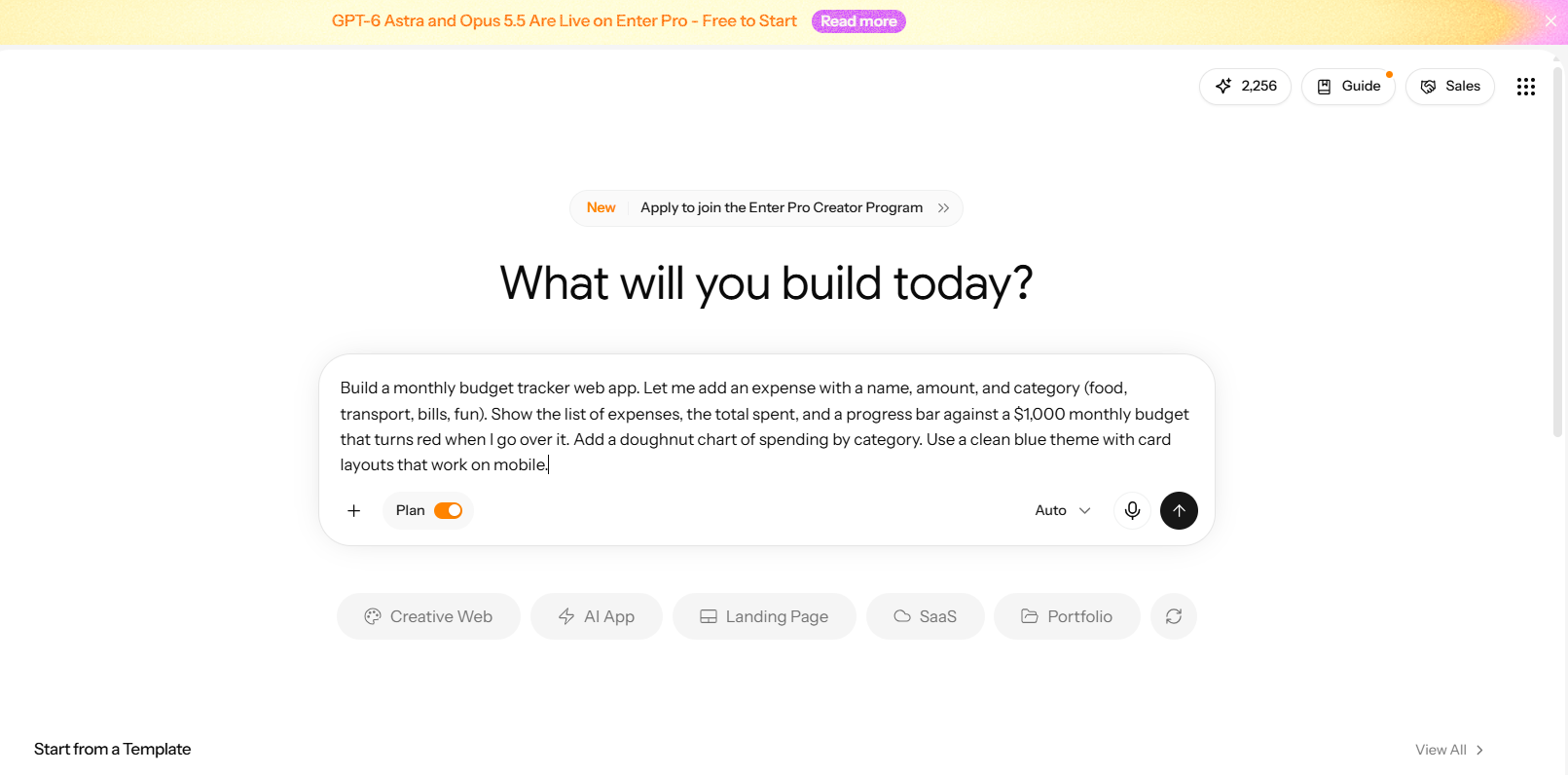
Type your prompt and pick a model. Here’s a sample you can copy: “Build a monthly budget tracker web app. Let me add an expense with a name, amount, and category (food, transport, bills, fun). Show the list of expenses, the total spent, and a progress bar against a $1,000 monthly budget that turns red when I go over it. Add a doughnut chart of spending by category. Use a clean blue theme with card layouts that work on mobile.”
Notice how specific it is. It names the parts, the behavior, and the look. A clear prompt works like a clear set of instructions. Vague input would give you vague output. Also, make sure to turn the plan mode on before submitting your prompt. That way, you will get the plan first before the app.
Review the Plan and Click Build Now
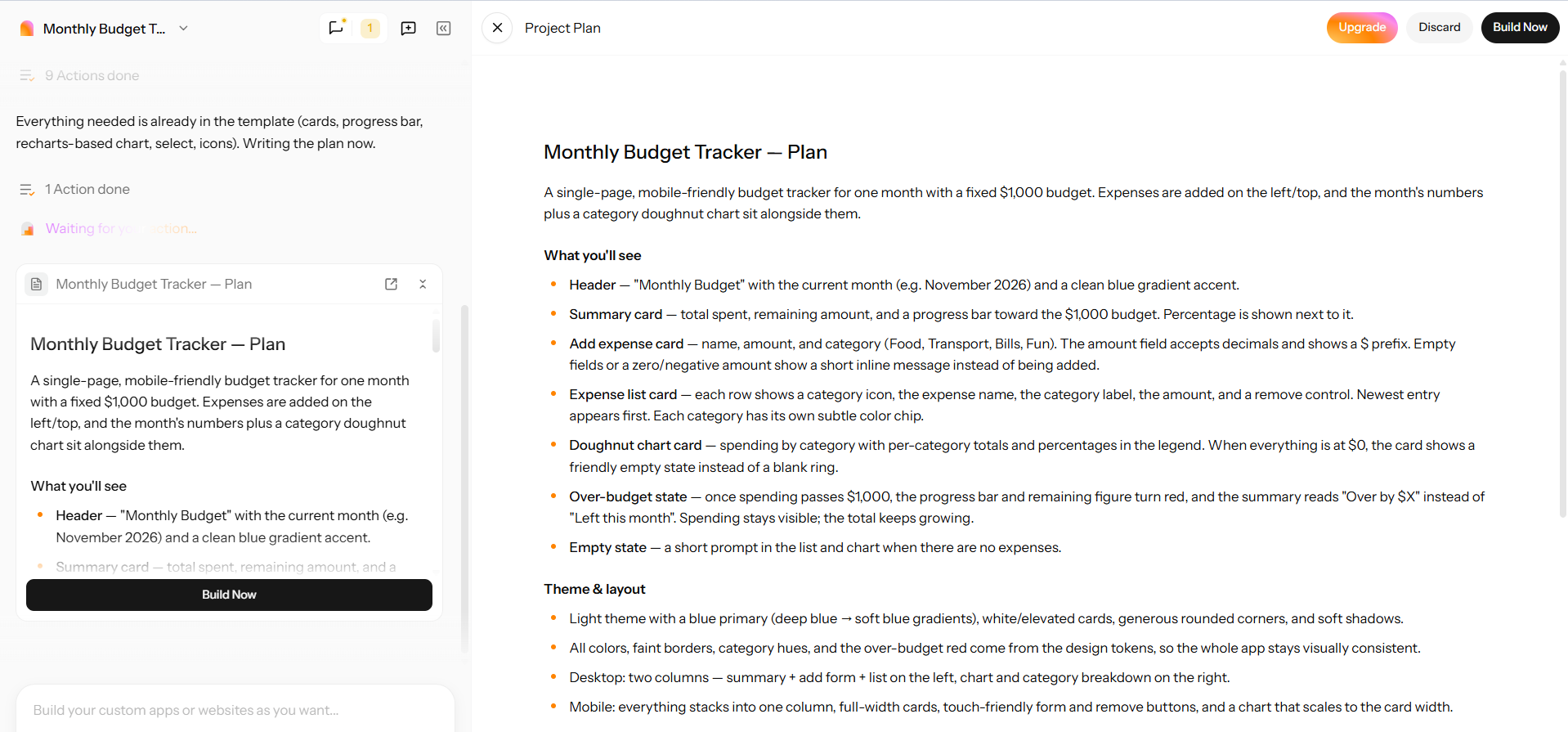
Before writing code, Enter Pro writes a plan. It lists the pages, the file structure, and the design direction. Read it. Make sure it matches what you pictured, then click Build Now. This step ties back to something you learned earlier. The plan is your algorithm in plain English. The build is that same plan written as code.
Preview and Refine
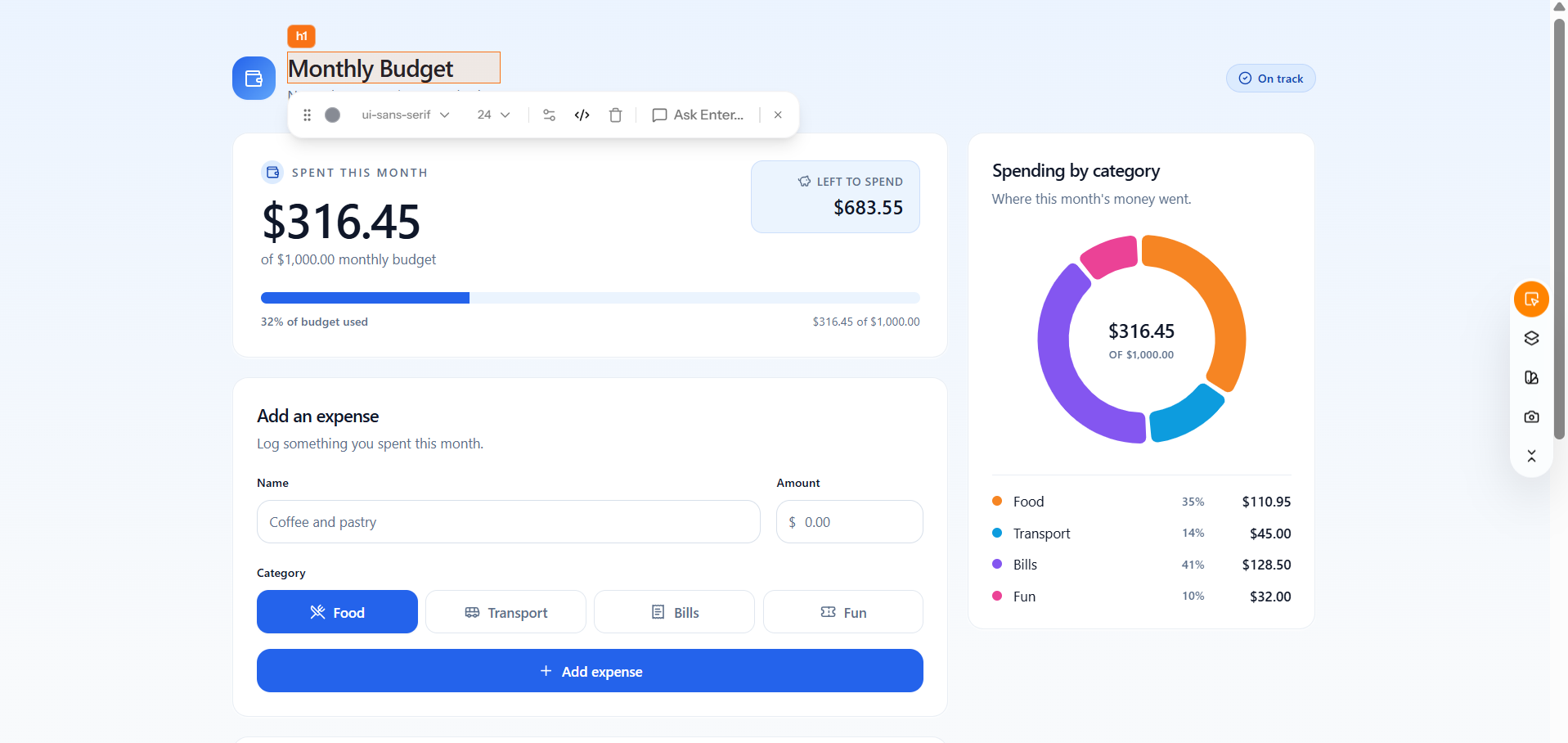
Test the live preview first. Add a few expenses in different categories. Watch the total go up, the progress bar fill, and the chart change shape. You just used the app you described. To refine the app, click to edit text, colors, and layout in the visual editor. Or ask by prompt for something new, such as “Add a monthly savings goal” or “Let me filter expenses by category.”
Publish Your App
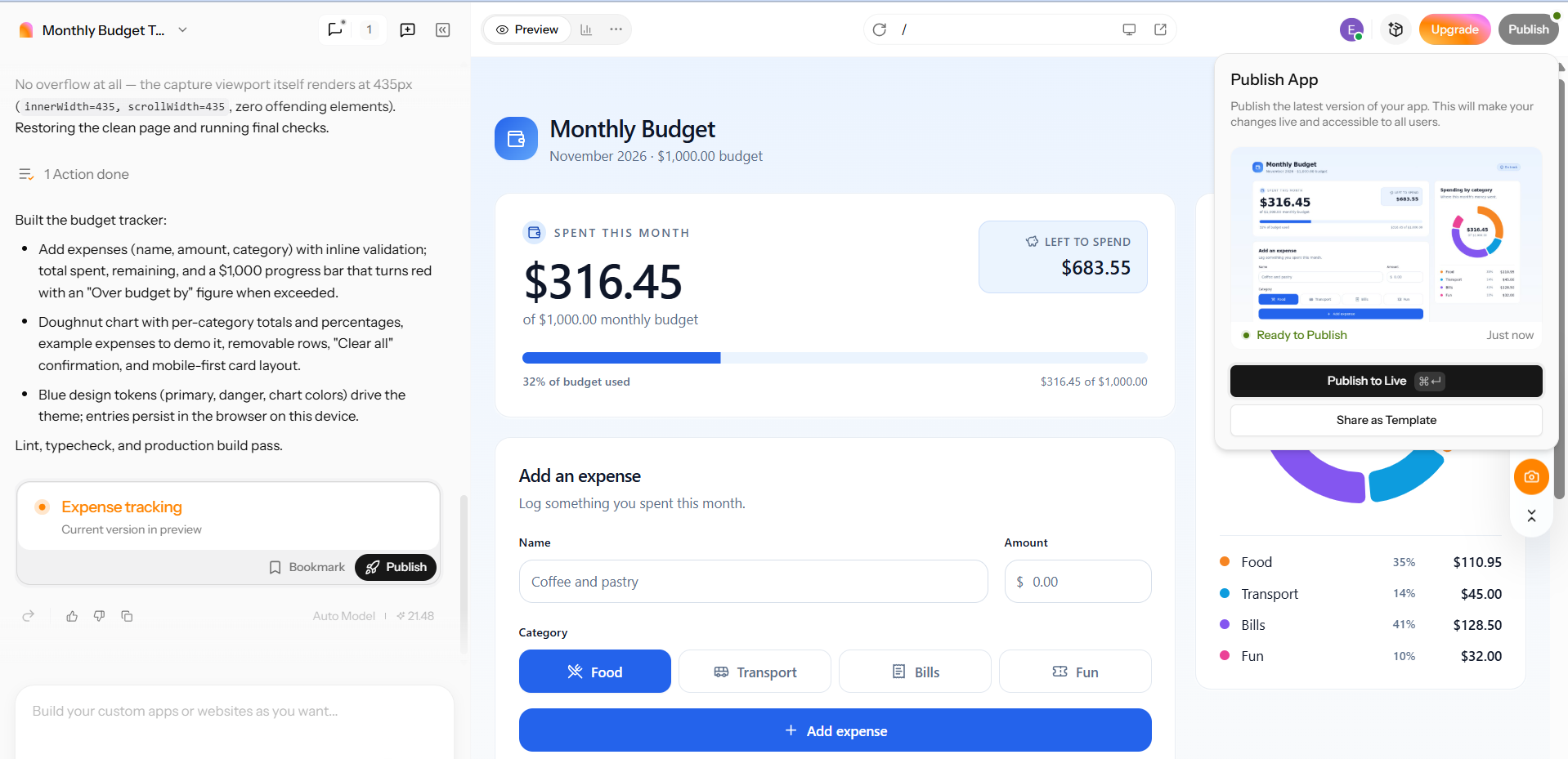
Publish in one click, and you get a live link you can share with anyone. You can also export the source files to your own computer. The code stays 100% yours, so you can keep editing it anywhere.
Conclusion
Coding is writing instructions a computer can follow. Code works through variables, conditions, loops, and functions. It powers the apps you tap, the devices around your home, and the scripts that save people hours. The best AI for coding depends on the job, so match the tool to the task. If you want a career or full control, learn to code first. If you want to ship something now and learn from the code it writes, start with Enter Pro. Both paths work, and you can do both. Ready to try? Open the Enter Pro workspace. →
FAQs About Coding
What does coding mean in simple words?
Coding means writing instructions a computer can follow, using a programming language. It's like writing a recipe for a cook who does exactly what the page says, and nothing else.
Is coding hard to learn?
It feels hard at first because it's a new way of thinking. You have to break problems into small, exact steps. The basics usually take a few weeks to a few months of steady practice. Seeing generated code in Enter Pro and changing it step by step makes those first weeks easier.
What is the difference between coding and programming?
Coding is writing instructions. Programming is much broader. It also covers planning the software, testing it, and maintaining it over time. In everyday talk, most people use the two words interchangeably.
What is an example of coding?
A simple rule like "if the cart is over $50, show free shipping." In JavaScript, it looks like this:
if (cartTotal > 50)
{ showMessage("Free shipping");
}
Which AI is best for coding?
What AI is best for coding depends on the job. Claude Opus 5 suits complex refactors. GPT-5.6 Sol suits steady multi-step work. GLM-5.2 suits self-hosting. For building a full app from a prompt, Enter Pro is the pick, and it gives you several models in one subscription.
Is coding still worth learning with AI?
Yes. AI writes code fast, but someone has to judge if it’s correct. That judgment comes from knowing how code works. The BLS projects a 10% growth for software developers, QA analysts, and testers from 2025 to 2035. And Enter Pro shows the code it writes, so you learn while you build.
Which coding language should a beginner learn first?
You should learn Python if you're drawn to data, automation, and AI. JavaScript if you want websites and apps. Either is a good start. Pick one and stay with it for the first few months before trying another.
Can I build an app without knowing how to code?
Yes, you can, with no-code and AI tools. In Enter Pro, you describe the app, review the plan, and publish it. Be realistic, though. Complex products still benefit from coding knowledge. The good news is you can export your code and keep growing from there.