
ऑनलाइन शॉप बिल्डर: अपनी आदर्श दुकान डिज़ाइन करें

Enter Pro आपको बिना किसी तकनीकी कौशल के डिज़ाइन करने, उत्पादों को प्रबंधित करने और ऑनलाइन बिक्री शुरू करने की अनुमति देता है:

एक ऑनलाइन दुकान बनाने के लिए आपकी ज़रूरत की हर चीज़

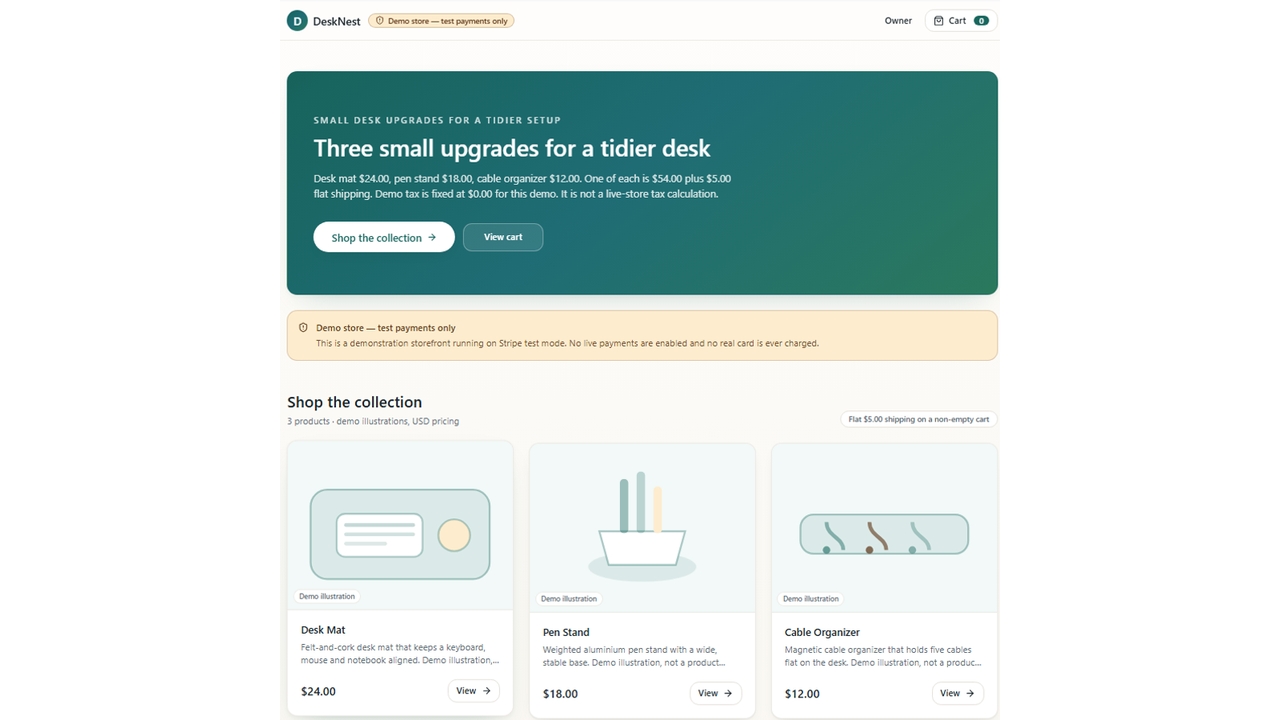
Figure 3. DeskNest presents three desk accessories with explicitly labeled demo illustrations.

Generate Connected Store Pages

Describe your catalog and shopping journey in Enter Pro. This online shop website builder can generate DeskNest’s product cards, details, cart, and confirmation interface in one editable project. Enter Pro’s online shop builder gives the catalog and shopping actions a common starting brief. For DeskNest, each product has a clear name and price, and the cards lead into the cart. This helps you review the buying journey as one project while shaping the store’s presentation.

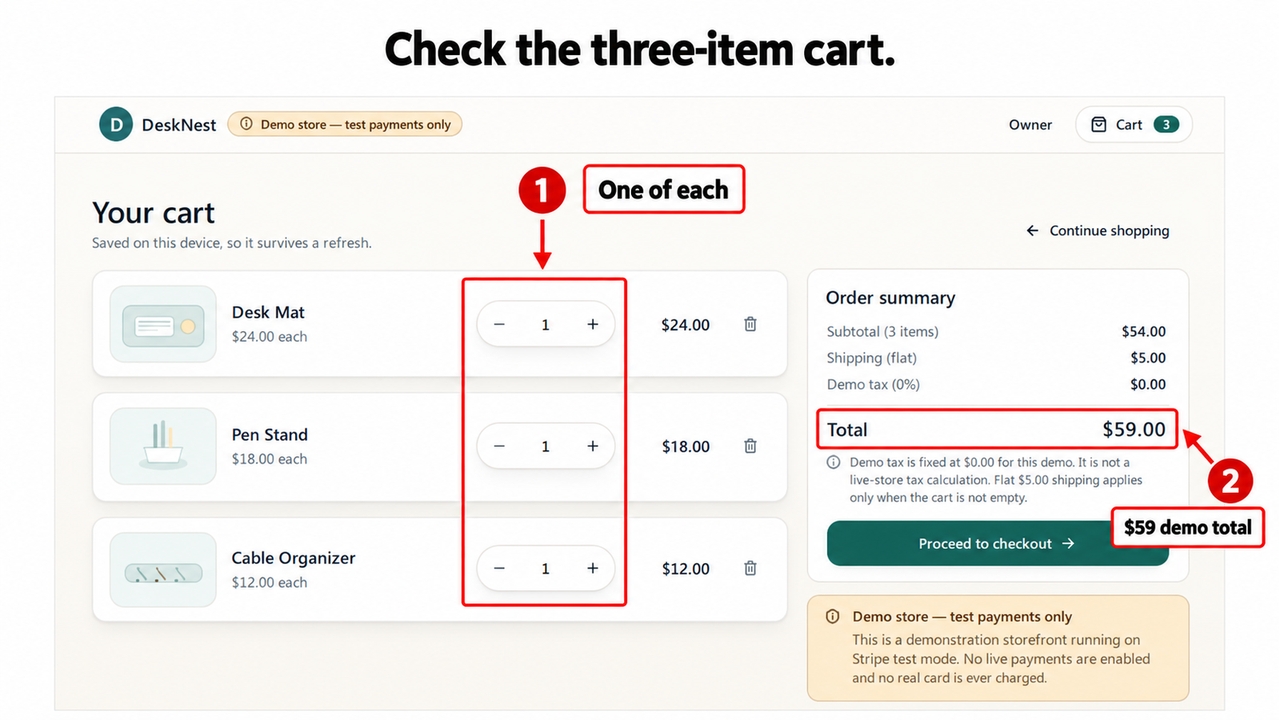
Figure 4. Three demo products total $54, plus $5 shipping and $0 demo tax, for $59 USD.

Manage Store Data With Enter Cloud

Use Enter Cloud for product and order records, backend functions, and account access where needed. Ask Enter Pro to keep DeskNest’s product prices and quantities consistent across the catalog, cart, and saved orders.

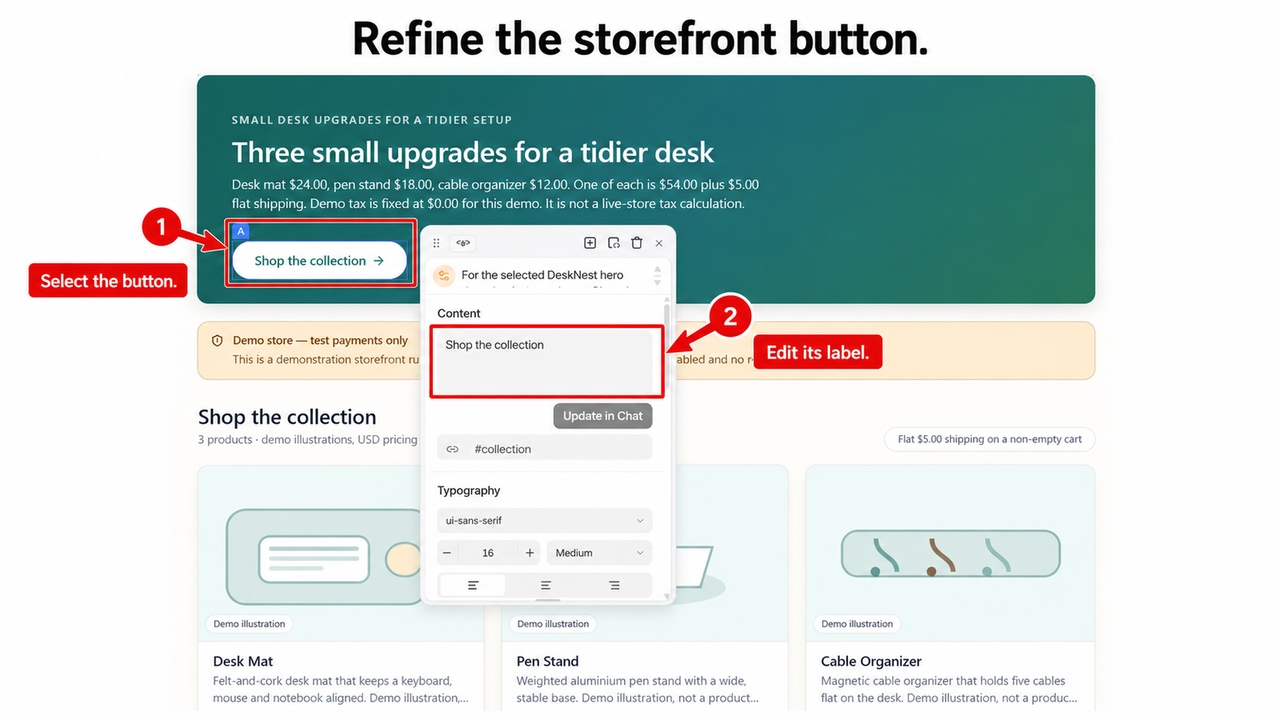
Figure 6. The Visual Editor exposes the selected shopping action and its content control.

Customize Your Storefront Visually

Use the Visual Editor to refine product imagery, card spacing, button labels, and mobile layouts. Preview DeskNest’s buying journey while keeping successful parts of the project available for further editing.

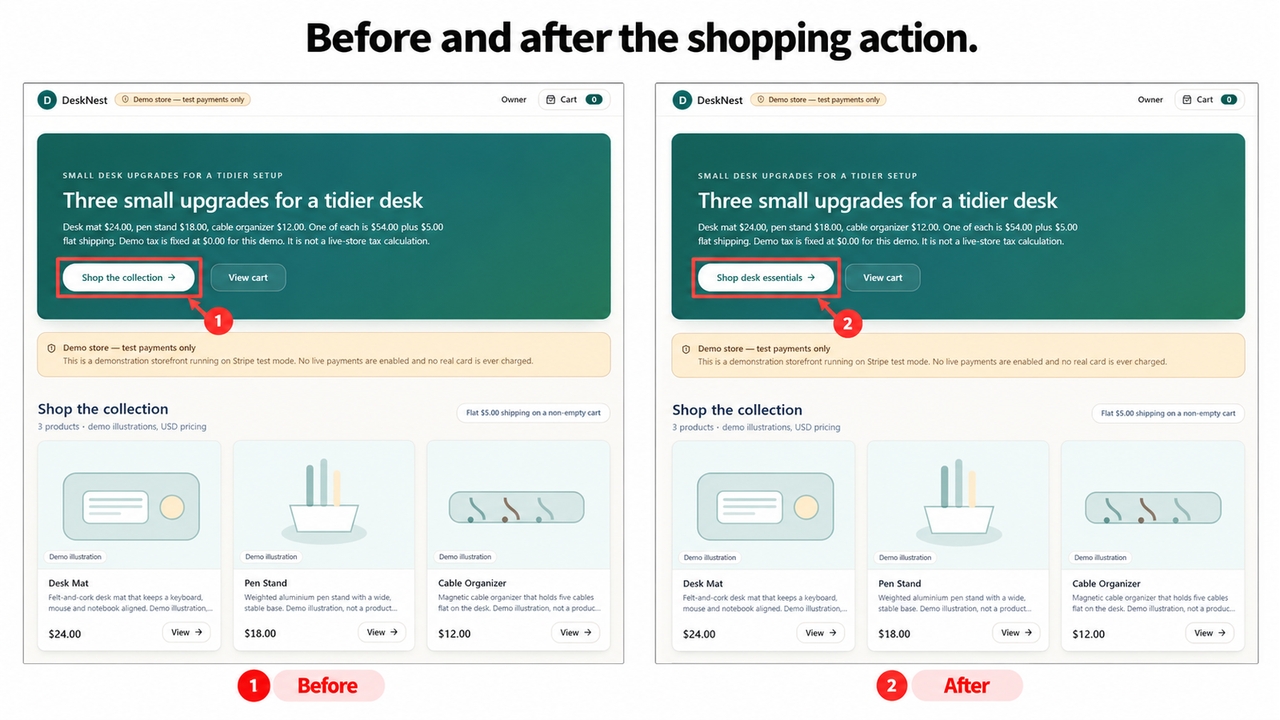
Figure 7. The storefront action changes from Shop the collection to Shop desk essentials.

The captured edit changes Shop the collection to Shop desk essentials. That focused wording connects the action to the catalog without changing the products. The preview also keeps the product pictures labeled as demo illustrations, making the example’s status clear.

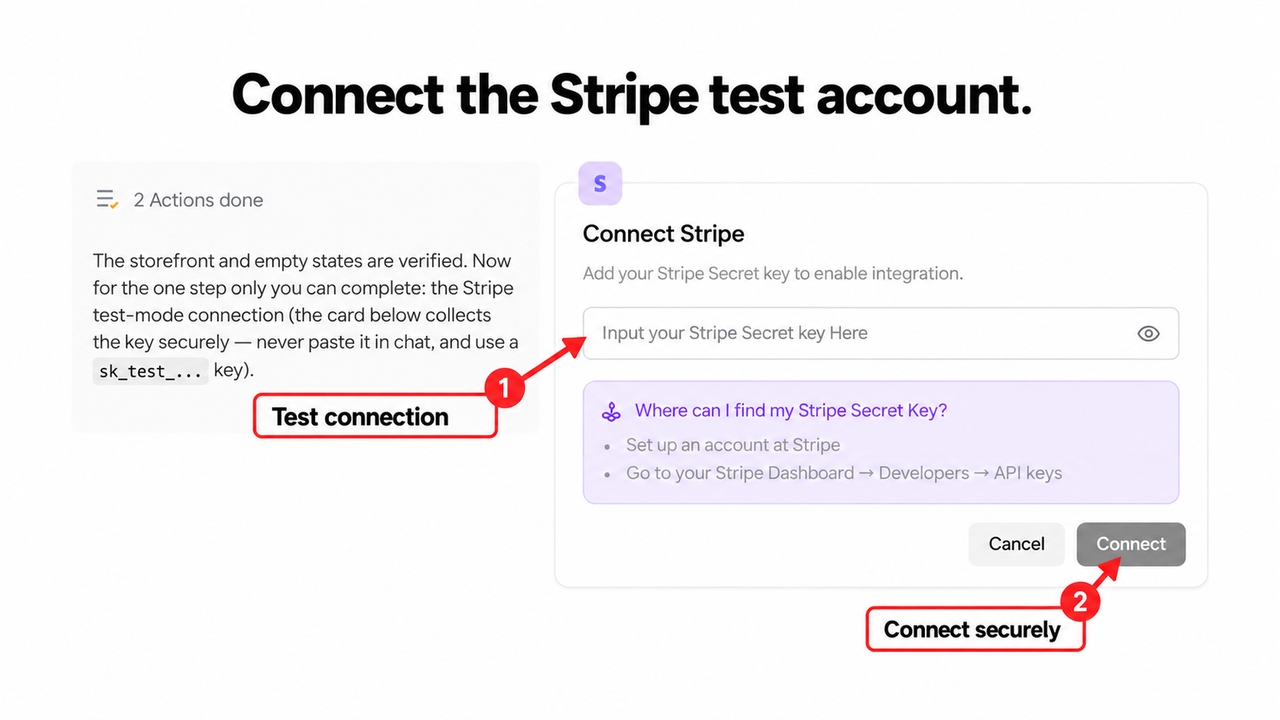
Figure 8. The Stripe integration card shows Connect Stripe with an empty credential field.

Connect Checkout and Publish

Configure Stripe test checkout and define confirmation, decline, and pending states. Enter Pro supports publishing the web shop and connecting a custom domain after you review the purchase workflow. The project’s integration card shows where to connect Stripe. In this example the credential field is empty, so completing the provider setup is the next step before an actual sandbox purchase. Keep the store visibly in test mode while reviewing payment behavior.

Why Choose Enter Pro for Your Online Shop

Shape the catalog and buying journey around your own products. Keep storefront refinement and backend changes in one editable project. Retain your generated code as your website builder online shop project grows.

EnterPro के साथ ऑनलाइन दुकान कैसे बनाएं

इन 3 चरणों के साथ एक ऑनलाइन शॉपिंग वेबसाइट बनाएं:

1

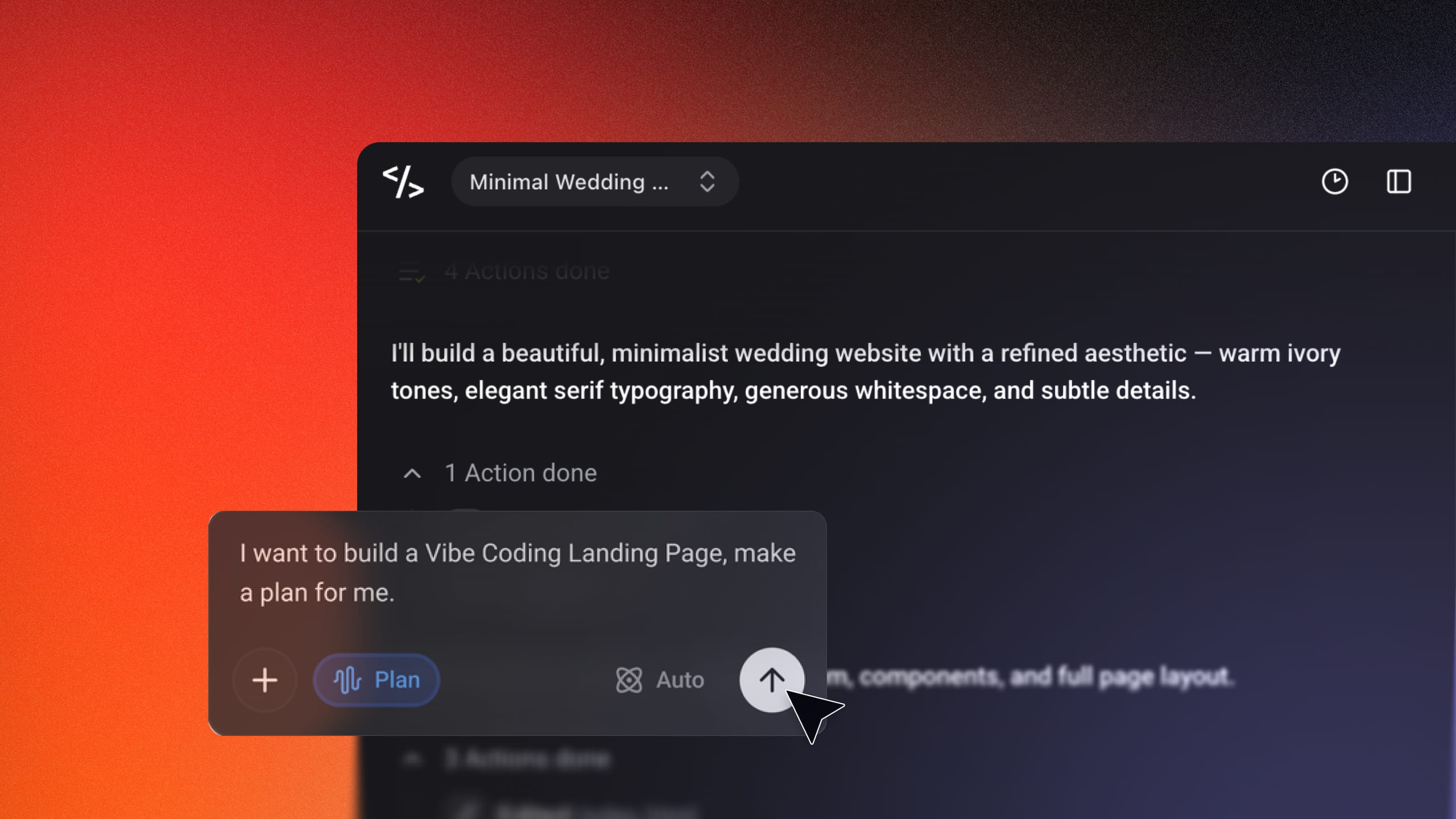
ऑनलाइन स्टोर के लिए एक प्रॉम्ट दर्ज करें

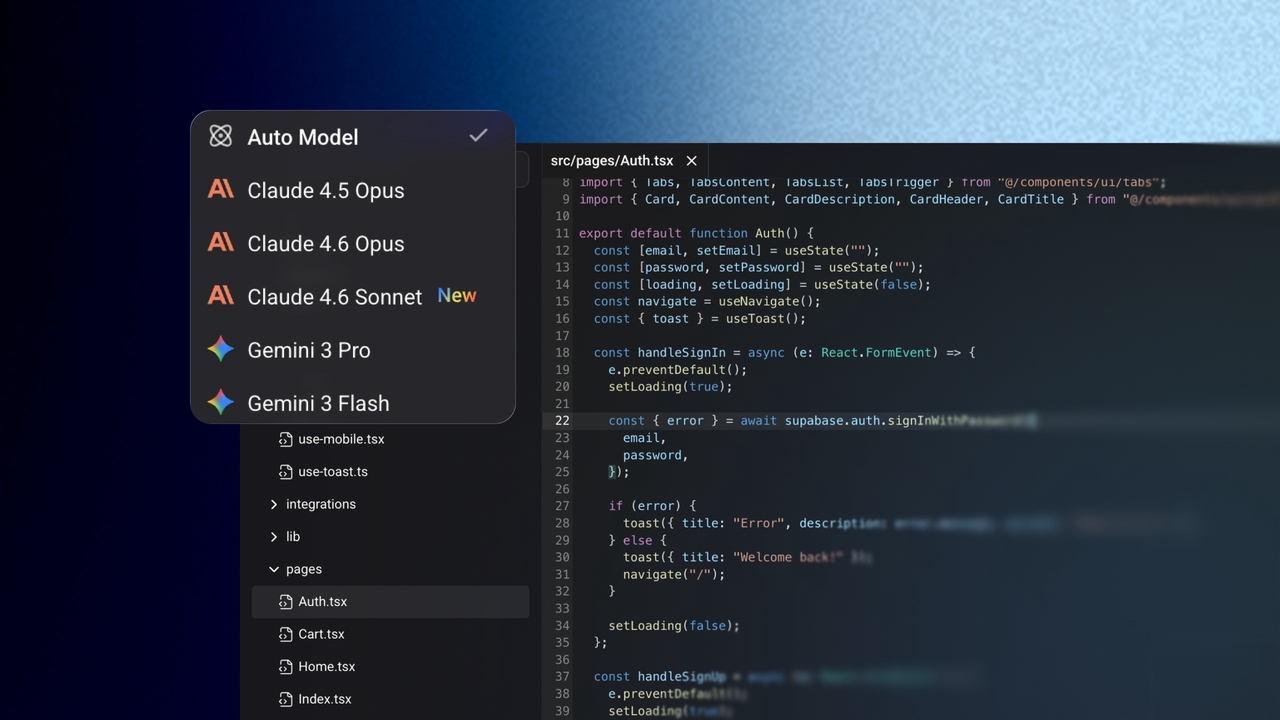
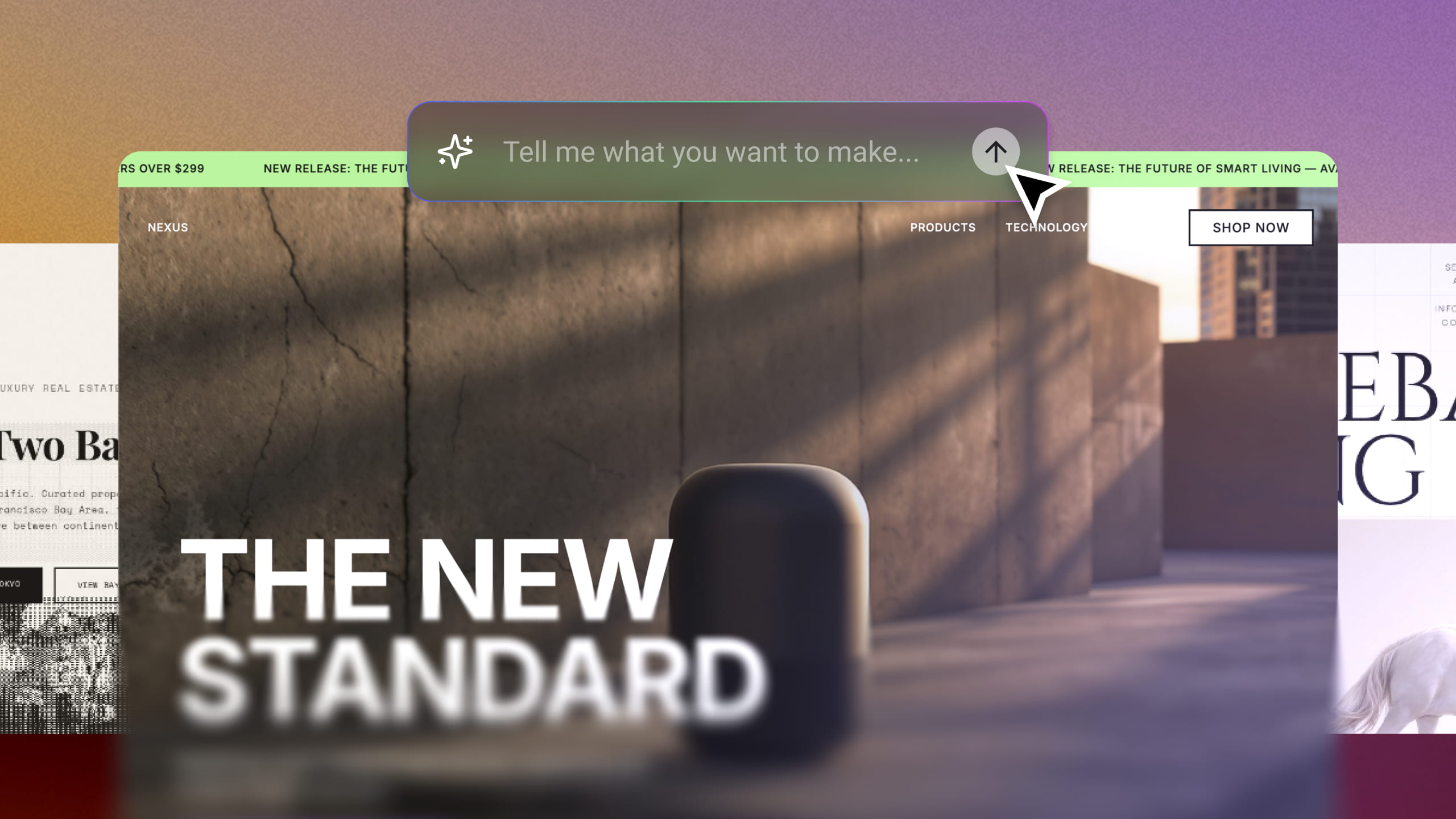
अपनी ऑनलाइन दुकान का वर्णन करने वाला एक टेक्स्ट प्रॉम्ट दर्ज करें। प्रॉम्ट टाइप करने के बाद, आप एक संदर्भ छवि भी अपलोड कर सकते हैं या AI मॉडल का चयन कर सकते हैं। प्रक्रिया शुरू करने के लिए "Generate" बटन पर क्लिक करें।
2

ऑनलाइन दुकान को कस्टमाइज़ करें

एक बार ऑनलाइन दुकान जनरेट हो जाने के बाद, प्रत्येक पेज की सावधानीपूर्वक समीक्षा करें कि क्या यह आपकी अपेक्षाओं से मेल खाता है। आप शैलियों को बदलने या आगे कस्टमाइज़ेशन करने के लिए Visual Editor का भी उपयोग कर सकते हैं।

3

अपना डोमेन कनेक्ट करें और Publish करें

जैसे ही आप संतुष्ट हों, Publish पर क्लिक करें, और एक मुफ़्त Enter डोमेन पर तुरंत लाइव हो जाएं। इसके बाद आपका पेज लीड कैप्चर करना शुरू कर देगा, जिससे आप ऑनलाइन बिक्री कर सकेंगे।

See the DeskNest Online Shop Builder Example

online shop builder

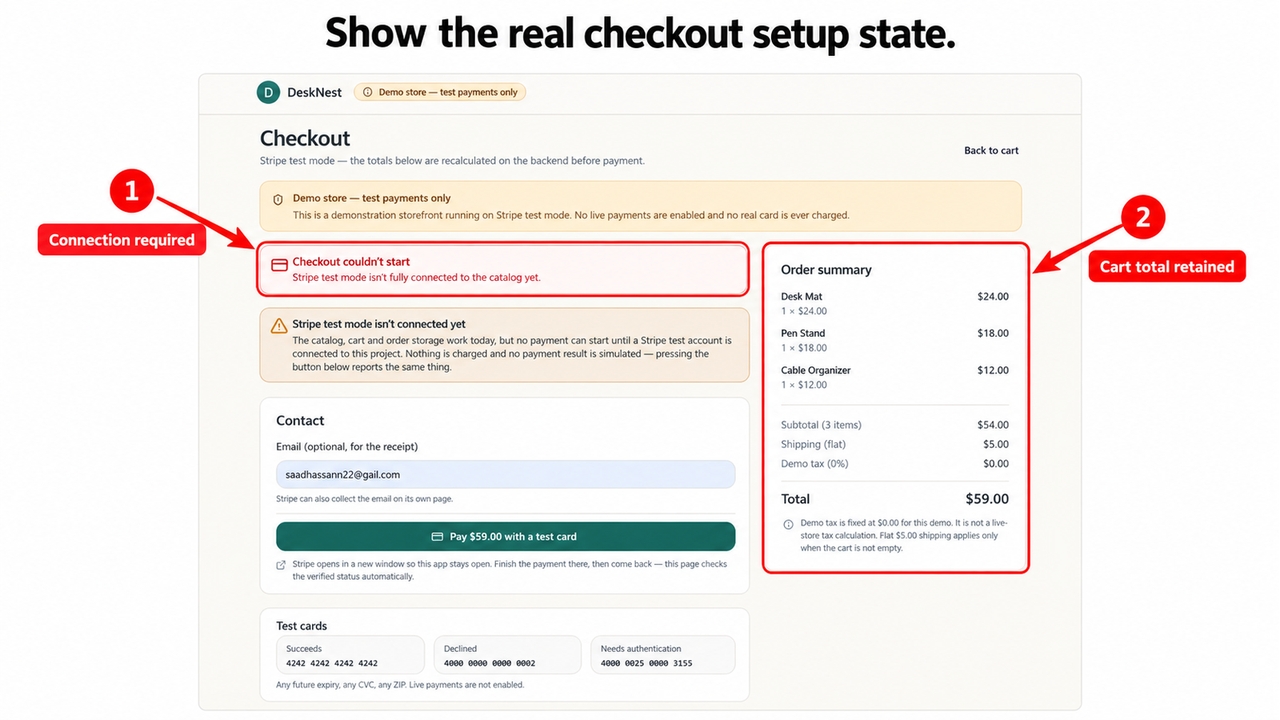
DeskNest gives the online shop builder a concrete storefront to refine, from its three products to the $59 demonstration cart. The checkout capture displays Checkout couldn’t start because Stripe test mode isn’t connected yet. It identifies a setup task still to complete rather than demonstrating a successful payment.

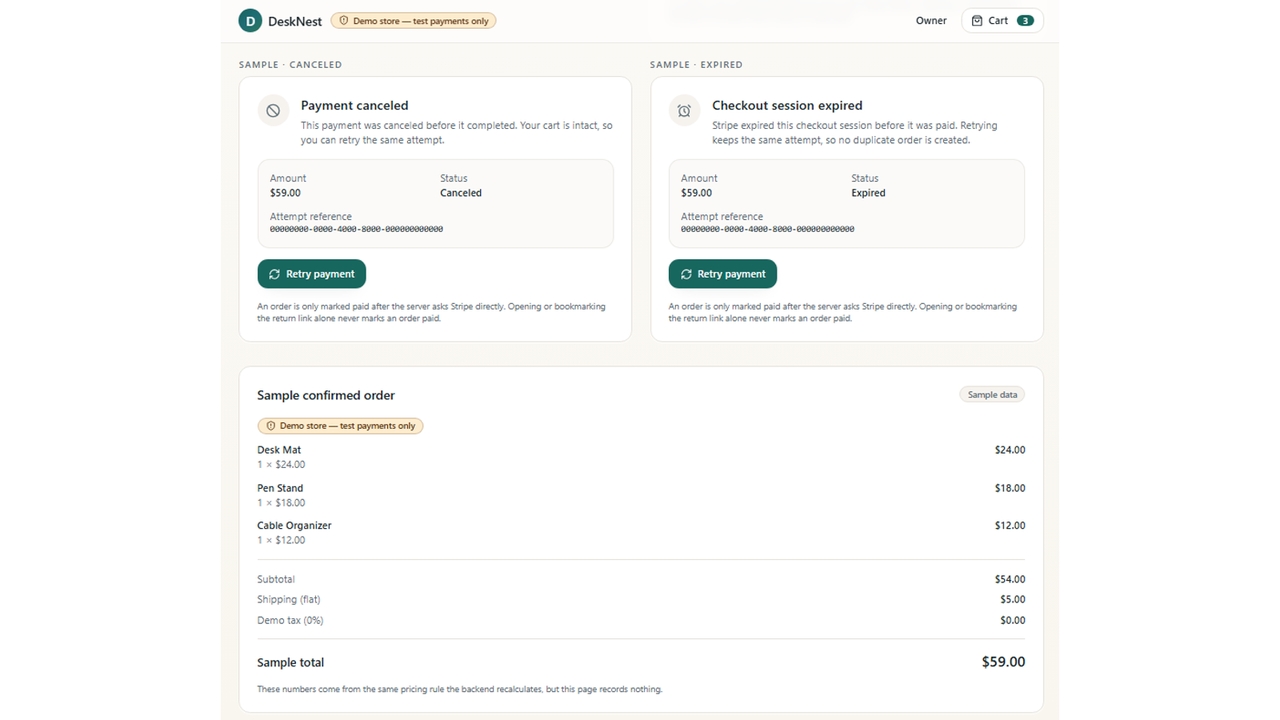
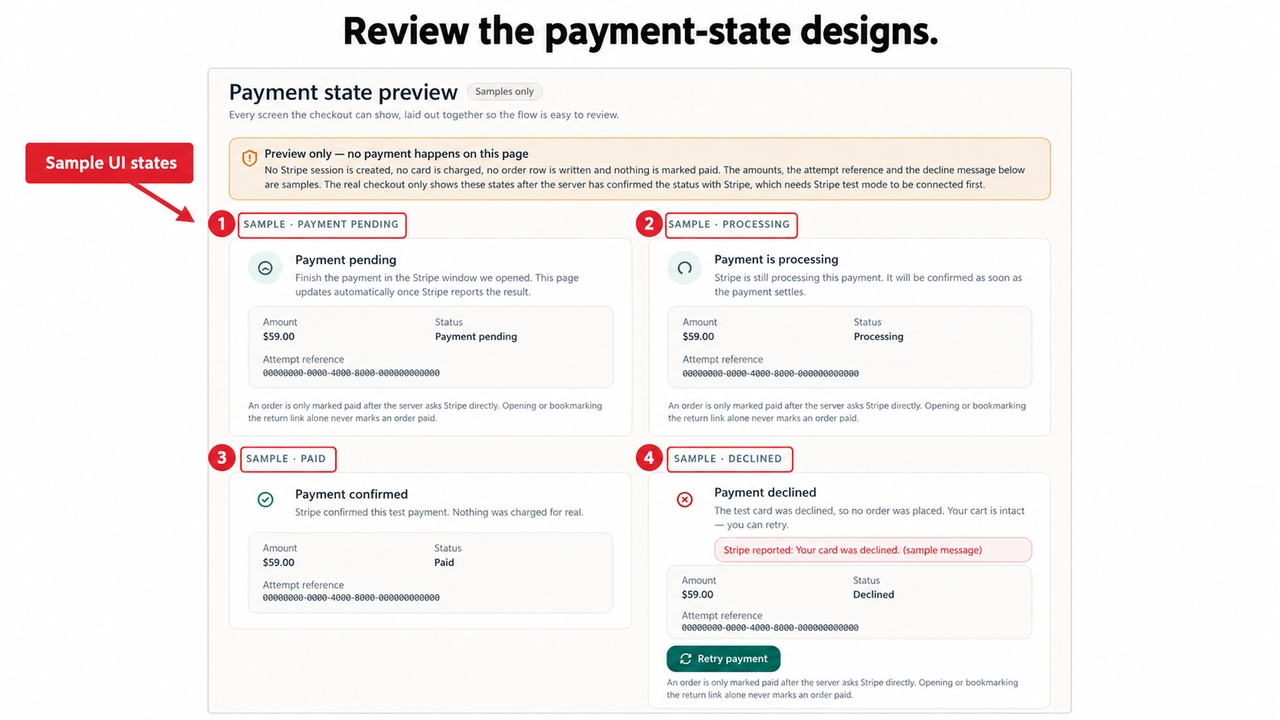
Figure 10. Payment-state samples carry the preview-only notice and do not run transactions.

Enter Pro’s editable project also includes a Payment state preview for refining paid, declined, pending, and processing messages. Its notice states Preview only — no payment happens on this page. These views help review the customer-facing interface before testing real provider responses.

Figure 11. Canceled, expired, and order-confirmation samples remain clearly labeled as previews.

Canceled, expired, and order-confirmation samples continue that interface review. After connecting Stripe, verify each required outcome against the actual order records and confirm that repeated requests produce the intended order count.

Online Shops You Can Build With Enter Pro

The best website builder for online shop projects depends on the required buying journey. Use Enter Pro to shape these store types around your own catalog and rules.

1

Small Product Catalogs

Start with a focused shop like DeskNest, then add product categories and details as the catalog grows. A small catalog gives you room to check product details, cart quantities, and the main shopping action before introducing complex delivery or variant rules. Enter Pro keeps those refinements in the same editable store project.

2

Independent Brands

Create distinctive product pages and brand layouts in Enter Pro, then connect the store’s required services. Use distinctive imagery and useful product explanations alongside the required buying controls. The best online shop builder for your brand should support both the identity customers recognize and the journey they need to complete.

3

Retailers Moving Online

Build a web catalog with delivery or collection choices. Configure availability, contact information, and order rules for the retailer.

Enter Pro helped me go from idea to a working MVP in under a week. What used to take months now happens in days. It removed all the usual bottlenecks in development.

Daniel Carter

As a non-technical founder, this completely changed how I build products. I launched my first app and got real users within days. The workflow is smooth and intuitive.

Ethan Walker

The speed is unreal. I can build, test, and iterate without waiting on developers or dealing with complex setups. Strongly recommended!!

Olivia Bennett

अक्सर पूछे जाने वाले प्रश्न

आज ही अपना ऑनलाइन स्टोर शुरू करें

अभी अपना स्टोर बनाएं और अपने व्यवसाय को अलग पहचान दिलाएं।

ऑनलाइन शॉप बिल्डर: Enter Pro के साथ अपना स्टोर लॉन्च करें | Enter