

UI vs UX Design: What Each One Covers and How They Work Together
UI vs UX explained: see the key differences in focus, deliverables, tools, and skills, plus a real example, designer roles, salary data, and how AI fits in.
The short answer to UI vs UX: UX (user experience) is how a product works and feels across the whole journey, from finding it to finishing a task. UI (user interface) is the screens, buttons, text, and visual elements people interact with along the way. UI is one part of UX. Think of a house: UX is the floor plan and how easy the house is to live in, while UI is the paint, fixtures, and light switches. This guide covers clear definitions of each, a side-by-side comparison table, a real checkout example broken into UX and UI decisions, what each designer does and earns, how the two roles work together, and how AI tools are changing the work.
H2: What is UI vs UX?
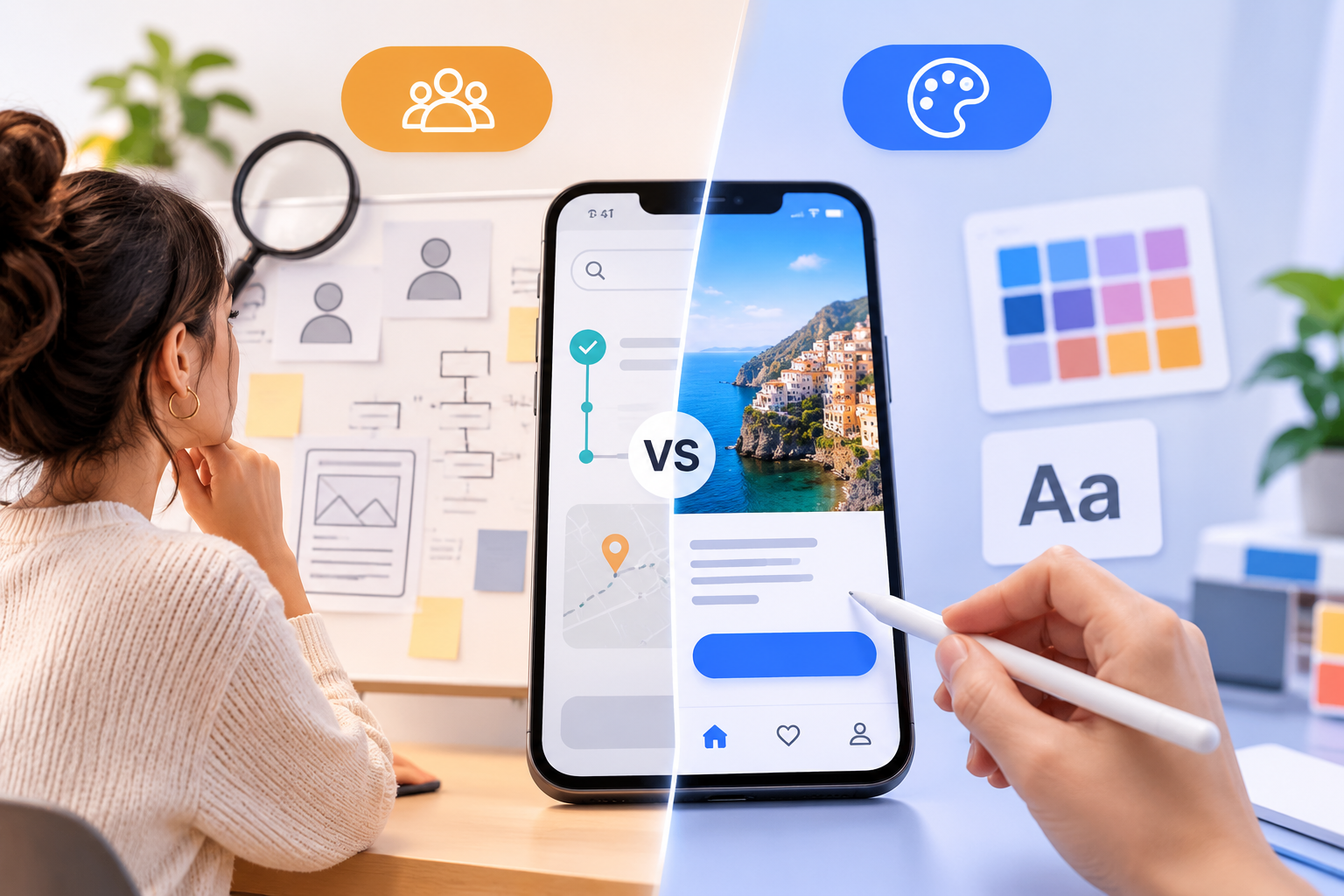
UX and UI are often mentioned together, but they answer different questions. UX asks whether the product solves the right problem in a way people can follow. UI asks whether each screen is clear, consistent, and pleasant to use. The two are easy to confuse because they often show up in the same file and the same job title, but a product can score well on one and badly on the other: a beautiful app nobody can figure out has strong UI and weak UX, while a clunky-looking tool that gets the job done in two taps has the opposite profile.
H3: What is UX design?
The most widely cited definition comes from Don Norman and Jakob Nielsen of the Nielsen Norman Group: "'User experience' encompasses all aspects of the end-user's interaction with the company, its services, and its products." In other words, UX goes beyond screens. It includes how easy a product is to find, sign up for, use, and get help with.
A food delivery app shows the scope well. UX covers how quickly you can reorder a favorite meal, whether delivery fees appear before checkout, what happens when a restaurant runs out of an item, and how easy it is to get a refund when an order arrives cold. Many of those moments involve emails, notifications, and support conversations, not just the app's screens, and a UX designer looks at all of them as one journey.
- The UX process: user research, personas, information architecture, user flows, wireframes, prototypes, usability testing, and iteration.
- Questions UX answers: Is this the right problem to solve? Can people finish their task? Where do they get stuck or give up?
- Typical outputs: research summaries, personas, journey maps, sitemaps, user flows, low-fidelity wireframes, and clickable prototypes that can be tested before any visual design starts.
H3: What is UI design?
UI design covers the look, feel, and interactivity of each screen or page: the part of the product people actually see and touch.
- UI elements: layout and grid, typography, color, buttons and form fields, icons, states such as hover, error, and disabled, micro-interactions, and responsive layouts.
- Accessibility: color contrast, readable text sizes, and clear focus states belong here too, guided by the WCAG 2.2 accessibility standard.
- Questions UI answers: Is the next action obvious? Does the screen look consistent with the rest of the product? Is it readable on a phone?
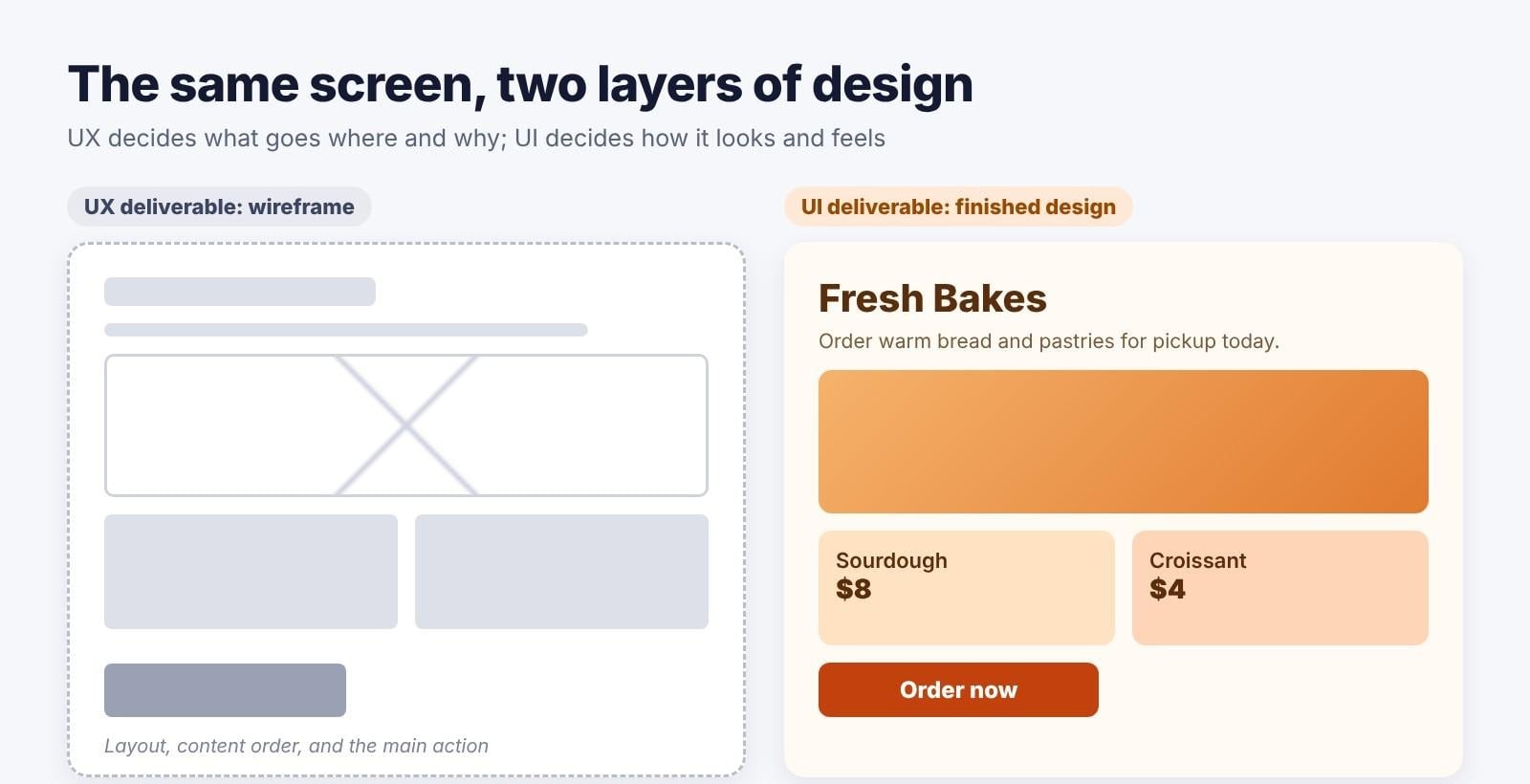
Good UI is mostly about consistency and clarity rather than decoration. A UI designer decides that every primary button uses the same color and size, that error messages always appear in the same place, and that headings follow one type scale. Those rules are usually collected in a design system, so a new screen built next year still looks and behaves like the rest of the product.
H2: UI vs UX difference: side-by-side comparison
The table below compares the two disciplines on the points that matter most when you hire, learn, or brief a designer.
| Aspects | UX design | UI design |
|---|---|---|
| Focus | How the product works and feels across the journey | How each screen looks and responds |
| Question it answers | "Does this solve the user's problem?" | "Is this screen clear, consistent, and on-brand?" |
| Main deliverables | Research findings, personas, journey maps, sitemaps, user flows, wireframes, prototypes | High-fidelity mockups, style guides, design systems, components, icons, interaction specs |
| Methods | Interviews, surveys, usability testing, card sorting, analytics, A/B tests | Visual hierarchy, grids, typography, color systems, motion, accessibility checks |
| Common tools | Figma/FigJam, Maze, UserTesting, Hotjar, Miro | Figma, Adobe Illustrator and Photoshop, Framer, ProtoPie |
| Key skills | Research, empathy, information architecture, problem framing | Visual design, typography, layout, attention to detail |
| How success is measured | Task success rate, time on task, conversion, retention | Visual consistency, accessibility compliance, clarity of interactions |
| When it happens | Starts first and continues through testing | Starts once flows and wireframes are agreed |
Two rows matter most in practice. "When it happens" explains why UX work comes first: there's little point polishing a screen that research later shows nobody needs. "How success is measured" explains why the two roles argue less than people expect: UX is judged on whether users succeed, UI on whether every screen is clear and consistent, and both feed the same product goals.
The key point is that neither can carry the other. Good UI can't save a confusing flow, and a well-designed flow still fails if the screens are hard to read or the buttons are hard to find.
H2: UI design vs UX design in practice: one checkout page, two sets of decisions
A mobile checkout for an online store is a good way to see the split, because every decision on the page is either about the flow or about the screen.
UX decisions shape how the checkout works:
- Allow guest checkout: don't force shoppers to create an account before they can pay.
- Cut the steps: reduce the flow from five steps to three: details, delivery, and payment.
- No surprises: show the total cost, including shipping, before the payment step.
- Test it: run the flow with five users and fix the points where they hesitate.
UI decisions shape how each checkout screen looks:
- One primary button: a single "Pay now" button in the brand color, with secondary actions as text links.
- A progress bar: a clear indicator showing step 2 of 3.
- Readable forms: large form fields with labels above them and inline error messages.
- Trust signals: card logos and a lock icon near the payment field.
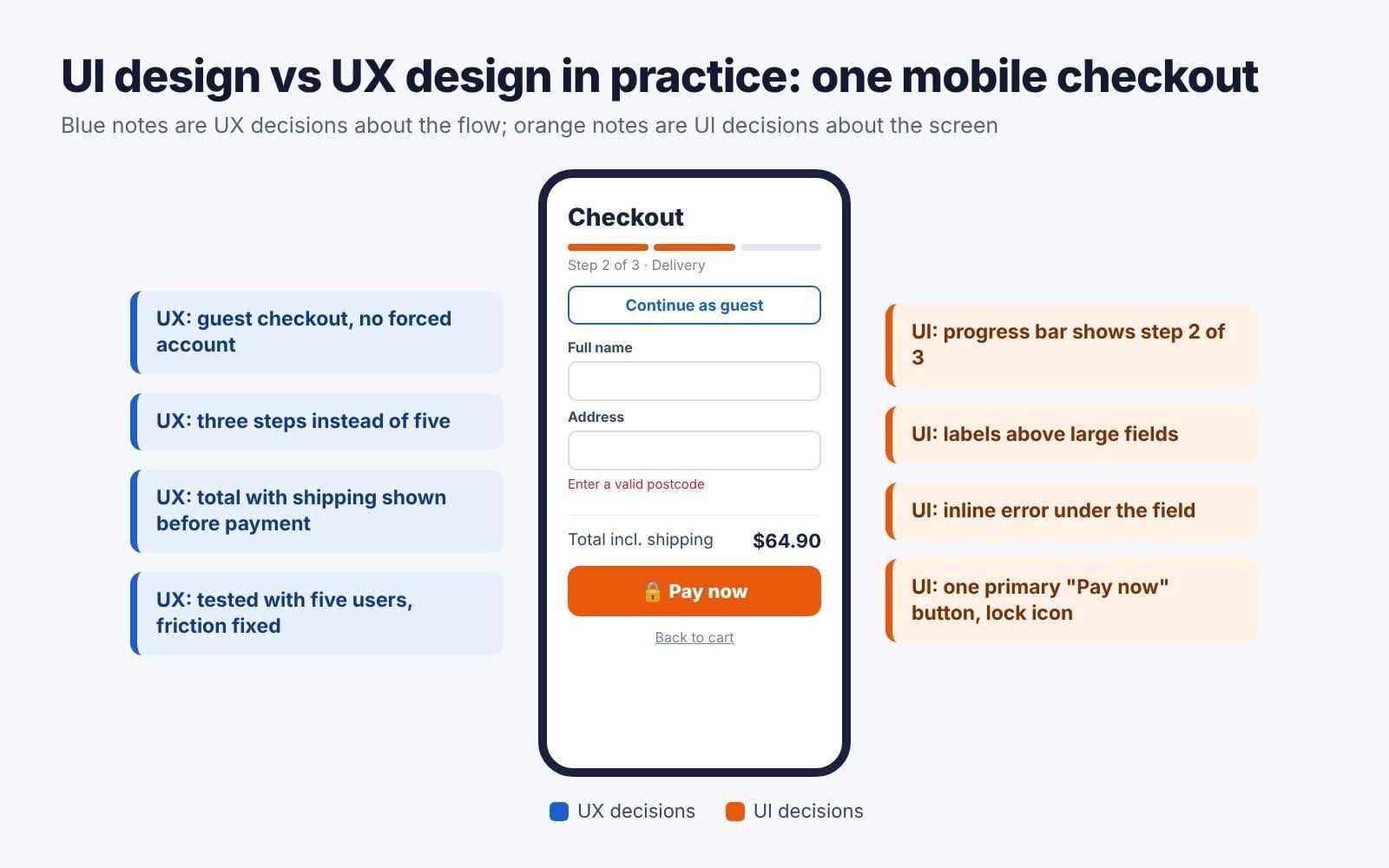
Notice that the UX list could be written before anyone opens a design tool, while the UI list only makes sense once the flow exists. If shoppers abandon the checkout because shipping costs appear too late, no amount of polish on the button fixes it. If the flow is right, but the error messages are tiny and gray, people still struggle. Each problem needs a different kind of fix.
The same thinking applies to marketing pages. If you're designing one, this guide to what makes a good landing page breaks down the structure and visual choices that drive conversions.
H2: UI designer vs UX designer: roles, skills, and salary
UI and UX designers work toward the same goal of creating better digital products, but their responsibilities, skill sets, and career paths differ. Understanding how the two roles compare, including their typical salaries, can help aspiring designers choose the right career path and help employers identify the talent their teams need.
H3: What a UX designer does
- Plans and runs user interviews and usability tests.
- Maps user journeys and information architecture.
- Builds wireframes and clickable prototypes.
- Works with product managers on what to build and why.
Core skills: user research and interviewing, information architecture, interaction design, usability testing, data analysis, and clear communication, because UX designers spend much of their time explaining why a flow should change.

H3: What a UI designer does
- Turns approved wireframes into high-fidelity screens.
- Builds and maintains the design system: colors, type, components, and states.
- Designs micro-interactions and responsive layouts.
- Prepares specs and assets for developer handoff.
Core skills: visual hierarchy, typography, color theory, layout and grids, interaction states, accessibility, and a working knowledge of how front-end developers build components, so designs survive the handoff intact.

H3: UI/UX designer: when one person does both
Startups and small teams often hire one "UI/UX designer" to cover both sides. Larger companies tend to split the work and add specialists such as UX researchers, interaction designers, and content designers. A UI/UX job description usually asks for research plus visual design, with a stronger lean toward one of the two, so read the responsibilities carefully before you apply. For hiring managers, the same advice works in reverse: decide whether your biggest gap is understanding users or making screens consistent and polished, and write the job description around that gap rather than asking for everything at senior level.
H3: UI vs UX designer salary
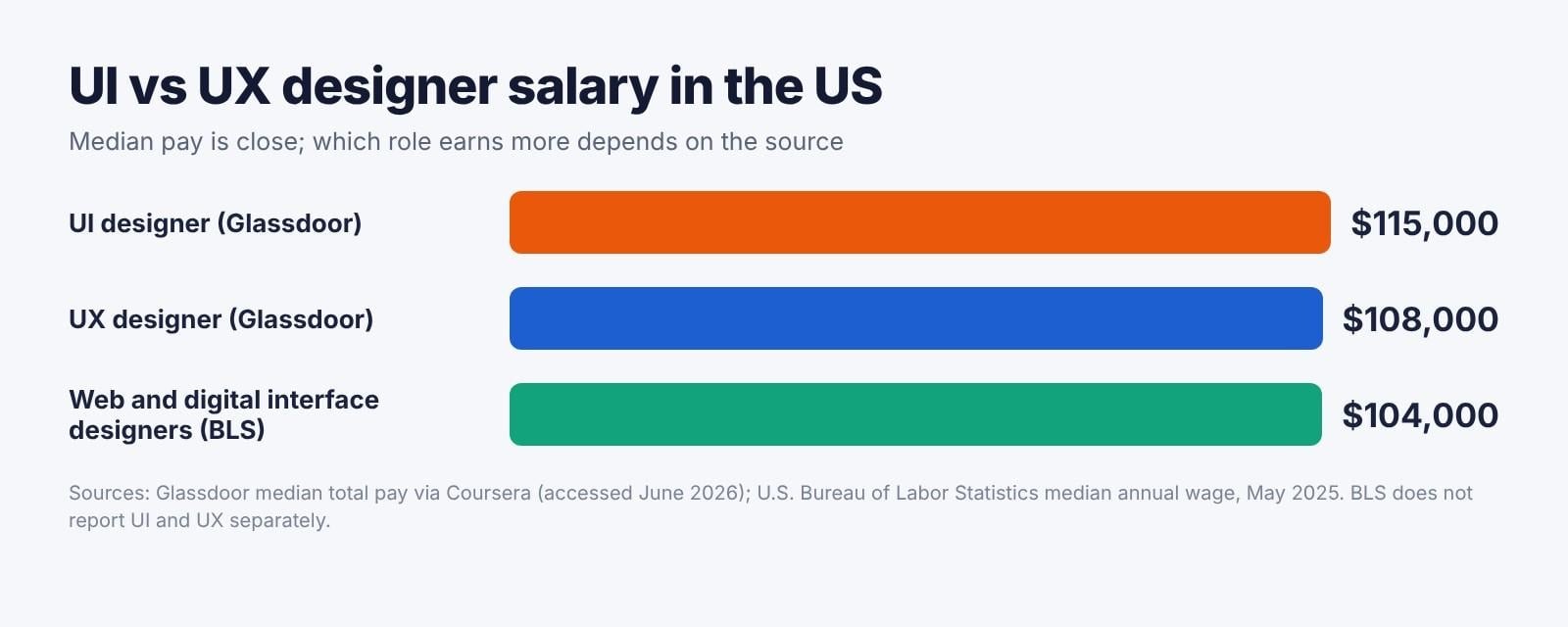
- BLS: The median annual wage for web and digital interface designers was $104,000 in May 2025, according to the U.S. Bureau of Labor Statistics. BLS doesn't report UI and UX designers separately. It projects employment of web developers and digital designers to grow 5% from 2025 to 2035.
- Glassdoor: UX designers earn a median total pay of $108,000 and UI designers $115,000, according to Glassdoor data cited by Coursera (accessed June 2026).
- What moves pay: seniority matters more than the UI or UX label. Designers who lead research programs, own a design system, or work in high-cost cities and large tech companies earn well above the medians, while junior roles start lower.
- The takeaway: pay for the two roles is close, usually within about 5-10%, and which one comes out ahead changes with the source, location, and seniority.
Note: Figures and data are current as of October 2026.
H2: How UI and UX designers work together
In most product teams, the work moves through six stages:
- UX research: interviews and data on the problem.
- UX flows and wireframes: a structure agreed with product and engineering.
- UI design: visual design applied to the approved wireframes.
- Design system: shared components, so new screens stay consistent.
- Developer handoff: specs, assets, and every interaction state.
- Usability testing: both designers review the results and iterate.

In practice, the stages overlap. UX research often continues while UI design starts on the first approved flows, and the design system grows as new screens are designed rather than being finished up front. Teams that hold short design reviews at each stage, with a developer in the room, catch most problems before they reach code.
The handoff isn't one-way. UI designers bring visual problems they spot back into UX research, and UX designers review final screens to make sure the polish hasn't hurt usability.
H2: Should you learn UI or UX first?
- Learn UX first if you enjoy research, psychology, and solving problems with real users.
- Learn UI first if you enjoy visual design, typography, and building polished screens.
- Learn both at a basic level if you want to work at a startup or as a freelancer, where one person often covers both.
Whichever side you start with, the other will come up quickly. A UX designer who can't sketch a convincing screen struggles to sell ideas, and a UI designer who has never watched a user test misses why some beautiful screens fail.
A practical starter path is one UX course on research and wireframes, one UI course on visual design, and one portfolio project that shows both on the same product. Hiring managers tend to value a single well-documented case study, showing the problem, the research, the flow, the final screens, and what changed after testing, over a gallery of polished screens with no explanation.
H2: How AI is changing UI and UX design
- Faster UI production: AI tools now generate layouts, screens, and even code from a text prompt.
- Figma Make: turns a prompt into a working prototype inside Figma, so designers can test interactions without handing it off to a developer.
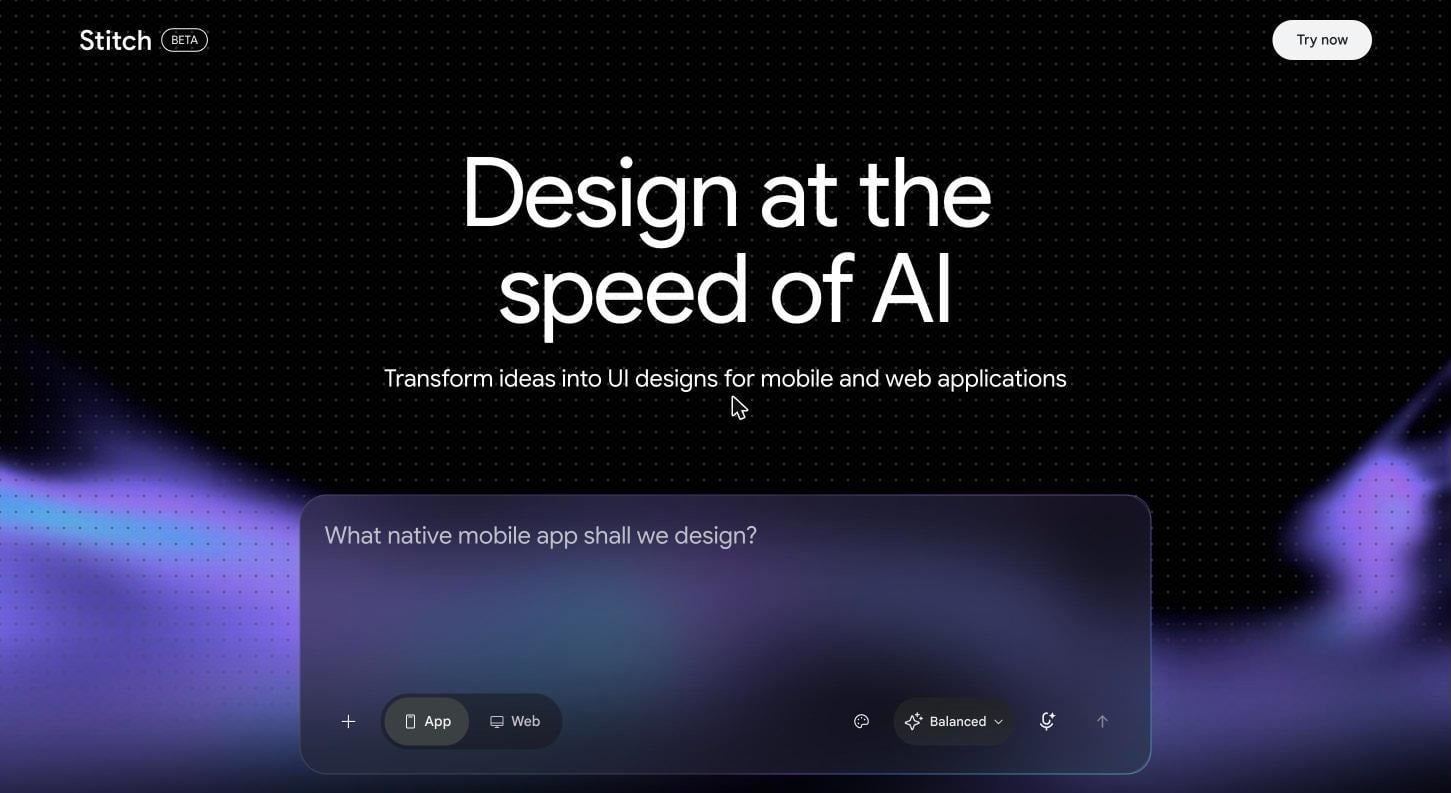
- Google Stitch: a Google Labs tool, still in beta, that turns ideas into UI designs for mobile and web apps.
- Uizard and UX Pilot: generate wireframes and screen designs from text or rough sketches, aimed at fast early exploration.
- v0 by Vercel: generates front-end code and UI components from a prompt, closer to development than design.
- Faster prototypes: an AI website builder can turn an agreed flow into a clickable, working page in minutes, so UX testing can start sooner.
- What stays human: choosing the right problem, running user research, judging trade-offs, reviewing accessibility, and making brand decisions.
- The risk to watch: AI output tends to look polished but generic, and it can ignore accessibility or your existing design system. Treat it as a first draft that still needs a designer's review.
- What it means for each role: UI designers spend less time drawing every screen and more time on design systems and quality, while UX designers can put ideas in front of real users earlier.
H2: Build and refine your UI with Enter Pro
Once the UX flow is agreed, Enter Pro turns a plain-language description into a working, responsive site or web app. Its plan step lets you check the pages and flow before anything is generated, and its visual editor lets you adjust the UI directly, so designers, founders, and product managers can put real screens in front of users sooner instead of stopping at static mockups. It's most useful after UX thinking is done: you bring the flow, and Enter Pro turns it into something people can click through, test, and refine.
Turn Your Design Ideas into a Live App →
H3: Key features
- Plan Mode: maps the pages, user flows, and data before building, so the UX structure is reviewed first. Learn why Plan Mode matters before you generate anything.
- Visual editor: click any element in the preview to change its text, font, color, alignment, padding, and margins with the visual editor.
- Responsive preview: check every screen at desktop, tablet, and phone widths before you share it.
- Version history and collaboration: compare versions, roll back a change, and share a preview link so teammates can give feedback through collaborative coding.
H3: How to turn a UX flow into a working UI with Enter Pro
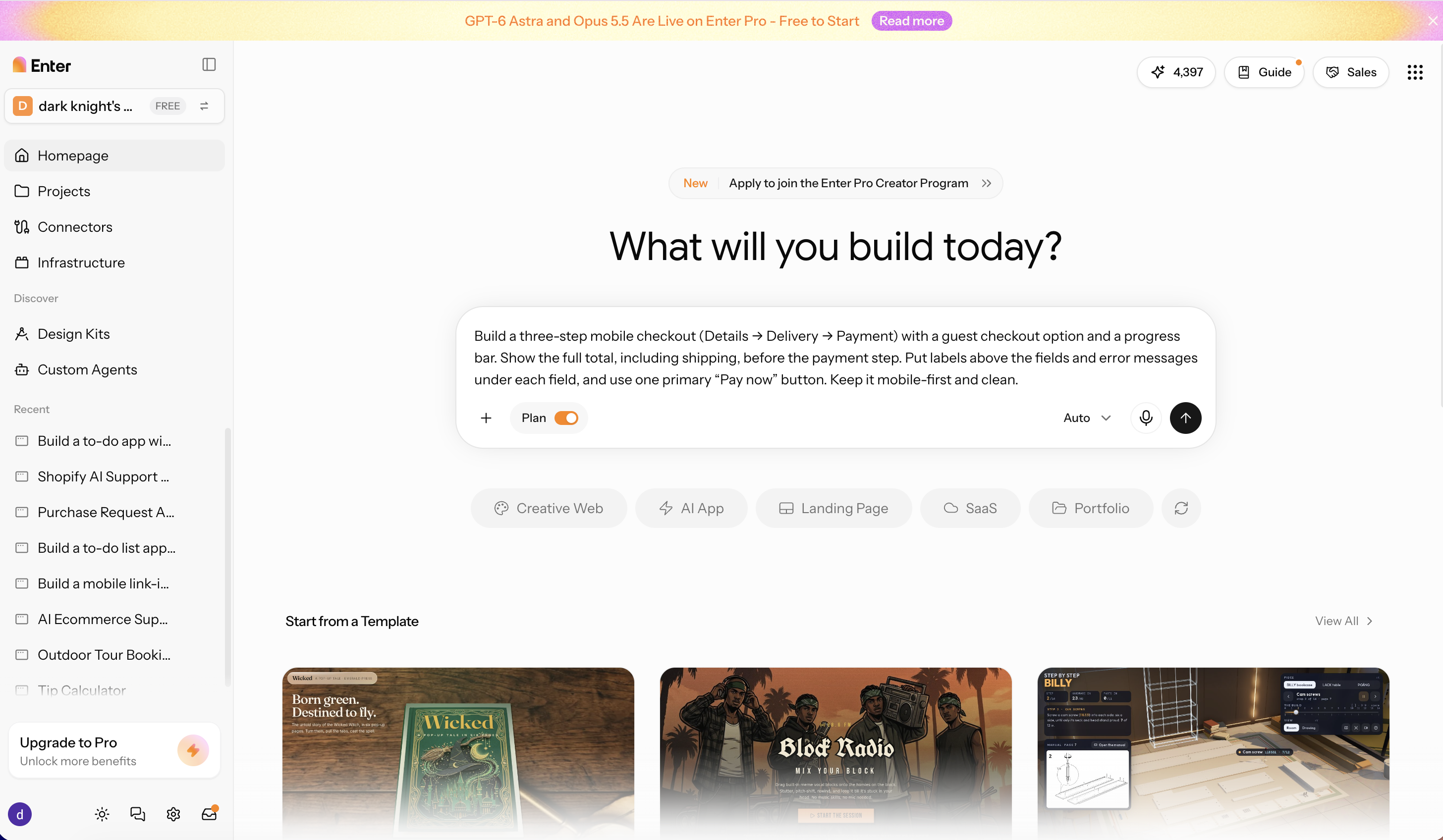
Step 1: Describe the flow
Describe the pages and steps you agreed on. For example, a three-step mobile checkout with a guest option, a progress bar, and the total shown before payment.
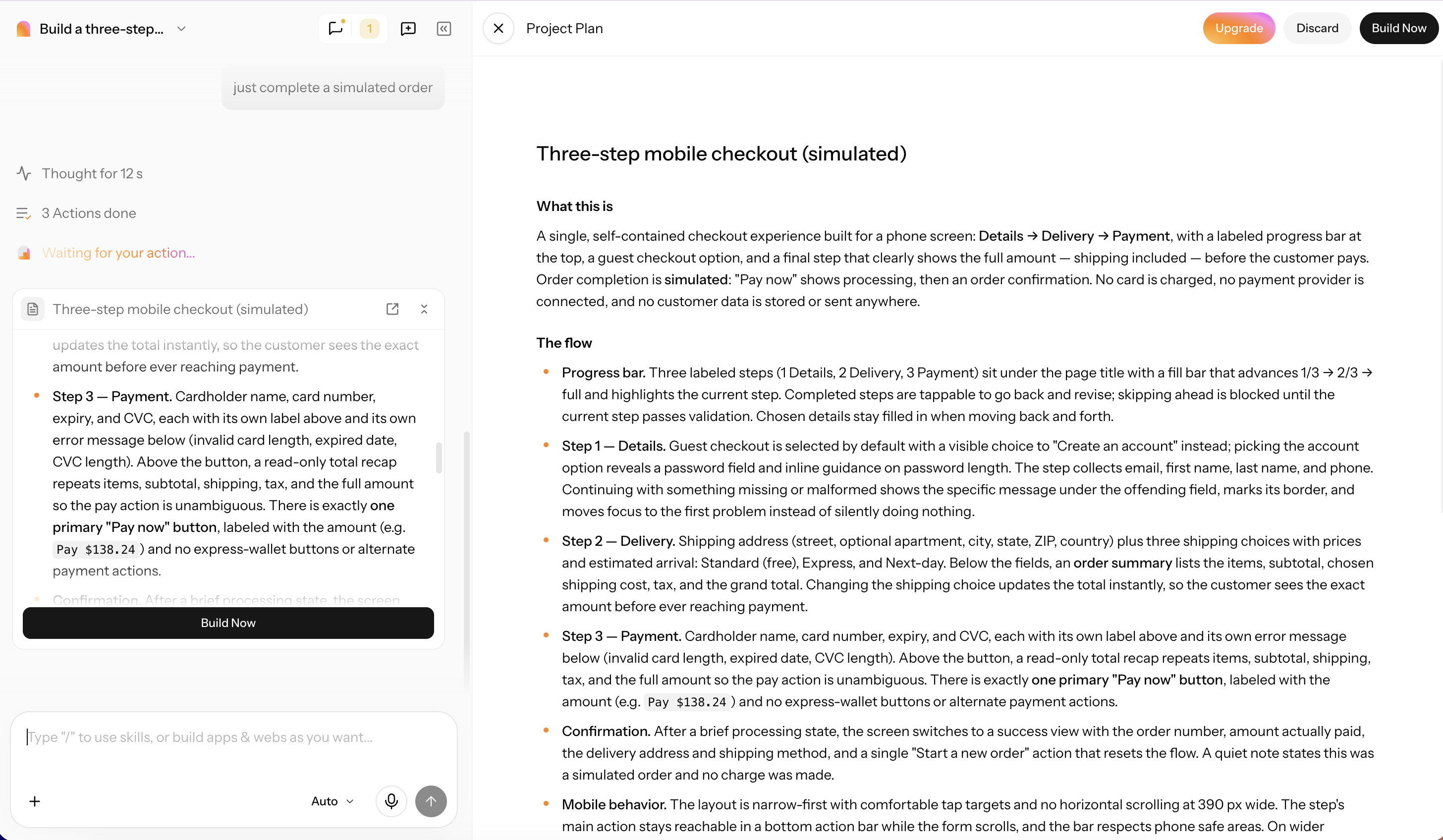
Step 2: Review the plan and generate
Check the proposed pages and flow in Plan Mode, adjust anything that doesn't match your wireframes, then generate the app.
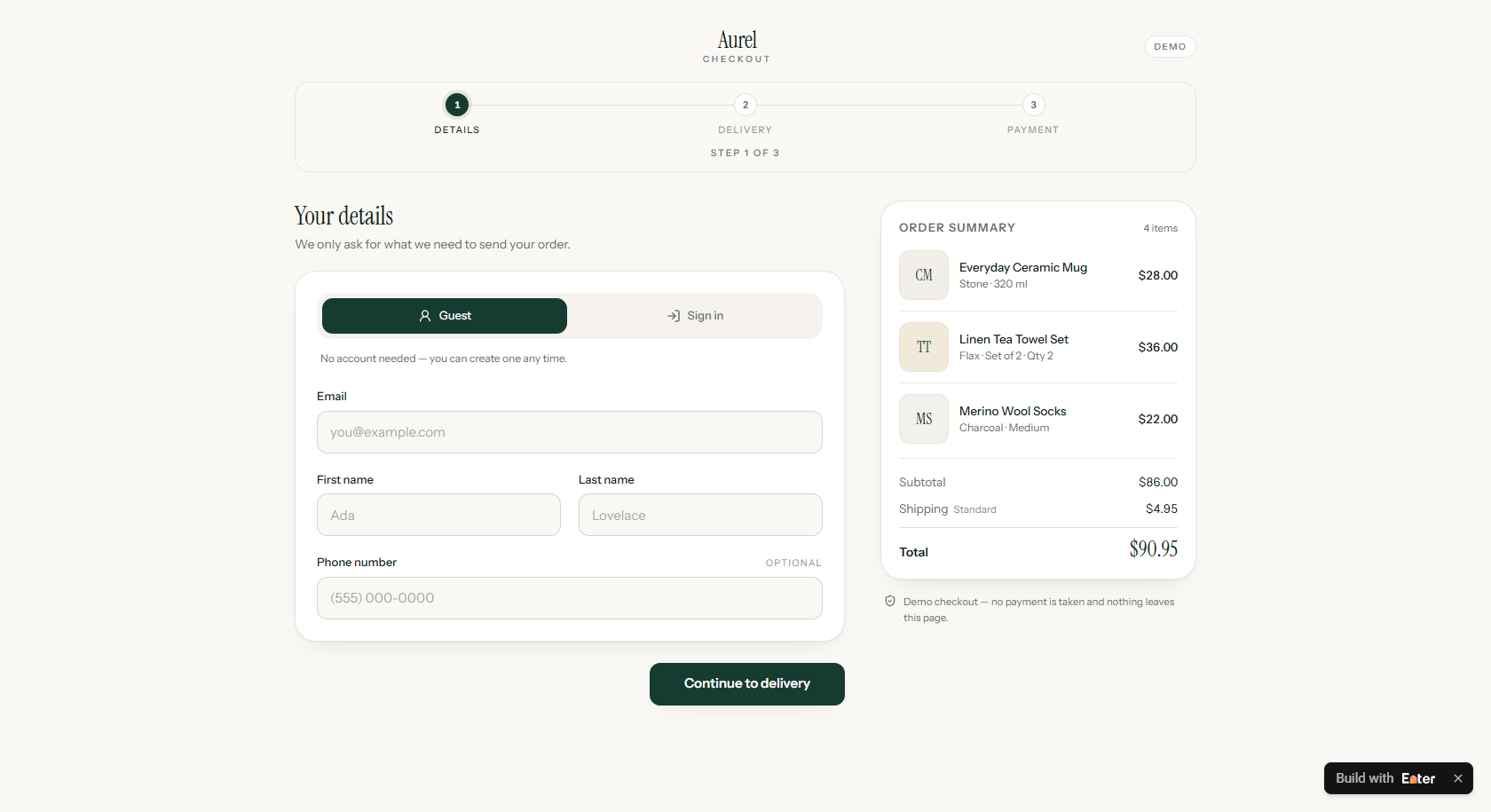
Step 3: Refine the UI and share it for testing
Adjust typography, colors, and spacing in the visual editor, check the mobile widths, then publish and share the link with test users.
Turn Your Design Ideas into a Live App →
H2: Conclusion
UI vs UX isn't a contest. UX decides how a product works and whether it solves the right problem; UI decides how each screen looks and responds. Good products need both, and designers in each role work best when they share research, flows, and a design system. Pay for the two roles is similar, so choose the side that matches the work you enjoy. And once a flow is agreed, tools like Enter Pro can turn it into working screens you can test with real users the same day. Try it today to design your unique site or web app!
H2: FAQs about UI vs UX
H3: UX vs UI: what is the difference in simple words?
UX is how a product works and feels from start to finish, including whether people can complete their task. UI is what each screen looks like and how its buttons, text, and forms respond. UI is one part of the overall user experience. For example, when building an app with Enter Pro, teams can use its AI App Builder and Visual Editor to create and refine screen layouts, adjust visual elements, and improve the interface, bringing UI design decisions into a functional product.
H3: Which pays more, UI or UX design?
It depends on the source. Glassdoor data cited by Coursera puts UI designers slightly ahead at $115,000 versus $108,000 for UX designers, while the BLS reports a single $104,000 median for web and digital interface designers. Pay is usually within about 5-10% either way.
H3: Is UX harder than UI?
Neither is harder overall; They're hard in different ways. UX relies on research, analysis, and defending decisions with evidence, while UI demands a strong visual eye and precise attention to detail. Most people find one side comes more naturally.
H3: UI vs UX: which should I learn first?
Start with UX if you enjoy research and problem-solving, or with UI if you're drawn to visual design and typography. If you want to work at a startup or freelance, learn the basics of both and build one portfolio project that shows each side.
H3: Can one person do both UI and UX design?
Yes. Many startups and small teams hire a single UI/UX designer who handles research, wireframes, and visual design. Larger companies usually split the roles because each side has enough work for a specialist. AI-powered development platforms like Enter Pro can also help smaller teams bridge the gap between design and development.
H3: Do you need a UI designer if you already have a UX designer?
For a small product, a UX designer with solid visual skills and a good design system can often cover the UI. As the product grows, a dedicated UI designer helps keep screens consistent, accessible, and on-brand across many features.