

What Makes a Good Landing Page: Anatomy of High-Converting Pages
Discover what makes a good landing page, headline, CTA, social proof, and mobile UX, plus the anatomy, examples, and best practices to convert more visitors.
Have you ever run an ad and seen traffic surge while conversions remain flat? The issue is usually the page, not the audience. So what makes a good landing page? A landing page has one goal. To drive a specific benefit. It starts with a headline that grabs attention. There’s one call to action, a strong button or form, so the visitor knows exactly what to do. The copy is short, easy to scan, and focused on the visitor’s needs. Trust signals like reviews, logos, or security badges help build confidence. Everything points to the offer that brought the visitor there.
This landing page guide walks through it all. It covers the structure, the design thinking behind it, how to build it step by step, practices to follow, and how Enter Pro speeds up the whole process. Most landing pages convert at a median of 6.6%. That’s much higher than the 2% to 3% you usually see on homepages. That gap in conversion rates shows up in numbers. Cost per lead is lower on a strong landing page compared to a generic homepage. A good landing page doesn’t just look better. It works better.
What Is a Landing Page (and How Is It Different From a Homepage)?
A landing page is a kind of page made for one specific campaign and one main goal. People get to it through an ad, an email link, or a social media post, not through the website. The two types of pages are different in three ways. The first is purpose. One page has one goal. The other has many. The second is navigation. One page has few menu options. The other has a menu. The third is content. One page has convincing content. The other has general and detailed content. Common uses for a landing page include getting leads, selling products, signing up for webinars, and promoting time-deals. A landing page that does not match what the ad or link promised is one of the common reasons why people do not take the desired action. This explains why message-match is so important.
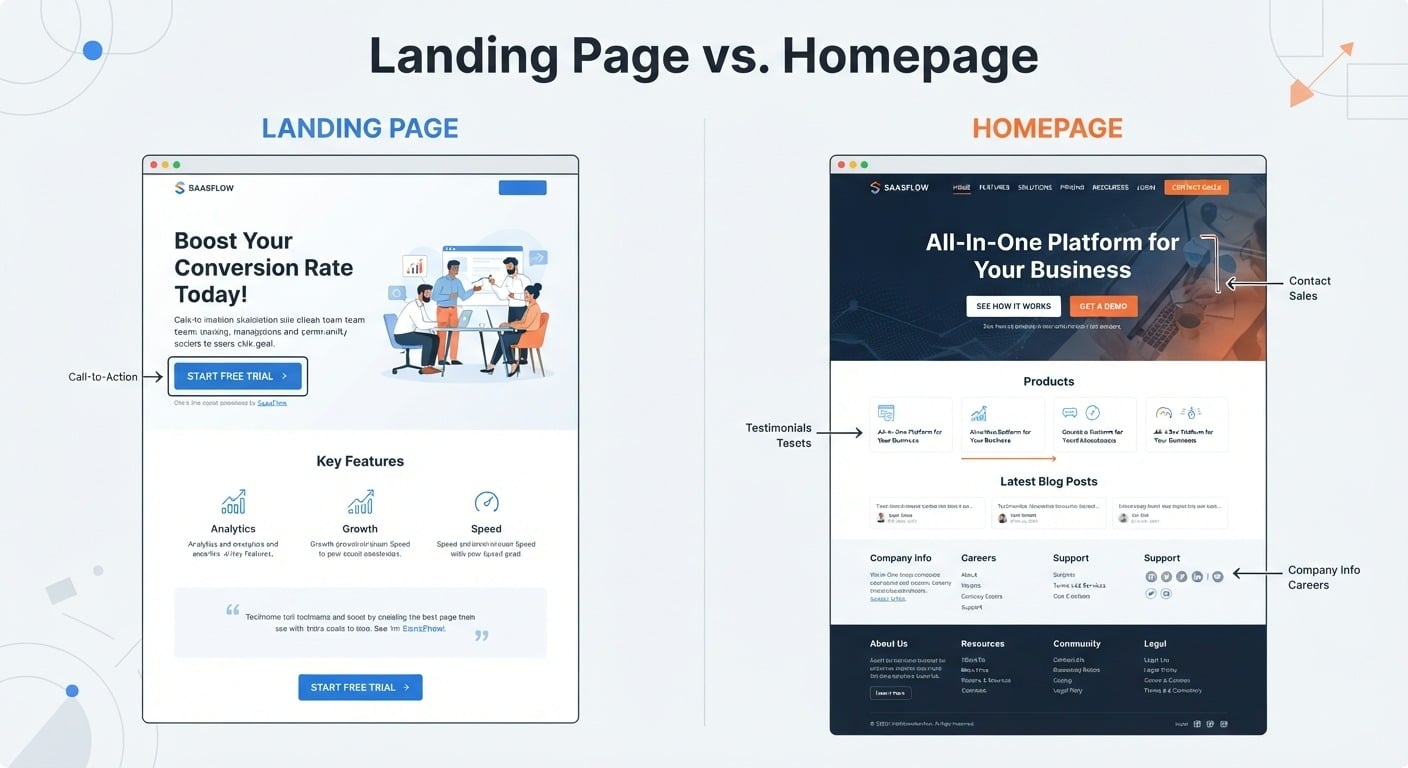
Alt text: Landing page vs homepage layout comparison
The Anatomy of a Landing Page: Core Elements
Headline, single CTA, value proposition, scannable copy, supporting visuals, social proof, minimal distractions, and a thank-you step are all the core pieces from top to bottom.
Message & Persuasion Elements
Here are the message and persuasion elements of a good landing page:
- The headline should read like a newspaper line, not a clever tagline. Clearly state the offer's core benefit plainly. Work in the target keyword where it fits naturally.
- The value proposition should reframe features as results. An “advanced analytics dashboard” is meaningless. “See exactly where you’re losing customers, and fix it in minutes” is meaningful.
- Make copy length match offer complexity. If it’s a free download, keep it short. If it’s a high-consideration or high-price offer, go long.
- Visuals or videos should show the product working or the change happening. A quick 60-second video that explains or shows how something works can take the place of lines of text.
Trust & Closing Elements
Social proof testimonials, review scores, case studies, logos, and usage stats always works better when they show a name, a role, and a result, not words. They are most effective when placed near the CTA, where hesitation appears. Minimal distractions mean no nav menu, no sidebar, no links; every exit point is a lost conversion. One CTA repeated at the top, middle, and bottom of pages, always pointing toward the action. The thank‑you step should verify the event and clarify what’s next. Provide one secondary action instead of a dead end.
What Makes a Good Landing Page Design?
Design isn't decoration on a landing page; it's a conversion lever. The way a page looks decides whether visitors trust it, understand it, and stick around long enough to act. Here's what that comes down to:
Visual Hierarchy & Above-the-Fold
The eye should move from headline to value prop and then to CTA, guided by size, contrast, and position. All three need to sit above the fold and be visible without scrolling.
Whitespace & Simplicity
Whitespace reduces cognitive load and directs attention rather than sitting there wasted. A cluttered page forces visitors to work to find the next step. A simple, confident layout also reads as a trust cue, not just an aesthetic choice.
Color, Typography & Accessibility
The CTA button has to stand out from the background. Use two or three fonts in total to make sure headings are much bigger than the text. Give enough space between the lines so people can read easily. Basic accessibility rules are important. These include contrast ratio, easy-to-read font sizes, and alternative text for images. They ensure that the site is easy to use and is SEO-optimized.
Mobile-First And Responsive Design
More than half of web traffic is mobile now, so a broken mobile experience has a direct cost. Practical guidelines include large tap targets, quick load times, limited form fields, and no need to pinch to zoom.
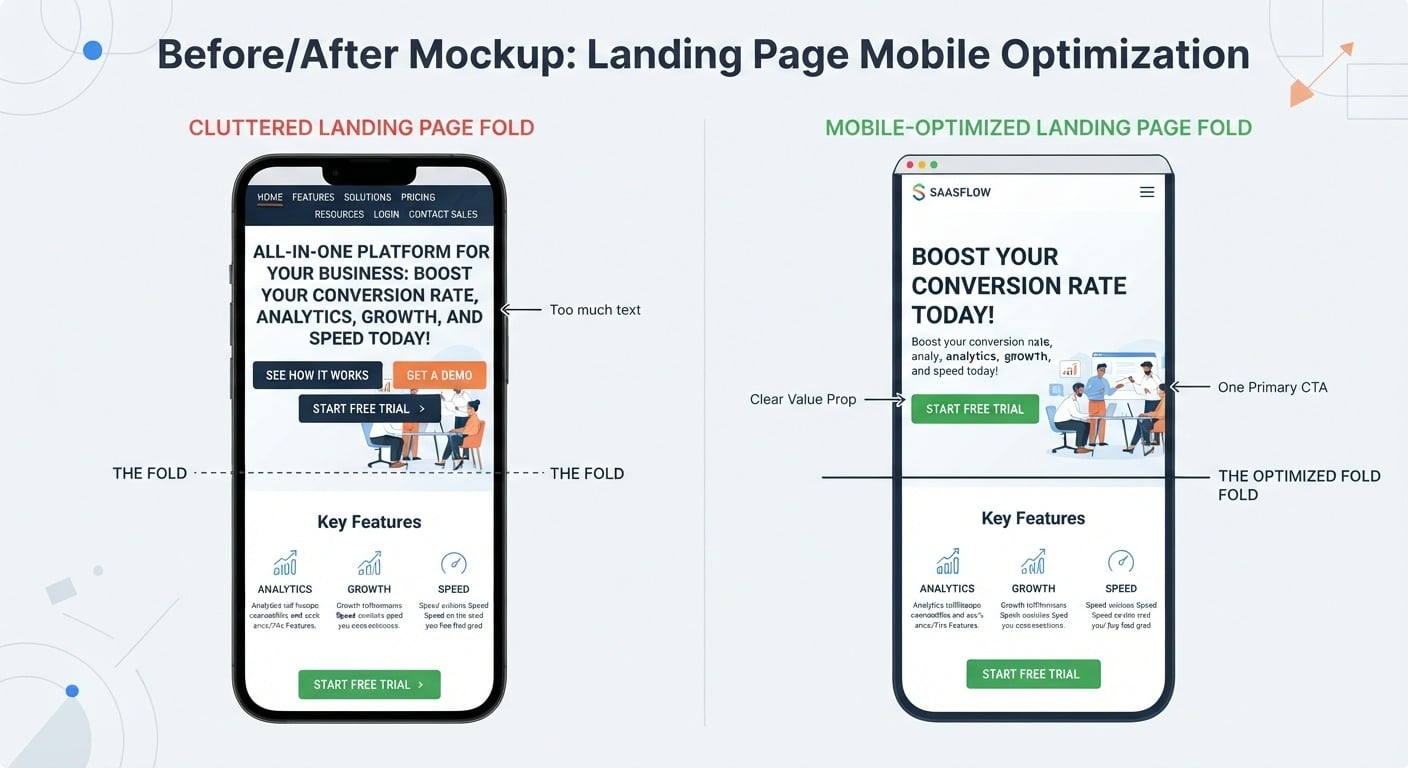
Alt text: Mobile-first landing page design example
How to Design a Landing Page, Step by Step
Here's the step-by-step process for building a landing page that actually converts:
- Define a single goal. Before writing a word of copy, nail down the one conversion you're building toward; everything else follows from this.
- Know the audience and their top objection. Figure out the one thing stopping them from saying yes; every decision after that traces back to this.
- Match the message to the ad, email, or post driving the traffic. Headline and offer should echo the exact language of whatever brought the visitor there.
- Draft the headline and value proposition. Lead with the benefit, not the feature.
- Choose or build a layout, template vs. custom. A template gets you moving fast; a custom build buys more control if you have the time.
- Add trust and closing elements. Social proof, a repeated CTA, and a proper thank-you step.
- Test on mobile. More than half your traffic will see the page this way first.
- Launch, then A/B test. Treat the first published version as a draft, not a final page. Plan the test before launch, not after the results disappoint.
Enter Pro combines steps 5 through 7 into one guided workflow if you want to skip the back-and-forth.
Landing Page Best Practices to Follow
A few tips for making a great landing page worth repeating:
- Keep tone, offer, and visuals aligned with what was referred to the visitor.
- Optimize images and scripts, since every extra second of load time raises bounce rate, and check your speed.
- Run A/B tests one variable at a time and let each run long enough for a reliable read.
- Keep forms short; name and email are often plenty, since every extra field lowers conversion.
- Keep the headline, value prop, and CTA above the fold.
- Use urgency honestly, tied to a real constraint, not a fake countdown.
- Spread credibility throughout the page instead of clustering it in one footer block.
Successful Landing Pages: Real-World Examples
Here's a quick look at a few landing pages that get the fundamentals right:
- Calendly strips the page to one headline and one "Sign up free" CTA, no pricing table competing for attention. So, give visitors the one action you need right now.
- Notion leads with the outcome: "one workspace for your notes, docs, and projects" instead of a feature dump. So, lead with the transformation; let the screenshot explain the rest.
- Duolingo asks for almost nothing before letting someone start; commitment builds gradually. So, shrink the first ask.
- HubSpot puts a short form right beside a clear description of what the visitor gets, with no distracting navigation. So, be explicit about the exchange.
- Basecamp keeps the copy short and plainspoken, mirroring its own "no clutter" positioning. So, let design reinforce the product's promise.
Build High-Converting Landing Pages With Enter Pro
Everything above stays true, whatever tools you use. Enter Pro removes the design and development bottleneck. You describe the page in plain words, edit it visually, and improve it from A/B test results. Marketers control the code, so they don't wait for a designer every time they want to run a test.
Here is the process, step by step.
Step 1: Open The AI Page Generator
Go to the AI Page Generator in Enter Pro and sign up with Get Started Free. The page opens with a single prompt box.
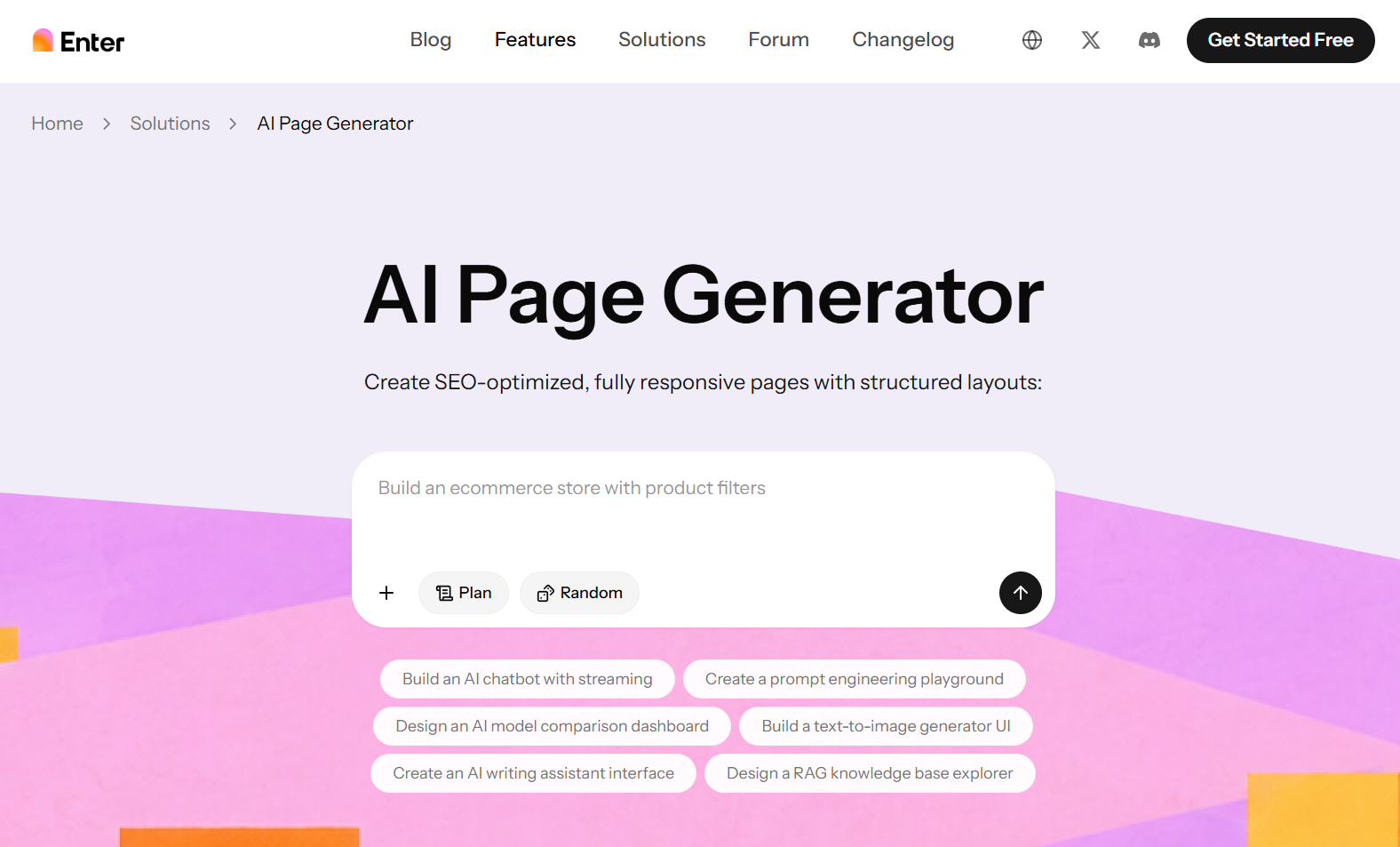
Alt text: Enter Pro AI Page Generator homepage
Step 2: Describe Your Page
Type what you want in one or two sentences. Include four things: the offer, the audience, the main action you want visitors to take, and the sections you need. If you're unsure where to start, click Random for an example prompt or pick one of the suggested prompts under the box.
Step 3: Use Plan To Check The Structure
Click Plan before you generate. Review the page structure (sections, order, headline flow) and adjust anything that doesn't fit your funnel. This saves you from rebuilding the page later.
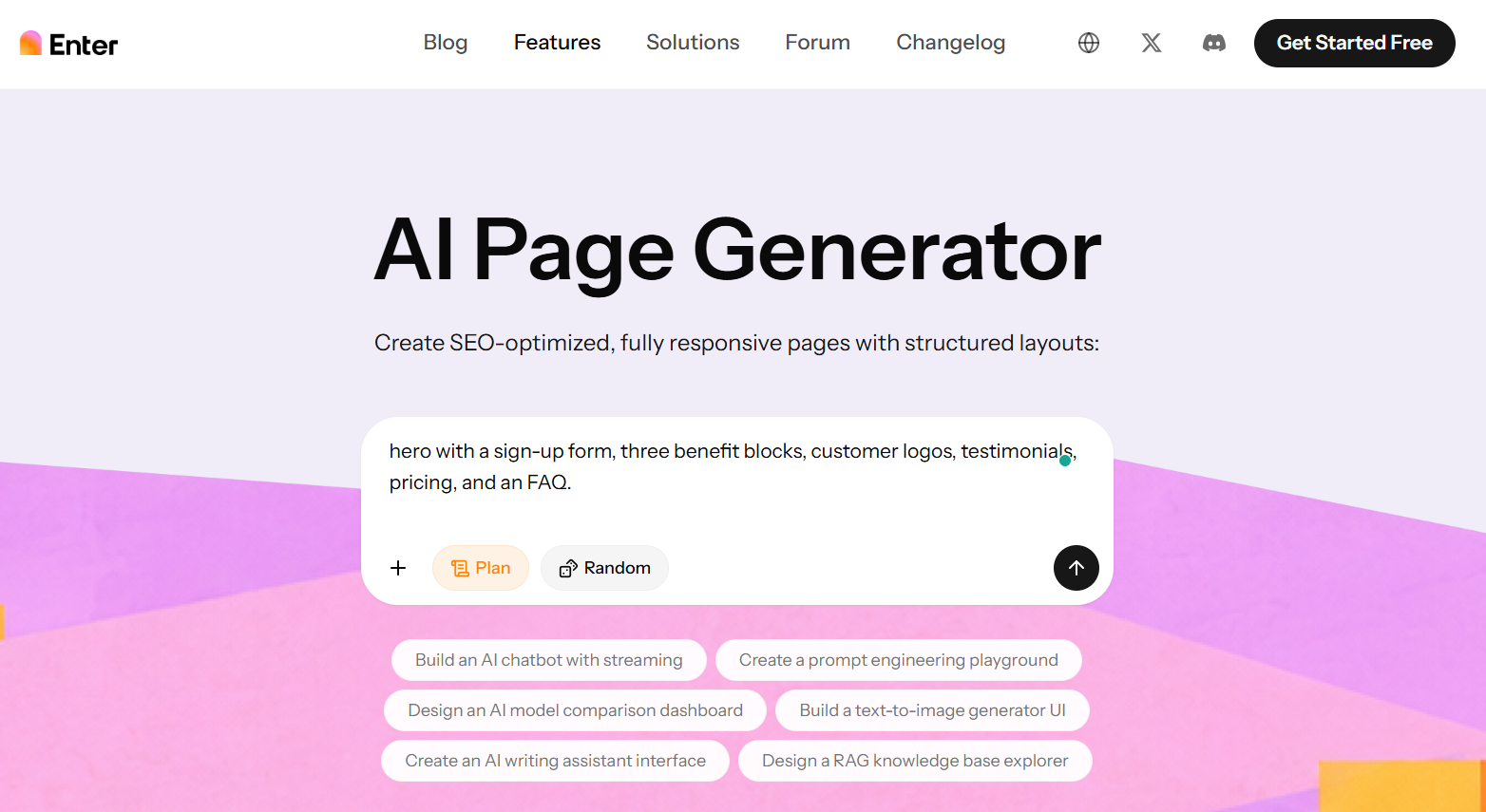
Alt text: Enter Pro plan view
Step 4: Generate The Code
Press the arrow button. Enter Pro generates the code for your page, based on your description and the structure you approved in the plan. Read through the output quickly to make sure it matches what you asked for. If a section is missing, adjust your prompt and generate it again.
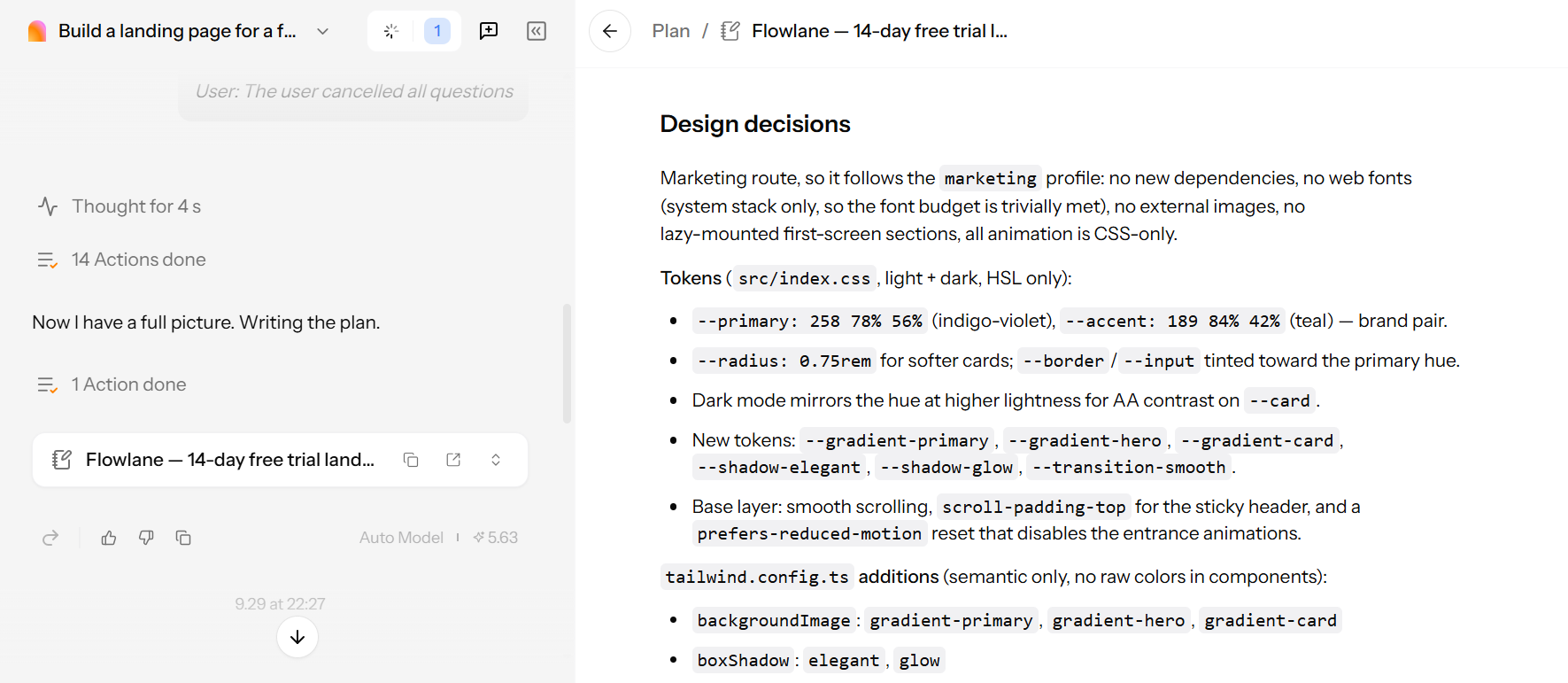
Alt text: Enter Pro showing the generated code for a landing page
Step 5: Build The Page
Once the code is generated, the Build option appears. Click it to turn the code into a working page. You get an SEO-optimized, fully responsive page with a structured layout. Check it on desktop and mobile before you edit anything.
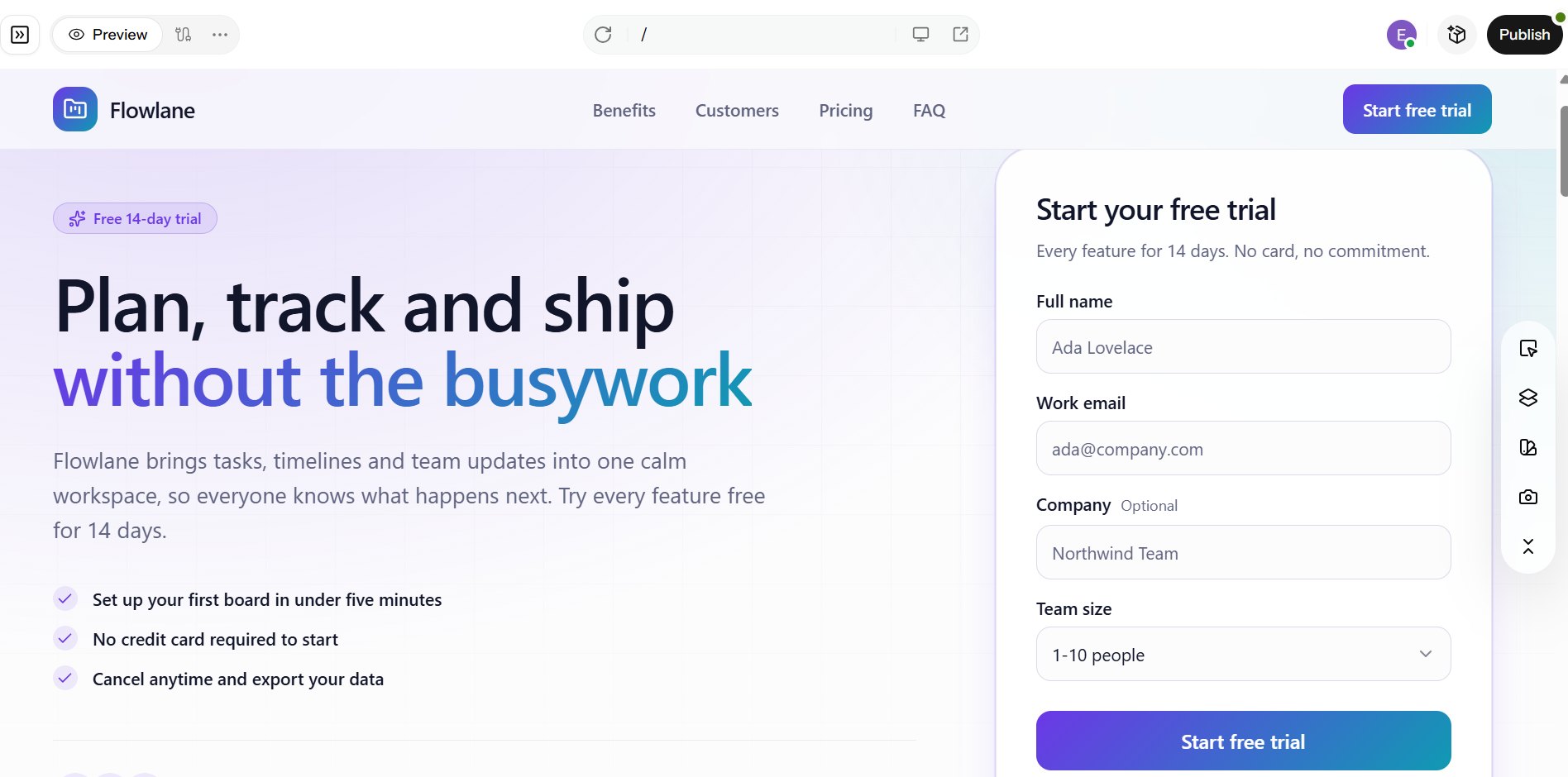
Alt text: Landing page built in Enter Pro shown in desktop
Step 5: Customize With The Visual Editor
Change fonts, colors, and layout directly on the page. Match your brand, then tighten the conversion elements:
- Make the headline match the promise in your ad or link.
- Put one primary call to action above the fold.
- Move social proof (logos, testimonials) close to the CTA.
- Shorten the form to the fields you really need.
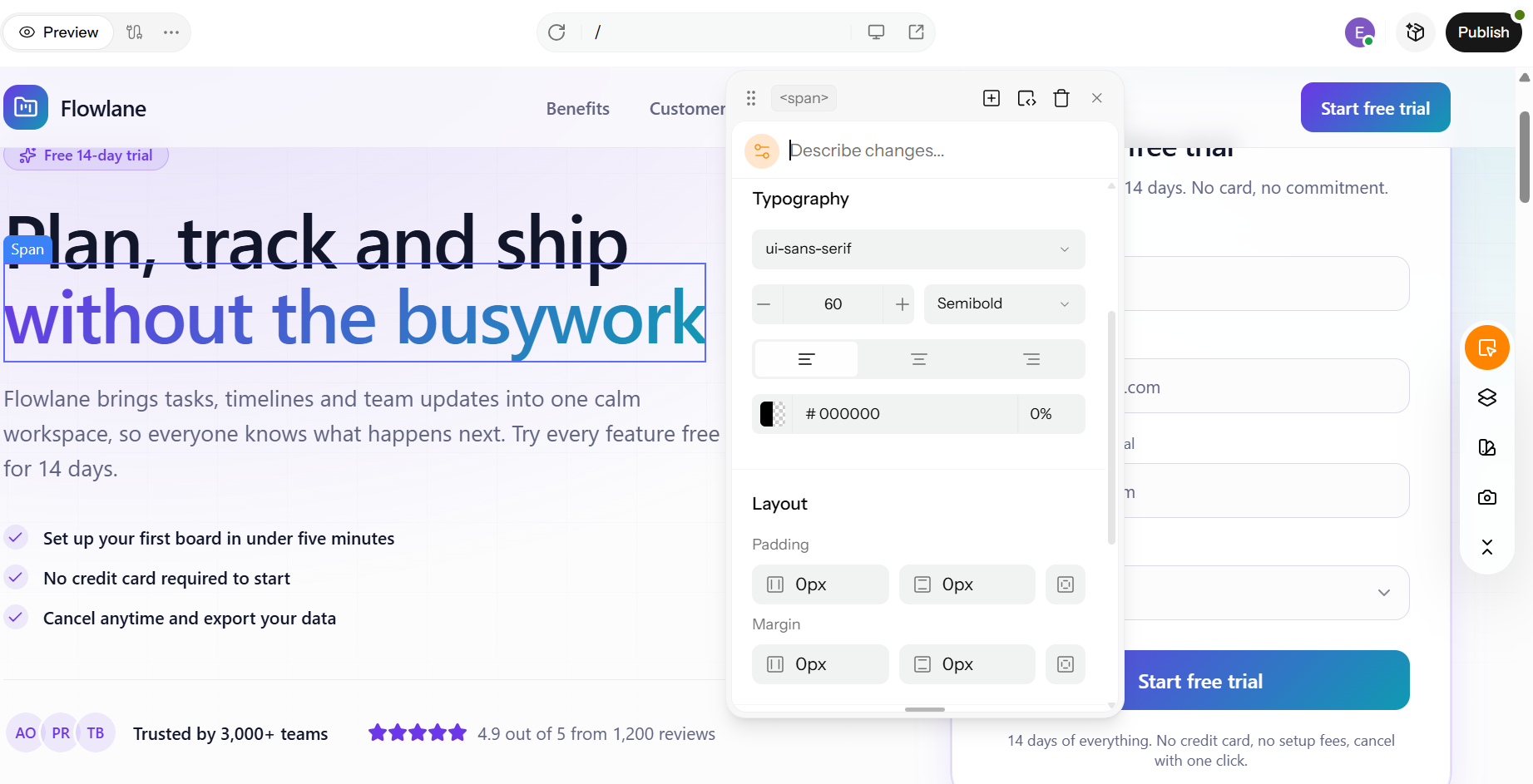
Alt text: Enter Pro visual editor with typography, color, and layout controls
Step 6: Publish And Set Up A/B Test
Publish the page, then create a second version that changes one element, such as the headline, CTA text, or hero image. Split the traffic evenly and let the test run until you have enough visits to trust the result.
Step 7: Improve The Results
Keep the winner, then test the next element. Repeat this loop: change one thing, measure, keep what works.
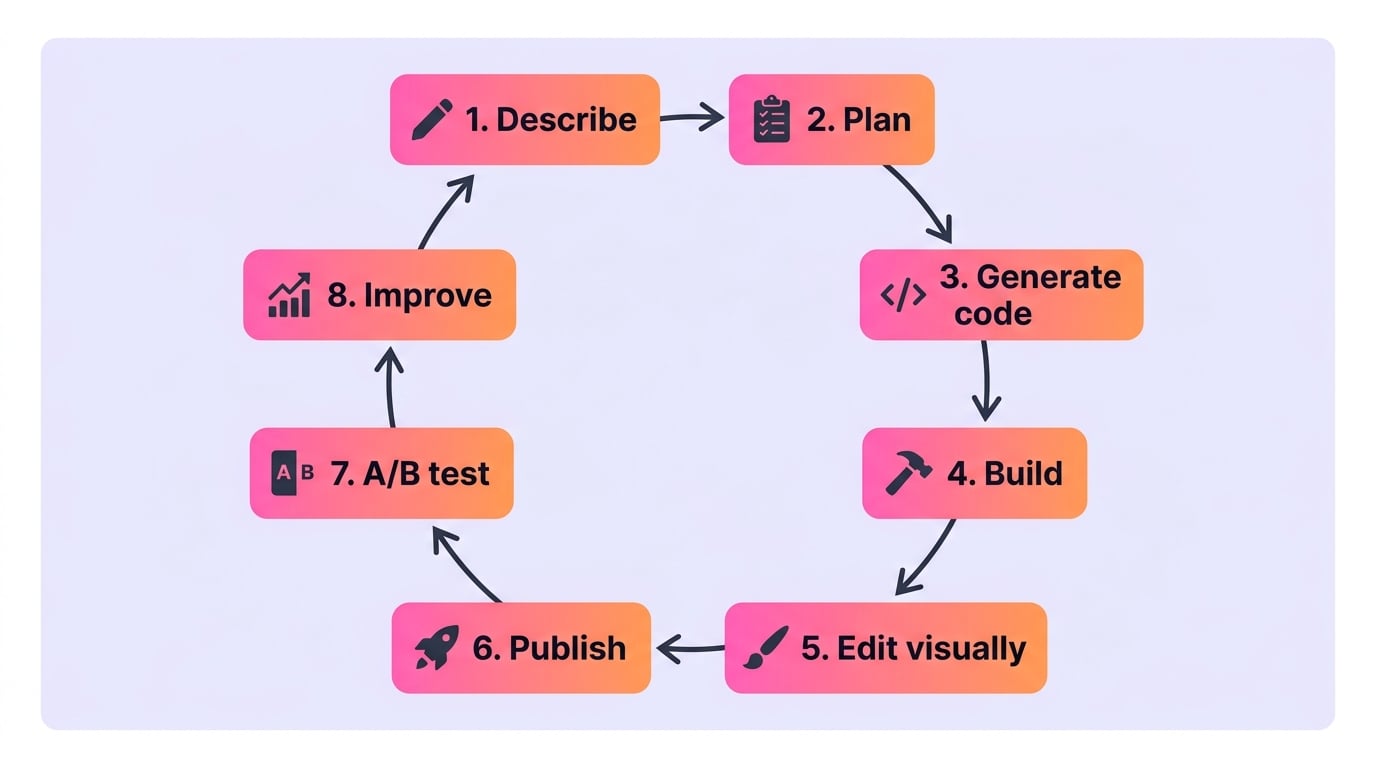
Alt text: Diagram of the landing page workflow
Conclusion
A great landing page is focused on one goal. It has a message that matches clear CTA copy that highlights the benefits and trust elements that all work together. The design and the words are both just as important. A template works fine for something. When the offer is more expensive or more meaningful, putting more effort into the design and words pays off. At the end of the day, knowing what makes a good landing page is only helpful if you use that knowledge. Are you prepared to take action? Build your landing page that converts well with Enter Pro.
Frequently Asked Questions
What is the difference between a landing page and a homepage?
A homepage introduces a brand to every kind of visitor with full navigation. A landing page is standalone, built for one campaign, with navigation stripped out to keep visitors on one CTA.
What are the must-have elements of a good landing page?
Must-have elements of a good landing page are:
- A clear headline
- A single dominant CTA
- A specific value proposition
- Scannable copy
- Supporting visuals
- Social proof
- Minimal distractions
- A strong thank-you step.
How long should a landing page be?
It should match offer complexity. Short pages convert best for low-commitment offers like newsletter signups. Meanwhile, longer pages with more proof suit higher-price offers.
Should a landing page have navigation?
Generally no. Removing the nav menu and outbound links keeps visitors focused on one goal; every link off the page is a potential lost conversion.
What makes a landing page's design "good," specifically?
A landing page is good if:
- it has a clear visual structure that leads the eye to the headline first, then the main offer, and finally the CTA
- there is plenty of space around elements
- The colors and fonts are easy to read
- The design works on mobile devices first
What is a good landing page conversion rate?
It varies by industry and offer. However, landing pages typically convert higher than homepages. Use your own baseline and test against it rather than chasing an industry number.
How do I write a landing page headline that converts?
Lead with the specific benefit, not a clever line. Keep it short and match its language to the ad or link that brought the visitor there.
How do I know if my landing page is actually working?
Track conversion rate, bounce rate, and time on page against a defined goal, then run controlled A/B tests changing one element at a time.