

What Is Squarespace? Website Builder Features, Cost, and Uses Explained
Learn what Squarespace is, how to use the Squarespace website builder, and what it costs. Compare it with Wix and Square, plus a strong alternative.
What is Squarespace, exactly? It's a website builder that bundles everything into one monthly subscription: templates, hosting, a drag-and-drop editor, domains, and tools for selling online. You don't need to write code or deal with servers. That all-in-one setup is why so many photographers, small shops, and bloggers use it.
It isn't perfect, though. There's no free plan, and the platform is fairly closed once you're inside it. Below, I'll go through what it's used for, how Squarespace Domains work, what you'll really pay in 2026, how to build a site in four steps, what users say about it, and how it stacks up against Wix and Square. I'll also cover when an AI builder like Enter Pro makes more sense.
What Is Squarespace and What Is It Used For?
Squarespace has been around since 2003 and is based in New York. The basic idea is simple. You pick a template (or let its AI builder draft one), arrange your pages in a drag-and-drop editor, and publish. Squarespace takes care of hosting, security certificates, and updates in the background. Every plan can sell online, and the pricier plans add more advanced selling and marketing tools.

So, what is Squarespace used for in practice? Mostly these:
- Business websites for local companies, consultants, and agencies, with service pages and contact forms
- Portfolios for photographers, designers, artists, and architects, where big images do the talking
- Blogs, with categories, tags, and scheduled posts built in
- Online stores of any size, since every plan allows unlimited products
- Appointment booking through its Acuity Scheduling integration
- Paid memberships, online courses, and gated video
- Event pages and nonprofit sites, including donation blocks
What Is Squarespace Domains?
Squarespace Domains is the company's service for buying and managing web addresses, like yourbusiness.com. If you pay for any website plan annually, the first year of an eligible domain is free. From year two, it renews at Squarespace's standard rate plus tax (Squarespace pricing). Already own a domain somewhere else? You can connect it instead of buying a new one.
What Is the Cost of Squarespace? Is Squarespace Free?
Is Squarespace free? No, it isn't. You get a 14-day free trial with no credit card, and after that the cheapest plan costs $19 a month on annual billing or $25 if you pay month to month.
Note: These prices come from the official Squarespace pricing page in October 2026. Please check the latest prices on the Squarespace website before you subscribe.
| Plan | Annual billing | Monthly billing | Best for | Online store transaction fee | Contributors | Notable inclusions |
|---|---|---|---|---|---|---|
| Basic | $19/mo | $25/mo | Simple portfolios and personal sites | 2% | 2 | Templates, free domain for 1 year, SEO tools, basic analytics |
| Core (recommended) | $29/mo | $39/mo | Most small businesses | 0% | Unlimited | Custom CSS and JavaScript, code injection, advanced analytics, 1 year of Google Workspace email |
| Plus | $49/mo | $65/mo | Growing online stores | 0% | Unlimited | Lower card rates (2.7% + $0.30), lower content and membership fees |
| Advanced | $99/mo | $139/mo | High-volume sellers | 0% | Unlimited | Lowest card rates (2.5% + $0.30), 0% content and membership fees |
- Google Workspace email: Core and higher include one Google Workspace account free for the first year. After that, it renews at the standard Google Workspace rate, and extra users are billed separately.
- Payment processing: Squarespace Payments charges 2.9% + $0.30 per standard card on Basic and Core, 2.7% + $0.30 on Plus, and 2.5% + $0.30 on Advanced. Premium cards such as American Express cost 3.2% + $0.30 on every plan.
- Digital content and membership fees: Selling courses, memberships, or gated content carries a transaction fee of 7% on Basic, 5% on Core, 1% on Plus, and 0% on Advanced.
Worked example: A small business on the Core plan billed annually pays $29 × 12 = $348 for the first year. The domain and one Google Workspace account are free in that first year, so the main extra cost is payment processing on any sales. For instance, $5,000 in card sales at 2.9% + $0.30 across 100 orders adds about $175 in processing fees. In year two, add the domain renewal and the Google Workspace subscription to your budget.
Recommendation: Core is the best value for most small businesses because it removes the 2% store transaction fee and unlocks custom code. Basic makes sense only for simple portfolios or personal sites that do not sell anything.
How to Use Squarespace Website Builder in 4 Steps
Squarespace is easy to start with, but be prepared for a small learning curve. Basic pages come together quickly. Finding the right settings for commerce, SEO, or domains can take some clicking around. Here's how to use the Squarespace website builder from sign-up to launch. If you want the full process across different platforms, see our guide on how to build a website from scratch.
Step 1: Start the free trial and pick a template or use the AI builder
Head to squarespace.com and click Get started. You can browse the template gallery and pick one, or answer a few questions and let the AI website builder put together a first draft.

Step 2: Edit pages in Fluid Engine
Fluid Engine is the name of Squarespace's drag-and-drop editor. Click Edit on a page, add sections, and drag in blocks like text, images, and buttons. There's a separate mobile view, so you can tidy up the phone layout on its own.

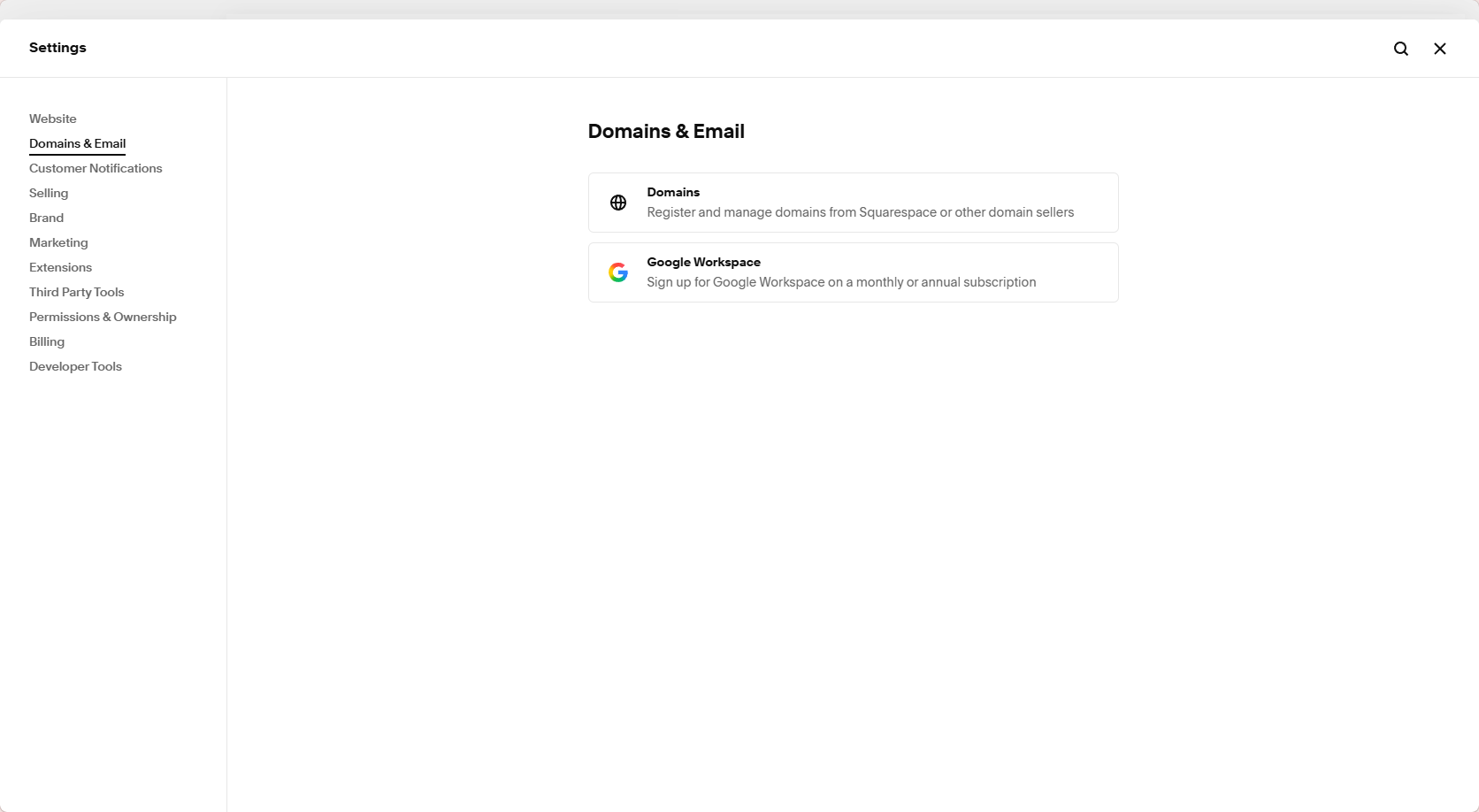
Step 3: Connect or register a domain and set SEO titles and descriptions
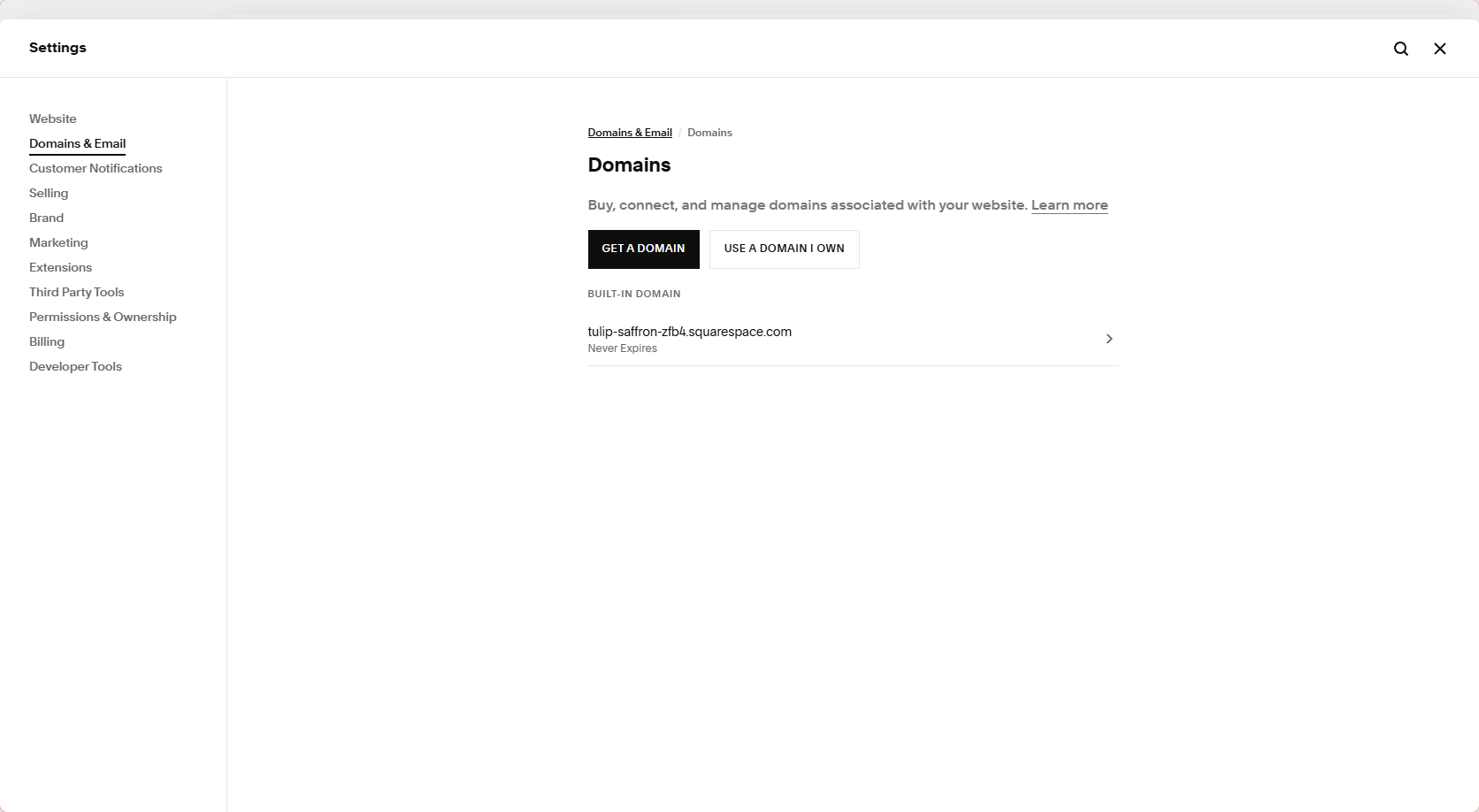
In Settings, open Domains to buy a new address or connect to one you already have. While you're in there, add an SEO title and description for the site, and for your key pages, so search results show something useful.
Step 4: Choose a plan and publish
When everything looks right, choose a plan (Core suits most businesses), add your billing details, and hit publish. The site goes live in your domain straight away.
Two mistakes I see beginners make again and again. The first is choosing a template because of its colors and photos. Those are easy to swap later. The layout is not, so pick the template whose sections match the pages you need. The second is publishing without checking the mobile view. Look at every page on a phone before you go live.
Squarespace Reviews, Pros and Cons, and How It Compares
People tend to love Squarespace's design and ease of use. Opinions split sharply when it comes to support and billing. Here's what users are saying, followed by the main pros and cons and how it compares with Wix and Squarespace.
What Users Say (Trustpilot and Reddit)
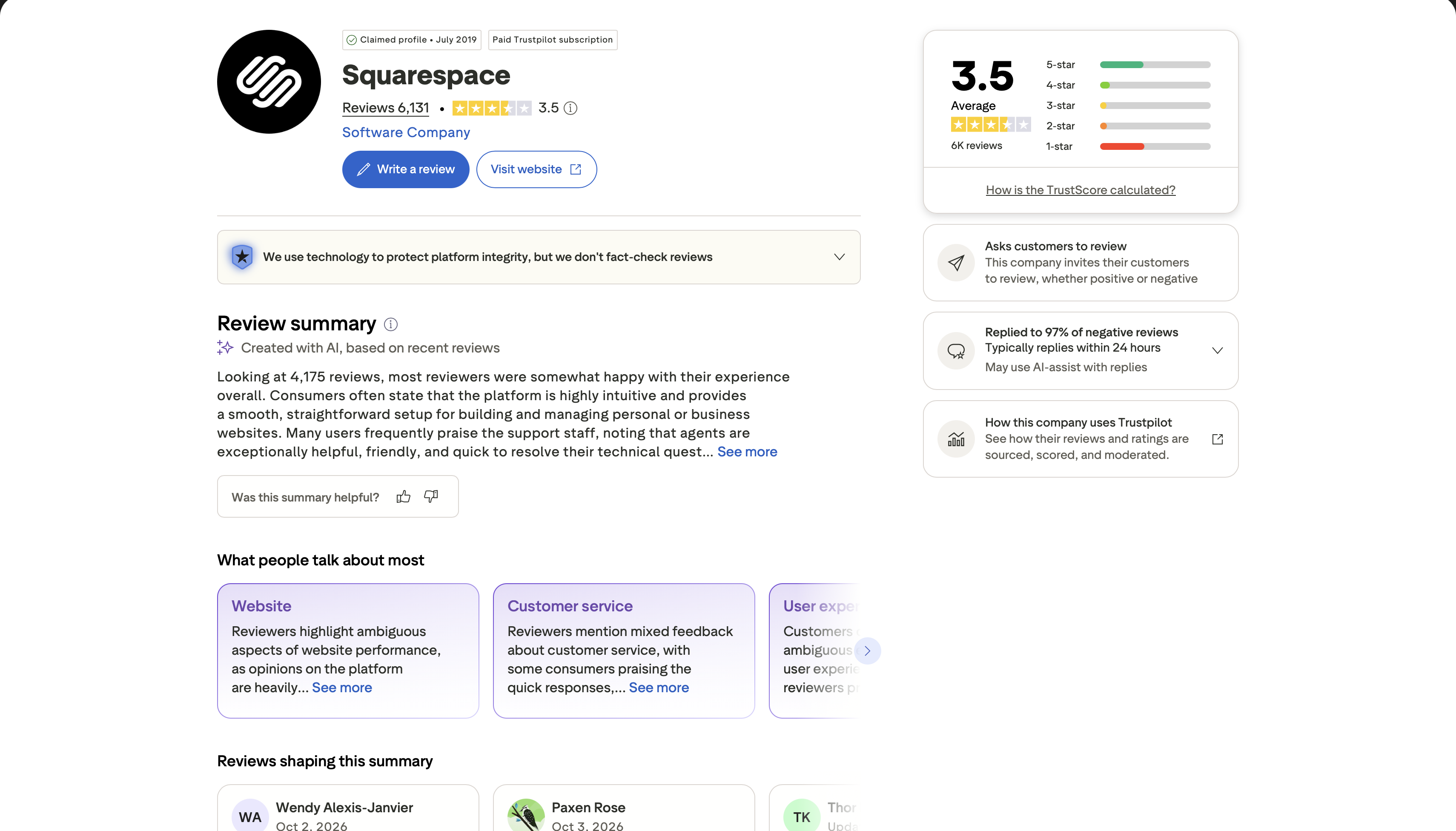
On Trustpilot, Squarespace has a 3.5 out of 5 rating from 6,026 reviews (checked October 2026). What stands out is how polarized those reviews are: 39% give five stars and 40% give one. The happy reviewers talk about how easy setup was, how good the templates look, and how helpful individual support agents were. The unhappy ones mostly describe struggling to reach a real person quickly, along with headaches around domain transfers, Google Workspace billing, and payouts.
Pros and Cons of Squarespace
| Pros | Cons |
|---|---|
| The templates look professional straight out of the box and hold up on every device. | There's no free plan. After the 14-day trial, you pay at least $19 a month. |
| Hosting, SSL, and updates are included, so there's nothing to maintain yourself. | It's a closed platform. Moving a full site elsewhere later is limited and takes real work. |
| Every site works on phones by default, including shopping and checkout. | You'll hit a ceiling with customization unless you add your own code. |
| Page titles, descriptions, sitemaps, and keyword insights are built into every plan. | The app and extension ecosystem is smaller than WordPress or Wix. |
| Email and live chat support are available around the clock. | There's no phone support, and many reviewers say complex issues take too long to sort out. |
Which Is Better, Wix or Squarespace?
What is better, Wix or Squarespace? It mostly comes down to whether you want freedom or polish. On r/smallbusiness, a small business owner asked which builder to choose for a new website.
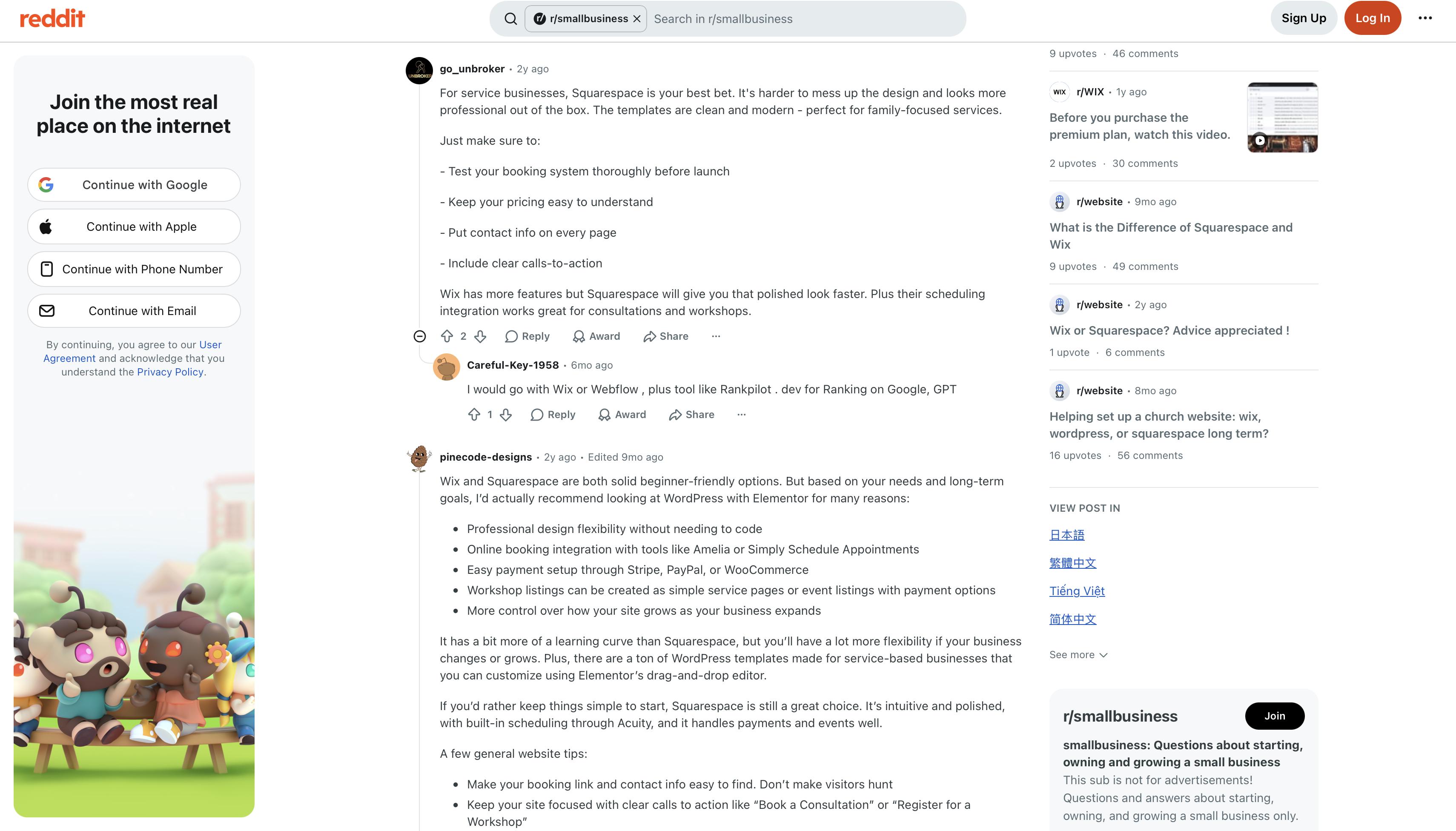
Wix suits you if you want a free plan to start, a bigger choice of templates, and the freedom to drop elements anywhere on the page. Squarespace suits you if you'd rather have cleaner designer templates and an editor that keeps layouts neat, and you don't mind a 14-day trial instead of a free plan.
What Is the Difference Between Square and Squarespace?
The names are confusingly close, but these are two separate companies. Square is a payments and point-of-sale company, and its website builder is called Square Online. Squarespace is a website builder first. In the US, its mobile app can use Square to take payments in person.
| Square | Squarespace | |
|---|---|---|
| Core business | Payments and point-of-sale hardware and software | Website builder and online business platform |
| Website builder | Square Online | Squarespace website builder |
| Best for | Shops and restaurants that mainly sell in person | Brands that want a design-led website or online store |
| Connection | Provides card readers and in-person payments | Can use Square for in-person sales in the US |
What Is the Best Alternative to Squarespace? Enter Pro
Squarespace works well if you're happy building from a template inside its walls. But if you'd rather describe your site and have it built for you, with the option to dig into the code later, Enter Pro is worth trying. It's an AI app and website builder: you write a plain-language prompt, it produces a full site or app, and you refine it visually or in code.
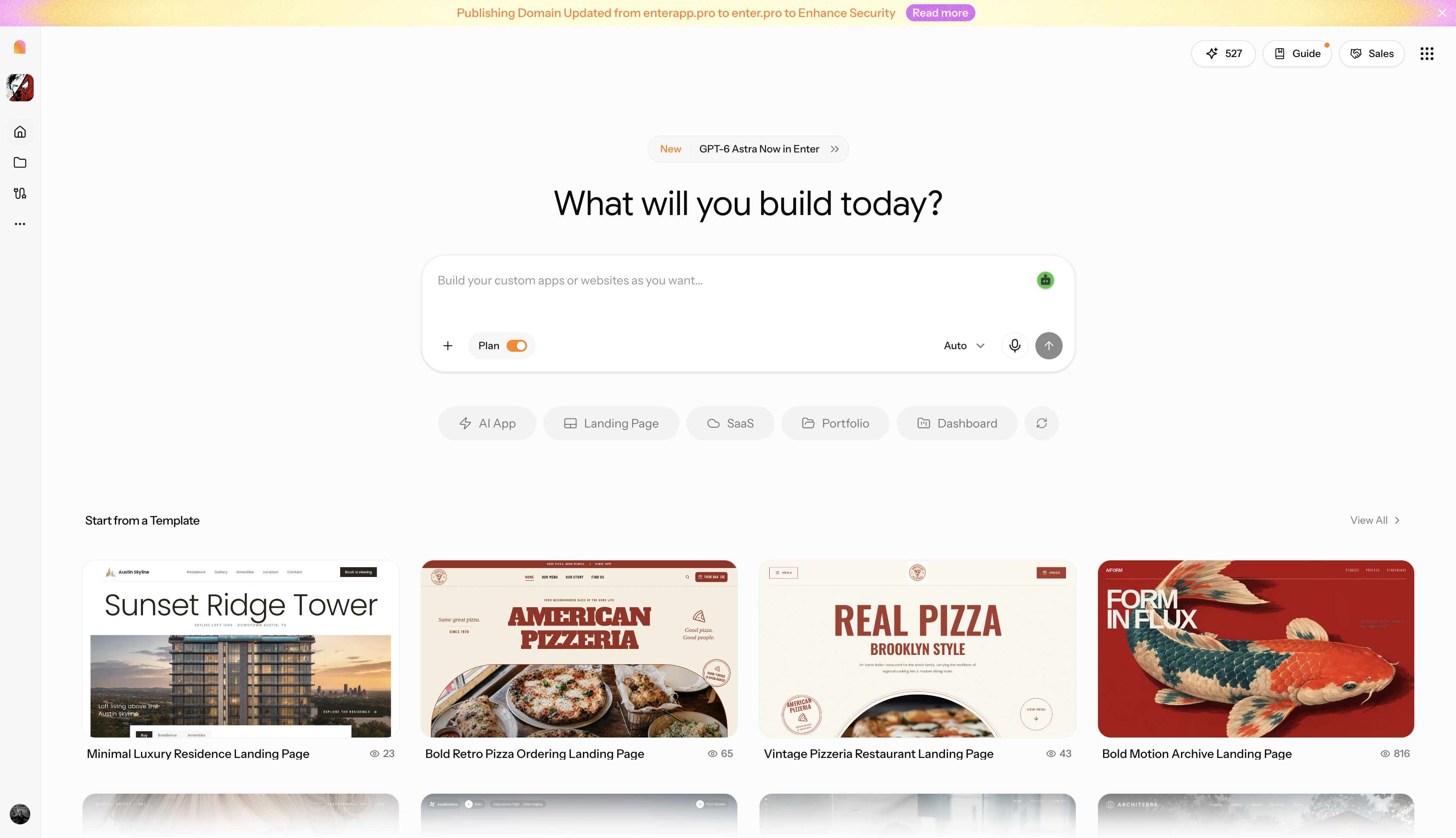
Why should you try Enter Pro? Here we make a brief comparison between Enter Pro and Squarespace; you will find where Enter Pro is a good choice.
| Feature | Enter Pro | Squarespace |
|---|---|---|
| Build method | Describe the site in a prompt; AI generates a full draft | Pick a template or answer AI builder questions |
| Editing | Visual editor plus chat-based edits | Fluid Engine drag-and-drop editor |
| E-commerce | Online shop builder for product pages and checkout | Built-in commerce on every plan |
| Code access | Code editor for direct changes | Custom CSS and JavaScript from the Core plan |
| Pricing model | No free plan, start at $16/month | No free plan; 14-day trial, from $19/mo billed annually |
| Learning curve | Low for simple sites; describe changes in plain English | Low for simple pages; moderate for commerce and settings |
Key Features of Enter Pro
- AI website builder: Describe what you want to show on a website, and the AI website builder creates the pages, layout, and starter copy for you.
- Visual editor: After the website is generated, you can point and click to change text, images, and spacing in the visual editor.
- Ecommerce website builder: Set up product pages and checkout without bolting on a separate store, using the ecommerce website builder.
- Code editor: When you want full control over a section or feature, open the generated code and change it directly.
- Website templates: Enter Pro provides diverse ready-made website layouts, covering portfolios, landing pages, and stores.
How to Build a Website With Enter Pro in 3 Steps
Step 1: Open Enter Pro and describe the site
Say what the site is for, who it's for, and which pages you need. For example: "Create a portfolio site for a wedding photographer with a gallery, pricing packages, and a contact form."
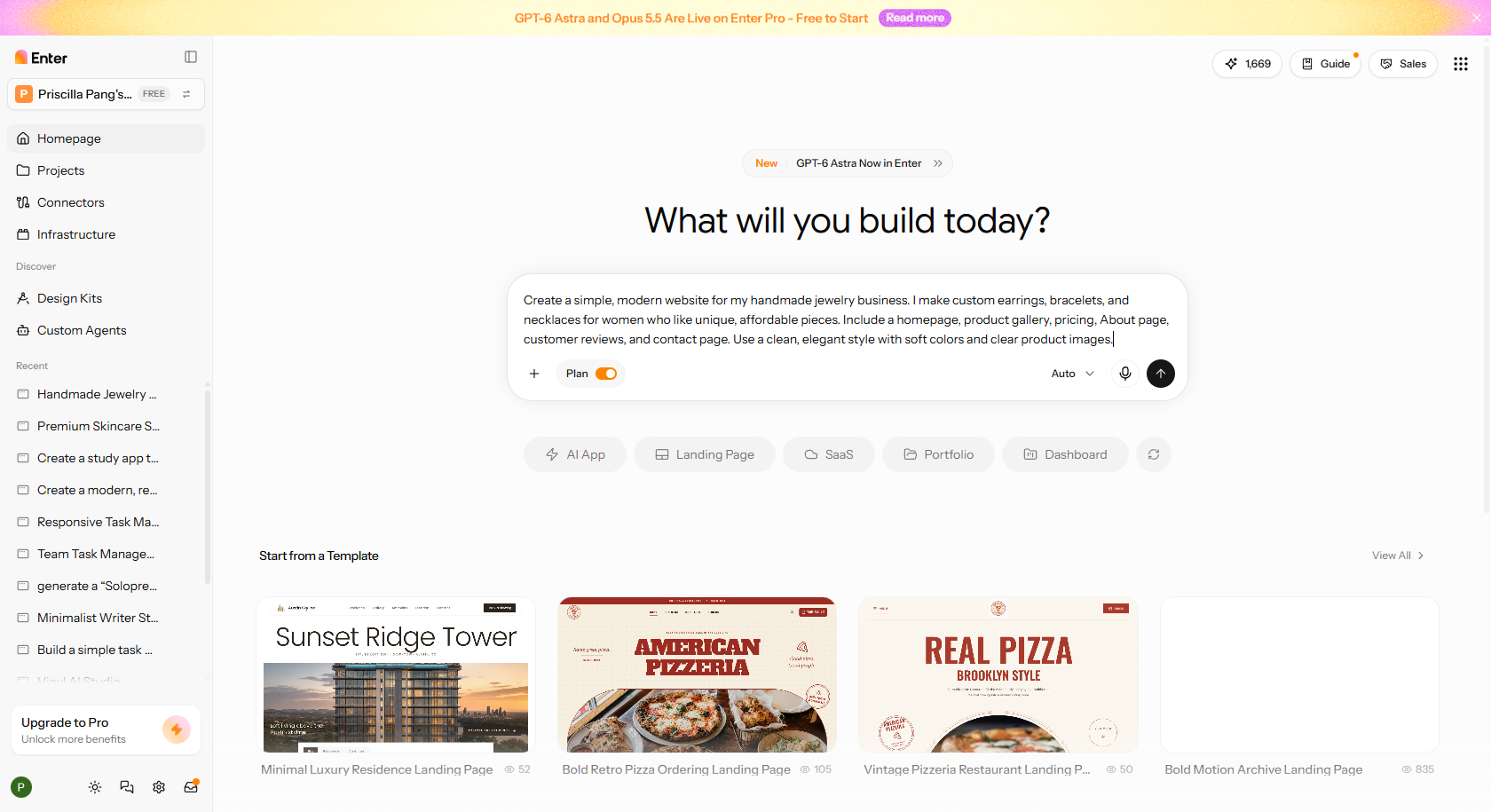
Step 2: Refine layout and content in the visual editor
Look over the draft and adjust text, images, and spacing in the visual editor, or describe what you want changed in chat. Check the phone layout before moving on.
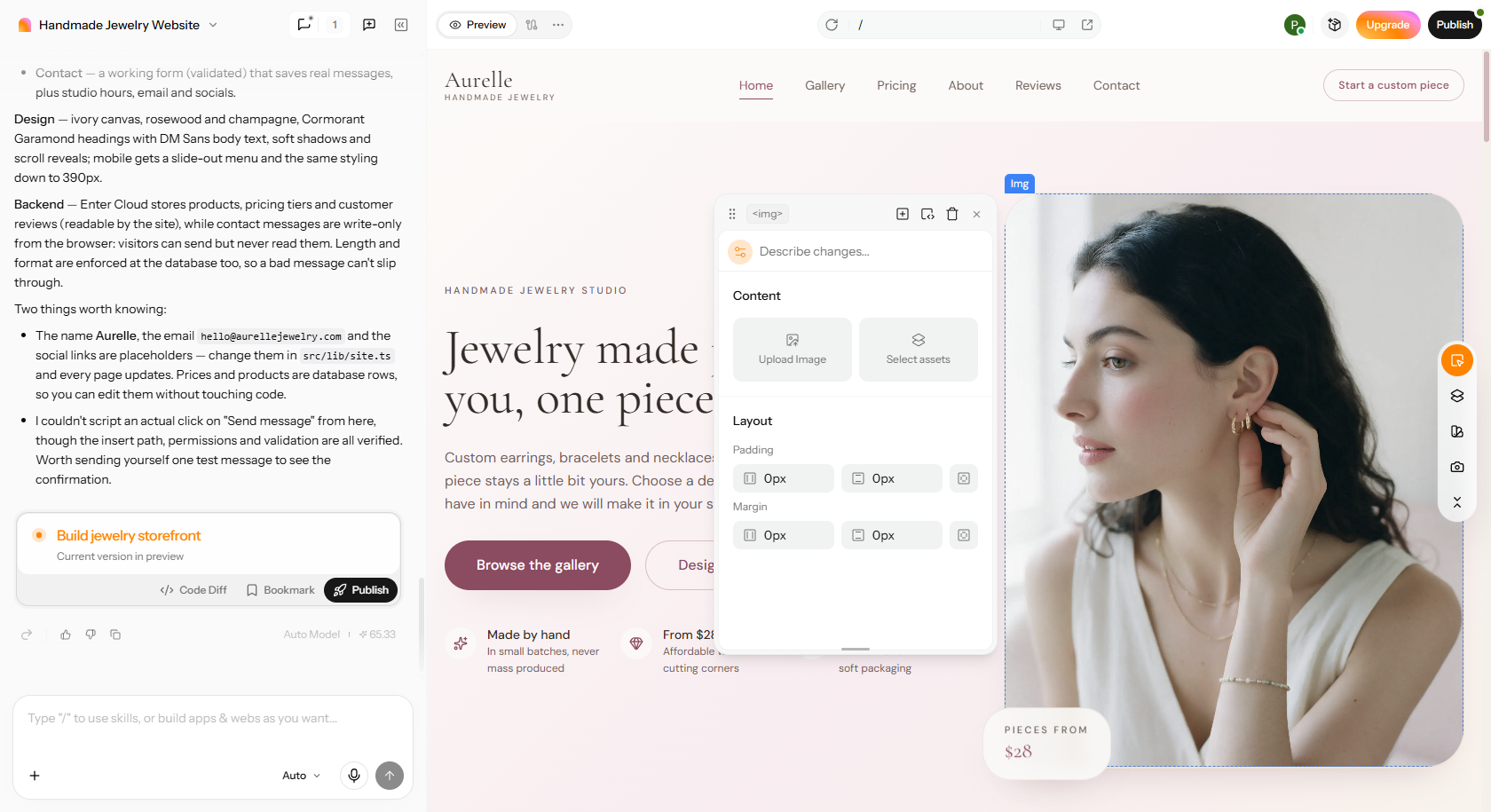
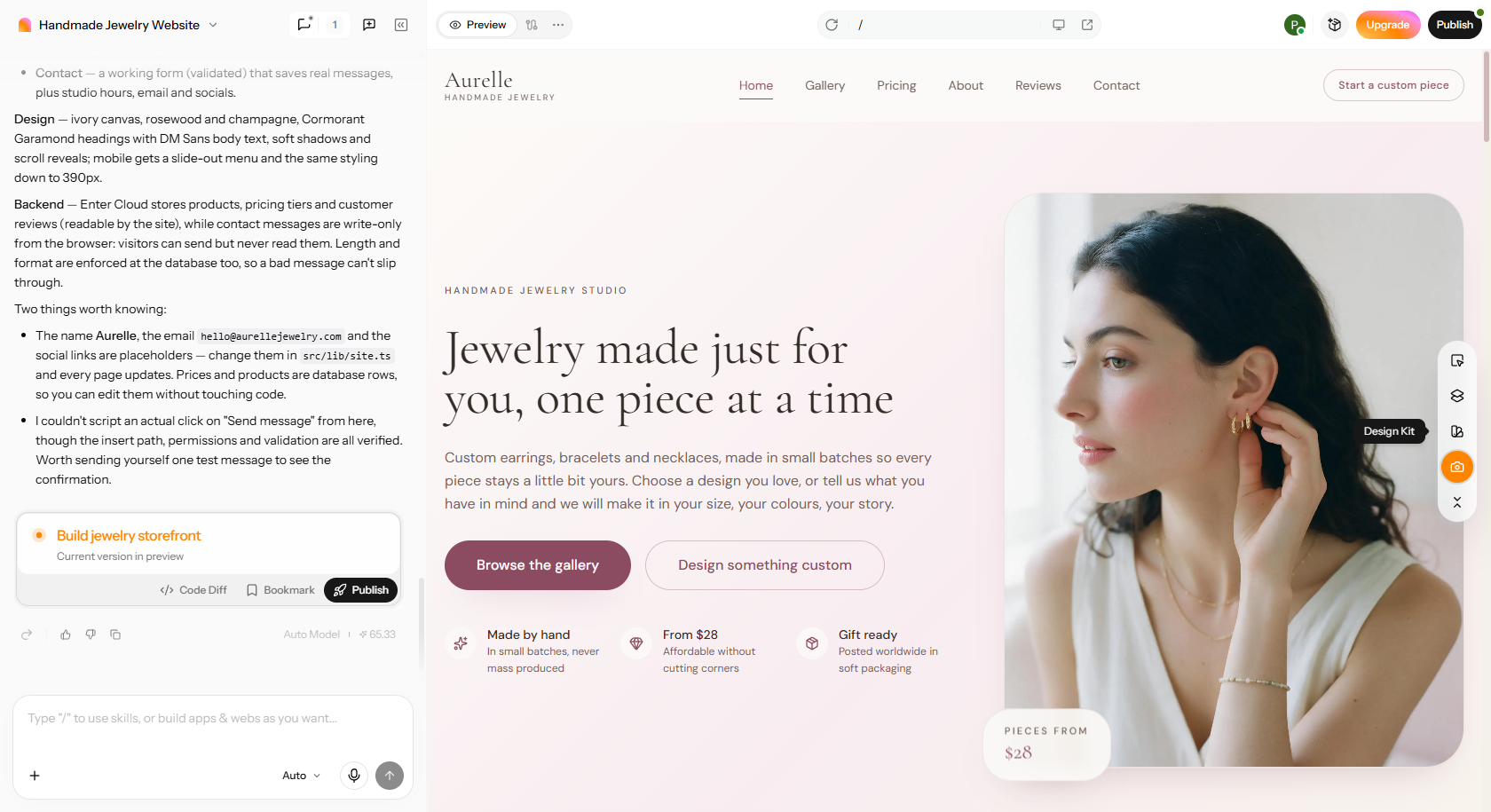
Step 3: Publish the website
Click through every page, submit each form once, and then publish and share your link.
Conclusion
So, what is Squarespace in a sentence? It's a subscription website builder that wraps templates, hosting, domains, and e-commerce into one package, starting at $19 a month on annual billing. It's a great match for small businesses, creatives, and beginners who care about design and want everything in one place. It's a weaker fit if you need a free plan, deep customization, or a large and complicated store. If you'd prefer to describe your site and get an AI-built version, you can edit visually or in code, Enter Pro is a solid alternative to try. Whichever you lean toward, start a free trial and build one test page before you pay for anything.
FAQs about what Squarespace is
What is Squarespace used for?
Mostly for sites where looks matter. Think of a wedding photographer's portfolio, a café's menu page, a candle shop selling forty products, or a yoga teacher taking class bookings. People also use it for blogs, paid memberships, and event pages. If you want something polished and don't want to hire a developer, that's where it fits.
What is the downside to Squarespace?
The first one you'll notice is that there's no free plan, just a 14-day trial. After that, the limits show up gradually. You can only customize so far before you need code. Moving to another platform later is a hassle, and the app marketplace is small next to WordPress. Support is the other common complaint. There's no phone line, and a lot of reviewers say complicated problems take days to resolve. If you want more flexibility when building a website, Enter Pro is another option to consider.
Can I move or export my website away from Squarespace later?
Some of it, yes. Blog posts and simple pages can be exported in a format WordPress can import, so your writing isn't trapped. Your design, most of the special blocks, and your store setup won't come with you, though. If you think you might switch someday, keep that in mind before you build anything large.
Do I own my Squarespace website?
Your words, photos and domain name belong to you. The site itself is a different matter, because it's built on Squarespace's templates and runs on their system. That means you can't download a copy and put it on another host as it is. A fair comparison is renting a nicely furnished flat. The things you bring are yours, but the building isn't.
Does Squarespace automatically back up my website?
Squarespace runs your site on its own servers, so you don't have to worry about it disappearing overnight. What it doesn't offer is a full backup you can download and keep. It's worth saving your own copies of important images, blog posts and product details, just in case.
Does Squarespace include custom email hosting?
Not on its own. Instead, Core and higher plans give you one Google Workspace account (for example, hello@yourbusiness.com) free for the first year once your domain is set up. From the second year, you pay Google's normal monthly price for it.
Is Squarespace good for SEO?
It's perfectly good for most small sites. You can edit page titles and descriptions, SSL is switched on automatically, pages work on mobile, and sitemaps are generated for you. Where it falls short is advanced technical SEO. If you need fine control over things like page speed tweaks or complex redirects, WordPress gives you more room.
What is the difference between GoDaddy and Squarespace?
GoDaddy is best known for selling domain names and hosting, and its website builder is fairly basic by comparison. Squarespace goes the other way: design and selling tools come first, and domains are a side service. If you mainly need a cheap domain and hosting, GoDaddy makes sense. If you want a good-looking site with everything in one place, Squarespace is the better pick. If neither platform fits your workflow, Enter Pro offers a different approach to website creation.