

Best Tips for Design Freelancing in 2026 - Clients, Pricing & Growth
Explore the best tips for design freelancing, from building a portfolio and finding clients to pricing projects, using platforms, and growing your freelance career.
Freelance design in 2026 demands more than knowing how to use design software. You'll need to hunt for the right clients, set reasonable rates, assemble an impressive portfolio, and retain clients long-term. A lot of freelancers focus primarily on learning the latest tools and ignoring the essentials. Your objective ought to be an ongoing freelance career with a steady stream of work. In this article, we'll discuss the best tips for design freelancing in 2026, from finding the right clients and setting your prices to building a strong portfolio and growing your business.
Choose a design service and niche you can sell
You don't have to provide all design services to find yourself a freelance client. Just begin with one service and one type of client you'll serve. That way, other people will easily figure out the essence of your work and the reason behind their choosing to work with you.
Let's start with some basic freelancing tips for beginners in 2026:
Start with a specific service
Saying "I'm a designer" tells clients nothing. Pick one specific service instead, like logo design, social media graphics, UI/UX design, website design, or YouTube thumbnails. When your offer is clear, clients immediately see what you can do for them.
Define the type of client you want
Identify the people who will benefit from you or your services. You could create social media graphics for artists, website front pages for SaaS companies, or promotional imagery for product-driven web shops. The same artistry in design can lead to serving different kinds of clientele, so decide upon a target market that complements your abilities.
Don't niche down so far that you eliminate opportunities
You don't have to restrict yourself to one narrow specialization at the very beginning. Launch one primary service and a couple of others that are closely linked. As an example, a logo designer could also provide brand guidelines services and business card design. Your focus can be more specialized as time goes by, if you notice what type of services you are being booked the most.
Build a portfolio and website that makes it easy for you to hire
Your portfolio is often seen even before you have the chance to meet a potential client. Through the visual presentation, you can demonstrate what you are capable of, your problem-solving skills, and whether your style is in line with the needs of the client. Dozens of projects or a fancy website are not a must. You just need a few strong examples and a simple contact method for potential clients to reach you.
Build a portfolio before you start chasing clients
Building a portfolio before you start chasing clients is one of the best freelancing tips for beginners.
Begin with five to seven excellent project showcases displaying your top work. Haven't collaborated with clients yet? Try developing your concept portfolios like a fictional brand identity, a landing page redesign, or a mobile app interface. Let them know this work is conceptual with clear labeling.
Besides the final design, present your best projects as short stories or even case studies revealing the problem, your solution, the key design decisions you made, and the outcome at the end. This method explains the client's thinking process and is not just about delivering results.
A great idea is to try a web builder, for instance, Enter Pro, to materialize your portfolio concept into a functional website. Their design tool will allow you to modify both layout and content without having to redo everything.
Build a personal website that makes it easy for you to hire
One of the top freelancing tips is to build a personal website that makes it easy for you to hire.
Imagine your website is like a personal sales hub for freelance sales: It should cover your projects, services, a little introduction page, case studies, testimonials, along with a straightforward way of getting in touch or booking.
Your home page should be kept clean and only contain the information that your clients would really care about from the beginning to the end of the visit. Use a very readable headline to announce what is on offer, then proceed with your services, chosen examples of work you have done, results of different projects, testimonials, and finally, end with a short paragraph about you. Make sure your visitors know how they can reach you if they want a chat.
Help your visitors to have a quick but comprehensive view of your entire work without them having to read the whole portfolio. Create a clear categorization, use nice-looking thumbnails, and add short captions for every item. Also, make sure your site works smoothly on a phone.
Keep changing your project showcase as you grow and learn in your field. Put your contact information on every page of your website. This will ensure that it is never out of your customer's sight.
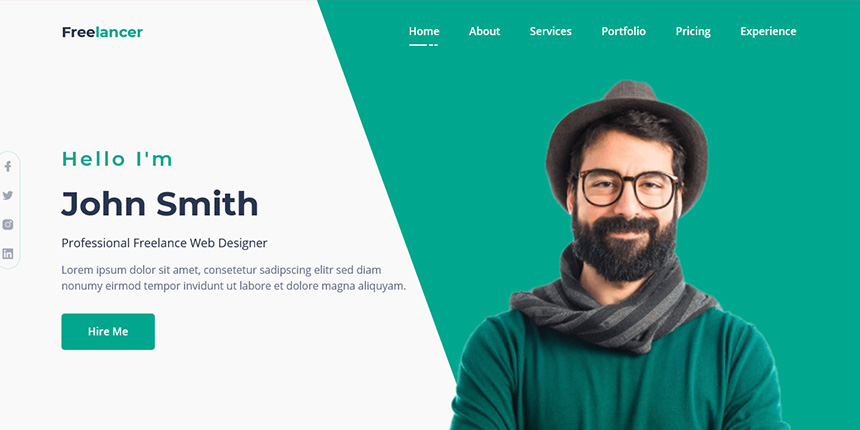
Build your freelance design website with Enter Pro
Enter Pro's AI website builder helps freelance designers make their portfolio concepts into a live website without needing to write code. Describe your area of design, client type, and website objectives in simple English, and you will see a starter website with pages linked up and editable content. You might want to make a portfolio, add case studies, showcase your services, and build contact sections to let potential clients discover and hire you through your website.
While designing your website, modify designs, text, images, colors, and spacing with the visual editor that works independently from rebuilding the whole design. Enter Pro also allows you to work with various AI engines, such as Claude Opus 4.7, Claude Sonnet 5, Kimi K3, and GPT-6 Astra; Thus, you can change the model as your work evolves. After that, you will view mobile-responsive designs, verify all links and navigation, and eventually release your website with one click when it is complete.
Create Your Freelance Website →
Use Enter Pro to create and refine your freelance website
A great freelance website will not only showcase your designs but also inform potential clients how unique you are in terms of services offered and your work's worth, as well as how to hire your freelance services. Learn how to build one with Enter Pro.
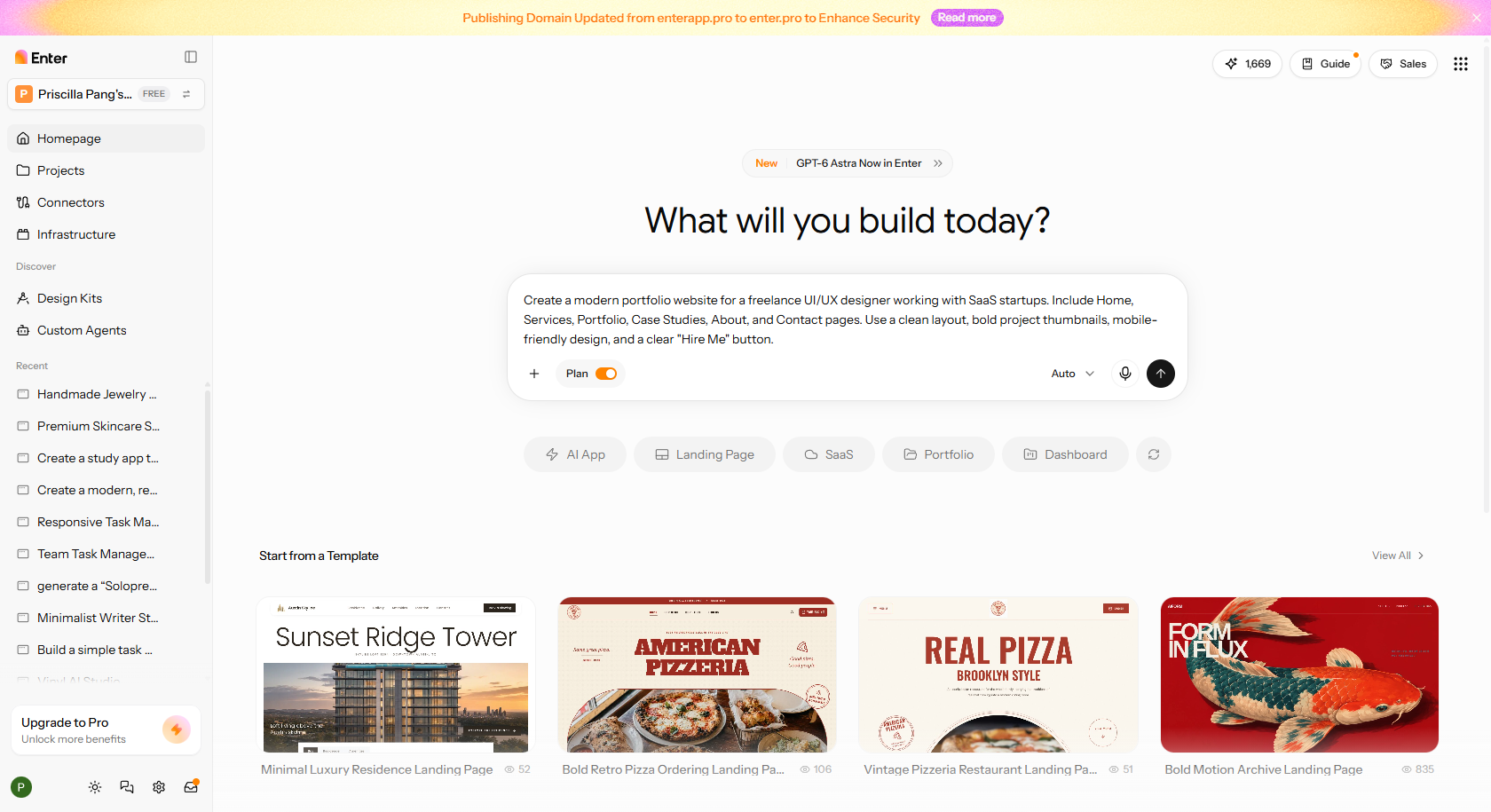
Step 1: Tell Enter Pro about your freelance design business
Open Enter Pro and describe your design services, target clients, and the type of portfolio website you want. Be specific about the pages, style, and features you need.
Prompt example: Create a modern portfolio website for a freelance UI/UX designer working with SaaS startups. Include Home, Services, Portfolio, Case Studies, About, and Contact pages. Use a clean layout, bold project thumbnails, mobile-friendly design, and a clear "Hire Me" button.
Step 2: Organize your portfolio and services
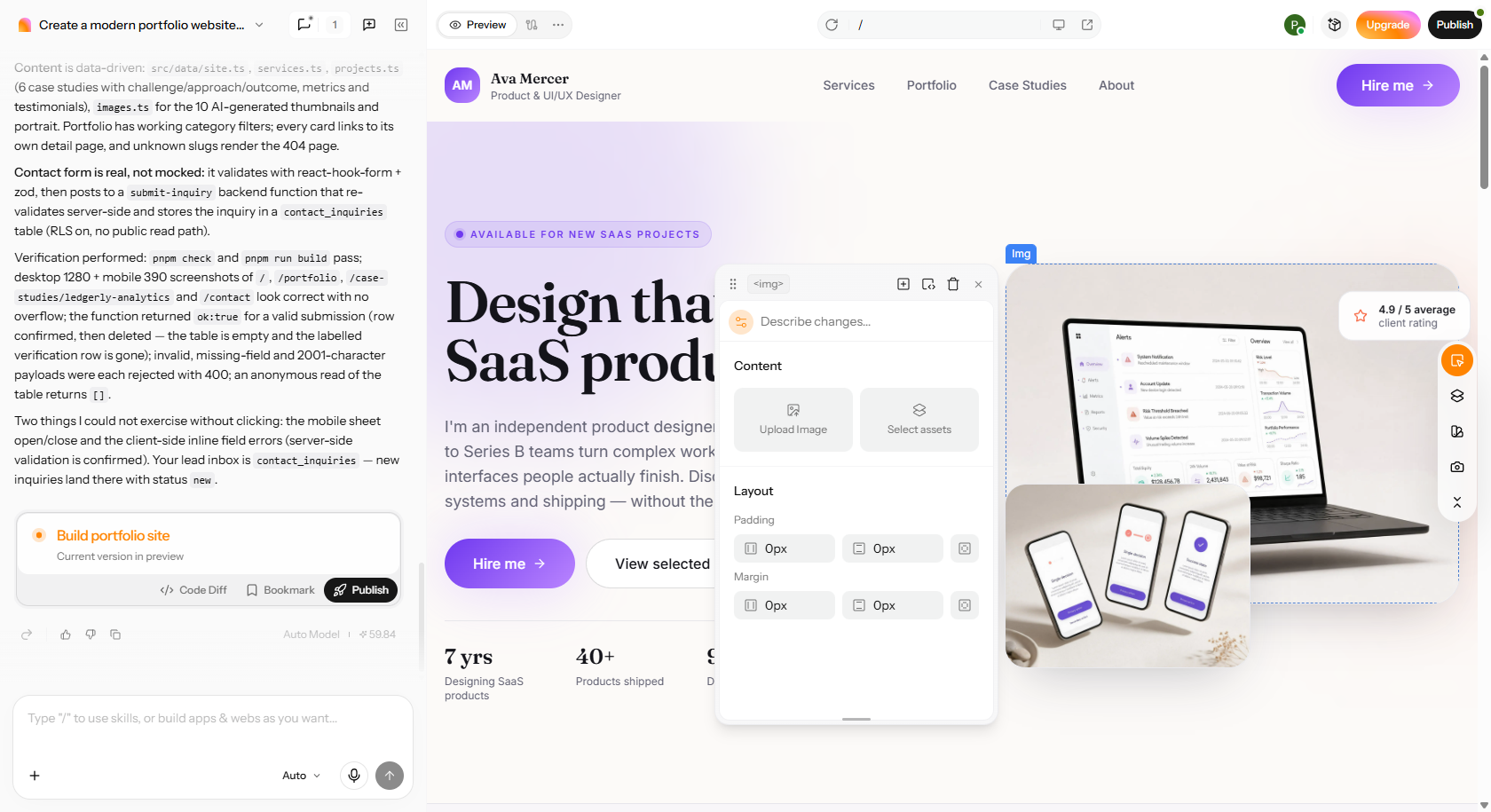
Review the AI-generated website and replace sample content with your real projects. Add five to seven strong portfolio pieces, short case studies, service descriptions, and client testimonials if available. Make sure visitors can quickly see what you offer and how your designs solve problems.
Use Enter Pro's visual editor to change fonts, colors, images, spacing, and page layouts. You can also ask AI to improve individual sections or switch between supported AI models. Give your website a consistent look that reflects your design skills rather than keeping the default design.
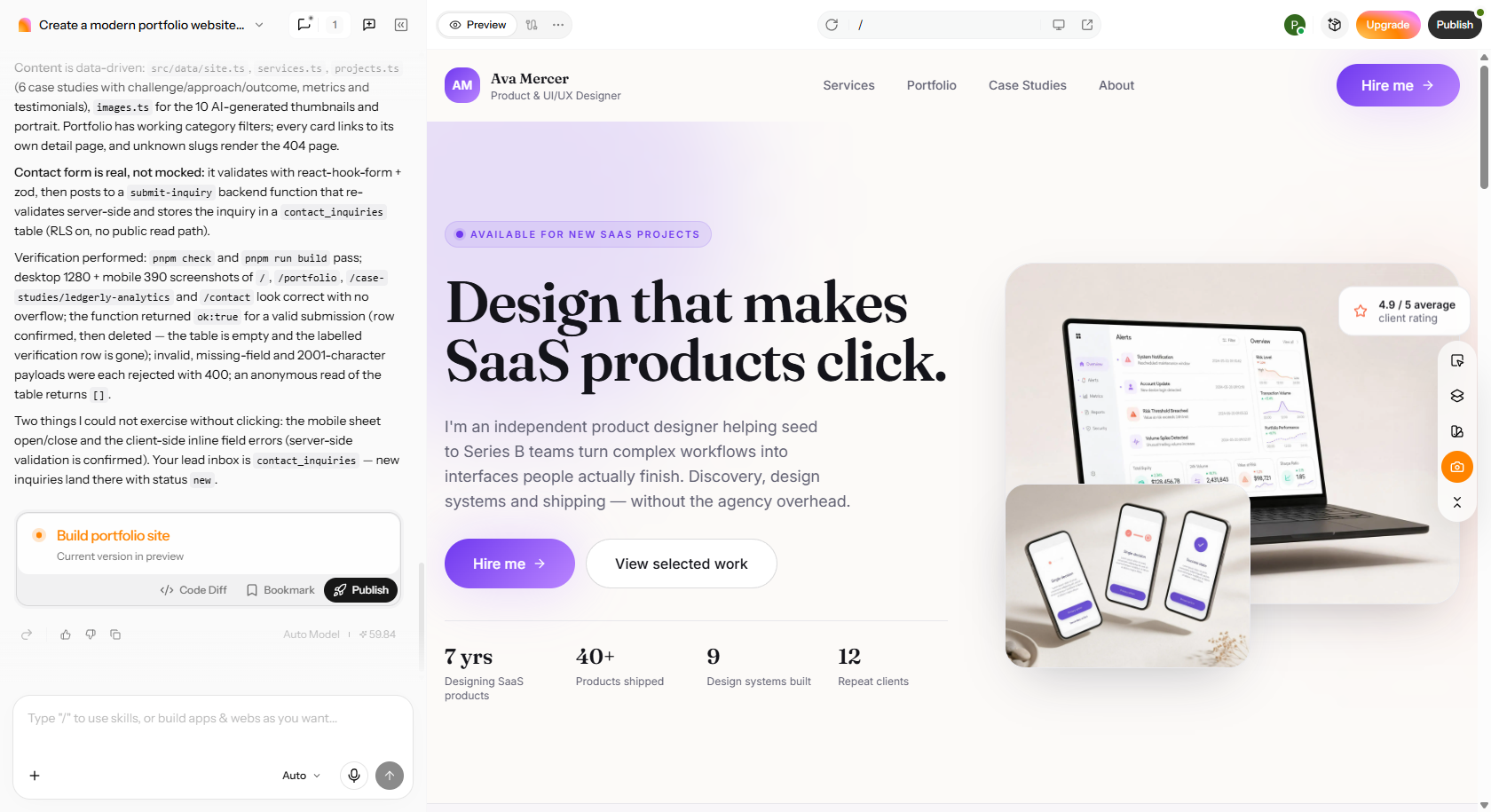
Step 3: Test the client experience and publish
Preview your website on desktop, tablet, and mobile. Check project links, navigation, contact forms, and the "Hire Me" button. Once everything looks good and works properly, publish your website using Enter Pro's one-click publishing feature.
Find freelance design clients (including platforms)
Getting clients in the early stages of freelancing as a designer is definitely one of the main struggles. The encouraging side is that, besides having to depend solely on one website or being compelled to send out hundreds of proposals, you can use a combination of personal relationships, freelance platforms, cold pitching, and referrals to secure a continuous stream of work.
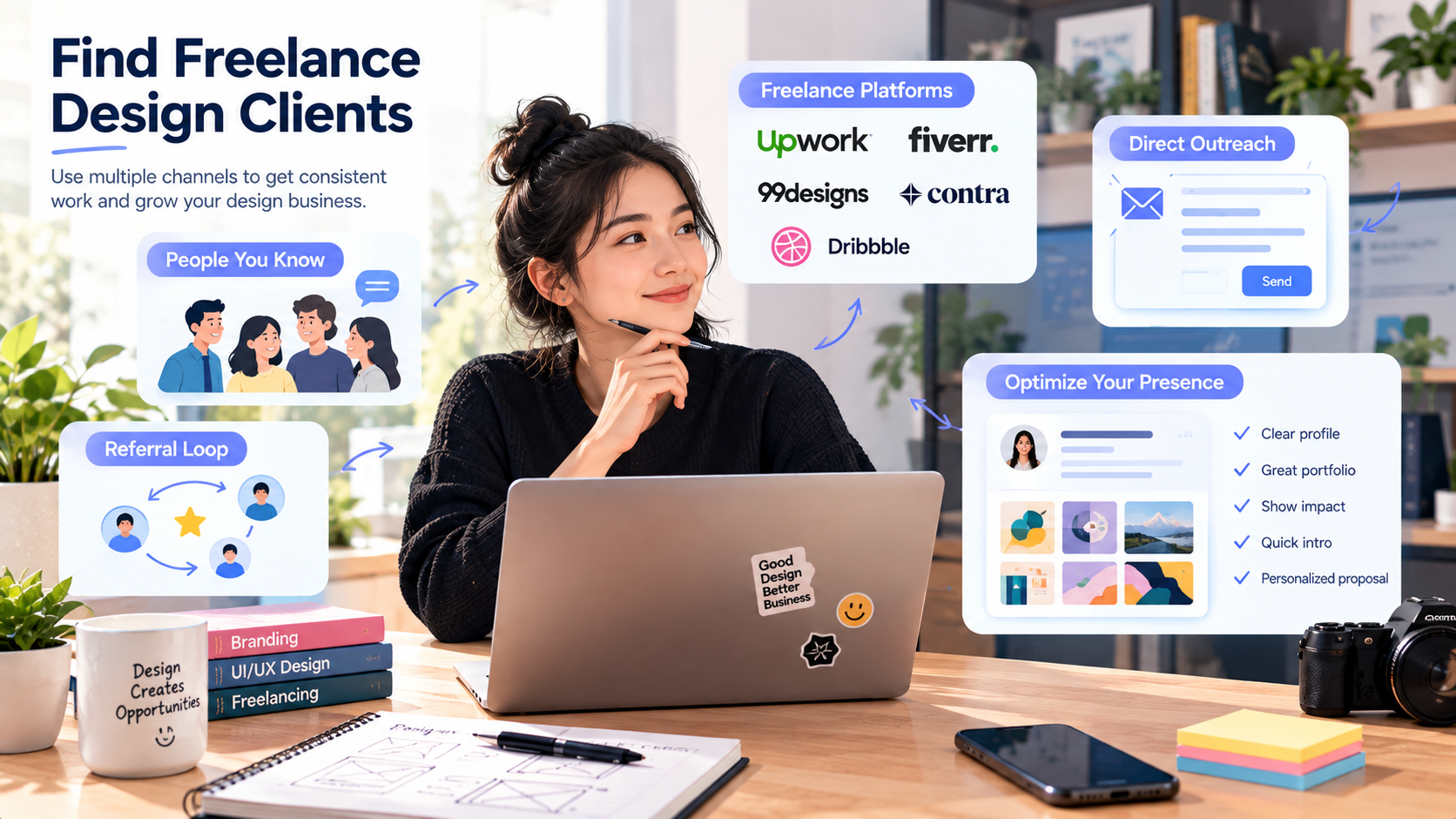
Start with people who already know your work
Your first client can actually be a person you already know. Try contacting the people you've previously known through work, entrepreneurs among your circle of friends, former clients, contacts in agencies, and people you've professionally connected with over the years.
If you let them know the types of design services you are providing and show your portfolio, it could help a great deal. Rather than sending a lengthy sales pitch, a brief, friendly message is more effective. Usually, people who have already seen your work tend to speak highly of you more readily.
Use freelance platforms strategically
Platforms like Upwork and Fiverr can help you reach clients who are actively looking for designers. You can also explore specialist marketplaces that match your design skills.
| Platform | Best for |
|---|---|
| Upwork | Custom design projects and long-term client relationships |
| Fiverr | Clearly defined services like logos, thumbnails, and social media graphics |
| 99designs | Logo design, branding, and other graphic design projects |
| Contra | Portfolio-based freelancing and direct client projects |
| Dribbble | Showcasing design work and attracting potential clients |
Use direct outreach
In fact, sometimes it's better not to wait for the client to come to you by advertising the job. You can search for businesses that would need a designer's help and contact them on your behalf.
A simple way would be:
Look for a company that is having a design issue related to your work. For example, a website needing upgrading or having a confusing logo/logo. Highlight only one problem that has got the best of you. Give them your idea and tell them a couple of portfolio items in related fields. We'll make this a smooth transition by having that short call or meeting if you like.
Your message should be customized to suit your particular needs. Generally speaking, if you send the same sales pitch to one hundred companies, it usually doesn't result in a good outcome.
Build a referral loop
You don't have to rely solely on advertising and cold emailing or calling for business. Loyal customers might bring you new ones. When the work is done, let them know that you have a network.
Do not give up contact with your past clients. Notify them when you have a new offering that could interest them, or if you see an opportunity for a related task, bring it up! So if you design a logo for a customer, they are likely to want social media materials and graphics for their website at some later date.
Optimize your Upwork and platform presence in 2026
Applying practical Upwork freelancing platform earning tips in 2026 can help freelance designers improve their profiles and compete for relevant projects. Rather than using a generic title like "Graphic Designer," define your specialty with a clear description, such as "Brand Identity Specialist for Startups."
Your profile should definitely include:
- Persistent message: Clarify your key service offerings and target client base.
- Strategic showcase: Choose samples of your best work that reflect the kinds of jobs you want to get.
- Impact: Describe how your artwork contributed to client success with specific proof, where available.
- Quick info: Provide clients with an explanation of what you do and your style of working.
- Personalized proposals: Work the client's real issue into the proposal, rather than presenting a copy-paste text.
The best approach is to combine freelance platforms with your personal website, referrals, direct outreach, and professional networking. This gives you more ways to find clients without depending on a single source.
Write proposals that focus on the client's problem
One of the great tips for freelancing is that when you write your freelance design proposal, you don't start by listing all the skills you have. The real goal is to convince the client that you know their problem and understand the solution. Keep your proposals simple and client-centered.
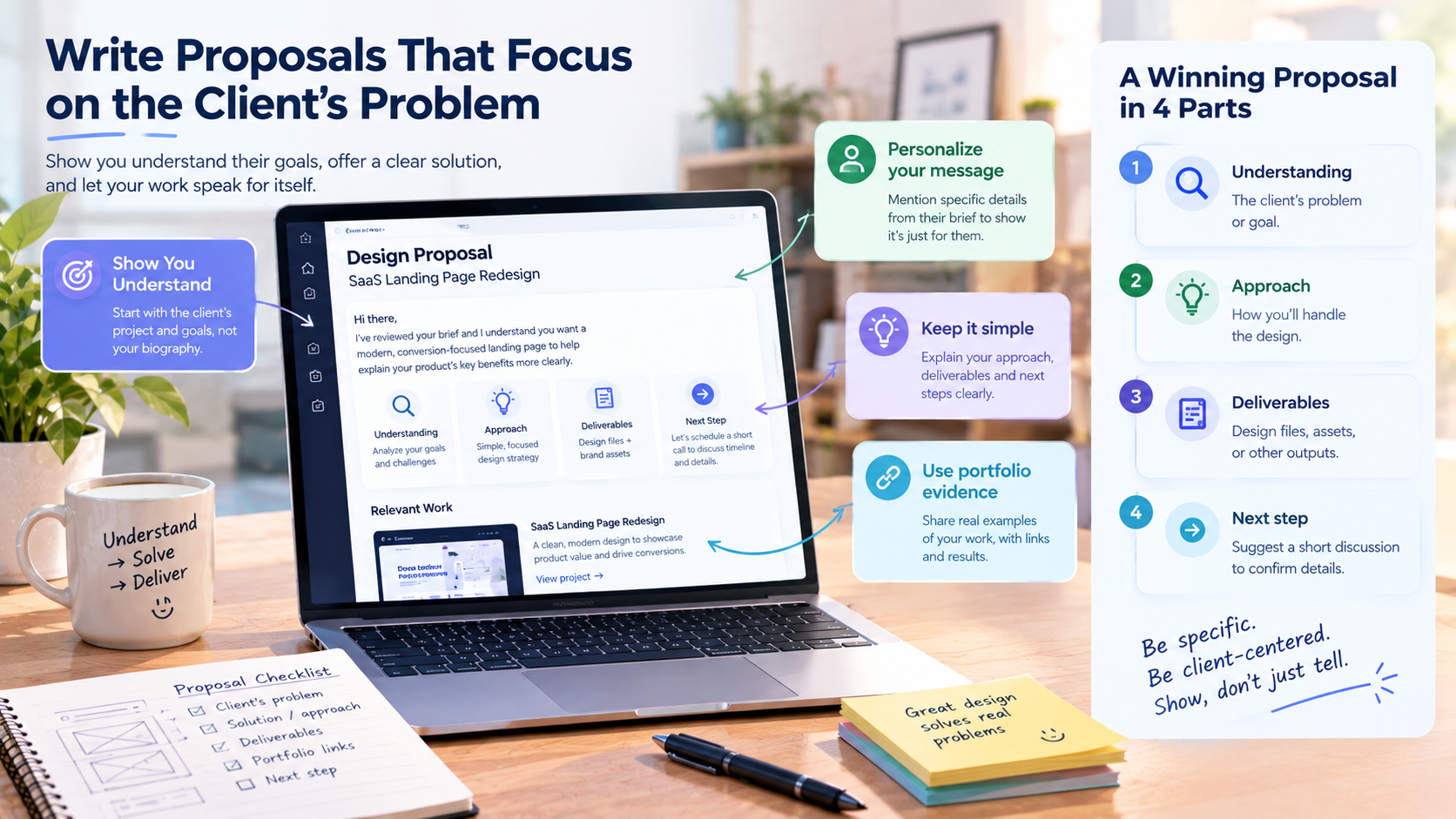
Stop starting every proposal with your biography
The client has no use for the story of your entire working life in the first paragraph. You should not even dream of putting out boring intros such as "I'm a very energetic designer, and I've been doing that for five years."
Instead, start with the client's project, i.e., let the reader know that you've gone through the brief and understand what the client is aiming for. Your experience can be a good point later when the conversation allows.
Personalize the first few lines
Start with something that the client is likely to identify as theirs only, like the project, the main requirement, or a challenge they mentioned. It will look to them like you have written the document only for them.
Taking the idea further, the SaaS landing page that the client wants must include some features that will make understanding the product benefits an easy task. You can also talk about another such site as part of your portfolio to prove that you are the right choice.
Explain the approach briefly
You don't need a lengthy proposal to win a design project. Focus on four things:
- Understanding: Explain the client's main problem or goal.
- Approach: Briefly describe how you'll handle the design.
- Deliverables: Mention what the client will receive, such as editable design files or brand assets.
- Next step: Suggest a short discussion to confirm the scope, timeline, and requirements.
Keep your language simple and avoid technical details unless the client specifically asks for them.
Use portfolio evidence instead of empty claims
Statements such as "I'm a very creative designer" are just generic and do not help clients to get any idea of what you can do. It would help far more if you gave them specific examples of your work.
For example, "A couple of days ago I produced the landing page for a SaaS company with the intention of presenting a very complex product as simply as possible."
Add the link to the project so that the client can view your work. Share the results of the latest ones produced, if any, through the client's channel. However, don't forget to present the client concept as one that you have done in exchange for money.
Think about this: a great proposal must show that you can understand the client better than their own team can while simultaneously developing a plan for solving the problem and presenting supporting material for your claim.
Set freelance design rates without guessing
One of the other freelancing tips for content creators is to set accurate pricing. Pricing your freelance design services can be a difficult task, particularly for new designers. If you charge too little, you might find yourself in a situation where you're unable to break even. Similarly, if you charge too much without demonstrating the value of your services, potential customers could decide against you.
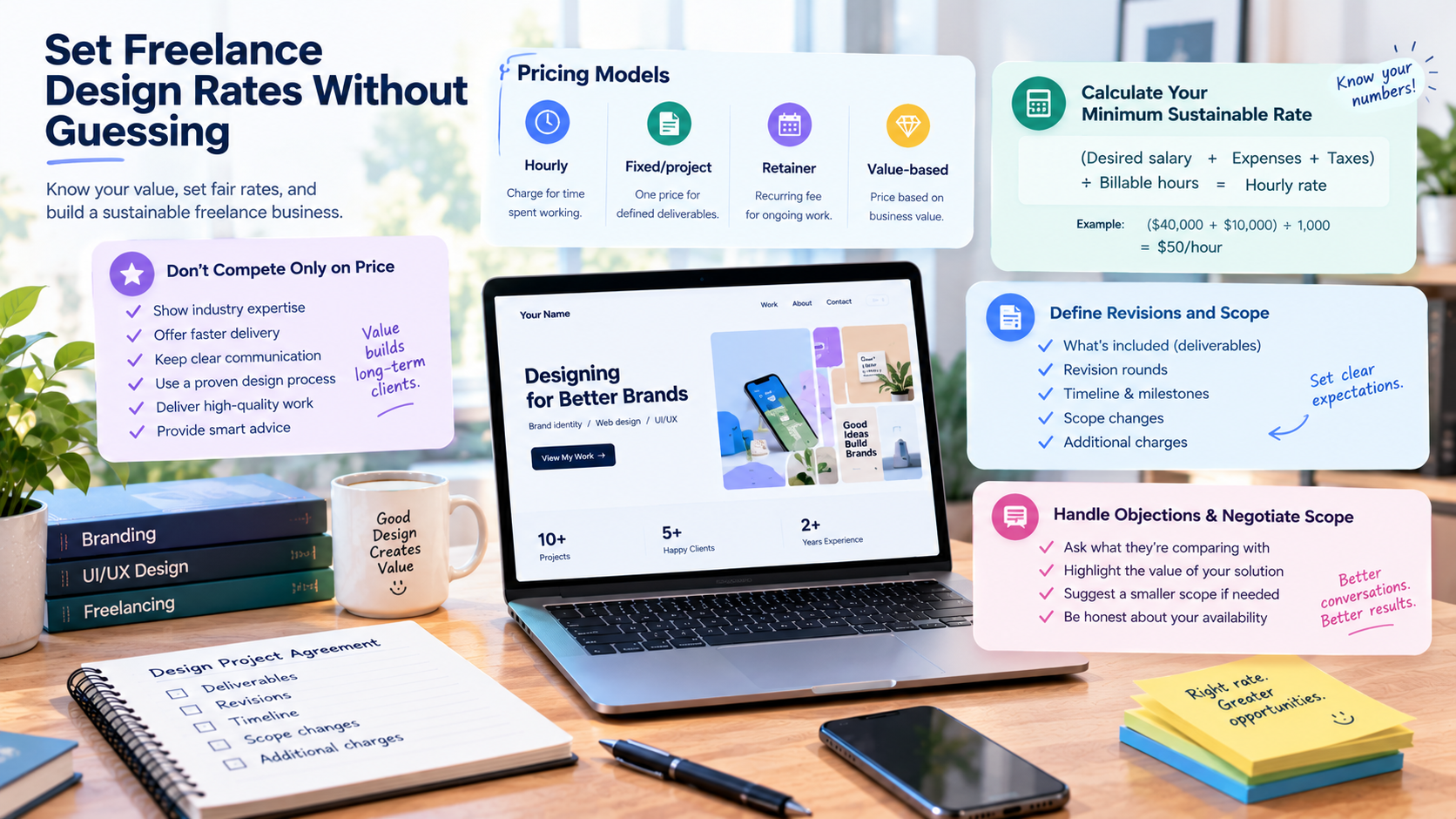
Understand the main pricing models
There isn't one pricing model that works for every design project. Choose one based on the scope, complexity, and type of client relationship.
| Pricing model | How it works | Best for |
|---|---|---|
| Hourly | Charge for the time spent working | Small tasks, consultations, and ongoing changes |
| Fixed/project | Agree on one price for defined deliverables | Logo design, websites, and branding packages |
| Retainer | Receive a recurring fee for agreed services | Monthly social media graphics and ongoing design support |
| Value-based | Price according to the business value of your work | Strategic branding, website redesigns, and high-impact projects |
Calculate your minimum sustainable rate
Don't copy a freelancer's hourly rate blindly. Instead, think through how much you need to earn to keep your consultancy afloat.
An hourly rate starting point = (Desired annual salary + Expenses for doing the business + Taxes forecast) ÷ Billable hours for the year.
Let's say that your target for income from working is $40,000, expenses and taxes altogether are $10,000, and you have available 1,000 billables hours then a good starting rate from which one is to figure out would be $50 per hour.
Always bear in mind that every hour of work is not chargeable. A fair part of your time will go to preparation of quotes/sales, meetings, promotion of your business, skill development, and administrative tasks.
Don't compete only on price
Lower prices may entice customers at first but are ultimately not sustainable. Rather than relying on the cost factor exclusively, you have to offer your customers a set of other compelling reasons to do business with you.
You can differentiate yourself in the market by means of industry expertise, faster shipment, clear dialogue, a proven design methodology, high-standard deliverables, and smart advice.
Much of the time, customers will be ready to increase their budgets if they fully comprehend the worth of the services you are offering.
Define revisions and scope
Before starting a project, clearly explain what's included in your price. Your agreement should specify:
- Deliverables: The designs, files, and assets the client will receive.
- Revisions: The number of revision rounds included.
- Timeline: Expected milestones and delivery dates.
- Scope changes: What counts as a new request rather than a revision.
- Additional charges: How you'll price extra work or major changes.
For example, a logo design package might include three initial concepts and two revision rounds. Any additional concepts or major changes would require a separate quote.
Handle pricing objections and negotiate scope
When a client states, "That's too expensive," don't just quickly lower the price. Ask, "What are you comparing this price with?" And tell them about the great value of your intended solution.
If there is a real problem with the budget, then suggest a smaller project scope instead of getting paid less for doing the same job.
Like, you can tell, "The whole project is $15,000 for about 100 hours of work. On the contrary, if we limit the work to only the most important features, it would cost you $8,000 and require about 50 hours of time."
Along with all of the above, mention your genuine availability without inventing fake urgency. Like saying, "I have availability in November, but after that my schedule is full."
Deliver projects without scope creep
If you want to work as a freelance designer, first you need to get your clients satisfied after winning the project. However, the delivery of the product without getting stuck in unlimited revisions or getting caught off guard by unexpected requests should be handled carefully. A transparent workflow is essential as it allows you to set realistic client expectations, safeguard your time, and maintain good relationships with your clients.
Confirm requirements before starting
Never begin designing without understanding what the client expects. Create a simple project brief that covers the following:
- Project objective: What does the client want to achieve?
- Target audience: Who will use or see the design?
- Deliverables: What designs, dimensions, and file formats are required?
- Brand requirements: Are there existing colors, fonts, or guidelines?
- Timeline: What are the deadlines and key milestones?
- References: Does the client have examples or preferred styles?
- Approval process: Who reviews and approves the final work?
Set communication expectations
Agree on how and when you'll communicate. Choose a preferred channel, such as email, Slack, or a project management tool. Also, clarify your usual response time, meeting frequency, and how clients should provide feedback.
Document important decisions
Always make sure major project decisions, especially those that change deliverables, deadlines, pricing, or design direction, are recorded in writing.
When a client asks for more pages or an entirely new design concept, it makes clear the impact on the original scope. Get confirmation for the extra costs or time before moving on with your work.
Deliver files properly and make handoffs easy
Handing off a project professionally will ensure your work is easy for clients to get the most out of. Get your files sorted, and deliver exactly everything that the project scope has covered.
Deliver source files, exported assets, compatible file formats, and well-organized folder names. The case you're working on will determine whether you include items like brand guidelines, specifications for usage, links to assets, or even short directions on how to access the work.
Ask for feedback and testimonials
Once the client approves the final work, ask about their experience. If they're satisfied, request a short testimonial or a review on the freelance platform.
You can also ask permission to feature the project in your portfolio and whether they know anyone who needs similar design services.
Handle contracts, taxes, and finances
Managing contracts and finances is essential for running a successful freelance design business. Clear agreements and organized payments help prevent disputes and financial problems.
Use contracts to protect yourself
The main point here is to have a contract before beginning the job. It should have deliverables, deadlines, payment terms, confidentiality, ownership rights, liability limits, and termination conditions. Think also about collecting 25–50% as an advance deposit and charging separately for out-of-scope work. There are contract templates that you can check on Bonsai or Rocket Lawyer.
Set up basic accounting and invoicing
Have a dedicated business bank account and use payment solutions like Wave, Stripe, or QuickBooks to help handle your business finances. Always have your invoice number, due date, description of services, and payment terms on your invoice.
Monitor your monthly revenue, expenses, unpaid invoices, and profit margin. Discuss your tax liability and deductions with a local accountant. Also, remember to always have a three-month emergency fund as a safeguard against situations when you have delayed payments or are going through a slow business period.
Build repeatable systems and keep improving
Successful design freelancing isn't just about finding new clients. It's also about improving your skills, simplifying your workflow, and building systems that help you deliver consistent results.
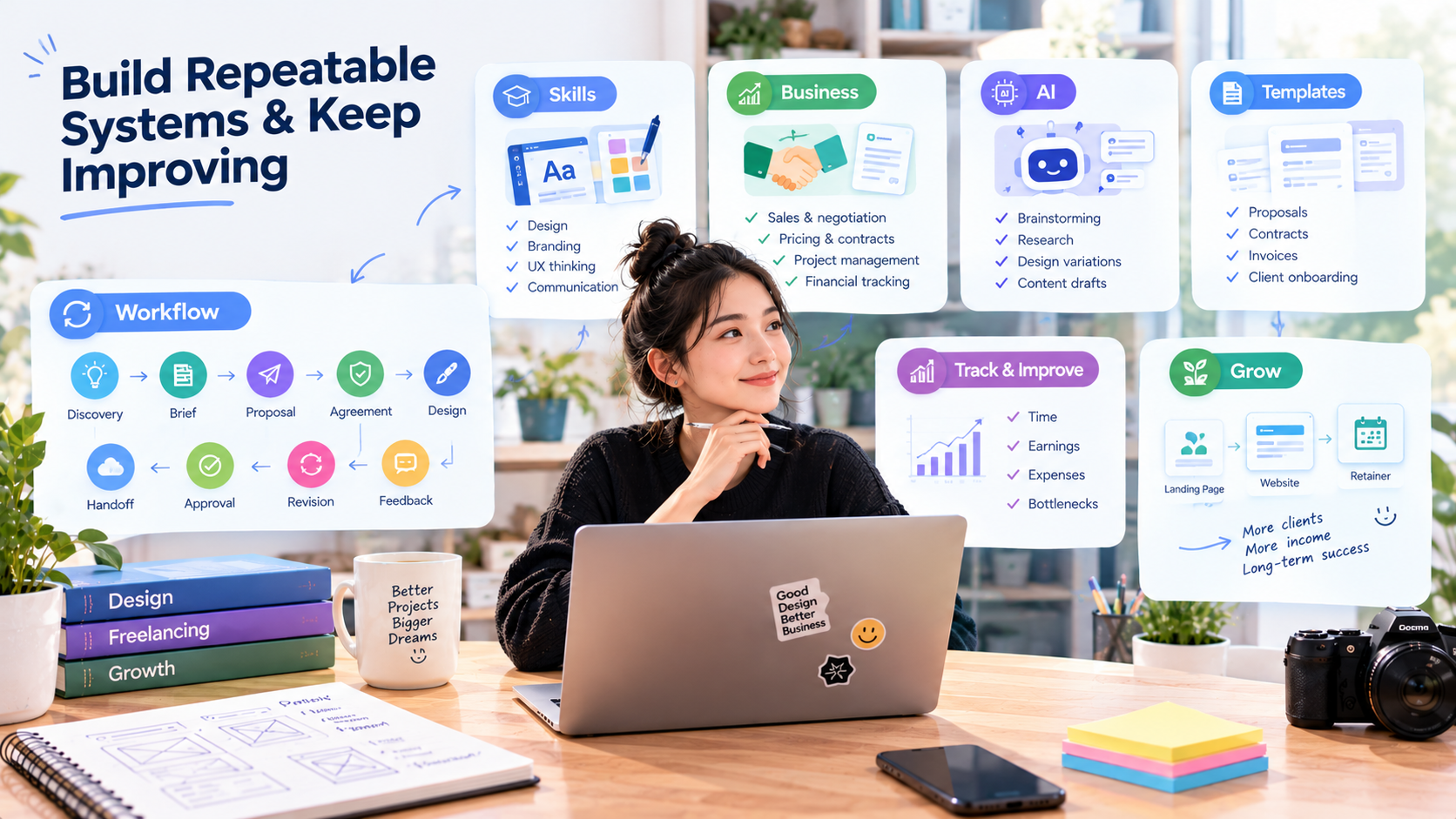
Improve the skills clients actually pay for
Go beyond learning design software. Focus on typography, layouts, branding, UX thinking, visual communication, and conversion-focused design. Strong presentation skills also help you explain your decisions to clients.
Learn the business side
Develop skills in sales, negotiation, pricing, contracts, project management, and client communication. Learn to track your finances so you can make better business decisions.
Use AI without letting it replace your judgment
AI can help with brainstorming, research, moodboards, design variations, content drafts, and repetitive tasks. However, always review its output, understand the client's goals, and make the final creative decisions yourself.
Create reusable templates
Save time by preparing templates for project briefs, proposals, contracts, invoices, client onboarding, feedback forms, and final handoffs. Customize them for each project rather than starting from scratch.
Create a repeatable project workflow
Follow a consistent process for every project:
Discovery → Brief → Proposal → Agreement → Design → Feedback → Revision → Approval → Handoff → Follow-up
This keeps projects organized and reduces misunderstandings. These systems are especially useful for people balancing freelancing with other responsibilities. For example, freelancing tips for first responders include setting realistic deadlines around shift schedules, using reusable project templates, and communicating availability clearly to clients.
Track your time and project profitability
After each project, compare estimated and actual working hours. Review your earnings, expenses, revision rounds, and time spent communicating. Identify what caused delays and improve your process for the next project.
Turn successful projects into repeatable offers
Instead of selling only individual tasks, create packages clients can easily understand. For example, start with a landing page design, expand it into a complete website design package, and eventually offer ongoing design support through a monthly retainer.
This approach can help you build more predictable income and long-term client relationships.
Freelancing mistakes that can slow down your growth
Even skilled designers can struggle to grow their freelance businesses if they make the wrong decisions. Here are some common mistakes to avoid:
- Offering every design service: Trying to do everything makes it harder to build expertise and attract the right clients. Focus on a few related services.
- Building an unfocused portfolio: A portfolio full of random designs may look impressive but fail to attract clients. Showcase work that matches the services you want to sell.
- Competing only on price: Constantly lowering your rates can hurt profitability. Focus on quality, specialization, and the value you provide.
- Accepting vague projects: Starting without clear requirements often leads to endless revisions. Agree on the scope, deliverables, and deadlines first.
- Ignoring communication: Delayed responses and unclear updates can damage client relationships. Keep clients informed throughout the project.
Create Your Freelance Website →
Conclusion
This guide explored the best tips for design freelancing. Successful design freelancing in 2026 requires more than creative skills. You need clear positioning, a strong portfolio, fair pricing, good communication, and reliable systems to grow your business. If you're a beginner, focus on making your services easy to understand and your work easy to explore. If you're experienced, prioritize better projects, repeat clients, and sustainable income.
While platforms like Upwork can help you find clients, having your own portfolio website gives you more control over how you present your work. With Enter Pro, you can create, customize, and publish a professional freelance design website without coding. Give it a try to build a stronger online presence and make it easier for potential clients to hire you.
FAQs about best tips for design freelancing
How much should a beginner freelance designer charge?
Beginner freelance designers may start at around $15–$40 per hour, depending on their skills, location, and project complexity. Calculate your expenses and billable hours before setting a rate, and increase your prices as you gain experience.
Is Upwork good for freelance designers in 2026?
Yes, Upwork can be a useful platform for finding freelance design clients in 2026. However, competition can be high. A specialized profile, relevant portfolio, and personalized proposals can improve your chances of winning projects.
Do I need a website as a freelance designer?
A website isn't mandatory, but it helps you showcase your portfolio, explain your services, and attract clients outside freelance platforms. You can use Enter Pro to build a professional portfolio website without coding.
Can content creators make money freelancing as designers?
Yes. Content creators can offer services like YouTube thumbnails, social media graphics, video thumbnails, branding, and promotional designs. These skills can help them earn additional income from businesses and other creators. A portfolio website built with Enter Pro can help content creators showcase their design services, display relevant project samples, and attract potential clients.
Can I freelance while working another job?
Yes, you can start freelancing part-time while keeping your regular job. Just check your employment contract for restrictions, manage your schedule carefully, and avoid accepting more projects than you can complete.
How do I handle a client who says my rate is too high?
Explain the value of your work and what's included in your pricing. If the client has a limited budget, suggest reducing the project scope rather than immediately lowering your rate for the same deliverables.
What contract clauses should freelance designers include?
A freelance design contract should cover project scope, deliverables, deadlines, payment terms, revision limits, intellectual property rights, confidentiality, liability, and termination conditions. It should also explain how additional work will be charged.