

How to Write Test Cases: Templates, Examples, and AI Prompts
Learn how to write test cases step by step, with a ready-to-use template, real examples for manual testing, good-practice tips, and how to use AI safely.
Knowing how to write test cases comes down to a simple pattern: pick one behavior from a requirement, set the preconditions, list numbered steps with exact test data, and state an expected result that someone can mark as pass or fail. Clear test cases let anyone on the team repeat a test the same way, catch regressions before a release, and show which requirements are actually covered. This guide walks through the standard test case format, a 7-step method, a complete example set for one sign-up form, tips for manual testing, a good-practice checklist, and how to use AI to draft test cases faster without letting mistakes slip through.
H2: What is a test case?
A test case is a defined check of one behavior in a piece of software. The ISTQB glossary, which follows the ISO/IEC/IEEE 29119 testing standard, defines it as "a set of preconditions, inputs, actions (where applicable), expected results and postconditions, developed based on test conditions."
In plain English, one test case checks one thing, such as "a user can sign up with a valid email and password." It's easy to mix up with two related terms:
| Term | What it is | Example |
|---|---|---|
| Test plan | The overall approach: scope, schedule, environments, and who tests what | Test plan for release 2.4 |
| Test scenario | A high-level situation to check | "Check the sign-up flow" |
| Test case | Exact steps, data, and an expected result for one behavior | "Sign up with an email that is already registered" |
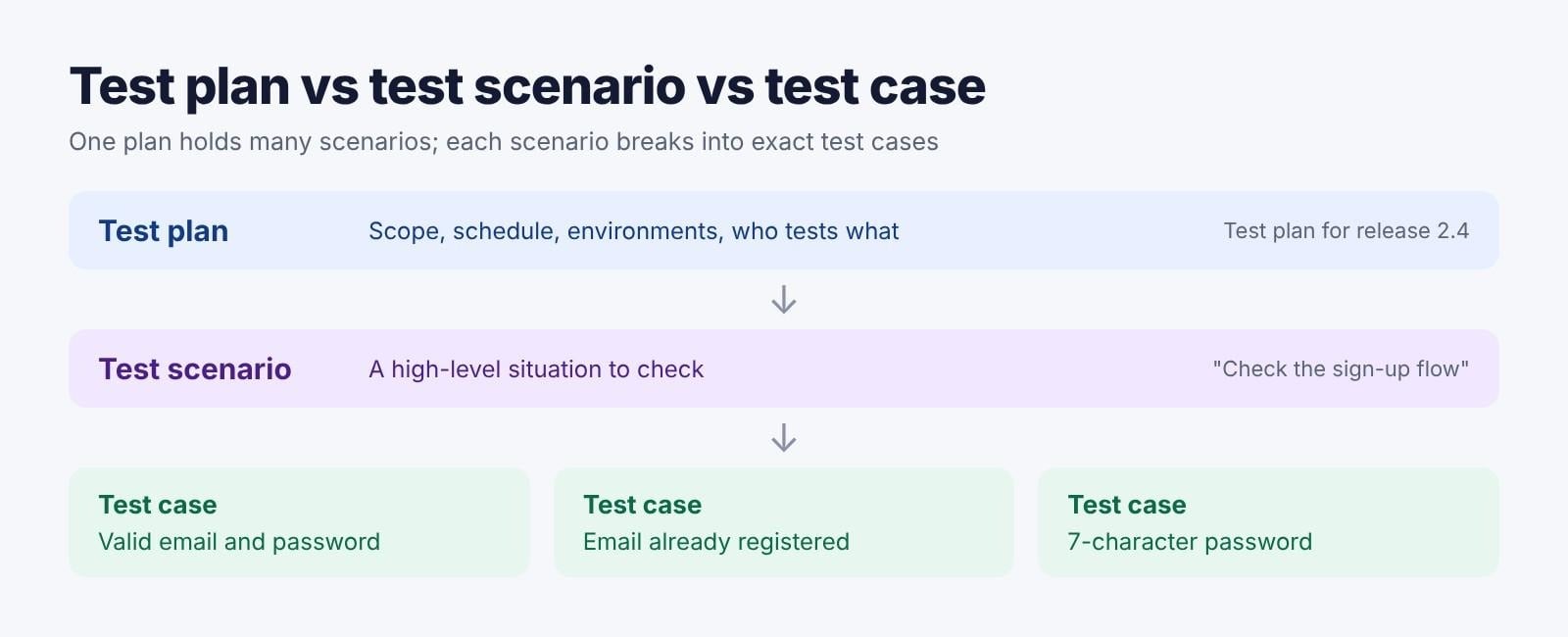
Test cases come in several types. Functional cases check that a feature does what the requirement says. Negative cases check how the software handles invalid input. Boundary cases test the edges of allowed values. UI and usability, integration, regression, smoke, and user acceptance (UAT) cases cover the rest. The same writing method works for all of them, whether you're testing a mobile app or a web app.
H2: Standard test case format (copy-ready template)
Most teams use the same core fields, whether they work in a spreadsheet or a test management tool. For formal documentation, ISO/IEC/IEEE 29119-3 replaced IEEE 829 in 2013 as the standard for test documents, including the test case specification.
| Field | What to write | Example |
|---|---|---|
| Test case ID | A unique, readable ID | TC_SIGNUP_004 |
| Title | One behavior, starting with a verb | Reject a password shorter than 8 characters |
| Requirement/user story | The requirement or acceptance criterion it covers | US-12: Password must be 8-64 characters |
| Priority | High, Medium, or Low based on risk | High |
| Preconditions | What must be true before the test starts | User is logged out; sign-up page is open |
| Test steps | Numbered, one action per step | 1. Enter a valid email 2. Enter "Pass12!" 3. Click Sign up |
| Test data | Exact input values | Email: test.user+04@example.com; Password: Pass12! (7 characters) |
| Expected result | One observable, checkable outcome | Form isn't submitted; "Password must be at least 8 characters" appears under the field |
| Actual result | Filled in during the test run | - |
| Status | Pass, Fail, or Blocked | - |
| Environment | OS, browser or device, build | Chrome 141, Windows 11, build 2.4.0 |
| Postconditions/notes | Cleanup, screenshots, bug ID | No account created |
H2: How to write software test cases: 7 steps
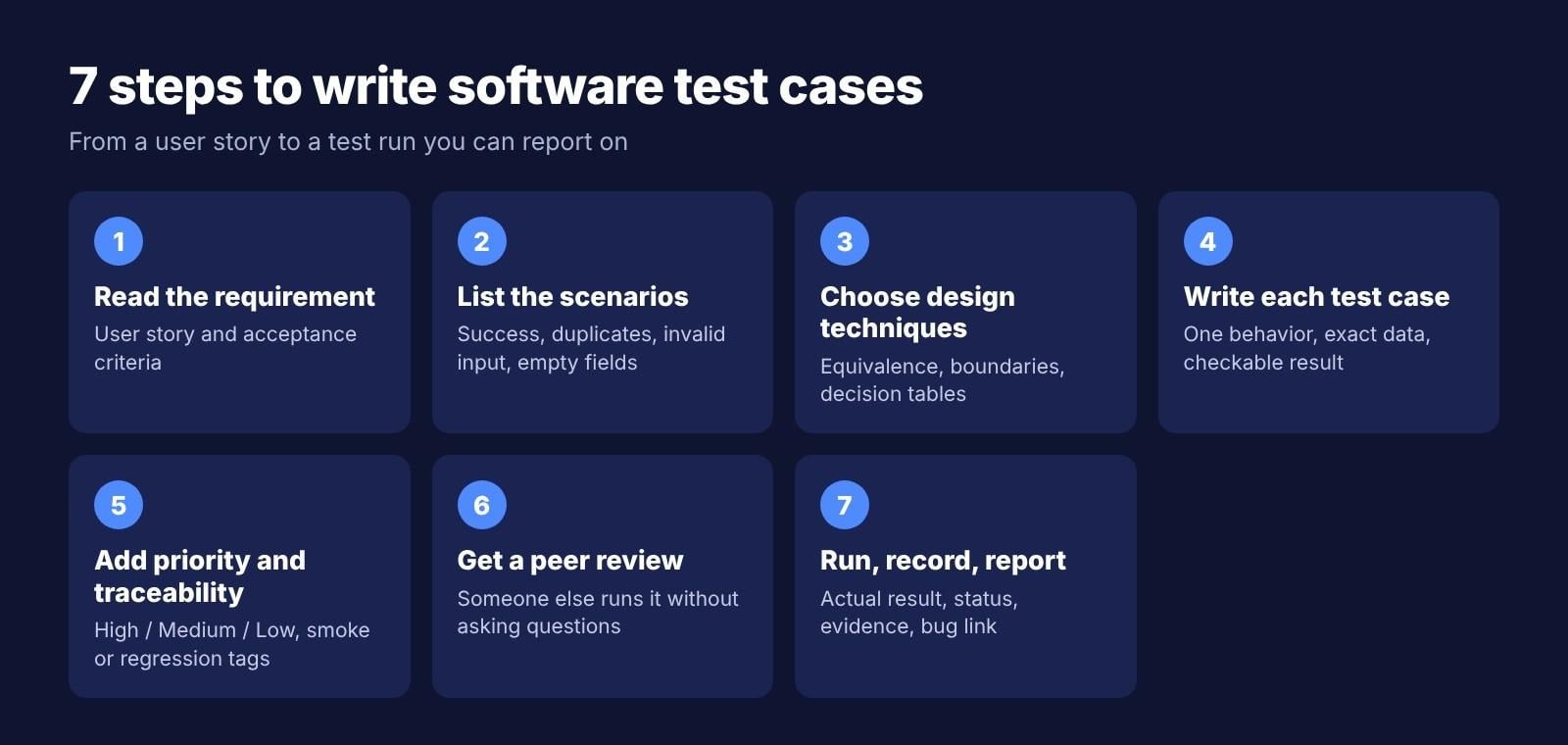
The steps below take you from a user story to a test run you can report on. The running example is a sign-up form for a to-do app.
H3: Step 1: Read the requirement and acceptance criteria
Start from the user story or spec, not from the screen. Example story: "As a new user, I want to sign up with my email so I can save my tasks."
- List the hidden rules: valid email format, unique email, password length of 8-64 characters, and a confirmation email after sign-up.
- Clear up gaps first: ask the product owner about anything unclear before writing, such as whether a "+" is allowed in email addresses.
H3: Step 2: List the test scenarios
Break the feature into situations: successful sign-up, duplicate email, invalid email, password rules, empty fields, and the confirmation email. Map each scenario to its requirement in a simple traceability column, so coverage gaps are easy to spot.
H3: Step 3: Choose test design techniques
- Equivalence partitioning: group inputs that should behave the same, such as valid emails versus invalid emails, and test one value from each group.
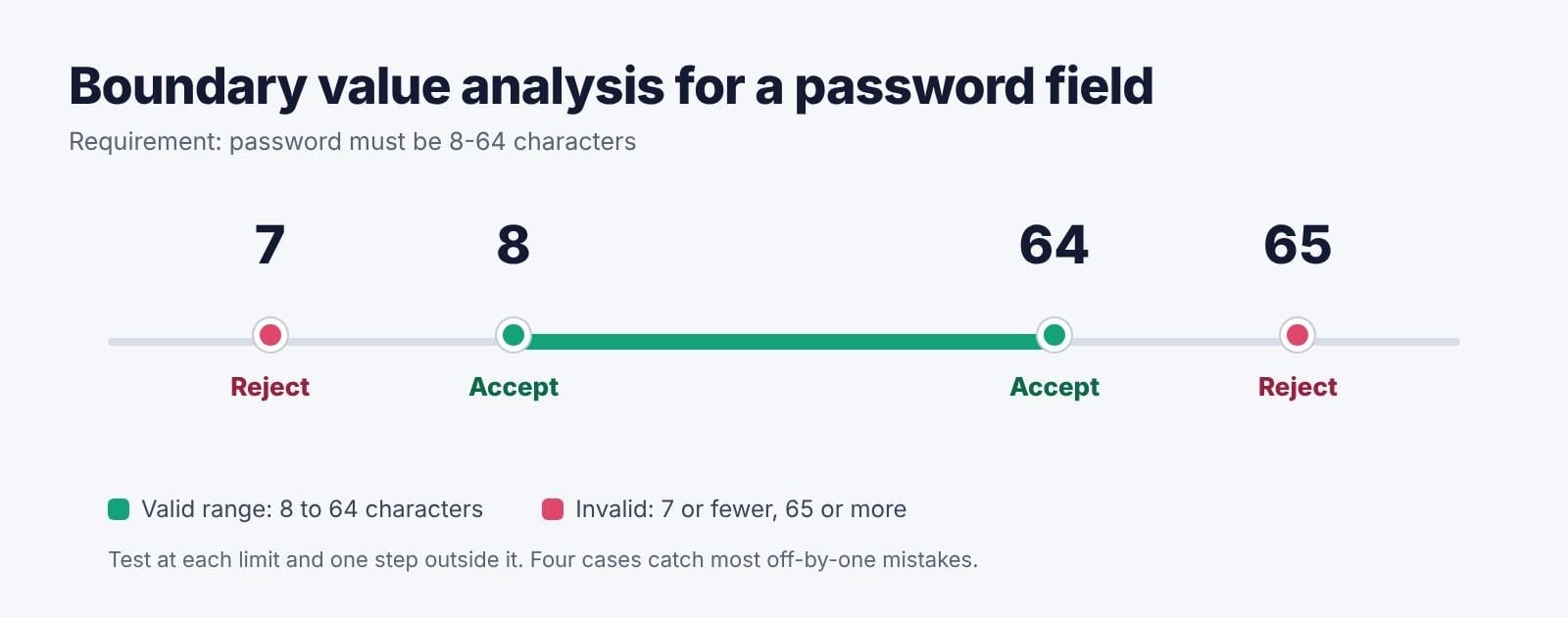
- Boundary value analysis: test at and around the limits. For an 8-64 character password, that means 7, 8, 64, and 65 characters.
- Decision tables: use these for rules that combine conditions, such as a discount code plus member status.
- State transition: use this for flows with states, such as an account moving from unverified to verified.
- Error guessing: add common real-world mistakes, like a space before an email address or a pasted password.
H3: Step 4: Write each test case
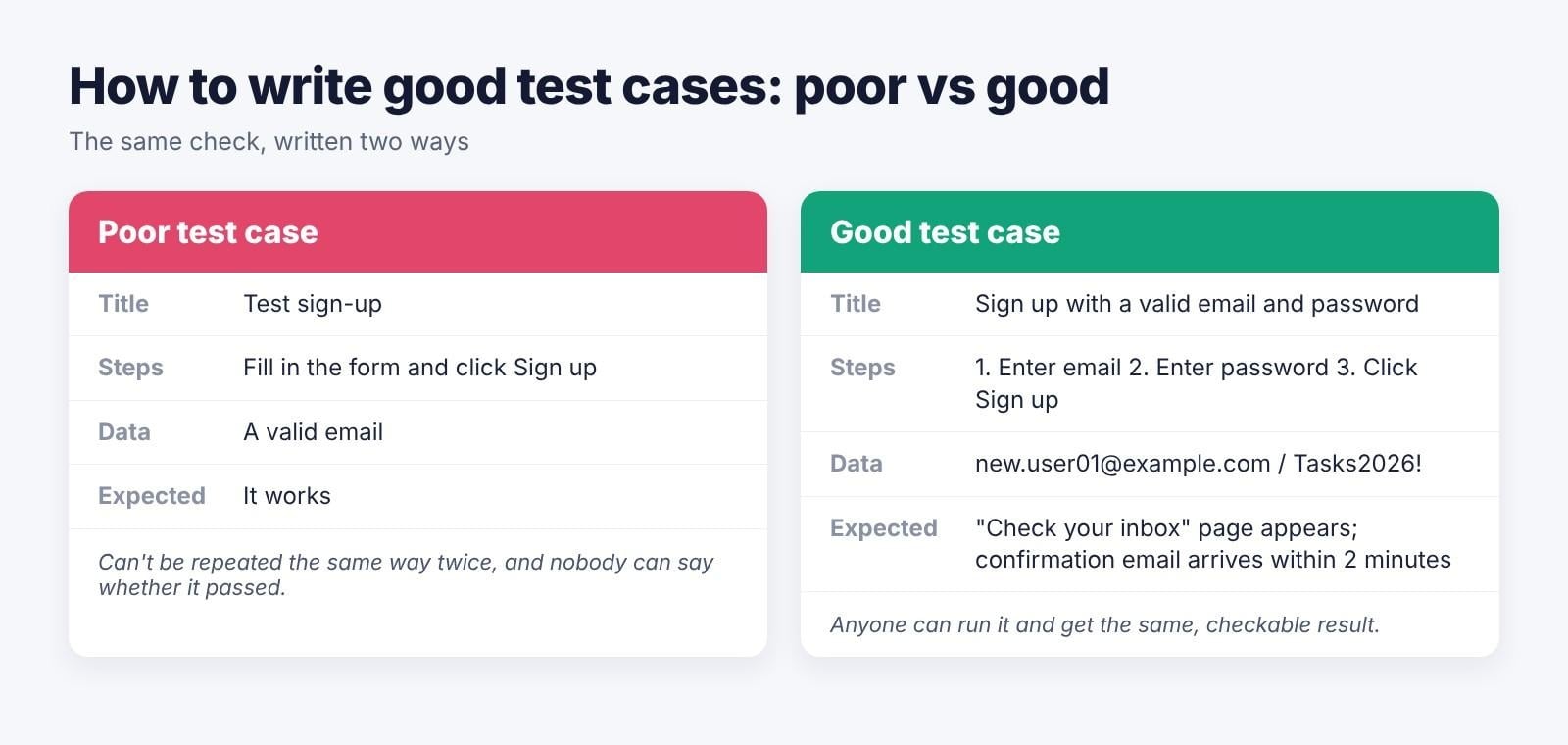
- Title: start with a verb and name one behavior.
- Preconditions: state the setup, so the steps don't have to.
- Steps: one action per step; keep most cases under 10-15 steps.
- Test data: use exact values instead of "enter a valid email."
- Expected result: describe something anyone can verify, such as the exact message, page, or database change.
H3: Step 5: Add priority and traceability
Mark each case High, Medium, or Low by business risk; Sign-up and payment flows are usually high. Tag cases such as smoke, regression, or release, so you can run the right subset later instead of the whole suite.
H3: Step 6: Have someone else review them
Ask a teammate to run one or two cases without asking you any questions. If they get stuck, the case needs more detail. The reviewer should also look for missing negative and boundary cases and for duplicates.
H3: Step 7: Run, record, and report
Record the actual result, status, and environment, plus a screenshot of every failure. Then log a bug with the test case ID, the steps to reproduce, and the expected versus actual result. Developers picking up the failure can follow a guide on how to debug software code to trace the cause.
H2: How to write test cases examples: a full set for one sign-up form
Every case below uses the same requirement: the email must be valid and unique, the password must be 8-64 characters, and a confirmation email is sent after sign-up.
| ID | Title | Type | Test data | Expected result |
|---|---|---|---|---|
| TC_SIGNUP_001 | Sign up with a valid email and password | Positive | new.user01@example.com/Tasks2026! | Account created; "Check your inbox" page shown; confirmation email received |
| TC_SIGNUP_002 | Reject an email that is already registered | Negative | existing@example.com/Tasks2026! | Error "An account with this email already exists"; no new account |
| TC_SIGNUP_003 | Reject an invalid email format | Negative | new.user03@example/Tasks2026! | Inline error "Enter a valid email address"; form not submitted |
| TC_SIGNUP_004 | Reject a 7-character password | Boundary | Pass12! (7 characters) | Error "Password must be at least 8 characters" |
| TC_SIGNUP_005 | Accept an 8-character password | Boundary | Pass123! (8 characters) | Account created |
| TC_SIGNUP_006 | Accept a 64-character password | Boundary | 64-character string | Account created |
| TC_SIGNUP_007 | Reject a 65-character password | Boundary | 65-character string | Error "Password must be 64 characters or fewer" |
| TC_SIGNUP_008 | Block submission with empty fields | Negative | Email and password left blank | Both fields show required-field errors; form isn't sent |
| TC_SIGNUP_009 | Show errors next to the right field on mobile | UI | iPhone 15 Safari, invalid email | Error text appears under the email field, readable without zooming |
| TC_SIGNUP_010 | Verify account from the confirmation link | Positive | Link from the TC_SIGNUP_001 email | Account status changes to verified; user lands on the dashboard |
Here is TC_SIGNUP_002 written out in full, using every field from the template:
| Field | Value |
|---|---|
| Test case ID | TC_SIGNUP_002 |
| Title | Reject an email that is already registered |
| Requirement | US-11: Each account must use a unique email address |
| Priority | High |
| Preconditions | An account already exists for existing@example.com; the user is logged out; The sign-up page is open |
| Test steps | 1. Enter "existing@example.com" in the Email field. 2. Enter "Tasks2026!" in the Password field. 3. Click Sign up |
| Test data | existing@example.com / Tasks2026! |
| Expected result | The error "An account with this email already exists" appears; no second account is created |
| Actual result | (filled in during the run) |
| Status | (Pass, Fail, or Blocked) |
| Environment | Chrome 141, Windows 11, build 2.4.0 |
| Postconditions/notes | Check the users table still has one record for this email |
Teams that use behavior-driven development (BDD) can write the same case in Given/When/Then form: Given an account exists for existing@example.com, when I sign up with that email, then I see "An account with this email already exists."
H2: How to write test cases in manual testing
Manual test cases are read and run by people, so they need a little more context than automated ones.
- Write for a newcomer: assume the tester has never seen the feature, with no assumed knowledge of hidden settings or test accounts.
- Include the environment: browser, device, and build, because manual results often depend on them.
- Ask for evidence: a screenshot or screen recording for every failed case.
- Keep a regression suite: a set of high-priority cases to rerun before each release.
- Leave room for exploration: add a short exploratory charter alongside scripted cases, such as "explore sign-up with unusual emails for 20 minutes."
- Store them where they'll be used: a spreadsheet works for small projects; TestRail, Qase, or Jira with Xray or Zephyr makes sense once the suite grows.
H2: How to write good test cases: checklist
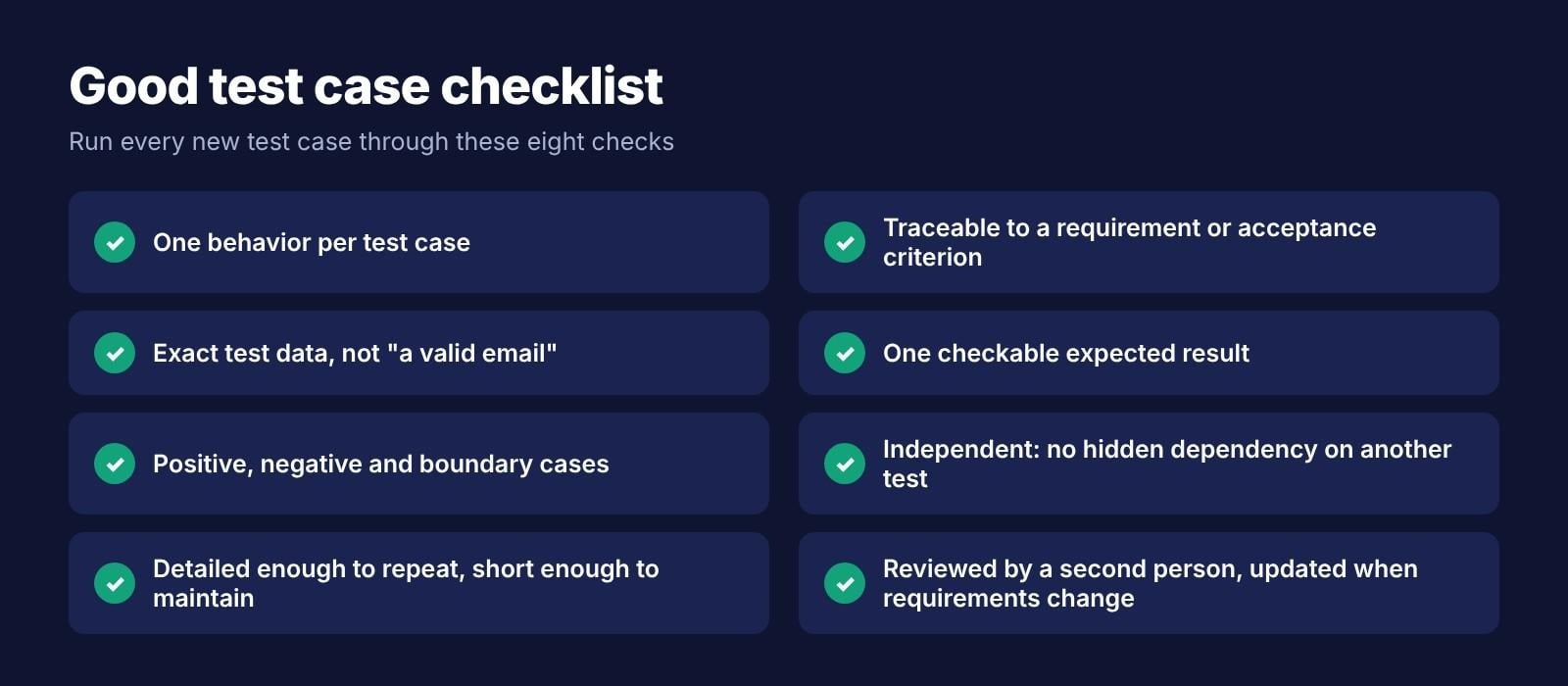
Run every new test case through these checks before it goes into the suite:
- One behavior per test case: if a case checks two things, split it.
- Traceable: it links to a requirement or acceptance criterion.
- Exact and checkable: it has exact test data and a single expected result.
- Full coverage: the set includes positive, negative, and boundary cases, not just the happy path.
- Independent: it doesn't rely on another test running first, and it cleans up after itself.
- Right level of detail: detailed enough to repeat, but not so detailed it breaks on every UI change. Practitioners on the Ministry of Testing forum suggest leaving out steps you don't care about; if a case keeps growing, it's probably testing two things.
- Reviewed and current: a second person has checked it, and it's updated when the requirement changes.
The most common mistakes are vague expected results ("works correctly"), several checks crammed into one case, missing preconditions, and copying the same login example for every feature.
H2: How to write test cases with AI
AI tools are good at drafting scenarios, suggesting negative and edge cases you might miss, generating test data, and turning a manual case into an automation script. They also get things wrong: they can misread business rules, invent behavior that isn't in the requirement, and produce duplicates. Every AI-drafted case needs a human review.
A safe workflow looks like this:
- Paste the requirement and acceptance criteria, never production data, passwords, or API keys.
- Ask for test cases in your exact template.
- Ask a second time for missing negative, boundary, and accessibility cases.
- Review the output, correct expected results against the requirement, and remove duplicates.
- Import the final cases into your test management tool.
Example prompt: "You are a QA engineer. Using the requirement below, write test cases in a table with the columns ID, Title, Type, Preconditions, Steps, Test data, Expected result. Include positive, negative, and boundary cases. Only use behavior stated in the requirement. Requirement: [paste]."
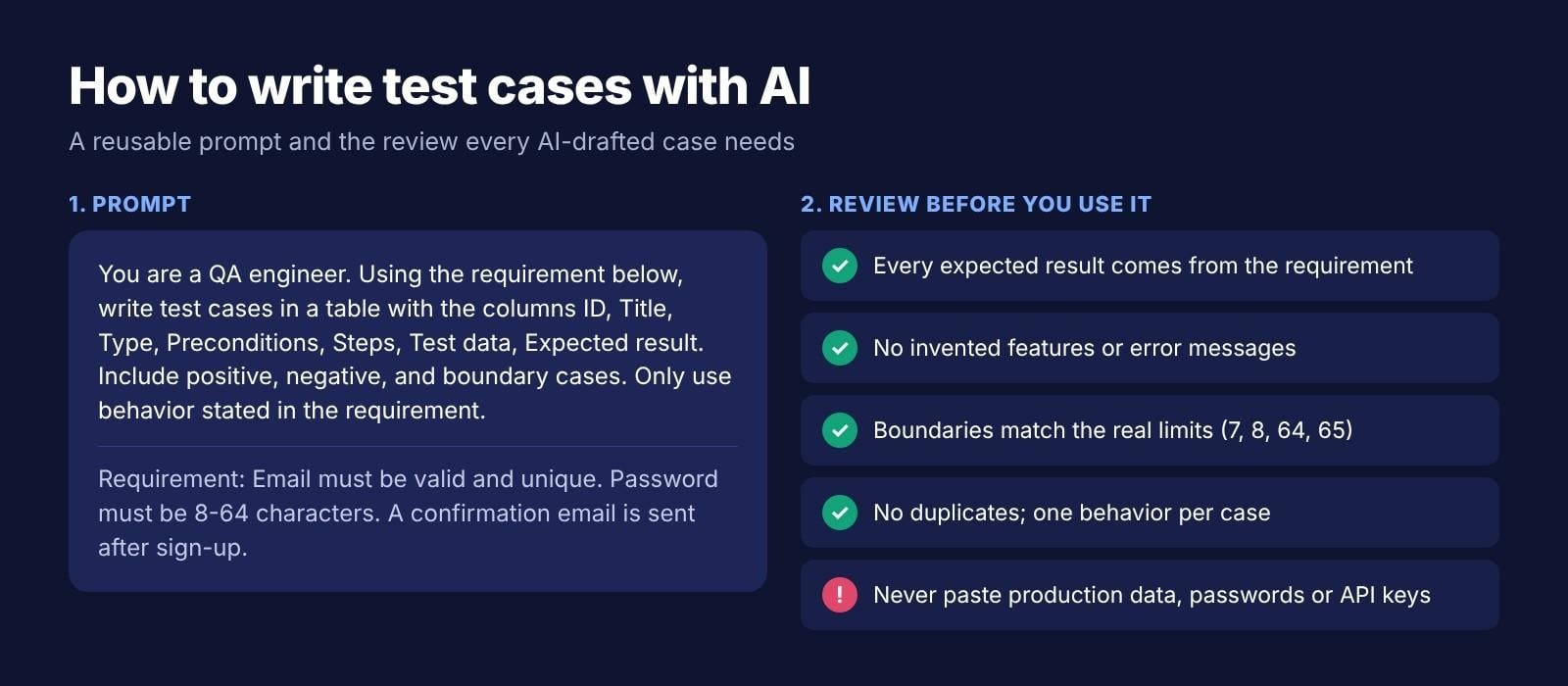
Before you use any AI output, check that:
- Expected results come from the requirement, not from what the current app happens to do.
- Nothing is invented: no features or error messages that the spec doesn't mention.
- Boundaries are right: values match the real limits.
- There are no duplicates: each case tests one behavior.
| Tool | Generates test cases from | Notes |
|---|---|---|
| ChatGPT/Claude | A pasted requirement or user story | No project context; copy results into your tool |
| GitHub Copilot | Code and requirements in the editor | Best for unit tests; check that expected values come from the spec |
| TestRail AI | Requirements and user stories | Built into TestRail Cloud |
| Qase AI | Requirements | Included as AI credits on paid plans |
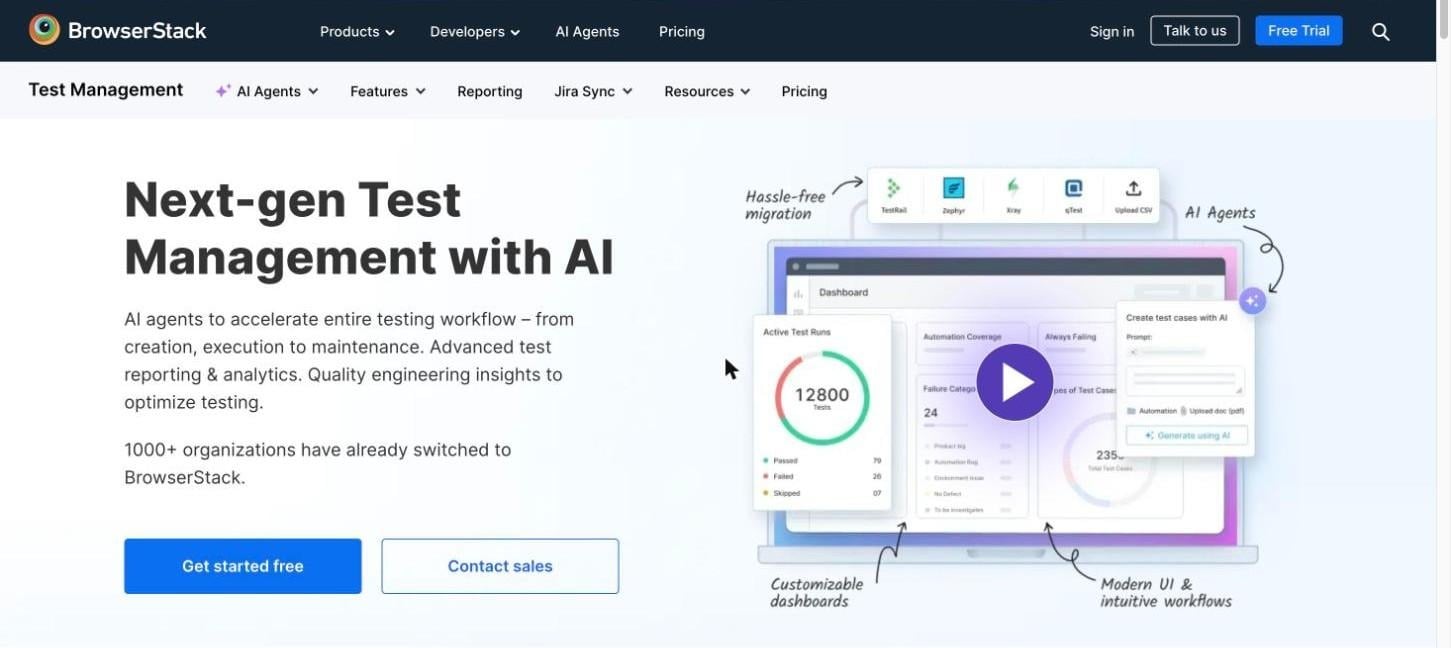
| BrowserStack Test Management | Prompts, files, Jira, Figma, Confluence | AI test case generation inside BrowserStack Test Management |
| Katalon AI Assistant | Requirements and prompts | Manual or automated tests |
Note: Figures and data are current as of October 2026. Features and plans change often, so check each vendor's site before you choose a tool.
H2: Test the app you build with Enter Pro
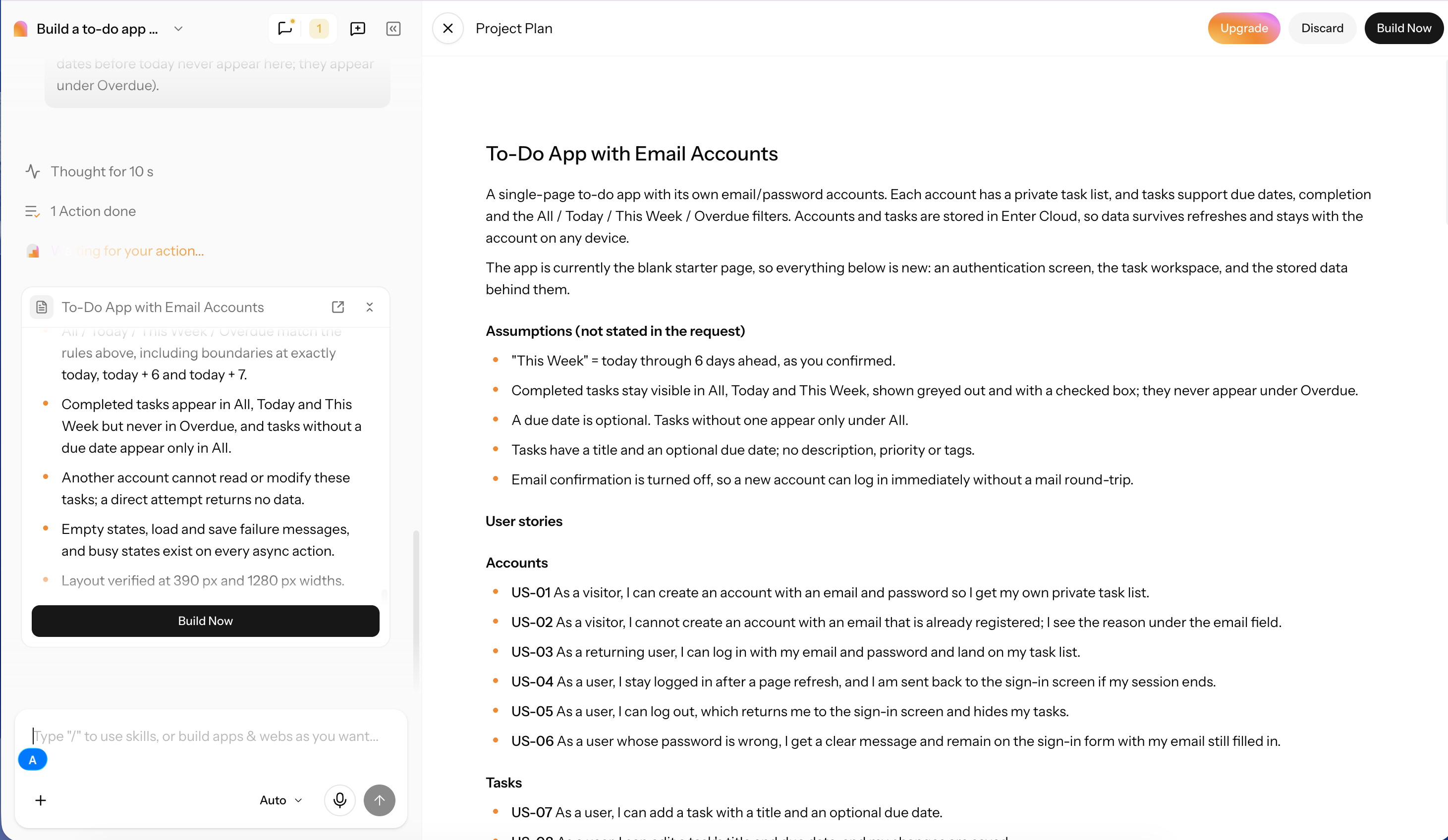
Founders and small teams who build an MVP with the AI MVP builder in Enter Pro still need test cases before launch. Enter Pro's Plan Mode lays out the pages, user roles, and data structure before any code is generated, which gives you ready-made user stories to write test cases from. Once the app is built, you can run each case in the live preview, describe failures in chat, and roll back with version history if a fix breaks something else.
Build and Test Your App with Enter Pro →
H3: How to write and run test cases for an Enter Pro app
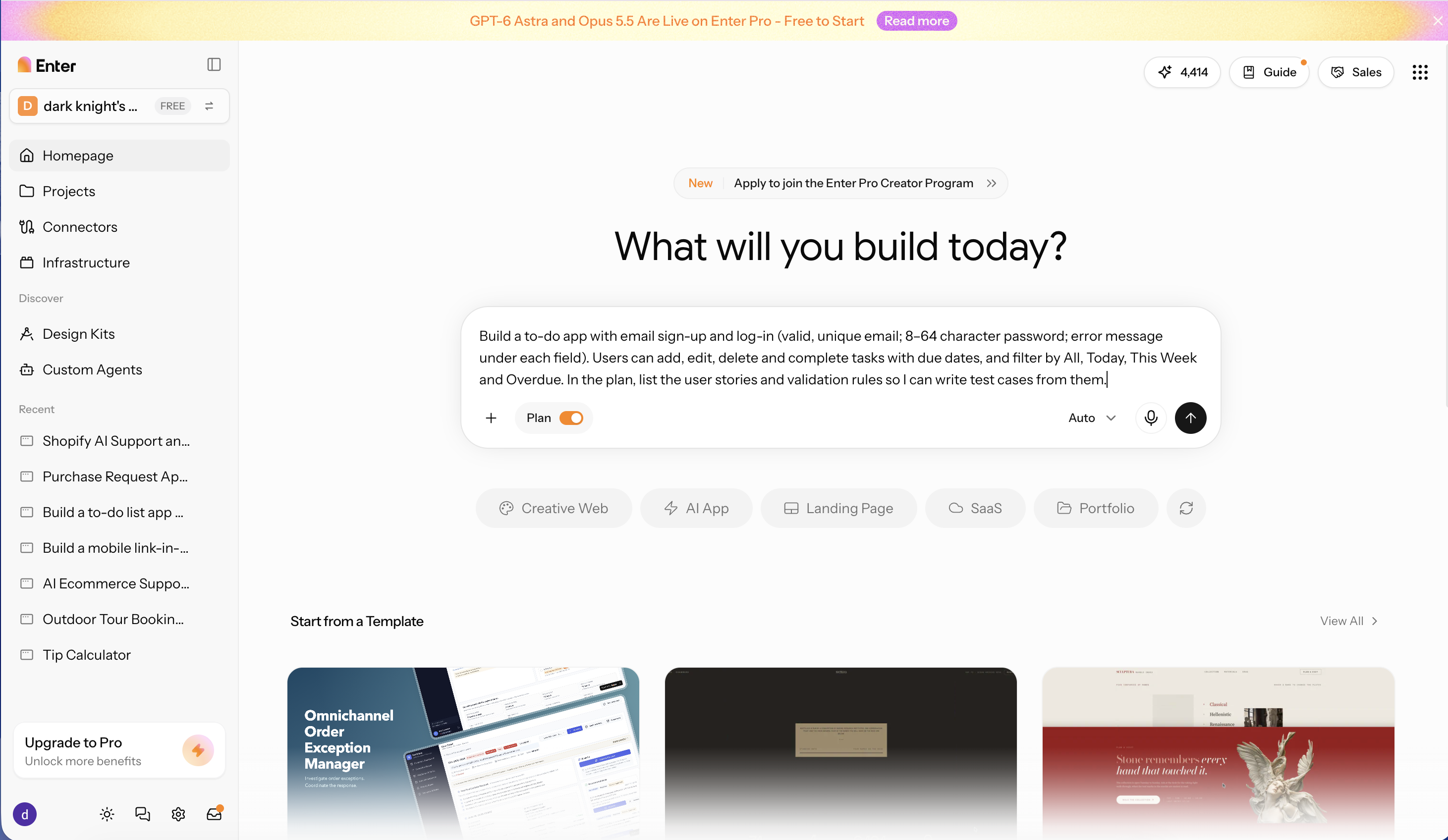
Step 1: Describe the app and review the plan
Describe the app, for example, a to-do app with sign-up, due dates, and a filter by due date. Copy the user stories and rules from the plan into your test case template.
Step 2: Write test cases from the plan, then generate the app
Write positive, negative, and boundary cases for each story in the plan, such as sign-up, log-in, and adding a task, then generate the app.
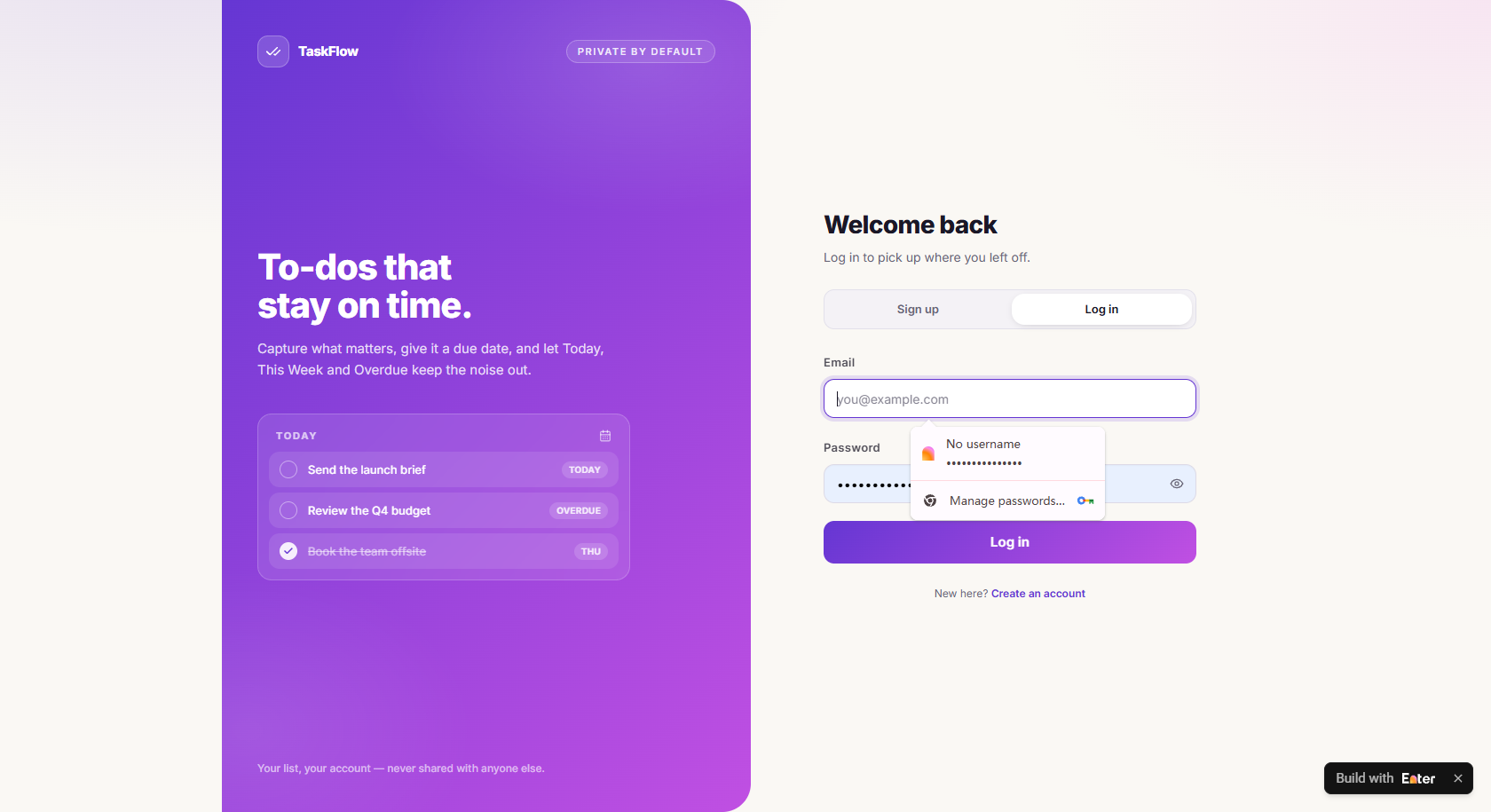
Step 3: Run the cases in the preview and fix what fails
Run each case in the live preview at desktop, tablet, and phone widths and record the results. Describe each failure in chat, or fix text and layout in the visual editor, and use version history to roll back if a fix breaks something.
Build and Test Your App with Enter Pro →
H2: Conclusion
Learning how to write test cases comes down to three habits: one behavior per case, exact test data, and an expected result anyone can check. Start from the requirement, list your scenarios, add boundary and negative cases, and get a second person to review before the suite grows. AI can draft cases in seconds, but every one still needs a human check against the requirement. You can build your own MVP with Enter Pro, use the plan it creates as your list of user stories, and test every flow in the preview before you publish. Try it today!
H2: FAQs about how to write test cases
H3: Where should a beginner start when writing test cases?
Start with one user story and its acceptance criteria. Write one positive case for the main flow, then add negative and boundary cases using the standard template fields: ID, title, preconditions, steps, test data, and expected result.
H3: What are the 5 steps to write a test case?
A common short version is: read the requirement, identify the scenario, write the steps with exact test data, define the expected result, and review the case with someone else. The 7-step method above adds design techniques, priority, and reporting.
H3: What is the standard format of a test case?
Most teams use an ID, title, linked requirement, priority, preconditions, numbered steps, test data, expected result, actual result, status, and environment. ISO/IEC/IEEE 29119-3 is the international standard for test documentation, including test case specifications.
H3: What is the difference between a test case and a test scenario?
A test scenario is a high-level situation to check, such as "check the sign-up flow." A test case is one exact check within it, with defined steps, data, and an expected result, such as "reject an email that is already registered."
H3: Who writes test cases?
QA testers usually write and maintain them, but developers often write unit-level cases, and business analysts or product owners help define acceptance criteria. In small teams, whoever builds the feature often writes the first set. With AI-powered development platforms like Enter Pro, teams can also streamline feature development and make it easier to refine and validate applications throughout the development process.
H3: How detailed should a test case be?
Detailed enough that someone new can run it the same way and reach the same result, but no more. Leave out steps that don't affect the outcome, and split a case if it starts checking more than one behavior.
H3: Can AI or ChatGPT write test cases?
Yes, AI tools can draft test cases quickly from a requirement or user story and suggest edge cases you might miss. They can also misread rules or invent behavior, so a person should review every case against the requirement before it's used. AI-powered development platforms like Enter Pro can further simplify the development workflow by helping teams build and refine applications, making it easier to turn requirements into functional features that can be tested and improved.
H3: Are test cases still needed in Agile teams?
Yes, though they're often lighter. Many Agile teams write acceptance criteria as Given/When/Then scenarios, automate the repetitive checks, and keep a small set of manual cases for exploratory and regression testing.