

10 Best AI for Programming: Coding Tools I Tested on Real Projects
Looking for the best programming AI? I tested 10 AI coding tools on the same real tasks, including Claude Code, Cursor, Enter, and Copilot. See what they cost.
Every AI coding tool looks brilliant in a demo. The real test is a messy codebase, a failing test, and a deadline that won't move. As someone who has tested more than 100 AI tools, I ran 10 of the most popular options through the same six programming jobs on the same project, reset the code to the same starting point between runs, and scored every result the same way.
The top of the list turned out closer than I expected: Claude Code and Cursor tied at 28 out of 30, with Enter just one point behind. Below, you'll find what AI programming tools actually do, how I tested them, the best AI for programming by use case, which AI model is strongest for code right now, and how to pick the one that fits the way you already work.
What Is AI Programming?
AI programming means using AI tools to write, explain, test, and fix code. You describe what you need in plain language, and the tool suggests code, edits files, runs commands, or even builds a whole app. Under the hood, a large language model trained on huge amounts of code predicts what should come next, while the tool around it decides what that model can see and touch. So the best AI for programming depends less on raw brainpower and more on how you work: inside your editor, in the terminal, or in the browser.
I saw this play out in my own testing. The tools that read the whole repo and ran the test suite before answering did far better on connected, multi-file changes than tools that mostly looked at the file in front of them.
Types of AI Tools for Programming
Most AI tools for programming fall into five groups. Knowing which group you need narrows the choice fast.
- In-editor assistants: autocomplete and chat inside the IDE you already use, such as GitHub Copilot, Amazon Q Developer, and Gemini Code Assist.
- AI-native editors: a full editor built around an agent, such as Cursor, Devin Desktop, and Google Antigravity.
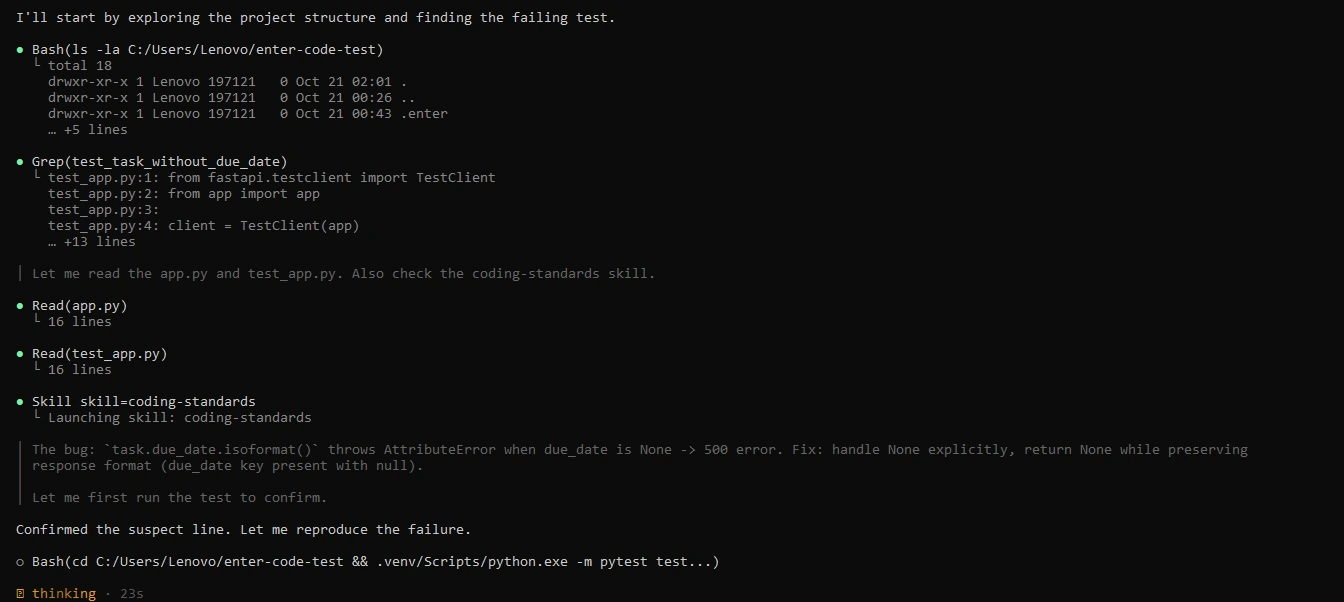
- Terminal agents: tools that read the repo, plan, edit files, and run tests from the command line, such as Claude Code, Codex CLI, and Enter Code.
- Browser and app builders: tools that build and host a whole app from a prompt, such as Replit and Enter Pro.
- Code review and testing tools: tools that check pull requests and write tests, such as Qodo and CodeRabbit.
One quick note on wording. "Programming AI" can also mean writing AI software yourself, where Python is the usual language. This article is about AI tools that help you program, and the language question gets a short answer in the FAQ at the end.
Best AI Tools for Programming at a Glance
Here's the short version: the best AI tools for programming 2026 has to offer, ranked by their total score in my test. Prices were checked on each vendor's pricing page in October 2026.
| Tool | Best for | Where it runs | Starting price | My score (out of 30) |
|---|---|---|---|---|
| 1. Claude Code | Large codebases and multi-step tasks | Terminal, IDE, desktop app, web | Claude Pro, $20 per month ($17 billed annually) | 28 |
| 2. Cursor | AI-first editing across many files | Own editor (VS Code based) | Free plan; Plus $8 per month; Premium $30 per month | 28 |
| 3. Enter (Enter Code + Enter Pro) | A terminal agent plus building full apps | Terminal and browser | Free credits to start; one credit balance for both | 27 |
| 4. GitHub Copilot | Pair programming in your current IDE | VS Code, JetBrains, and more | Free plan; Pro $10 per month | 26 |
| 5. OpenAI Codex | OpenAI-first developers and cloud tasks | ChatGPT, CLI, IDE | Included in ChatGPT Plus, $20 per month | 25 |
| 6. Google Antigravity / Gemini Code Assist | Google Cloud and Gemini users | Desktop app, IDE plugins | Free tier; Google AI Pro $20 per month | 24 |
| 7. Devin Desktop (formerly Windsurf) | Agent-led editing in an AI-native editor | Own editor | Free plan; Pro $20 per month | 23 |
| 8. Amazon Q Developer | AWS projects | IDE, CLI, AWS console | Free tier; Pro $19 per user per month | 23 |
| 9. Replit | Beginners and coding in the browser | Browser | Core $20 per month ($18 billed annually) | 22 |
| 10. Tabnine | Private or air-gapped teams | IDE plugins, self-hosted | $39 per user per month, billed annually | 22 |
How I Tested the Best Programming AI
Comparing AI coding tools with unrelated prompts tells you very little. A tool can shine on a fresh landing page and still stumble when it has to change an existing backend. So every tool got the same project, the same six jobs, and the same 1 to 5 score for each criterion.
- Tester: an AI tools reviewer who has tested more than 100 AI products.
- Test setup: Windows 10 with Python 3.15, Node.js 24, VS Code, and Git.
- Test project: a task-tracking app with a FastAPI backend, a React frontend, and automated tests. It covers task creation, status updates, due dates, and a small API layer between the frontend and the database.
- Fair starting point: every tool started from the same repository, and I restored that baseline between runs, so one agent's changes never affected the next tool's result.
- Models: where a tool let me choose, I recorded the model next to the result. Tools with automatic model selection ran on their default setup.
The Six Test Tasks
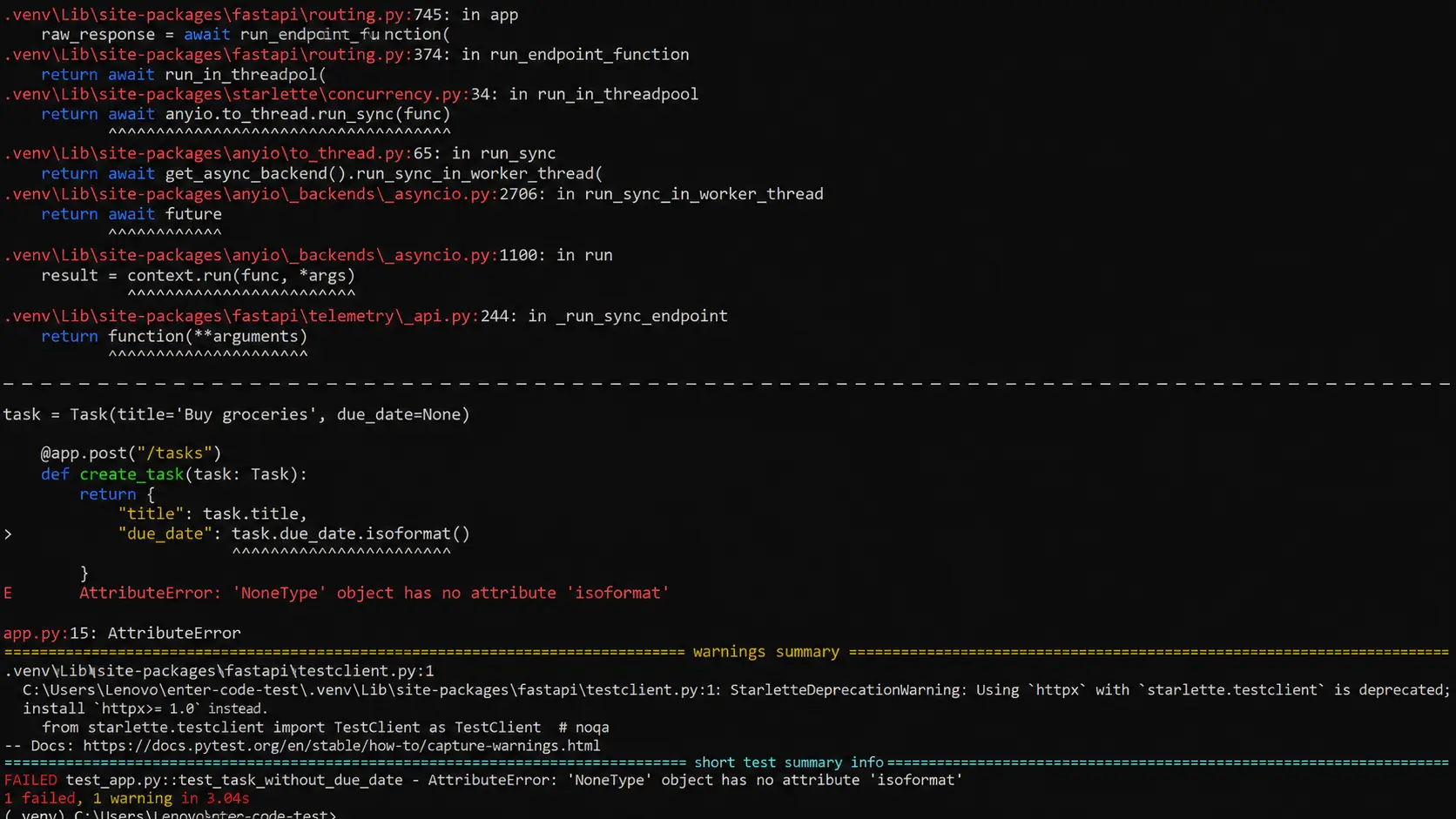
- Fix a bug from a failing test. A backend test failed when a task had no due date. The prompt was short on purpose: "A test fails when a task has no due date. Investigate the cause, fix the bug, and rerun the relevant tests." The tool had to work from the evidence, not from a file name and line number.
- Add a feature that touches three or more files. CSV export for tasks, which needed a FastAPI endpoint, a download button in the frontend, correct CSV formatting, and tests for the new behavior.
- Write unit tests for an untested function. A task-priority helper, where good tests also had to cover empty values, invalid priorities, and boundary cases.
- Explain an unfamiliar module and write short docs for it. The tool had to describe what an existing backend module does, name its dependencies, and write concise documentation.
- Refactor a data model. Rename a task field across the API, the frontend, the validation logic, and the tests without leaving old references behind.
- Build a small app from one prompt. For the app builders only: PawRoute, a dog-walking booking app with client and owner accounts, dog profiles, availability, booking controls, and invoices. Data and sign-in had to actually work, not just appear in a preview.
Scoring Criteria
- Correctness: did the changes pass the relevant checks without heavy manual repair?
- Codebase awareness: did it find the right files and understand the dependencies?
- Speed: how much time and effort did it take to reach a usable result?
- Control and safety: could I see the changes, approve commands, and roll back easily?
- Cost and limits: how efficient was the usage, and how restrictive were the plan limits?
- Workflow fit: how naturally did it work in the environment it's built for?
Test Results
| Tool | Correctness | Codebase awareness | Speed | Control |
|---|---|---|---|---|
| Claude Code | 5 | 5 | 4 | 5 |
| Cursor | 5 | 5 | 5 | 4 |
| Enter | 5 | 4 | 4 | 5 |
| GitHub Copilot | 4 | 4 | 5 | 4 |
| OpenAI Codex | 5 | 4 | 4 | 4 |
| Google Antigravity / Gemini Code Assist | 4 | 4 | 4 | 4 |
| Devin Desktop | 4 | 4 | 4 | 4 |
| Amazon Q Developer | 4 | 4 | 3 | 5 |
| Replit | 4 | 3 | 4 | 3 |
| Tabnine | 4 | 4 | 3 | 5 |
These are workflow scores from my own testing, not standardized benchmark percentages. They help organize the comparison, but they don't replace the details: a tool built for AWS can be worth more to an AWS engineer than a higher-ranked general-purpose editor.
The 10 Best AI for Programming in 2026 (Tested)
The tools are ranked by their total score across the six criteria. Each entry says who it suits best, so the right pick for you may well sit lower on the list.
1. Claude Code: Best for Large Codebases and Multi-Step Tasks
URL: https://www.claude.com/product/claude-code
Claude Code is Anthropic's coding agent. It reads your repository, plans a change, edits files, and runs tests and shell commands. You can use it in the terminal, through VS Code and JetBrains extensions, in a desktop app, or on the web. By default, it asks before it edits files or runs commands, and you decide how much freedom to give it.
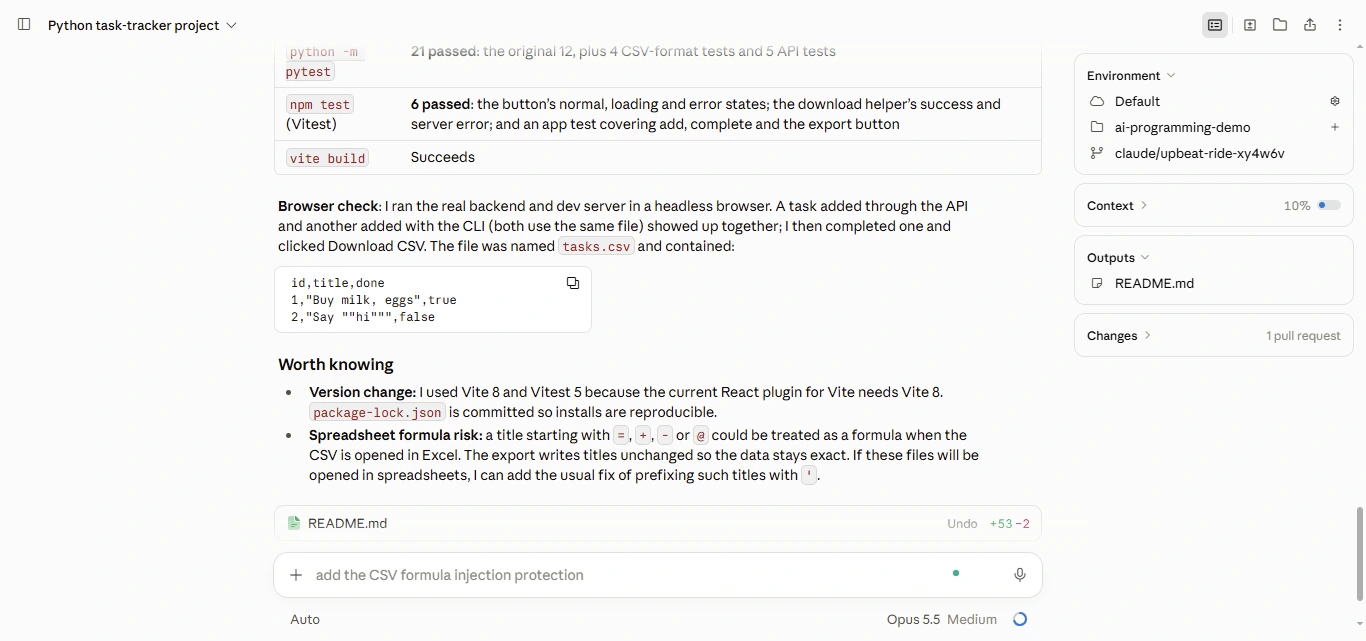
In my test, it was strongest whenever a request meant tracing dependencies before editing. On the CSV export, the hard part isn't writing the endpoint. It's seeing that the backend, the frontend, the CSV format, and the tests all have to agree, and Claude Code planned and checked the change as one connected job. The field rename went the same way. That earned it 5 out of 5 for correctness, codebase awareness, control, and workflow fit.
- What stood out: multi-file changes, complex refactors, and debugging, with clear permissions that matter in repos holding deployment scripts or credentials.
- Where it slowed down: heavy agent use counts against plan limits, so developers on large projects may need a higher tier or API billing.
- Pricing: included with Claude Pro ($20 per month, or $17 per month billed annually), Max (from $100 per month), and Team plans (Standard seat $25 per month, or $20 billed annually). API billing is also available.
2. Cursor: Best for AI-First Editing Across Many Files
URL: https://cursor.com
Cursor is a VS Code-based editor with AI built into every corner of it: Tab autocomplete, chat that understands the whole project, an agent that makes and tests multi-file changes, and cloud agents that work in the background. If you already live in VS Code, the switch takes minutes.
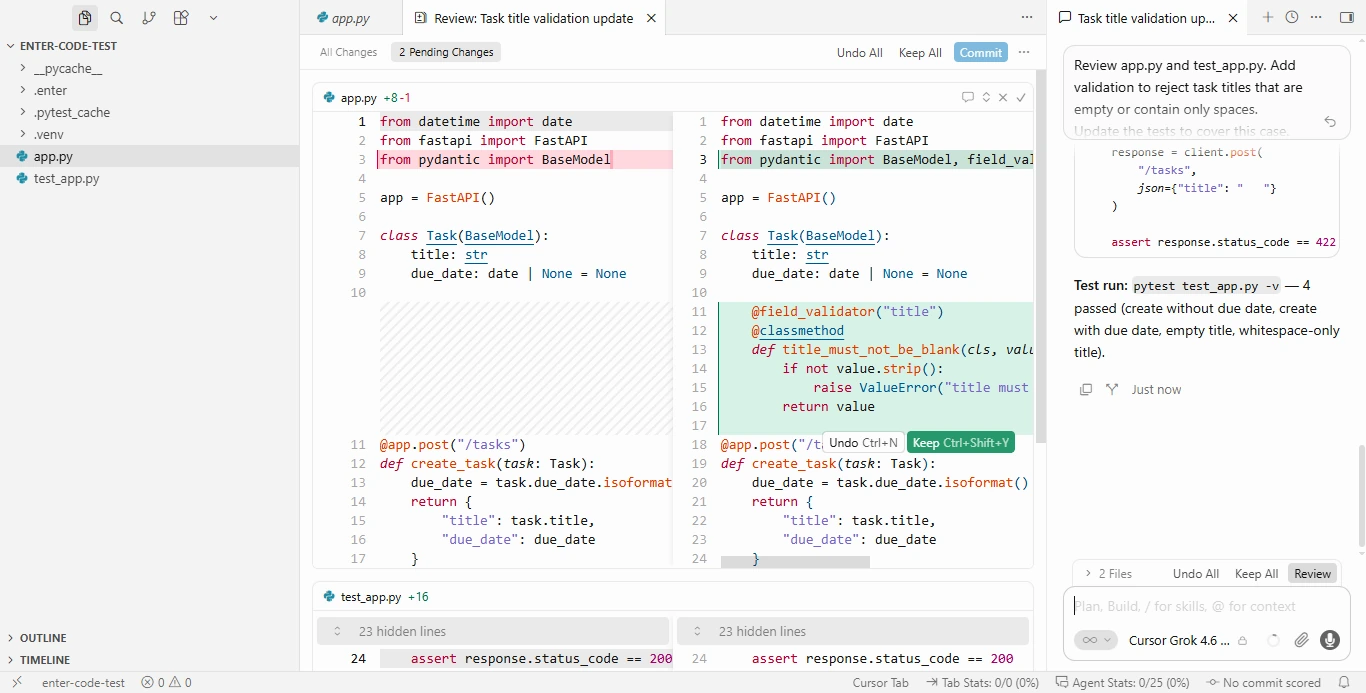
Cursor tied Claude Code at 28 and was the only one of the two to score a full 5 for speed. The CSV export and the refactor suited it well, because I could move between frontend components, backend files, and tests while seeing exactly what changed in each one. Its autocomplete also kept paying off during ordinary typing, which makes it a practical daily editor rather than a tool you open only for big AI tasks.
- What stood out: speed, clear diffs you can accept or reject piece by piece, and strong autocomplete.
- Where it slowed down: picking Claude or GPT models costs extra on top of the plan, so check how your model choice is billed.
- Pricing: Free; Plus $8 per month (Grok models only); Premium $30 per month; Super $100 per month; Ultra $200 per month; Teams from $30 per user per month.
3. Enter (Enter Code + Enter Pro): Best for a Terminal Agent Plus Building Full Apps
URL: https://enter.converge.ai/code
Enter covers two kinds of work that most tools split apart: maintaining an existing codebase and building a new app from an idea. Enter Code handles the first in your terminal, and Enter Pro handles the second in the browser, on one account and one credit balance.
Enter Code is a terminal AI agent. You install it with npm, run enter in your project, sign in through the browser, and it reads the codebase, explains modules, plans changes, edits files, and runs tests. It plans before it acts, asks for permission before running commands, shows the diff, and keeps your code on your machine; only the conversation goes to the cloud. Four features make it more than a code generator:
- Skills: Markdown files with your coding conventions, architecture choices, and testing rules, which the agent reads before every task.
- Memory: your framework, naming patterns, and key decisions, kept between sessions so you never re-explain the project.
- Rewind: a checkpoint on every file change, so one command restores both the code and the conversation.
- MCP: connections to issue trackers, databases, and other outside tools.
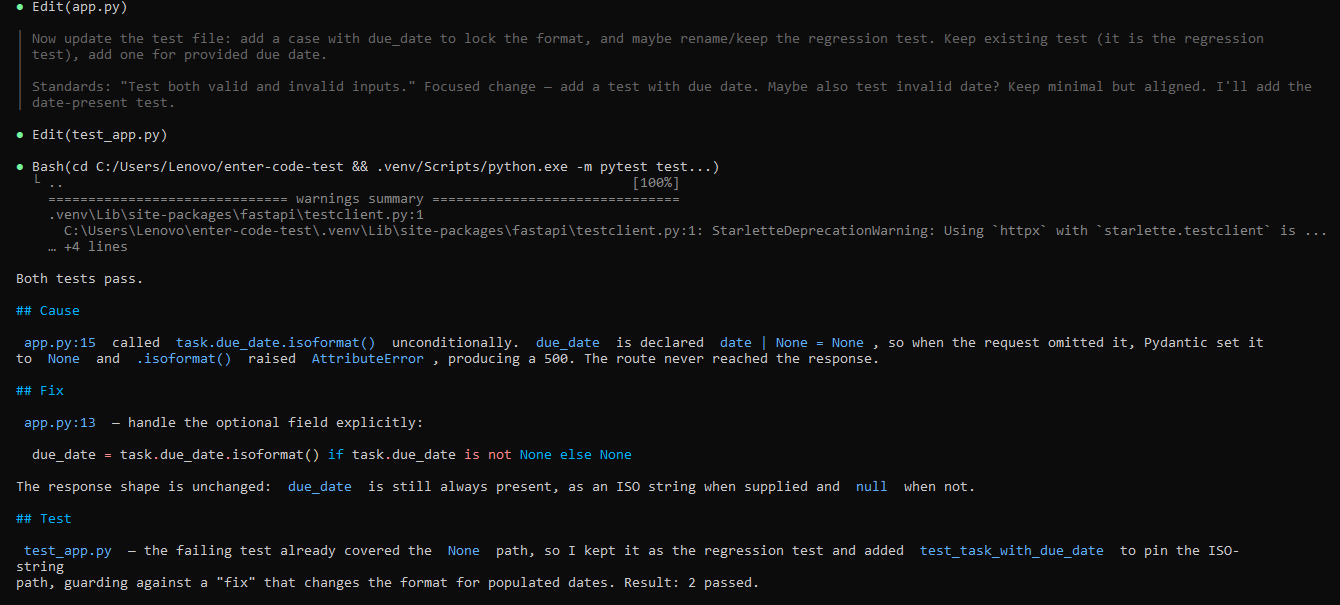
The bug fix, the tests, the docs, and the multi-file feature all lined up well with how Enter Code works, and it scored a full 5 for correctness, control, and workflow fit. Setting up a Skills file before the run paid off: the project's rules for tests and error handling carried from one task to the next without me repeating them. Git worktree support also kept experimental changes away from the main working copy.
Enter Pro took on the PawRoute build. Plan Mode laid out the accounts, dog profiles, availability, bookings, and invoices before any code was generated, and Enter Cloud supplied the PostgreSQL database, authentication, storage, and functions behind them. That plan-first flow is exactly what a booking app needs, because the data rules matter more than the homepage.
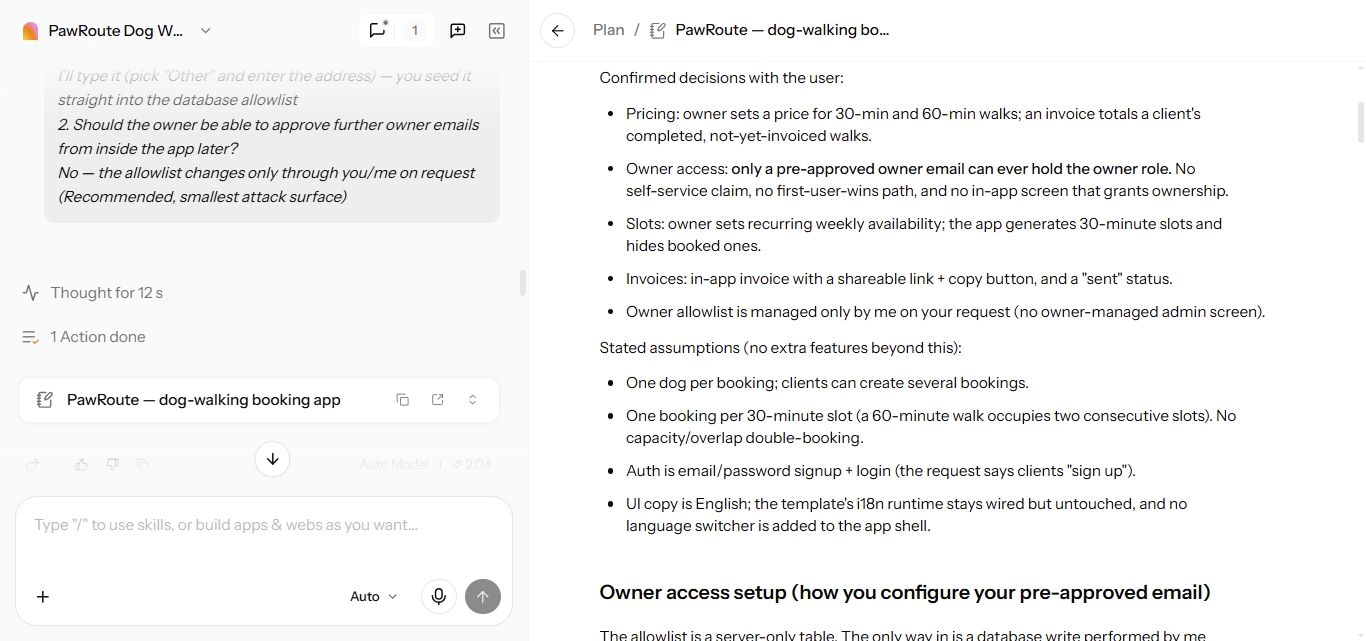
- What stood out: one account for a capable terminal agent and a full-stack app builder, team rules that stick through Skills and Memory, and safe experimenting with Rewind.
- Best fit: developers who move between existing repos and new products, and teams where founders or product people also need working apps.
- Pricing: free to start with credits, shared between Enter Code and Enter Pro. Paid plans are on the Enter pricing page.
4. GitHub Copilot: Best for Pair Programming in Your Current IDE
URL: https://github.com/features/copilot
Copilot is the most widely used AI coding assistant, and it's the easiest one to roll out to a team that already lives on GitHub. It works inside VS Code, JetBrains IDEs, and other editors, with autocomplete, chat, an agent mode for multi-step edits, and a cloud coding agent that can pick up an issue and open a pull request.
Copilot scored 5 for speed and workflow fit, since you keep your editor, extensions, and shortcuts. It was at its best on smaller, clearly defined jobs such as the unit tests. On the bigger multi-file changes, agent mode got there, but it needed more direction than the top three.
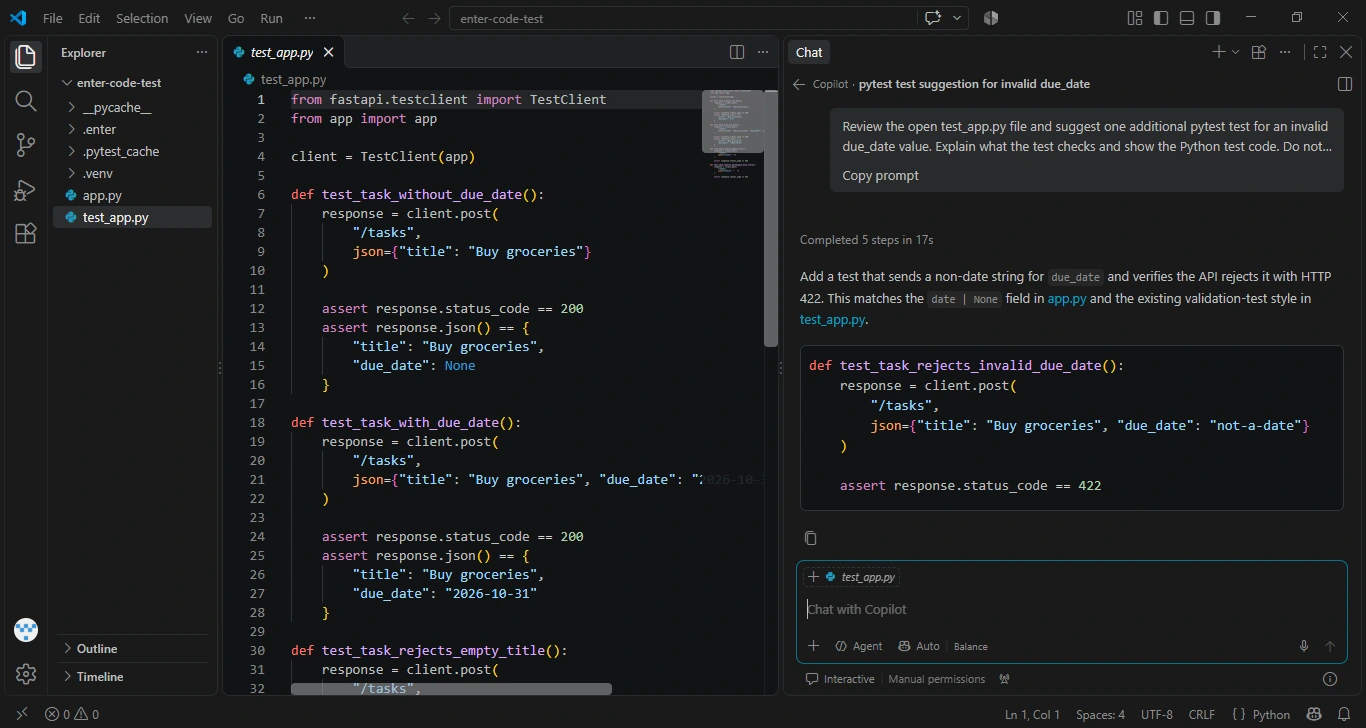
- What stood out: quick, low-friction autocomplete, tight GitHub integration, and a free plan that's genuinely usable.
- Where it slowed down: chat, agent mode, code review, and premium models are metered with AI credits, so keep an eye on usage.
- Pricing: Free (2,000 completions and 50 chat requests per month); Pro $10 per month; Pro+ $39 per month; Max $100 per month. Business and Enterprise pricing is handled through GitHub sales.
5. OpenAI Codex: Best for OpenAI-First Developers and Cloud Tasks
Codex is OpenAI's coding agent. You can use it inside ChatGPT, from a command-line tool, or through IDE extensions. It plans a task, runs commands, iterates, and hands the changes back for your approval before anything lands.
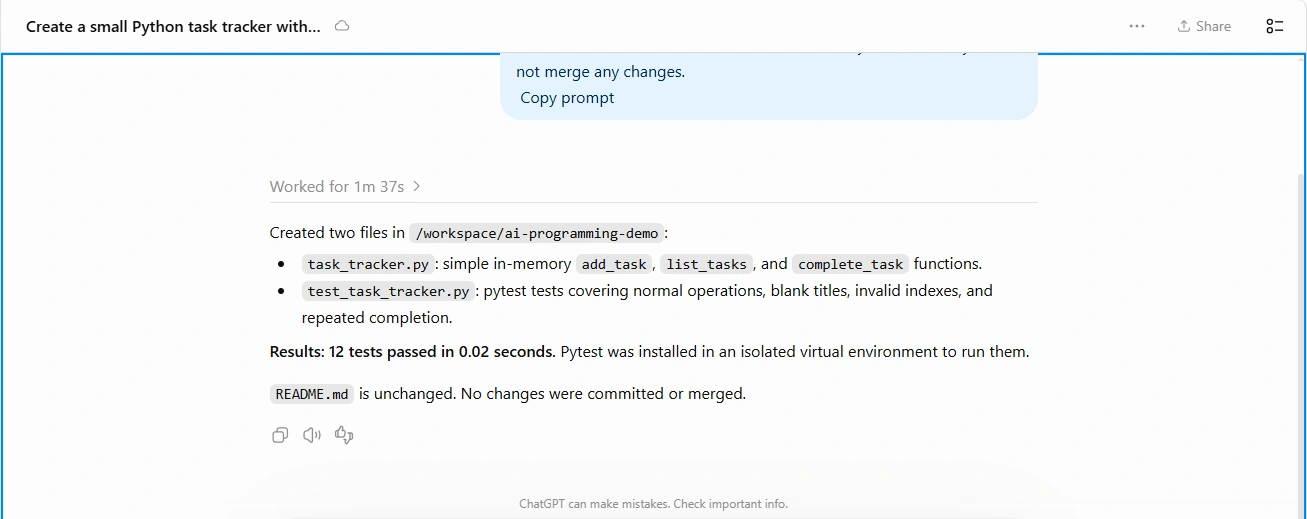
Its best trick is delegation. I could hand off the unit tests and the docs as separate cloud tasks and review the finished work afterward, instead of watching every step. Codex scored a full 5 for correctness and did best on the bug fix and test writing, where the acceptance criteria were clear. The tighter the task description, the easier its work was to review.
- What stood out: delegated cloud tasks, debugging, test generation, and access to OpenAI's newest models, including GPT-6 Astra.
- Where it slowed down: plan limits and cloud-task usage can cap how many jobs you run in a long session.
- Pricing: included with ChatGPT Plus ($20 per month) and Pro ($200 per month). Business and Enterprise workspaces use credit-based pricing, and API pricing varies by model.
6. Google Antigravity / Gemini Code Assist: Best for Google Cloud and Gemini Users
URL: https://antigravity.google
Google has two products here, and it's easy to mix them up. Antigravity is Google's agent app for writing software. It launched in November 2025 as a VS Code-based editor, and version 2.0 arrived in May 2026 as a standalone desktop app. Gemini Code Assist is the older option: plugins that add Gemini chat and completions to the IDE you already use.
Gemini handles very large amounts of context, and that showed on the module explanation task. The goal there wasn't to summarize one file but to explain how it connects to the rest of the app, and it did that well. It scored an even 4 across all six criteria: solid everywhere, without a standout category.
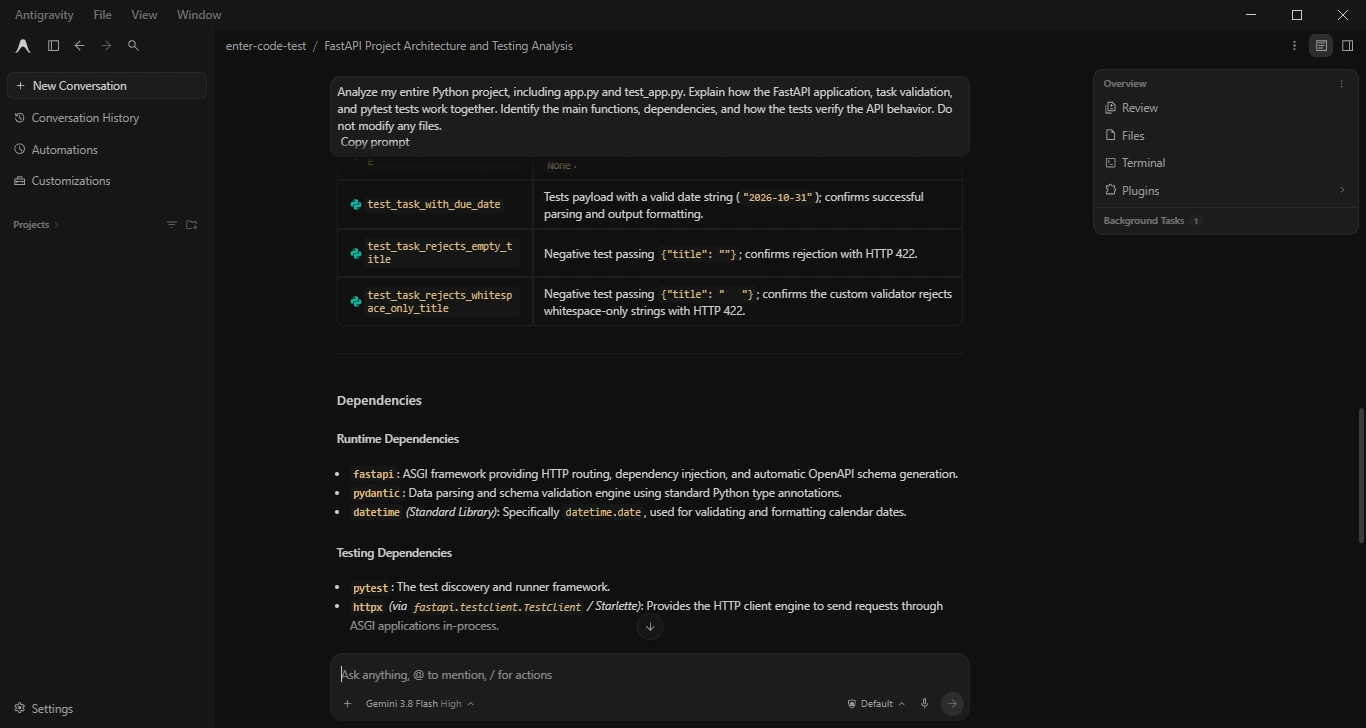
- What stood out: whole-repo explanations, documentation, and a free tier that's useful for trying agent workflows.
- Where it slowed down: Google doesn't publish a number for the free weekly quota, and model options differ between free and paid plans. Claude 4.6 models leave the free tier on November 2, 2026.
- Pricing: Antigravity comes with Google's AI plans: free with weekly rate limits, Google AI Pro at $20 per month, and Google AI Ultra at $100 or $200 per month. Business plans through Google Cloud start at $30 per seat per month.
7. Devin Desktop (formerly Windsurf): Best for Agent-Led Editing in an AI-Native Editor
URL: https://windsurf.com
If you're searching for Windsurf, you're in the right place. The editor first known as Codeium, then Windsurf, was renamed Devin Desktop on June 2, 2026. It's a VS Code-based editor that pairs workspace-wide Tab completions with an agent that plans and runs multi-step changes, and its local agent mode keeps project context from one session to the next.
The field rename was a good fit for it. Renaming a field means more than changing the declaration: the API, the frontend references, and the tests all have to follow, and the agent worked through those related changes without me opening every file. Workflow fit was its only score below 4.
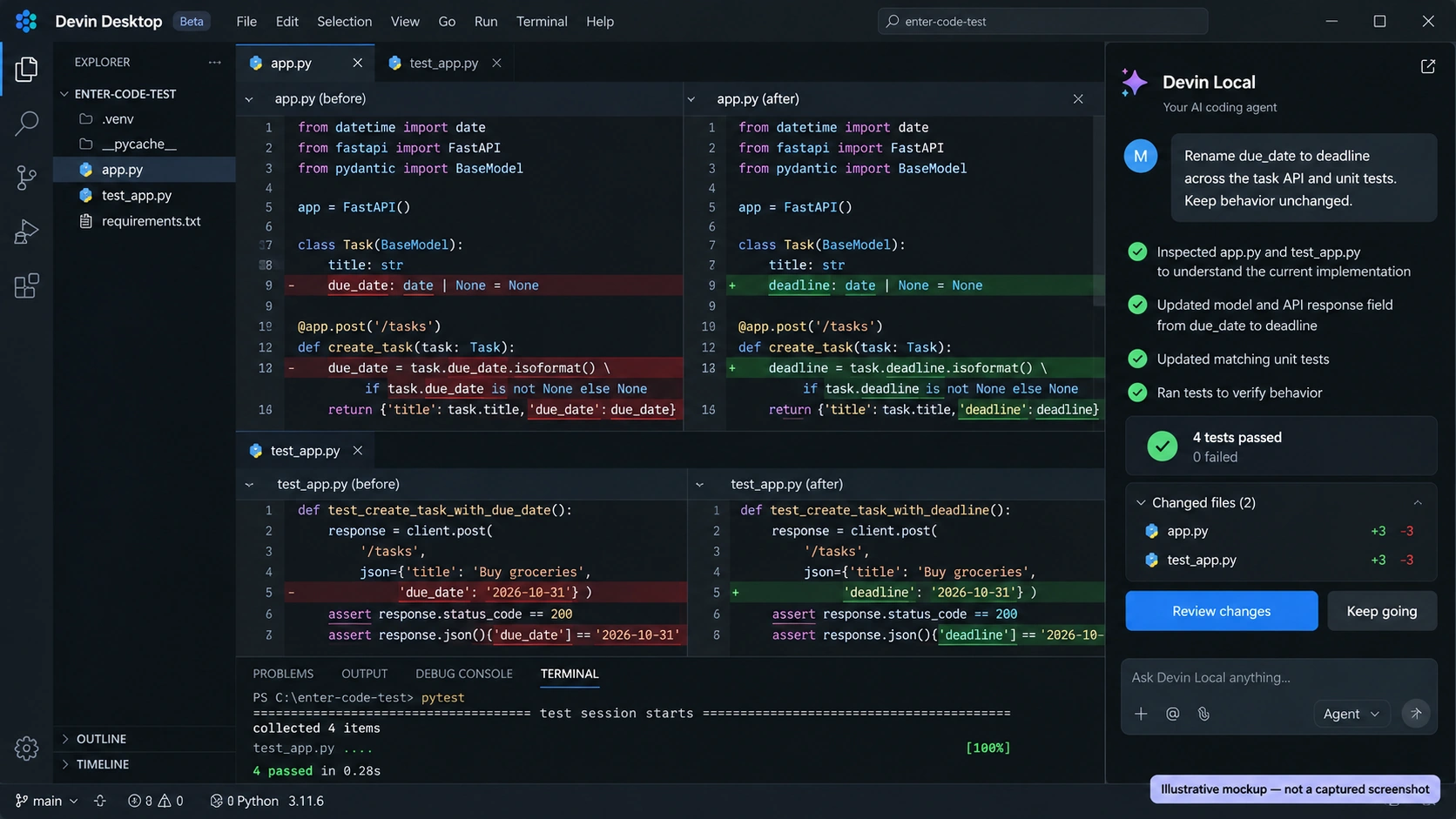
- What stood out: a familiar editor with an agent-first workflow, and project context that carries between sessions.
- Where it slowed down: older tutorials still use the Windsurf or Codeium names, so check that guides match the current app and plans.
- Pricing: Free; Pro $20 per month; Max $200 per month.
8. Amazon Q Developer: Best for AWS Projects
URL: https://aws.amazon.com/q/developer/
Amazon Q Developer replaced Amazon CodeWhisperer, so if an older list still names CodeWhisperer, it's out of date. Q Developer works in IDEs, on the command line, and inside the AWS console, with chat, agentic coding, security scanning, and code transformation for older Java and .NET projects.
Q scored a full 5 for control and safety, thanks to its security scanning and careful handling of changes. My test app isn't tied to AWS, though, which is why speed and workflow fit landed at 3. Its real advantage is platform context: on work involving Lambda, IAM, and other AWS services, it knows things a general assistant doesn't.
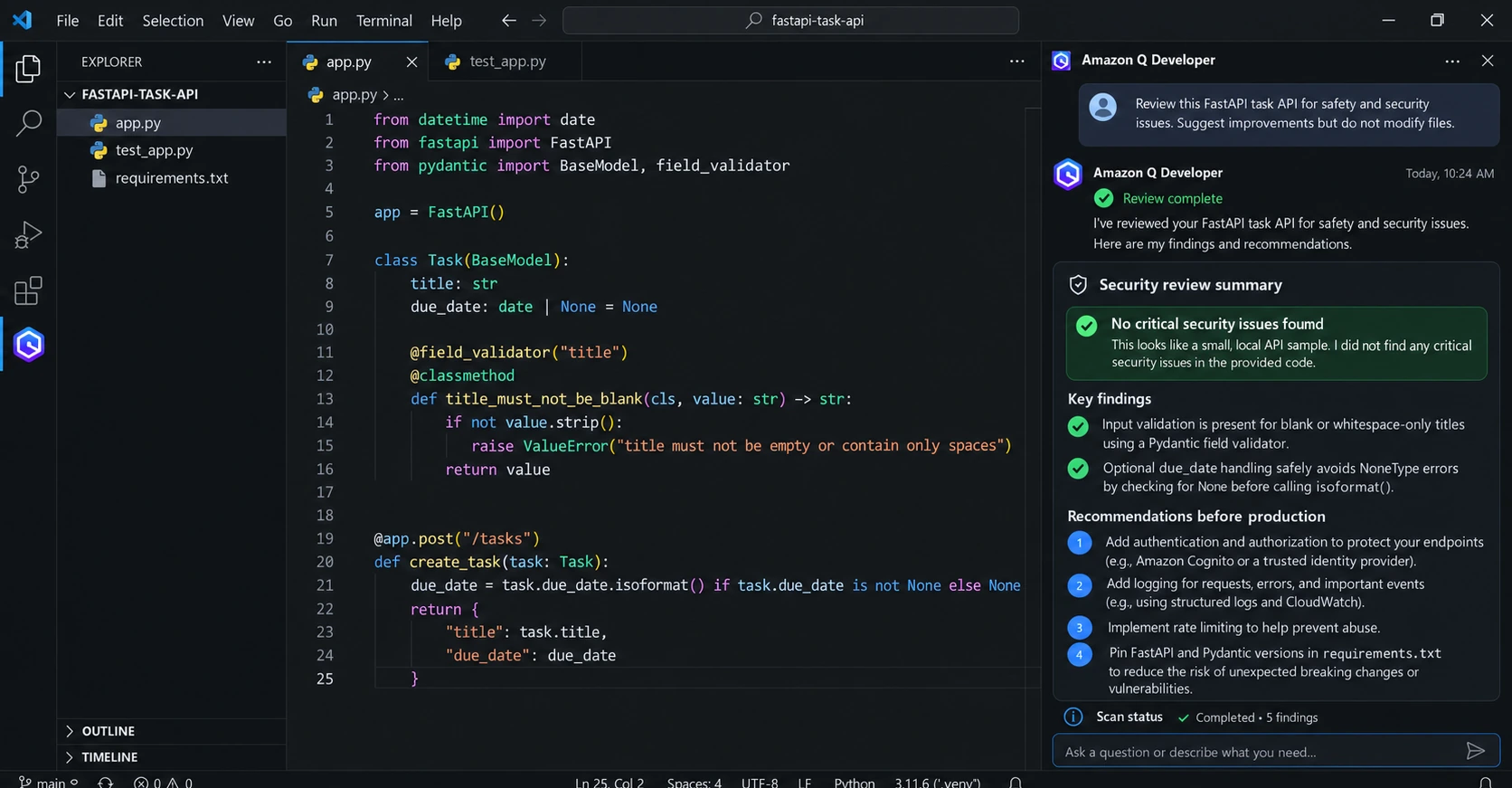
- What stood out: AWS-aware help, security scanning, and Java and .NET upgrade tools.
- Where it slowed down: the free tier includes only 50 agentic requests a month, and most of its edge depends on AWS work.
- Pricing: Free tier; Pro $19 per user per month, which adds higher limits, an admin dashboard, and IP indemnity.
9. Replit: Best for Beginners and Coding in the Browser
URL: https://replit.com
Replit puts the editor, an AI agent, a database, and hosting in one browser tab. There's nothing to install, which is a big deal if you're learning or working on a school laptop. Replit Agent can build a whole app from a prompt, and you can read and edit the code it wrote.
The PawRoute build suited Replit, because it's about creating a full app rather than changing one function in an existing repo, and it got a working structure up and hosted quickly. Working on my existing task-tracker was a different story. Codebase awareness and control both scored 3, so it's a better home for new projects than for large repos that live on your machine.
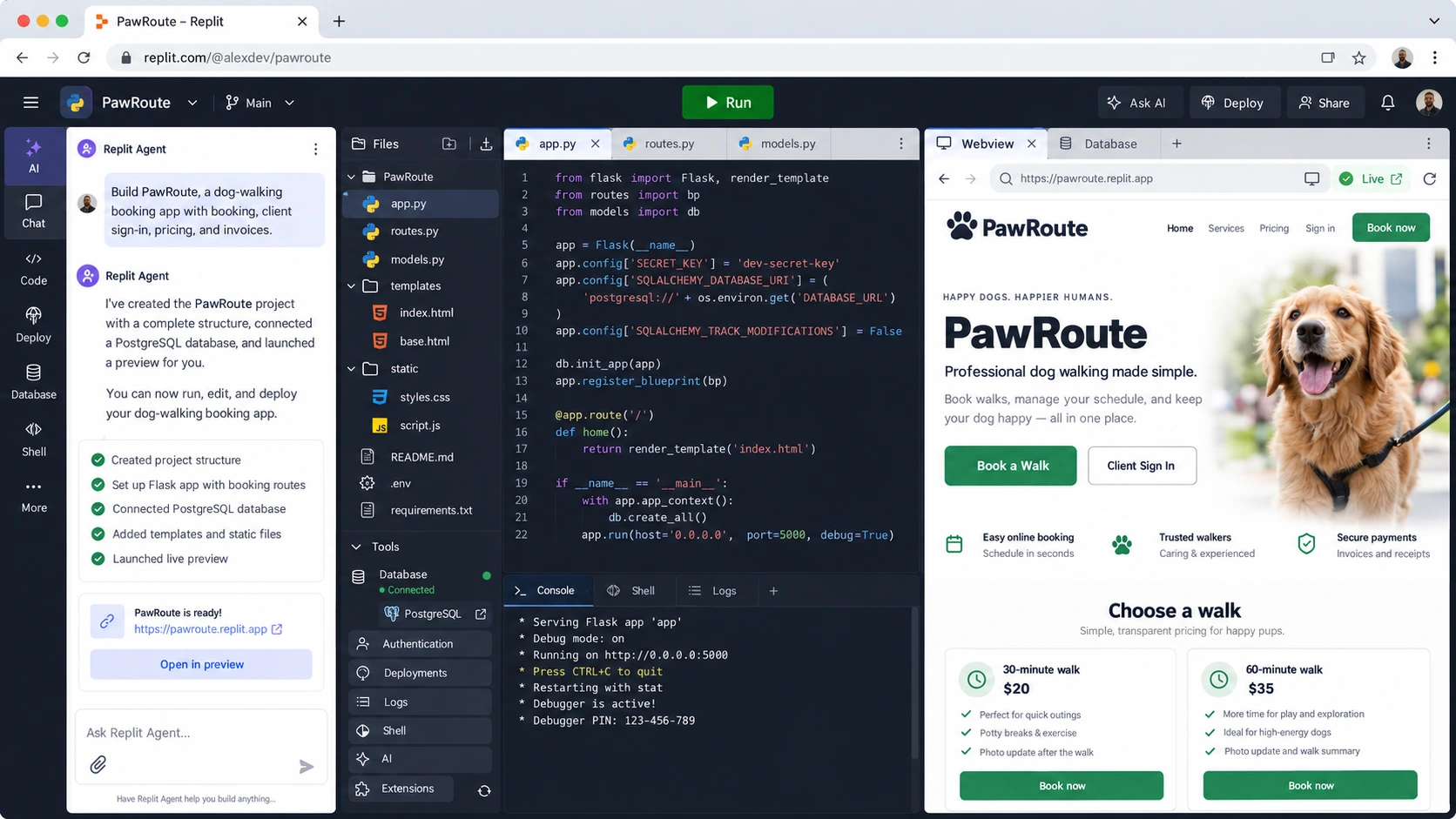
- What stood out: zero setup, instant hosting, and a gentle start for beginners.
- Where it slowed down: agent work is billed by effort, so bigger builds use noticeably more credits.
- Pricing: Core $20 per month ($18 billed annually); Pro $100 per month ($90 billed annually); Enterprise on request.
10. Tabnine: Best for Private or Air-Gapped Teams
Tabnine focuses on privacy and control. You can run it as SaaS, in your own virtual private cloud, on your own servers, or fully air-gapped. Its agents can also take a Jira issue, implement it, and check the code against the issue's requirements.
It scored a full 5 for control, which is the point of the product. Speed, cost, and workflow fit came in at 3, so a solo developer chasing the strongest agent will usually be happier elsewhere. But a company that can't send code to a public cloud has a different definition of the best AI for programming, and for that buyer, Tabnine is one of the few serious options.
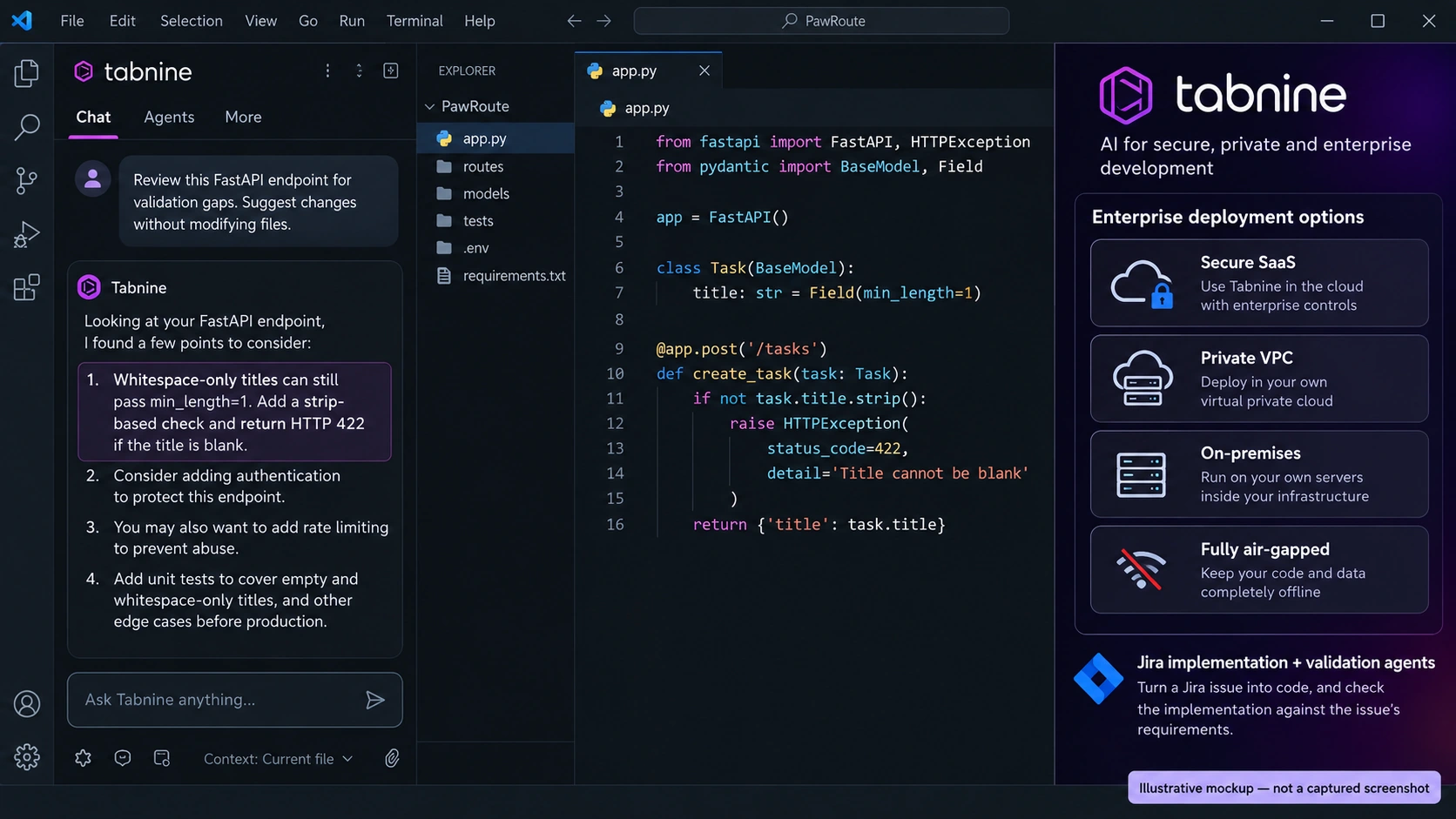
- What stood out: deployment options few rivals match, and admin controls built for regulated industries.
- Where it slowed down: it's priced and packaged for teams, and there's no long-term free plan.
- Pricing: Code Assistant Platform $39 per user per month; Agentic Platform $59 per user per month, billed annually.
Other AI Programming Tools Worth a Look
A few tools didn't make the main list because they do one narrower job, but they're worth knowing.
- Qodo and CodeRabbit: AI code review on pull requests, which catches problems before a human reviewer even opens the diff.
- Aider and Cline: open-source agents where you bring your own model and API key, which gives you full control over cost and data.
- ChatGPT, Claude, and DeepSeek chat apps: quick questions, explanations, and second opinions when you don't need an agent touching your files.
What Is the Best AI Model for Programming?
When people ask about the best AI for programming, they often mix up tools and models. The model writes and reasons about the code. The tool decides how that model works with your files, commands, tests, and editor. So the same model can behave quite differently in a chat box, an AI editor, or a terminal agent that checks its own changes.
Right now, Claude Opus 5.5 is the default pick in DataCamp's Best LLM for Coding ranking (September 2026), with Claude Fable 5.1 recommended for the longest and hardest agent tasks. Here's how the leading options compare.
| Model | Strong at | SWE-bench Pro | API price per 1M tokens (input / output) |
|---|---|---|---|
| Claude Opus 5.5 (Anthropic) | General agentic coding and complex software tasks | 89.90% | $4 / $20 |
| Claude Fable 5.1 (Anthropic) | Demanding, long-horizon agent work | 81.20% | $10 / $50 |
| GPT-6 Astra (OpenAI) | Advanced coding and technical reasoning | Not published | $10 / $50 |
| Gemini 3.8 Flash (Google) | High-volume, cost-efficient coding | 61.60% | $0.75 / $3.75 until Dec 31, 2026, then $1.50 / $7.50 |
| DeepSeek V4.1 Flash (open weights) | Low-cost API use and self-hosting | Not published | $0.15 / $0.60 off-peak, double at peak |
Two benchmark names come up a lot, so here's what they mean in plain words:
- SWE-bench Pro: can the model fix real issues taken from real GitHub projects, so that the project's tests pass?
- Terminal-Bench: can the model get work done inside a command line, such as installing packages, running scripts, and debugging?
Take every score with a pinch of salt. Many are reported by the companies that make the models, and different benchmark versions and agent setups produce different numbers for the same model. A well-built agent that understands your repo, follows your rules, and verifies its changes can beat a stronger model working without project context. That's why the tool matters as much as the model, and why features like Enter Code's Skills and Memory make a real difference in daily work.
How to Choose the Best AI for Programming
Start with where you already spend your day, not with the leaderboard. A brilliant tool you have to fight with every morning won't save you much time.
- You live in VS Code or JetBrains: start with GitHub Copilot. If you want a more agent-driven editor, try Cursor or Devin Desktop.
- You work in the terminal on large repos: Claude Code, Enter Code, or Codex CLI. Enter Code is especially handy when you want reusable coding rules, project memory, and checkpoints.
- You're on AWS or Google Cloud: Amazon Q Developer or Gemini Code Assist, since both understand their own platform best.
- You're learning to code: Replit, plus a chat assistant to explain what the code does and why.
- Your company can't send code to the cloud: Tabnine, with a self-hosted or air-gapped setup.
- You want an app, not code: Enter Pro builds a full web app from a description, backend included.
Before you pay, run two or three of my six tasks on your own project during a free plan or trial, starting every tool from the same files. An hour of real work tells you more about the best AI for programming in your setup than any review, this one included. Watch how much you have to fix afterward, whether the tool makes changes you didn't ask for, and how easily you can undo what it did.
How to Use Enter Code in Your Project
Enter Code works right inside your existing repository, so there's no need to move your project into a new editor. Here's how I set it up on the task-tracker for the debugging task.
Step 1: Install Enter Code
Make sure Node.js and npm are installed, then open a terminal and install Enter Code globally:
npm install -g @enter-pro/enter-code
This makes the enter command available in any project folder. It runs on macOS, Linux, and Windows.

Step 2: Run It in Your Project and Sign In
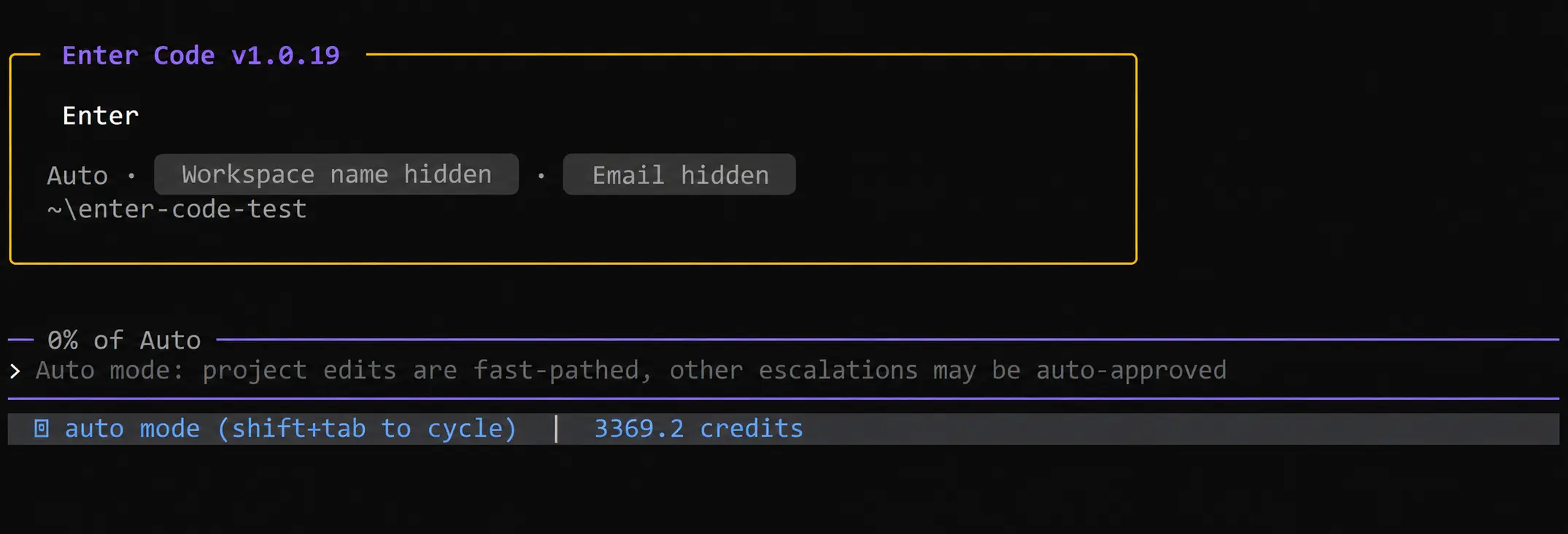
Move into your project folder and start the agent:
cd task-tracker
enter
Your browser opens so you can sign in with your Enter account. If you already use Enter Pro, it's the same account and the same credits. Back in the terminal, a good first prompt is one that changes nothing:
Analyze this project and explain its architecture. Identify the main backend routes, frontend components, data models, and test configuration. Do not modify any files yet.
Step 3: Add Your Coding Standards as Skills
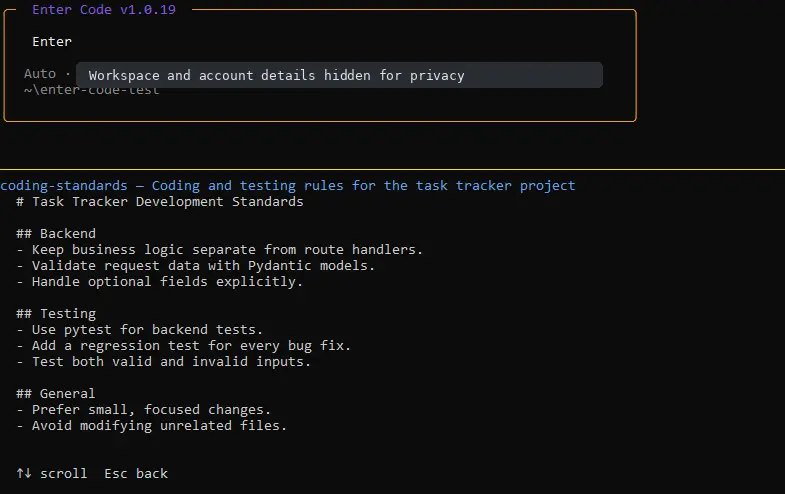
Write your conventions in a Markdown Skills file so you don't have to repeat them in every prompt. Here's a short version of the one I used:
# Task Tracker Development Standards

## Backend
- Keep business logic separate from route handlers.
- Validate request data with Pydantic models.
- Handle optional fields explicitly.

## Testing
- Use pytest for backend tests.
- Add a regression test for every bug fix.
- Test both valid and invalid inputs.

## General
- Prefer small, focused changes.
- Avoid modifying unrelated files.
Memory then carries project decisions between sessions, so you don't reintroduce the stack every time you come back.
Check before continuing: keep the rules short and specific. "Add a regression test for every bug fix" helps far more than "write good tests."
Step 4: Give It a Task and Review the Changes
Give it a concrete task with the symptom, the expected behavior, and how to verify it. This is the prompt I used:
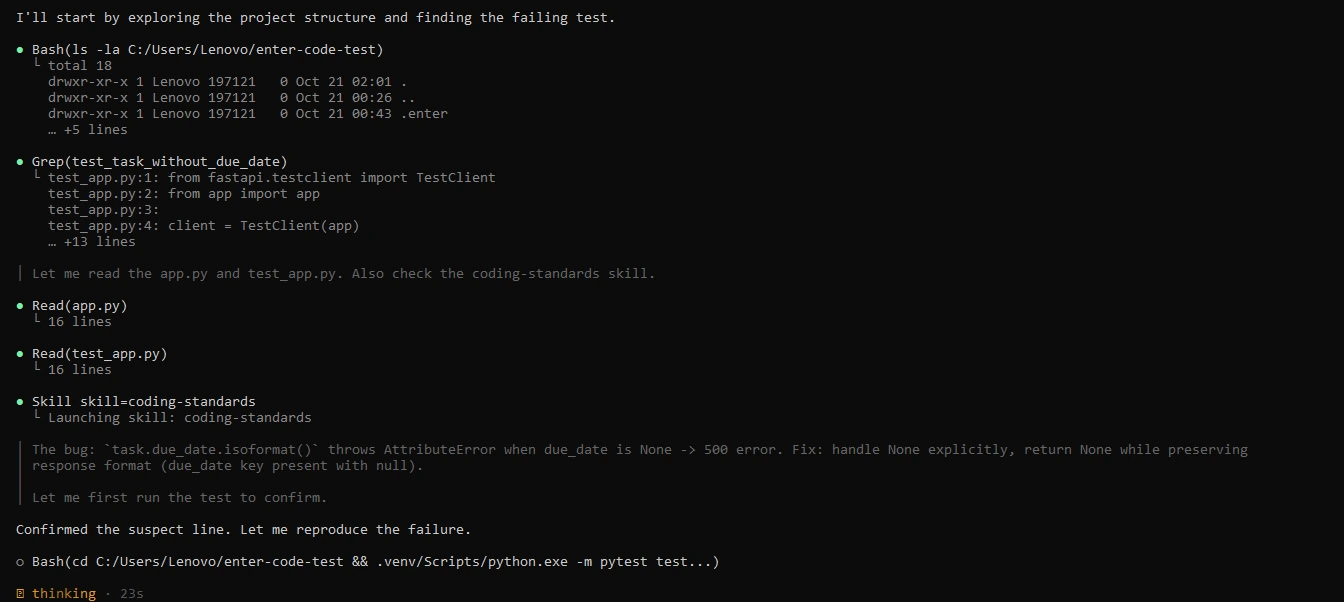
The test test_task_without_due_date is failing in our FastAPI application. Investigate the cause, identify the relevant code, and fix the issue without changing the response format. Add or update the regression test, run the relevant tests, and explain the changes before finishing.
Review the plan and the diff, then confirm the result yourself:
python -m pytest -q

If you want to try a different approach, Rewind takes the code and the conversation back to an earlier checkpoint. Review changes with extra care when they touch authentication, payments, or database behavior.
If you'd rather generate a whole project from a description than work inside an existing one, Enter's AI code generator covers that side.
CTA button: Try Enter Code Free
Limits and Risks of AI Programming Tools
Even the best tools in my test needed a human to check their work, so know where they slip before you trust them with production code.
- Wrong but confident code: invented functions, outdated APIs, and missed edge cases still happen. A partial refactor can look correct while quietly breaking the app, so always run the tests and read the diff before you merge.
- Security: generated code can carry injection flaws or weak access control. Review it against the OWASP Top 10, especially anything that touches logins, payments, or user data.
- Privacy: check what code each tool sends to the cloud, how long it's kept, and whether it's used for training. Most business plans let admins switch training off.
- Licensing: check how each tool handles suggestions that match public repositories. Some offer reference tracking or filters for public code.
- Skills: beginners who accept every suggestion learn less. Use AI to explain code, not only to write it.
For a wider look at assistants that work alongside you in the editor, this guide to AI coding assistant platforms is a useful next read.
Conclusion: The Best AI for Programming Is the One That Fits How You Work
After running all 10 tools through the same six jobs, my main takeaway is simple: today's AI programming tools can fix bugs, write tests, explain unfamiliar code, and ship whole features, but each one shines in a different place. If you spend your day in an editor, Cursor or GitHub Copilot will feel the most natural. If you work in the terminal on large repos, Claude Code tied for the top score and handled connected, multi-file changes best. If you're a beginner, Replit gets you building with the least setup.
The model underneath matters as much as the tool, so check which models your plan includes and how quickly real work uses up its limits. Then run a few of the six test tasks on your own code before you commit to a yearly plan. That hour tells you which tool is the best programming AI for you, not just for a benchmark.
If you move between existing codebases and new product ideas, Enter is worth a close look. It scored 27 out of 30 in my test, and it's the one tool here that pairs a terminal coding agent with a full-stack app builder on a single account. It's free to start, and Enter Code and Enter Pro run on the same credits.
FAQ About Best AI for Programming
FAQ 1: What is the best AI for programming in 2026?
There isn't one best AI for programming that wins for everyone. In my test, Claude Code and Cursor tied for the top score at 28 out of 30, and Enter came next at 27 as the strongest pick if you also want to build full apps from a prompt. Beginners usually do better with Replit, and privacy-focused companies often choose Tabnine.
FAQ 2: What is AI programming, and how does it work?
AI programming is the use of AI tools to write, explain, test, and fix code. A large language model trained on huge amounts of code predicts useful code from your request, and the tool around it decides which files the model can read and which commands it can run. Simple assistants only suggest the next lines, while agents can plan a task, edit several files, and run your tests.
FAQ 3: Which AI model is best for programming?
As of September 2026, Claude Opus 5.5 is the default pick in DataCamp's ranking of coding models, with Claude Fable 5.1 for the longest and hardest agent tasks. GPT-6 Astra is the natural choice for Codex users, and Gemini 3.8 Flash and DeepSeek V4.1 Flash cost far less for high-volume work. Many benchmark scores are reported by the model makers themselves, and the rankings change every few months.
FAQ 4: Is there a free AI for programming?
Yes. GitHub Copilot, Cursor, Devin Desktop, Amazon Q Developer, and Google Antigravity all offer free plans with usage limits, and Enter gives free credits to start for both Enter Code and Enter Pro. Open-source agents such as Aider and Cline are free too, though you pay for the model you connect to them. Free plans work well for learning and light projects, while daily professional use usually needs a paid plan.
FAQ 5: Is it safe to share my code with AI programming tools?
It depends on the tool and the plan. Check whether your code is stored, how long it's kept, and whether it's used to train models, since business plans often let admins turn training off. If your code can't leave your network, choose a tool that runs locally or self-hosted, such as Tabnine with an air-gapped setup. Never paste passwords, API keys, or customer data into a prompt.
FAQ 6: Can AI programming tools replace developers?
Not today. These tools write and fix code quickly, but they still make confident mistakes, miss business context, and need someone to review security and design choices. They work best as fast assistants that take repetitive work off a developer's plate. The developers who gain the most are the ones who can judge whether the output is right.
FAQ 7: What is the best AI for beginners learning to program?
Replit is a good place to start, because the editor, AI help, and hosting all run in the browser with no setup. Pair it with a chat assistant that explains code line by line, and ask it why something works, not just for the answer. GitHub Copilot's free plan is a sensible next step once you start using a local editor.
FAQ 8: What is the best programming language for AI?
If you mean building AI software yourself, Python is the most common choice, thanks to libraries such as PyTorch, TensorFlow, and scikit-learn. JavaScript and TypeScript are popular for AI-powered web apps, while C++ shows up where raw speed matters. This is a different question from choosing an AI tool that helps you write code, which is what the rest of this guide covers.