
Enterprise Software Development: A Complete Guide for Businesses
Explore enterprise software development, including solution types, services, processes, and costs. Learn when to hire a firm or build with an AI app builder.
Enterprise software helps businesses manage operations, coordinate teams, and handle information across departments. Enterprise software development involves planning, building, integrating, and maintaining applications around these needs. This guide covers common solution types, development services, project costs, and how to choose between a traditional development company and an AI app builder.
What is enterprise software development?
Enterprise software development is the development of applications that help an organization's operations and workflows. These applications help companies to manage functions like finance, human resources, customer relationships, inventory, and internal communications. Business software, in contrast, usually has multiple teams of users and must integrate with other business software already in place.
The goal is to create tools that meet specific operational needs. While some businesses use off-the-shelf products, others choose custom enterprise software development when standard solutions cannot support their workflows, integrations, or specialized processes. Enterprise custom software development is particularly useful for organizations that need applications tailored to their business operations.
Key characteristics of enterprise software
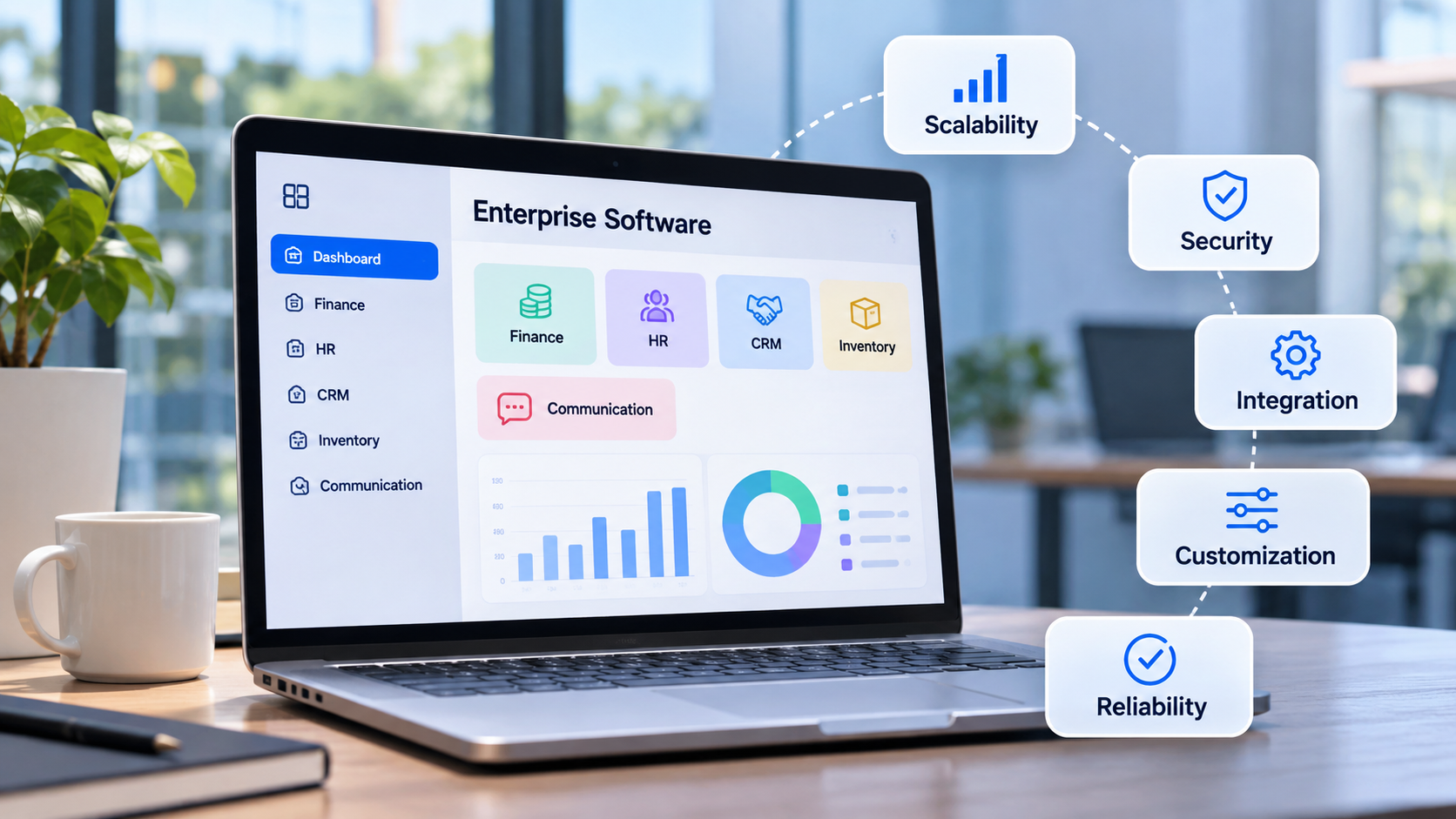
Enterprise applications need to support business operations consistently, sometimes across several departments, locations, and user groups. Their requirements depend on the organization, but most enterprise software development solutions consider the following characteristics:
- Scalability: The application should accommodate changes in users, data, and business activity as the organization grows.
- Security: Access controls, authentication, data protection, and monitoring help protect business information.
- Integration: Enterprise applications often need to exchange data with existing tools, databases, and third-party services.
- Customization: Features and workflows should reflect the organization's processes and operational requirements.
- Reliability: Employees depend on these applications for routine work, so downtime and data errors can disrupt business activities.
Custom enterprise software vs. off-the-shelf software
Businesses generally choose between customizing a solution and adopting an existing product. The right option depends on the complexity of their workflows, available budget, implementation timeline, and need for control.
| Factor | Custom enterprise software | Off-the-shelf software |
|---|---|---|
| Development | Built around specific business requirements | Prebuilt for a broader market |
| Customization | Tailored to organizational workflows | Limited to available features |
| Initial investment | Generally higher | Generally lower |
| Implementation | Requires planning and development | Often quicker to deploy |
| Integration | Can be developed for existing systems | Depends on available connectors |
| Maintenance | Requires ongoing technical support | Usually maintained by the vendor |
| Ownership | Depends on contract and licensing terms | Product remains vendor-owned |
For example, a company with a standard sales process may be able to use an existing CRM platform. A business with a specialized approval process across several departments may need a custom application or significant customization. Before commissioning a new system, businesses should compare the cost of development with the licensing, configuration, and integration costs of existing products.
What are the different types of enterprise software?
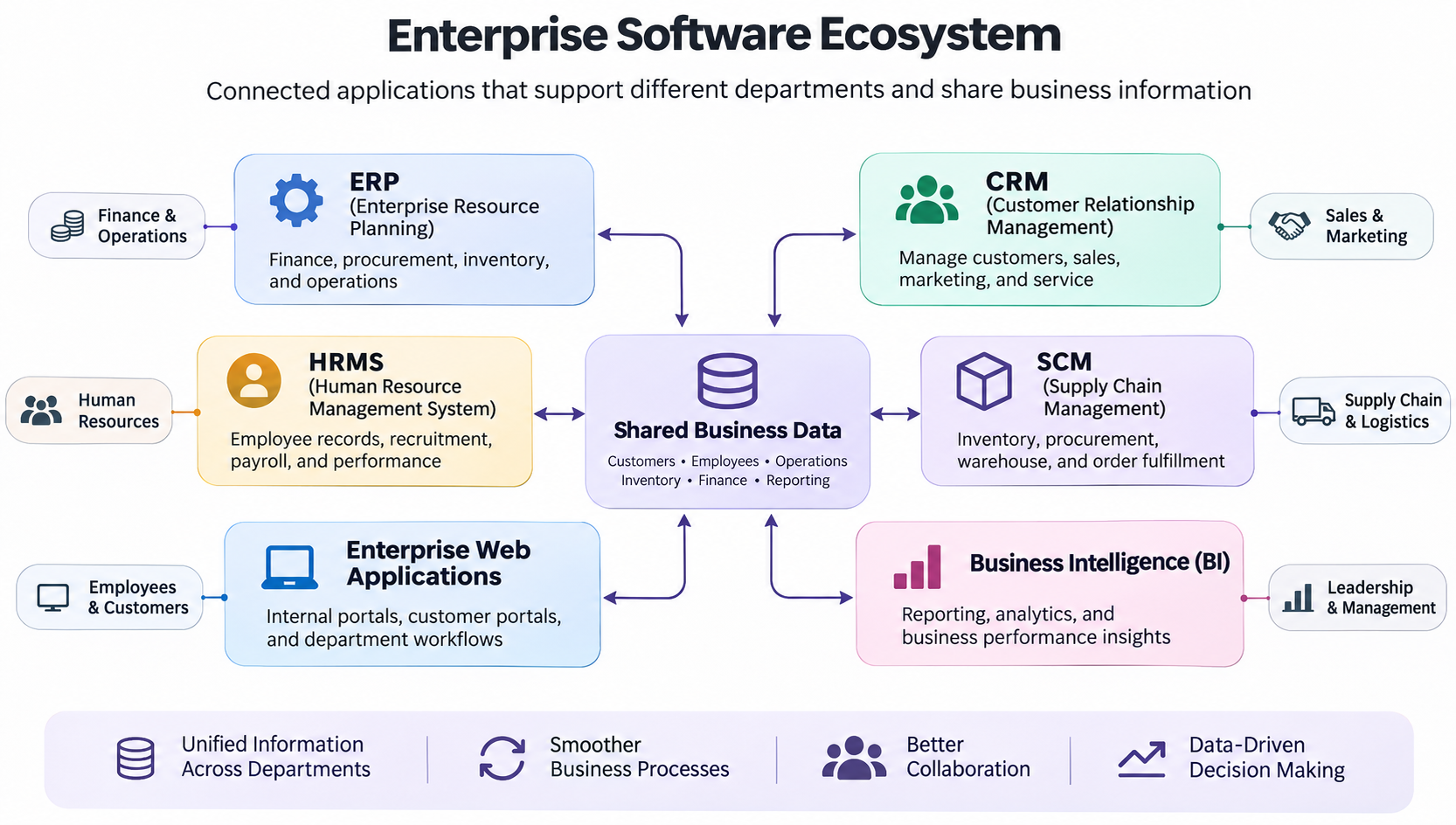
Enterprise software supports different business functions, from financial management to customer relationships and internal operations. The main types include ERP, CRM, HRMS, supply chain management, enterprise web applications, and business intelligence software. When evaluating enterprise application development software, businesses should consider how well it supports their workflows, connects with existing systems, and meets their security requirements.
ERP and CRM software
Enterprise resource planning (ERP) software connects core business functions such as finance, procurement, inventory, and operations. It gives departments a shared view of business information and reduces duplicate data entry. Examples include SAP S/4HANA, Oracle ERP, and Microsoft Dynamics 365. Customer relationship management (CRM) software helps sales, marketing, and customer service teams manage customer details, track sales opportunities, record interactions, and organize follow-ups. Salesforce and HubSpot are common examples.
HRMS and supply chain management software
Human resource management systems (HRMS) help organizations manage employee processes such as recruitment, attendance, payroll, performance records, and leave requests. They give HR teams a central place to maintain employee information and handle routine administrative tasks. Supply chain management (SCM) software supports purchasing, inventory planning, supplier coordination, warehousing, and order fulfillment. For example, manufacturers can use it to connect purchasing information with production schedules and stock records.
Enterprise web applications and business intelligence software
Enterprise web applications provide browser-based access to internal portals, customer platforms, and department-specific workflows. Employees can use them to submit requests, manage projects, access shared information, and complete approvals. Business intelligence (BI) software helps organizations analyze data through reports and dashboards. Teams can use these tools to monitor sales, financial performance, customer activity, and other business indicators, bringing information from different systems together to support better decisions.
What do enterprise software development services include?
Enterprise software development services cover the work involved in planning, building, integrating, testing, and maintaining business applications. Enterprise software product development typically includes the following services, depending on the project's scope and technical requirements.
Core enterprise software development services
- Consulting and requirements analysis: Development teams work with stakeholders to understand business objectives, existing processes, user needs, and technical requirements.
- Software architecture and UI/UX design: Teams plan the application structure, data flow, user roles, and interface before development begins.
- Custom application development: Developers build the required features, workflows, and business logic based on the approved specifications.
- System integration: The application is connected with relevant databases, internal systems, APIs, and third-party services.
- Testing and quality assurance: Teams check functionality, performance, security, compatibility, and user workflows before release.
- Deployment and maintenance: The application is launched in the intended environment and supported through updates, bug fixes, monitoring, and ongoing improvements.
What is the enterprise software development process?
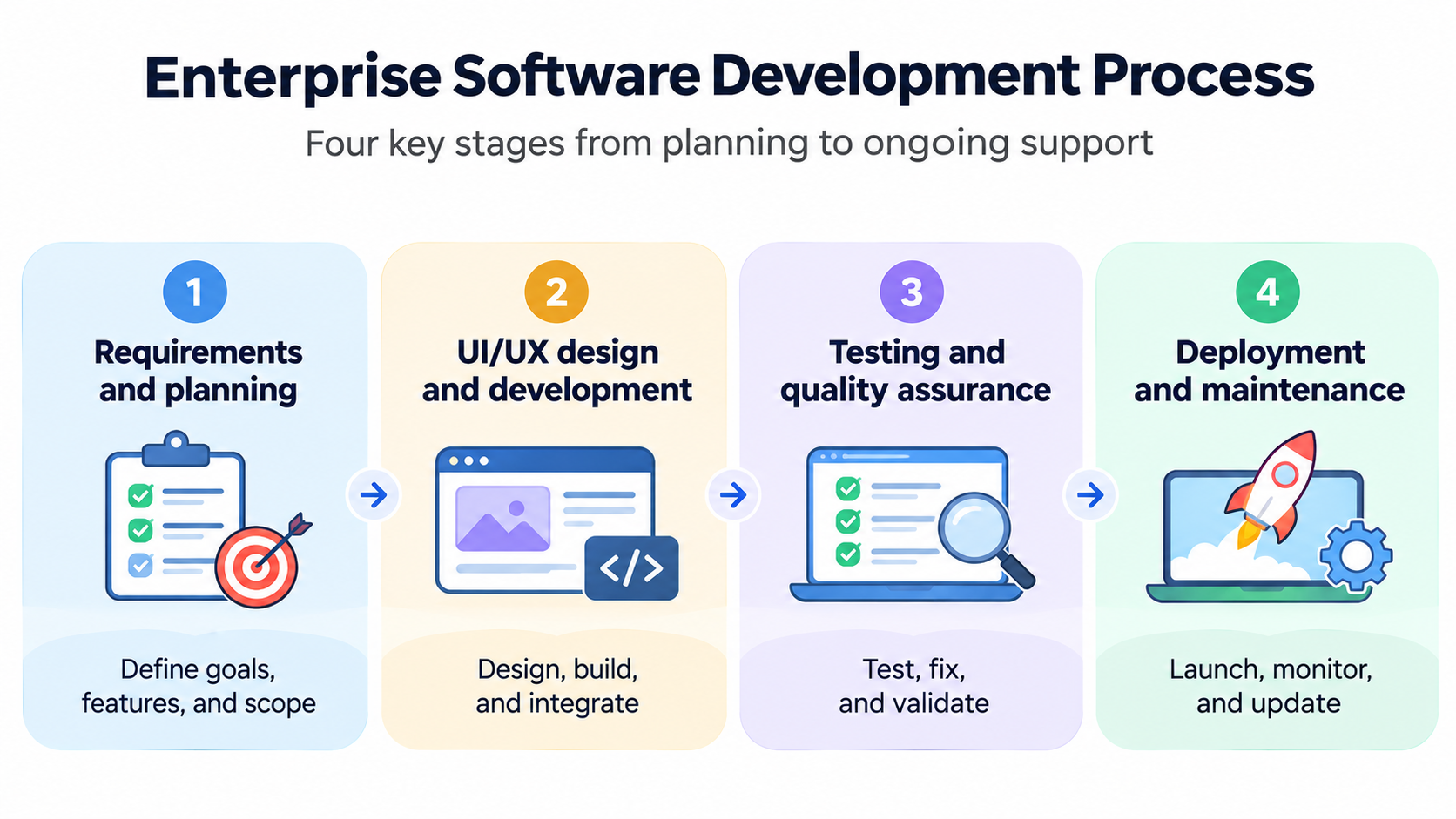
The enterprise software development process usually follows four main stages. Larger projects may include additional review cycles, but these stages provide a practical view of how a project moves from requirements to a working application.
1. Requirements and planning
The team identifies the business problem, target users, required features, technical constraints, and project scope. Stakeholders should agree on priorities, timelines, budget, and success criteria before development starts.
2. UI/UX design and development
Designers prepare the application structure and user interface, while developers build the required features and connect the relevant systems. The team reviews the application as it takes shape to check that the design and functionality match the agreed requirements.
3. Testing and quality assurance
The application is tested across its main workflows, user roles, and supported environments. The team checks for functional issues, integration errors, performance problems, and security gaps, then resolves defects before release.
4. Deployment and maintenance
After testing and approval, the application is deployed to the production environment. The development team monitors its performance, addresses issues, and plans updates as business requirements change.
How much does enterprise software development cost?
Enterprise web software development costs depend on the size of the application, the number of features, integration requirements, security needs, and the development team's location and experience. A small internal tool will usually require less time and investment than a platform connecting several departments and legacy systems.
Enterprise software development cost estimates
The following ranges are indicative planning estimates based on project scope. They are not fixed market rates or quotes from a development provider. Actual costs can vary significantly depending on technical requirements, team composition, and project complexity.
| Project category | Example | Timeline | Indicative cost |
|---|---|---|---|
| Small-scale | Internal workflow or employee tool | 1–3 months | $15,000–$50,000 |
| Mid-sized | CRM, inventory system, or customer portal | 3–6 months | $50,000–$150,000 |
| Large enterprise | Integrated ERP or multi-department platform | 6–12+ months | $150,000–$500,000+ |
Factors that affect development costs
The number of features is only one part of the budget. Businesses should also account for the technical work needed to connect, secure, deploy, and support the application.
- Application complexity: Multiple user roles, approval paths, reporting features, and specialized workflows increase development effort.
- Integrations: Connecting the application with ERP, CRM, payment, analytics, or legacy systems can add time and technical requirements.
- Data migration: Moving information from existing databases or applications may require data cleaning, mapping, validation, and testing.
- Security and compliance: Projects with strict access controls, security reviews, or industry-specific compliance requirements may need additional planning and audits.
- Hosting and infrastructure: Cloud hosting, storage, backups, monitoring, and other infrastructure services can add recurring expenses.
- Licensing and third-party services: External APIs, software licenses, and paid integrations may involve setup fees or ongoing charges.
- Training and maintenance: Employees may need onboarding, while the application will require updates, technical support, and maintenance after launch.
A useful estimate should separate initial development from ongoing operating costs. Ask providers to explain what their proposal includes, which services are billed separately, and how future changes will be priced.
How to choose an enterprise software development company
The development partner will influence the project's technical decisions, delivery process, and long-term maintenance. Compare providers based on their experience and ability to understand your business requirements rather than choosing solely on the lowest quote.
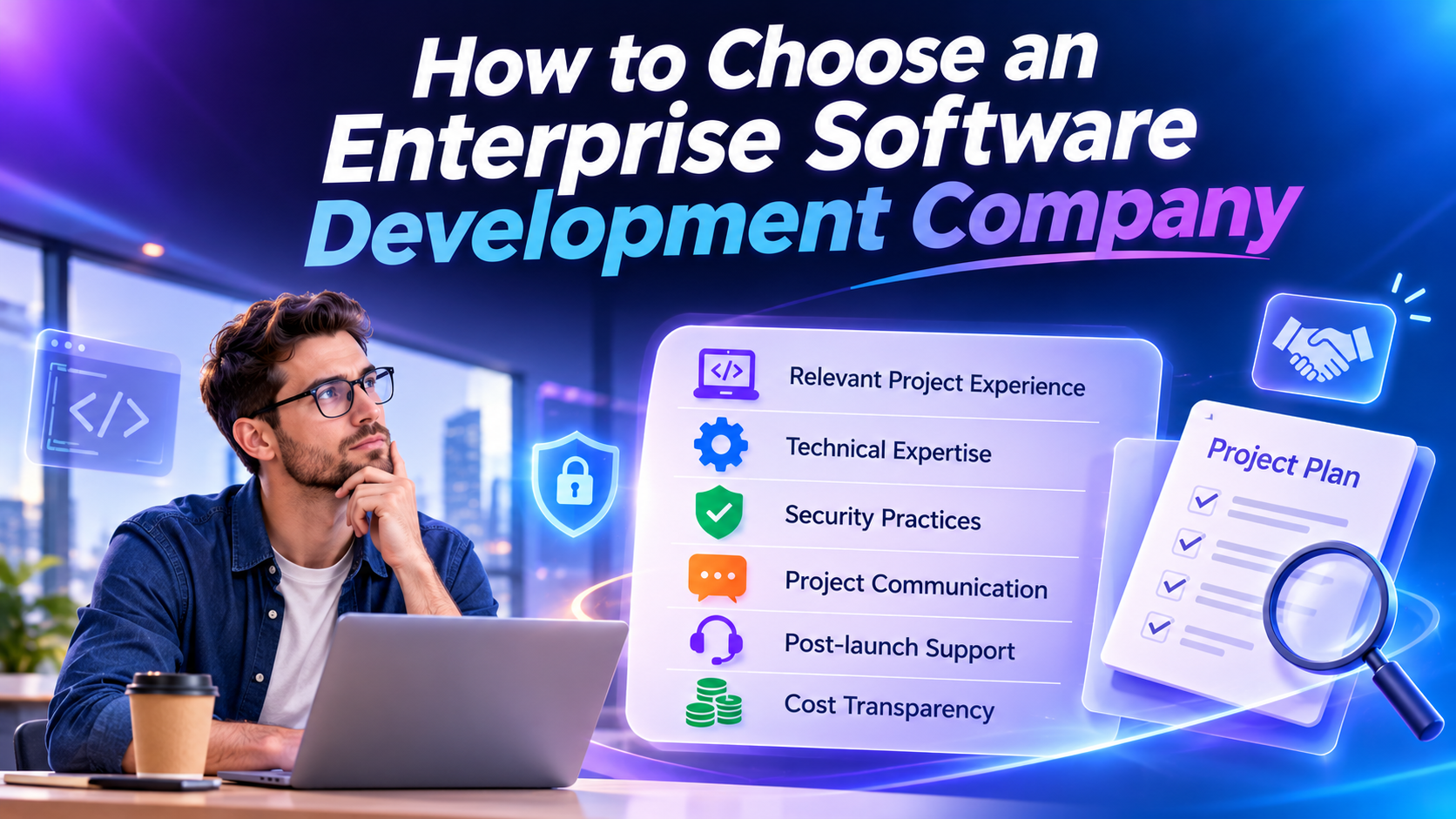
- Relevant project experience: Look for examples of applications built for similar business processes, industries, or technical environments.
- Technical expertise: Check whether the team has experience with the required programming languages, databases, cloud platforms, and integrations.
- Security practices: Ask how the company handles authentication, permissions, data protection, testing, and security reviews.
- Project communication: Confirm who will manage the project, how progress will be reported, and how changes to requirements will be handled.
- Post-launch support: Understand the maintenance agreement, response times, update process, and ownership of the delivered code.
- Cost transparency: Request a breakdown of development, licensing, hosting, integration, and support costs.
Before signing a contract, ask for a clear scope of work, delivery milestones, acceptance criteria, and details about intellectual property ownership. These terms help both sides understand what will be delivered and how the project will be managed.
Traditional development company vs. AI app builder
A traditional development company and an AI app builder serve different project needs. A development company can provide a dedicated team for complex architecture, extensive integrations, and specialized requirements. An AI app builder can help teams create simpler applications and test ideas without starting with a full custom development engagement.
| Factor | Development company | AI app builder |
|---|---|---|
| Best suited for | Complex enterprise systems | MVPs, internal tools, simpler applications |
| Development | Dedicated engineering team | AI-assisted generation |
| Initial investment | Generally higher | Generally lower |
| Development time | Often months | Initial versions can be generated faster |
| Customization | Deep technical customization | Depends on platform capabilities |
| Integrations | Complex custom integrations | Supported integrations |
| Technical expertise | Managed by development team | AI-assisted building and editing |
Choose a traditional development company when the project involves complex enterprise architecture, extensive legacy integrations, strict compliance requirements, or a large distributed system. An AI app builder may be a practical option when you need an internal tool, a prototype, or a simpler business application. The choice should reflect the application's technical and operational requirements, not just the speed of the initial build.
Build business applications with Enter Pro
An AI app builder gives teams another way to create business applications without managing every development task manually. Enter Pro turns natural-language instructions into applications and provides tools to plan, edit, and refine the results. Teams can use it to explore product ideas, build internal tools, develop MVPs, and create simpler business applications.
Its visual editing and AI-assisted development capabilities also help users make changes as their requirements evolve. However, it is not a replacement for specialist engineering on every enterprise project. Applications involving complex compliance requirements, extensive legacy integrations, or large-scale distributed architecture may still require a dedicated development team.
| Component | CTA Button |
|---|---|
| Web.Text | Build Your Business Applications |
| Web.Href | https://enter.pro/workspace/ |
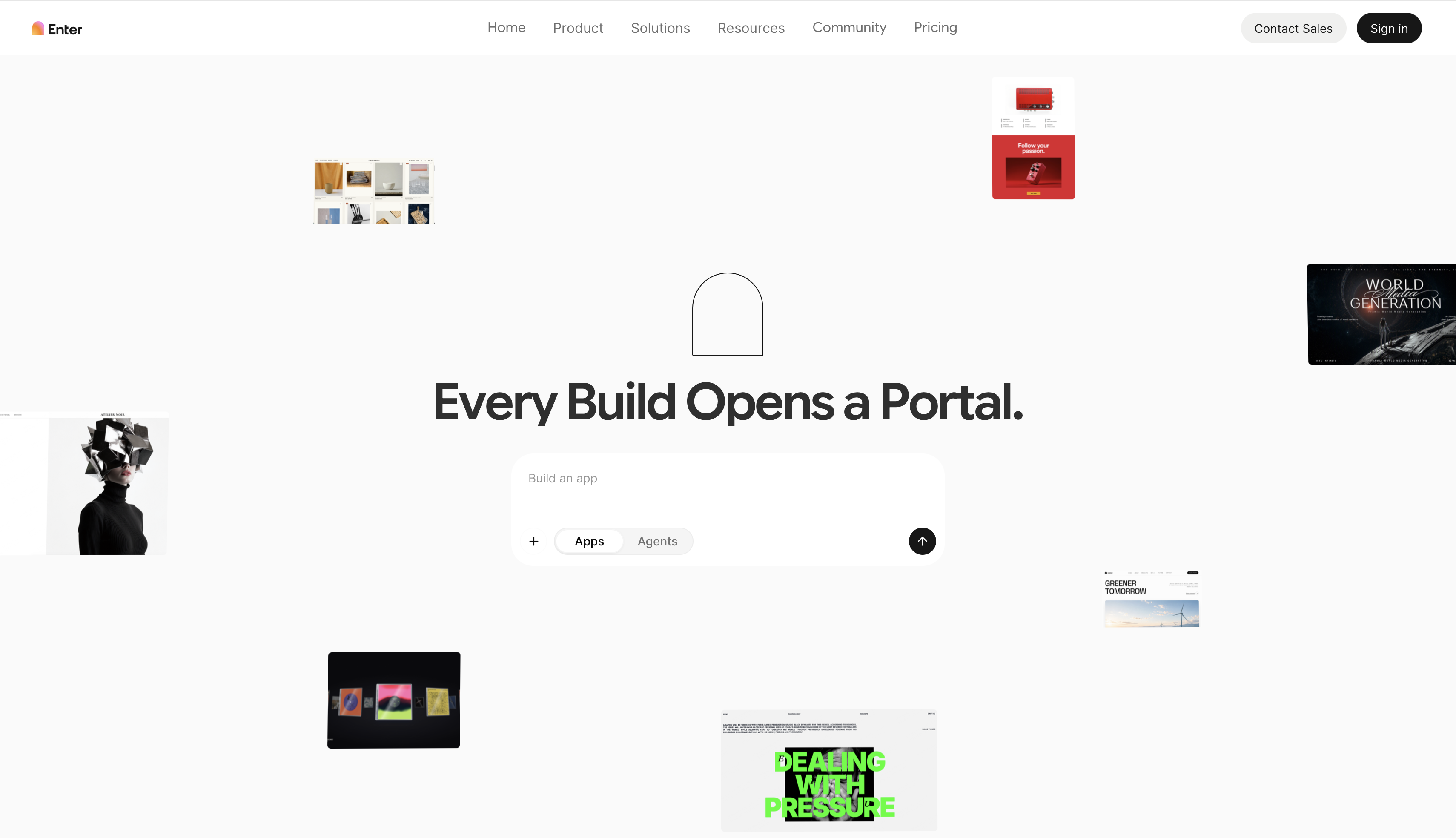
Enter Pro features for application development
- AI-powered application generation
Users can describe an application in natural language, and Enter Pro uses those instructions to generate an initial application. Clear requirements help define its features and workflows.
- AI architectural Plan mode
Plan mode lets teams review the proposed application structure before generation. This helps identify missing features or workflow details early.
- Visual editor
The visual editor lets users review and edit their application through visual controls rather than relying only on written instructions.
- Integrations and reusable components
Enter Pro supports integrations such as Supabase, Stripe, Google Analytics, and GitHub, along with reusable components. Availability and setup requirements may vary.
- AI model options and editable code
Enter Pro offers models from different providers, including announced updates such as GPT-5.4 and Claude Opus 4.7. Current model and code-editing options depend on your workspace.
How to build a business application with Enter Pro
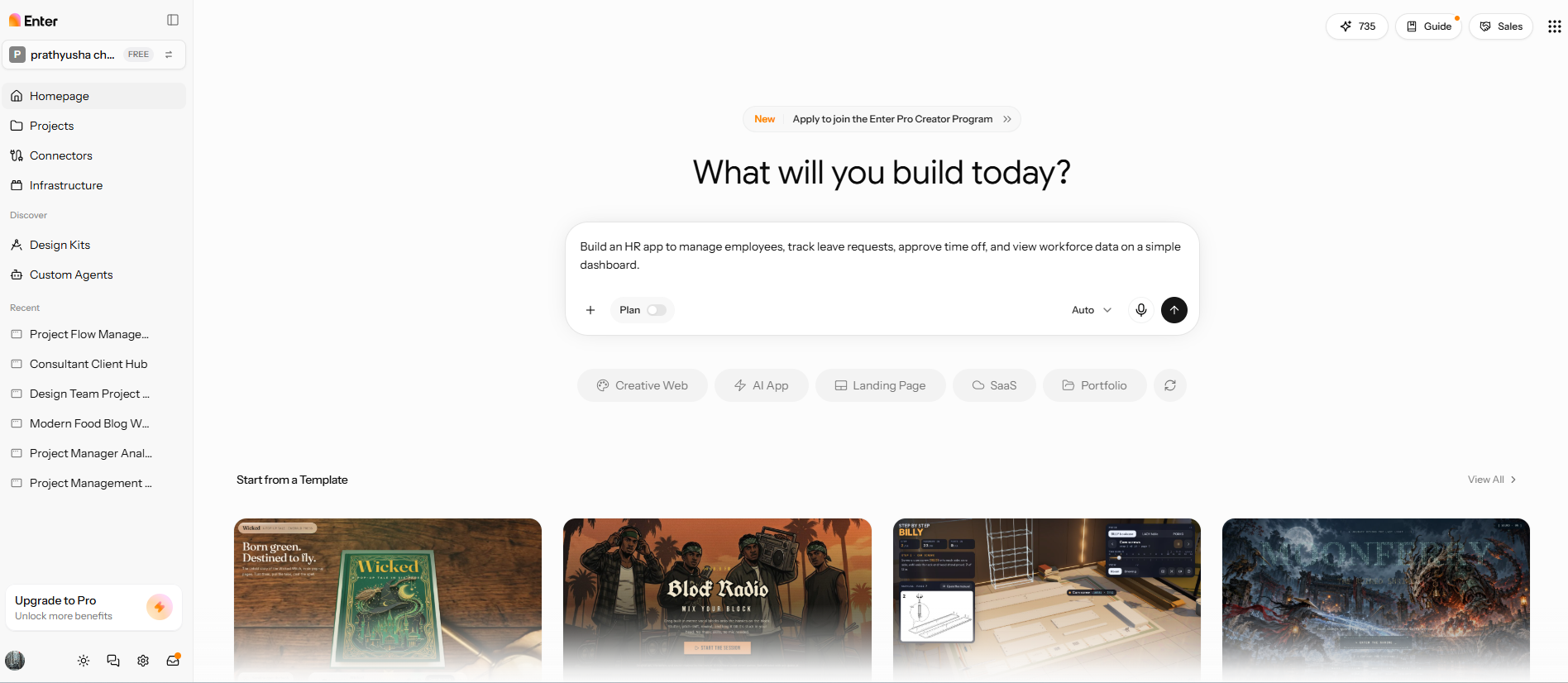
Step 1: Describe the business application
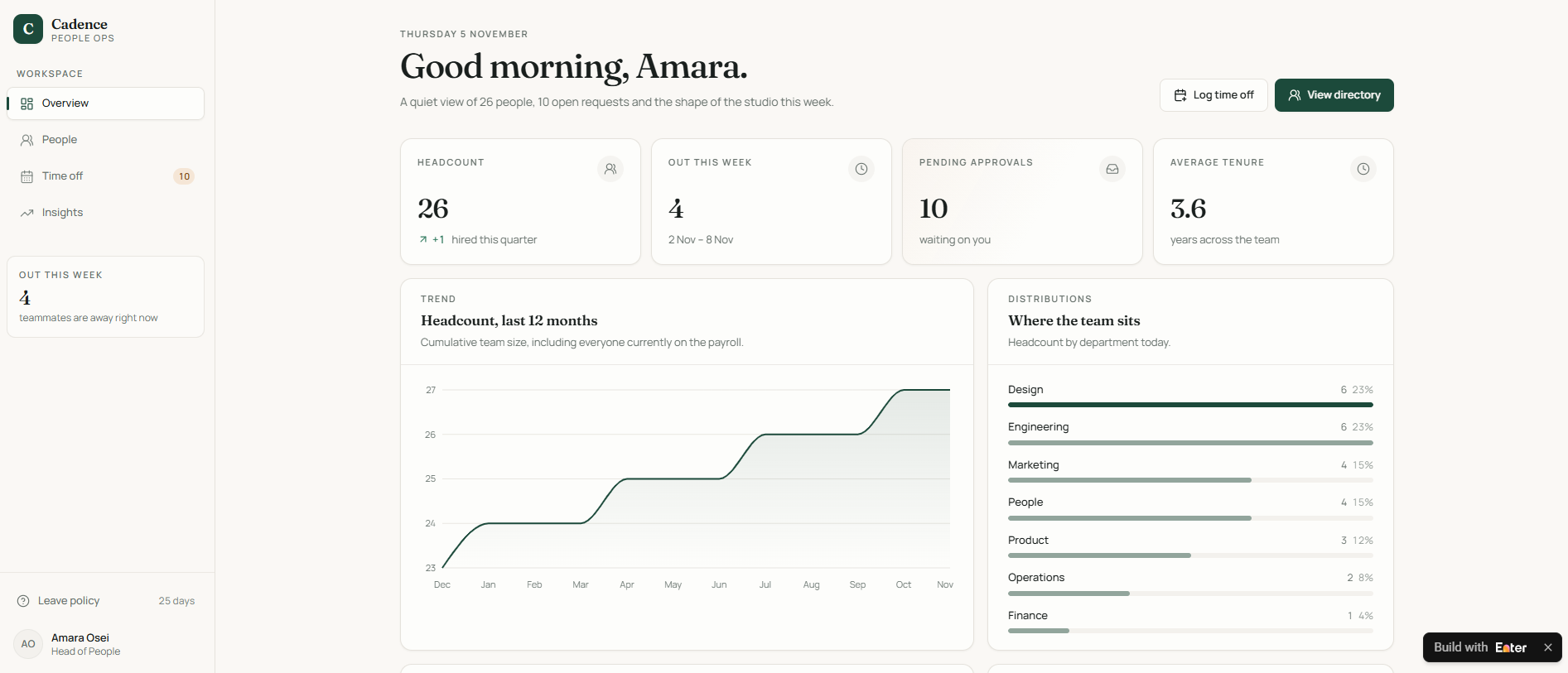
Describe the functionality of the application and its users. You'd probably want to see employee records, organize leave requests, and display basic workforce information with an HR dashboard. List the primary user roles and the actions each role should be able to take.
Step 2: Review the plan and generate the application
Review the proposed plan before generating the application. Check whether it includes the required pages, workflows, and user actions. If something is missing or unclear, refine the instructions before proceeding so the generated application has a more accurate starting point.
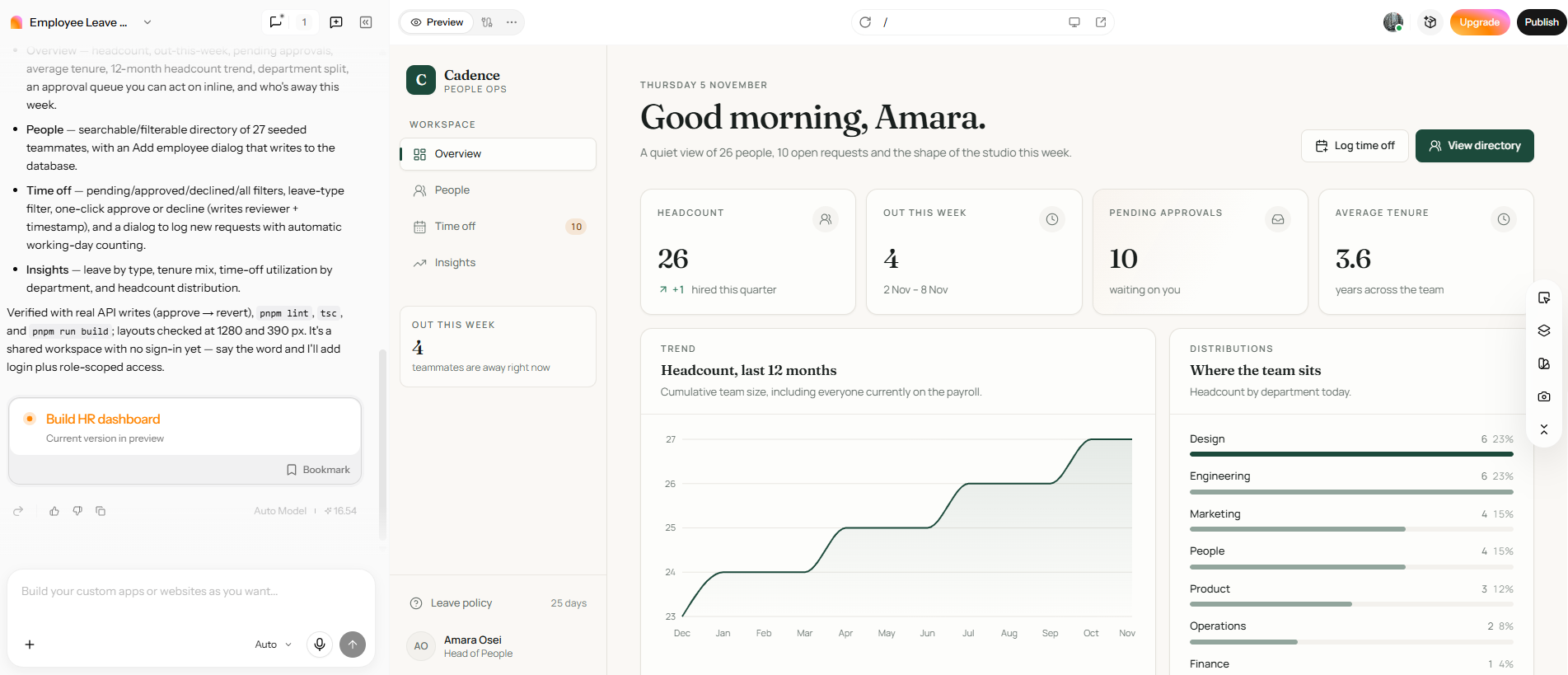
Step 3: Publish the application
Review the generated application in the visual editor and make changes to the interface or available components. Test the main workflows, check that the application behaves as expected, and review any integrations it needs. Complete the remaining configuration and publishing steps available in your workspace.
| Component | CTA Button |
|---|---|
| Web.Text | Build Your Business Applications |
| Web.Href | https://enter.pro/workspace/ |
Conclusion
Enterprise software development enables businesses to build software to meet their business needs. This can be anything from financial and HR software to customer or internal business processes. The right approach depends on the complexity of the project, integration requirements, budget, and long-term support needs. Traditional development firms still make sense for intricate enterprise systems, but AI app builders like Enter Pro offer an alternative for internal tools, MVPs, and less complex business apps. First, define your requirements, compare the available approaches, and select a solution that your team can maintain as the business evolves.
FAQs about enterprise software development
What is the difference between enterprise software and regular software?
Enterprise software supports organization-wide processes and multiple users across departments. It typically includes role-based access, business system integrations, centralized data management, and administrative controls. Regular software often serves individual users or a narrower set of tasks.
What are the common types of enterprise software?
Common types include enterprise resource planning (ERP), customer relationship management (CRM), human resource management systems (HRMS), supply chain management (SCM), enterprise web applications, and business intelligence (BI) software. Each supports specific business functions.
How long does enterprise software development take?
Development time depends on the application's scope and complexity. A small internal tool may take 1–3 months, a mid-sized business application 3–6 months, and a large integrated platform 6–12 months or longer. Integrations, testing, and data migration can extend the timeline. Tools such as Enter Pro can help teams create simpler applications, although the overall timeline still depends on the project's requirements.
How much does custom enterprise software development cost?
Indicative estimates in this guide suggest that custom enterprise software development could cost anywhere from $15,000 for a small internal application to over $500,000 for a large integrated platform. The final price depends on features, integrations, security requirements, project duration, and ongoing support.
Can AI build enterprise software applications?
AI app builders can generate prototypes, internal tools, and simpler business applications from natural-language instructions. Enter Pro, for example, helps users turn application ideas into working apps through AI-assisted development. However, complex enterprise systems involving extensive integrations, strict compliance, or specialized architecture may still require experienced software developers.