
Digital Products to Sell: What They Are and How to Sell Them
Explore digital products, from templates and ebooks to courses and software. Learn what sells, how to create your first product, and where to sell it online.
Have you created something on your laptop that someone else would be happy to buy and use? Perhaps you've made a spreadsheet to help you organize your work for clients or created lesson plans to save time.
It seems like selling digital products would be easy since there's no need to hold any inventory or ship packages. But, how do you get people to buy your digital products?
We'll talk about digital products to sell, how to create your first digital product, and what the process is like from uploading a digital product to receiving an order. We'll use the example of a freelancer creating a content calendar throughout this guide.
What are Digital Products?
Digital products are things that someone can receive as a downloadable file or through access online. For example, you might sell an ebook as a PDF download or an online course behind a login. Although these products are both digital, the delivery and usage is different.
Let's say a freelance social media manager creates an editable content calendar. She can sell this template to multiple customers with instructions about what they can edit or share. If she helps a company plan out its content calendar herself, that's a service, even if she provides a spreadsheet as part of it.
Digital Products vs Physical Products and Services
Much of how your business model will operate depends on what happens after the customer has paid. Physical products need to be shipped to customers. Services, like planning a content calendar for someone, require someone's time. A digital product, like a content calendar, can be sold multiple times, but you'll still need to offer support and updates.
| Factor | Digital product | Physical product | Custom service |
|---|---|---|---|
| Delivery | Download or online access | Shipping or pickup | Agreed handover |
| Repeated sales | The same product can be sold multiple times | New inventory is needed | New work for new clients |
| Ongoing work | Updates, online access and support | Inventory, shipping and returns | Revisions and communication |
| Main costs | Product creation, software and marketing | Inventory and fulfillment | Your time and expertise |
Note that even digital products might still be subject to refunds, licensing and taxes, depending on where you are and how you run the business.
Why Do People Sell Digital Products?
A teacher might spend a weekend creating worksheets to sell, and then be able to provide the digital download without printing out each one for a customer. Digital products are popular because they allow sellers to reach customers outside of their local area. Sellers might charge a one-time fee for a template or bundle files into one product or offer access to a library of digital products.
This is where digital products can be tricky, too. You still need to market your product, bring people to it, provide support and fix issues. Our freelance example might find that customers are using different spreadsheet software and need a guide for compatibility. Although you can sell a digital product multiple times, it doesn't mean that selling digital products is a passive income source.
| What is appealing | What to be aware of |
|---|---|
| No inventory of physical products | You'll still need to compete for customers |
| Reusable files | People can copy your product or misuse the license |
| Reaching customers in multiple locations | You need to have access to payment in the locations where you sell and follow their rules |
| The ability to sell products in different ways | You'll need to provide support and address updates and refunds |
Digital Products to Sell in 2026
The best digital product idea to start with isn't necessarily the most complex product. Consider what you already know how to create and who would use your products. This list includes different ideas for digital products across various categories.
| Category | Typical level of effort | How they are typically sold |
|---|---|---|
| Templates and printables | Low to moderate | One-time download |
| Guides and educational files | Low to moderate | Download or bundled together |
| Courses and memberships | Moderate to high | One-time access or subscription |
| Creative assets | Moderate | Licensed files or bundles |
| Software and tools | Moderate to high | One-time purchase or subscription |
Templates, Spreadsheets and Printables
Creating a content calendar from scratch can be time-consuming, which is why an editable template is appealing to many people. Our social media manager might create a content calendar for her customers to edit with dates and captions, and approval status. She could include a filled-in week for customers to refer to as they edit the template.
A resume template is another common digital product that helps people apply for a new job. Customers can edit this template using software that they already have.
A budgeting spreadsheet could be another type of digital product to sell. The freelancer's customers could use this spreadsheet to keep track of their income and expenses each month, with a total calculated automatically.
Teachers might like a lesson planner template to keep track of their activities and learning goals. Printables can be useful, like worksheets to use with students. Remember, a printable is still a digital product when you sell the downloadable PDF. Only if you print and ship it to customers does it become a physical product.
Ebooks, Guides and Educational Resources
Let's say our social media freelancer is preparing to meet her first client and she's looking for help. A digital marketing guide about freelancing in general might be overwhelming. Instead, a guide on what to do for this meeting might be more helpful.
Checklists for different tasks can be popular digital products. Perhaps our social media manager could sell a checklist for gathering documents from new clients. Guided workbooks can go further than a checklist, providing exercises for the customer to complete.
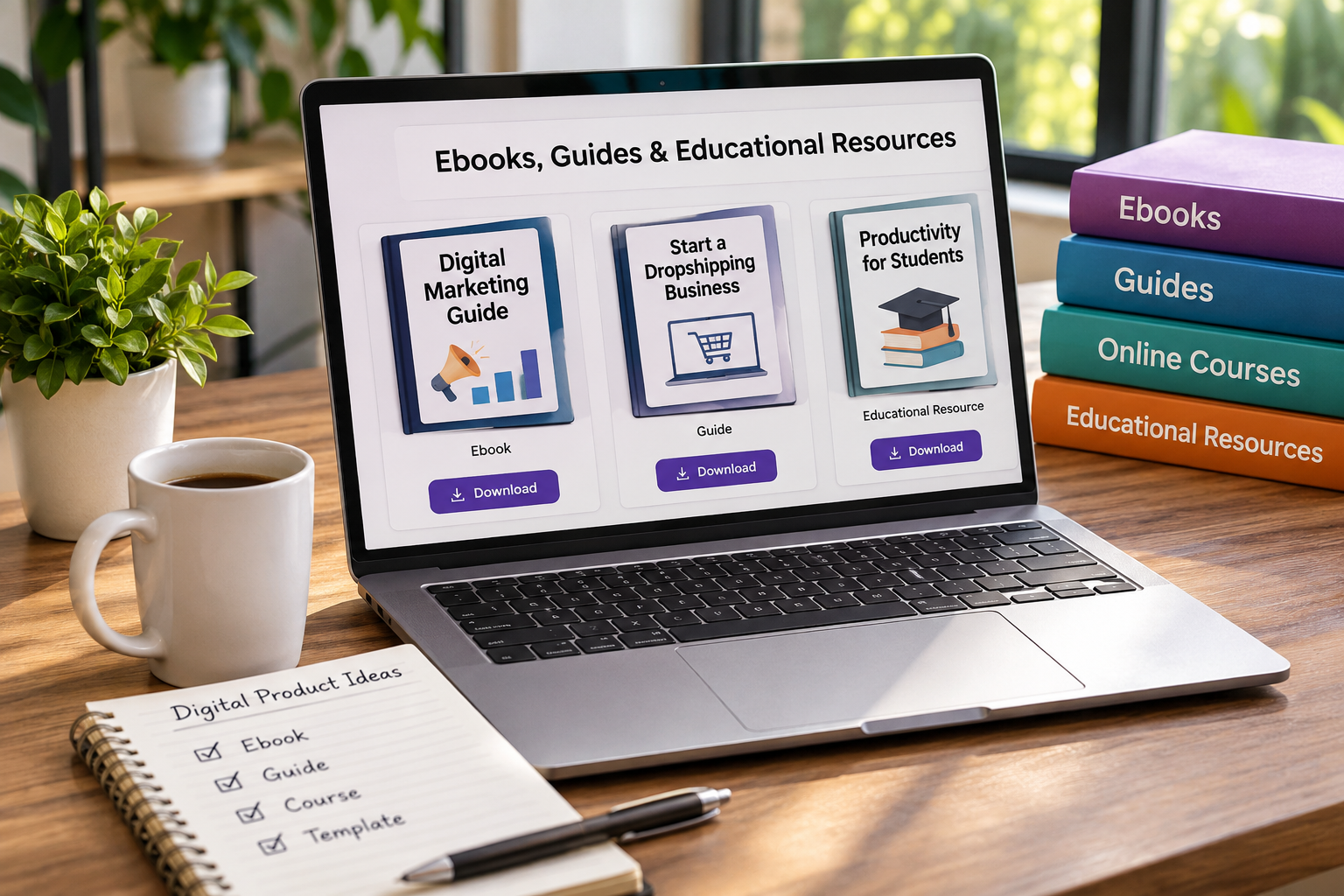
For example, a workbook on creating a brand voice or portfolio for your freelancing business could be popular. Test preparation packs can help students prepare for a test, including revision notes and practice questions with answers (if you do that, make sure it's accurate).
Another type of digital product is an ebook that shows how to do something. This could be an ebook about social media content calendars, going through the whole process from start to finish. Specialized reference sheets, like for software shortcuts or design dimensions, can also be digital products.
They can be used as references rather than read, so try to make sure that your information is accurate and up to date.
Online Courses, Workshops and Memberships
An online course could be a way for our freelancer to sell her expertise as a digital product. Maybe she could sell a mini-course on creating a content calendar where she records herself going through the process.
Customers could watch the video lessons as often as they like. Alternatively, she could provide a live online workshop where customers ask questions and work through the process during the workshop.
Other digital products like this include paid newsletters and** libraries**. With a subscription, a customer would receive new resources each month, like templates and tutorials. If you are providing coaching, this is a service unless you have a defined workshop or package to sell.
Digital Assets, Audio Files and Designs
Imagine a small business getting ready to present its launch. They need images that match their brand, clear icons, and maybe some slides they can edit. Purchasing the right files might be more efficient than building them from scratch.
You can sell stock photos, grouped by theme. Or, sell** icons** and fonts that designers can use to maintain consistency. Presets are design settings that can be used again. You can also create and sell** original audio loops** to people working on video production.
Presentation graphics are handy to consultants who want to present information without having to draw all their charts from scratch.
In addition to preview images and file formats, it's important to understand the licensing of these products. Does the buyer have permission to use them commercially? If you're reselling other people's products or AI-generated content, make sure you have the rights to do so. Check the platform policies and whether you can redistribute the content.
Software, Apps and Digital Tools
You might need to correct an error in your spreadsheet from time to time. A web-based application, on the other hand, needs to be secure, hosted, and have ongoing technical support. That's a big difference in your decision-making process, if you decide to go down that route.
You can create a web-based calculator to help freelancers estimate their project prices. Or, create a** browser extension** that allows users to save their research links. You could also make** plugins** that adds a certain functionality to existing software.
Dashboards are useful to present business metrics and you can sell them as well. And a** scheduling app** can help tutors keep track of their appointments and this can be another digital product to sell. All of these products are solving a specific need, but they have to be well-documented and work properly for the buyer.
How to Choose a Digital Product to Sell That People Will Buy
You can have the best product idea, but that doesn't guarantee that people will be willing to purchase it. So before spending weeks to create a product, you want to know who your product is for and how it will help solve their problems.
For instance, let's say we want to create a planner for our freelancer friend. While she can make a planner for general productivity, the market is already saturated with productivity planners. Instead, she could make a content calendar planner that is more specific for social media managers who work with multiple clients. She can speak with a few freelancers, find out how they are currently handling posting schedules and getting approvals, and what they are currently struggling with. With that information, she can then create the content calendar planner.
| Things to Check | Questions to Ask Yourself |
|---|---|
| Customer Need | Who needs this product and what problem would this solve for them? |
| Your Skills | Can you make a useful product using the skills and tools you have? |
| Competition | What other similar products are there and how can you improve on those products? |
| Maintenance | Will this product need to be updated, supported or have new content added to it? |
You can apply the same principle when creating other types of digital products to sell. You can use this simple checklist to evaluate if your digital product idea is worth pursuing.
You don't need to know all of these things. A look at customer reviews, online discussions, and search queries can give you an idea of what customers are looking for or complaining about.
However, just because a keyword has thousands of searches doesn't necessarily mean that the people searching are looking to make a purchase.
I would create a mini version of the product idea and test it on a few potential customers. Their feedback can then help you refine your product idea before putting in more time and money to create the product.
How to Create and Sell Digital Products in 7 Steps
When you have a specific target customer in mind, it's easier to get started. In the example of our content calendar, we can think of the process of going from idea to ready-to-sell digital product in 7 steps. If you want to set up an ecommerce store, check out this guide to start an ecommerce business.
Step 1. Identify a Buyer and Validate the Problem
Talk to social media managers who freelance and ask them about how they deal with captions, deadlines, approvals and so on. Show them a mockup of the calendar before you create the final product.
This will give you some insight into whether they really need to track approvals, for example, or if the focus should be on beautiful charts. Document who you're selling to, what the problem is, and what the key features should be.
Step 2. Choose a Format and Define the Deliverable
If you have a social media calendar that the buyers have to be able to edit, a spreadsheet is better than a screenshot. You can complement it with a PDF that explains what each tab does and what software you can use to open it.
Make sure you have a clear idea of what the buyers are getting: is it a file they download, a template they can copy, or both? Be clear about usage rights.
Step 3. Build a Minimum Useful Version
Start with a simple calendar with a monthly view, a field to add captions, a field for the platform, and a way to mark approval. Fill it with examples rather than adding bells and whistles.
Test it with someone who is not familiar with the project to make sure they can work with it. If they can't understand the formulas or where to find certain tabs, work on these things before you start adding new features.
Step 4. Set a Price and Check Your Costs
If your product is a template that can be used over and over again, a one-time purchase is probably a good idea. If you're offering a product that gets new resources every now and then, a subscription might make more sense. Take into account the value you're providing to the buyer and your own cost of making sales. Let's say you sell your product for $20.
| Imaginary sale | Amount |
|---|---|
| Buyer pays | $20 |
| Platform and payment fees | −$2 |
| Customer acquisition | −$3 |
| Leftover before other costs and taxes | $15 |
Keep in mind that the $15 is not all profit, as you need to consider the time it takes to create the product, software, refunds, support, etc. The actual costs of each platform may also vary.
Step 5. Pick a Platform and Set Up Your Product Delivery Method
You can sell through a marketplace to help with discovery or on a creator platform that makes it easier for people to buy and download your product. You can also sell through your own website, which gives you more control over how your product is presented.
Whatever option you choose, make sure you can accept payments in your country and deliver your product to customers after purchase. Don't assume that your website builder will provide a secure way for customers to download your product.
Step 6. Create a Good Product Page and Test Your Checkout Process
Instead of just showing off a pretty cover image of your product, try showing your calendar in use. Make sure your customers know what they're getting, like how many tabs are included in the calendar, file types, software compatibility, licensing, and support.
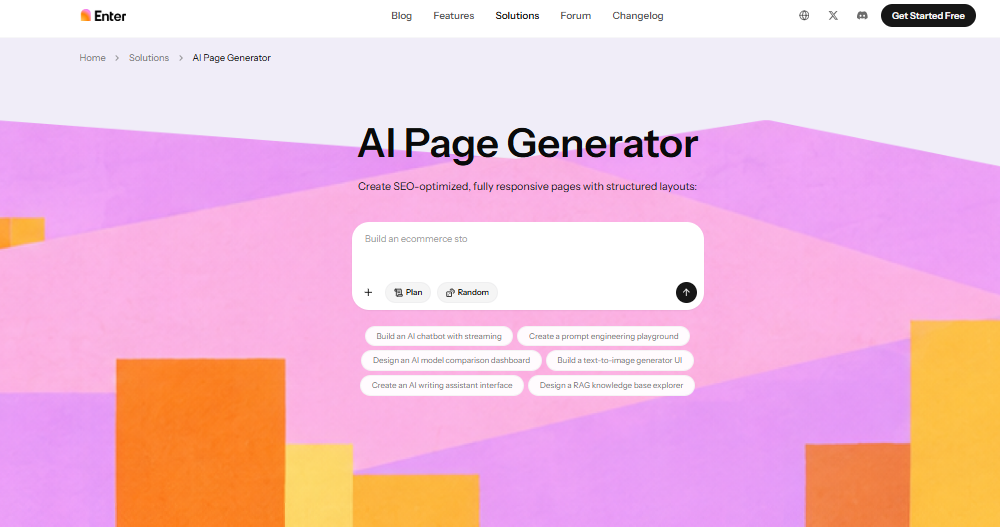
You can use Enter Pro's AI Page Generator to help you create the general layout and sections of your page, but you'll need to set up your own payment and delivery method. Make sure to test your page on a phone, place a test order, and check out your email and product delivery.
Step 7. Launch, Promote, and Iterate
Rather than simply telling your audience that you now have a template for sale, offer a useful example showing how someone can plan a few weeks of posts with your template. Then share it through the right channels, your own content, and your email list.
Pay attention to customer feedback to identify where they're getting confused, or if they're struggling to use your product. This is more important than running lots of ads for your product before knowing if your product is working for customers.
Where Can You Sell Digital Products?
There's no one-size-fits-all platform for selling digital products. Etsy is an example of a marketplace, while Gumroad and Payhip are creator commerce platforms. Each platform has different fees, requirements, and product rules, so it's important to compare the terms and conditions before selling your products.
| Platform | Advantage | What to Consider |
|---|---|---|
| Marketplace | Helps with product discovery | Competition, fees, and file restrictions |
| Creator platform | Offers payment and delivery features | Payout countries and access requirements |
| Your own website | Control over branding and content | Payment options, delivery, and maintenance |
Selling Digital Products on Your Own Website
One of the benefits of selling digital products through your own website is that you can use it to describe your product, show previews, and answer any questions in one place. All you need is a simple customer journey for your product where customers read about your product, learn about its license, and then pay to access it.
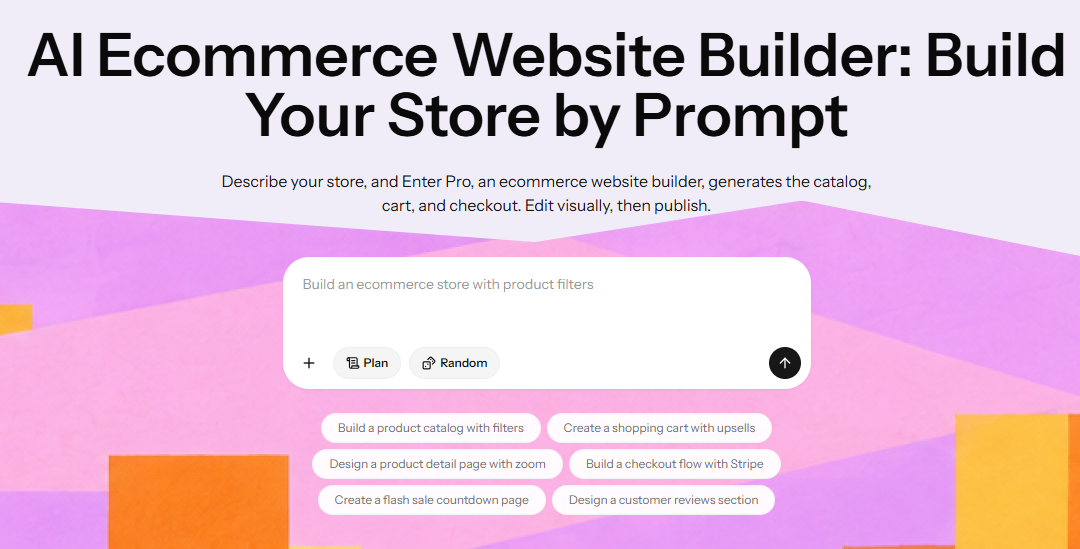
You can use Enter Pro's Ecommerce Website Builder to create a branded online store to sell your digital product. You'll just need to check that you have a payment provider, a way to protect your downloads, and provide access to your customers.
Step 1: Open Enter Pro and Start Your Store
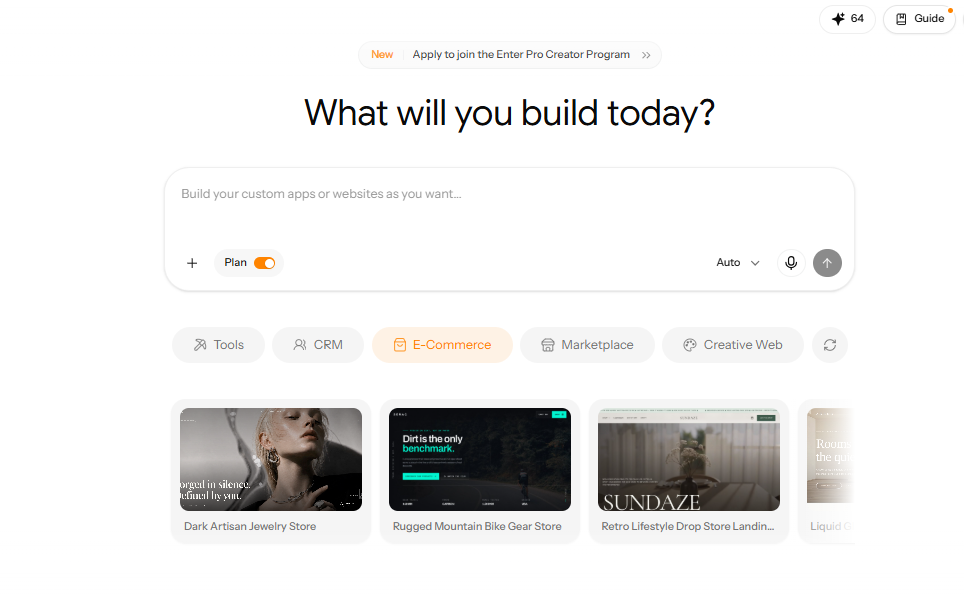
Open Enter Pro and begin by creating a new project. Define your project name as an online store that will sell your chosen products.
Step 2: Write a Detailed Store Prompt
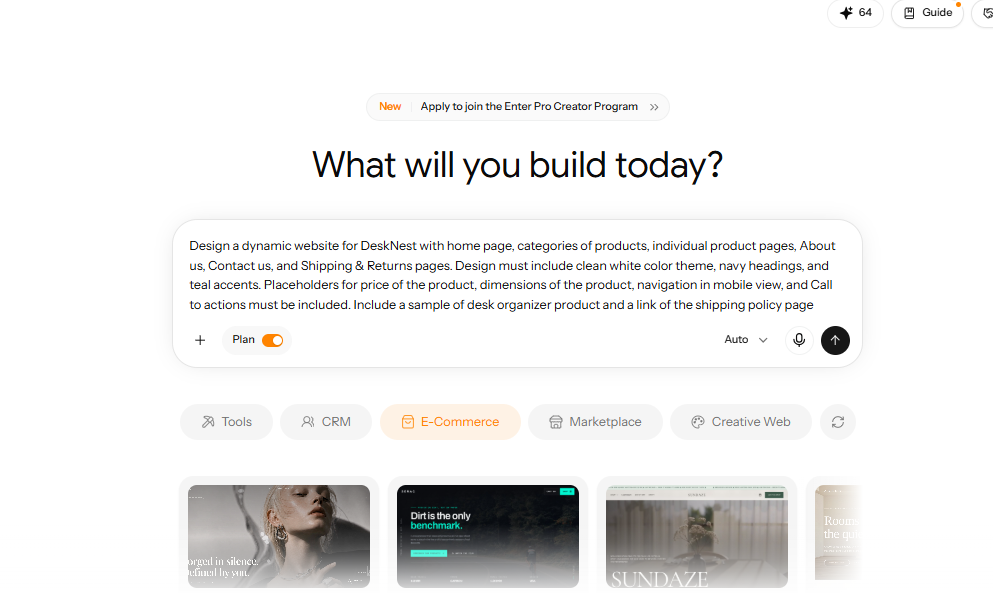
Write a command that gives Enter Pro enough detail to organize the store like:
“Design a responsive website for my (brand name) with home page, categories of products, individual product pages, About us, Contact us, and Shipping & Returns pages.”
Step 3: Review the Website Structure
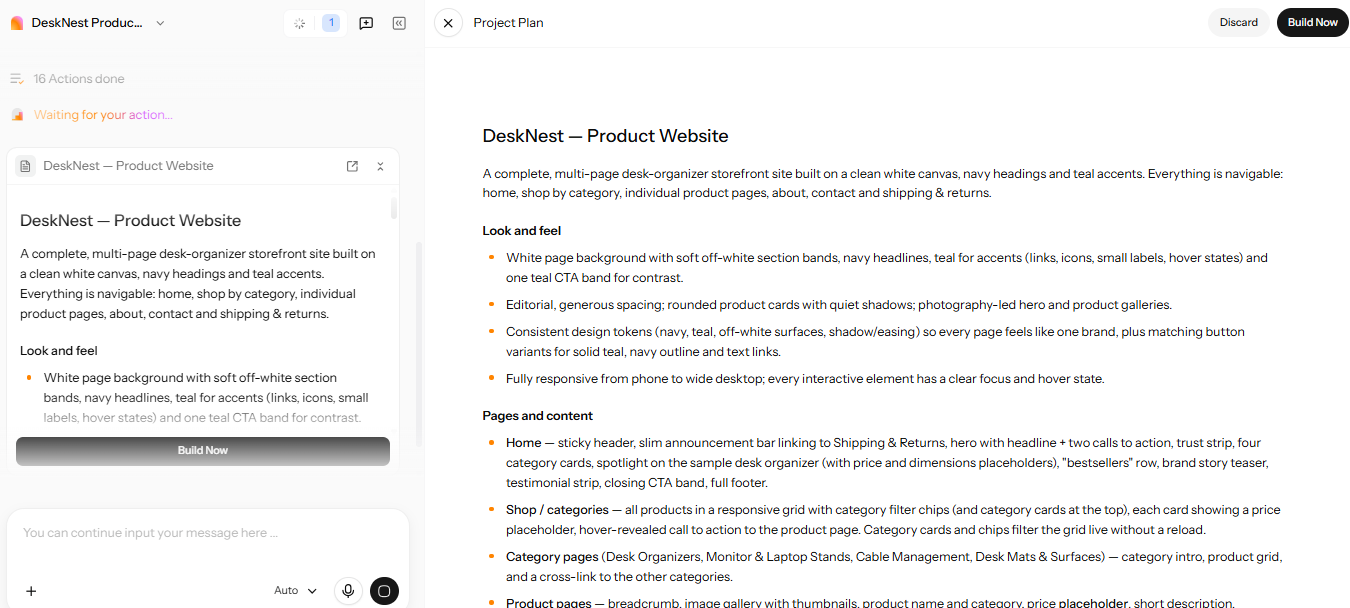
Before proceeding to the design of your entire site, examine the structure of your future webpages. Your customers must be able to proceed from the homepage to the product page and see their sizes and prices.
Step 4: Build and Customize Your Pages
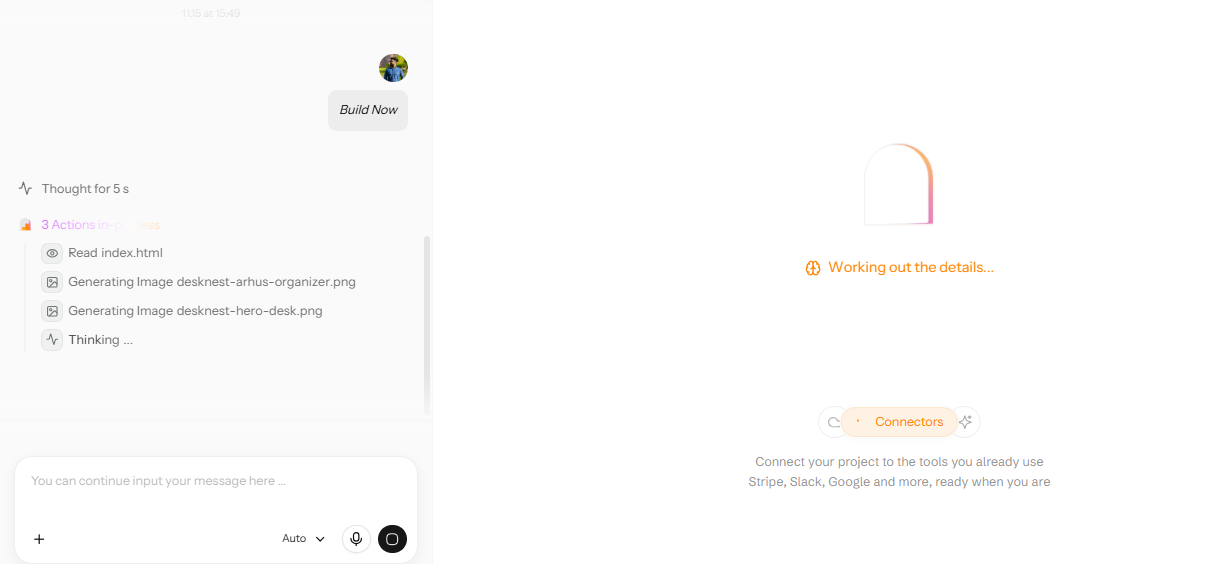
Create your web page and see what it looks like. Replace the fake images and descriptions with images and descriptions provided by your original digital products.
Step 5: Publish and Check the Live Site
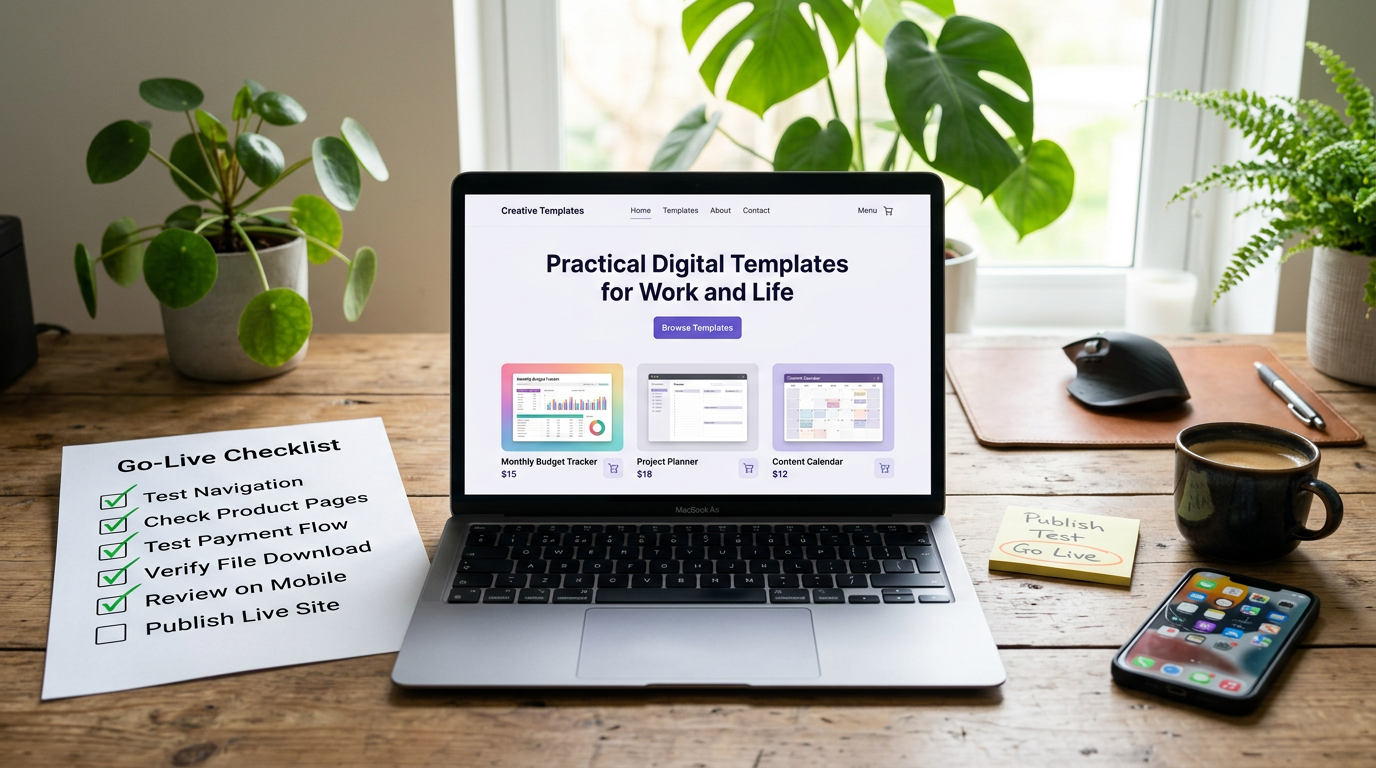
You need to wait until all the content and features are tested. Test your live website for the proper functioning of its navigation, which should differ from your previewed one.
You can even make a spreadsheet with software that you already have, but that doesn’t mean your business won’t have any costs. You’ll spend some time, no doubt, and you may incur fees every time you sell a digital product. Here are some expenses you may face in starting your digital product business.
| Expense | Sample budget | Notes |
|---|---|---|
| Creation software | $0 to $25/month | Depends on your tools |
| Domain or hosting | $0 to $30/month | This is if you want to sell through your own website |
| Test promotion | $0 to $100 | This is optional and you can try promoting your digital product first before launching it |
| Platform and payment fees | Varies | Check on current terms |
| Support and refunds | Varies | You’ll need to allocate time and money for support and refunds. |
A hosted course or software tool will cost you much more than a PDF. When you’re starting, not only should you factor in the cost of starting, but also, what will happen when you have 10, 50, or even 100 customers?
Common Mistakes When Selling Digital Products
If a customer can’t open your file, they won’t care how nicely you designed your sales page. There are many common mistakes that people make when launching their first digital product. Most of these are just oversights.
| Mistake | Potential outcome | What to do instead |
|---|---|---|
| Build your digital product before talking to customers | You may have features that no one wants. | Test out your idea for a calendar first. |
| Use unlicensed assets | You might get into an issue with rights. | Use your own assets or use licensed materials. |
| Not providing enough details about files | Your customers might not know what to do. | Tell your customers about the file, the number of tabs, and the permissions. |
| Not testing file delivery or not providing instructions on how to download it | You’ll get support requests and possibly even refunds. | Test your checkout and include a guide to downloading the files. |
| Failing to consider accessibility and costs | You may frustrate your customers or have a low profit margin. | Ensure that your file is accessible and usable. Check costs, too. |
Note that the refund and consumer rights laws are different depending on where you are. You may say that digital products are non-refundable, but that may not override your local laws.
An Action Plan for Launching Your Digital Product in 30 Days
It’s possible to launch a small digital product in 30 days. You’re not guaranteed to sell your product, though; a longer process might be needed for courses or apps, for example. Here’s a sample 30-day launch plan with one goal each week.
| Week | Tasks | Outcome |
|---|---|---|
| 1 | Talk to customers and study other calendars | You will have a clear audience and requirements |
| 2 | Build and test the calendar | You will have a working file and instructions |
| 3 | Determine pricing and set up product page | You’ll have a tested checkout and product delivery process |
| 4 | Share demos and collect feedback | You’ll launch and have a list of things to improve |
Creating a Digital Product from a Template: A Practical Example
Let’s bring everything together. Our freelancer opens up a spreadsheet and creates three different tabs: Idea Sheet, Monthly Calendar, and Project Status. In her monthly calendar, she includes dates, platforms, types of content, captions, authors, and approvals. Then, they includes one sample week of content, so a customer won’t be confronted with a blank spreadsheet.
Next, she protects the cells with formulas and asks another freelancer to test out her template. Without giving any guidance, she lets her test the file, and improves on the areas where the test user was confused. Finally, she adds a PDF with screenshots that doesn’t show any private information. She sets up the product page, and includes a preview of her calendar, the formats she supports, licensing, and instructions on how to use and download the file.
While this isn’t a very complicated product, a buyer will know what they’re buying and how to use the product.
Verdict: Are Digital Products Worth Selling?
Digital products are worth selling if you’re able to solve a problem and deliver a reliable product. Instead of trying to launch a large catalogue, start with one product that you can manage. Understand your customers, test your digital product, and figure out how much it will cost you, before you scale up.
At the end of the day, having a digital product that’s useful and easy to use is better than launching a cool idea that nobody wants. You can use Enter's Pro provided solutions to build your store, website, design it, market it, and much more.
FAQs About Digital Products
What are digital products?
Digital products are products that you don’t have to ship. These products are downloaded or delivered online. Examples of digital products are ebooks, editable templates, online courses, software, and paid resource libraries. Some digital products are files, but there are some that you’ll need to log into, or even pay for a subscription.
How can I sell digital products online?
You can sell digital products online by targeting your customers, creating a product, and testing it. You can sell your digital product through an online marketplace or platform, or through your own website. Enter Pro, for example, can give you a branded Ecommerce store. However, you will need to check if you can accept payments, how you can deliver your product, and how your customers will be able to access your product.
What are the best digital products to sell?
The best digital products to sell are ones that solve a problem for your customers. It’s best to create products that are for people that you know, and might be easier to sell a planner or a guide compared to a course or software product. But, ultimately, it depends on your skills and what your customers need.
How do I create a digital product to sell?
You can create a digital product by finding a problem that your customers have, and choosing a format to solve that problem. Create a first version of your digital product and test it out first. Then, you can set up the product page, and figure out how to deliver the digital product.
Can I sell digital products for free?
There are tools that you can use to create your digital product for free, and some platforms offer free plans. But, there may be other costs, like transaction fees, promotion, support, and even your time. Make sure to check out the terms of the platform you’re selling your digital product on.
Do I need a website to sell digital products?
You can sell digital products without your own website. There are marketplaces and platforms that let you sell without having your own website. If you want more control, you can have a website. Enter Pro’s Ecommerce Website Builder can help you do that. However, you’ll need to set up payments and how you deliver digital products.
Are digital products profitable?
They can be. Just because you don’t have to pay for shipping costs doesn’t mean you’ll make a profit. You’ll still have to make your revenues cover your costs, which are software, fees, marketing, refunds, updates, and support. Profitability will depend on demand, and how much it costs you to get customers and serve them.
What digital products can I make if I’m a beginner?
If you’re just starting out, you can create an editable planner, checklist, or even a spreadsheet. It’s better to make a product that you have some knowledge of and that you can test. It’s better to make a small product that’s useful than a big bundle that you haven’t tested.