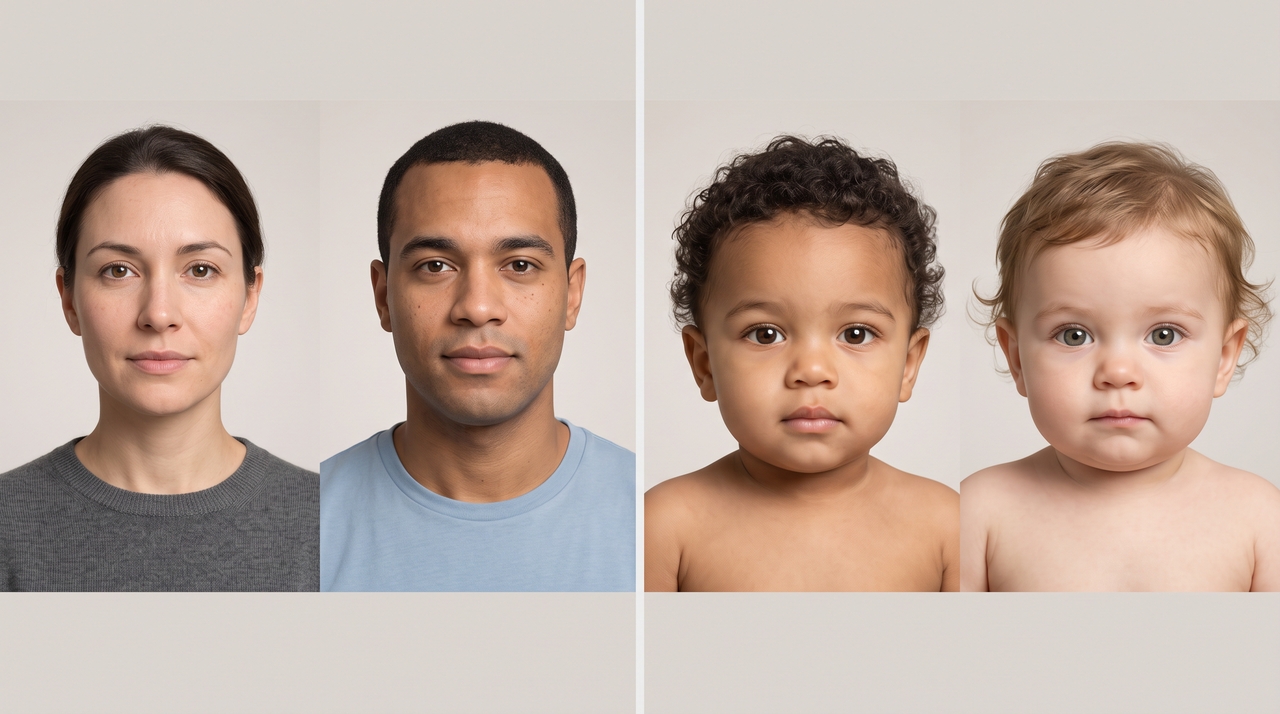
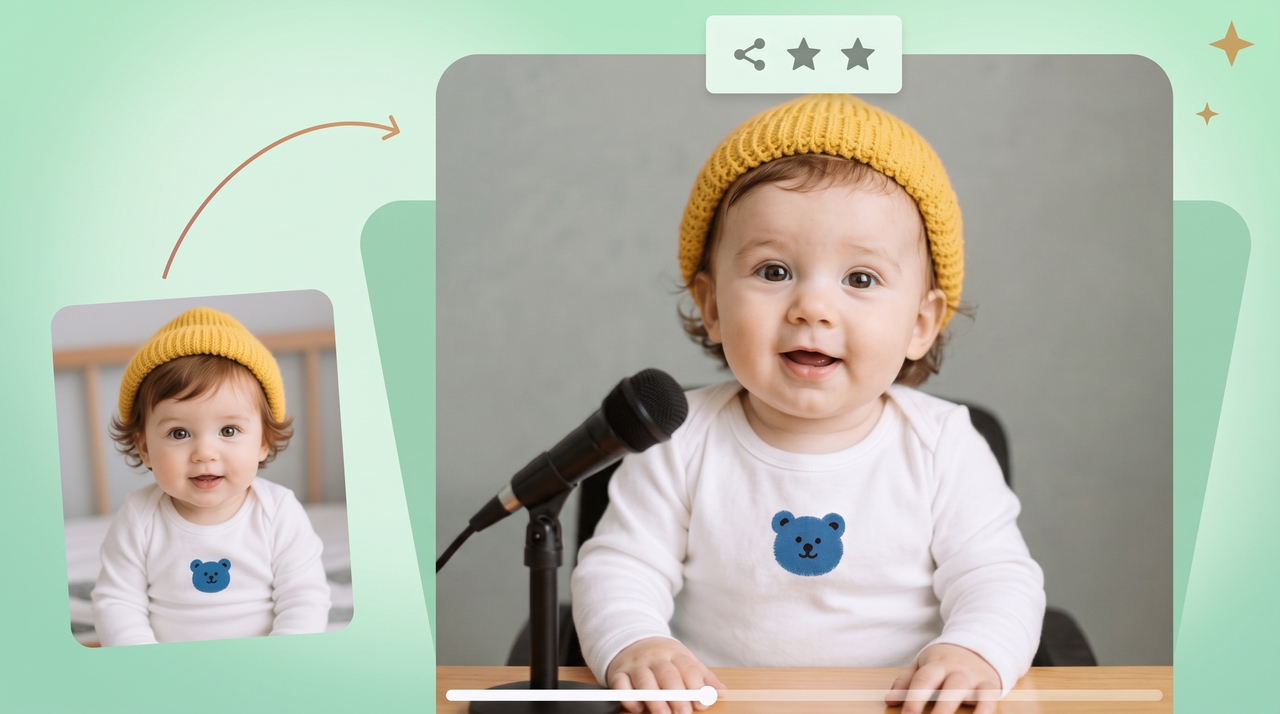
AI Baby Face Generator Online

Generate cute baby faces to see your future family and edit every detail with smart AI tools.

Upload imagesClick to browse or drag & drop file here
AI Baby Face Generator Online

What is a baby face generator?

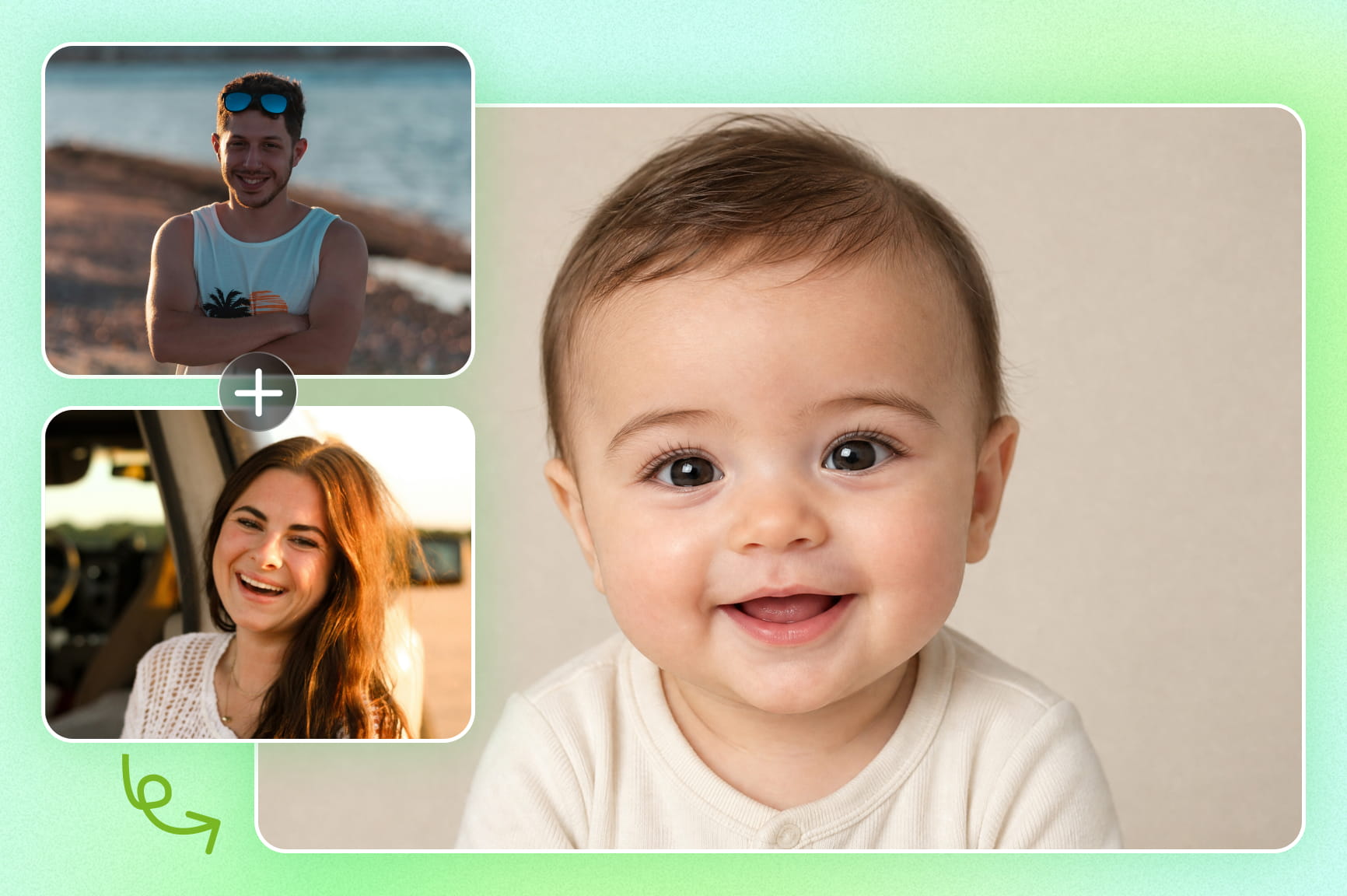
A baby face generator is a tool that takes two parent photos and predicts what their future child could look like. It reads facial structure, skin tone, and eye shape from each photo, then blends the two into one baby portrait. You can set the baby's age, from newborn to toddler, and adjust the background or expression afterward. The output is a still image or a short animated clip, not a real prediction of your child's actual face.

See AI baby portraits created from parent photos

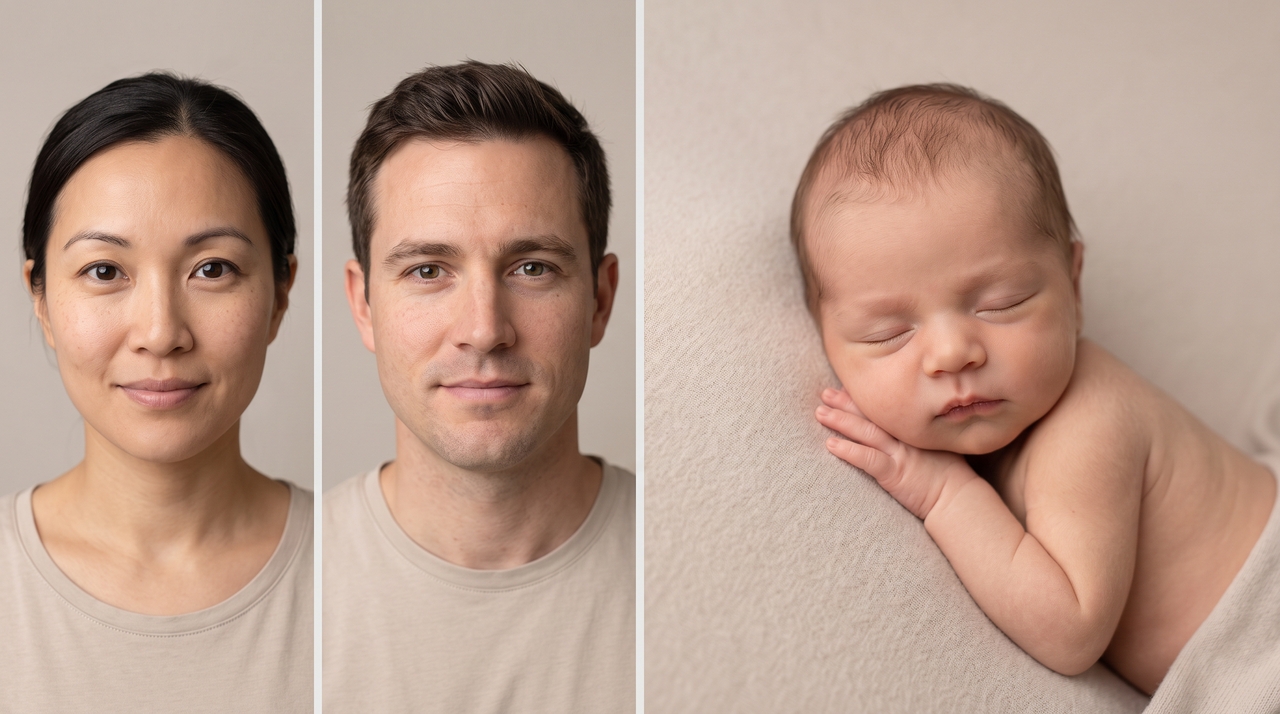
A few examples of what the AI baby face generator can produce from two parent photos.

Newborn prediction

Prompt: "Blend these two parent photos into a newborn baby portrait with soft, warm lighting."

Newborn prediction
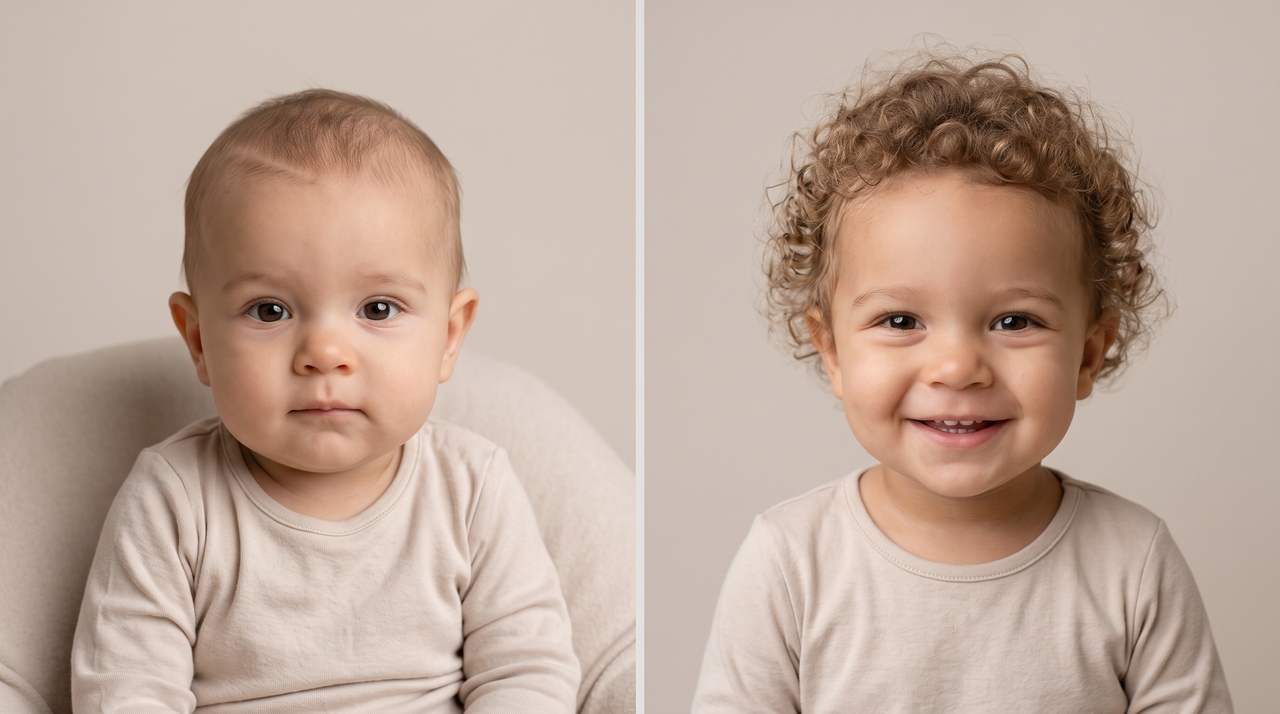
Toddler stage

Toddler stage

Prompt: "Show this baby at age two, with a full head of curly hair and a big smile."

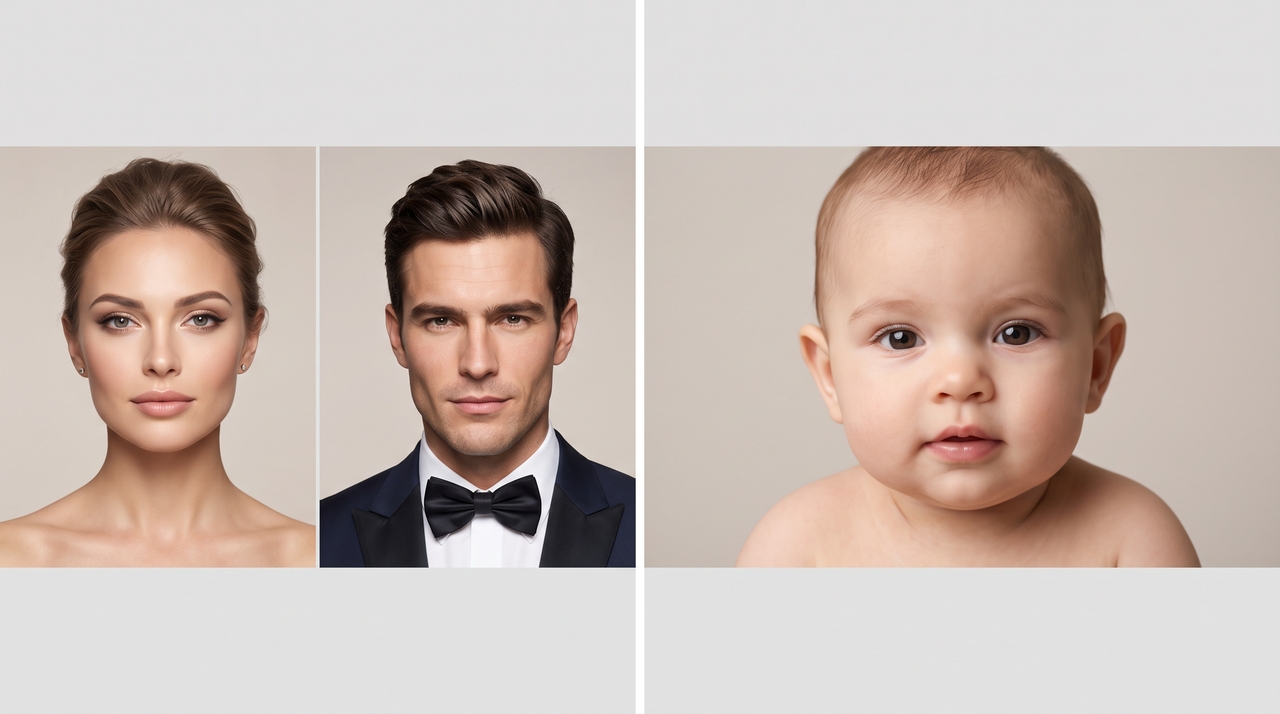
Celebrity mashup

Prompt: "Predict the baby face of these two celebrity photos, natural lighting, neutral background."

Celebrity mashup
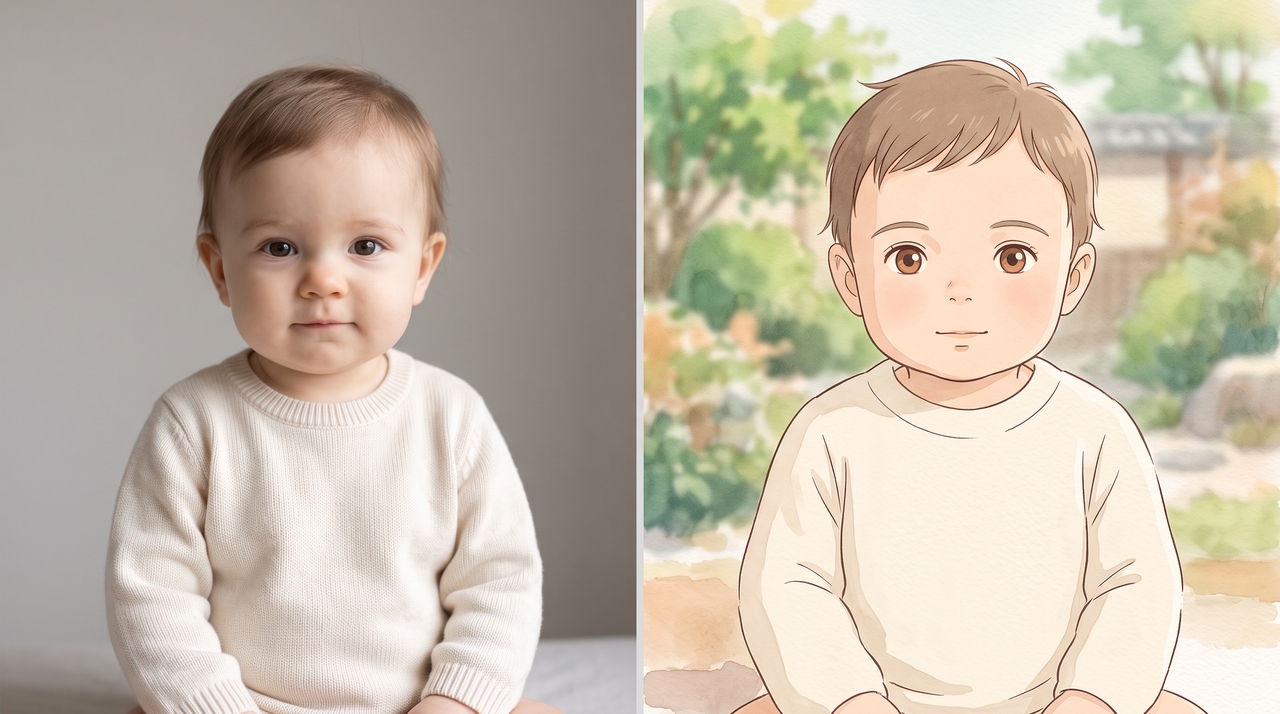
Studio Ghibli style

Studio Ghibli style

Prompt: "Turn this baby portrait into a Studio Ghibli-style illustration, soft pastel colors."

Twin variation

Prompt: "Generate two baby face variations from these parent photos, one boy and one girl."

Twin variation

Pure cuteness ahead: Features behind every smiling baby photo

Convert photos into baby face results using simple AI tools that process images and show soft, childlike versions.

Turn parent photos into adorable baby faces

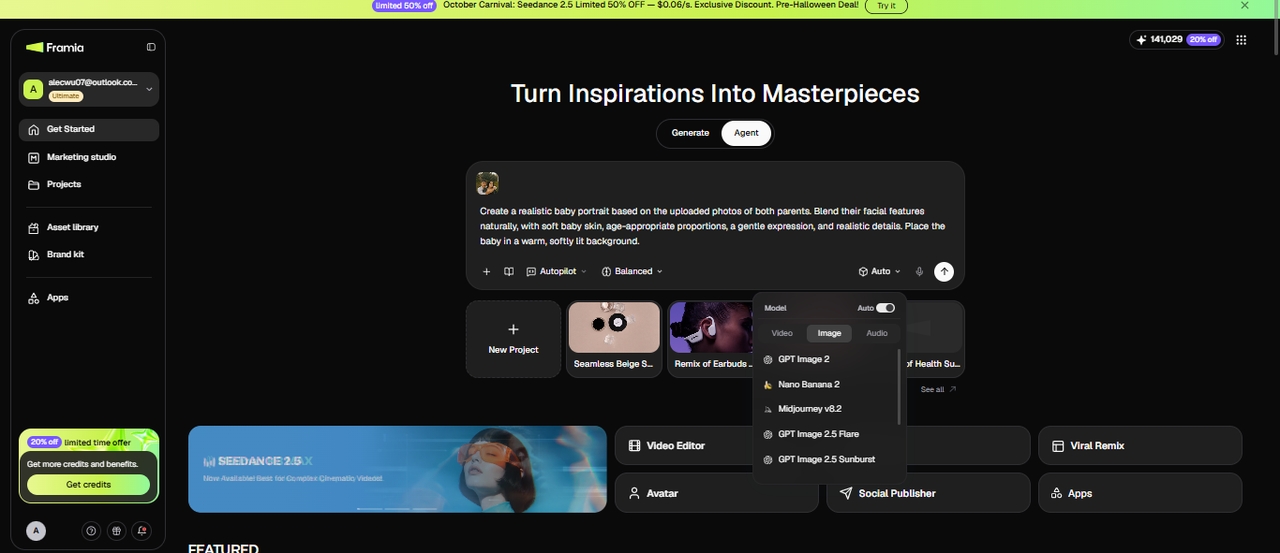
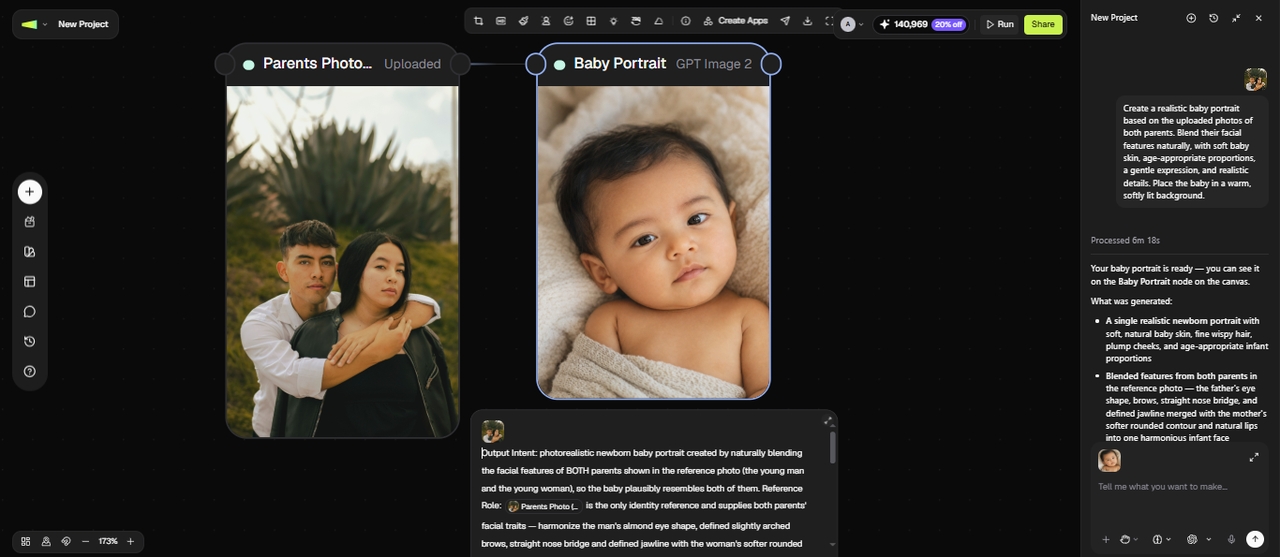
Upload one photo of each parent to the Agent canvas and let GPT Image 2, Seedream 5.0, or Nano Banana 2 read facial structure, skin tone, and eye shape from both images, and blend them into one realistic baby portrait.

Turn parent photos into adorable baby faces
Create baby photos at every age

Create baby photos at every age

Set a stage from newborn to toddler, and the AI adjusts proportions, skin softness, and facial features to match that exact age group. Each output looks developmentally accurate, not just a shrunken adult face.

Get multiple baby face variations

Create several baby face outputs from one upload with different facial blends, expression shifts, and styling changes using our AI baby generator face maker. Generate different imagined baby portraits from the same reference photos, varying facial appearance, expressions, and styling.

Get multiple baby face variations
Customize the background with prompts

Customize the background with prompts

Change or replace backgrounds using text prompts, inpainting tools, and background removal features. AI separates the subject from the scene and places it into new settings while keeping edges clean and visuals aligned in different environments for controlled background editing results.

Edit & refine your baby face using AI

Open the generated portrait on the canvas and use prompts to open closed eyes, add a natural smile, fix awkward angles, or change the mood entirely. Our best AI baby face generator rewrites the expression while preserving the original face structure.

Edit & refine your baby face using AI
Generate baby face videos from photos

Generate baby face videos from photos

Feed the baby portrait into canvas and pick a video agent powered by Veo 3.1, Seedance 2.0, Hailuo 2.3, or Kling 3.0 to animate it into a short clip. Create an AI avatar or a talking photo baby mascot for your brand.

Romance meets AI: See your future little one in three steps

Your baby portrait is one prompt away. Walk through these three steps and see the results:

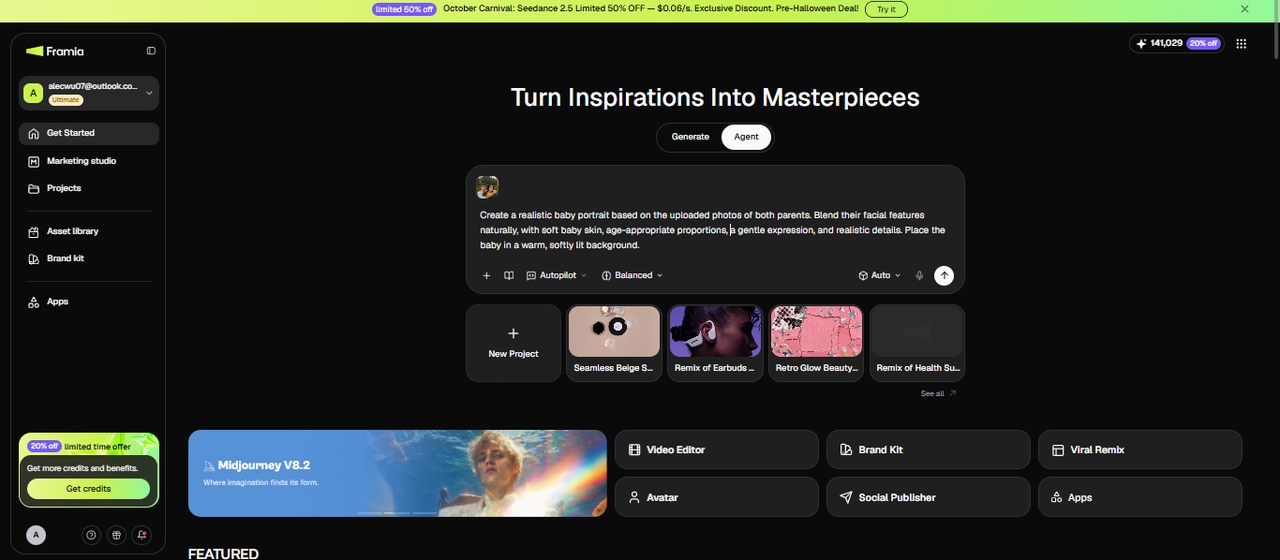
Step 1: Upload the parent photos
Say you and your partner just found out you're expecting. Open Framia Pro, upload a clear photo of each parent, and add a prompt describing the baby's age, gender, and background scene. A well-lit, front-facing photo of each parent gives the AI the clearest read on facial structure and skin tone.
Step 1: Upload the parent photos
Step 2: Generate your baby portrait
Pick an image model, such as GPT Image 2, Seedream 5.0 Pro, or Nano Banana 2, set the reasoning and autopilot mode, and hit "Generate." Framia Pro reads facial features from both photos and blends them into a realistic baby portrait, adjusting proportions and softness to match the age stage you chose.
Step 2: Generate your baby portrait
Step 3: Refine, download, and share
Review the portrait in the image node and check the expression, background, and overall likeness. If something looks off, connect another node & enter a prompt to open closed eyes, add a smile, or swap the background with a new prompt. Once it looks right, you download the final image at full resolution and share it.
Step 3: Refine, download, and share

Mastery over mystery: Why choose Framia Pro's AI baby face generator

Explore our AI baby face generator tool that turns photos into baby predictions with clear edits.

Realistic baby predictions
Analyze facial features from both parents and combine them into baby predictions with natural proportions and soft skin details. Each result changes small traits like eyes, nose, and face shape to show multiple realistic baby versions generated from the same input photos.
High-quality image output
Generate sharp baby face images using our AI baby face video generator that supports upscaling to 2K for photos and 4K for videos. Hold the facial clarity while refining textures, edges, and lighting details in the final rendered results
Smooth baby face blending
Blend facial features from two inputs using AI mapping that aligns eyes, nose, and face shape. Each output combines traits evenly and produces a natural baby face result with clear structure and consistent facial proportions in generated images.
Quick rendering time
Generate baby portrait results in seconds with our AI baby generator face maker for free. Type a prompt, upload the parent photos, hit generate, and the output arrives fast enough to run multiple variations in a single sitting without any wait.
Creative style filters
Switch the output into a Studio Ghibli illustration, oil painting, or cinematic film look using Framia Pro's style transfer, powered by Nano Banana 2, Seedream 4.5, and Midjourney v7. Download the styled result in 4K from our baby face generator.
Private image processing
Process uploaded parent photos securely over HTTPS. Our free baby face generator follows standard SaaS data privacy terms. You can submit verified deletion requests and review the full Privacy Policy on the platform before uploading anything.

From chats to celebrations: Use cases for our AI baby face maker

Turn quiet couple reveals, packed baby showers, and chaotic group chats into moments nobody wants to miss.

Couple reveal posts
Generate a side-by-side of both parents next to their predicted baby with our AI baby face generator video and use it as a caption post. Couples use it to announce pregnancies, spark reactions, and get comments rolling before the due date even arrives.
Family party games
Make and print AI baby face pictures, mix them with real childhood photos, and let everyone guess which one is AI. This is great for reunions, birthday dinners, or any gathering where someone needs an icebreaker that actually lands.
Baby shower entertainment
Set up a station where guests upload their own photos to Framia Pro alongside the parents and see whose face the baby inherits most. The results alone carry the whole game for twenty minutes straight.
TikTok and Instagram videos
Animate the baby portrait into a short clip using Framia Pro's video agents, stitch it next to both parent photos, add a trending audio, and post. These formats consistently pull high engagement because the reveal moment hits every single time
Funny group chats
Drop a baby prediction into the family group chat with zero context and watch the replies pile up. Pair yourself with a celebrity, a friend, or a pet for extra chaos. It takes a few seconds and delivers a full afternoon of reactions.
Digital keepsake ideas
Download the portrait in high resolution, upscale it to 4K using Framia Pro's image upscaler, and save it as a dated memory tied to a pregnancy, anniversary, or milestone. Something to pull up years later and compare to the actual kid.

Real stories from our global community

Different creators, different stories, one AI baby face generator worth talking about.

My husband and I generated five variations the night we found out we were pregnant. We stayed up until 2 am laughing and arguing over whose nose showed up more. The results looked genuinely real, not like a blurry stock photo mashup.
Sarah M
Sarah M
Expecting mom
Posted a side-by-side of me, my girlfriend, and the AI baby prediction on Instagram. Got 4,000 saves in two days. I've tried three other tools before this one, and the outputs always looked off. This one actually passed the comment section test.
James O.
James O.
Content creator
Set up a tablet at a corporate event to demo AI tools for a client. Someone suggested running baby predictions as a fun break. Three people ended up generating their own that same evening and asking for the link.
Samantha K.
Samantha K.
Event planner
Our first kid just turned one. I used Framia Pro before he was born and pulled up the prediction. The cheekbones and eye shape were honestly closer than I expected. My wife screenshotted the comparison and sent it to the whole family.
Tom R.
Tom R.
Dad of two
I ran the baby portrait through the style transfer, switched it to a Studio Ghibli look, and gifted it framed to my sister for her first anniversary. I've since done four of these for friends, and every single one landed the same way.
Yuki T.
Yuki T.
Graphic designer
I honestly expected a blurry AI mess. What came out looked like a real newborn photo. I upscaled it and printed it at A4 size for my vision board. The whole process took under three minutes, which I did not expect at all.
Amara D.
Amara D.
Teacher
We've compiled the most important information to help you get the most out of your experience. Can't find what you're looking for?Contact us

Frequently asked questions

What kind of parent photos work best?
Use front-facing images with natural expressions, consistent lighting, and uncluttered backgrounds. For the best results, choose high-resolution photos where facial features are sharp and unobstructed.
Is there a free AI baby face generator?
Yes. Framia Pro generates realistic baby portraits from two parent photos at no cost. The AI reads facial structure, skin tone, and eye shape to make a portrait that actually resembles both parents. Free outputs include a watermark, and upgrading removes it and unlocks extra features.
How to make your face look like a baby face?
Upload your own photo, request a baby-style appearance in the prompt, and specify the age stage, and the AI reshapes your features into a baby portrait instantly.
How do I use a baby face generator online for free?
Go to Framia Pro, upload a clear photo of each parent, add a background description if you want one, then hit generate. The whole process takes under three minutes.
Can I use a celebrity photo instead of a parent's photo?
Yes. You can upload any two clear face photos, including celebrities or friends, in place of parent photos to generate a baby face prediction.
Can I create an AI baby face generator video instead of just a photo?
Yes. Once your baby portrait is generated, you can feed it into the Agent canvas and animate it into a short AI baby face video with a video model of your choice.
Can I try a free baby face generator without signing up for a paid plan?
Yes. Framia Pro gives new users free credits, so you can generate a baby face prediction before deciding whether to upgrade.
What's the best AI baby face generator for realistic results?
Framia Pro is built for this specifically, blending facial structure, skin tone, and eye shape from both parent photos rather than applying a generic filter, which is what gives the prediction a more natural look than a simple face-morph tool.

Still have questions?

Have questions or need assistance? Our team is here to help!

Meet your baby today

Upload two photos and get a hyper-realistic AI baby face prediction in under a minute.

See Your Future Baby Face — Free AI Baby Face Generator Online