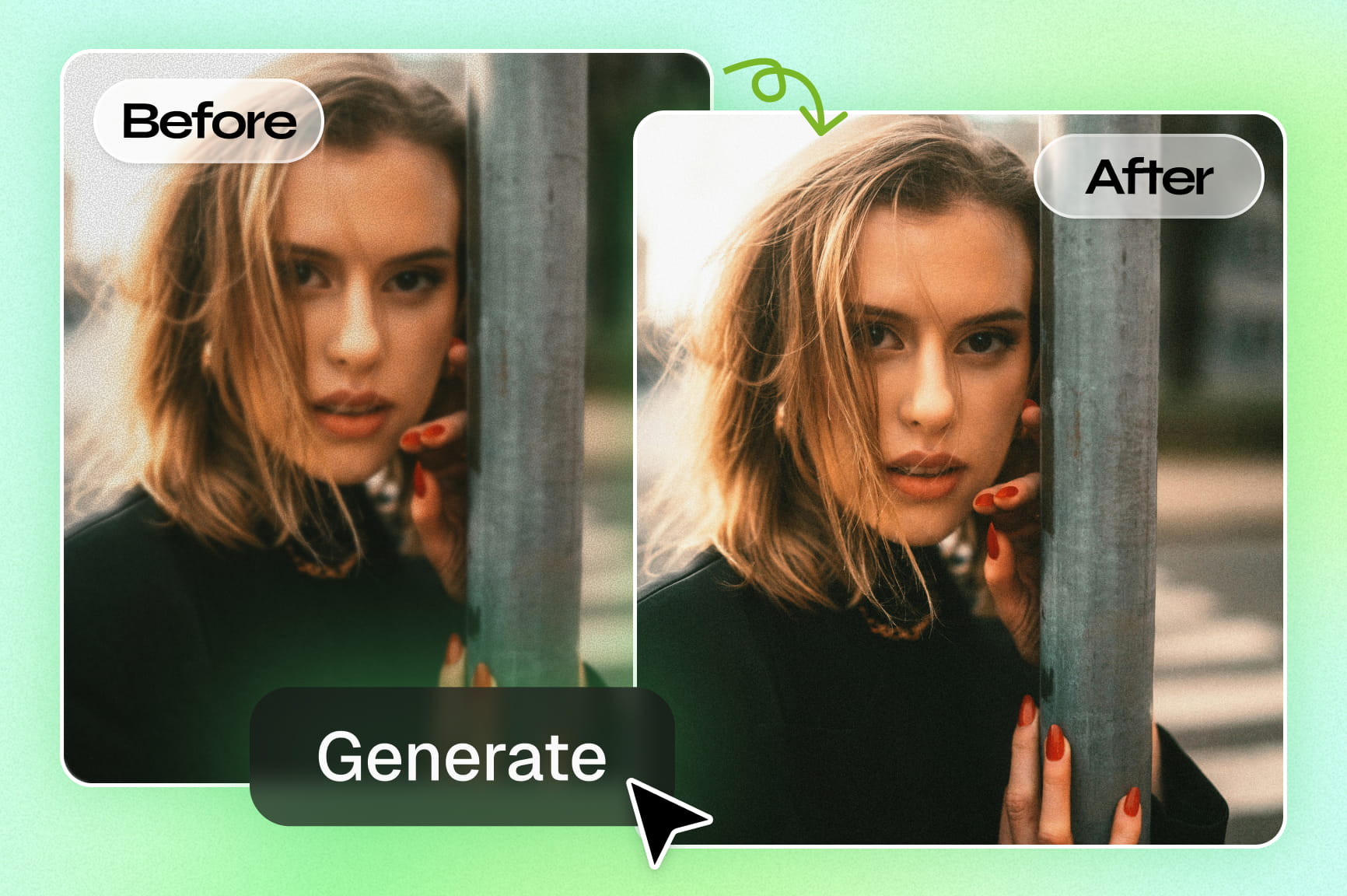
AI Photo Enhancer

Turn ordinary images into breathtaking visuals with Framia Pro's photo enhancer. Upscale, sharpen, and restore clarity in seconds.

Upload imagesClick to browse or drag & drop file here
AI Photo Enhancer

How to enhance a photo with Framia Pro?

Upload image
Drag & drop your image or upload from your device. Supports JPG, PNG, and WebP formats

Prompt and generate
Describe the enhancement you need — sharpen, upscale, restore, or relight. Next, choose image model (like Nano Banana 2) and hit "Generate."
Download
Review the enhanced image, make quick refinements if needed, and download your high-quality, improved photo instantly.

Why choose Framia Pro image quality enhancer?

Discover how Framia Pro's AI image enhancer turns low-quality images into sharp, professional visuals — in seconds, no editing skills needed.

One-click AI image enhancement for any photo

Framia Pro's AI picture enhancer automatically detects blur, noise, and low resolution—then applies smart fixes in one click using world-class models like Nano Banana Pro, Flux. No manual adjustments, no learning curve. Just instant, professional-quality results every time.
One-click AI image enhancement for any photo
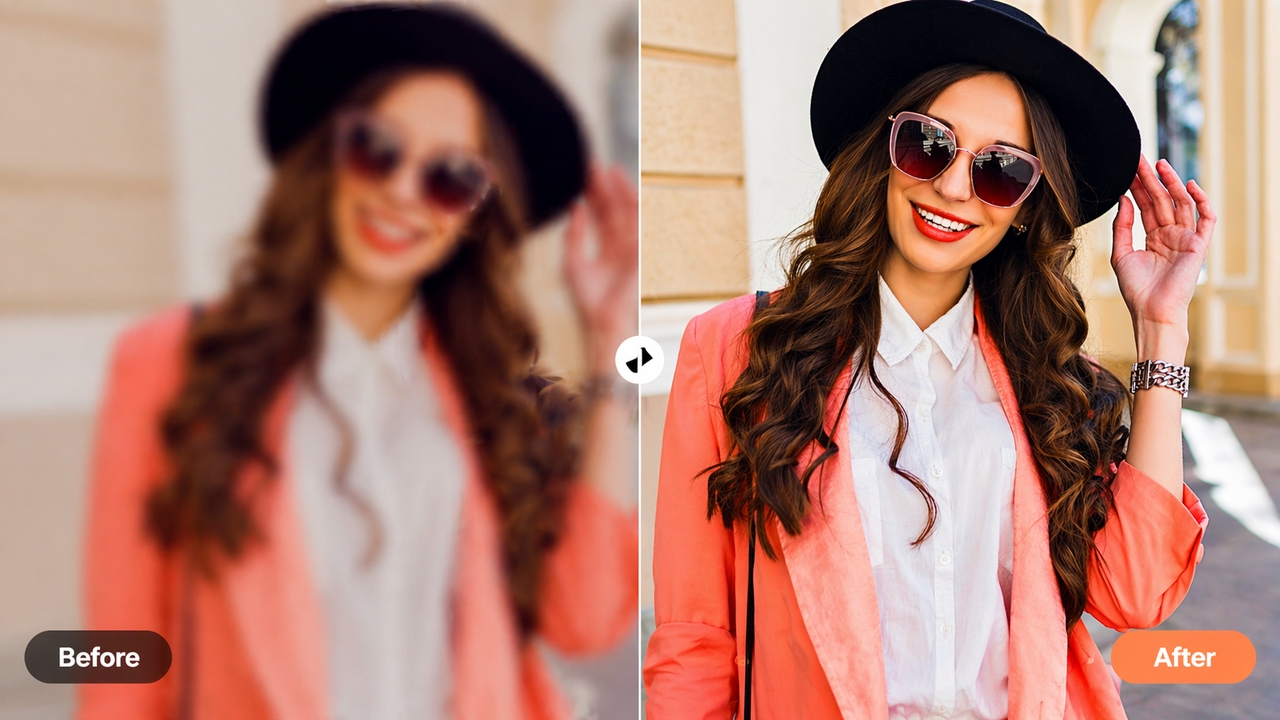
Advanced AI upscaling for 4× resolution boost

Advanced AI upscaling for 4× resolution boost

Upscale your visuals up to 4× with Framia Pro's image upscaler. Using world-class models like Seedream 5.0, it reconstructs fine details at the pixel level, making low-res photos print-ready and professional without a reshoot. Perfect for high-quality, ad-ready content instantly.

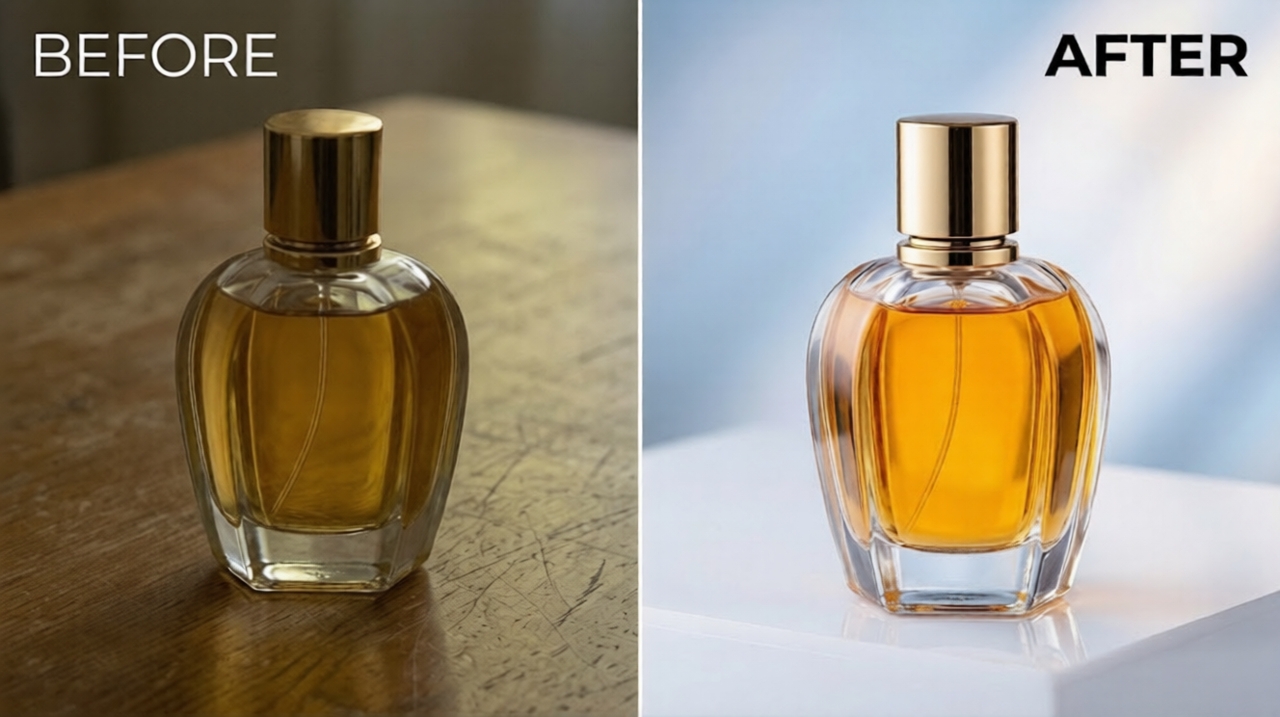
Automatic lighting and color correction

Enhance photo quality instantly with AI-powered adjustments that improve brightness, boost colors, and fix uneven tones. No manual adjustments required—our intuitive interface ensures polished, professional outcomes for portraits, product shots, or landscapes in seconds.
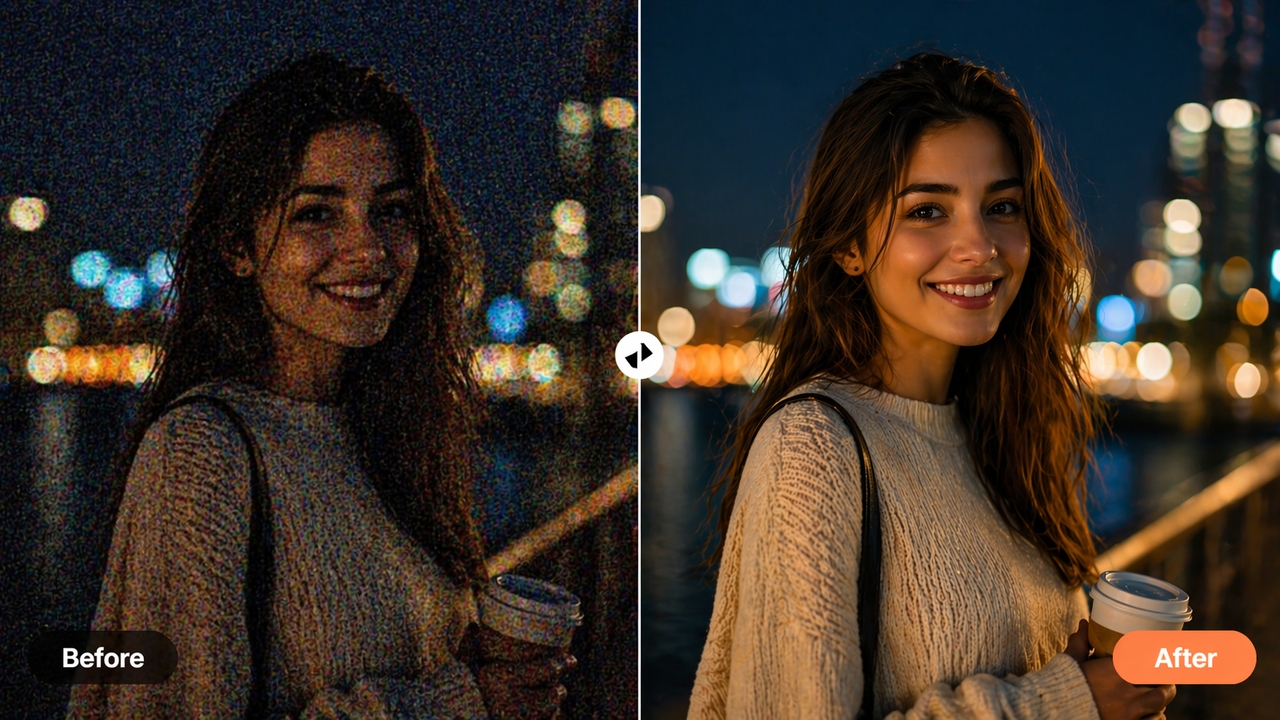
Automatic lighting and color correction
Automatic detail enhancement & sharpening

Automatic detail enhancement & sharpening

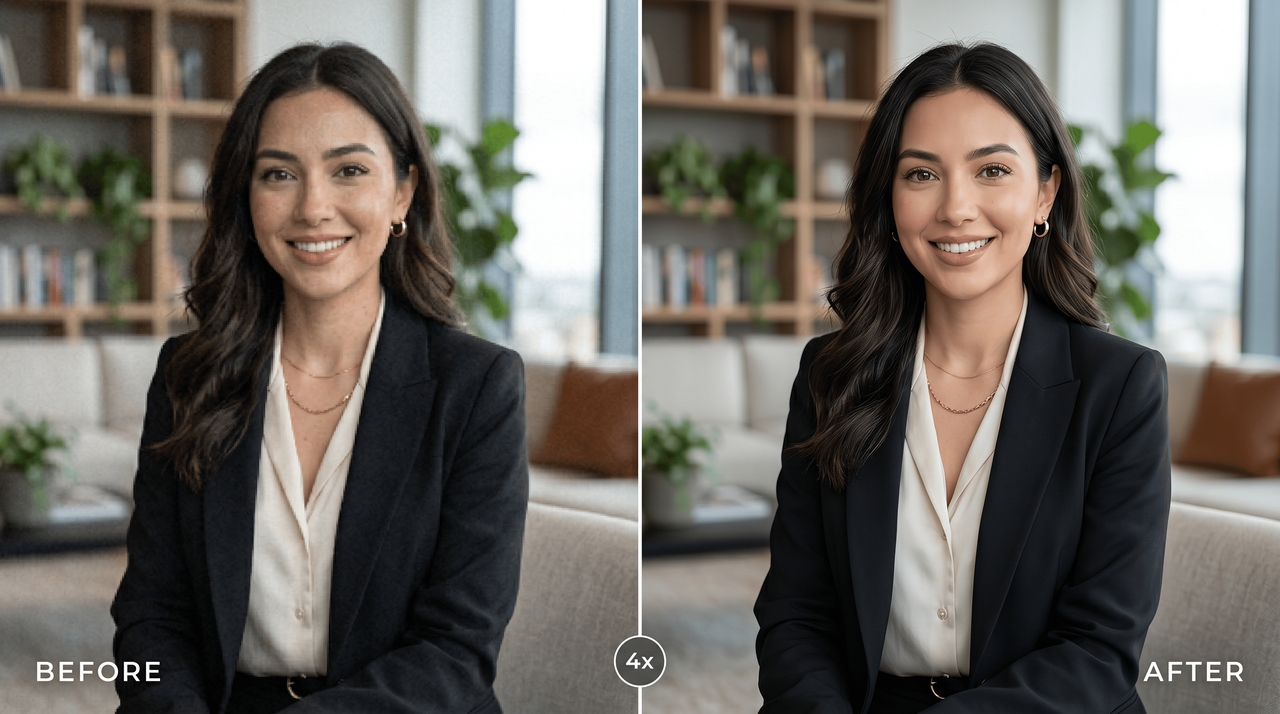
Improve image quality by fixing blur and enhancing textures with AI precision. Our online photo enhancer reduces effects of camera shake and restores fine details, making portraits clearer by refining facial features while keeping the image natural and sharp.

Precision prompt-based image editing control

Use simple text prompts like "enhance photo quality" or "retouch skin" to guide precise improvements. Our AI quality enhancer listens to your direction, allowing you to boost vibrancy or fix lighting through a conversational interface on our intelligent canvas.
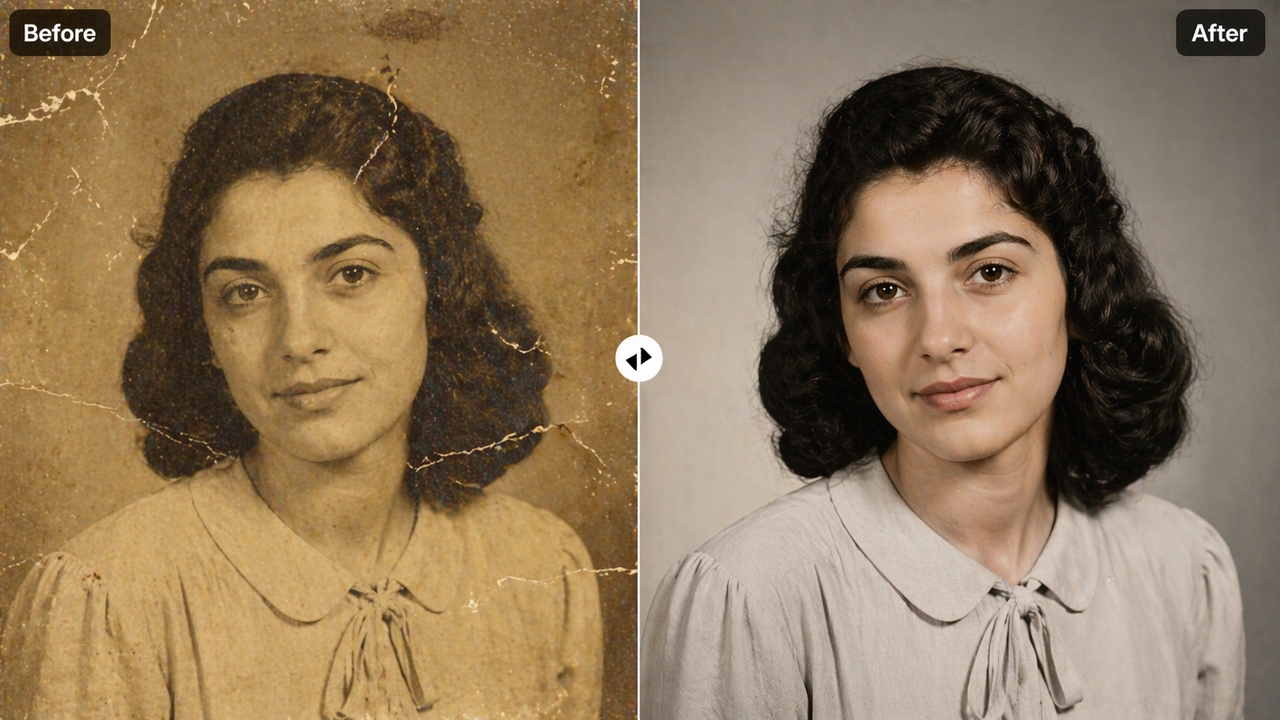
Precision prompt-based image editing control

Benefits of using Framia Pro's AI photo enhancer

Unlock your creative potential with our photo enhancer online that saves time, cuts costs, and delivers studio-quality results.

Save hours of manual editing time
Stop wasting time on complex retouching tools. Our AI photo enhancer automates the sharpening and denoising process, allowing you to improve image quality in seconds. This efficiency frees you to focus on creative direction rather than tedious technical adjustments.
Eliminate the need for expensive reshoots
Recover blurry or low-resolution shots that were previously unusable. Using the image upscale feature, you can transform imperfect photos into high-definition assets, saving your budget from costly new photoshoots while maintaining professional standards for all your digital marketing campaigns.
Get professional results without design skills
You don't need to be a photographer or designer. Framia's free AI photo enhancer delivers sharp, polished, professional-grade image quality with a single click — accessible to anyone, regardless of experience or technical knowledge.
Achieve consistent professional brand quality
Ensure every visual across your social media and website looks polished. Our picture quality enhancer provides uniform clarity and color correction, helping you build a trustworthy brand identity with crisp, high-fidelity images that resonate with your target audience instantly.
Download high-quality files ready to publish
Every enhanced photo exports as a sharp, professional file optimized for social media, print, e-commerce, or advertising. Framia Pro's free online photo enhancer ensures your output meets platform standards without extra compression or quality loss.
Enhance any photo across every use case
From product shots and portraits to scanned prints and social media content, Framia Pro's picture quality enhancer handles every image type — consistently delivering clean, high-resolution results tailored to your specific creative need.

Enhance photo quality for every creative need

See how creators, businesses, and everyday users rely on Framia Pro's free photo enhancer to produce sharper, better-looking images — faster.

E-commerce & product photography

Sharp product images drive more sales. Framia Pro's picture quality enhancer upscales and sharpens product shots instantly — removing blur, boosting color accuracy, and delivering print-ready, platform-ready visuals without expensive reshoots or professional image editing software.
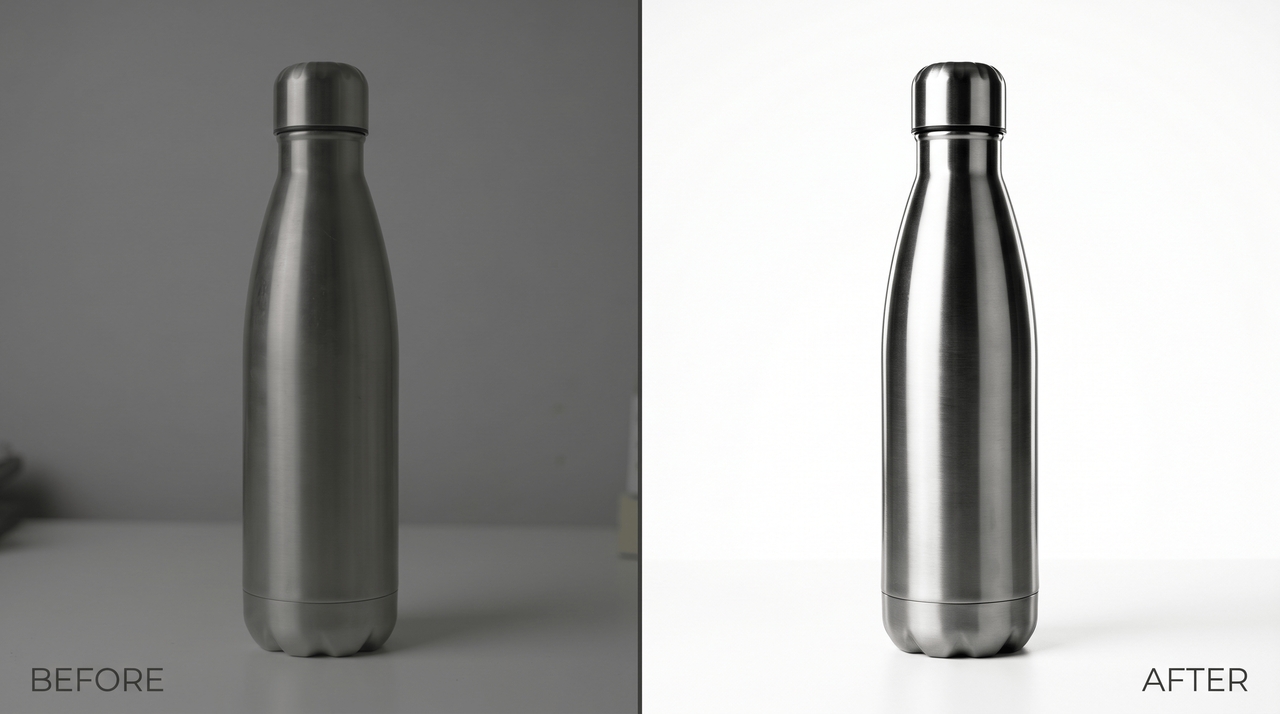
E-commerce & product photography
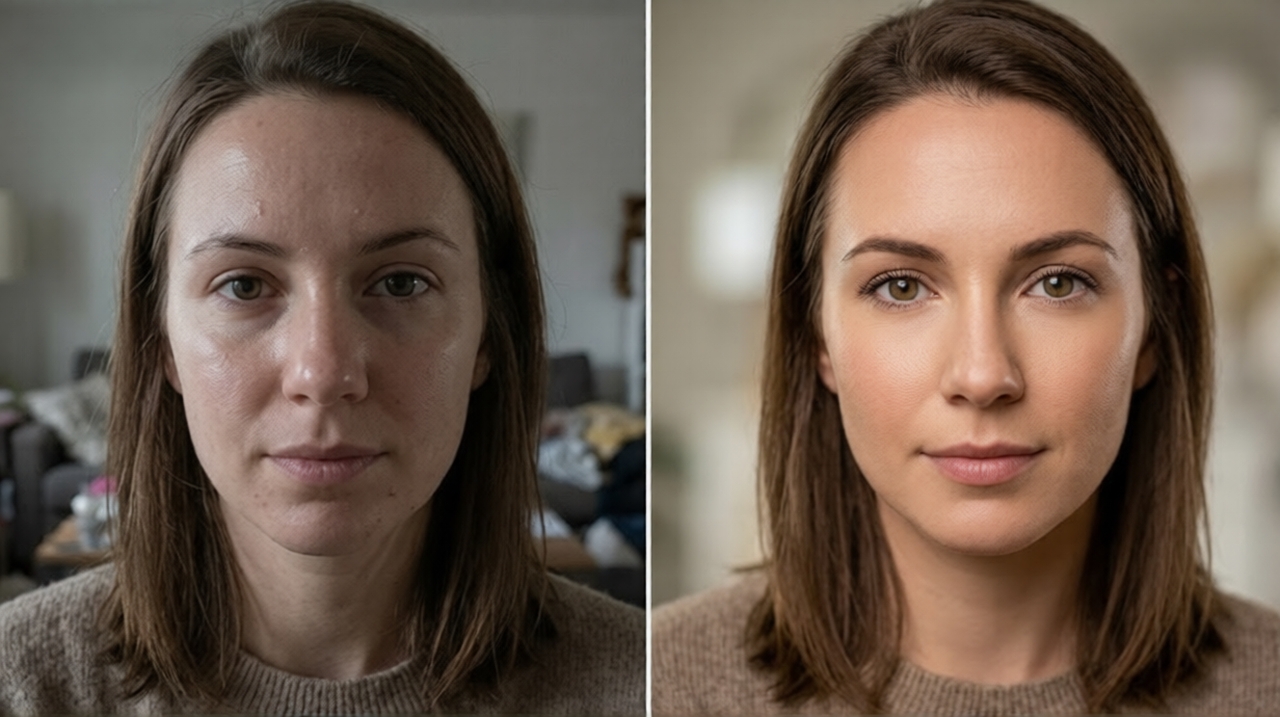
Portrait & people photography

Portrait & people photography

Bring out the best in every face. Framia Pro's AI photo enhancer smooths skin, sharpens facial details, corrects lighting, and enhances color naturally — giving portraits a polished, professional finish without heavy retouching or Photoshop skills.

Social media content creation

Stand out in every feed. Framia Pro's free AI photo enhancer boosts image quality before you post — fixing compression artifacts, enhancing vibrancy, and ensuring every photo looks sharp and professional across Instagram, TikTok, and LinkedIn.
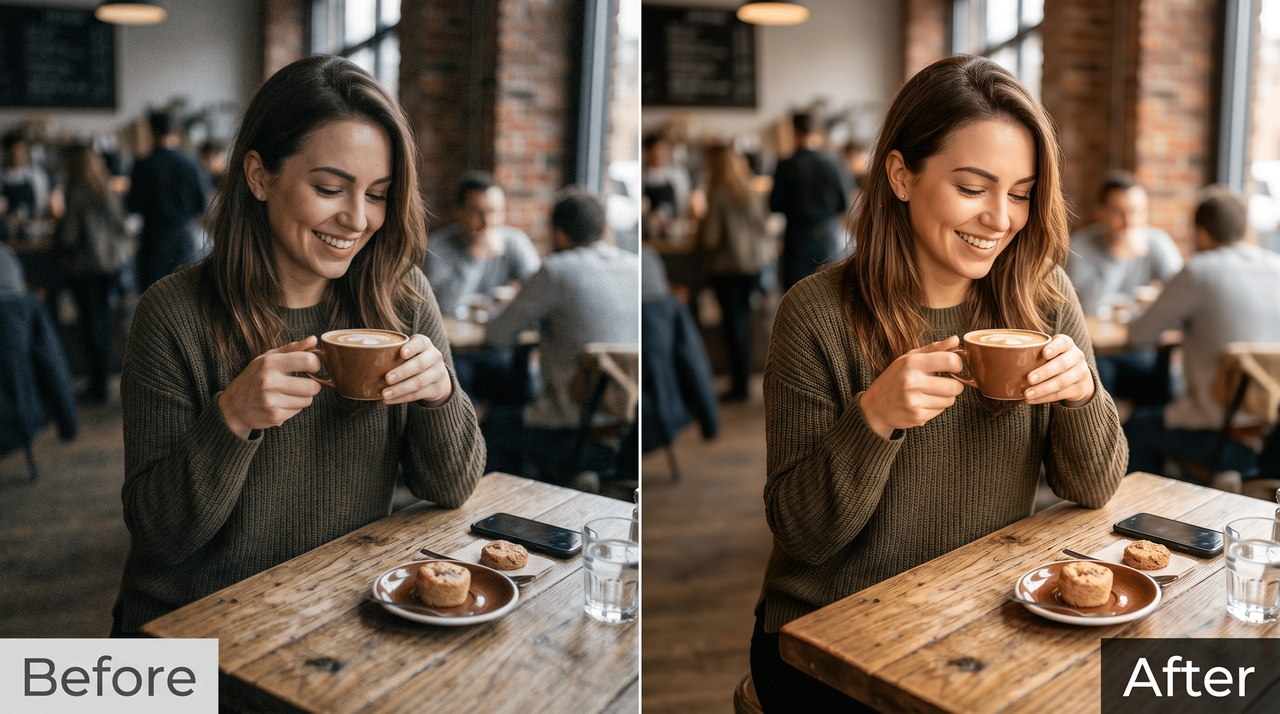
Social media content creation
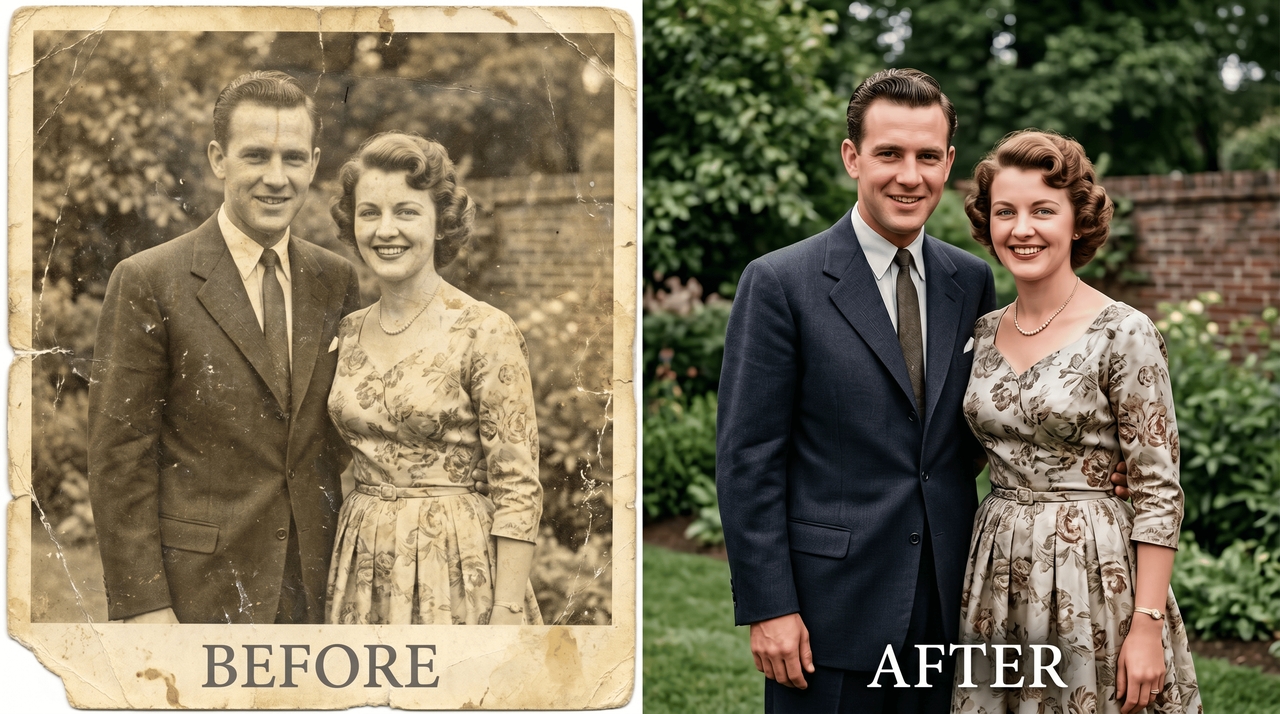
Old & scanned photo restoration

Old & scanned photo restoration

Breathe new life into faded memories. Framia Pro's artificial intelligence photo enhancer reconstructs lost detail in old, scanned, or damaged photographs — restoring sharpness, correcting color degradation, and improving clarity beyond what manual editing can achieve.

Real estate & architecture photography

Highlight every detail of your properties with enhanced clarity. Our AI quality enhancer fixes lighting imbalances and sharpens architectural lines, ensuring that your real estate listings look spacious, bright, and inviting to potential buyers browsing through online galleries or brochures.
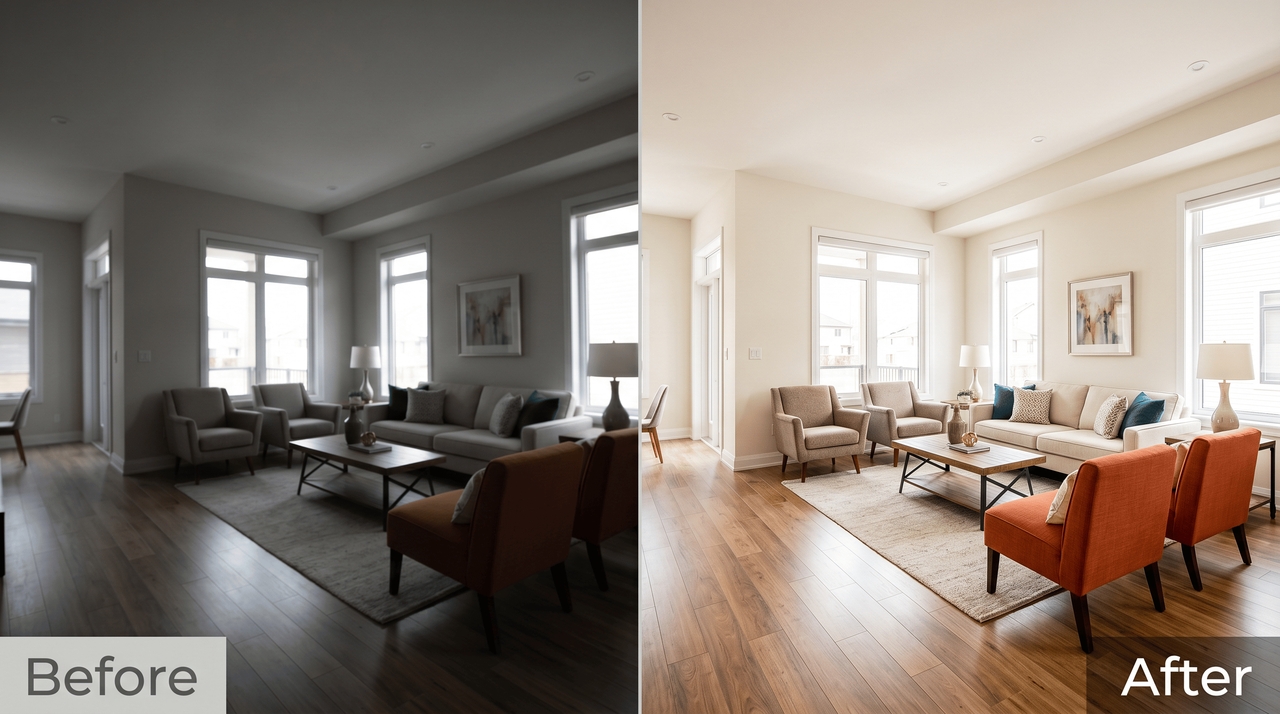
Real estate & architecture photography

What users say about Framia Pro's photo enhancer

Framia Pro's AI photo enhancer transformed my entire Shopify store. I used to spend hours editing each shot — now I upload, enhance, and publish in minutes. The image quality difference is night and day.
Sarah M
Sarah M
E-Commerce Store Owner
I've tested every free online photo enhancer out there. Framia Pro is on another level — the upscaling alone is worth it, and the fact that I can keep editing on the same canvas is a game-changer.
James R
James R
Content Creator
I was skeptical an AI photo enhancer could handle 50-year-old scanned prints. Framia Pro recovered detail I thought was lost forever. The results genuinely moved me. Nothing else I tried came close.
Priya D
Priya D
Lifestyle Blogger
Most free tools watermark everything or cap the resolution. Framia gives you real enhancement power from the start. I enhanced and downloaded full-resolution images without hitting a single paywall.
Anika S
Anika S
Freelance Designer
I love how easy it is to enhance picture quality with Framia Pro. The AI does all the work, and the results look amazing. It’s the best free AI photo enhancer I’ve used so far.
Arjun Mehta
Arjun Mehta
Content Creator
Framia Pro's photo enhancer reduced noise and improved clarity across all my interior and exterior shots. Property photos now look polished on every platform — with barely any effort on my end.
Linda K
Linda K
Real Estate Agent
We've compiled the most important information to help you get the most out of your experience. Can't find what you're looking for?Contact us

Frequently asked questions

What is an AI photo enhancer?
An AI photo enhancer is a tool that automatically improves image quality — sharpening details, reducing noise, correcting color, and upscaling resolution using artificial intelligence, without any manual editing required.
Can AI photo enhancer fix blurry or old photos effectively?
Yes. Framia Pro's AI photo enhancer reconstructs lost detail in blurry and aged photos — restoring sharpness, correcting faded color, and recovering texture that manual editing simply cannot replicate.
Is my data safe when I upload images?
Your privacy is our priority. We use encrypted connections and do not store your images long-term. Files are typically deleted after processing, ensuring your professional and personal data stays private.
What types of photos can an AI image enhancer fix?
Our AI image enhancer works on portraits, product shots, landscapes, scanned prints, real estate images, and social media content — handling noise, blur, low resolution, and poor lighting across every photo type.
Do I need professional editing skills?
No skills are required. Framia Pro is the best app for photo enhancing for beginners because it uses a "one-click" system and an intelligent canvas to do the work for you.
Is there any red eye remover online for free?
Open your photo in Framia, type a prompt to correct the red eye, and the AI restores a natural eye color that matches the subject's original appearance at no cost.

Still have questions?

Have questions or need assistance? Our team is here to help!

Enhance Images Instantly with Framia Pro

Use Framia Pro AI photo enhancer to improve image quality, upscale resolution, and create sharp, professional visuals in seconds.

AI Photo Enhancer: Enhance Photo Quality Online Free