AI Inpaint: Edit & Transform Images

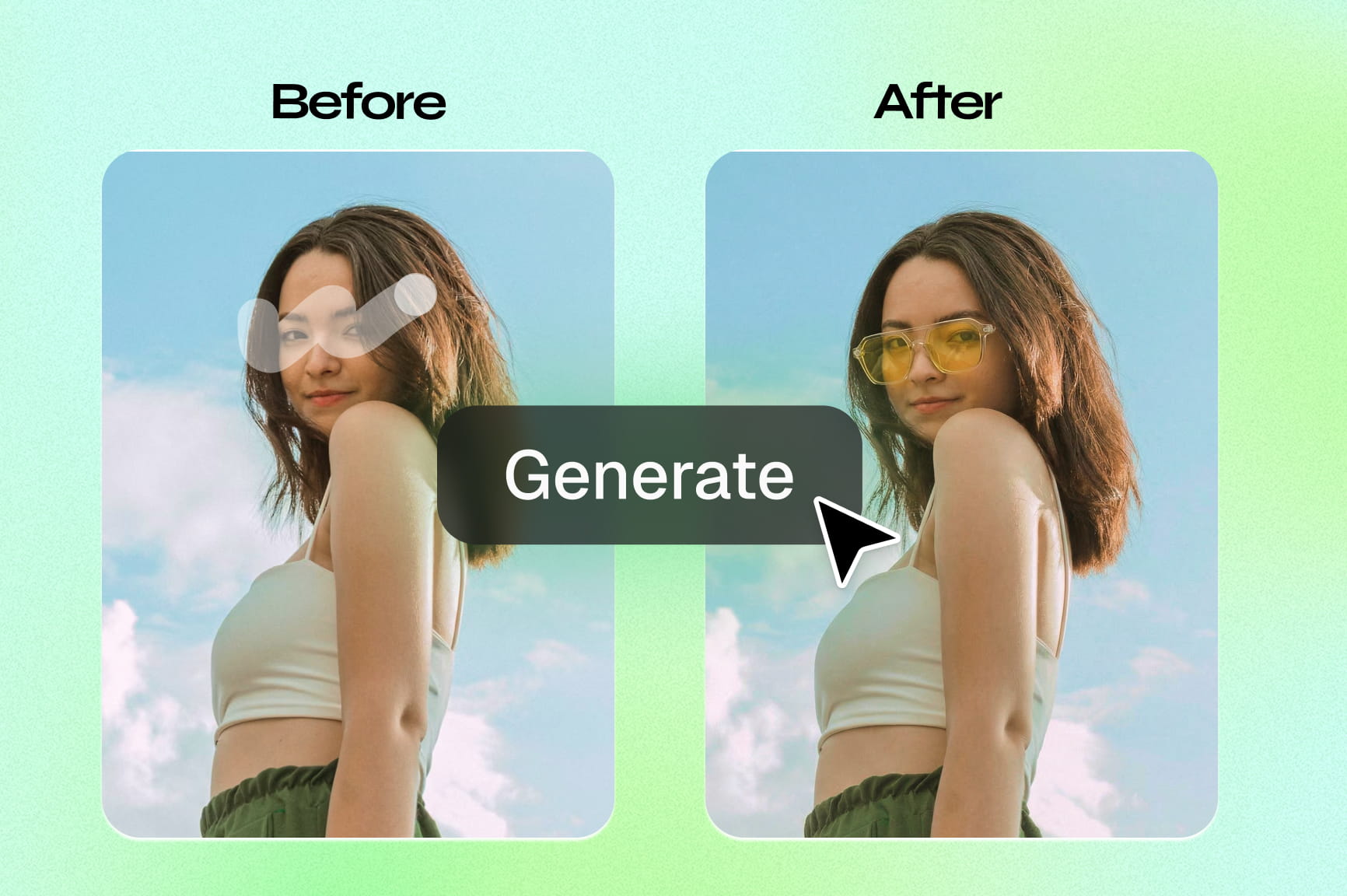
Want to add, remove, or swap anything in a photo? Just describe what you want, and watch our AI design agent make pixel-perfect changes.

Upload imagesClick to browse or drag & drop file here
Free AI Inpaint Online

How to inpaint images online with AI for free?

Upload image
Select the image you wish to edit from your device to open it in the Framia Pro workspace.
Prompt
In the prompt box, describe what you want the AI to generate in the selected area.
Generate and download
Hit "Generate" to see the magic happen. Preview the results, make any necessary tweaks, and click the download icon.

Key features of Framia Pro's powerful AI inpainting tool

Framia Pro's AI inpainting offers fast, seamless edits with intelligent blending. Transform images through simple brush and prompt actions in seconds.

Remove unwanted people or object

Framia Pro's AI inpainting provides a seamless solution for object removal, allowing you to erase photobombers, background clutter, watermarks, or remove people from photo backgrounds instantly. The tool intelligently fills removed areas without artifacts. Perfect for travel photos, product images, or family portraits, results look seamless, clean, and professional—no manual touch-ups or editing skills required.
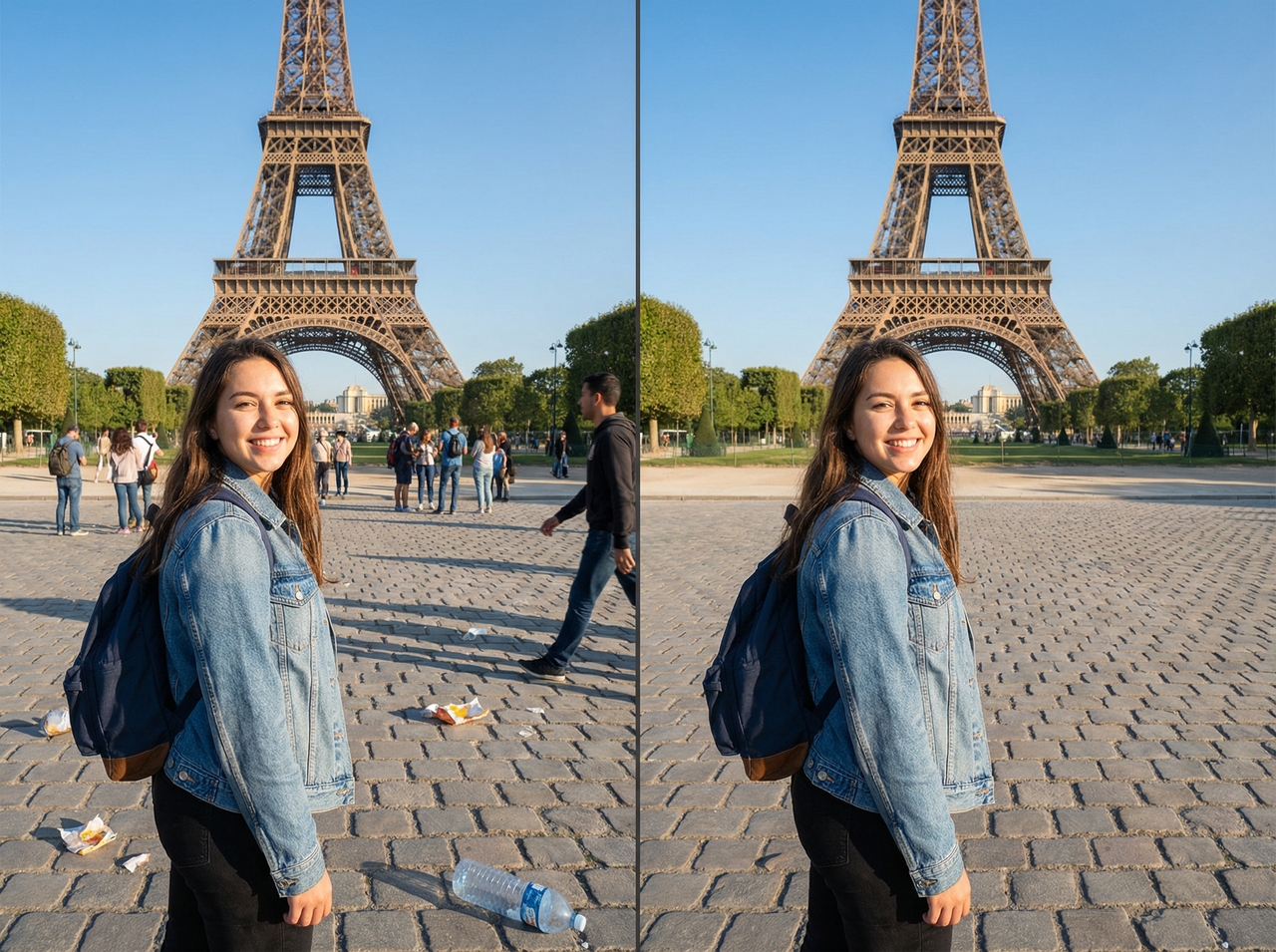
Remove unwanted people or object
Inpaint or replace with simple text

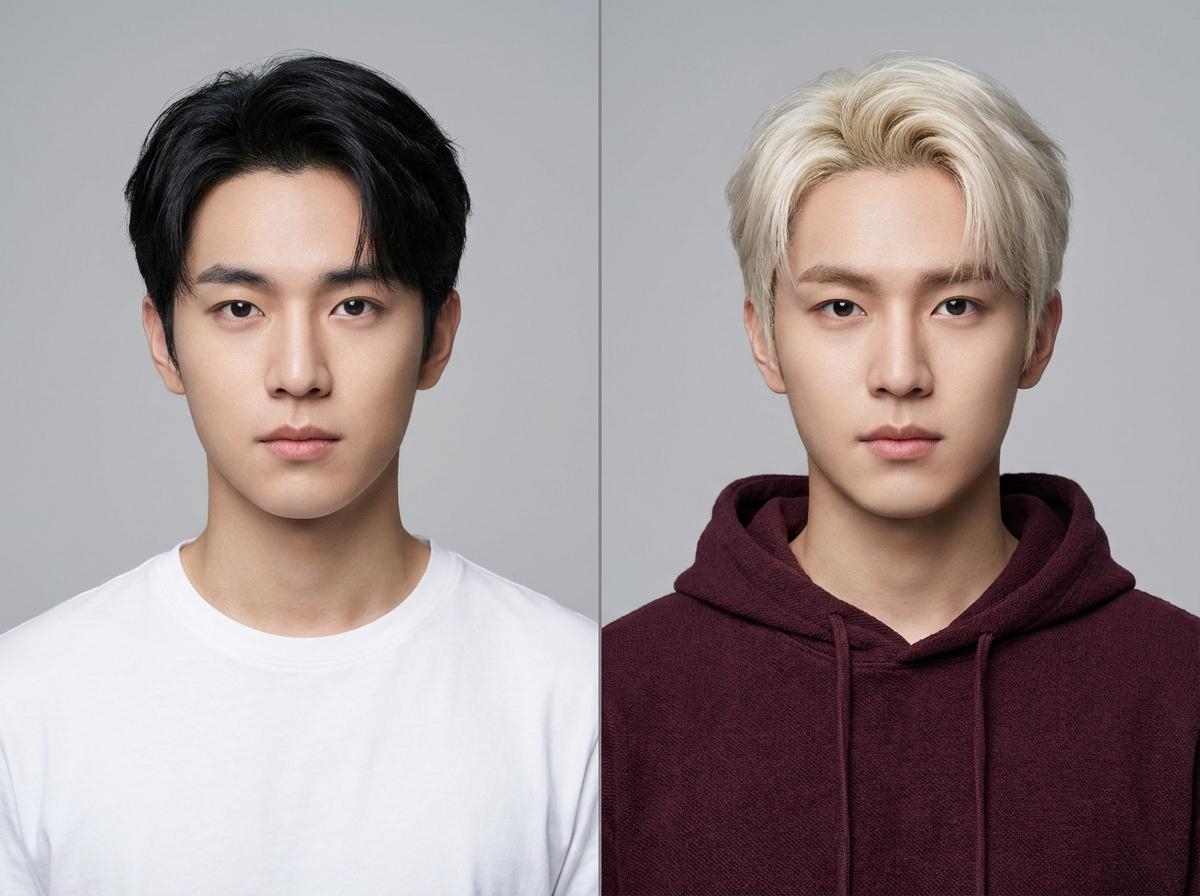
Inpaint or replace with simple text

With Framia Pro's AI image editor, you can transform any part of your image by simply describing what you want to see. Mask an area and use text prompts to replace objects, change outfits, alter backgrounds, or change hair color in photo naturally without harsh edges or artificial tones. The AI blends new elements seamlessly, enabling precise redesigns and creative changes with professional-quality results.

Fix imperfections & improve your skin

Achieve studio-quality face retouch results while preserving the subject’s unique, authentic features. It removes acne, blemishes, wrinkles, scars, and uneven skin tone without over-smoothing or artificial effects. Ideal for selfies, headshots, and portraits, the AI enhances confidence and clarity while keeping facial features authentic, flattering, and true to the original subject.
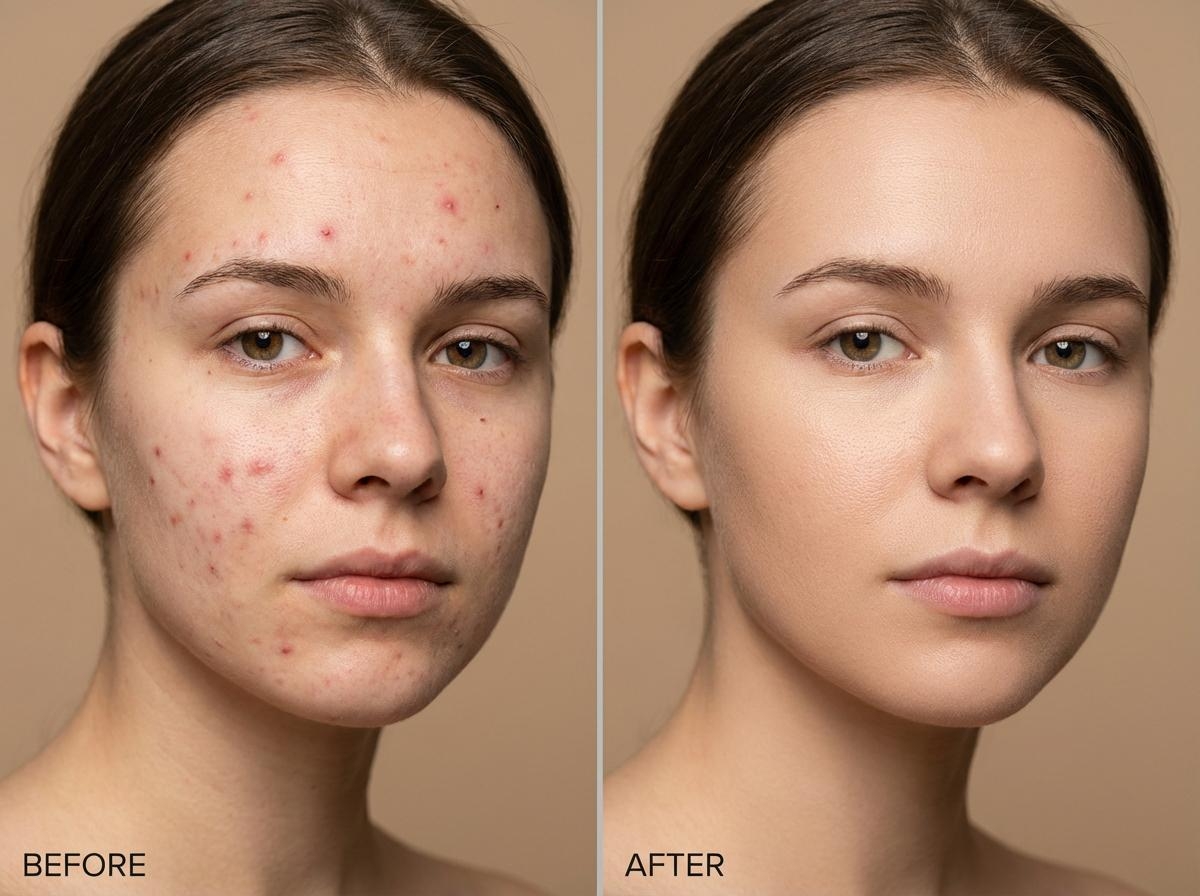
Fix imperfections & improve your skin
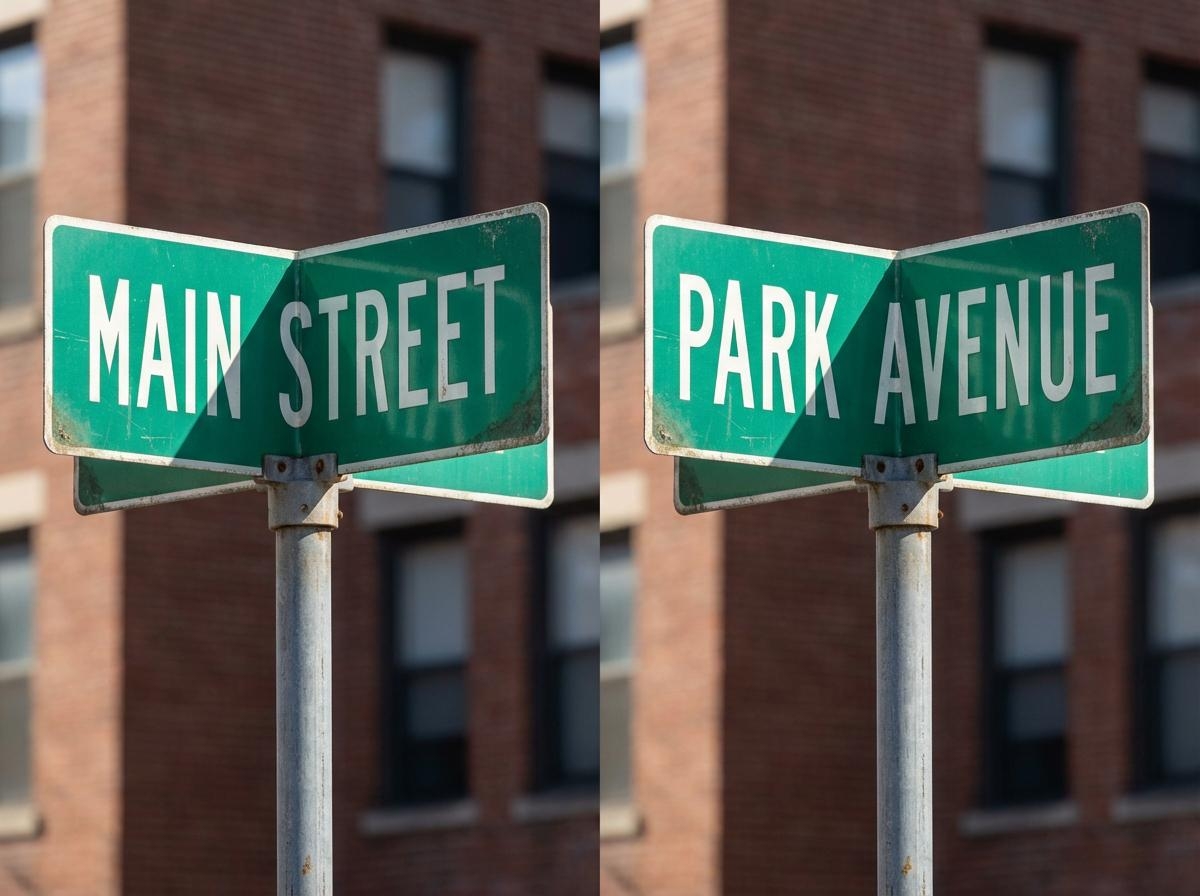
Edit text in a photo effortlessly

Edit text in a photo effortlessly

Editing text in photos is simple and effective with Framia Pro's AI inpainting technology. Easily mask and remove unwanted watermarks, captions, logos, or signs, then replace them with new text or branded elements using intuitive prompts. Perfect for cleaning up memes, screenshots, marketing materials, and any content needing seamless text integration or removal.

AI photo editing suite for any use case

As a comprehensive Design Agent, Framia Pro supports your entire creative workflow with free AI inpainting access. Beyond inpainting, you can generate visuals from scratch, split layers, and transform AI-generated designs into fully editable layers. Move, resize, and customize every element, and animate designs into dynamic videos. High-end features like the background remover and image upscaler ensure every project is polished and ready for professional distribution.
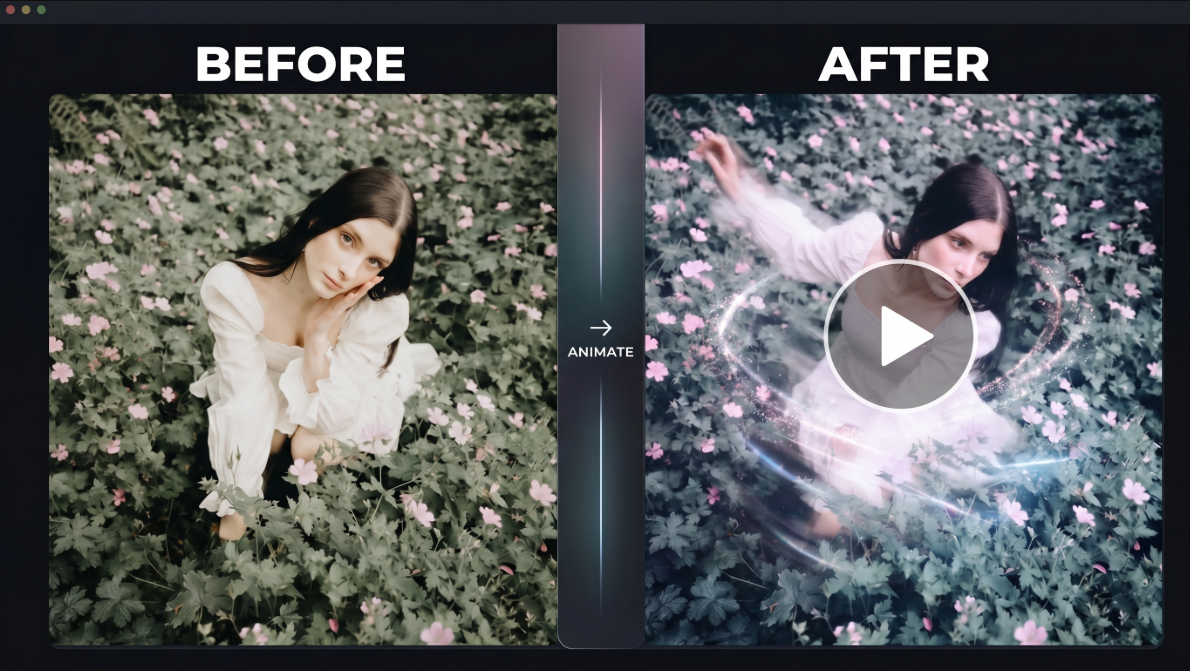
AI photo editing suite for any use case

Perfect for all use cases, with no limitations

From quick fixes to full creative projects, Framia Pro handles every scenario with unlimited potential and zero restrictions.

Remove unwanted person from photo

Prompt: Remove the person standing in the background on the right, natural lighting. Fill the removed area naturally so the background looks clean and seamless. #ObjectRemoval #CleanEdit
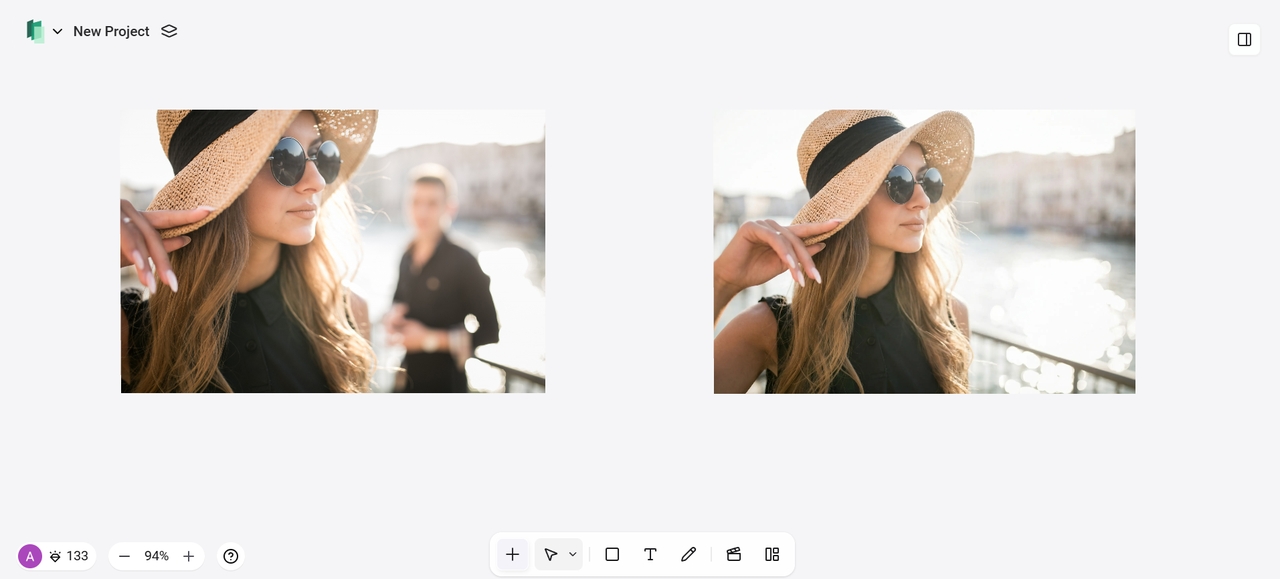
- Remove unwanted person from photo
- Open closed eyes in photo

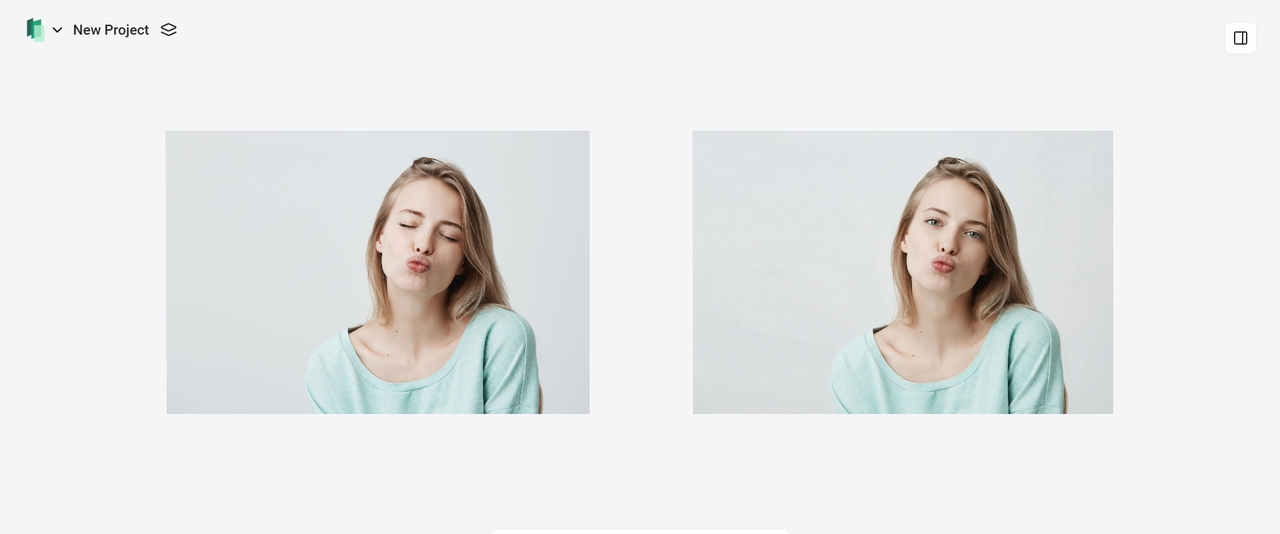
Open closed eyes in photo

Prompt: Open the subject's closed eyes naturally, as if mid-blink turning into a relaxed open gaze. Keep exact same facial features, expression, skin texture, tone, pores, subtle imperfections, lighting direction and shadows, eye color, iris details, and overall realism. No exaggeration, no plastic look, soft natural eyelids and reflections matching the photo's lighting. #OpenEyes #PortraitFix #EyeRetouch

Retouch portrait/fix skin imperfection

Prompt: Smooth skin, remove acne, blemishes, black spots, and minor wrinkles, keep natural skin texture and realistic look, no over-smoothing. #RetouchPortrait #FixSkin #SkinRetouch
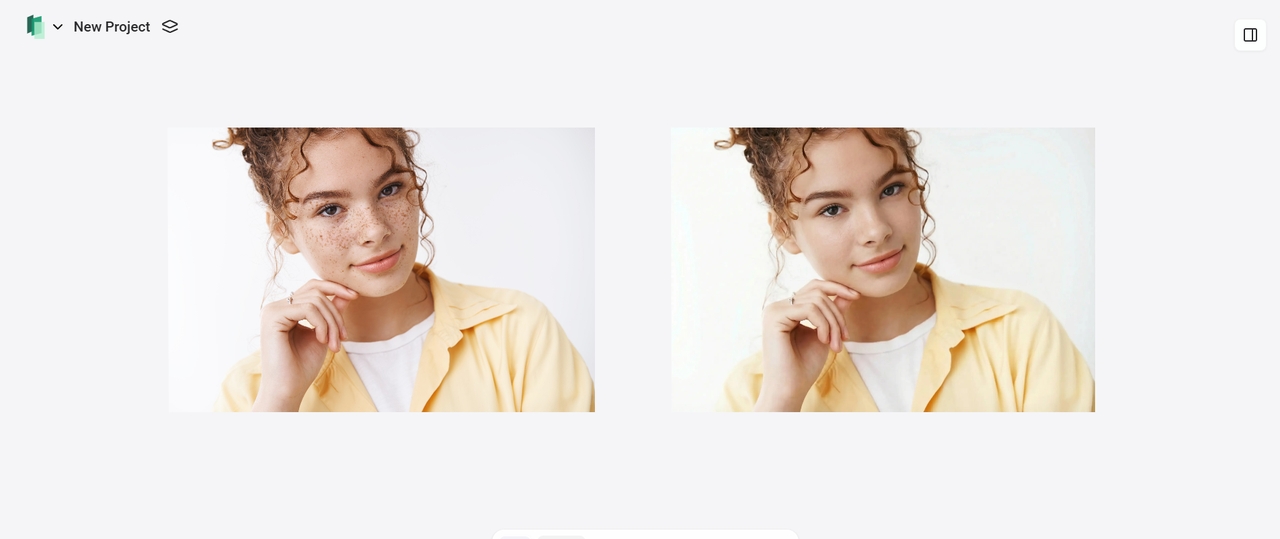
- Retouch portrait/fix skin imperfection
- Add accessory (Cap) to person in photo

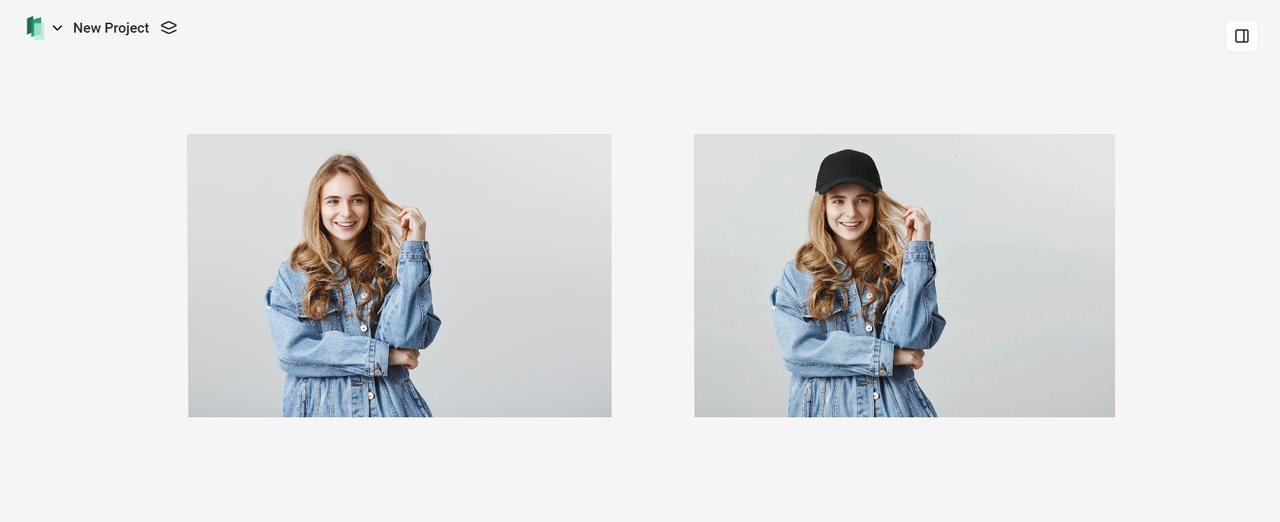
Add accessory (Cap) to person in photo

Prompt: Add a classic black baseball cap on the person's head, realistic fit and fabric texture, brim slightly curved, matching the existing lighting direction and shadows on the face, natural hair peeking out underneath if visible, seamless blend with skin and hair, no distortion, photorealistic. #AddCap #AccessoryEdit

Change outfit/clothing in photo

Replace the current outfit with an elegant white blazer and black pants, modern tailored fit, realistic fabric texture, lighting, and shadows matching the pose. #OutfitChange #ClothingSwapAI
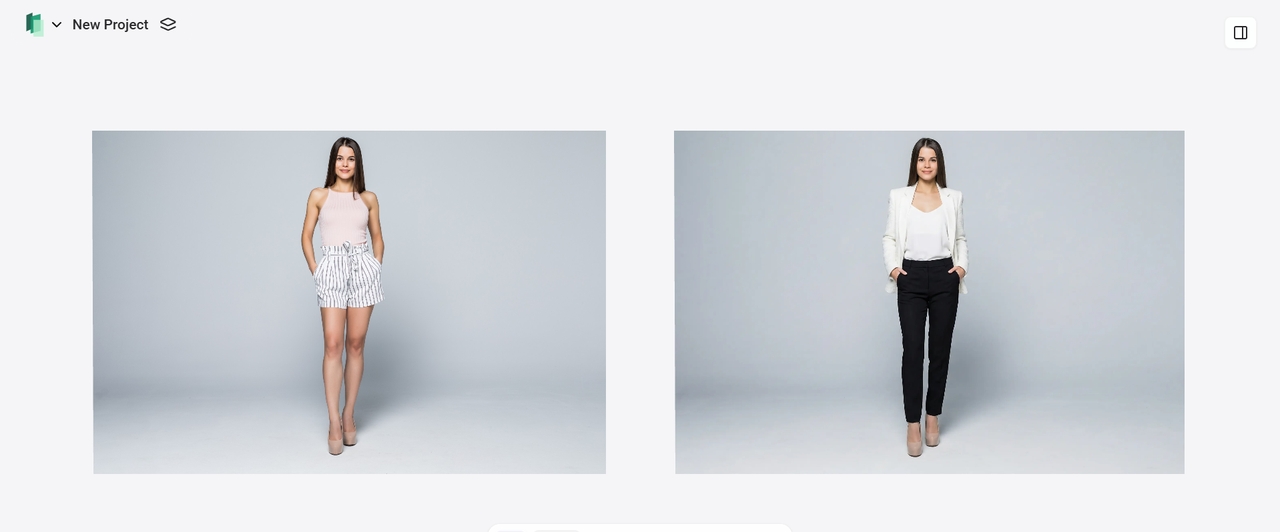
- Change outfit/clothing in photo
- Swap background

Swap background

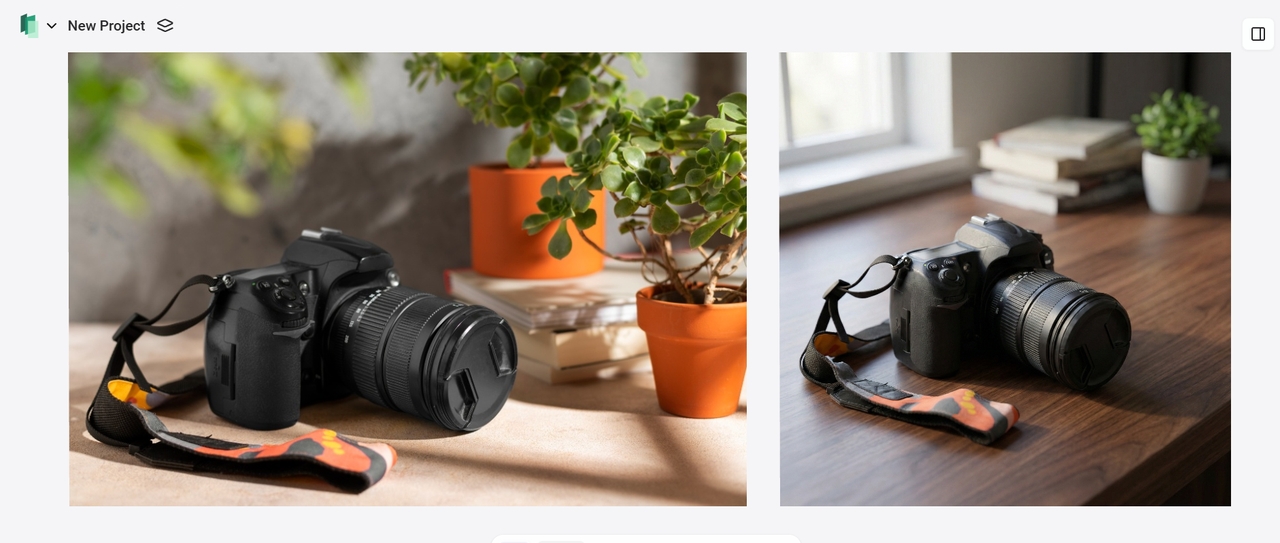
Prompt: Replace the background with a clean white studio seamless backdrop, soft even lighting, no shadows or objects, professional product photography style, high resolution, sharp focus on the camera. #BackgroundSwap #ReplaceBackground

Why use Framia Pro's free AI image inpainting tool?

Framia Pro combines simplicity, speed, and pro-level quality in a browser. Start free and unlock endless creativity.

Cost-effective workflow
Framia Pro's free AI image inpainting offers a cost-effective workflow by eliminating expensive reshoots, wardrobe changes, or location scouting. Swap objects, backgrounds, clothing, or scenes instantly with text prompts, saving professional production costs.
Massive time saving
AI inpainting replaces hours of manual editing with seconds of generation. Natural language prompts eliminate complex masking and layers, enabling rapid iterations, faster approvals, and consistent output for tight deadlines.
Top models, one plan
Stay on the creative edge with 20+ up-to-date models like Nano Banana 2 and Midjourney v7. One subscription rules them all, delivering professional results without falling behind.
Effortless & photorealistic results
Framia Pro delivers photorealistic results using advanced AI that perfectly matches lighting, shadows, textures, skin tones, and environment. Face retouching, outfit changes, and background replacements look natural, polished, and professional.
No skills or software required
Designed for beginners and professionals alike, Framia Pro works directly in your browser. No downloads or design knowledge needed—upload an image, mask the area, describe the change, and generate instantly.

See why users are obsessed with Framia Pro's AI inpainter

Creators love speed, quality, and ease. Real users share how Framia Pro transforms their workflow daily.

"Framia Pro surprised me—the interface is so straightforward that even without any design background, I could jump right in. I can effortlessly remove people from photo backgrounds or fix small imperfections by simply brushing the area and typing a prompt. Being able to regenerate instantly until it's perfect, plus free high-res downloads, has completely changed how I handle visuals for articles and social content." ★★★★★
K. Jordan
K. Jordan
Freelance Writer
"As someone who works with pro tools all day, I didn't expect to be impressed—but Framia Pro delivers surprisingly clean, fast image inpainting and creative variations. It's ideal for quick client previews, testing alternate looks, or fixing small issues on set like removing a distracting reflection. No installation, instant results, and completely free to start—it fits right into my professional workflow." ★★★★★
G. Rivera
G. Rivera
Commercial Photographer
"This tool saved me so much time on product photography. I used to bounce between multiple apps to fix lighting or remove distractions, but now I can perform a seamless photo retouch or background swap in one place. The prompt system and quick previews let me test styles fast without wasting hours. For anyone running a small business, Framia Pro is a real lifesaver." ★★★★★
M. Sterling
M. Sterling
E-commerce Founder
"I expected complex AI editing to have a steep learning curve, but this platform proved the opposite. The process is incredibly intuitive: you just upload your file, select the area to change, and watch the results appear without needing a single tutorial. The variety of available models gives me the flexibility I need for my projects, and the instant templates prevent me from getting stuck during the creative process." ★★★★★
D. Miller
D. Miller
Student
"Framia Pro's inpainting is a game-changer for my workflow. I frequently need to remove distractions, swap elements, or fix small details in mockups and client visuals without losing context or quality. The masking is precise, prompts are intuitive, and the AI blends lighting, shadows, and textures so naturally that edits look hand-done. No more jumping to Photoshop for quick fixes — it's fast, browser-based, and free to start. I regenerate a few times until it's pixel-perfect. For any designer who wants professional inpainting without the hassle, Framia Pro delivers." ★★★★★
Alex P.
Alex P.
UI/UX Designer
"Framia Pro has become essential for my thumbnails and video stills. The inpainting lets me remove unwanted background noise, add text overlays, or completely change scenes in seconds — all while keeping consistent lighting and style across my brand. I especially love how it handles detailed prompts like 'add dramatic lighting with cinematic feel' without artifacts. Free to start, super fast generation, and the ability to iterate quickly means I can experiment with ideas on the fly and post better content faster. It's like having an instant creative partner." ★★★★★
K. Nguyen
K. Nguyen
Content Creator & YouTuber

FAQs

What is inpainting and how does it work?
Inpainting is an AI technique that fills masked areas by analyzing surrounding pixels, textures, and lighting. With Framia Pro's Inpaint, you can easily change outfits, edit fine details, or swap entities by simply applying a mask and giving instructions for seamless, professional-quality edits instantly.
What is the difference between inpainting and outpainting?
Inpainting edits inside an image, while outpainting extends the borders. Framia Pro handles both seamlessly in its Intelligent Canvas — mask an area, tell it what to change, and it updates instantly. Also, it generate images, videos, music, or any type of assets on a canvas.
Can I remove any object from a photo?
Yes, Framia Pro's AI can remove almost any object, from people and photobombers to removing watermarks and clutter. Simply mask the area and prompt a natural fill for seamless, professional results.
Can AI inpainting restore old, damaged photos?
Absolutely, as Framia Pro provides old photo restoration online for free by intelligently rebuilding scratches, tears, and faded spots. Simply brush the damaged areas and prompt the AI to restore sharp details and realistic textures.
How should I write my prompt for the best results?
Use clear, detailed prompts describing the change and including realism cues like lighting, texture, and style. For example, "add a natural smile and subtle braces" helps the AI deliver accurate, high-quality edits.
How to inpaint with Stable Diffusion?
Mastering the guide to stable diffusion inpainting usually involves complex setups, but Framia Pro automates lighting and texture matching instantly, letting you achieve professional, high-fidelity results directly in your browser without any manual configuration.
Free AI Inpaint Online: Select & Edit Any Area of an Image