Free AI Clothes Changer Online

Try the Framia Pro AI clothes changer. Upload any photo, describe the outfit you want, and get a realistic swap in seconds.

Upload imagesClick to browse or drag & drop file here
Free AI Clothes Changer Online

What is an AI clothes changer?

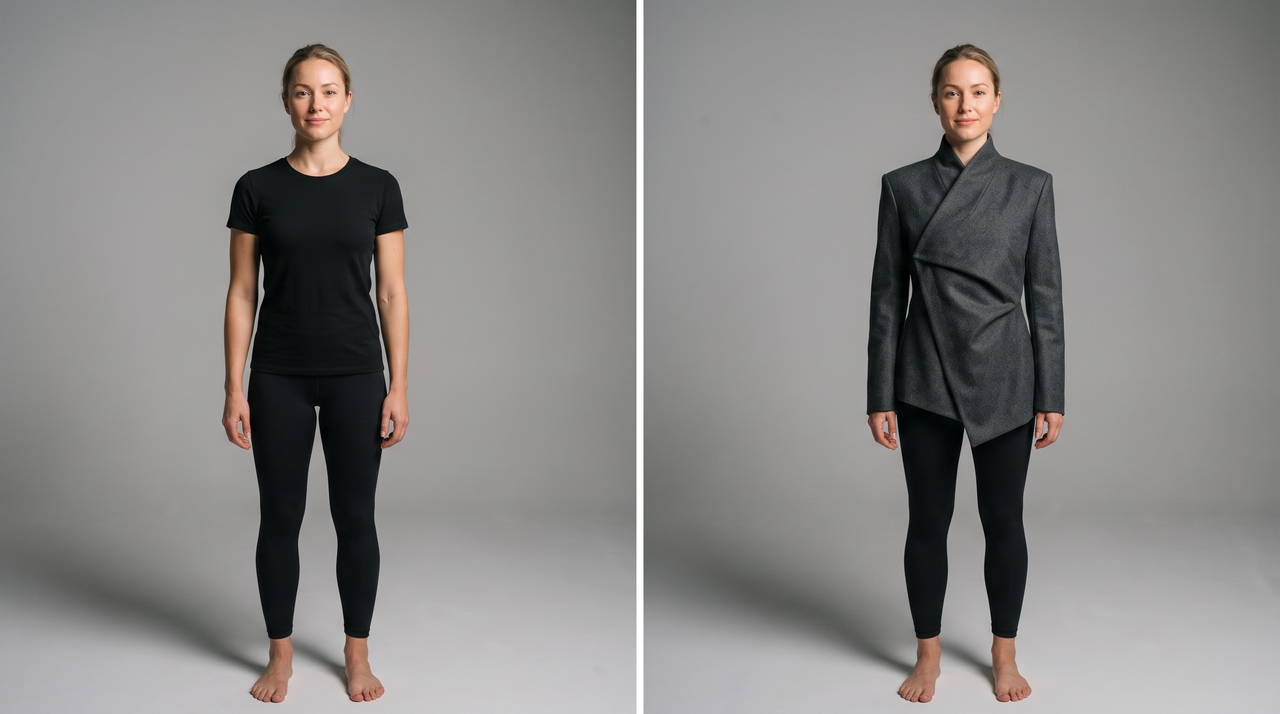
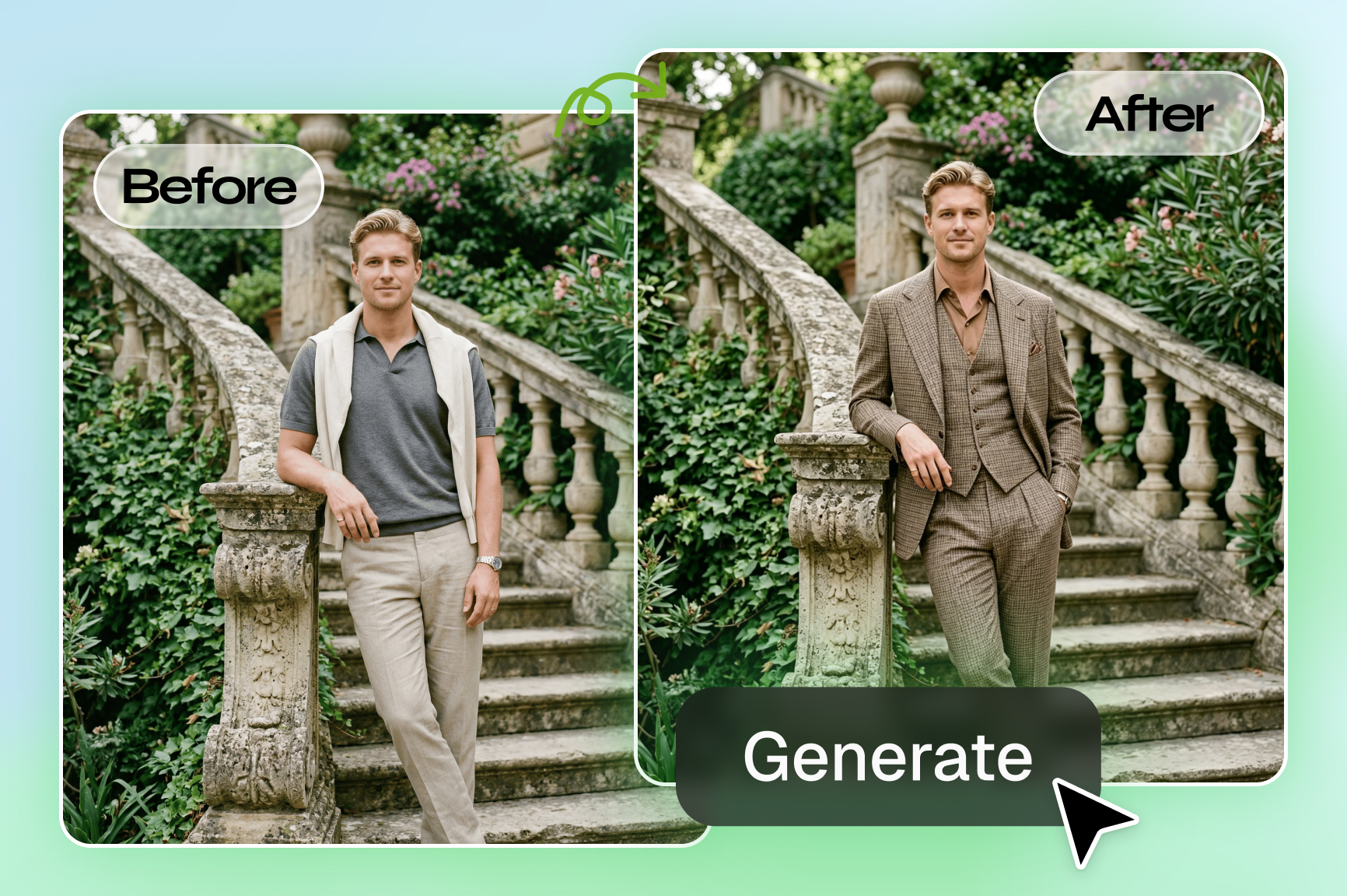
An AI clothes changer is a tool that detects the clothing region in a photo, removes the existing outfit, and replaces it with a new one described in a text prompt or shown in a reference image, while keeping the person's body shape, skin tone, pose, and lighting intact. The AI segments the garment area from the rest of the image using body pose estimation and semantic segmentation, which maps where clothing sits relative to joints, proportions, and body contours. Once the clothing region is isolated, a generative model fills it with the new outfit, rendering the fabric texture, draping, shadows, and fit based on the body shape and original lighting in the photo. The result reads as a real photo rather than a layered edit because the new outfit is generated to match the existing image conditions.

What can you create with our AI clothing changer

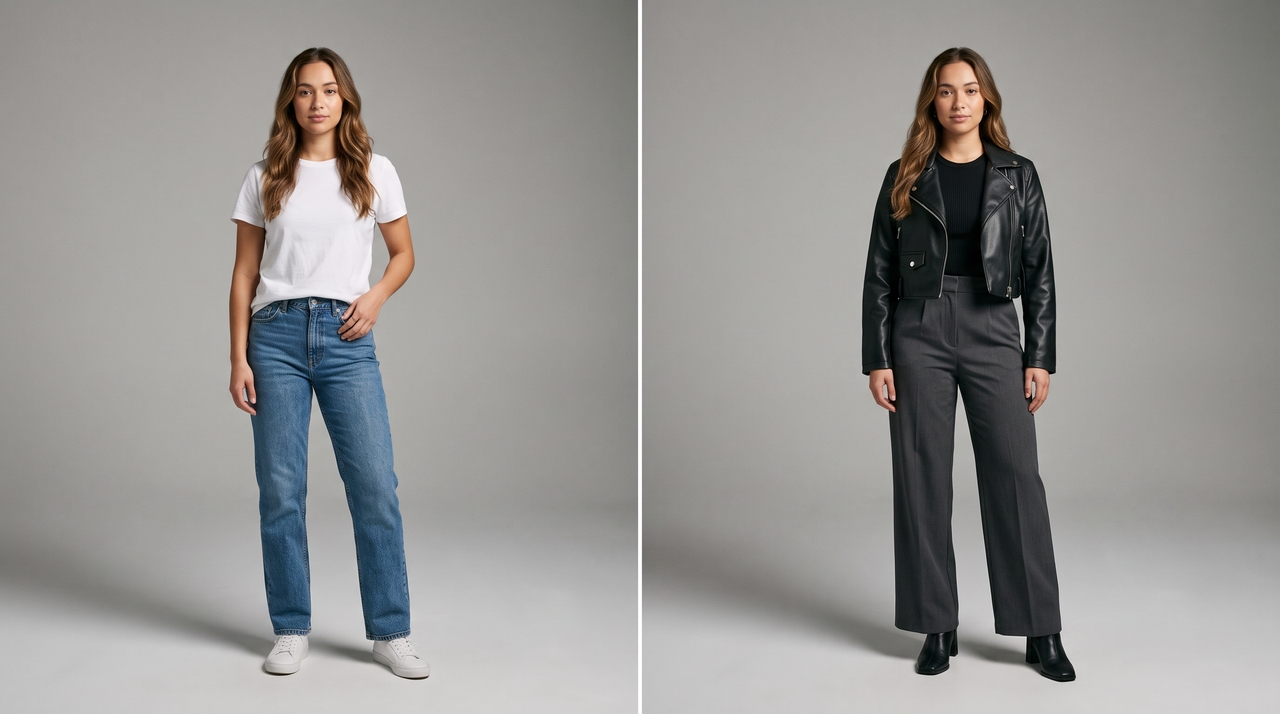
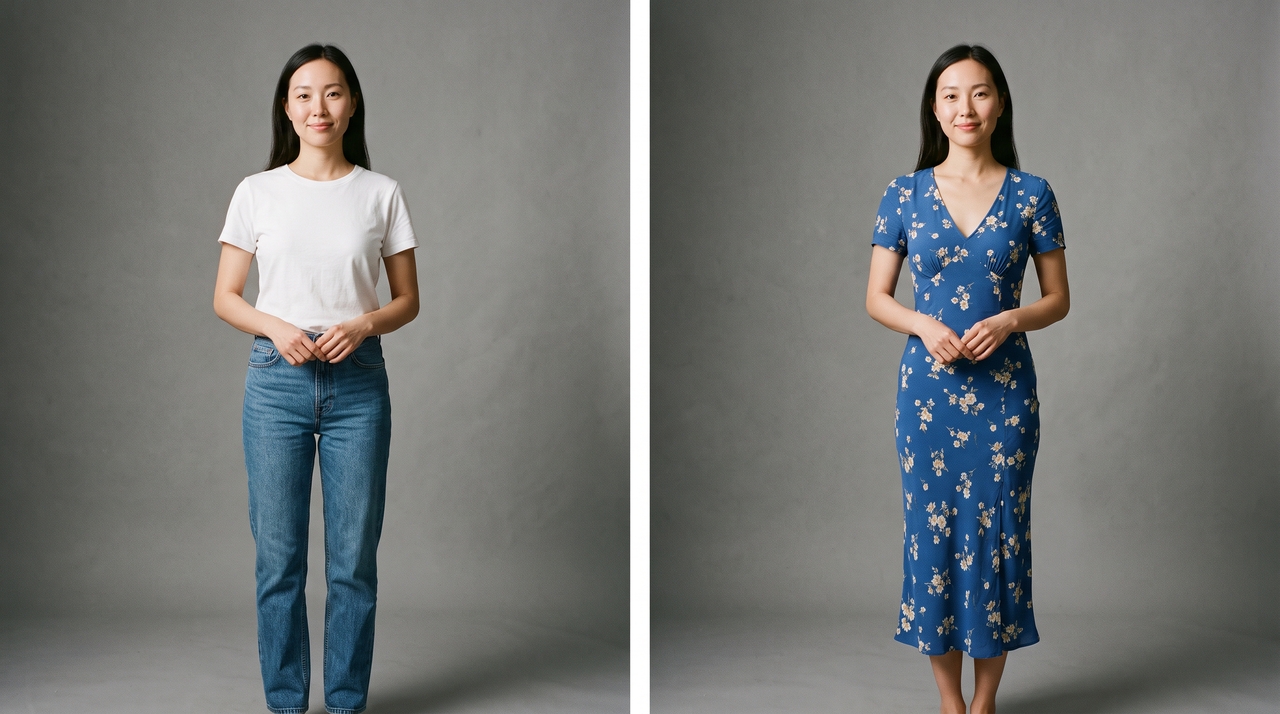
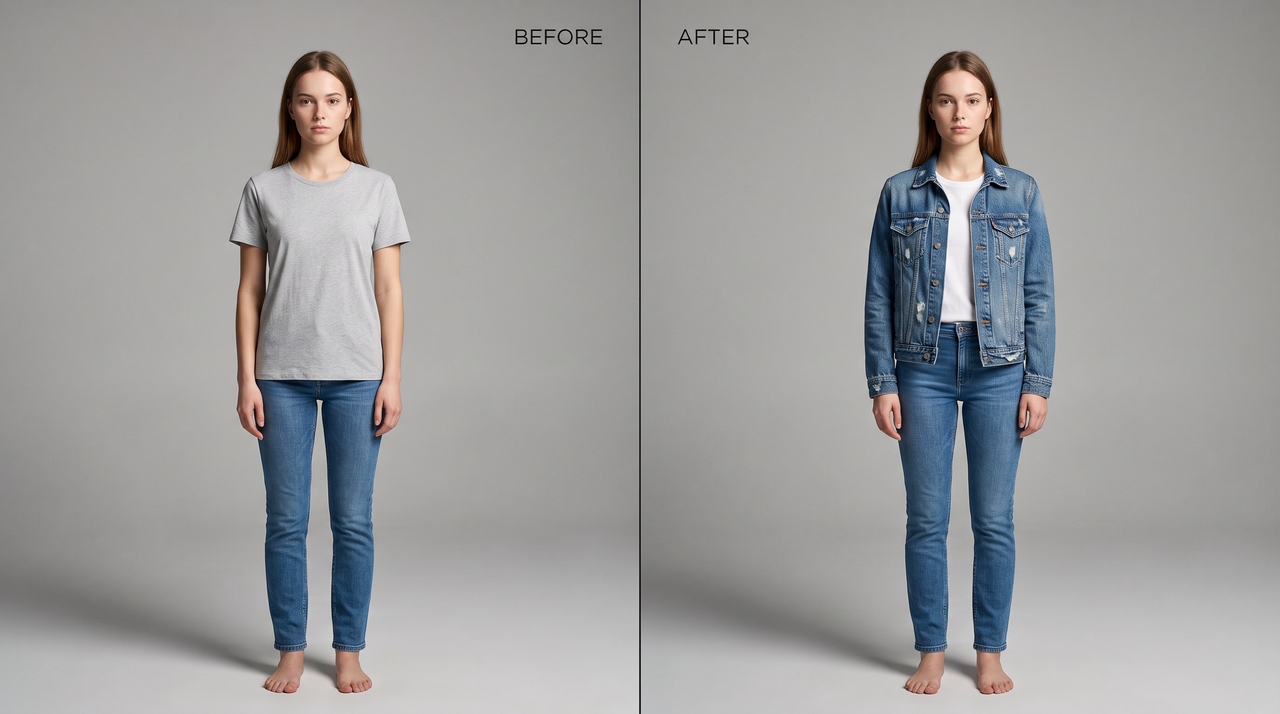
Casual Look

Prompt: Change the outfit of a young woman with light skin from a plain tee to a denim jacket layered over a white t-shirt with fitted blue jeans.

Casual look
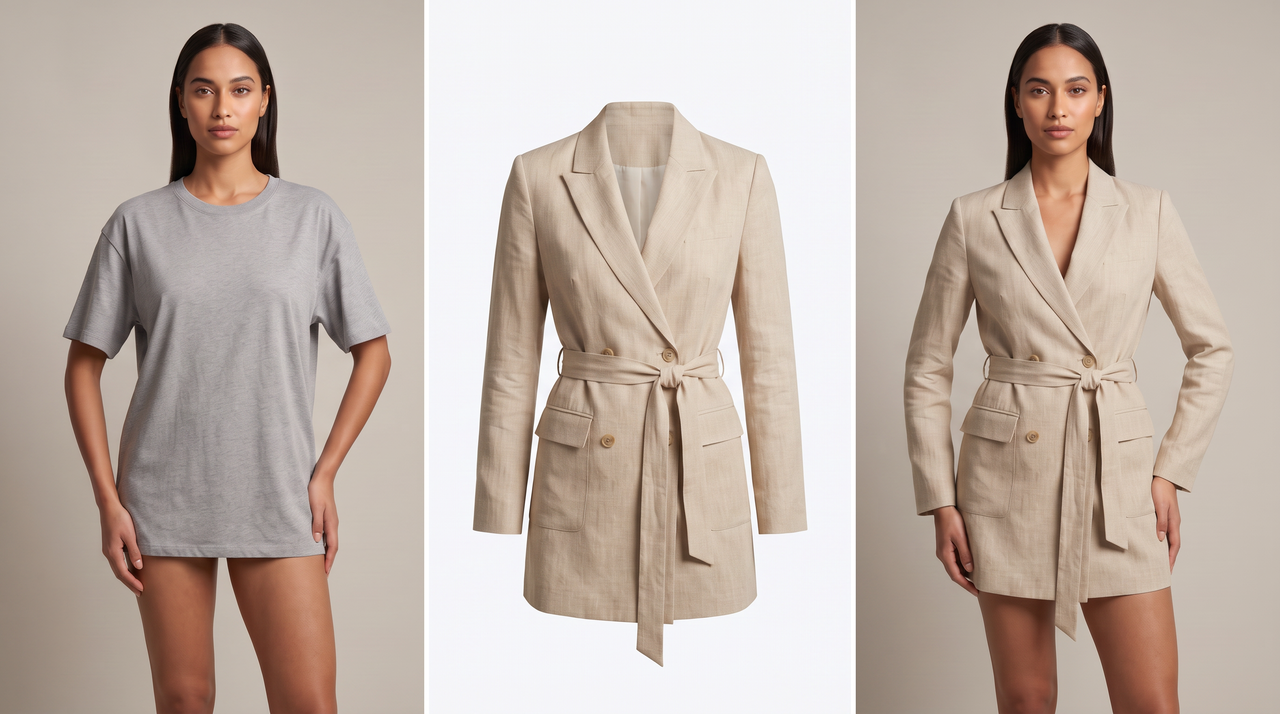
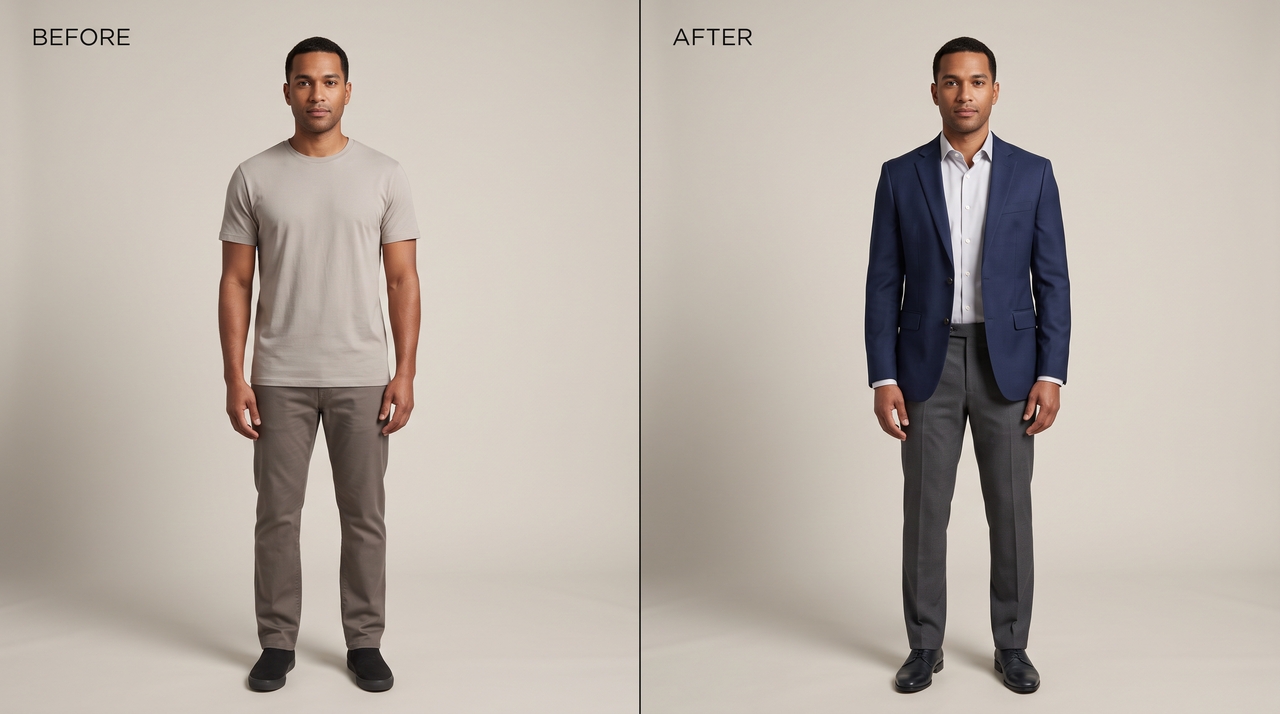
Formal style clothes swap

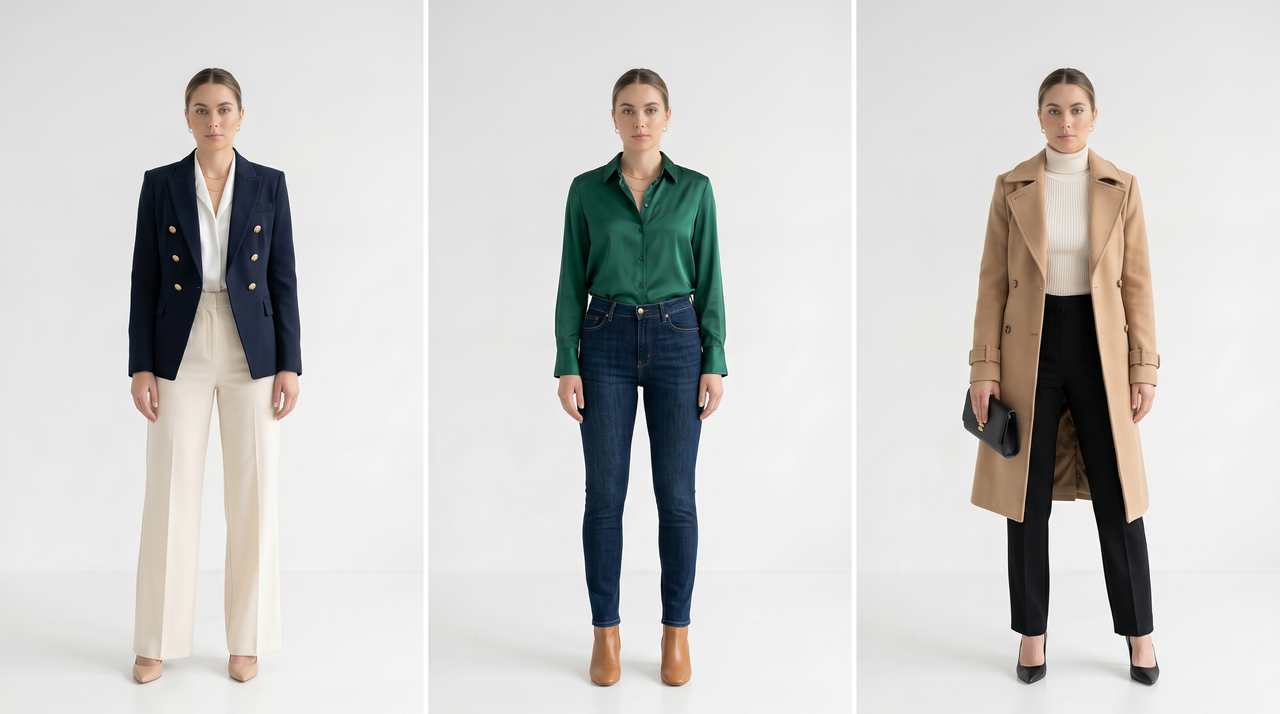
Formal Style

Prompt: Replace the outfit from a plain tee to a navy blazer with a crisp dress shirt and tailored trousers.

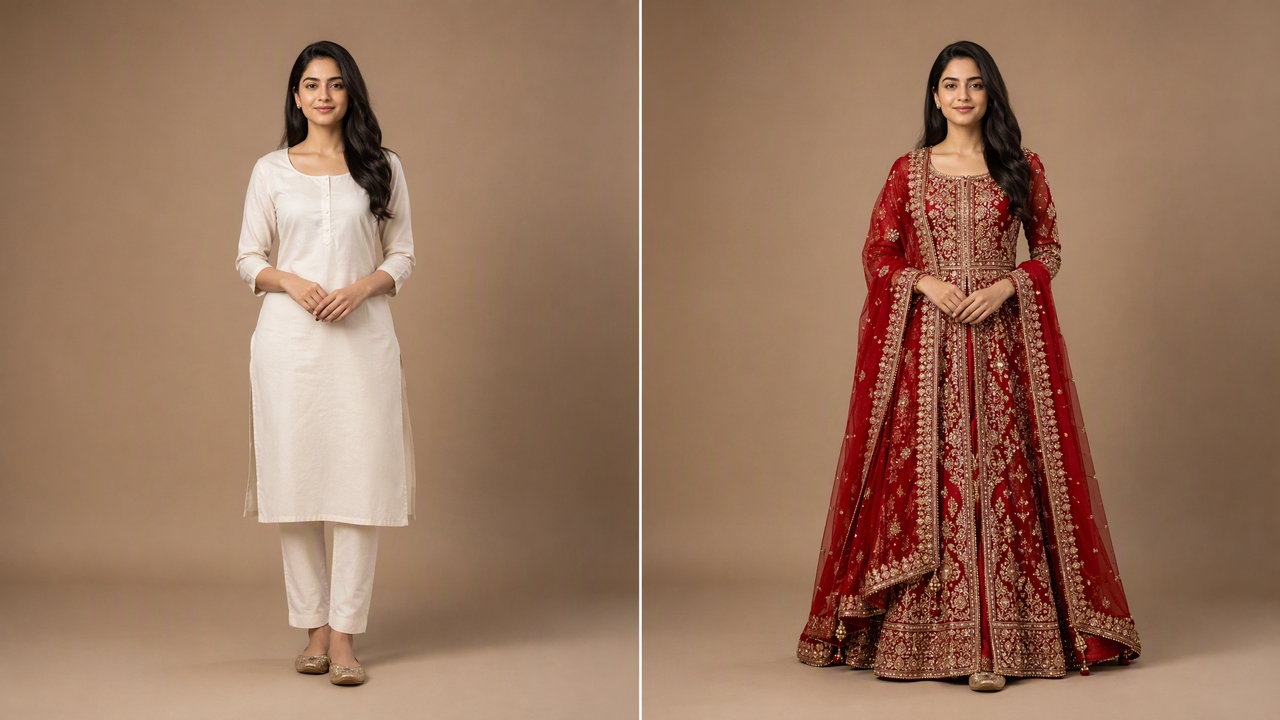
Traditional Wear

Prompt: Change the outfit of the girl from a simple kurta to a red bridal dress with detailed gold embroidery, keep the cultural style rich and elegant.

Traditional Wear
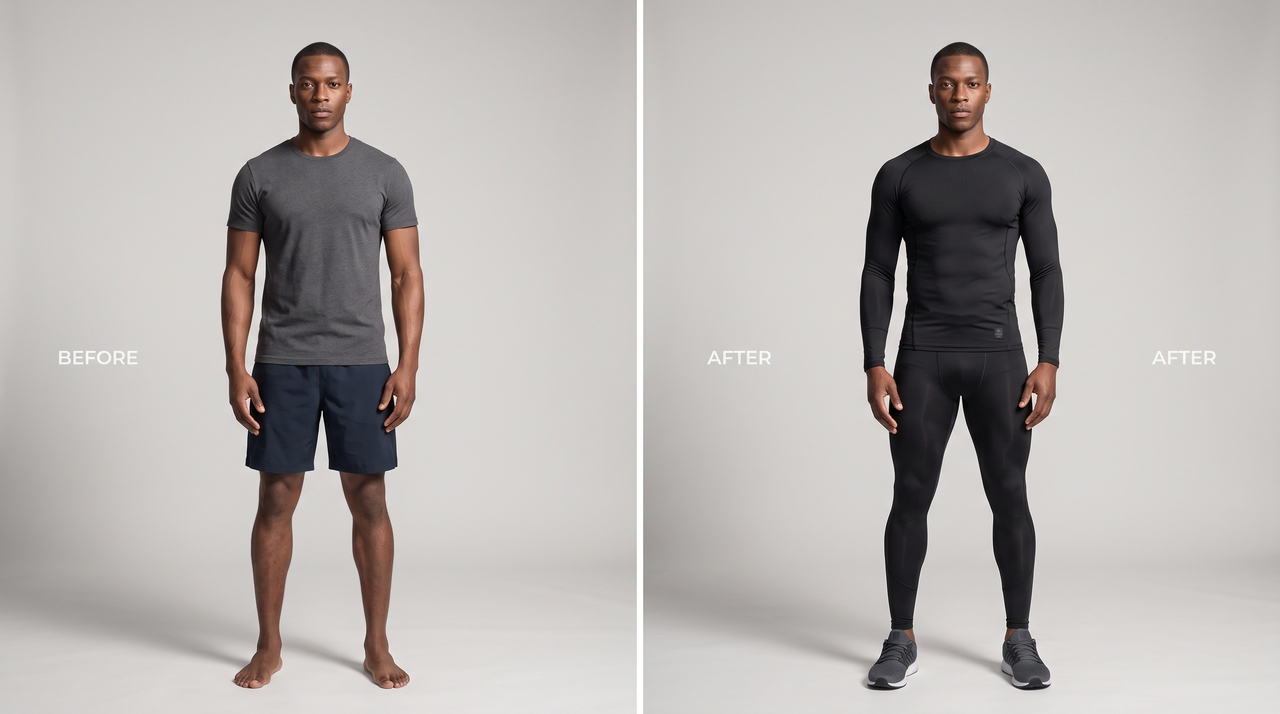
Fitness Outfit

Fitness Outfit

Prompt: Replace the outfit of the athletic man with dark skin from a plain tee and shorts to a fitted sports compression outfit with running shoes.

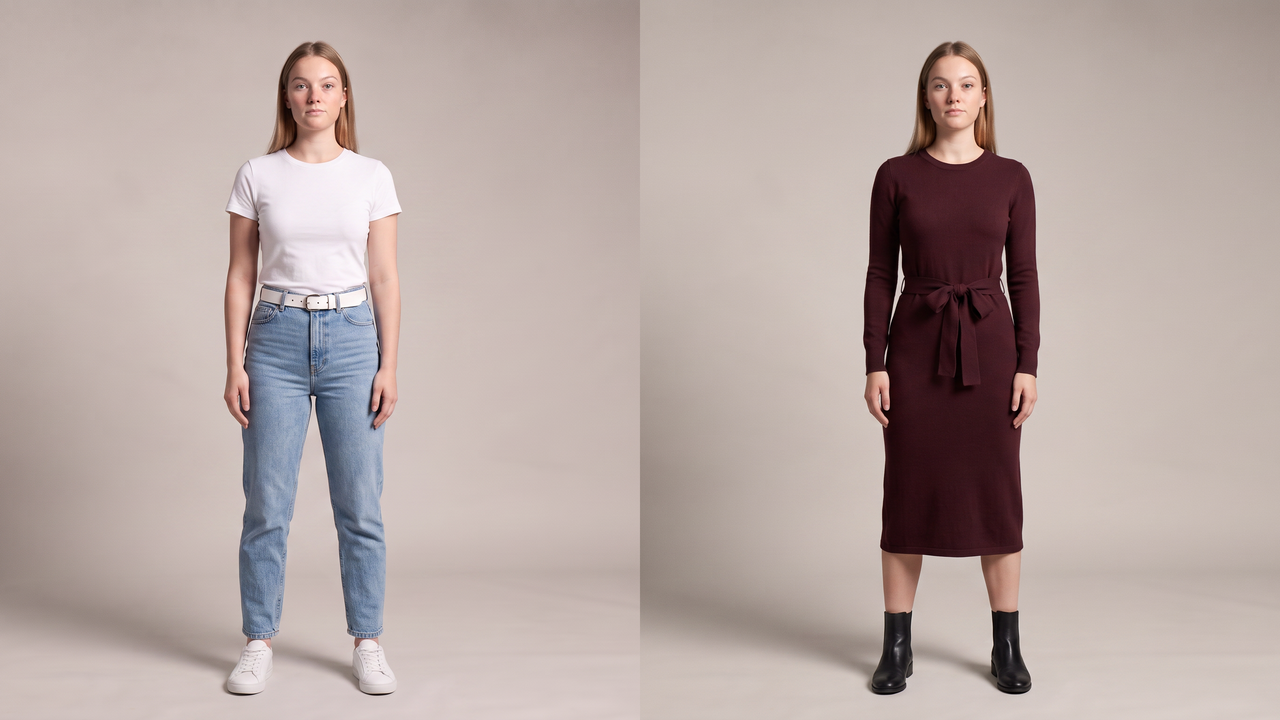
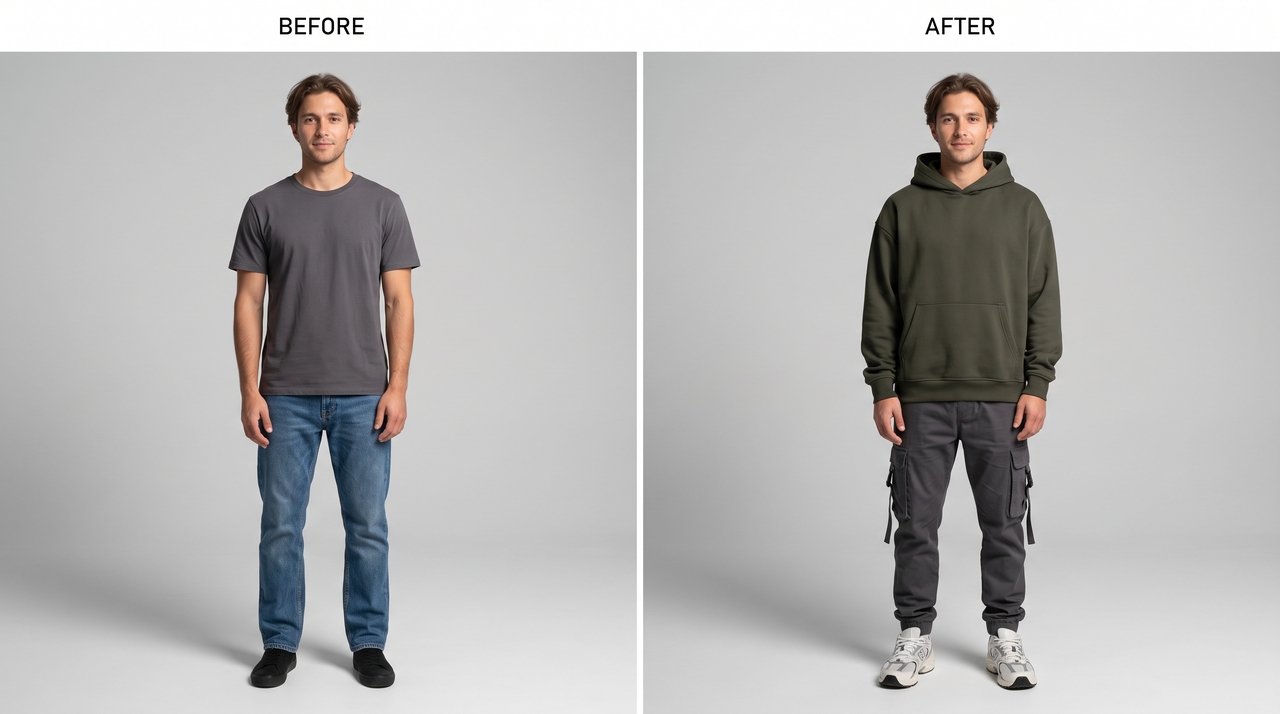
Fashion Trend

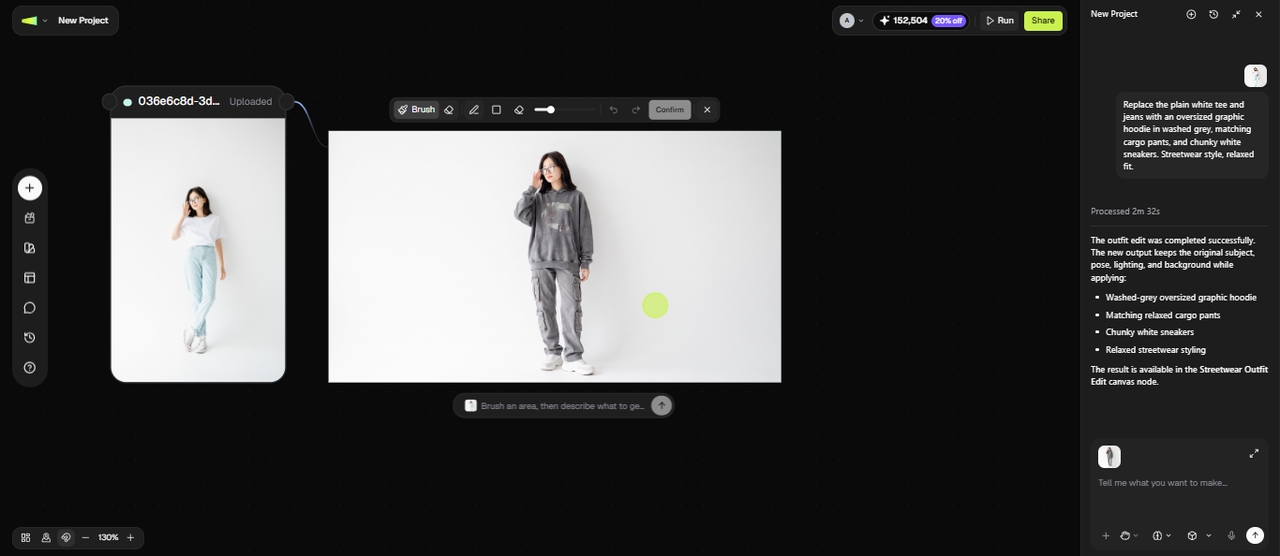
Prompt: Change the outfit in the image from a plain tee and jeans to an oversized hoodie with cargo pants and chunky sneakers to create a modern streetwear style.

Fashion clothes swap
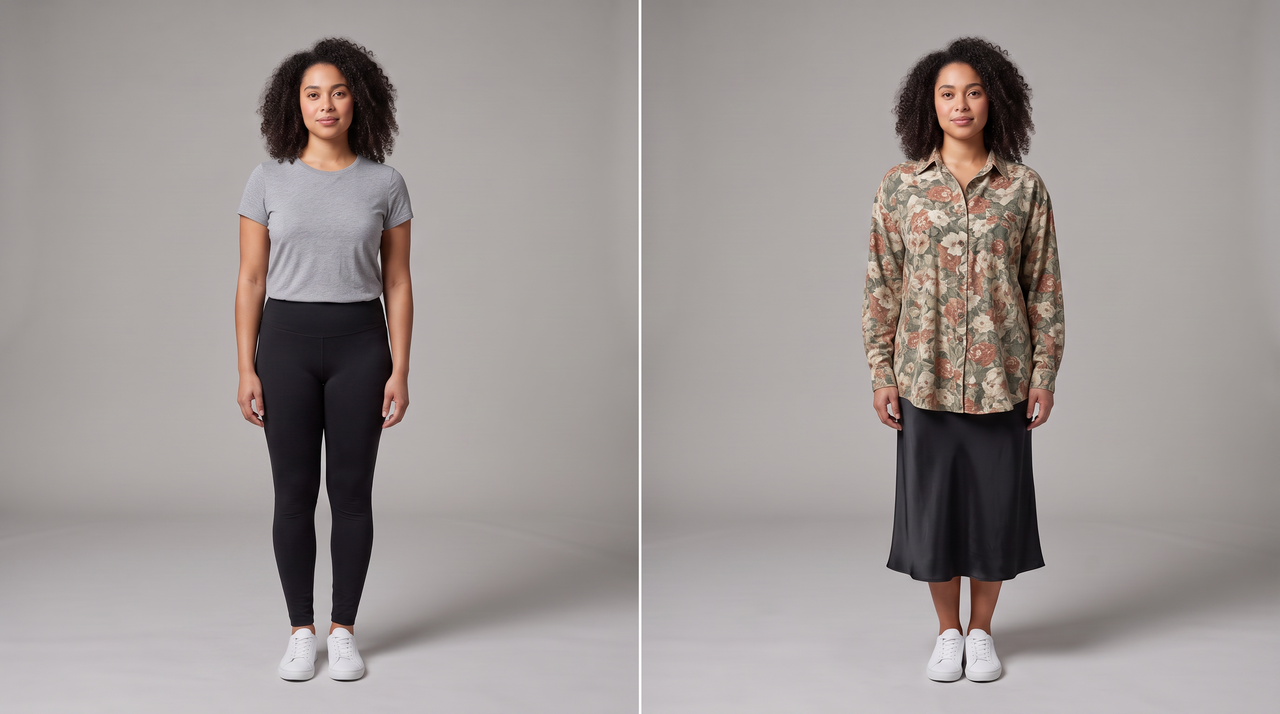
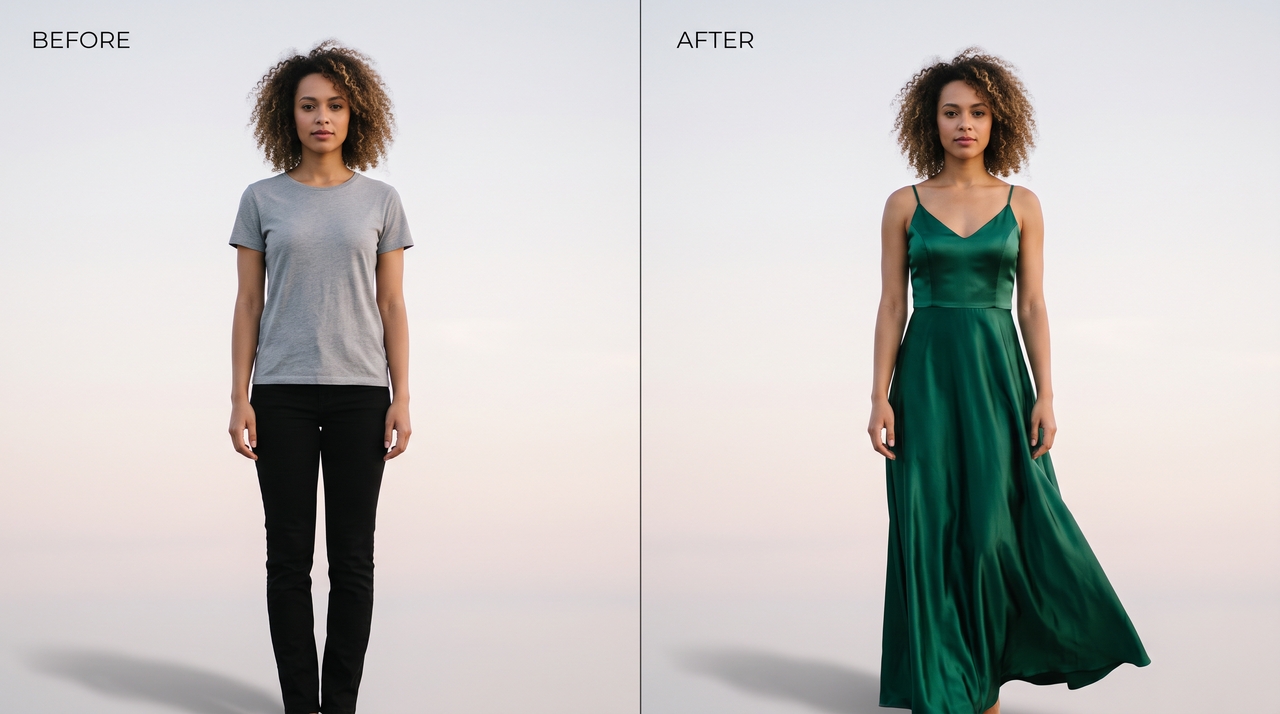
Evening Glam

Evening Glam

Prompt: Replace the outfit of the woman with curly hair from a plain tee and black pants to an emerald satin evening gown to give the image soft and elegant evening setting.

How to change clothes using AI on Framia Pro?

Follow these three easy steps to change clothes in any picture with Framia Pro:

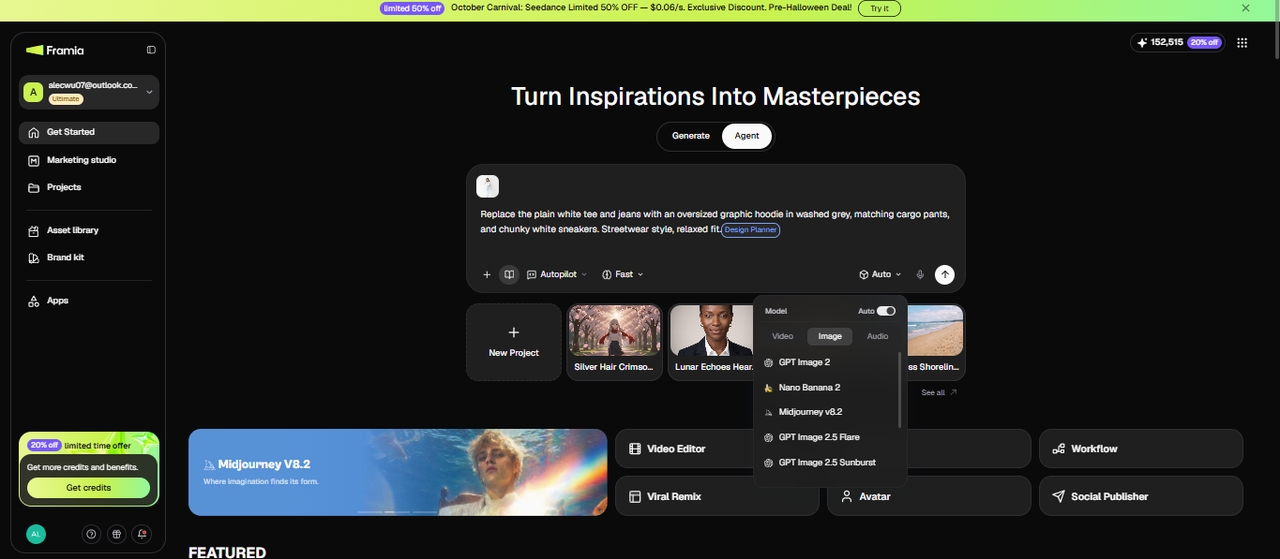
Step 1: Upload your photo and describe the outfit
Open Framia Pro and start a new project on the Agent canvas. Click "+" and upload the photo you want to edit. In the prompt field, describe the outfit you want the person to wear and be specific about the garment type, fabric, color, and fit, such as "Replace the plain white tee and jeans with an oversized graphic hoodie in washed grey, matching cargo pants, and chunky white sneakers. Streetwear style, relaxed fit."
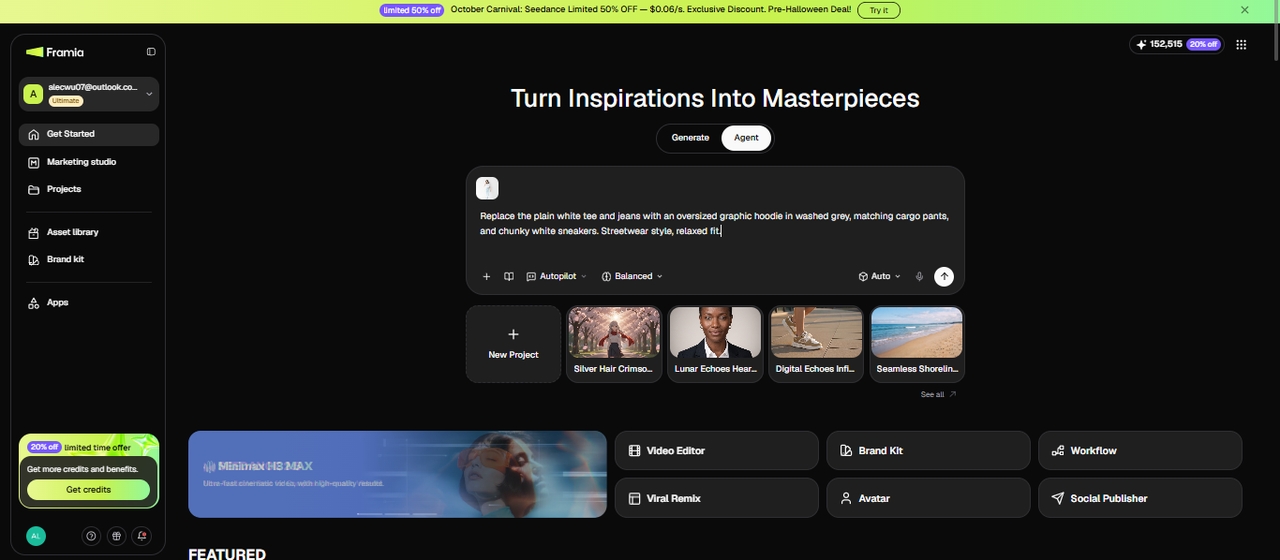
Step 1: Upload your photo and describe the outfit
Step 2: Select your model and generate
From the Skills menu, select Design Planner. Choose your preferred image model from the Models menu, and set the reasoning mode to Balance, Fast, or High. Hit Generate. Framia Pro reads the body pose and clothing region in the photo, applies the new outfit to that area, and renders the fabric texture, draping, and shadows to match the existing lighting in the image.
Step 2: Select your model and generate
Step 3: Review, refine with local edit, and download
The updated photo appears on the canvas. Check the clothing region for accurate fit, natural draping, and correct fabric texture at the edges. If a section looks off, like a collar that sits wrong or a sleeve edge that does not match, use the Local Edit brush to select that area, type a correction prompt, and generate a new node for that region only. Once the result is ready, download at full resolution or apply further edits on the same canvas before exporting.
Step 3: Review, refine with local edit, and download

Why Framia Pro is the best AI change clothing tool?

Access world-class AI models on a single creative canvas to change clothes! Perfect for solo creators, fashion brands, and content producers!

Swap clothes in any photo using AI

Upload any photo and Framia Pro's AI instantly detects the clothing region, analyzes body proportions and pose, and replaces the outfit with a new one that fits naturally. The result blends with the original lighting, so the final image looks like a real photo rather than a digital image edit.

Swap clothes in any photo using AI
Virtually try on different outfits

Virtually try on different outfits

Preview outfit combinations on your own photo without stepping into a fitting room using the virtual try-on tool on Framia Pro. It adapts the shoes, trousers, shirt, and other elements you've uploaded to your body shape to ensure an accurate fit.

Get realistic fabric and texture

Change clothes with details of stitching patterns, creases, shadows, and surface texture, so a silk dress looks smooth and a denim jacket looks structured. This level of accuracy sets our AI clothes changer apart from basic overlay tools that produce flat, unconvincing results.

Get realistic fabric and texture
Try any clothing style with a prompt

Try any clothing style with a prompt

Type a description, and Framia Pro generates that exact outfit directly onto your photo. The AI understands color, cut, fabric, and styling details from natural language and gives you full creative control without uploading any reference image.

Edit your photos with smart tools

Use a full suite of smart editing tools powered by models like Nano Banana and Seedream 5.0. You can refine backgrounds, enhance resolution, and generate character-consistent visuals in multiple images, all within the same interactive canvas.

Edit your photos with smart tools

Use Framia Pro's AI clothes changer for digital fashion needs

Create outfit ideas, test styles, and produce fashion visuals using AI clothes changer for personal, social, or business use.

Viral Social media content
Create fresh outfit looks for every post without buying new clothes or booking a shoot. Framia Pro lets content creators generate diverse visuals in minutes, so their feed stays active, styled, and consistently on-brand on every platform.
Viral Social media content
E-Commerce Efficiency
Turn flat-lay product shots and single model photos into a full catalog of on-model listings. Our AI clothes changing tool lets fashion sellers generate product photos at scale to cut shoot costs while keeping every listing sharp and consistent.
E-Commerce Efficiency
Personal Style Lab
Try on any outfit, color, or style on your own photo before spending a single penny. Framia Pro gives you a private space to explore new looks, experiment with trends, and build outfits that actually work on your body.
Personal Style Lab
Person-to-Person Wardrobe Exchange
See yourself in a friend's outfit or swap styles between two photos instantly using our AI clothes changing tool. It analyzes both body shapes and maps the garment across naturally to preserve the original fabric texture, draping, and fit.
Person-to-Person Wardrobe Exchange
Virtual Try-On for Online Shopping
Use our AI clothes changer to see exactly how an online dress looks on you before buying. This way, you remove the uncertainty from online shopping to make confident purchase decisions and spend less time dealing with returns and size exchanges.
Virtual Try-On for Online Shopping
Fashion Design and Prototyping
Visualize new garment concepts on real body shapes before a single sample is produced with Framia Pro. Test cuts, colors, and silhouettes digitally, present polished client proposals, and move through the creative process faster.
Fashion Design and Prototyping

Who uses Framia Pro's AI cloth changer?

Serves everyone from solo shoppers to corporate teams, all without photography skills or equipment.

Online shoppers
Screenshot an outfit you like, upload your photo, and see how it actually looks on you before placing the order. You skip the guesswork on fit and color, avoid buying the wrong thing, and stop wasting money on returns you could have prevented.
E-commerce brands
Upload one model photo and use Framia Pro to show the same model wearing every product in your store. You save money on photoshoots, get your listings up faster, and your product pages look just as engaging as any big fashion retailer.
Content creators and influencers
Try out dozens of outfit ideas on your photo without buying a single item. Use our AI clothes changer for free to plan looks for posts and marketing campaigns ahead of time, so you always have fresh content, and your wardrobe budget stays under control.
Fashion designers and stylists
Test your designs on real body shapes before producing any physical samples with our AI clothes swapper. Show clients exactly how a garment looks, try different colors and cuts, and collect feedback early before investing time and money into actual production.
Event and wedding planners
Dress the bride, groom, and wedding party in different outfits digitally to see how all the looks come together before anything is purchased or rented. It makes coordinating styles in the entire group far easier and helps everyone agree on a direction sooner.
HR & corporate teams
Replace casual clothing in employee headshots with clean, formal attire so every photo on your website and company directory looks consistent and sharp. No photoshoot rescheduling, no asking staff to dress up again, just a quick and professional result.

What do users say about our free AI clothes changer online?

Hear from real people who changed how they dress, shop, and create using Framia Pro.

I used to return at least two orders every month because nothing ever looked like the photo. Framia Pro showed me exactly how that jacket sat on my body before I bought it. First time in years I actually kept everything I ordered.
Claire Bennett
Claire Bennett
Online Shopper
Photoshoots were bleeding my budget dry every single season. I uploaded one model photo to Framia Pro, swapped in my whole new collection, and my listings looked better than ever. Honestly , I can't believe I waited this long to find this.
Marcus Webb
Marcus Webb
E-Commerce Store Owner
I had zero new outfits and a full content calendar staring me down. Framia Pro got me through twenty looks in one afternoon, and every single post landed. My audience thought I went on a shopping spree. I spent nothing.
Olivia Chen
Olivia Chen
Fashion Content Creator
My clients used to take weeks to approve anything because they could not visualize the final look. Now I walk in with Framia Pro visuals, and they sign off in the same meeting. It changed how fast I move on to new collections.
Lucas Ferreira
Lucas Ferreira
Fashion Designer
My bride was stuck between three gowns, and we had no way to do an in-person visit. I put her photo into Framia Pro and showed her all three looks. She picked her dress quickly and was absolutely over the moon.
Sophie Moreau
Sophie Moreau
Wedding Planner
Forty new hires, forty casual photos, and a company website that needed to look sharp. Framia Pro put every single one of them in a clean blazer, and the whole team page came together in one afternoon.
James Holloway
James Holloway
HR Manager
We've compiled the most important information to help you get the most out of your experience. Can't find what you're looking for?Contact us

Frequently asked questions

Is there any AI that can change clothes?
Yes, Framia Pro is an AI clothes changer that lets you swap outfits in any photo instantly. Upload your image, describe a style, and get a realistic result.
Is the Framia Pro AI clothes changer free to use?
Yes, Framia Pro offers free credits to use the AI clothes changer online, so you can try different outfits without a credit card. Free usage may be subject to a limited credit quota, so check the credits available in your account before generating images.
Does AI change clothes realistically?
Yes, Framia Pro renders accurate fabric textures, natural shadows, and body-fitted draping. This makes the final result look like a real photo rather than a digitally edited image.
Are AI clothes changers safe to use?
AI clothes changers require you to upload personal photos, so it's worth checking how your images are handled before using the tool. Review Framia Pro's Privacy Policy to learn how uploaded images and other personal information are collected, processed, and managed. Avoid uploading sensitive photos unless you're comfortable with the stated privacy terms.
Can I try on any clothing style with a prompt?
Yes, Framia Pro understands detailed text prompts and uses AI to change clothes on your model. Describe any style, fabric, cut, or color, and it generates that exact outfit in your photo.
Can businesses use AI clothes changes for product photos?
Yes, Framia Pro is widely used by e-commerce brands to create product photos at scale. You can apply multiple garments to one model photo and generate listings without expensive photoshoots.
Can I change clothes in a group photo or only single portraits?
Framia Pro works best on single portraits where one person's clothing region is clearly visible. For group photos, crop to one person at a time, apply the outfit swap, and composite the results back into the group image if needed. Trying to swap multiple outfits in a single generation on a group shot reduces accuracy across all subjects.
Can I change just one part of an outfit?
Yes. Be specific in the prompt about which garment to change and which to keep, such as "Replace only the jacket with a brown leather bomber. Keep the trousers, shoes, and everything else exactly as they are." The AI reads the clothing region at the garment level, so a targeted instruction changes the specified piece without affecting the rest of the outfit. For finer control, use the Local Edit brush to select only the jacket area before entering the prompt.

Still have questions?

Have questions or need assistance? Our team is here to help!

Ready to Change Your Look in Seconds?

Join millions using Framia Pro to swap outfits, plan wardrobes, and create stunning fashion visuals. Free, fast, and no login required.

AI Clothes Changer | Swap Different Outfits Instantly Online Free