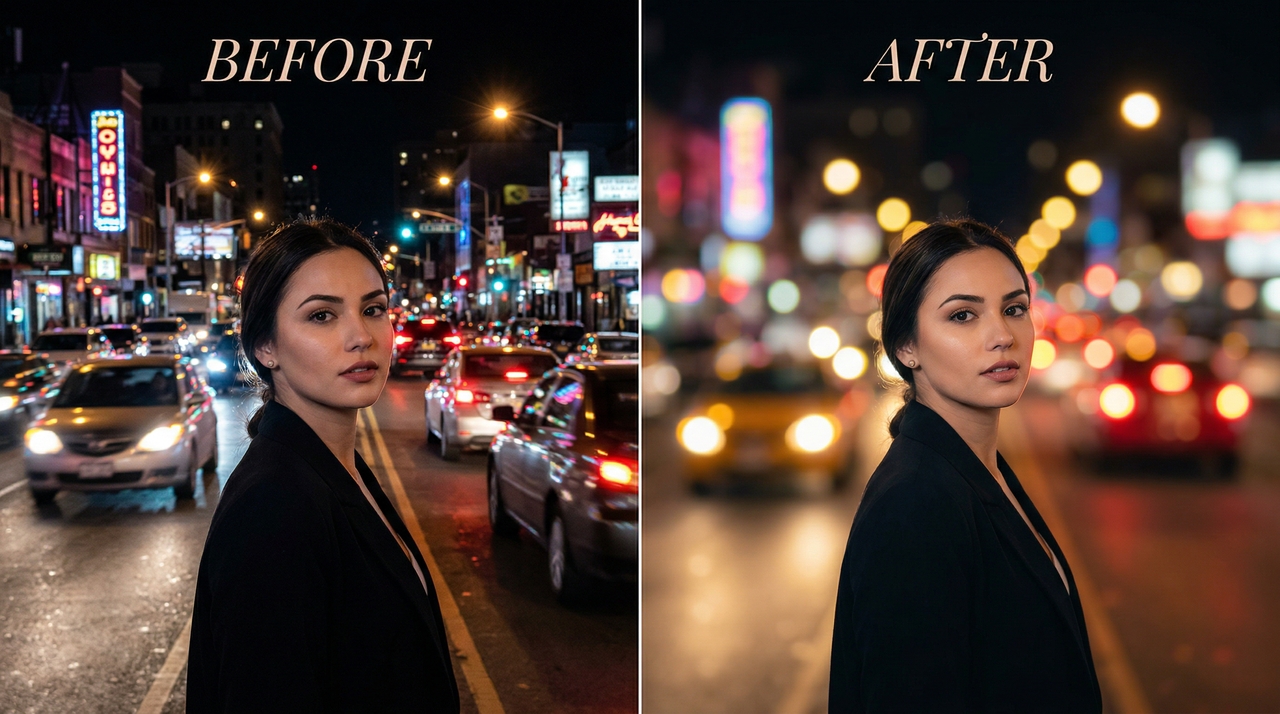
Blur Image Online with AI

Transform photos instantly with our AI blur image tool. Blur faces, backgrounds, or sensitive details and add professional blur effects in seconds.

Upload imagesClick to browse or drag & drop file here
Blur Image Online with AI

What makes Framia Pro the best blur image tool

Explore the powerful AI features that make Framia Pro stand out as the smartest and most precise image blur tool online.

Instantly blur your pictures with prompts

Upload your photo and type a simple description like "Blur the background softly while keeping the subject sharp." Powered by advanced image models, like Nano Banana 2 and Gemini 3.1, Framia Pro's AI instantly creates natural, high-quality image blur effects.

Instantly blur your pictures with prompts
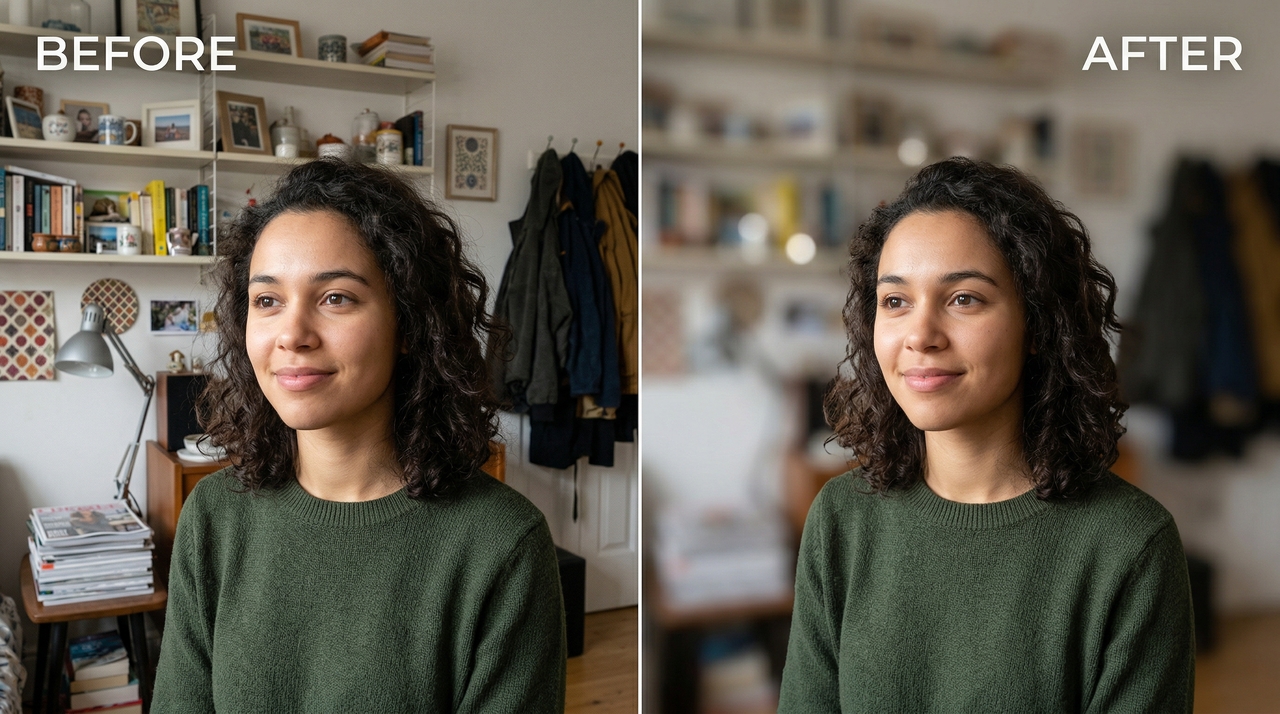
Advanced AI-powered image background blur

Advanced AI-powered image background blur

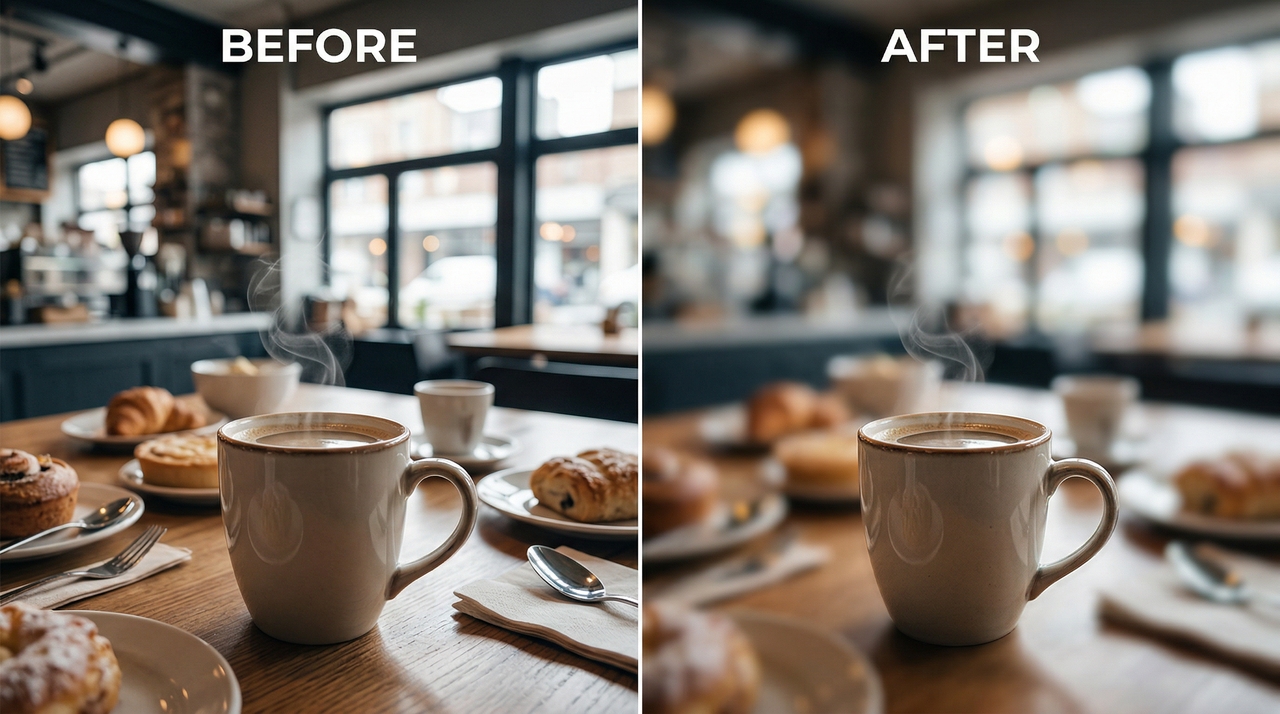
Framia Pro's AI automatically detects your subject and blurs only the image background — delivering a smooth, natural bokeh effect without any manual selection, masking, or image editing experience required. Works instantly on portraits, product shots, and travel photos.

Blur images with AI-powered precision

Framia Pro intelligently detects edges and textures across every part of your image, applying blur with pinpoint accuracy while preserving natural quality — so every result looks professionally crafted, clean, and visually sharp.

Blur images with AI-powered precision
Full image blur for creative projects

Full image blur for creative projects

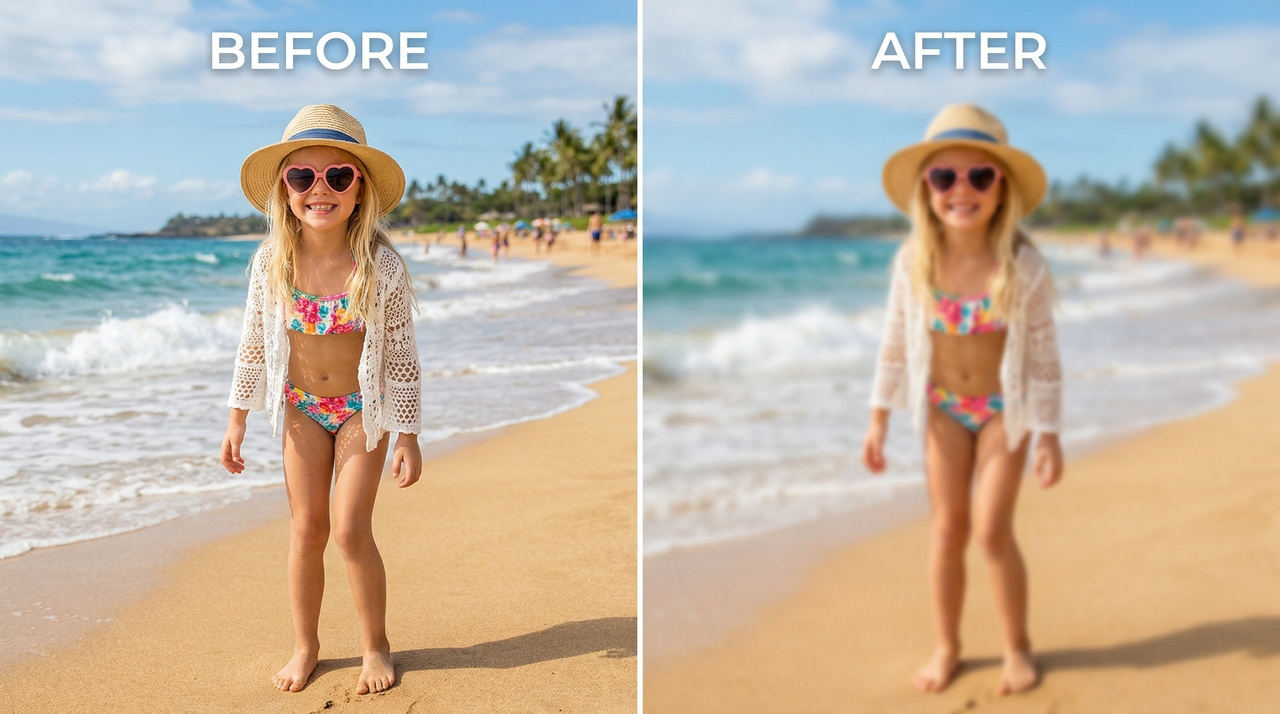
Apply a uniform blur across your entire photo to create dreamy, abstract backgrounds for presentations, social graphics, UI mockups, and branded content. One click on Framia Pro transforms any image into a stunning, distraction-free visual canvas.

How to blur an image online using Framia Pro?

Upload photo and write prompt
Upload any image and describe the blur you want. Simply type a prompt like "blur faces” or "blur blur the background, keep the subject sharp".
Blur image
Select your preferred AI model, hit generate, and watch Framia Pro apply a precise, natural-looking blur effect to your image in seconds.
Download
Preview your professional edit and click download. Export your blurred image in high-resolution 4K, perfectly optimized for any platform.

Why blur images with Framia Pro?

Explore these benefits to see why Framia Pro is the smartest choice for blurring images with AI-powered speed, precision, and creativity.

Save hours of manual editing time
Forget manual masking and layers in Photoshop. Upload your photo, describe your vision in plain words, and get professional image blur results in seconds instead of minutes.
Achieve natural, professional results
Powered by advanced image models, Framia Pro's image blurer creates realistic depth-of-field and soft-focus effects that look like they were shot with a high-end camera — no photography skills needed.
Protect privacy effortlessly
Quickly blur faces, names, addresses, license plates, text, or sensitive information before sharing screenshots, documents, or personal photos publicly online. Keep your privacy completely protected with just a simple AI prompt.
Supporting multiple image types
Framia Pro supports all image types — portraits from phones, product shots from cameras, screenshots, or social media images. Whatever you upload, the AI delivers a clean, precise blur every single time.
Work faster on any device
No downloads or complex tools required. Blur images online instantly from your phone, tablet, or desktop browser with fast processing, high-resolution results, and clean exports ready to share or use anywhere.
Boosts visual appeal
Make your portraits, product photos, and social media images stand out with beautiful AI image background blur. Increase audience engagement and make every piece of content more visually attractive and compelling.

Showcase: See what you can create with our AI blur image tool

Explore real examples of AI-powered image blurring — stunning portraits, clean backgrounds, and professional results created in seconds

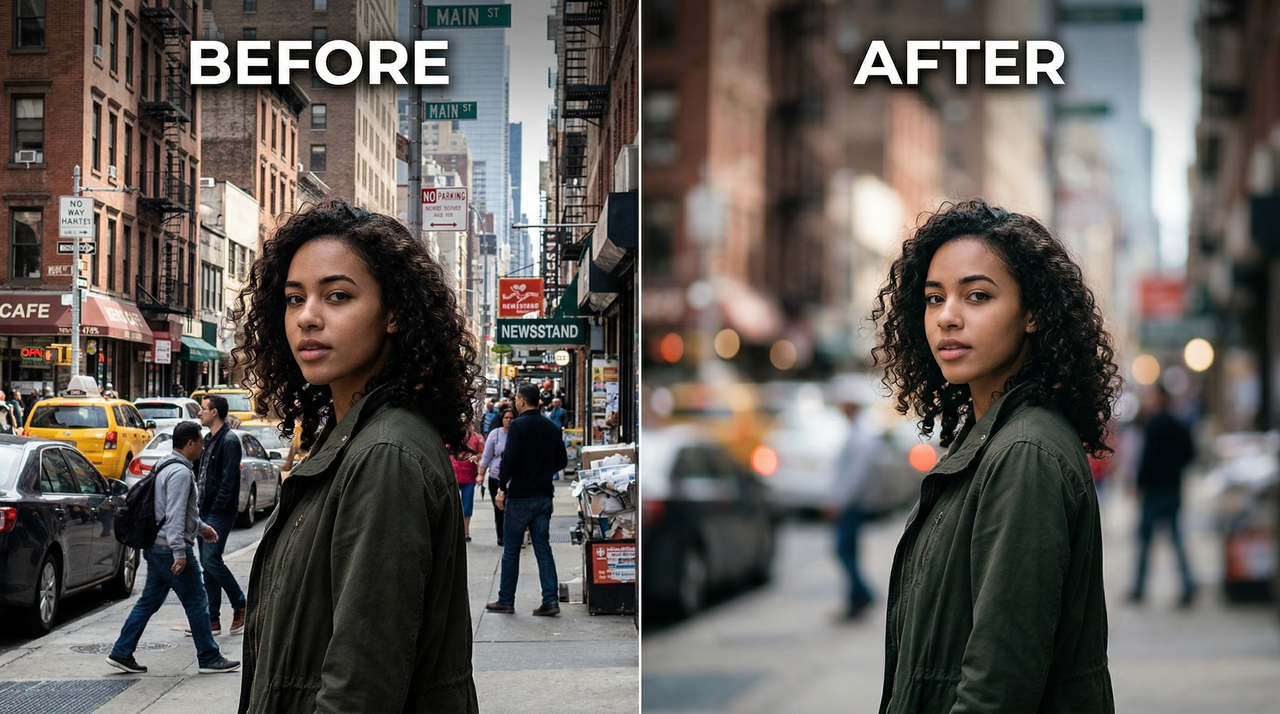
Street portrait

A street portrait with a busy urban background transformed into smooth, creamy bokeh. The subject stays sharp and defined while all background distractions fade naturally — delivering a clean, cinematic street photography finish.
Street portrait
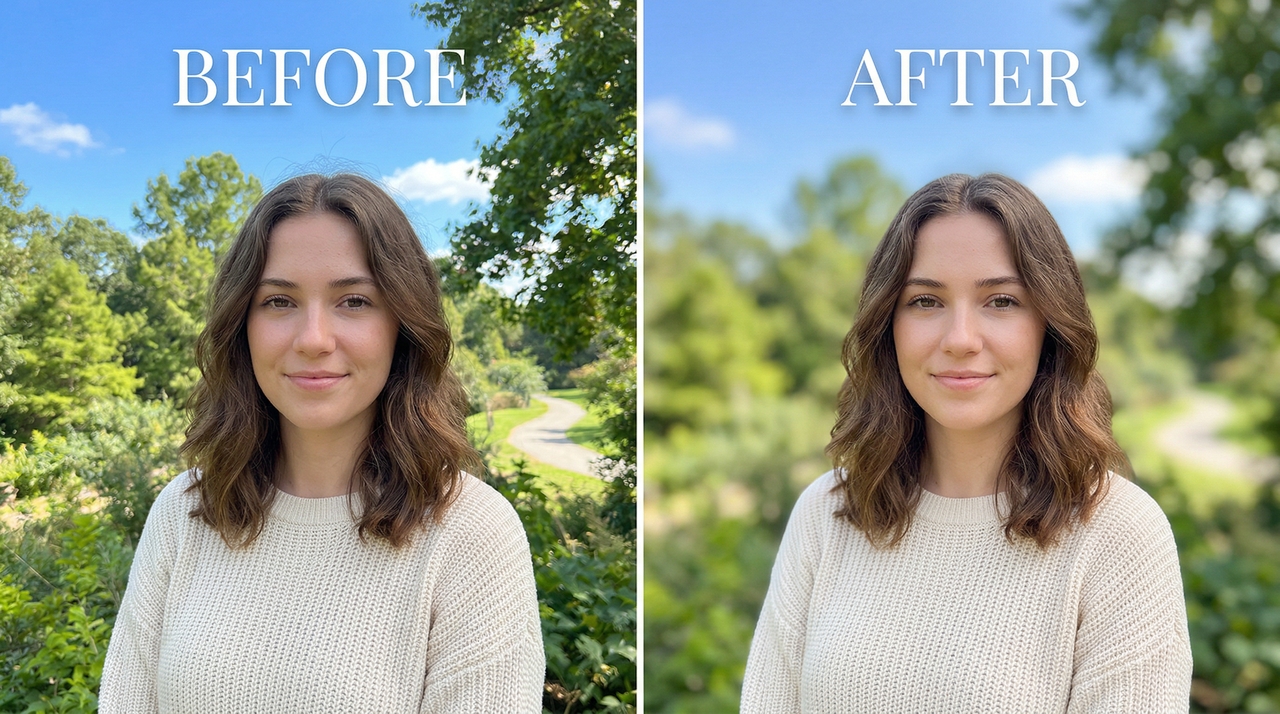
Outdoor portrait

Outdoor portrait

A casual outdoor portrait with a bright natural background softly blurred using AI. The subject's face and hair remain crisp and detailed, creating a polished editorial look perfect for social media and personal branding.

Privacy blur

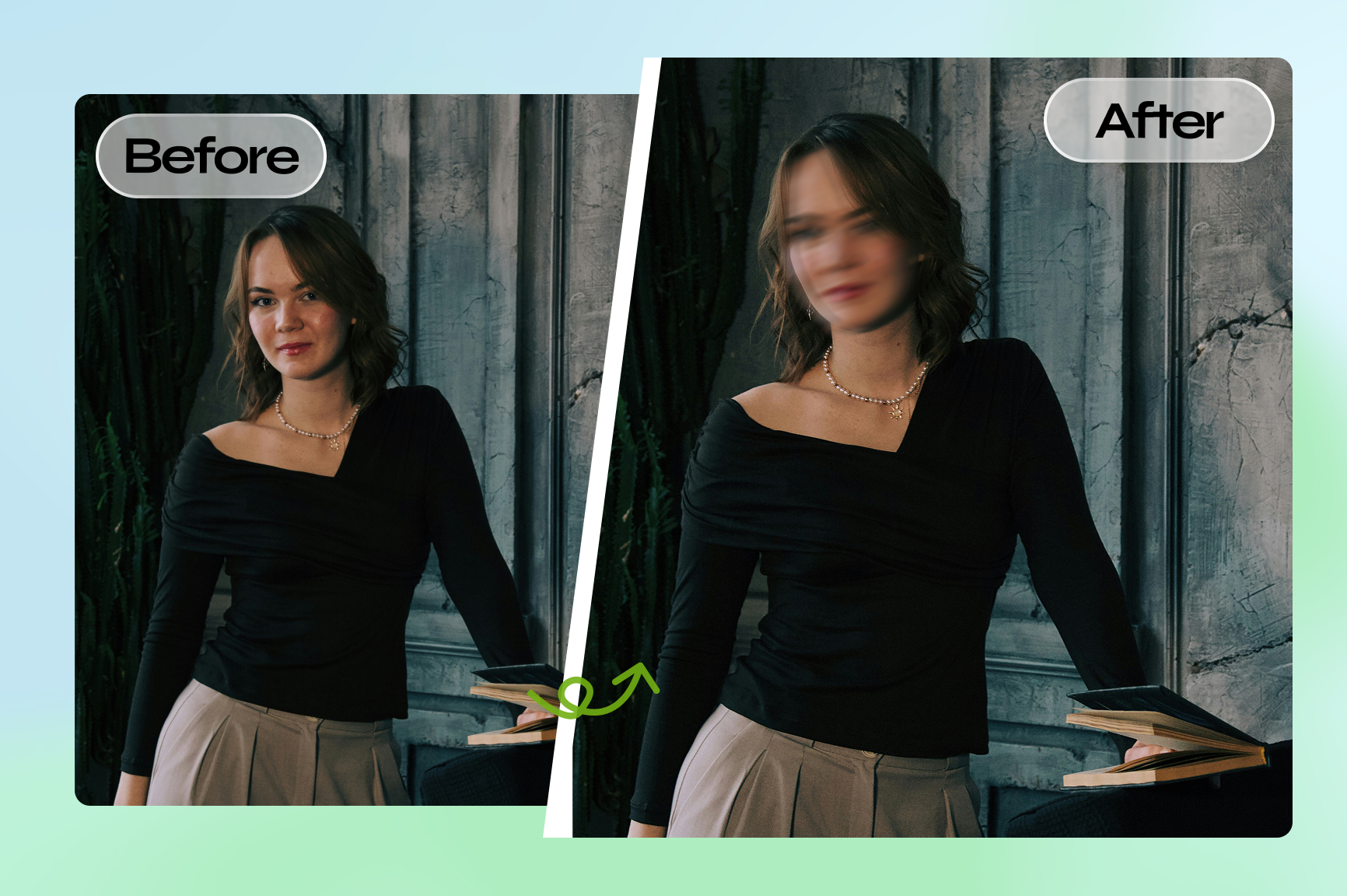
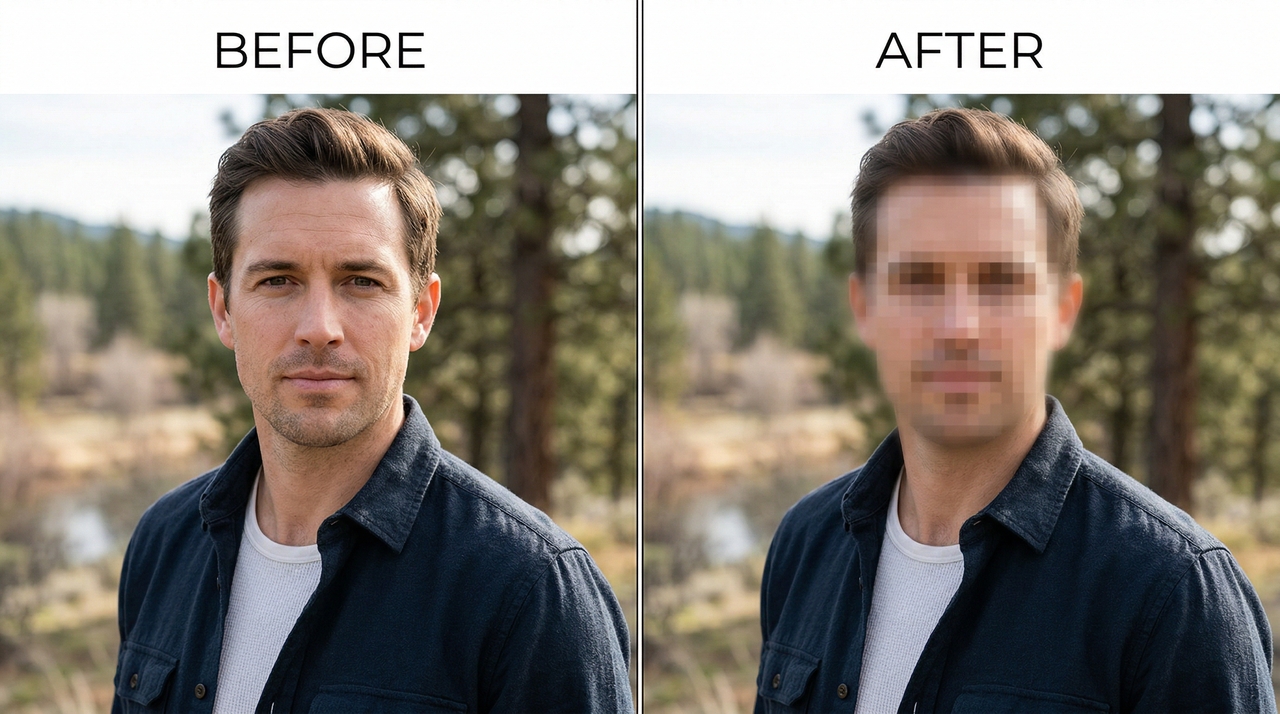
A portrait with the subject's face completely blurred for full privacy protection. The background, clothing, and surroundings remain perfectly sharp and undisturbed — ideal for sharing group photos or user-generated content publicly online.
Privacy blur

Beach portrait

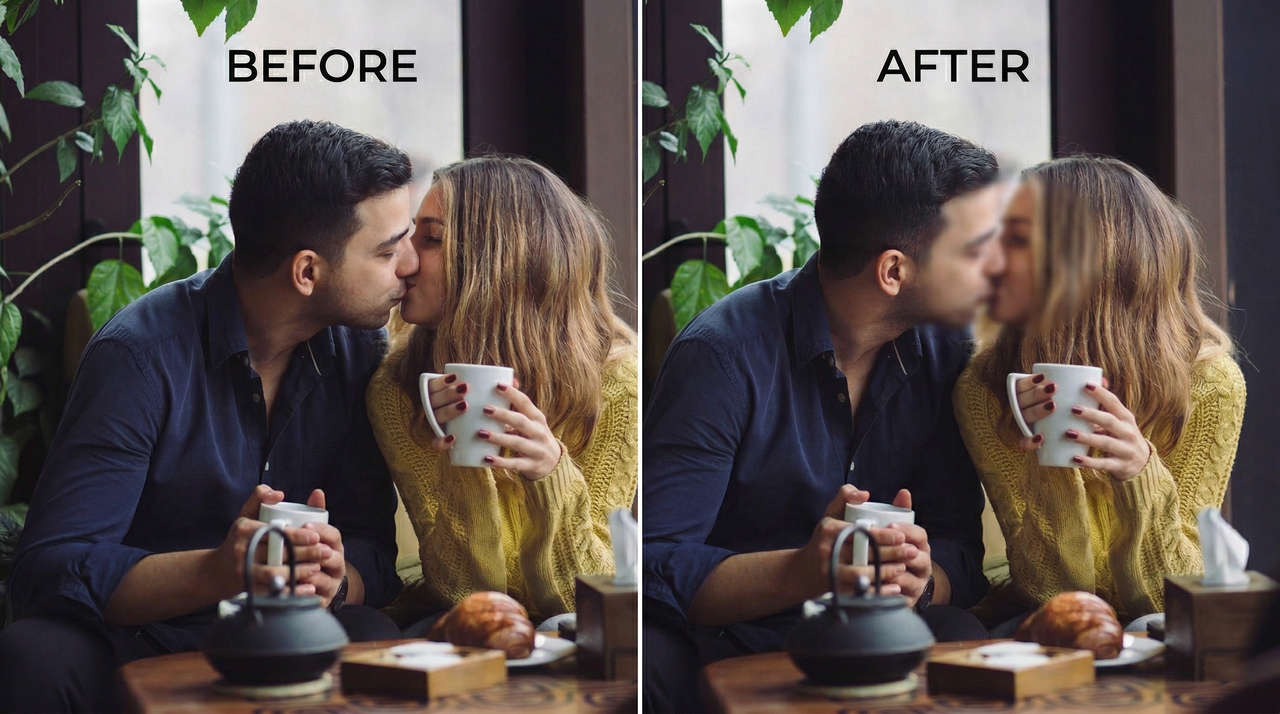
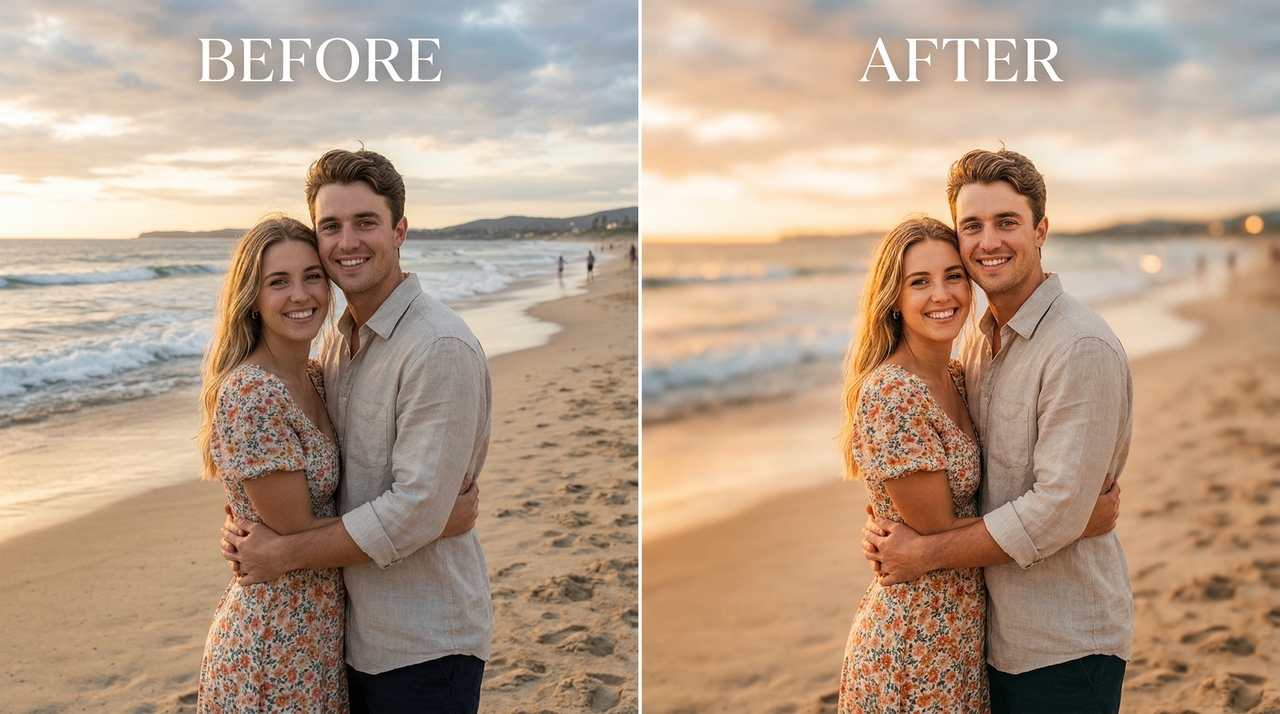
A beach couple portrait with the ocean and sky softly blurred behind the subject. Warm tones, smooth depth-of-field effect, and a dreamy finish — making it instantly ready for Instagram and social media content.
Beach portrait
Cinematic motion blur effect

Cinematic motion blur effect

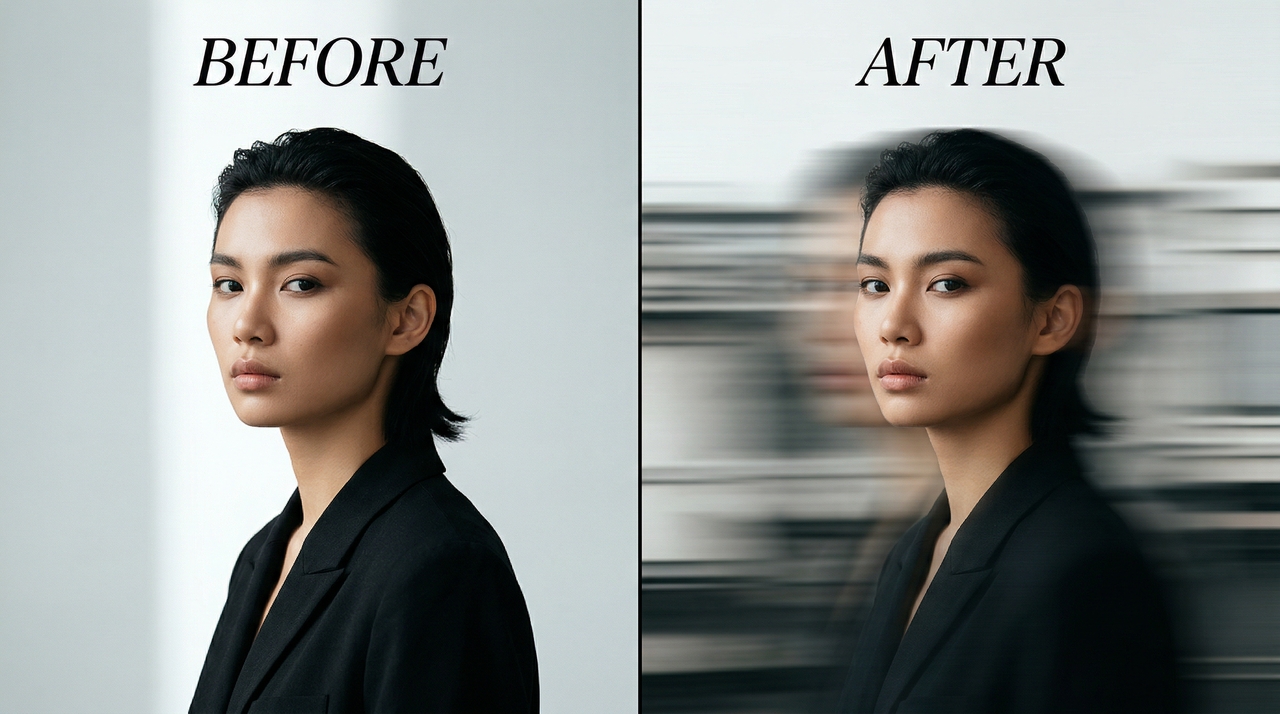
A portrait transformed with a dramatic cinematic motion blur — adding speed, energy, and creative depth to an otherwise still image, making it perfect for editorial and artistic content.

Blur sensitive details in screenshots

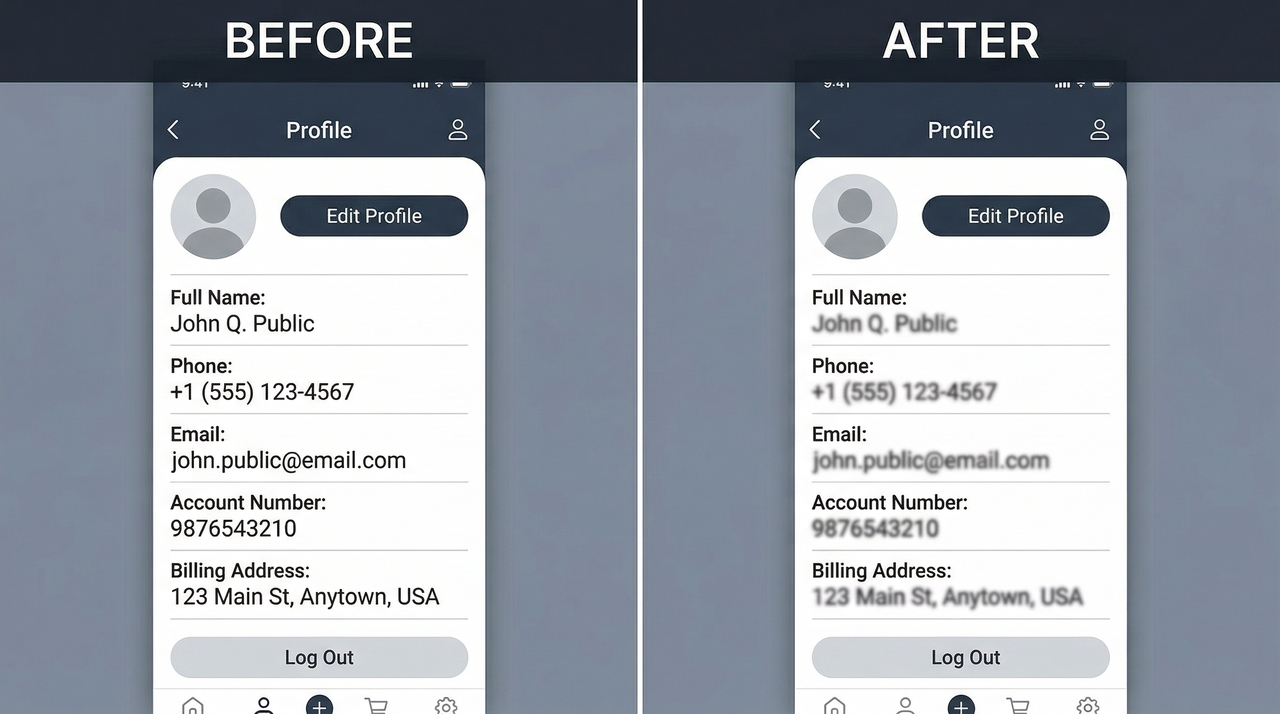
Blur image text, phone numbers, email addresses, account details, or private information in screenshots while keeping the rest of the image readable and clear for safe sharing.
Blur sensitive details in screenshots
Minimalist portrait

Minimalist portrait

A minimalist portrait with all background distractions removed through precise AI blur. A clean, creamy bokeh puts the subject front and center — creating a striking, distraction-free image that works across any creative context.

Product background blur

A product photo with a cluttered background transformed into softly blurred backdrop. The product remains sharp and highly detailed — perfect for eCommerce listings, online stores, and marketplaces where clarity drives conversions.

Product background blur

Built for every creator, every use case

Discover how creators, marketers, photographers, and businesses use Framia Pro to blur images and elevate their visual content daily.

Privacy & identity protection
Blur faces, personal details, and sensitive information before sharing photos or screenshots publicly. Stay compliant, protect your audience's identity, and share content safely without exposing private or confidential information.
E-commerce product photography
Isolate your products from busy backgrounds with a clean, professional blur. Drive higher engagement, build customer trust, and increase conversions by presenting every product with sharp focus and distraction-free clarity.
Business & professional headshots
Create polished, LinkedIn-ready headshots by blurring cluttered office or outdoor backgrounds. Present a clean, professional image that builds credibility, makes a strong first impression, and stands out on any professional platform.
Portrait & photography editing
Blur distracting backgrounds and create a natural depth-of-field effect on any portrait. Give every photo a professional, studio-quality finish without expensive equipment, complex software, or advanced photography and editing skills.
We've compiled the most important information to help you get the most out of your experience. Can't find what you're looking for?Contact us

Frequently asked questions

What is an AI blur image tool?
An AI image blur tool detects subjects and applies blur to backgrounds, faces, or images — helping protect privacy, create depth-of-field effects, and deliver professional results without manual editing.
Can I blur specific parts of an image with AI?
Yes. Framia Pro lets you blur image text, specific faces, or just the background simply by describing what you want in the prompt. The AI applies precise, clean blur exactly where needed.
Will blurring reduce my image quality?
No. Framia Pro processes your image at full resolution. Only the selected blur area is modified — the rest of your image stays completely sharp, crisp, and high quality.
Can I blur an image on my phone?
Yes. Framia Pro runs entirely in your browser — no app download needed. Upload your image, provide a detailed prompt, and download your blurred image directly from any mobile device instantly.
Is the blur image tool free to use?
Framia Pro offers a free trial for new users to blur image online. For unlimited access to premium models and watermark-free 4K downloads, affordable monthly subscriptions are available.

Still have questions?

Have questions or need assistance? Our team is here to help!

Start blurring images online with Framia Pro

Upload your photo, describe your vision, and let AI handle the rest.

Blur Image Online Easily – Add Blur Effects to Photos