Low Quality Image Maker Online

Need that 90s aesthetic? Framia Pro's free low quality image maker lets you add pixelation, scanlines, and deep-fried effects to memes in seconds.

Upload imagesClick to browse or drag & drop file here
The #1 Low Quality Image Maker

What is a low-quality image maker?

A low-quality image maker is a tool for creating images with an intentionally rough, blurry, pixelated, or compressed appearance. Depending on the tool and workflow, you can request lower resolution, digital noise, color distortion, compression artifacts, or retro effects. An image quality decreaser is useful when a clean image looks too polished for a particular design. You can use this approach for internet memes, glitch-inspired artwork, retro graphics, mockups, and other projects that benefit from a deliberately imperfect appearance.

Examples of intentional decay with our low-quality image maker

A low-quality generator can help you experiment with visual styles that intentionally move away from a clean, high-resolution finish. Here are some effects to try.

Crispy deep fried internet memes

Create chaotic masterpieces that dominate online forums effortlessly. Exaggerated saturation and intense artifacts make jokes hit harder by adding layers of visual irony. Prompt: import any standard meme format, boost contrast heavily, apply maximum noise, and increase jpeg compression greatly.

Crispy deep fried internet memes
Heavily pixelated nostalgic gaming icons

Heavily pixelated nostalgic gaming icons

Transform modern avatars into classic eight-bit wonders instantly. This style perfectly captures the golden era of arcade machines, giving pristine designs a retro vibe. Prompt: upload a modern graphic, set resolution reduction to maximum, and apply heavy color banding effect.

Vintage VHS security camera footage

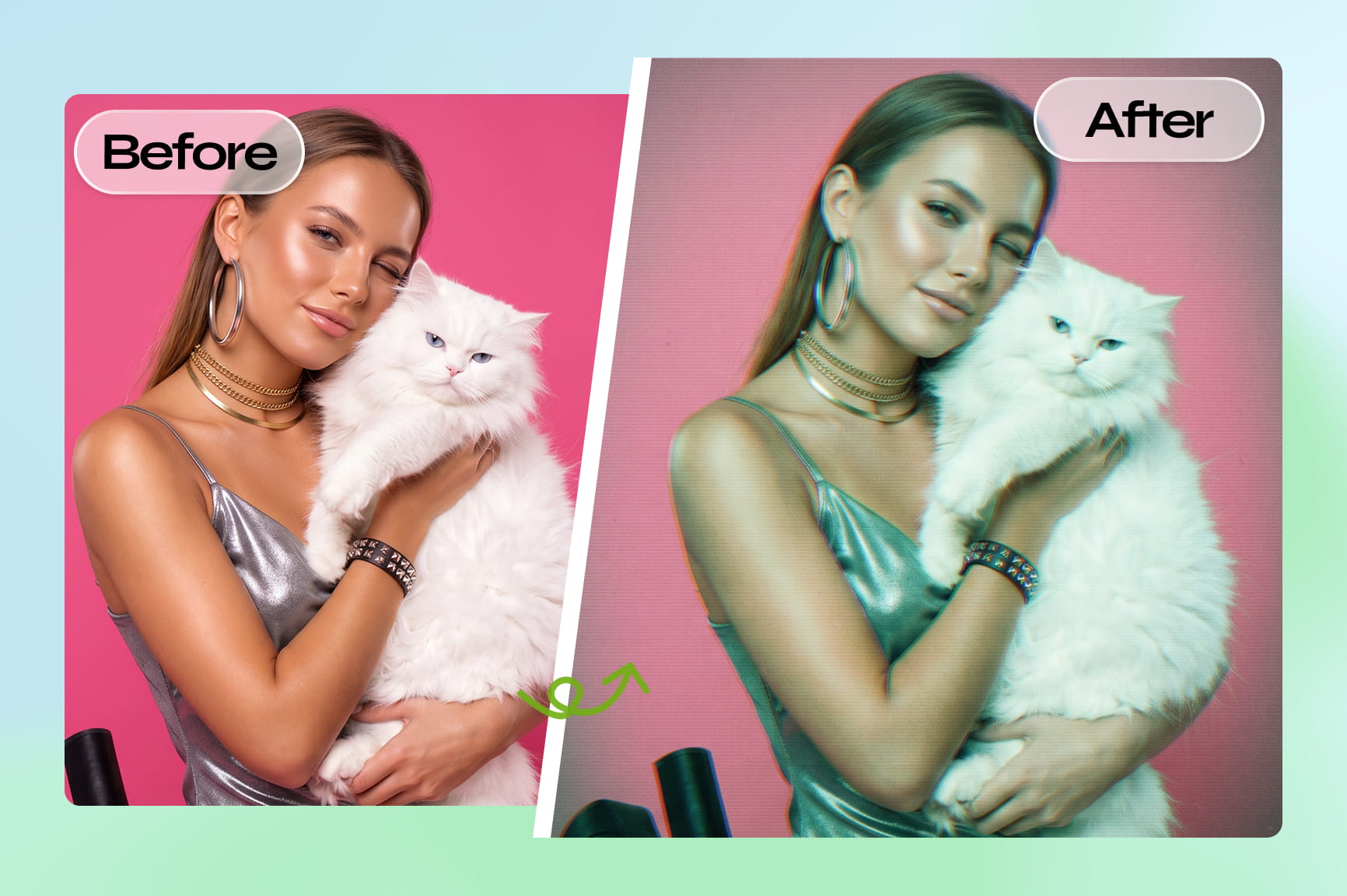
Produce nostalgic aesthetics resembling damaged tapes easily. This atmospheric downgrade works beautifully for edgy streetwear brands or nostalgic album covers requiring gritty realism. Prompt: insert a clear photograph, activate chroma subsampling, add scanlines, and reduce overall luminance brightness very slightly.

Vintage VHS security camera footage

How to make pics low-quality with Framia Pro's quality downgrader?

With our bad quality image maker, you can easily lower the quality of your photos in three quick steps:

Step 1: Open Workflow Canvas
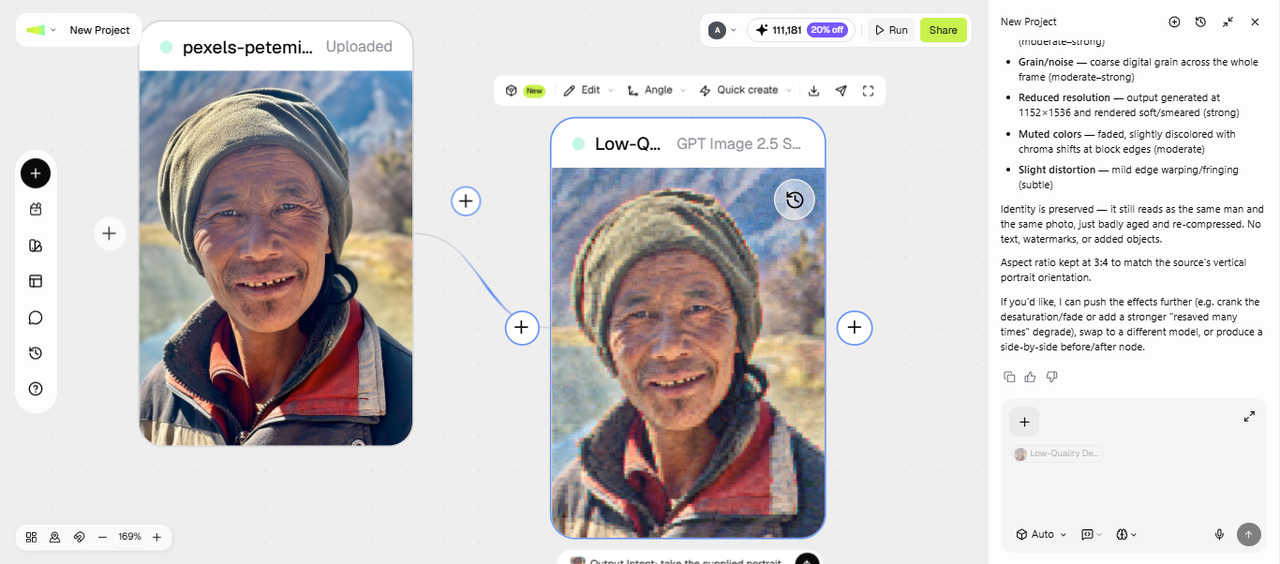
Say you want one photo in three levels of damage, from mild grain to full deep-fried. Open Workflow Canvas from the Framia Pro dashboard and start a new project. To make an image of low quality, describe the intended imperfections in the prompt. For example, ask for visible compression blocks, reduced detail, color banding, or grain. After that, add your photo as a reference, pick a skill from the Skills menu, and choose a model from Select models.
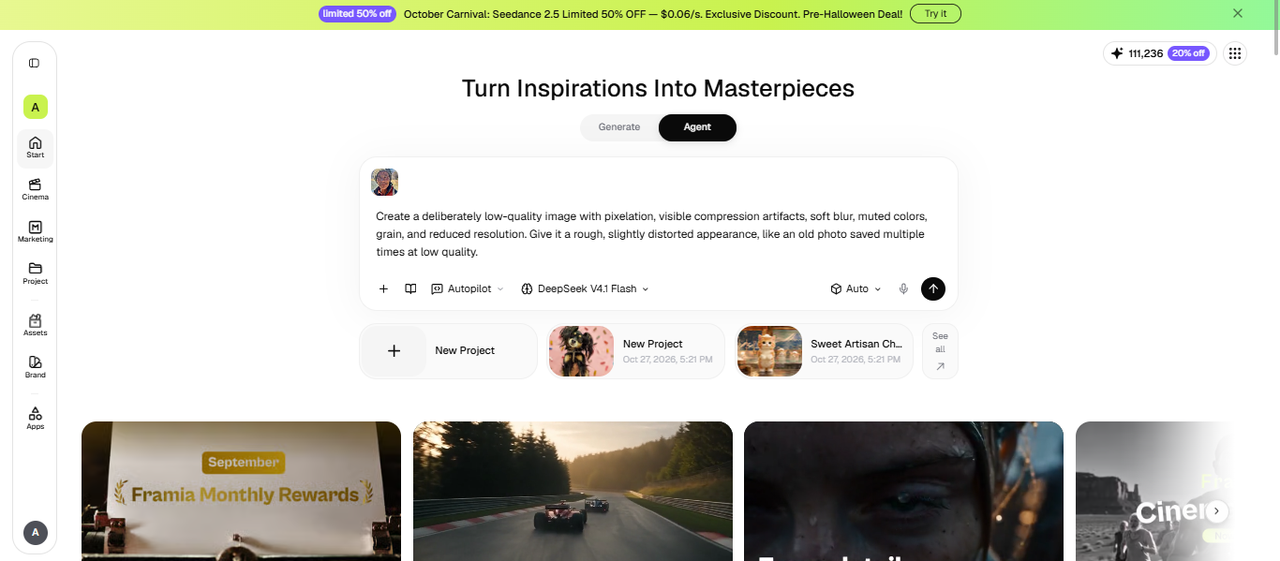
Step 1: Open Workflow Canvas
Step 2: Set up each node
Click Enter and Framia Pro arranges connected Image nodes around it. Once the node appears, it's time to shape it around your requirements. You can edit the prompt to get a different output, set the resolution and AI model, or change the aspect ratio. Re-run the node to get the low-quality image.
Step 2: Set up each node
Step 3: Run, compare, and download
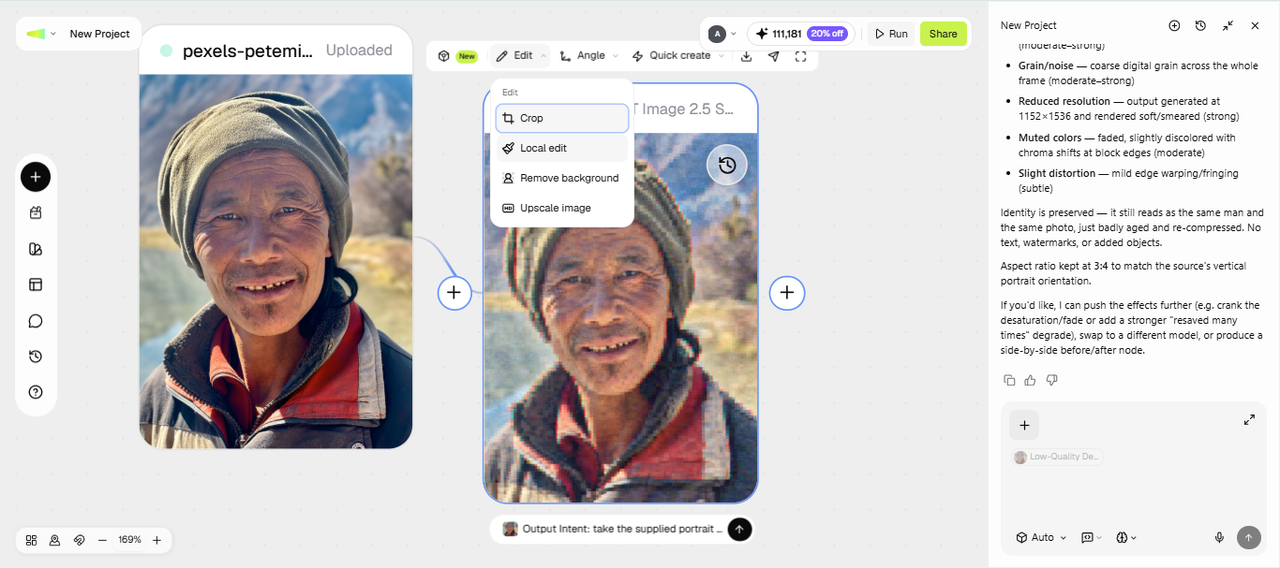
If you spot a weak result, edit the prompt and regenerate the node. Compare the outputs side by side, and use the toolbar to inpaint objects using the local edit option, relight the image, change the angle, or crop and remove unwanted parts. Click Download to save it to your device or choose Social Post to publish online.
Step 3: Run, compare, and download

Unlock the essential capabilities of Framia Pro's image quality decreaser

Discover the essential features that make crafting pixelated visuals an effortless breeze.

Decrease image resolution instantly online

Resize files instantly to capture vintage aesthetics. Adjust pixel density across various formats to recreate nostalgic internet vibes. If your goal is to make an image lower quality, specify which details should become less defined while keeping the main subject recognizable.

Decrease image resolution instantly online
Apply severe JPEG compression artifacts

Apply severe JPEG compression artifacts

Compression artifacts can create blocky edges, rough textures, and uneven details. Use a prompt that describes the strength and placement of these effects. This approach can help you make photos of low quality for meme concepts, mockups, and retro-inspired designs without applying the same treatment to every image.

Supports latest AI image generators

Use images generated with Nano Banana, GPT Image, Midjourney, Seedream, and other supported models as starting points for lower-quality visual styles. Add prompts for pixelation, grain, color distortion, or compression artifacts to give clean AI-generated images a rougher, retro-inspired appearance.

Supports latest AI image generators
Generate classic VHS tape effects

Generate classic VHS tape effects

Apply vintage colour bleeding rapidly to emulate old television broadcasts seamlessly. Add static noise and horizontal scanlines instantly, transforming crisp contemporary photographs into delightfully retro visuals that capture the charming imperfections of classic analog video cassettes without requiring complicated timelines.

Discover why creators prefer our platform as bad quality image maker

Learn why creators prefer our platform for making incredibly captivating degraded designs.

Experiment without complex editing steps
You can describe a visual effect in a prompt and refine the result through the available workflow settings. This can be useful if you don't want to manually adjust every detail in traditional image editing software.
Try different levels of degradation
A mild grain effect and a heavily pixelated meme need different treatments. Generate variations with different prompts or settings, then compare them to decide which style fits your project.
Start with a reference image
A reference image can help guide the output toward your intended subject or composition. Results are not guaranteed to match the reference exactly, so check important details before using the image.
Explore retro styles for different projects
Use prompts to test pixelation, compression artifacts, grain, or VHS-inspired effects. You can also combine styles, but too many effects may obscure faces, text, logos, or other details you need to keep visible.
Export your preferred result
Once you've chosen a version, use the export options available in your workflow. Before publishing or using the image commercially, review Framia Pro's current terms and the terms that apply to the selected model.

Framia Pro's low-quality image maker is for creators

See the primary user groups and professional industries that rely on our compression tool.

Creative [social media](https://framia.converge.ai/solutions/ai-social-media-post-generator) marketing agencies

Creative social media marketing agencies

Engage younger demographics by embracing casual internet humor. Digital marketers utilize intentional quality reduction to craft relatable posts on social media that avoid feeling overly corporate to grab attention online.

Dedicated meme pages and creators

Produce highly shareable jokes quickly without opening heavy software programs. Dedicated meme administrators rely heavily on ruined visuals to signal authenticity, establishing a deeply relatable tone that resonates immediately with followers who consume raw internet culture voraciously every single day.

Dedicated meme pages and creators
Independent graphic designers and artists

Independent graphic designers and artists

Designers can use intentional degradation as part of a broader visual concept. It can suit experimental posters, album artwork, digital collages, and projects that contrast modern subjects with older visual styles.

Authentic feedback from people using Framia Pro's quality downgrader

Read sincere feedback from trusted users who absolutely love degrading pictures today.

"Framia Pro transformed our campaigns completely. The deep-fried effects look wonderfully authentic, allowing us to connect deeply with younger audiences. I highly recommend this incredible tool. It operates flawlessly across all our agency devices daily."
Oliver Davis
Oliver Davis
Content Strategist
"Creating pixelated graphics used to take hours of tedious editing. Now, I generate stunning vintage visuals instantly. This browser application is completely revolutionary for independent artists like me. The interface feels so wonderfully intuitive consistently."
Amelia Taylor
Amelia Taylor
Graphic Designer
"Running humor pages requires speed and consistent quality degradation. Framia Pro delivers exactly what we desperately need without expensive subscriptions. I cannot imagine managing viral content without it. Provides excellent performance every single time."
Harry Brown
Harry Brown
Social Media Manager
"Bringing that genuine nineties tape distortion into my modern video projects has never been easier. The scanline features are incredibly accurate and save immense production time. Simply the best free online compression utility available today."
Charlotte Evans
Charlotte Evans
Video Editor
"Whenever our articles need some intentional digital grunge, this platform is my immediate destination. The interface is wonderfully clean despite the chaotic outputs it generates. Every single generated output perfectly matches our desired stylistic tone."
Jack Wilson
Jack Wilson
Digital Publisher
"Taking perfectly clear corporate portraits and destroying them for internal jokes is incredibly satisfying. Framia Pro offers the absolute best artifact simulation I have ever encountered online. Truly a highly essential bookmark for creative professionals."
Sophie Hughes
Sophie Hughes
Art Director
We've compiled the most important information to help you get the most out of your experience. Can't find what you're looking for?Contact us

FAQs about low-quality image maker

What formats are supported by this low-quality picture maker tool?
Most standard formats like JPEGs and PNGs are universally accepted online. With Framia Pro, you can also easily upload and successfully process complex visual formats without encountering any unexpected compatibility errors.
Does decreasing resolution permanently delete original files?
Reducing pixel density usually alters the immediate output being handled. However, Framia Pro only modifies your downloaded copy, leaving the original source files completely untouched and perfectly secure every single time.
Can I use these degraded images for commercial advertising?
Altered digital content generally permits extensive commercial usage across marketing campaigns. Fortunately, Framia Pro grants users full copyright ownership over generated exports, ensuring profitable monetization without facing any legal restrictions whatsoever.
Is there any software installation required before using this low-quality generato
Professional editing utilities often demand hefty downloads and complex installations. Conversely, Framia Pro operates entirely through your web browser, providing instant access to powerful degradation features without consuming hard drive space.
How does Framia Pro's low-quality image generator achieve the retro VHS appearance?
Creating vintage tape visuals demands colour bleeding and subtle scanlines. Through advanced processing, Framia Pro instantly replicates these exact analog anomalies, transforming crisp modern digital precision into a beautifully nostalgic masterpiece.
Why should creators intentionally decrease their picture quality today?
Polished graphics sometimes feel incredibly sterile and lack cultural relevance. Consequently, Framia Pro empowers modern artists to inject chaotic personality, making their unique internet jokes significantly more authentic and highly engaging.
What does a bad quality image maker change?
It lowers sharpness, resolution, and color accuracy on purpose and adds flaws such as noise, blur, and compression blocks. You choose which flaws appear through your prompt.
How do I make low-quality images for a meme set?
Use Workflow Canvas and add several output Image nodes, each with a different level of damage. Run them together, compare the results, and regenerate only the weak ones.
Which models work on low-quality generator?
Pick a model such as Nano Banana 2 or Seedream 5.0 in the Design Agent, or upload an image made in another AI tool. Each model adds slightly different grain and color, so test two or three.
Is the low-quality image generator free to use?
You can try it for free with starter credits. Check the pricing page for current limits, and upgrade only if you need more generations.

Still have questions?

Have questions or need assistance? Our team is here to help!

Create low-quality image maker with Framia Pro!

With Framia Pro's low-quality image maker, you can now create social media images and memes to share with your friends and audiences.

Low Quality Image Maker for Retro Art & Memes