The Best AI Shadow Remover

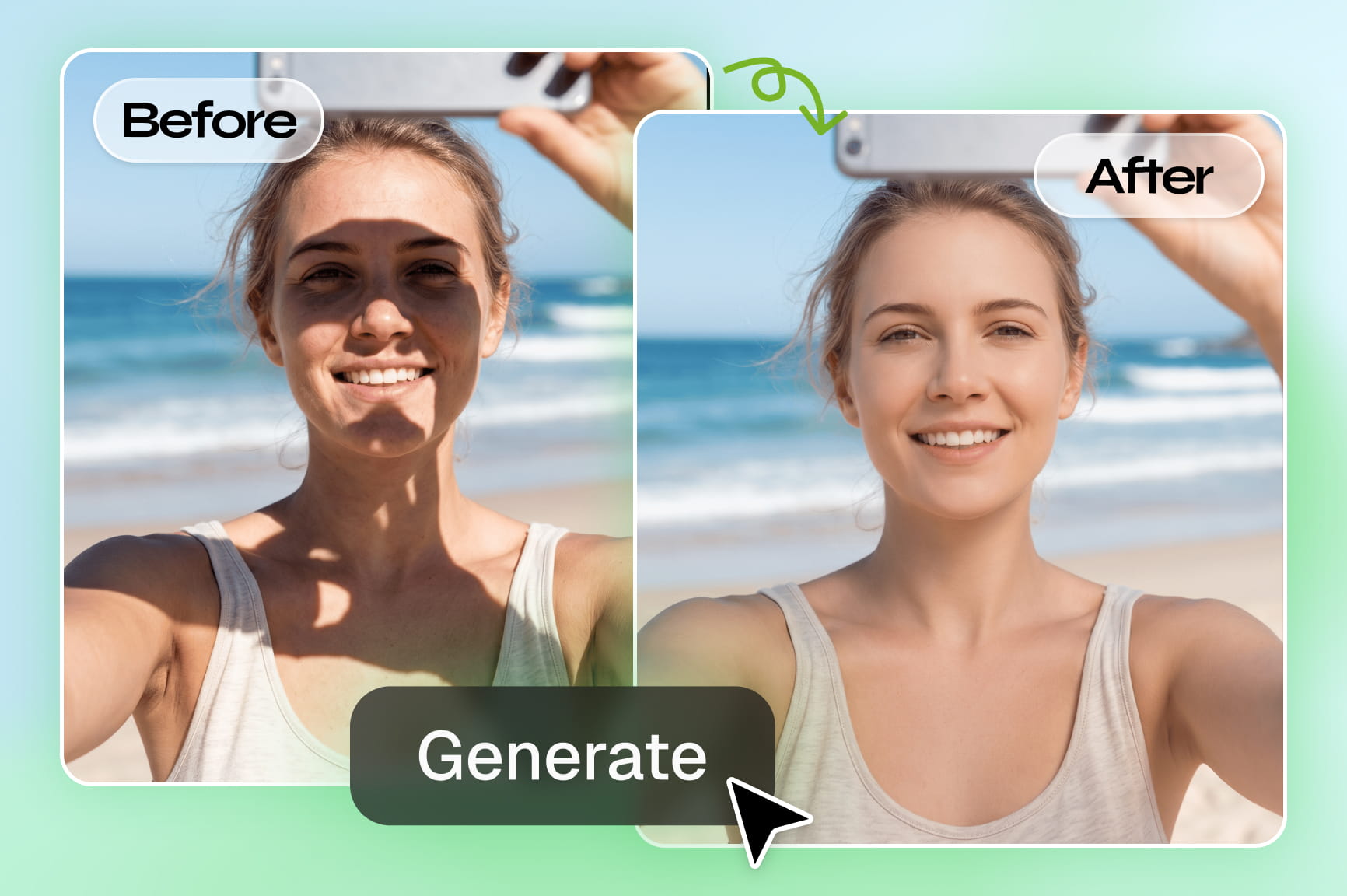
Instantly brighten your photos with Framia Pro's powerful AI shadow remover. Perfect for portraits, products, and real estate images

Upload imagesClick to browse or drag & drop file here
The Best AI Shadow Remover

What is a shadow remover?

A shadow remover is a tool that detects the dark, uneven patches a photo picks up from bad lighting, and lifts them so the subject looks evenly lit. Rather than manually brushing out shadows in an editor, you describe what you want gone, and the tool rebuilds the color and texture underneath. It works on faces, products, and full scenes, and the output is a normal photo you can download and use right away.

See Framia Pro's AI shadow remover in action

Explore real examples of how our intelligent tool removes shadows from pictures and transforms ordinary content beautifully.

Family vacation beach portrait

Easily rescue your favorite personal memories from bad outdoor lighting, ensuring your family portraits look picture-perfect before printing them for the living room wall. Prompt: "Remove the harsh palm tree shadows crossing over our faces while keeping the sunlight bright."

Family vacation beach portrait
E-commerce product studio shot

E-commerce product studio shot

Instantly upgrade your professional online store inventory by presenting crisp, flawlessly lit merchandise that immediately builds shopper trust and increases your total sales. Prompt: "Remove the obvious shadow around the handbag, preserve the appearance of the leather and the product.

Vintage heritage photo scan

Digitally restore precious historical vintage family documents effortlessly, relying on smart artificial intelligence to gently clean up uneven lighting artifacts without destroying delicate antique paper textures. Prompt: "Adjust to reduce facial shadows, balance the lighting, and retain the texture of black-and-white photos."

Vintage heritage photo scan

Unlock flawless photos with Framia Pro's AI shadow remover

Explore advanced AI shadow remover from photo features that are built to erase harsh shadows and perfectly light every photo.

Erase complex shapes very accurately

Eliminate complicated background silhouettes without destroying delicate foreground subjects instantly. Our smart software automatically detects difficult dark shapes blending over hair or transparent objects, giving you incredibly clean cutouts without requiring any frustrating manual brush work at all every day.

Erase complex shapes very accurately
Restore true colors and textures

Restore true colors and textures

Recover vibrant hues hidden deep inside harsh lighting spots beautifully. Instead of leaving ugly gray patches behind, our advanced tool intelligently reconstructs the original surface material, ensuring your final photograph looks completely natural and professionally edited every single time now.

Select from multiple advanced generation engines

Select from leading generation engines including GPT Image 2, Nano Banana 2, Midjourney v7, and Flux Max seamlessly. Generate stunning visuals using the exact artificial intelligence technology that perfectly suits your specific creative needs and complex design preferences right now.

Select from multiple advanced generation engines
Process bulk images very quickly

Process bulk images very quickly

Fix uneven lighting across hundreds of product pictures at once easily. Accelerate your photography workflow by applying consistent shadow removal adjustments to entire folders automatically, saving you countless hours while maintaining excellent visual quality for your online store business today.

How to remove shadow from photo online free with Framia Pro?

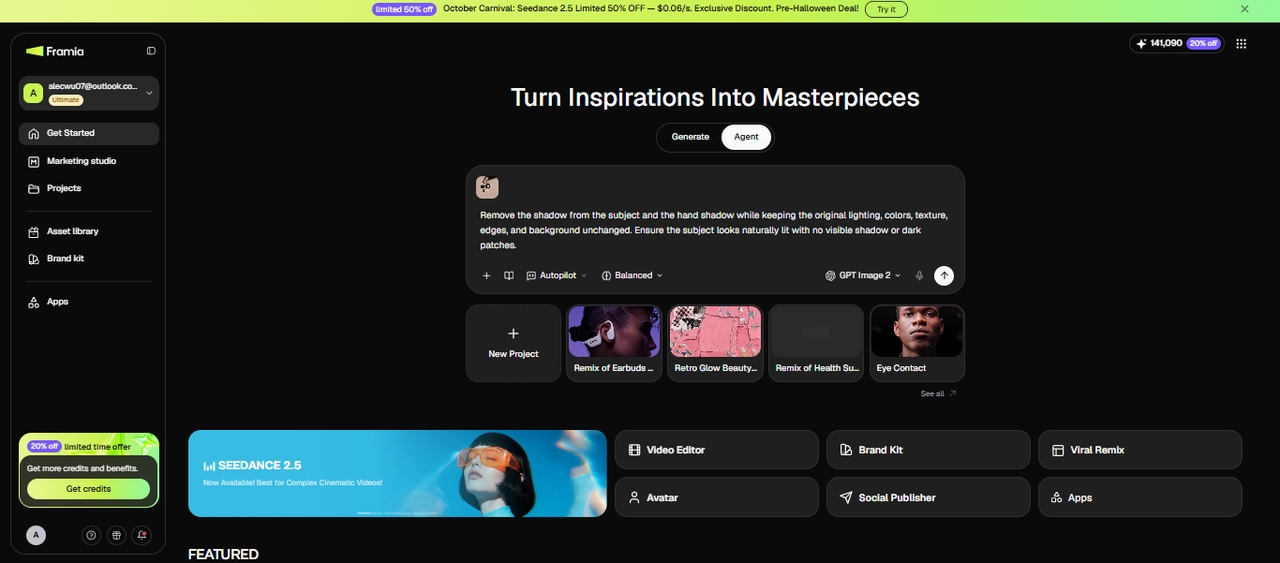
Step 1: Bring the photo into the Agent canvas
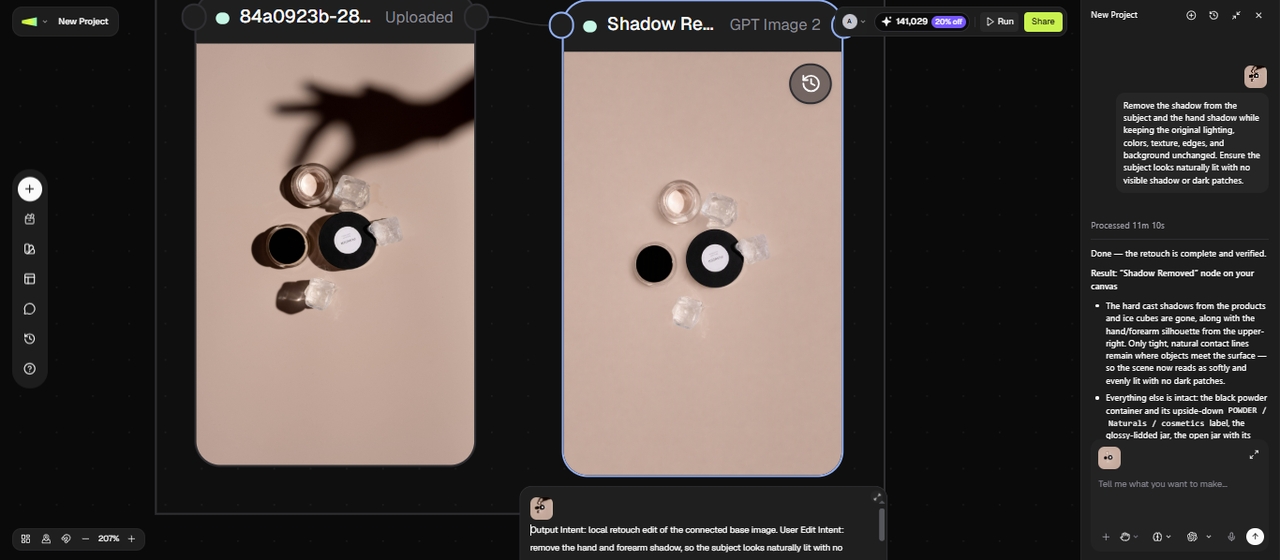
Say a product photo has a hard shadow cutting across it from the studio light. You open the Agent canvas from the Framia Pro dashboard, upload the photo from your device, and pick an image model from the list, such as GPT Image 2 or Nano Banana 2, or leave it on Auto to let the Agent select a suitable one.
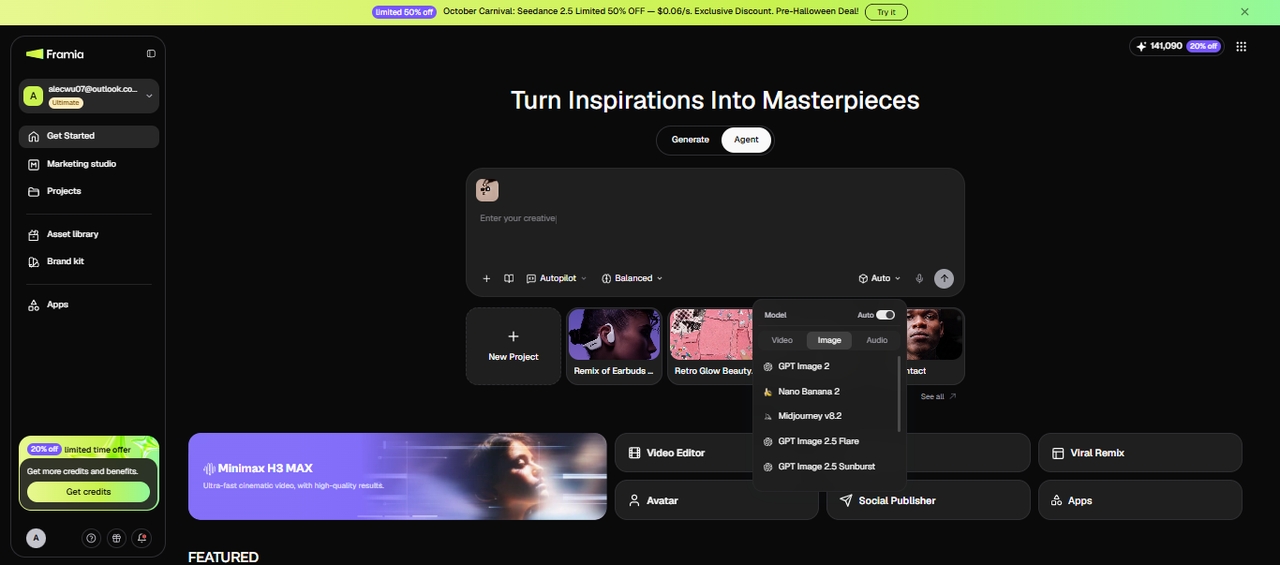
Step 1: Bring the photo into the Agent canvas
Step 2: Describe the fix you want
Write a prompt naming the exact shadow to remove and how bright you want the background to end up. You can also set the aspect ratio in the prompt, so the output matches your listing or print size. The Agent reads this prompt, removes the shadow, and rebuilds the color and texture underneath it.
Step 2: Describe the fix you want
Step 3: Review the result and export
Once the first version comes back, check the edited area closely for leftover gray patches or an edge that looks too sharp against the rest of the photo. If a spot was missed, you can connect another image node and ask for another pass on just that area or edit the prompt and rerun the node. When it looks right, download the finished photo to your device.
Step 3: Review the result and export

Transform your photography workflow using our AI shadow remover

Upgrade your photo editing process with our smart AI photo shadow remover tool and save valuable time every day.

Save hours of tedious work
Stop wasting precious hours trying to manually paint out shadows using complicated software brushes. Our intelligent system handles complex blending tasks automatically within seconds. You can finally reclaim your schedule and focus entirely on capturing more stunning photographs outdoors today.
Keep every image looking real
Maintain the authentic textures and natural details hidden beneath the darkness effortlessly. Unlike basic filters that smudge details entirely, our advanced technology ensures your final pictures remain sharp, vibrant, and highly realistic without ever looking artificially modified or fake today.
Rescue ruined vacation memories instantly
Salvage your favorite travel moments spoiled by harsh sunlight or unexpected photobomber shadows quickly. Instead of permanently deleting those precious memories, you can digitally relight them beautifully and preserve your absolute best travel experiences for your online social media feeds.
Get professional results without gear
Achieve brilliant studio lighting effects without purchasing expensive camera equipment or heavy lighting rigs. Build a polished brand presence effortlessly from your own home office while generating incredibly stunning visuals that easily rival premium commercial photography agency campaigns right now.
Enjoy total creative lighting control
Adjust exactly how much darkness you want to remove using our highly intuitive sliders. Completely erase harsh shapes or simply soften them gently to maintain a beautiful natural depth across your entire image during your creative design workflow process now.
Process bulk images very fast
Clean up dozens of pictures simultaneously without losing any remarkable quality or crucial details. Streamline your overall online listing process effectively by instantly delivering consistent and perfectly lit catalog photographs directly to your demanding clients and loyal digital customers everyday.

Our AI shadow remover is perfect for every visual project

Discover how different professionals rely on our software to elevate their daily visuals.

Boost online store product listings

Boost online store product listings

Maximize your digital storefront sales by presenting incredibly clean and professional product photographs. Eliminate distracting dark spots to immediately boost consumer trust and ensure your merchandise looks premium across popular competitive online marketplaces like Amazon and eBay very easily today.

Professional real estate photography

Attract more potential property buyers by showcasing bright and highly inviting interior living spaces. Easily remove gloomy corners from your architectural shots to make rooms appear significantly larger, warmly lit, and much more appealing to every prospective new homeowner today.

Professional real estate photography
Enhance your social media presence

Enhance your social media presence

Elevate your personal branding effortlessly by maintaining perfectly consistent lighting across all your trendy social media uploads. Quickly remove unflattering outdoor shadows from your stylish lifestyle shots to keep your entire digital grid looking highly curated and professional instantly.

Improve dating app profile pictures

Enhance your online dating presence by removing unflattering facial shadows hiding your best features. Present a bright, inviting, and genuine smile to potential matches confidently, ensuring your profile stands out beautifully across popular modern relationship matching applications every single day.

Improve dating app profile pictures
Upgrade food delivery menu images

Upgrade food delivery menu images

Showcase your delicious culinary creations perfectly by eliminating unappetizing dark spots caused by overhead kitchen lighting. Present incredibly vibrant and mouthwatering dishes that instantly capture hungry customers' attention and significantly increase your daily orders on popular food delivery platforms today.

Enhance used vehicle sales listings

Sell your personal car faster by presenting stunningly clear exterior photographs without harsh garage shadows. Highlight the flawless paint job and pristine interior details beautifully, attracting serious buyers who immediately trust your professional listing on crowded local community automotive marketplaces.

Enhance used vehicle sales listings

See what our users are saying about Framia Pro's shadow remover

Read how our advanced photo enhancement application has transformed visual content for all.

Taking professional headshots under the harsh fluorescent lights of major Las Vegas convention halls always created terrible under-eye shadows. This brilliant software completely restored natural facial lighting instantly. My high-profile corporate clients are incredibly thrilled with their pristine conference portraits.
Sarah Monroe
Sarah Monroe
Convention Center Photographer
Selling high-end Vegas mansions requires absolutely perfect interior photography without dark corners. This artificial intelligence tool easily eliminated gloomy room shadows caused by bright outdoor windows. I am currently selling properties significantly faster thanks to these perfectly illuminated architectural pictures.
David Sterling
David Sterling
Luxury Real Estate Broker
Photographing textured oil paintings inside our Vegas gallery always created terrible frame shadows ruining the canvas. Framia Pro seamlessly erased these distracting dark marks while preserving delicate brushstroke details beautifully. Our digital exhibition catalogs look incredibly professional and flawless today.
Elena Rostova
Elena Rostova
Fine Art Gallery Director
Photographing our new steak dishes under dim restaurant ambiance ruined the actual culinary presentation totally. Fixing those distracting plate shadows took seconds with this genius program. Now our digital food menus look insanely appetizing and attract many hungry tourists daily.
Benny Russo
Benny Russo
Executive Chef
Afternoon ceremonies in the desert always produce unflattering sun spots on bridal faces. This tool naturally smoothed out the lighting without making the couple look digitally altered whatsoever. My demanding clients were thrilled with their beautifully restored wedding memory albums.
Roxy Silver
Roxy Silver
Wedding Event Planner
Shooting luxury vehicles under harsh Las Vegas sunlight always created terrible reflections and deep shadows. This brilliant program removed those distracting spots instantly without dulling the expensive metallic paint. My premium online inventory looks incredibly pristine and attracts buyers today.
Vincent Romano
Vincent Romano
Auto Dealer
We've compiled the most important information to help you get the most out of your experience. Can't find what you're looking for?Contact us

Frequently asked questions

What causes unwanted dark marks in my pictures?
Poor lighting setups or direct sunlight often cast harsh silhouettes across your background. Thankfully, Framia Pro instantly detects and removes these dark spots, ensuring your images look perfectly illuminated everywhere.
Can I edit bulk photos to remove shadows from photos?
Yes, batch processing allows you to enhance multiple images concurrently, saving immense time. With Framia Pro, you can seamlessly correct dozens of dark photographs in just one highly efficient click.
Will my image lose its original quality after editing?
High-quality algorithms are designed specifically to protect natural textures during the entire restoration process. Using Framia Pro, your cherished memories remain crystal clear, vividly sharp, and completely free from artifacts.
Do I need professional graphic design skills?
Not at all, modern automated platforms eliminate the need for complicated manual brush work entirely. Framia Pro offers an incredibly intuitive interface anyone can easily navigate to achieve stunning results now.
Can I use the shadow remover for product photos?
Absolutely, achieving clean backgrounds is crucial for driving retail conversions and establishing solid consumer trust. Framia Pro effortlessly brightens dull merchandise, delivering polished catalog visuals that attract potential online buyers today.
Does the AI delete shadow from picture command work on scanned documents?
Yes. It can lighten shadows and scan glare on scanned pages or old photographs while keeping text and fine detail legible.. Framia Pro brightens the background paper smoothly while ensuring essential typography remains legible and crisp forever.
Is the shadow remover free to use?
Framia Pro gives you free credits when you sign up, so you can try the shadow remover before choosing a paid plan.
Can I control how much shadow gets removed?
Yes. You can ask the AI tool to fully remove or just soften the shadow, depending on how much natural depth you want to keep in the photo.

Still have questions?

Have questions or need assistance? Our team is here to help!

Remove shadows seamlessly from photos with Framia Pro!

With Framia Pro's AI free shadow remover, you don't have to deal with professional software anymore. Just one-click, and poof, shadows are gone.

AI Shadow Remover: Instantly Brighten Your Photos