Free AI Discord Banner Maker

Create custom Discord server and profile banners instantly with our AI Discord banner maker—describe your design and generate it in seconds.

Upload imagesClick to browse or drag & drop file here
Free AI Discord Banner Maker

What is a Discord banner maker?

A Discord banner maker creates custom banners for Discord servers or profiles. Server banners require Level 2 Boosts (7 boosts), or Level 3 (14 boosts) for animated GIFs. Discord recommends 960×540 px (16:9), with 1920×1080 also supported. Keep the top 48 px simple. Profile banners require Nitro, support PNG, JPG, or GIF, and must be at least 680×240 px and under 10 MB. An AI Discord banner maker like Framia Pro lets you generate designs from text prompts.

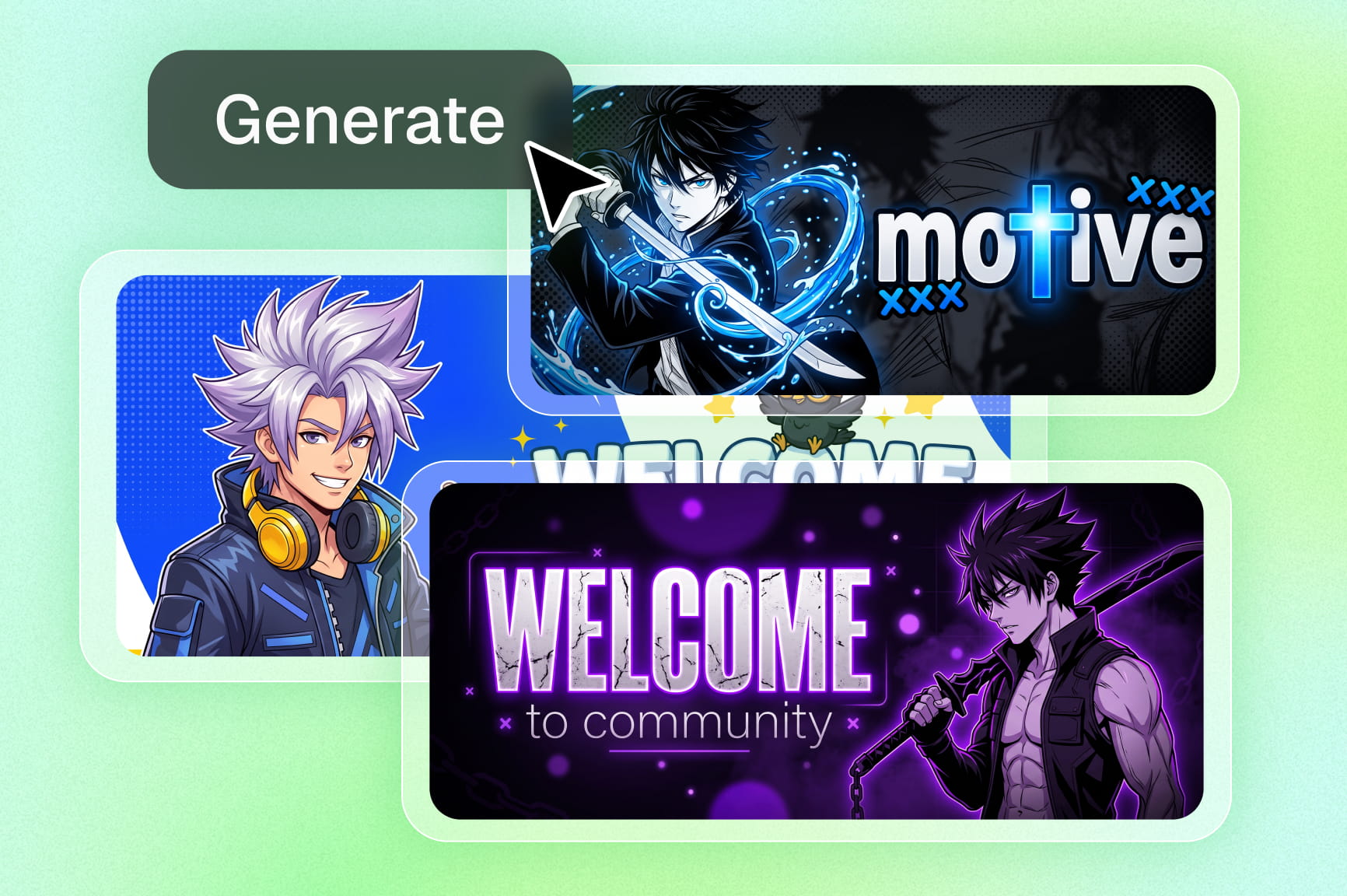
Discord banners generated with Framia Pro

How to make a Discord banner with Framia Pro?

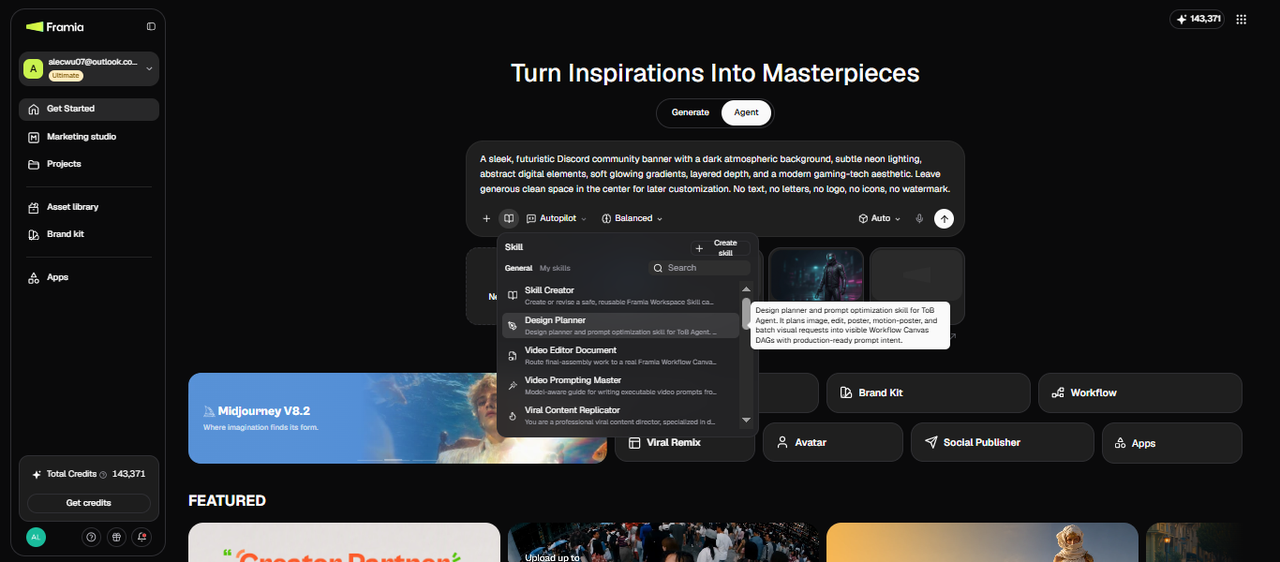
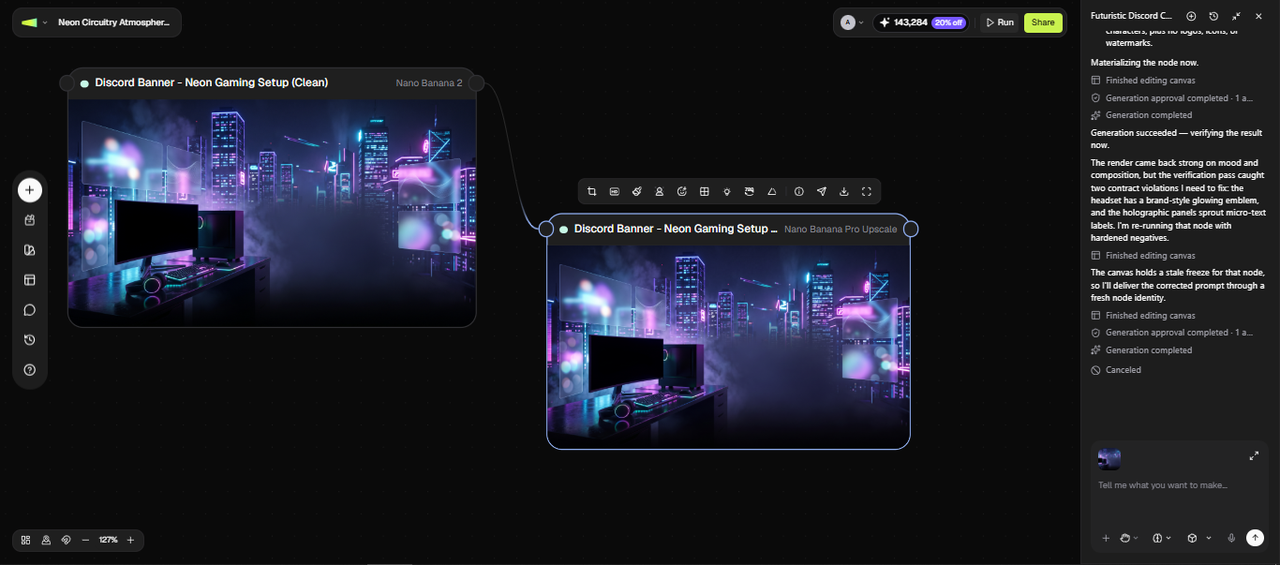
Step 1: Open the Agent canvas and describe your banner
From the Framia Pro dashboard, open the Agent canvas and start a new image project. In the prompt field, describe your banner in detail: style, mood, color palette, and the banner type you need. For the gaming scenario, use "A sleek, futuristic Discord community banner with a dark atmospheric background, subtle neon lighting, abstract digital elements, soft glowing gradients, layered depth, and a modern gaming-tech aesthetic. Leave generous clean space in the center for later customization. No text, no letters, no logo, no icons, no watermark." From the Skills menu, select Design Planner, choose your image model, set the reasoning mode to Balance, Fast, or Ultra, and hit Generate.
Step 1: Open the Agent canvas and describe your banner
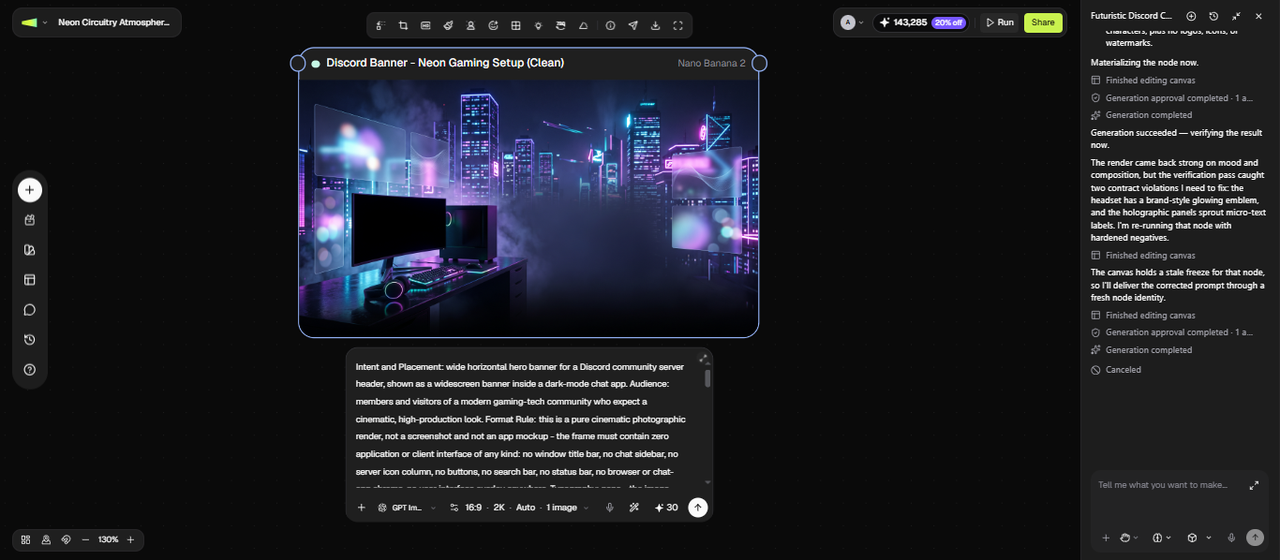
Step 2: Review the Image node
Wait for Framia Pro to connect the Image node with the prompt it has written from your description. Check the aspect ratio (set it to 16:9 for a server banner if needed), then click Run to rerun the node. The AI reads your style prompt, applies the color palette and mood, and renders the banner at the correct dimensions.
Step 2: Review the Image node
Step 3: Refine using the chat editor, then export
Check that key elements, like local points, sit in the center vertical zone, since Discord crops the outer edges in the channel sidebar. If anything is off, type a follow-up in the chat editor. Once the result is ready, click HD to upscale if needed, then download the banner.
Step 3: Refine using the chat editor, then export

Why choose Framia Pro as your Discord banner maker?

Stop settling for templates everyone's seen before. Use Framia Pro's AI image generator to build original, AI-driven banners that stand out.

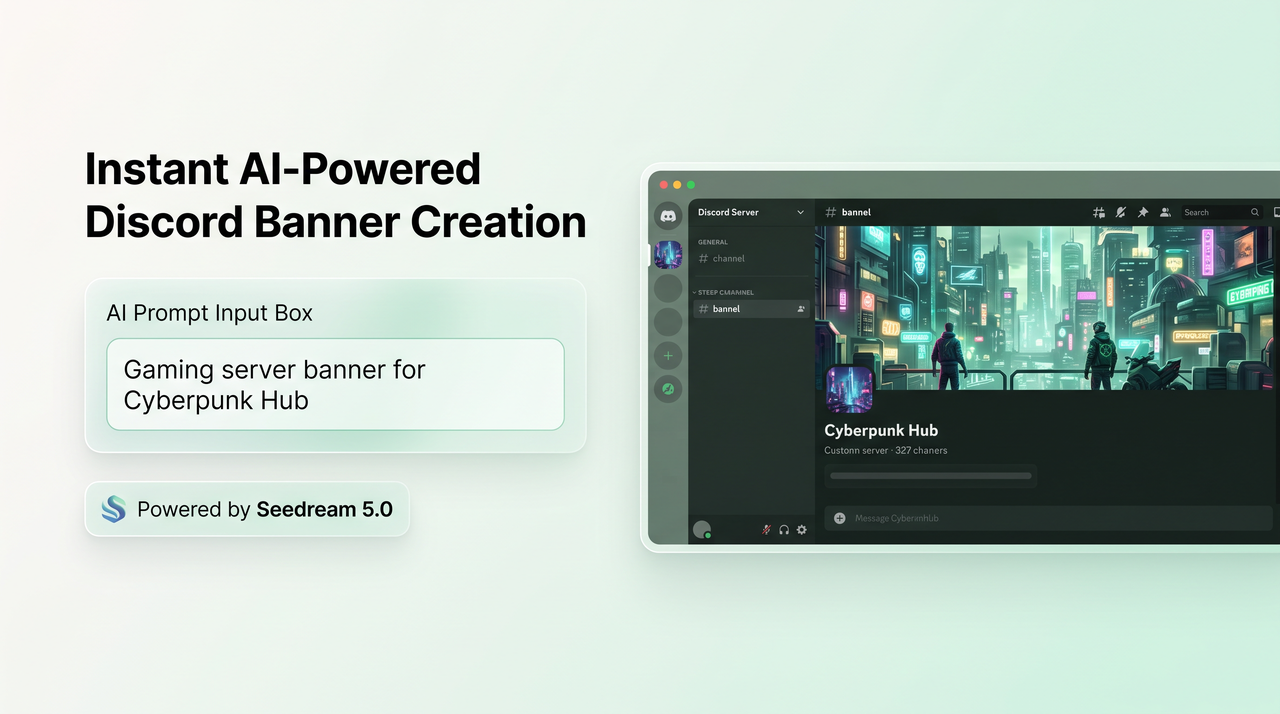
Instant AI-powered Discord banner creation

No design skills? No problem. Just describe your server — gaming hub, book club, anime community — and Framia Pro connects top-tier AI image models, like Seedream 5.0, to instantly create a professional, customized discord banner that speaks directly to your members.

Instant AI-powered Discord banner creation
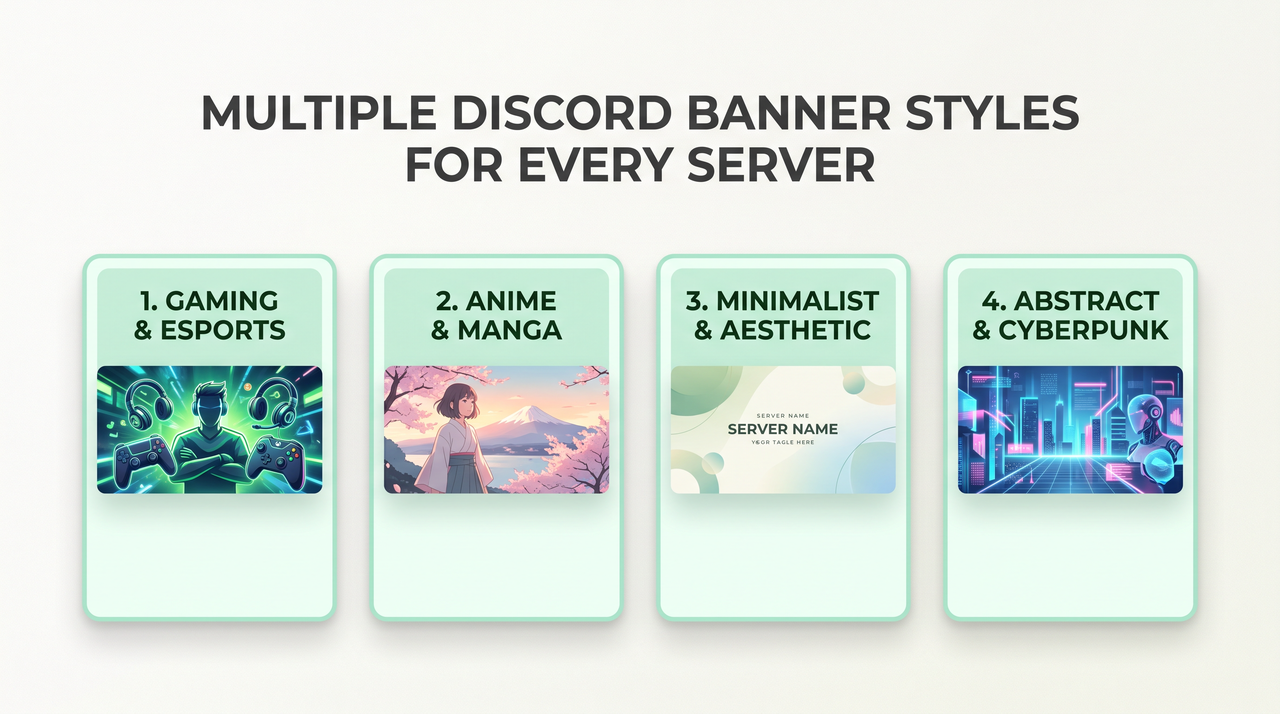
Multiple Discord banner styles for every server

Multiple Discord banner styles for every server

Generate aesthetic, minimal, anime, gaming, professional, or abstract banners — each fully customizable to match your Discord community's identity. Whether your server is chill or competitive, Framia Pro has a banner style that fits perfectly.

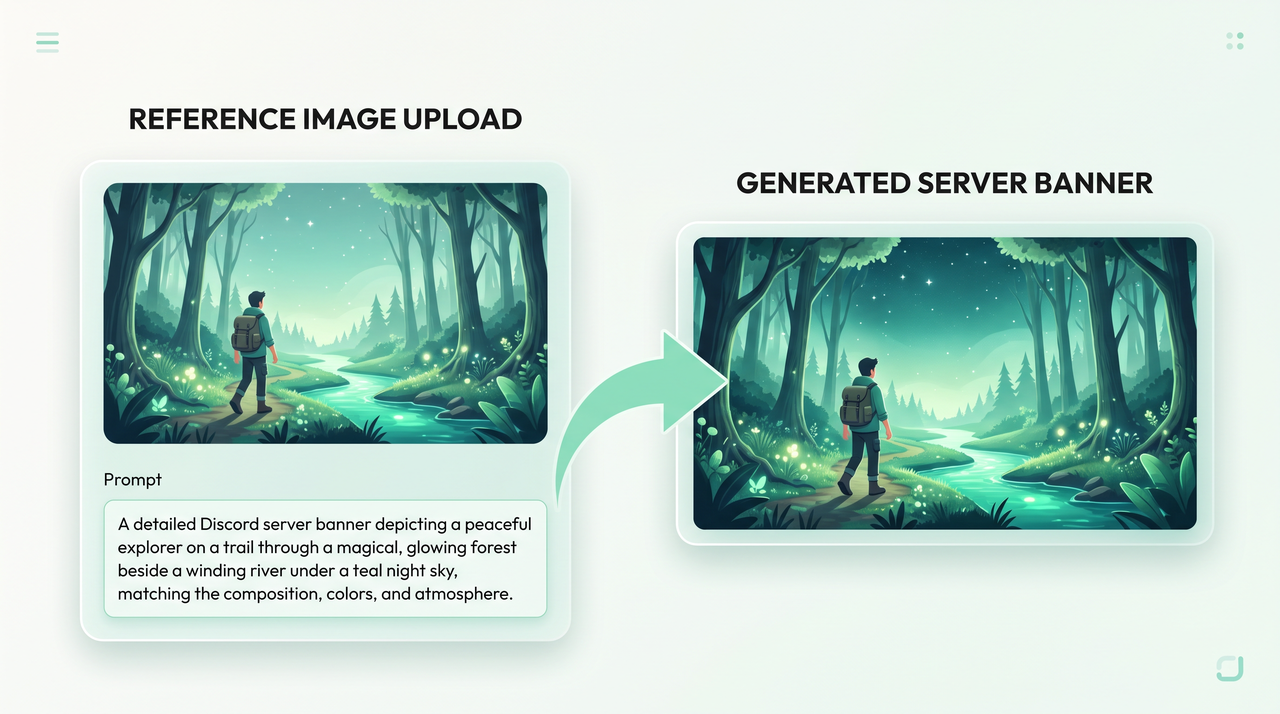
Generate banner with reference images

Upload a reference image when you want the new banner to follow a specific subject, character, composition, or visual direction. Use the image alongside your prompt to guide the artwork instead of relying on text instructions alone.

Personalize banners with custom text
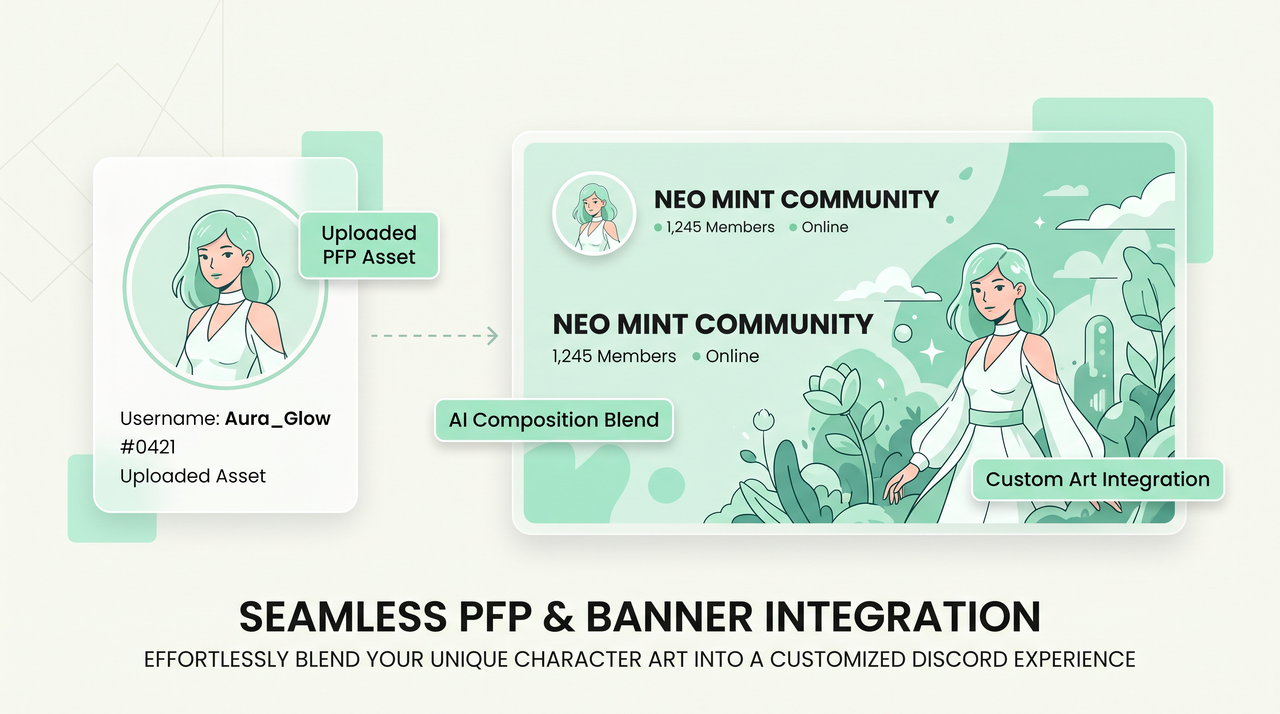
Seamless brand asset and PFP integration

Seamless brand asset and PFP integration

Add specific character art, product images, or PFP artwork that you want to appear in the final banner. Your uploaded assets become part of the composition, while your prompt controls their placement, surrounding elements, and overall design.

How to choose the right Discord banner size and layout?

Discord server and profile banners use different dimensions, so choose the format before generating.

Server banner dimensions
Use 16:9 at 960×540 px for a Discord server banner. A 1920×1080 image can also work because Discord resizes it when uploaded. Keep the upper 48 px visually simple and avoid placing logos or text in the artwork.
Profile banner dimensions
Use at least 680×240 px for a Discord profile banner. Nitro members can upload PNG, JPG, or animated GIF files under 10 MB. Since Discord provides a crop step during upload, place the main subject where it remains visible after cropping.
Plan the layout around the crop
Keep the main character, product, or focal subject near the central area of the composition. Leave breathing room around important details so Discord's interface and cropping do not hide them. For server banners, avoid busy artwork near the top edge.

Explore use cases of Framia Pro's banner maker for Discord

Discover how creators, communities, and brands use Framia Pro to design standout Discord banners that make every server impossible to ignore.

Gaming servers
Create gaming banners around your server's genre, favorite games, characters, colors, or community theme. Generate futuristic cities, fantasy environments, racing scenes, esports-inspired artwork, or dark gaming backgrounds that match the atmosphere you want for your Discord community.
Brand & business servers
Design professional Discord banners around your business theme, preferred colors, products, or industry. Generate clean backgrounds and relevant visual elements for professional communities, customer groups, private teams, creator businesses, or brand-focused Discord spaces.
Anime & fan communities
Generate anime-inspired Discord banners with custom characters, colorful environments, dramatic lighting, or fantasy settings. Describe the scene and visual direction you want, then refine the generated artwork until it suits your fan community or personal Discord profile.
Streaming & content creator Servers
Design banners that match your channel's vibe and grow your community on Discord. Whether you stream games, music, or vlogs, a great banner signals to new members that your server is worth sticking around for.
Aesthetic chill and study hubs
Create a relaxing atmosphere for your members to hang out. Use our aesthetic Discord banner maker to generate lofi, vaporwave, or nature-inspired scenery. These calming visuals help set the right tone for study groups, music rooms, or casual chat.
Discord nitro profile customization
Nitro users can replace the default profile background with something uniquely personal. Use Framia Pro as your Discord profile banner maker to generate artwork that reflects your personality, interests, or creative identity in one prompt.

Loved by Discord creators, community managers, and server owners

See why thousands of Discord server owners, creators, and community managers trust Framia Pro to design banners that make their servers shine.

"Framia Pro completely transformed how my server looks. I described my gaming community's vibe and got a stunning banner in seconds. My members immediately noticed the upgrade — it made the whole server feel more legit."
Tyler M
Tyler M
Gaming Server Admin
"As a small business owner, I needed my Discord server to look professional without hiring a designer. Framia Pro's AI Discord banner maker delivered a clean, on-brand banner instantly. It matches our website aesthetic perfectly."
Sarah K.
Sarah K.
Small Business Owner
The animated banner feature is a game changer. My Nitro profile looks incredible now — people always ask how I made it. I just tell them Framia Pro and they're amazed something that good is free to start."
Priya D
Priya D
Discord Nitro User
"Running a 10,000-member study server means first impressions matter. Framia Pro helped me create a clean, minimal banner that immediately communicates what our community is about. New members comment on it all the time."
 Sofia L.
Sofia L.
Study Community Founder
"I manage Discord servers for multiple streaming clients and Framia Pro has become an essential part of my workflow. Fast, consistent, and the quality is genuinely impressive. It saves me hours every single week."
Jordan W
Jordan W
Social Media Manager
I've tried every discord banner generator out there. Framia Pro is on another level. The AI actually understands aesthetic styles — my anime server banner came out exactly how I imagined it. Absolutely worth it."
 Kenji R
Kenji R
Anime Community Moderator
We've compiled the most important information to help you get the most out of your experience. Can't find what you're looking for?Contact us

FAQs about discord banner maker

What file size and formats does Discord accept for banners?
Discord's upload limits can vary by banner type and account features. For animated banners, keep the file within Discord's stated 10 MB limit. PNG, JPG, and GIF are common formats for banner uploads, with GIF used for animation.
Should I put text on a Discord server banner?
Avoid placing important text or logos in a Discord server banner. Discord recommends keeping the top 48 pixels simple and avoiding long text or logos, so use the server interface for information that must remain readable.
Can I upload my own images or logos to the banner?
Yes. Framia Pro supports asset uploads, including character art, brand logos, and reference images. The AI blends your uploaded assets seamlessly into the banner design for a cohesive result.
Is there a free Discord banner maker?
Framia Pro gives you free credits on signup. You can generate Discord banners and download them before committing to a paid plan. Some generation options use more credits than others, depending on the model and resolution selected.
Can I use AI Discord banners commercially?
Commercial use depends on Framia Pro's current terms and the license of the AI model used to generate the artwork. Check those terms before using a banner for a business or paid community.
Can I make an animated Discord banner?
Yes. Discord supports animated GIF server banners for servers at Boost Level 3 (14 boosts) and animated profile banners for Nitro subscribers. First, create your banner design in Framia Pro, then use an available AI video model to generate a short animated clip. Convert the clip to GIF format using a GIF converter, check Discord's current file-size and upload restrictions, and upload the GIF to the appropriate banner settings. Preview the result to make sure the animation looks right and fits the banner area.
Where does the banner appear on a Discord server, and what gets cropped?
A Discord server banner appears at the top of the channel list. Discord recommends an image of at least 960 × 540 pixels in a 16:9 aspect ratio and automatically resizes larger images when uploaded. The visible area may vary depending on how the banner is displayed, so preview your image after uploading it. For the best results, keep the composition balanced and avoid placing important visual details near the edges.
Are my Discord banner uploads private?
Check the tool's current privacy and data-use terms before uploading private images, logos, or other sensitive assets.

Still have questions?

Have questions or need assistance? Our team is here to help!

Create Your Discord Banner with Framia Pro

Design stunning, AI-powered Discord banners in seconds — free to start, no design skills needed.

Discord Banner Maker – Design Custom Server Art with AI