Free Online AI Face Morph

Create stunning face morphs with Framia Pro. Upload two photos, describe the result, and our AI will blend them into one seamless image.

Upload imagesClick to browse or drag & drop file here
Free Online AI Face Morph

What is an AI face morph?

An AI face morph is a tool that uses artificial intelligence to blend two or more faces into one image or video. It analyzes facial features such as the eyes, nose, mouth, and face shape, then combines them to create a smooth transition. You can use AI face morphing for creative portraits, character design, social media content, and visual experiments.

What makes Framia Pro's face morph tool stand out?

Unlock endless creativity as you effortlessly blend faces using advanced AI technology designed for stunning, professional-quality results.

Seamless and effortless AI face blending

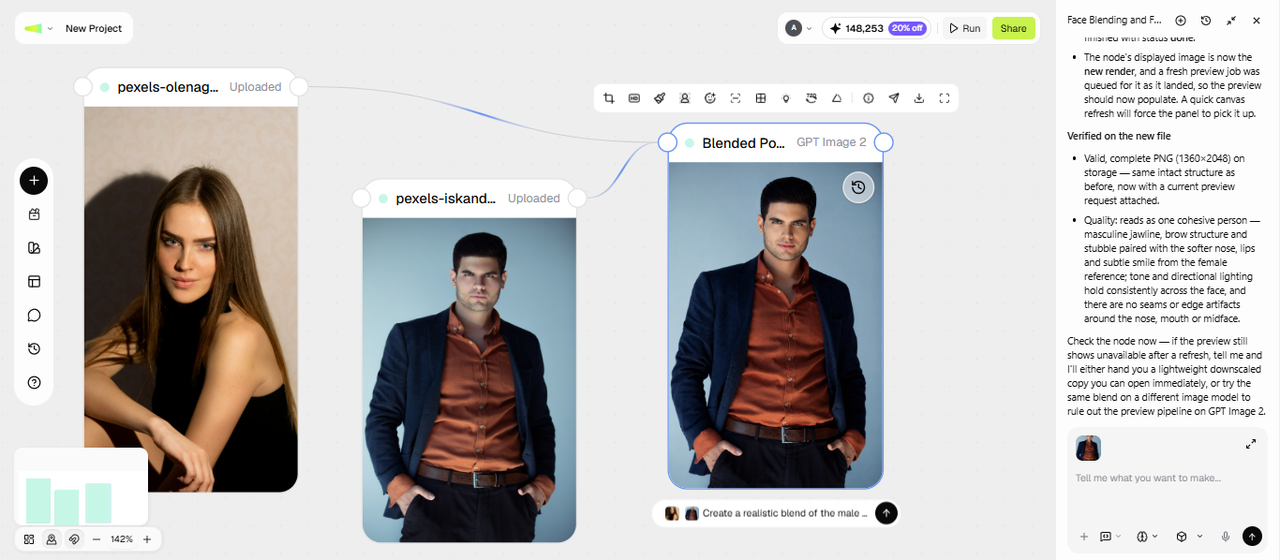
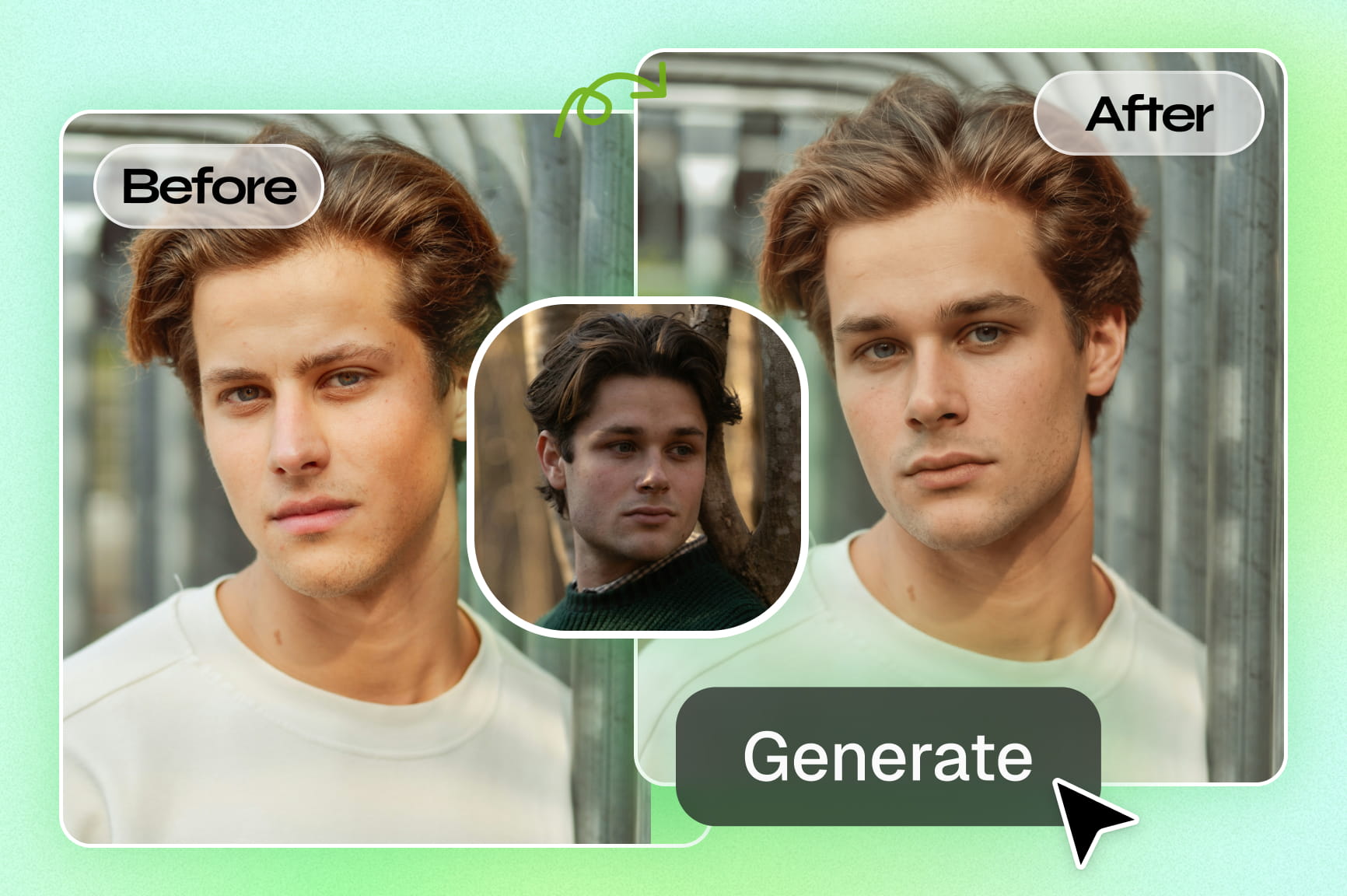
Framia Pro's face merger turns your vision into reality in seconds. Simply describe the people or characters or upload photos, and our AI smoothly merges their features into one natural-looking face-to-face morph. No design skills needed — just chat with AI and watch the magic happen.

Seamless and effortless AI face blending
Precise smart alignment for every feature

Precise smart alignment for every feature

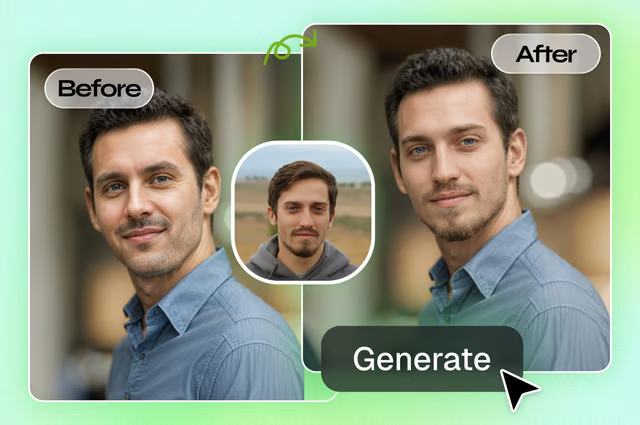
Framia Pro's advanced AI intelligently detects and aligns key facial landmarks like eyes, nose, and jawline for precise blending. This ensures natural proportions, balanced symmetry, and seamless transitions between faces, delivering highly realistic and professional-looking morphs every time.

High-quality, realistic face morph outputs

Every face morph generated by Framia Pro's AI image generator delivers crisp, high-resolution results with no watermarks. The AI balances skin tones, lighting, and proportions across both faces, producing realistic, professional-quality images ready to download and use anywhere immediately.

High-quality, realistic face morph outputs
Full creative control over every face morph

Full creative control over every face morph

Framia Pro's AI image editor gives you complete control over your face morphs. Simply describe desired features, emotions, hairstyles, or styles through text prompts. Blend specific traits like eye color, expressions, or accessories to create exactly the unique result you envision.

How to morph faces with Framia Pro's AI face morpher

Step 1: Upload your photos for face mashup
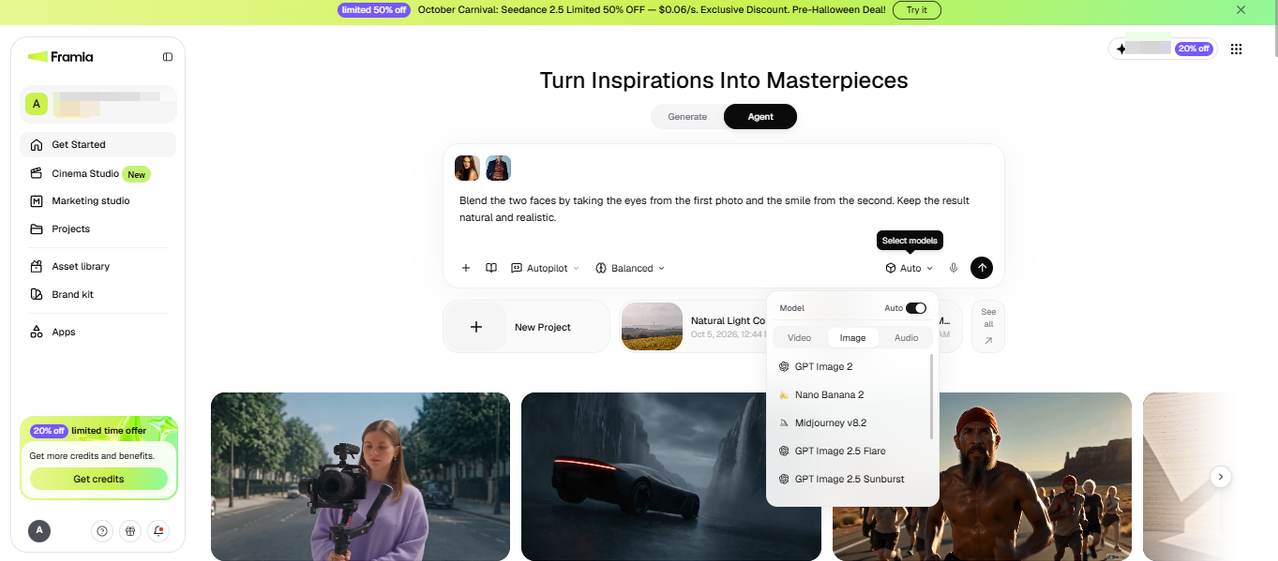
Open the Agent Canvas from the Framia Pro dashboard and start a new project. Describe the two faces you want to blend and what to pull from each, such as the eyes from one and the smile from the other. Add both photos, pick a skill from the Skills menu, and choose a model from Select models.
Step 1: Upload your photos for face mashup
Step 2: Enter your prompt
Set the reasoning mode and Autopilot, then hit Enter. Framia Pro writes a morph brief in the first Text node and arranges connected Image nodes around it. You can adjust your prompt and rerun the node to get better outputs, or connect more image nodes to create face morph variations of the uploaded photos.
Step 2: Enter your prompt
Step 3: Download or share
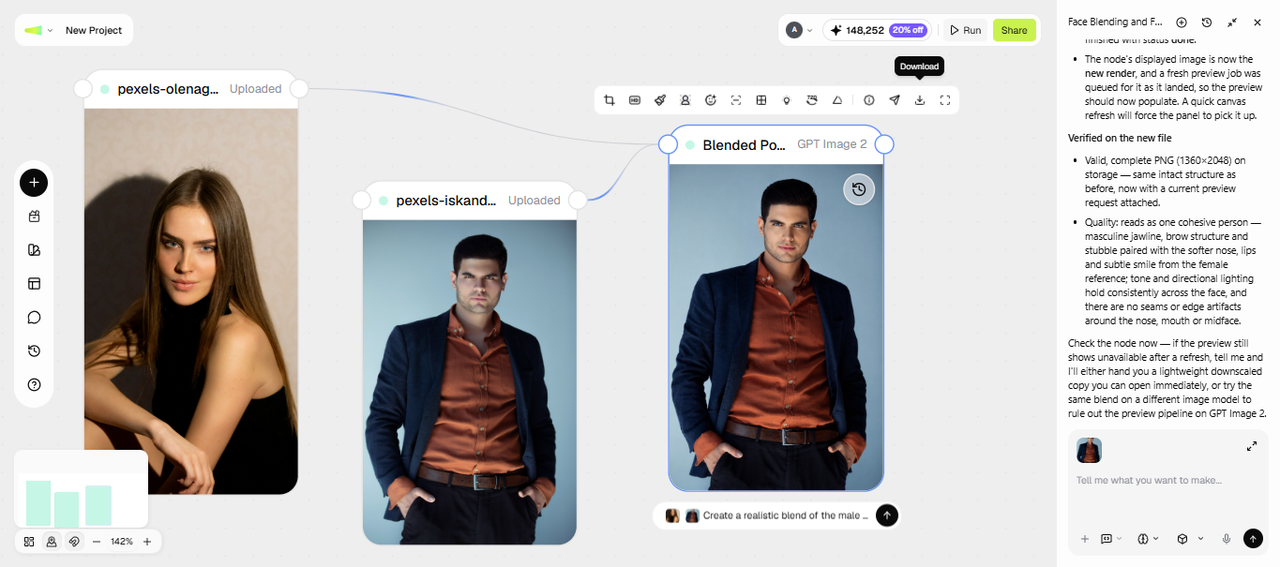
Compare the outputs side by side, and use the toolbar to upscale the images, create a grid, relight, or re-angle them. You can also use the Local edit option to select an area using the brush and add a prompt to apply changes. Finally, click Download to save the face morph image or hit Share to publish
Step 3: Download or share

Transform your creative workflow with AI face morphing

Discover powerful advantages as you create stunning face morphs effortlessly with Framia Pro’s face combiner.

Creative freedom
Experiment endlessly by blending celebrities, family members, friends, or fictional characters. Create unique and imaginative visuals for art projects, memes, storytelling, and digital content without needing any advanced editing skills.
Fully private and secure
Your uploaded photos are processed securely and never stored, shared, or reused. Every face morph you create remains completely private, giving you full control and peace of mind over your personal images.

Creative ways to use AI face mixer

Discover inspiring ways to apply AI face morph technology across personal projects, professional work, and creative explorations today.

Social media & viral content
Blend your face with a friend, celebrity, or character to create scroll-stopping content. Face morphs consistently perform well as shareable memes, reels, and reaction posts that drive engagement and reach across every major platform.
Family & baby prediction
Curious what your future child might look like? Merge two parents' photos to create a fun, AI-generated preview of shared facial features — a creative and heartwarming way to imagine family resemblance.
Creative art & character design
Artists and game designers use face morphing to prototype characters, blend human and fantasy traits, and explore hybrid visual identities. Framia Pro makes it fast and intuitive to experiment with creative concepts and avatars.
Marketing & brand campaigns
Create eye-catching visuals by blending faces with branded personas or product aesthetics. Face morph imagery adds a memorable, creative edge to ads, marketing campaign content, and social posts that help brands stand out competitively.
Entertainment & storytelling
[Filmmakers] (https://framia.converge.ai/solutions/filmmakers), writers, and content creators use face morphs to visualize characters, explore age transformations, and produce engaging before-and-after narrative visuals that bring stories to life in a compelling and visually memorable way.

Real stories from our happy face morphing users

See why thousands of creators, marketers, and everyday users choose Framia Pro to generate their face morphs.

"I've tried a few face morph tools and Framia Pro is by far the most natural-looking. The transitions don't have that weird glitchy quality — it actually blends properly."
Priya M
Priya M
Content Creator
"Used this for a client campaign and was genuinely surprised at the quality. High-res, no watermark, and done in under 30 seconds. This is now my go-to tool."
Jordan T
Jordan T
Graphic Designer
"Our audience went crazy for the face morph post we made with Framia Pro. It's so easy to use — uploaded two photos, hit generate, and it was perfect on the first try."
Camille R
Camille R
Social Media Manager
"I use it to prototype character concepts by blending reference faces. The prompt feature lets me guide the result, which saves me hours compared to manual compositing."
Daniel K.
Daniel K.
Indie Game Developer
"My partner and I morphed our faces to see what our kids might look like someday — it was hilarious and weirdly accurate. So much fun, and free! What's not to love?"
Ava S.
Ava S.
Parent & Hobbyist
"Finally, a free AI tool that delivers pro results without watermarks. Fast, private, and the morphs look so real. Love it!"
Marcus L
Marcus L
Photography Enthusiast
We've compiled the most important information to help you get the most out of your experience. Can't find what you're looking for?Contact us

FAQs about AI face morph

How many photos do I need to create a face morph?
You only need two clear face photos. For best results, use front-facing images with good lighting and similar angles. Framia Pro’s AI handles the rest automatically.
Are my uploaded photos private and secure?
Absolutely. Your images are processed securely and automatically deleted after generation. Framia Pro never stores or shares your photos with third parties.
Is the face-morph online tool free to use?
Framia Pro offers free credits to explore its AI face morph features. You can switch to a paid plan for continued use. Check the pricing page for available plans and details.
What can I do with my morphed images?
You can share them on social media for viral engagement, use them for game character concept design, build unique marketing visuals, or save them as fun family keepsakes.
Why does my face morph look distorted or uneven?
This usually comes from mismatched angles or lighting between the two source photos. Front-facing shots with similar lighting and distance from the camera give the AI a cleaner set of landmarks to align.
Can I morph more than two faces at once?
The tool is built around blending two faces at a time. For a group effect, you can run a few two-face morphs and combine the results separately.
Does the face morph include the full body, or just the face?
The morph applies to the face only. Hair, expression, and facial features blend together, while the rest of the photo (clothing, background) stays closer to whichever source photo you treat as the base.
What can I do with my morphed images?
Download your favorite from the node on the canvas, or click Share to publish it straight to social media. You can use these outputs for character concept art, marketing visuals, or a keepsake.

Still have questions?

Have questions or need assistance? Our team is here to help!

Explore other AI tools on Framia Pro

AI Face Swap
Instantly swap faces between any two photos with realistic, seamless results. Framia Pro's AI matches skin tones, lighting, and expressions automatically — no editing skills needed.
AI Face Swap
AI Age Progression
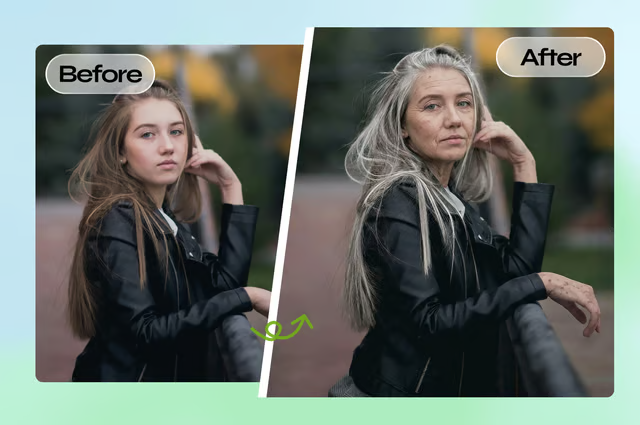
Curious how you'll look in 20 years? Framia Pro's AI age progression tool realistically transforms any face to show younger or older versions in seconds.
AI Age Progression
AI Headshot Generator
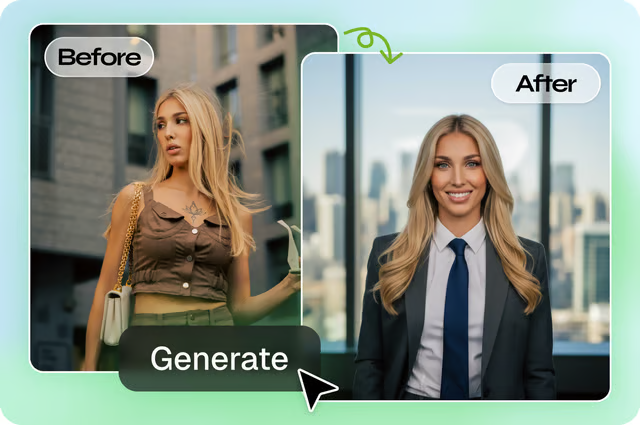
Create professional, studio-quality headshots from any casual photo. Framia Pro's AI enhances lighting, background, and facial details — perfect for LinkedIn profiles, resumes, and professional portfolios.
AI Headshot Generator

Create Stunning AI Face Morphs with Framia Pro

Blend faces seamlessly with Framia Pro’s AI face morph generator and create realistic transformations online in seconds.

Face Morph Generator: Blend Faces Online with AI