Free Video Speed Changer Online

Use our free online video speed changer. Framia Pro lets you easily create slow-motion or fast-forward effects with zero quality loss

Start for Free

Preparing editor…

Master your video speed easily with Framia Pro's video speed changer

Adjust video playback speeds instantly using our highly intuitive and powerful editing features.

Set custom speeds with precision

Adjust your video speed just by asking the Framia Pro AI by chatting with it in simple words. Whether you want a slight bump in pace (1.25X) or a dramatic slow-motion effect (0.5X), you get the ultimate flexibility to create the perfect mood for your visual story.

Mute audio for clean edits

Remove background noise or distorted audio tracks instantly when altering your footage pace. This ensures your final clip remains perfectly polished, allowing you to easily add fresh voiceovers or a new musical soundtrack without any distracting background sounds.

Export video in high quality

Upload any video format like MP4 or AVI without compatibility issues and maintain the original crisp resolution. Your final output will always look incredibly sharp, saving you the hassle of converting files while ensuring a premium viewing experience.

Move beyond video speed changing

Access a massive suite of powerful editing tools that go way beyond simple speed adjustments. You can easily trim & merge clips or add stunning visual effects & captions, to craft truly captivating professional videos all on one platform.

How to change the speed of a video with Framia Pro?

Step 1: Upload your video and enter your speed prompt
Open Framia Pro and start a new project on the Agent canvas. Click "+" and upload the video clip you want to adjust. In the prompt field, describe the change you need: "Slow this video down to 0.5X speed" or "Speed this video up to 2X." Select your video model from the Models menu, set the reasoning mode to Balance, Fast, or High, and hit Enter. Framia Pro connects the Video node automatically.
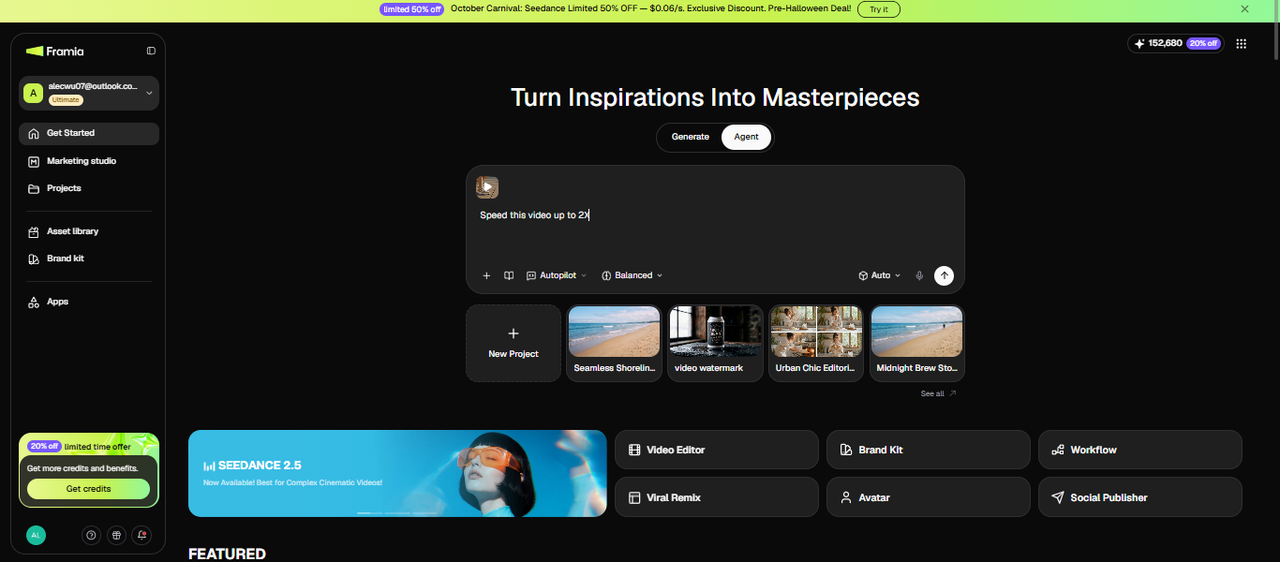
Step 1: Upload your video and enter your speed prompt
Step 2: Review the Video node output and refine
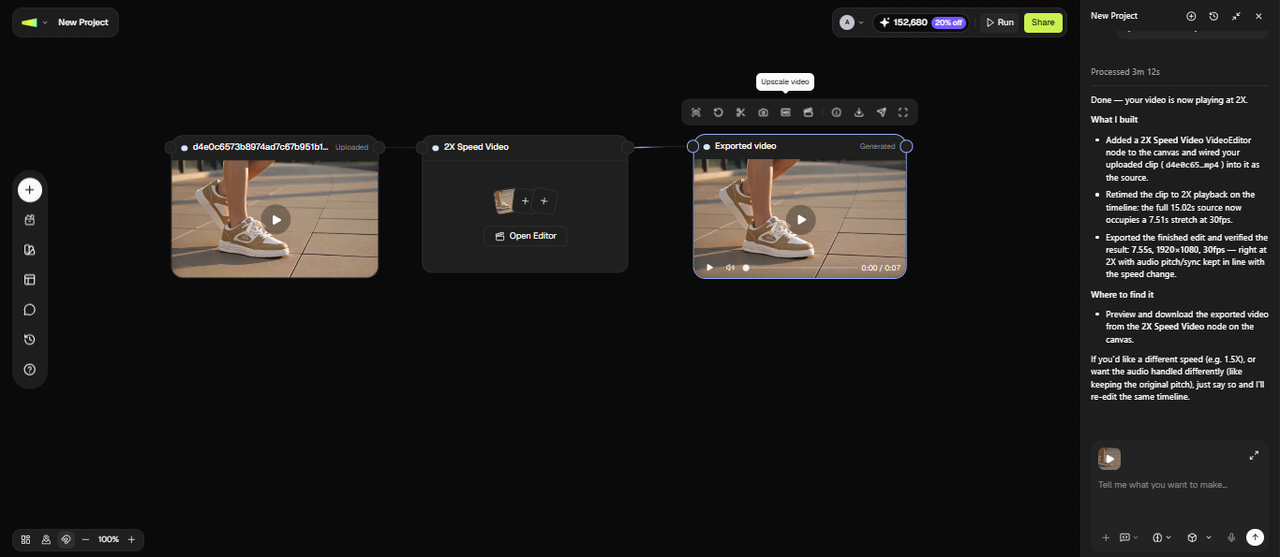
The canvas create editor node and export speed change result. Play it back and check that the pacing feels right and the audio handling matches what you need. If the speed needs a further nudge, type a follow-up in the chat, such as "Slow it down slightly more, such as to 0.4X" or "Speed up only the middle section of the video." A new node is generated with the adjustment applied without touching the rest of the clip.
Step 2: Review the Video node output and refine
Step 3: Apply further edits and download or publish
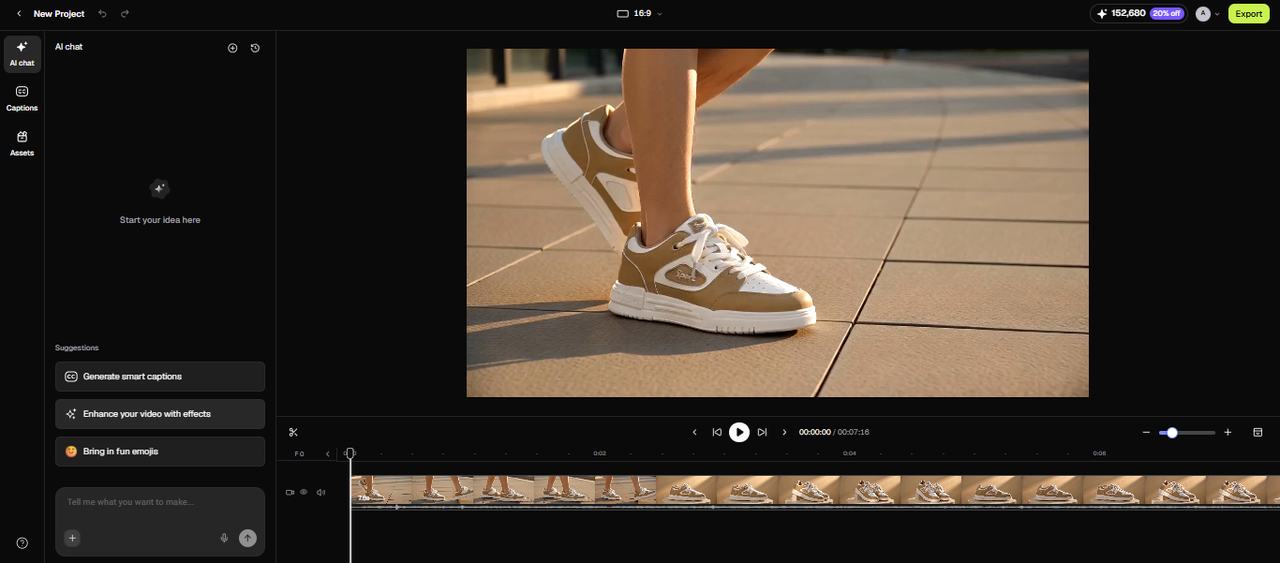
Once the pacing is right, the canvas gives you the next steps. Open in Video editor to add captions, trim sections, or apply creative effects. When the output is ready, download it at its original resolution or publish directly from the canvas to your platform.
Step 3: Apply further edits and download or publish

Unmatched benefits with Framia Pro's video speed editor

Discover why thousands of content creators trust Framia Pro to decelerate or accelerate videos online.

No complex software installation needed
Skip the hassle of downloading heavy applications that consume your computer's valuable storage space. Our platform operates entirely within your web browser, allowing you to start editing immediately from any device without navigating through complicated installation processes.
Completely secure and private processing
Protect your sensitive media files with our robust security protocols and automatic deletion systems. We guarantee that your uploaded content remains strictly confidential and is never shared, giving you complete peace of mind while using our online services.
Lightning fast file rendering times
Save precious hours with our optimized servers that process your edits in mere seconds. You will never have to sit around waiting for long rendering bars to complete, allowing you to publish your content much faster than before.
Perfect for all skill levels
Navigate our straightforward interface easily, regardless of your previous technical background or editing experience. We designed this platform specifically so beginners can achieve professional results instantly without having to watch hours of confusing tutorials or read complicated manuals.
Preserve high definition visual fidelity
Avoid the annoying pixelation and blurring that often plagues other free online editing tools. We utilize advanced processing algorithms to ensure your adjusted footage retains its original crystal-clear clarity, making your final product look absolutely flawless every time.
Works flawlessly on mobile devices
Edit your clips perfectly while on the move using your smartphone or portable tablet. Our responsive design ensures that every feature functions beautifully on smaller screens, empowering you to adjust speeds whenever and wherever your creative inspiration strikes.

Inspiring ways to manipulate speed with our video speed changer

Explore how adjusting playback rates can dramatically transform the impact of your visual media.

Cinematic Slow Motion Sports Action

This slow-motion effect emphasizes the incredible skill and precise movements of the athlete, creating a highly captivating and cinematic visual.

Fast Paced Cooking Tutorial Timelapse

Speed through repetitive preparation, then keep key cooking steps at normal speed so viewers can follow along.

Dramatic Nature Sunrise Time Lapse

Speeding up natural events reveals stunning environmental changes that normally take hours, providing your viewers with breathtaking and dynamic landscapes.

Versatile applications of video speed changer for every creator

See how different professionals utilize our tools to elevate their unique video productions.

Engaging social media content creators

Engaging social media content creators

Boost your audience retention on platforms like TikTok and Instagram by fast-forwarding through repetitive sequences. Captivate your followers by delivering snappy, high-energy clips that perfectly match trending audio tracks and keep viewers watching until the very last second.

Detailed sports coaching and analysis

Improve athletic performance by slowing down recorded practice sessions to analyze specific body movements. Coaches can easily pinpoint minor technical flaws and demonstrate proper techniques to their players, making training sessions significantly more effective, visual, and highly constructive.

Detailed sports coaching and analysis
Streamlined educational and tutorial videos

Streamlined educational and tutorial videos

Enhance the learning experience by adjusting the pace of your complex instructional online videos. Speed up mundane processes like software loading times, while utilizing slow motion to highlight intricate steps, ensuring your students grasp the material without losing focus.

Hear from our global community who tried our video speed editor

Read genuine feedback from professionals who rely on Framia Pro for their daily video edits.

Framia Pro completely changed how I handle my daily uploads. The interface is highly intuitive, and I never worry about software crashes anymore. It saves me hours of frustrating work every single week without fail.
Lars Andersson
Lars Andersson
Digital Content Marketer
Analyzing player techniques used to be quite difficult. Framia Pro makes it incredibly simple to create slow-motion breakdowns for my team, greatly improving our weekly training sessions and overall competitive performance on the field.
Johan Lindqvist
Johan Lindqvist
Head Soccer Team Coach
I frequently need to speed up long tutorial videos for my students. This service maintains perfect high-definition quality even when processing massive files, ensuring my educational content always looks completely professional and engaging.
Elin Svensson
Elin Svensson
Lead E-Learning Course Content Developer
Creating engaging content requires quick pacing. This tool allows me to accelerate boring clips effortlessly, helping me retain audience attention and significantly boost my engagement rates across all major social media channels. A true lifesaver!
Mikael Karlsson
Mikael Karlsson
Senior Content Strategist
Handling sensitive corporate presentations requires utmost privacy. I love that this platform for keeping my files secure in the cloud. The security features are fantastic, and the speed adjustments are always remarkably smooth, making my job easier.
Karin Nyström
Karin Nyström
Corporate Communications Director.
Skipping complex software installations is a massive relief. I can adjust my video speeds directly from my browser, whether I am using my desktop at home or my portable laptop at a coffee shop. Highly recommended!
Oskar Bergström
Oskar Bergström
Freelance Videographer
We've compiled the most important information to help you get the most out of your experience. Can't find what you're looking for?Contact us

Frequently Asked Questions

Does speeding up videos or slowing down videos affect the overall audio quality?
Changing the visual pace normally distorts the original sound, creating an unnatural high or low pitch. Thankfully, Framia Pro easily allows you to mute the audio for a perfectly clean project.
Can I speed up a video online on my mobile phone?
Yes, many modern websites are optimized for mobile browsers, allowing editing on the go. Framia Pro offers a fully responsive design so you can adjust playback speeds directly from your smartphone.
Is making a video faster or slower online safe for sensitive personal files?
Most reputable platforms utilize strict security protocols and encryption to protect user data. Framia Pro guarantees maximum privacy by saving your files in its cloud server and does not share them in the online community.
Do I need to download software to speed a video up or slow down a video online?
No, you can easily manipulate media speeds directly within your web browser without installing heavy software. Framia Pro provides a completely online solution that saves your valuable computer storage space effortlessly.
Will slowing a video down reduce the final visual quality?
Lowering frame rates can occasionally cause slight blurriness or stuttering in standard free editors. Fortunately, Framia Pro uses advanced algorithms to preserve your crisp resolution and ensure incredibly smooth motion transitions.
What video formats are generally supported by online speed controllers?
Most versatile online editors support highly popular web formats like MP4, AVI, and MOV files. Framia Pro's video speed increaser or decreaser tool seamlessly processes all these major formats, ensuring maximum compatibility for your daily editing workflows.
Can I change the speed of only one section of a video, not the whole clip?
Yes. Specify the section in your prompt: "Speed up the first 30 seconds to 2X and keep the rest at normal speed." Framia Pro applies the adjustment to the described section and leaves the remainder of the clip at its original pace.
How do I change video speed on iPhone without an app?
Open Framia Pro in Safari on your iPhone, upload the clip from your camera roll, type the speed change prompt, and download the output directly to your phone.

Still have questions?

Have questions or need assistance? Our team is here to help!

Change video speed online quickly with Framia Pro!

With Framia Pro's AI-powered video speed changer, you can now effortlessly make any video appear fast or slow, without breaking a sweat.

Free Online Video Speed Changer: Adjust Pace Instantly