 Share


Key takeaways
- Pixel art uses small grids and limited colors, which makes it accessible to beginners while allowing detailed designs.
- Simple subjects such as hearts, stars, flowers, and food are good starting points for learning pixel art.
- Characters, animals, game sprites, and aesthetic scenes offer more advanced ideas for creative projects.
- A small canvas, limited color palette, clear silhouettes, and controlled shading help create readable pixel artwork.
- AI tools such as Framia can turn prompts or reference images into pixel-style artwork and refine concepts.
- The best pixel art results come from practicing basic shapes, studying references, and checking designs at their actual size.
Pixel art ideas range from simple hearts and flowers to game characters, food, animals, and detailed scenes. Because pixel art uses a small grid and limited colors, you can start with basic shapes and gradually work toward more detailed designs. This guide covers 20+ pixel art ideas for beginners, game creators, and anyone looking for a fun digital art project. You’ll also find practical tips for choosing a canvas, colors, shading, and references.
What is pixel art and why is it so popular?
Pixel art involves placing individual colored pixels on a grid to form images. It originated from hardware limitations in early video games but has become a beloved artistic medium for its nostalgic feel, bold colors, and minimalist charm. Today, it's widely used in indie games, NFTs, social media icons, and personal projects.
The beauty of pixel art lies in its constraints: limited colors and small canvases (like 16x16 or 32x32) force you to focus on clean shapes, shading, and readability. This makes it ideal for beginners while allowing advanced artists to create stunning, detailed scenes.
Top 20+ creative pixel art ideas
Explore these creative pixel art ideas to boost your imagination. From simple designs to detailed scenes, these concepts help you practice and create stunning pixel artwork easily. Whether you are looking for easy cool pixel art ideas to start your journey or complex grid pixel art ideas for your next big project, this collection has something for everyone.
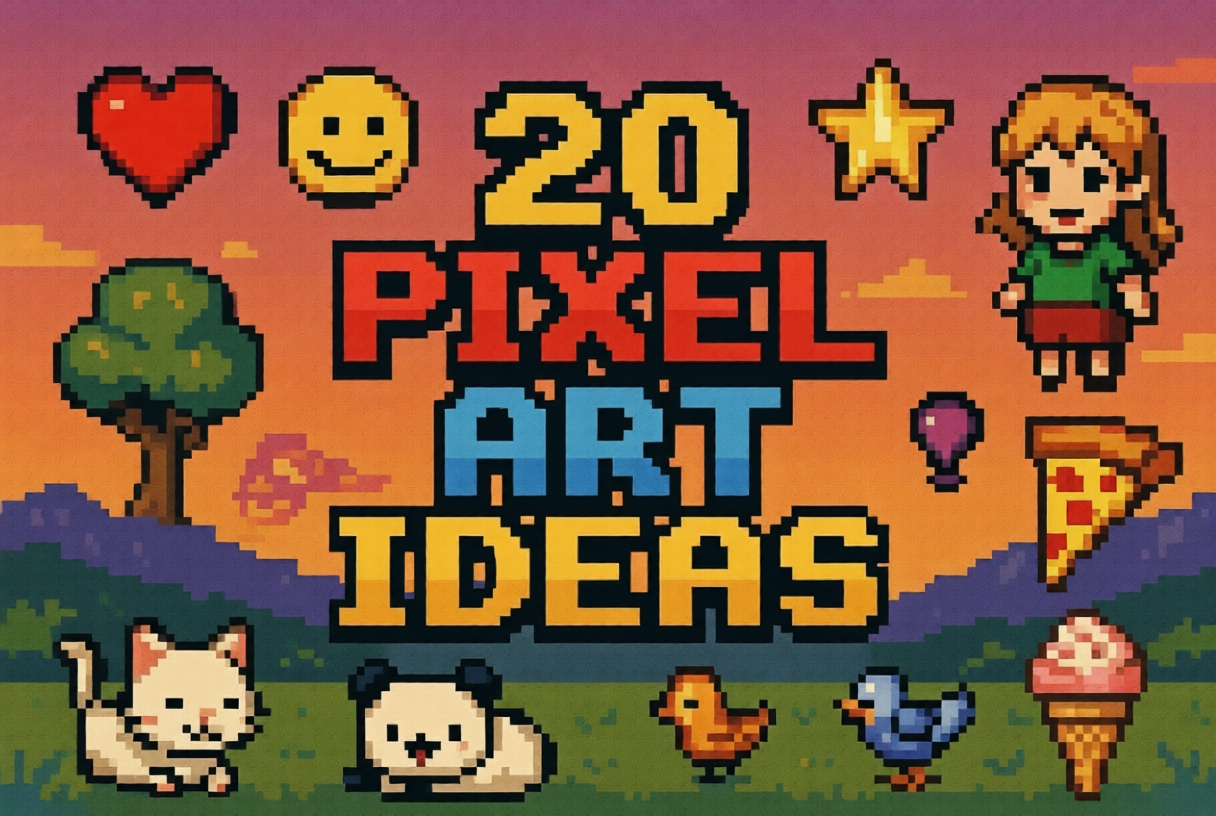
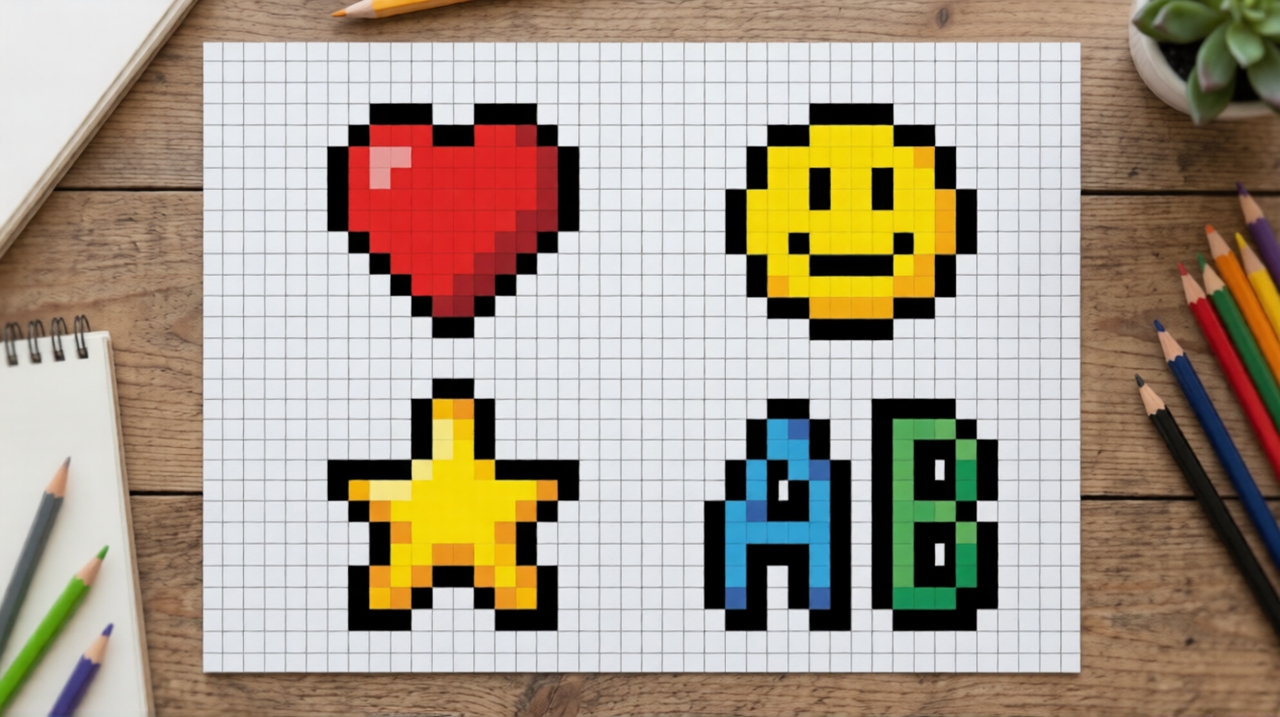
- Simple pixel art ideas
- Heart icon
A heart icon is one of the easiest pixel art ideas to start with. It helps beginners understand symmetry and color filling. By using just a few pixels, you can create a clean and recognizable design while practicing balance and basic shading techniques.
- Smiley face
Creating a smiley face allows you to explore expressions using minimal pixels. You can experiment with different emotions like happy, sad, or surprised. This idea is great for learning how small changes in pixel placement can impact the overall look.
- Star shape
A star design helps you practice sharp edges and geometric balance — a perfect addition to your grid pixel art ideas collection. You can try different styles such as solid, outlined, or glowing stars. It's a great way to improve precision and understand how contrast works in pixel art.
- Pixel lettering
Designing letters or initials in pixel form is a fun way to combine typography and art. It helps improve spacing, alignment, and readability while allowing you to experiment with creative fonts and decorative styles.
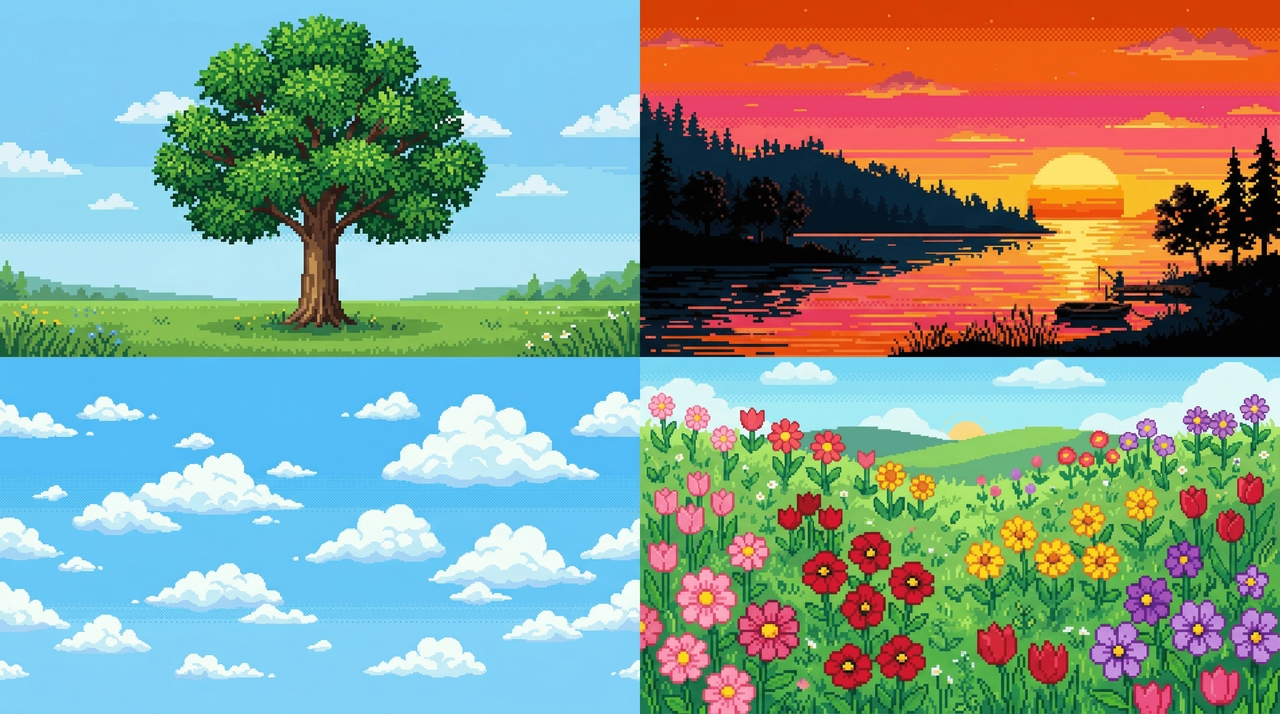
- Nature-inspired pixel art ideas
- Pixel tree
A pixel tree is perfect for practicing organic shapes and layering. You can experiment with different shades of green and brown to create depth and texture. It’s a simple yet effective way to learn natural color blending.
- Sunset scene
A sunset pixel art piece helps you explore gradients and warm color palettes. By blending oranges, pinks, and purples, you can create a visually appealing background while improving your understanding of color transitions.
- Cloud design
Drawing clouds allows you to work with soft shapes and light shading. You can create fluffy or stylized clouds using minimal pixels. This idea helps you learn subtle shading techniques and smooth outlines.
- Flower pixel art
Flowers are great for experimenting with color combinations and symmetry. You can design different types of flowers with unique petal shapes, helping you improve detail work and creative variation.
- Character pixel art ideas
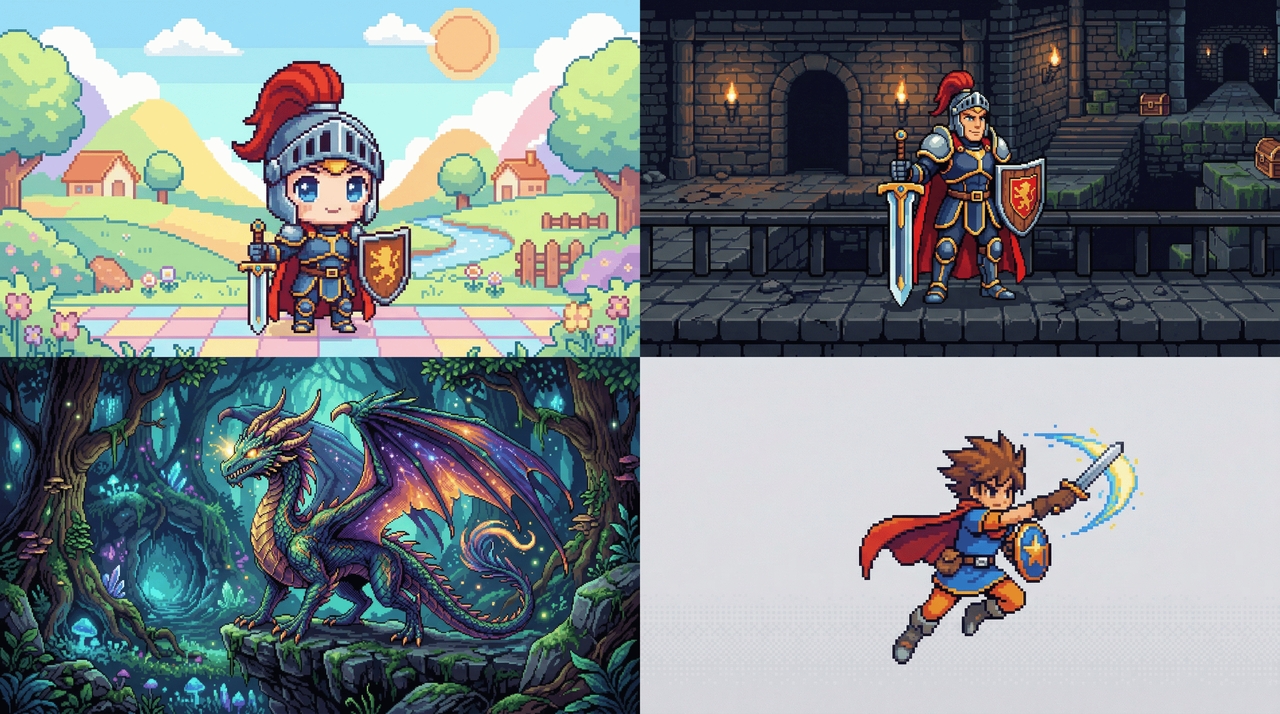
- Chibi character
Chibi characters are small, cute figures with exaggerated features. This cute pixel art idea helps you learn proportions and expressive design. It’s perfect for practicing character creation while keeping the pixel count manageable.
- Retro game hero
Design a pixel version of a classic video game hero inspired by old-school arcade styles. Focus on bold colors, simple shapes, and recognizable features to capture the nostalgic feel of early gaming characters.
- Fantasy creature
Create dragons, monsters, or magical beings. This encourages imagination and helps you experiment with unique shapes, textures, and color schemes in cool pixel art ideas.
- Game character sprite
Design a simple game character sprite for a retro-style game. This helps you understand character proportions, animation basics, and how pixel art is used in game development.
- Food pixel art ideas
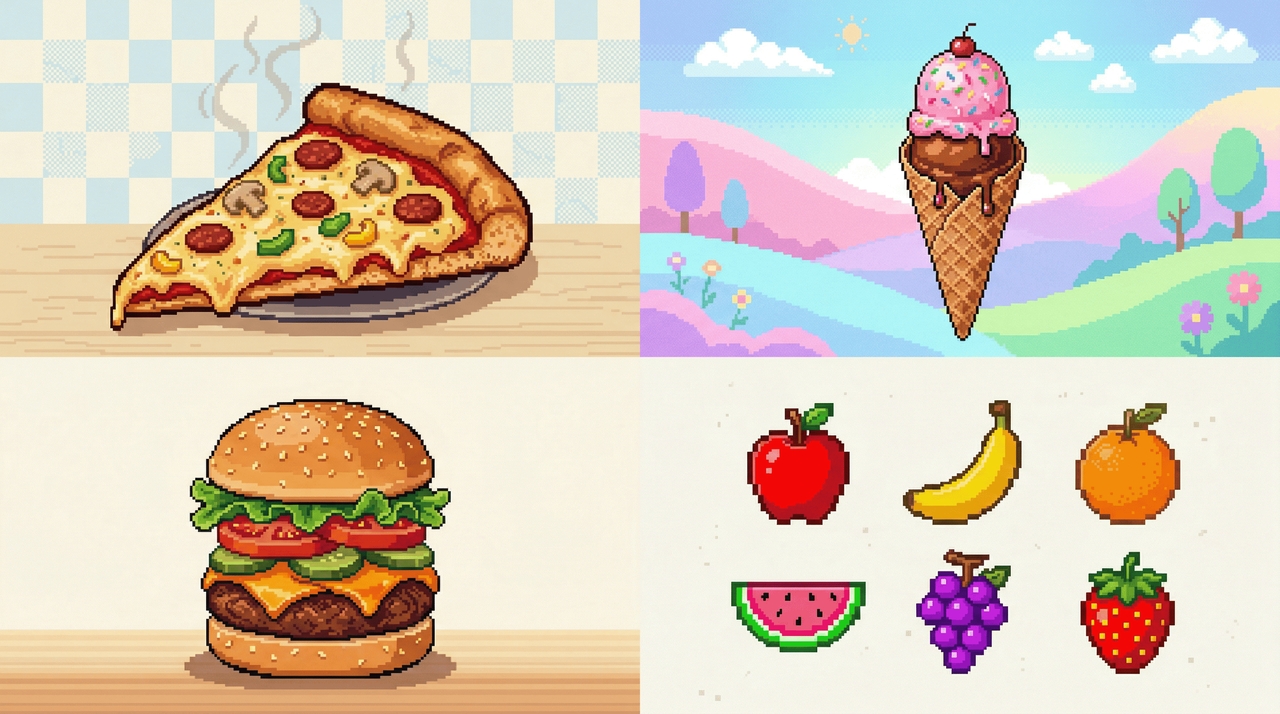
- Pizza slice
A pizza slice is a colorful and detailed pixel art idea. You can add toppings like pepperoni, cheese, and vegetables, making it a great exercise for practicing texture and color variety.
- Ice cream cone
Designing an ice cream cone lets you experiment with soft shapes and pastel colors. You can create different flavors and styles while learning shading techniques for a smooth, appealing look.
- Burger
A burger design involves layering multiple elements like buns, lettuce, and patties. This helps you understand depth and stacking while working with different textures and colors.
- Fruit collection
Create a set of pixel fruits like apples, bananas, and strawberries. This idea helps you practice consistency, color variation, and creating cohesive designs across multiple objects.
- Cute animals pixel art ideas
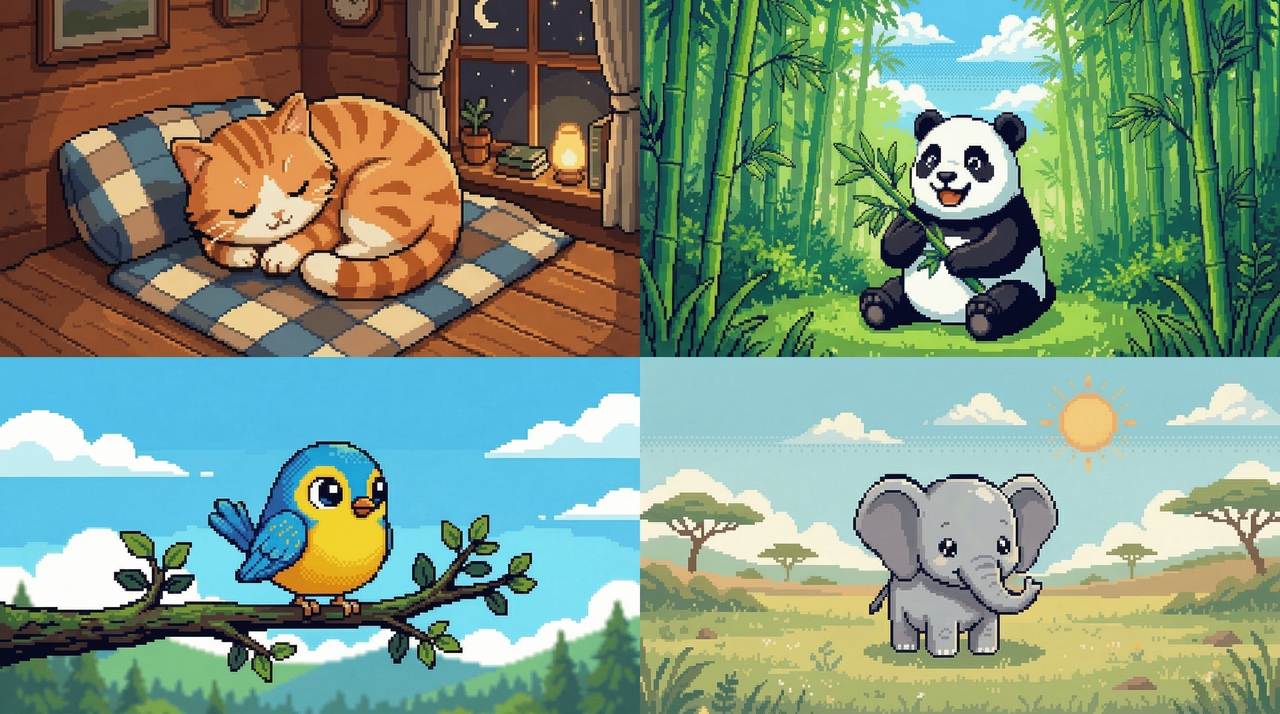
- Sleeping cat
Create a curled-up sleeping cat using soft colors and rounded shapes. The cat pixel art ideas genre is enormous online, and this cozy design is one of the most searched. Focus on smooth outlines and minimal details to capture a peaceful vibe while practicing shading techniques in small pixel grids.
- Happy panda
Design a cute panda with big eyes and simple black-and-white contrast. This idea helps you explore character expressions and balance while working with limited color palettes in pixel art.
- Tiny bird
Draw a small bird perched on a branch using bright colors. This helps you practice proportions and adding personality to small designs with just a few pixels.
- Baby elephant
Create an adorable baby elephant with large ears and a small body. This idea improves your ability to exaggerate features and maintain clarity in low-resolution pixel art.
- Aesthetic pixel art ideas
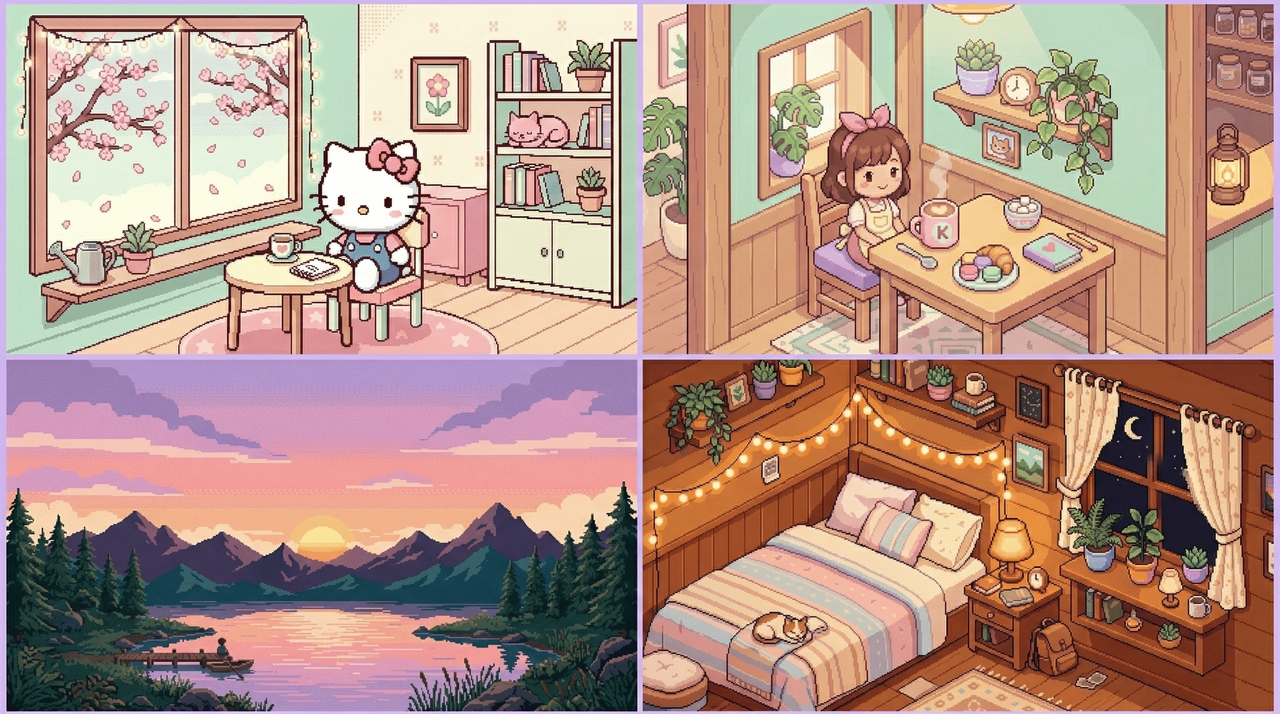
- Pastel sunset landscape
Create a soft sunset with gradients of pink, orange, and purple. Add minimal mountains or water reflections for a calming, dreamy vibe.
- Cozy bedroom scene
Design a small room with a bed, plants, fairy lights, and a window. Use warm tones and soft lighting to give a peaceful aesthetic feel.
- Aesthetic Hello Kitty pixel art idea
Hello Kitty sitting in a cozy room with cherry blossoms, fairy lights, and minimalist furniture. Use soft pastel colors and clean lines for a cute yet stylish look that fans of kawaii culture will love.
- Kawaii café corner
Draw a cute café setup with coffee, pastries, and plants. Use pastel colors and tiny details to make it visually pleasing and cozy.
- Holiday & seasonal themes
- Christmas tree pixel art idea
A small evergreen with colorful ornament dots is one of the simplest pixel art ideas for Christmas, and a great palette test for red, green, and gold.
- Santa hat icon
A red and white Santa hat works as a quick standalone icon or a fun addition to any character design during the holidays.
- Gingerbread man
The classic gingerbread shape is easy to block out and gives you practice with icing details and symmetry.
- Snow globe scene
Layer a small winter scene inside a circular "globe" outline, this trains composition within a fixed shape.
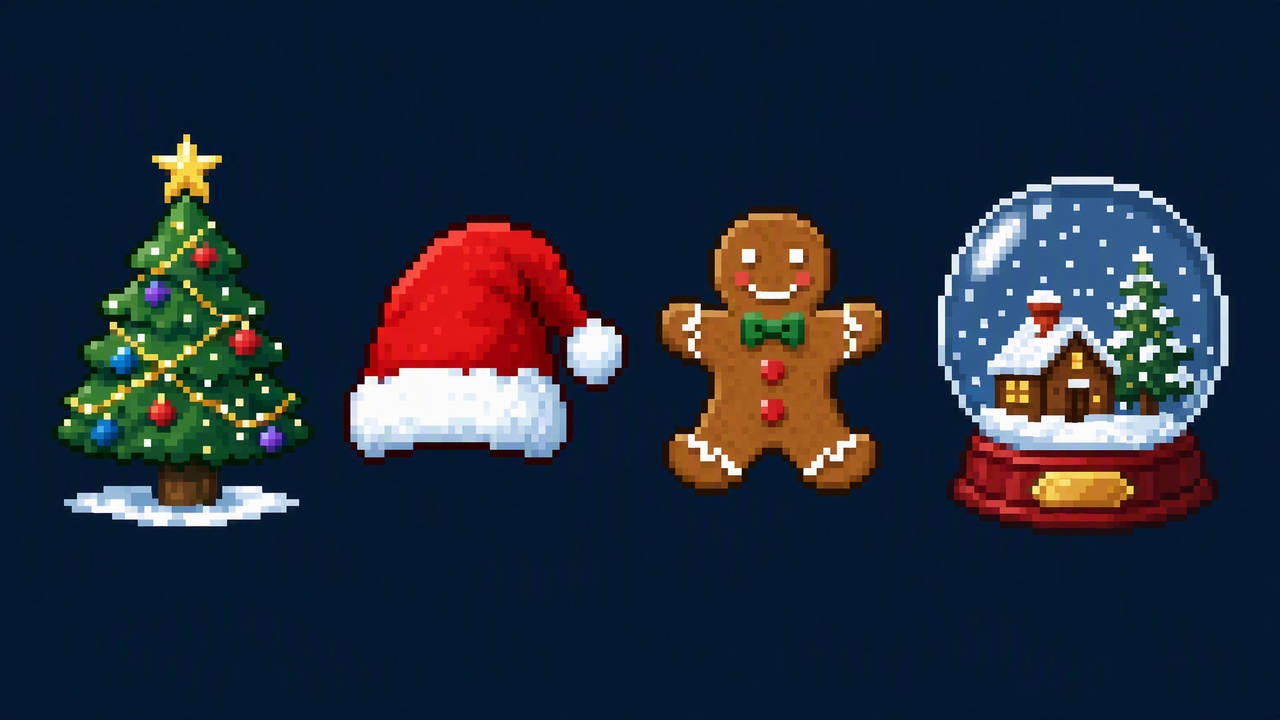
If you want to turn one of these concepts into an actual design, Framia can create pixel-style artwork from a text prompt or reference image. This works well when you want to test several concepts before choosing one to refine manually.
How to design stunning pixel art using Framia Pro
Framia Pro is a powerful creative AI platform that simplifies pixel art creation with its intelligent canvas and specialized AI agents. Whether you're a beginner or an experienced designer, you can generate high-quality pixel sprites, characters, icons, and scenes from simple text prompts or reference images. The tool supports consistent styles, easy editing, animation, and sprite sheet creation.
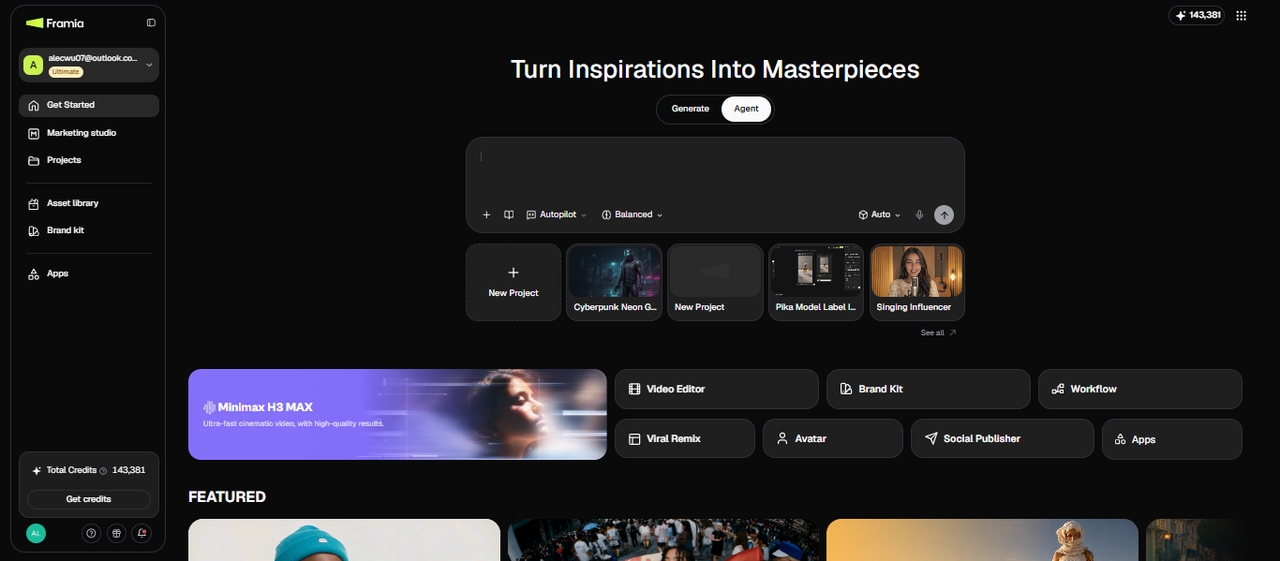
Key features of Framia Pro for pixel art
- Switch between AI models for style variety: Choose between Nano Banana 2 and GPT Image to experiment with different artistic styles and find the right look for your project.
- Edit on an intelligent canvas: Refine, upscale, inpaint, or adjust your pixel art with natural language commands, all on one interactive canvas.
- Save your style in Brandkit: Store your color palette, resolution, and character design once, and Framia Pro applies them automatically across every new sprite, animation, or scene, useful for game development.
- Chain steps with Workflow: Set up prompt, generate, and refine as one automated sequence, so a single description carries a project from concept to a finished sprite sheet.
- Export straight from Publisher: Send your finished pixel art or sprite sheet to your game engine or storage of choice from inside Framia Pro, no separate export step needed.
- Skip hours of manual sketching: Run through dozens of concepts in seconds instead of sketching each variation by hand. Try dark fantasy, vibrant sci-fi, or anything in between without burning creative energy.
Steps to generate pixel art with Framia Pro
Ready to transform your imagination into stunning pixel art? Follow these simple steps to bring your pixel art ideas to life:
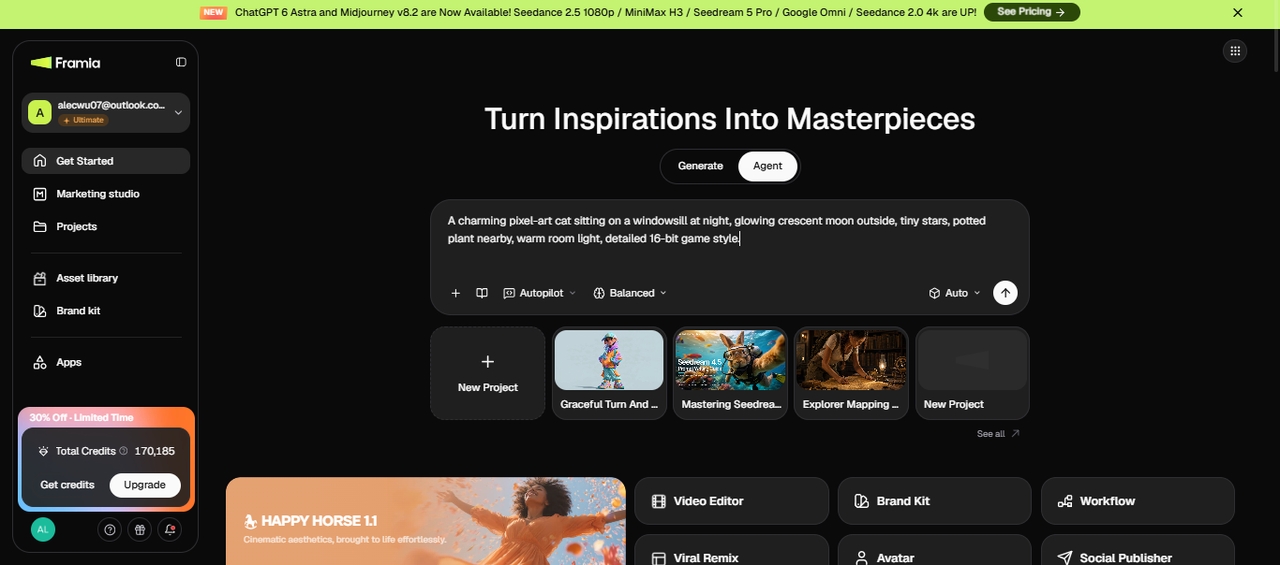
Step 1: Set up your workflow and describe the project
Sign in to Framia Pro and open Agent from the dashboard. Enter a clear description of the image you want to create, including the visual style and any other important requirements. You can also upload reference files to guide the output.
Next, select Design Planner under Skills. Choose the image model you want to use, such as Nano Banana Pro or GPT Image 2, then press Enter to create the workflow.
Step 2: Review and adjust the workflow nodes
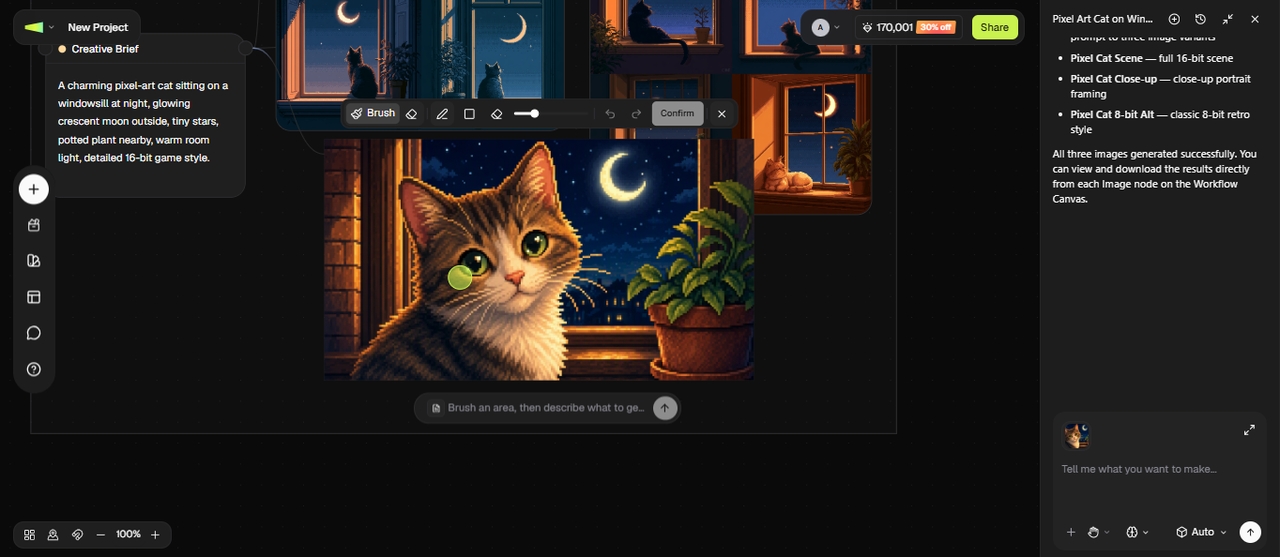
Your project will appear as connected nodes for different parts of the image. Open each node and review its content before generating the final result.
Update the prompts, images, or other details that need changes. If your pixel art requires another scene or a separate variation, add a new node rather than putting every instruction into one prompt. This gives you more control over each part of the project.
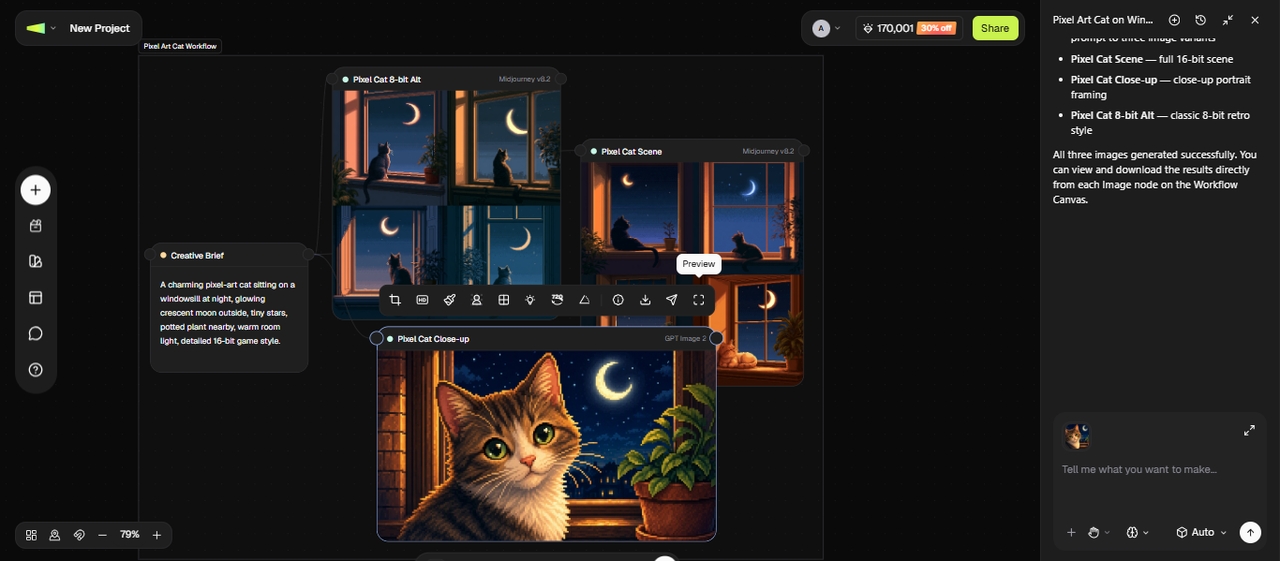
Step 3: Make final edits
If a specific scene or asset doesn't match your requirements, regenerate that node instead of rebuilding the entire project.
You can use the Replace, Crop, Upscale Image, Local Edit, Grid Split Crop, Relight, or Adjust Angle options to edit your pixel art or enter a prompt to edit & regenerate part of the image.
Tips to improve your pixel art
Improving your pixel art takes practice, patience, and the right techniques. By focusing on core fundamentals like color, composition, and detail, you can gradually enhance your skills and create more polished and visually appealing designs.
- Start with a small canvas
Begin with tiny canvases like 16x16 or 32x32 pixels. This forces you to make every pixel count, helping you master shapes, readability, and composition before tackling complex scenes.
- Use limited color palettes
Restrict yourself to 4–16 colors per piece. A limited palette improves contrast, unity, and that classic retro feel while training your eye for effective shading and hue shifts.
- Master shading and contrast
Focus on light sources and volume. Add highlights and shadows strategically—avoid flat colors. Strong contrast, especially on faces and key features, makes your pixel art pop even at low resolutions.
- Study references and classics
Analyze sprites from games like Super Mario, Pokémon, or modern indie titles. Recreate small sections to understand techniques, then modify them to develop your own style.
- Zoom in and out frequently
Zooming in helps you refine details, while zooming out ensures your artwork looks good at actual size. This habit allows you to spot inconsistencies and maintain balance, making your final design more polished and visually effective.
Conclusion
Pixel art keeps captivating artists and game developers with its charming simplicity and endless creative range. From simple icons like hearts and smileys to detailed characters, animals, and scenic designs, the pixel art ideas above give you plenty to work with, whether you're just starting out or already have a few projects under your belt.
Whether you enjoy the slow, meditative process of placing pixels by hand or want to speed up your workflow, Framia Pro's intelligent canvas and AI image models get you from idea to finished pixel art images in minutes instead of hours. Now that you've got the inspiration and a faster way to work, it's time to start placing your pixels.
Frequently asked questions
Is pixel art suitable for beginners?
Yes, pixel art is relatively easy to start with because you work with a small canvas and a limited number of pixels. Start with simple shapes like hearts or smileys to learn basics like symmetry and shading quickly. However, creating detailed pixel art takes practice because every pixel needs to be placed intentionally.
What are the best pixel art ideas for starters?
Great beginner ideas include hearts, smiley faces, stars, pixel trees, flowers, pizza slices, and cute animals like sleeping cats or happy pandas. They help practice shapes, colors, and symmetry.
Can I turn real photos into pixel art?
Yes, you can turn real photos into pixel art using an AI image editor or a pixel art converter. Upload a photo of yourself, a pet, or a landscape, then apply a pixel art effect to give it a retro video game look. For better results, use a clear photo with good lighting and a distinct subject. You can also adjust the pixel size and color palette to create anything from detailed 8-bit portraits to classic 16-bit game art.
What canvas size should I start with?
Beginners should start with small canvas sizes like 16x16 or 32x32 pixels. These sizes help you focus on clarity and basic shapes while learning how to place pixels effectively.
How many colors should I use in pixel art?
It’s best to start with a limited color palette, usually 4–8 colors. This helps maintain consistency, improves visual clarity, and makes shading easier to manage in your designs.
What are the best pixel art ideas for halloween?
Spooky ghosts, carved pumpkins, black cats, haunted houses, witches on broomsticks, bats, and candy corn. Perfect, cute yet eerie ideas for beginners!
What are some good Minecraft pixel art ideas?
Creeper faces, diamond swords, grass blocks, and blocky animals like pigs or cows are popular Minecraft pixel art ideas. Their flat, low-color style makes them a quick, satisfying build for beginners.
What are good Christmas or Disney pixel art ideas?
For Christmas, try a pixel Christmas tree, Santa hat, gingerbread man, or snow globe scene. For Disney-inspired art, classic silhouettes like Mickey Mouse ears or simplified character shapes work well, just keep any fan art for personal use, since Disney characters are copyrighted.