

Free Video Watermark Remover Online

Discover Framia Pro, the ultimate free AI video watermark remover to remove watermarks, distracting logos and text from video in seconds.

Start for Free

Preparing editor…

What is a video watermark remover?

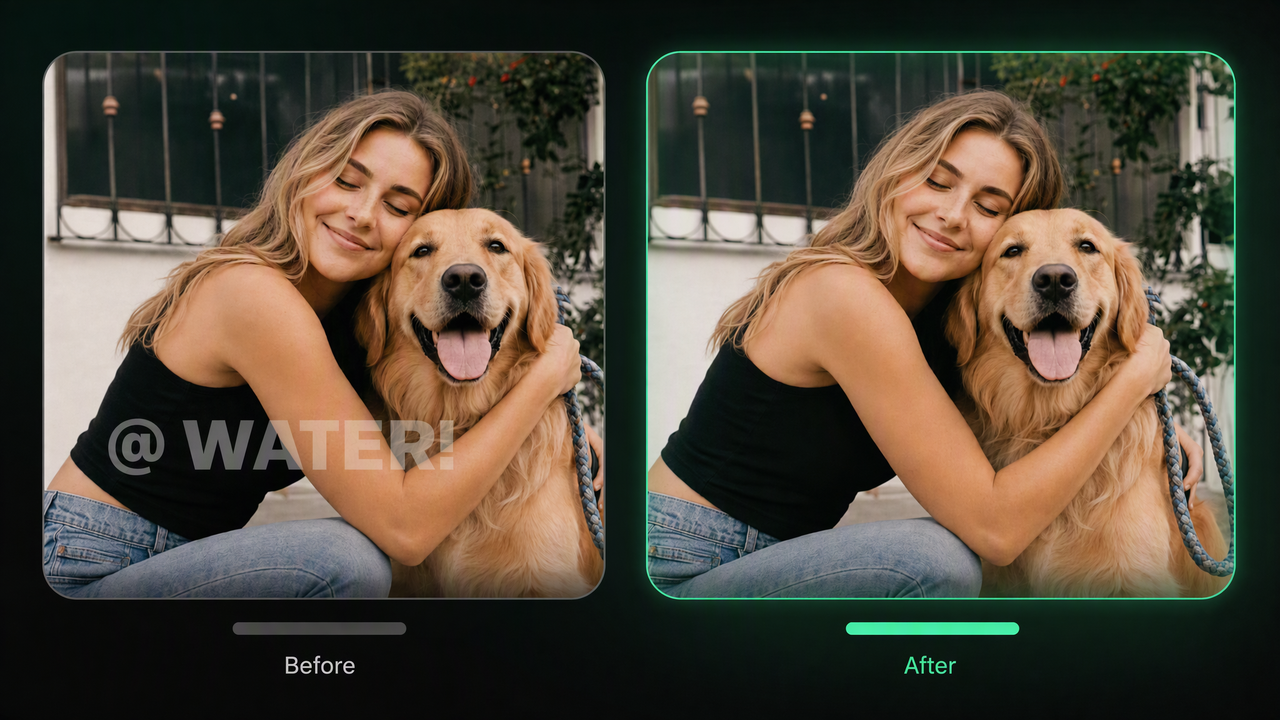
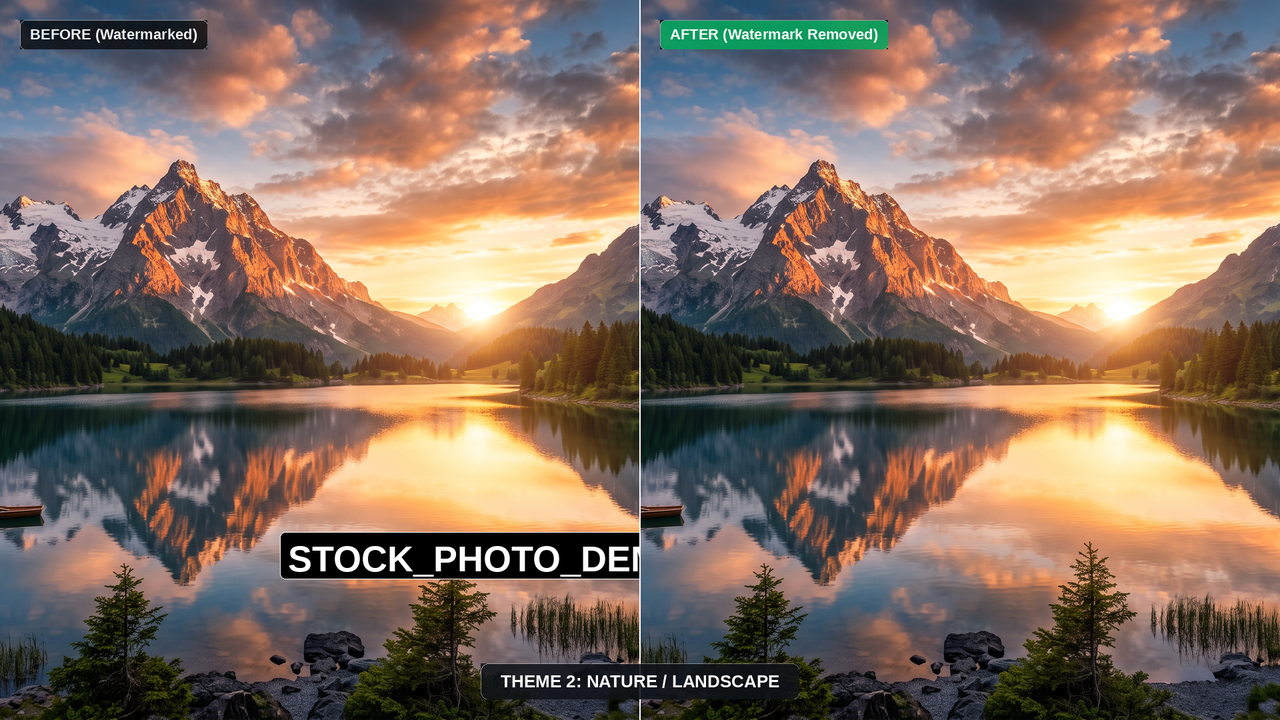
An AI video watermark remover detects unwanted logos, text, or marks and reconstructs the covered area using motion tracking, clean frames, and AI inpainting. Unlike manual frame-by-frame cloning, it can preserve background details across moving scenes with less flicker. Framia Pro streamlines this process, letting you remove unwanted watermarks and quickly turn cleaned footage into polished, ready-to-use video or image assets without switching between editing tools.

What is a video watermark remover

Powerful features of Framia Pro's watermark remover from video

Discover our powerful tools that make erasing video watermarks fast, simple, and flawless.

AI-powered smart watermark removal

Eliminate unwanted logos and text from your videos using our advanced artificial intelligence. You do not need any technical skills or prior editing experience. Just upload your file, and Framia Pro handles the entire complex removal process for you instantly.

AI-powered smart watermark removal
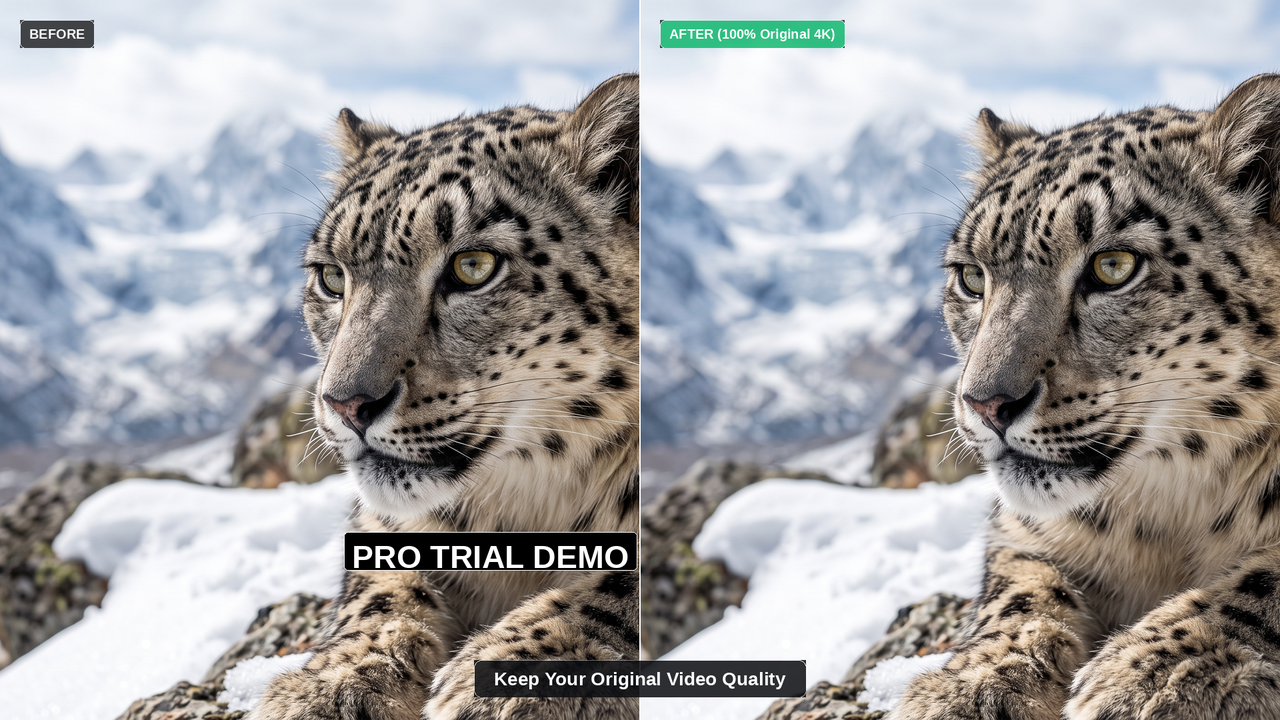
Keep your original video quality

Keep your original video quality

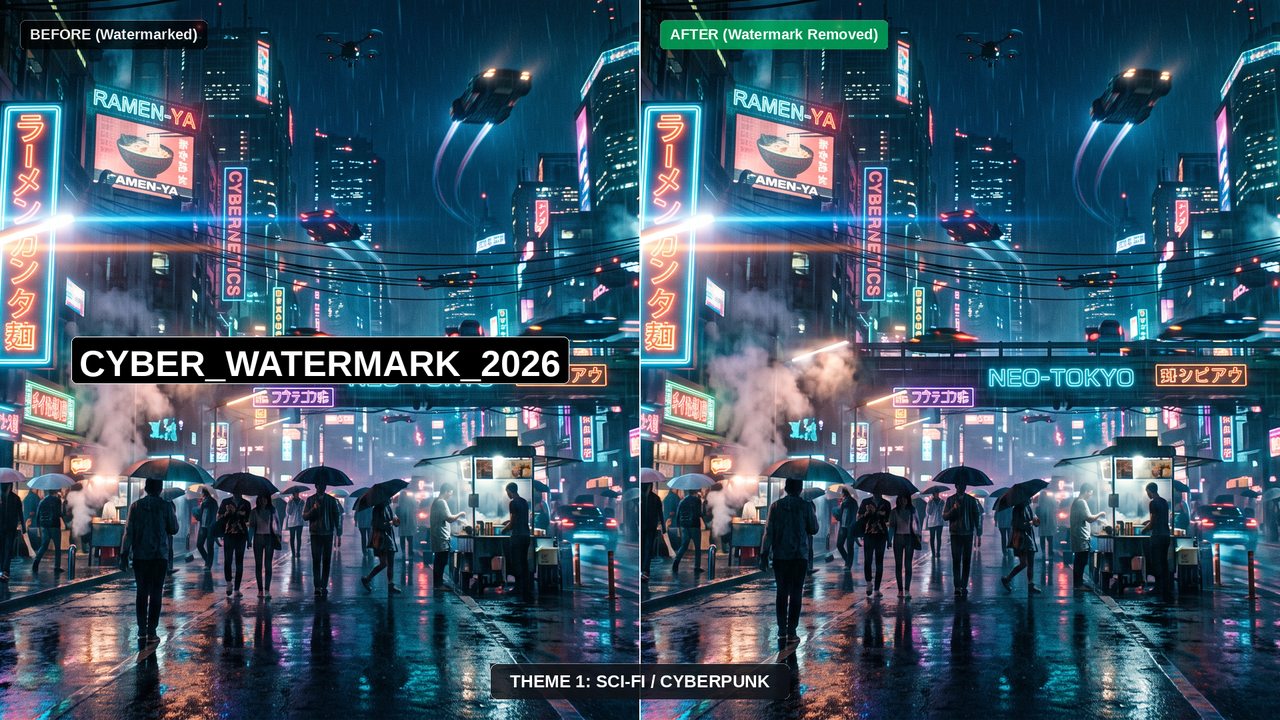
Removing a watermark should not ruin your video. Our tool carefully fills in the missing background to ensure your final video remains sharp, clear, and high-resolution, making it easier to enhance videos without introducing visual artifacts.

Lightning fast video processing speeds

Do not waste hours waiting for your videos to render. Our powerful servers process your files in mere minutes, if not seconds. Get your clean, watermark-free videos downloaded and ready to share or publish almost immediately after you hit the start button today.

Lightning fast video processing speeds
Supports latest AI video models

Supports latest AI video models

Seamlessly handle outputs with Framia Pro from the latest AI video models, such as Seedance 2.5, MiniMax H3, Happy Horse 1.1, Veo, and Kling. Whether you have standard formats or advanced AI generation, our platform effortlessly cleans your MOV, MP4, or AVI footage without you ever needing to convert files first.

Remove watermarks from multiple videos

Save valuable time by processing several videos all at once. Our batch removal feature allows you to upload an entire folder of clips. Clean up all your footage simultaneously instead of editing them one by one, boosting your daily productivity.

Remove watermarks from multiple videos

How to remove watermarks from video using Framia Pro?

Step 1: Open the Agent and upload your clip
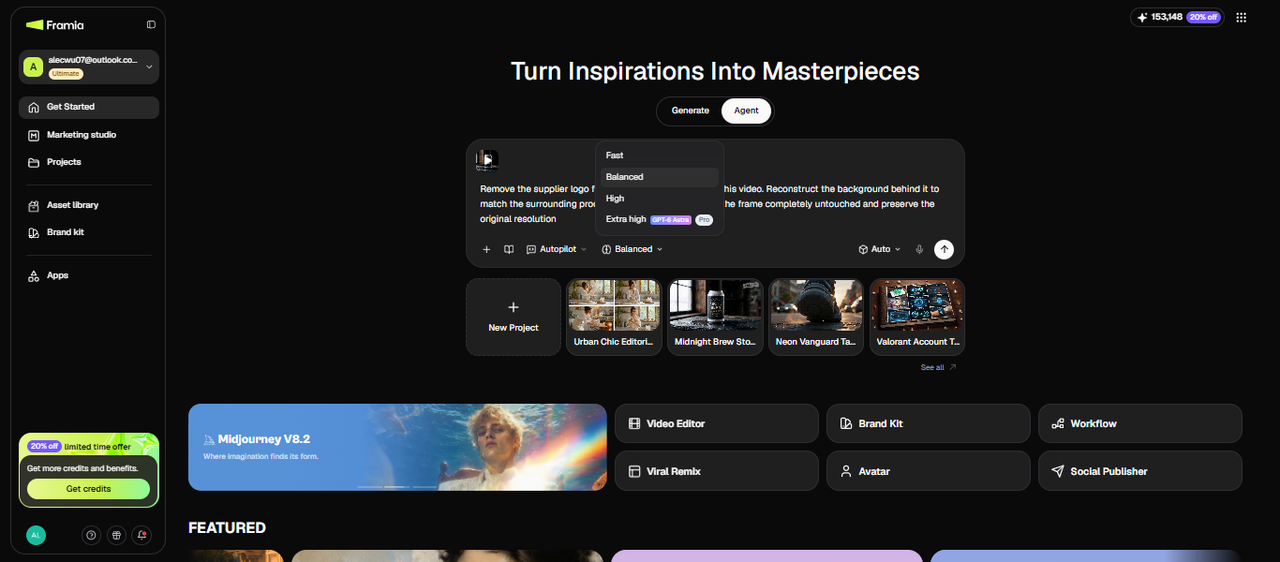
From the Framia Pro dashboard, open the Agent and start a new chat. Click the upload button and drop in the supplier video with the logo stamp in the corner. For a batch job, upload all the clips at once. The Video Agent accepts MP4, MOV, and AVI directly without any conversion step. Once the files are visible in the chat, you are ready to describe the removal.

Step 1: Open the Agent and upload your clip
Step 2: Describe the watermark and send your removal prompt
Type a specific removal instruction into the chat field. For the supplier logo scenario: "Remove the supplier logo from the top-right corner of this video. Reconstruct the background behind it to match the surrounding product surface. Keep the rest of the frame completely untouched and preserve the original resolution." Select the model, reasoning mode, and other settings, and hit Generate.
Step 2: Describe the watermark and send your removal prompt
Step 3: Review the output and export the clean clip
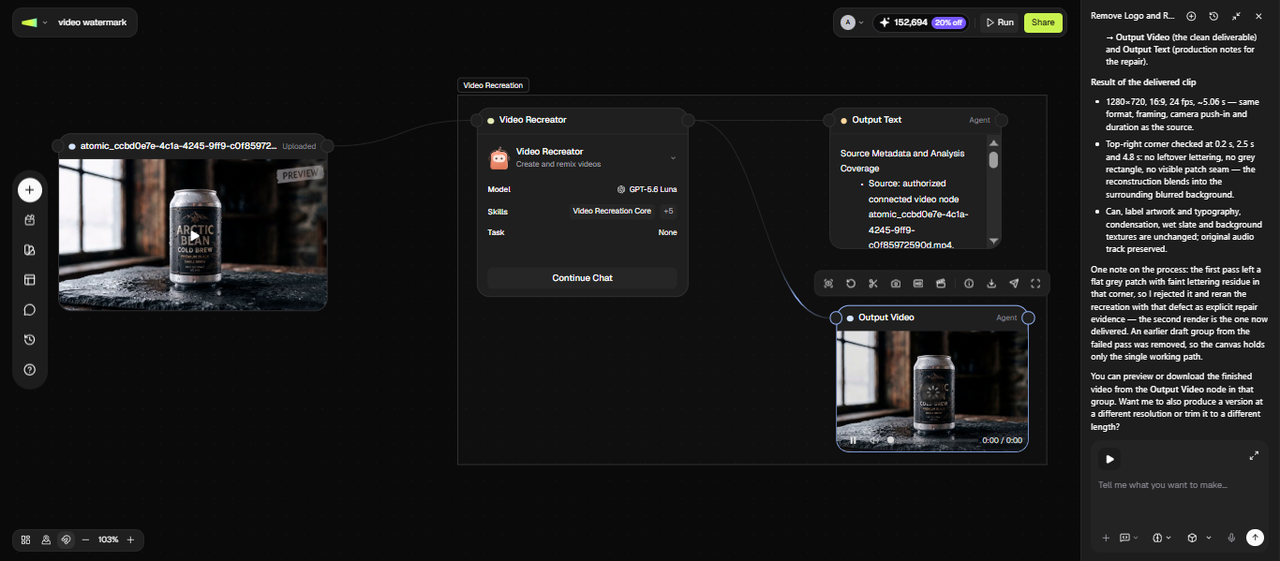
Framia Pro generates a new video node with the video with no watermark. Play it and pay attention to the area where the logo sat, especially on frames where the background behind it was complex. If a section looks patchy, type a follow-up. Once every frame holds up, download the final file at its original resolution, ready to drop into your product listing.
Step 3: Review the output and export the clean clip

Why choose Framia Pro's AI video watermark remover?

Learn why thousands of creators trust our AI to clean their videos and boost their brands.

Easily repurpose your social content
Clean a video you own before adapting it for social platforms. After removing unwanted logos or text, you can organize and continue editing the clip for different aspect ratios, placements, captions, or platform requirements.
Boost your brand's professional image
Videos cluttered with random dates, messy logos, or stock watermarks look cheap and unprofessional. Clean up your footage to present a highly polished, trustworthy image to your audience, clients, or customers. Make every video look like an original masterpiece.
Protect privacy by hiding details
Sometimes videos capture private information like license plates, street signs, or personal names. Use our smart eraser to safely blur or remove these sensitive details before sharing your video online, ensuring you always protect your identity and your personal privacy.

Ways to use Framia Pro's free watermark remover from video

Discover how different professionals use our tool daily to solve video editing challenges.

Content creation for social media

Influencers frequently share the same clips across TikTok, YouTube Shorts, and Instagram. This tool allows them to quickly strip away platform-specific watermarks, ensuring their content looks native, fresh, and highly engaging on every single mobile app they post it to.

Content creation for social media
Marketing agencies running ad campaigns

Marketing agencies running ad campaigns

Marketers often purchase stock footage that comes with distracting timestamps or text. Our AI effortlessly removes these unwanted marks, allowing agencies to create clean, high-converting promotional videos that are ready for further refinement in our AI video editor without needing an expensive in-house video production team.

Online sellers showcasing product videos

E-commerce store owners often source product videos from suppliers that include foreign text or vendor logos. By removing these distractions, sellers can create clean, white-label product showcases that build buyer trust and significantly increase their online store conversion rates daily.

Online sellers showcasing product videos
Families saving old video memories

Families saving old video memories

Old digital cameras and camcorders used to permanently stamp bright yellow dates and times directly onto home videos. Families can now use our software to easily erase those ugly digital timestamps, beautifully restoring their cherished personal memories with photo restoration tools for future generations.

Teachers creating clean educational materials

Educators frequently compile video clips from various sources to build engaging classroom presentations. Removing random channel logos or distracting screen-recorded text helps teachers maintain student focus and present highly professional, distraction-free educational materials during their online lectures and digital courses.

Teachers creating clean educational materials

What users say about Framia Pro's video watermark remover?

Read honest reviews from our satisfied South American users and see their amazing results.

This tool is completely magical. I used to spend hours masking out supplier logos in Premiere Pro for our online store. Now, I just upload the clip, and the AI perfectly removes everything in seconds. Highly recommended for busy marketers!
Mateo Silva
Mateo Silva
Digital Marketing Manager
I constantly reuse my TikTok videos for my Instagram Reels. This app removes the bouncing watermark so cleanly that nobody ever notices. My engagement has doubled because the videos look native to every platform. It is an absolute lifesaver today.
Valentina Morales
Valentina Morales
Social Media Influencer
As a professional editor, I was extremely skeptical about automated AI tools. However, the quality here blew me away. The background recreation is incredibly seamless, and the export speeds save me so much valuable time during my daily client projects.
Diego Costa
Diego Costa
Freelance Video Editor
We source many products overseas, and the provided videos always have messy foreign text. This software effortlessly wipes the screen clean, allowing us to add our own branding. Our product pages look so much more trustworthy and professional right now.
Camila Rojas
Camila Rojas
E-commerce Store Owner
I frequently download educational clips from the internet to show my students. This helpful tool easily removes distracting channel logos and huge website banners from the screen. It keeps my students focused entirely on the learning material without unnecessary distractions.
Lucas Pereira
Lucas Pereira
High School Teacher
Managing content for over twenty different brands requires incredible efficiency. This watermark remover allows our team to clean and repurpose user-generated videos instantly. It is incredibly affordable, remarkably easy to use, and has totally transformed our daily media creation workflow.
Sofia Mendoza
Sofia Mendoza
Content Agency Director
We've compiled the most important information to help you get the most out of your experience. Can't find what you're looking for?Contact us

Frequently asked questions

How does a watermark remover from video work?
Our system analyzes surrounding video pixels to smoothly reconstruct the specific area behind the logo. This process effectively removes unwanted elements while maintaining the original visual integrity of your media.
Is there a reliable free watermark remover from video?
Framia Pro provides free credits for new users, so you can test the video editing workflow before purchasing additional credits. The available credits and usage limits determine how much content you can process for free.
Can I remove a watermark from a video online for free without downloading software?
Absolutely. Our web-based platform allows you to upload and process files directly within your browser. This convenient approach requires zero installation, saving valuable storage space on your local computer drive.
What video formats does Framia Pro accept?
Our software currently supports most standard file types, including MP4, MOV, and AVI. If you have an unusual extension, converting it to a standard format beforehand ensures optimal processing results.
How does a free AI remove watermark from video tool protect privacy?
Your uploaded videos are stored in your Framia Pro project rather than being automatically deleted after processing. Avoid uploading footage that you do not have permission to process, and review Framia Pro's current privacy and data-handling terms before working with sensitive material.
Is it safe to remove a watermark from a video online?
Yes, utilizing our reputable online service is very safe. We employ industry-standard encryption protocols to protect your connection, meaning your personal files cannot be intercepted by unauthorized third parties.
Does removing a watermark reduce the video's resolution?
No. Framia Pro reconstructs the watermark area rather than blurring or cropping it, so the output file carries the original resolution. The reconstruction matches the surrounding texture and detail, so there is no visible patch at a lower resolution than the rest of the frame.
Can I remove a watermark from an AI-generated video?
Yes. Clips generated by AI video models often carry a generation watermark or model tag embedded in the frame. Framia Pro handles these the same way it handles camera footage, since the removal process reads and reconstructs the pixel data regardless of how the video was originally produced.

Still have questions?

Have questions or need assistance? Our team is here to help!

Remove watermark from video easily!

With Framia Pro, you can now effortlessly remove those pesky watermarks, making your video content look clean & professional.

Free Video Watermark Remover: Erase Watermarks, Logos & Text