 Share


Key takeaways:
- Freepik rebranded to Magnific on April 28, 2026. Your account, credits, and library carried over automatically. Search traffic for "Freepik review" still points to the same product, just a new name and a new domain.
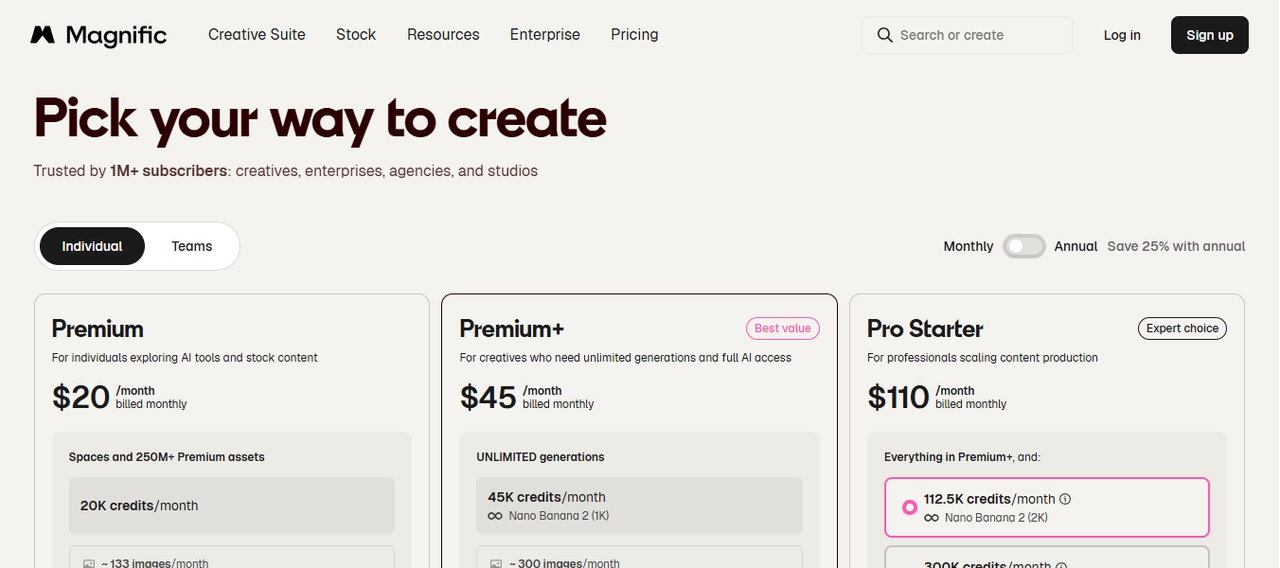
- Current plans (billed annually): Free, Premium at $20/month, Premium+ at $45/month, Pro at $110/month, plus Business at $69/seat/month.
- G2 puts it at 4.7/5 from 173 reviews; Trustpilot at 4.0/5 from 3,153 reviews. The recurring complaint on both is cost and credits run thar out faster than users expect.
- We ran the same skincare product shoot through Freepik's top three image models and its video tools, then repeated it on Framia Pro to compare retries, render speed, and total cost.
- Freepik holds its full "unlimited" model list behind the $110/month Pro plan.
Freepik, now legally and publicly named Magnific, still does what it always did: it hands you a stock library and a generative AI suite in one tab. What changed is the name, the pricing tiers, and how strict the credit system got. This Freepik review walks through the current AI Studio, real pricing, what actual subscribers say on G2, Trustpilot, and Reddit, our own hands-on test on a sample product shoot, and where Framia Pro beats it on cost and workflow.
Freepik is now Magnific
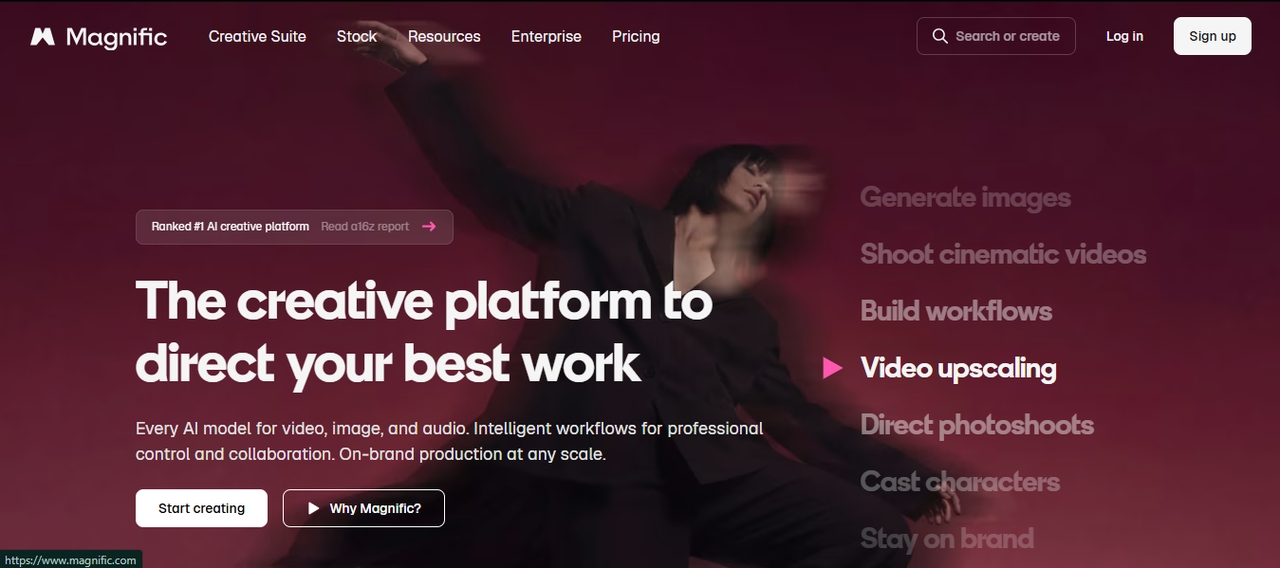
On April 28, 2026, the company folded Freepik (its stock library), Magnific (the AI upscaler it bought in 2024), and its scattered AI tools into one brand: Magnific. Nothing shut down. Your subscription, your saved projects, and your credits moved over on their own. The stock contributor marketplace at contributor.freepik.com kept the old name and still runs separately.
What the Freepik AI Studio actually includes right now
The AI Studio sits inside the same account as the stock library, and it covers four jobs:
- AI image generator: access to Flux 1.1/2, Google Imagen 4, Nano Banana and Nano Banana Pro, Seedream 4.5, GPT image models, Ideogram, and the in-house Mystic 2.5, plus an upscaler that traces straight back to the original Magnific acquisition.
- Freepik AI video generator: text-to-video and image-to-video through Kling 2.6/3.0, Veo 3/3.1, and Seedance, with start/end frame control and motion transfer.
- AI voice generator: multi-language narration with emotional tone controls and a lip-sync mode still marked as beta.
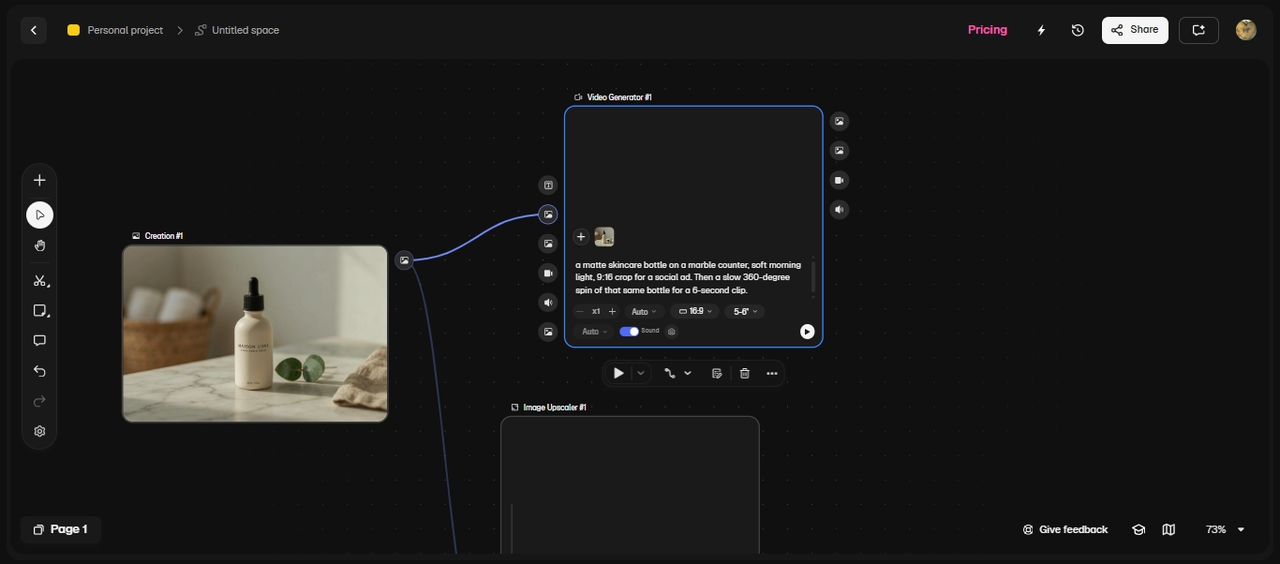
- Spaces: a node-based canvas that chains prompts, upscalers, and video steps into one pipeline a team can share.
How we tested it
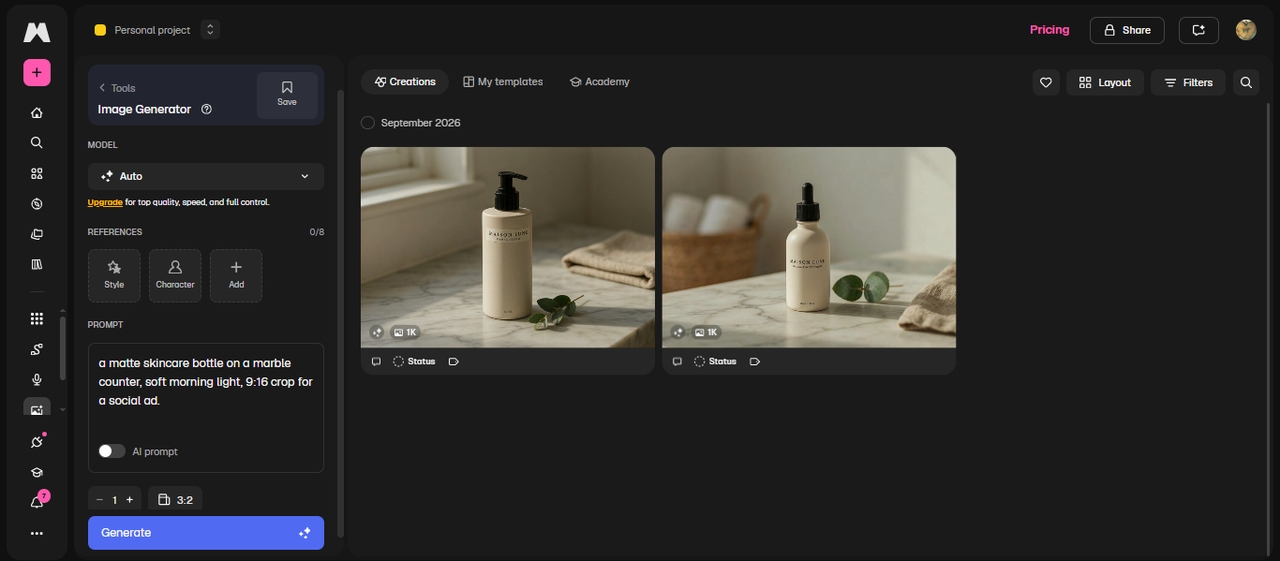
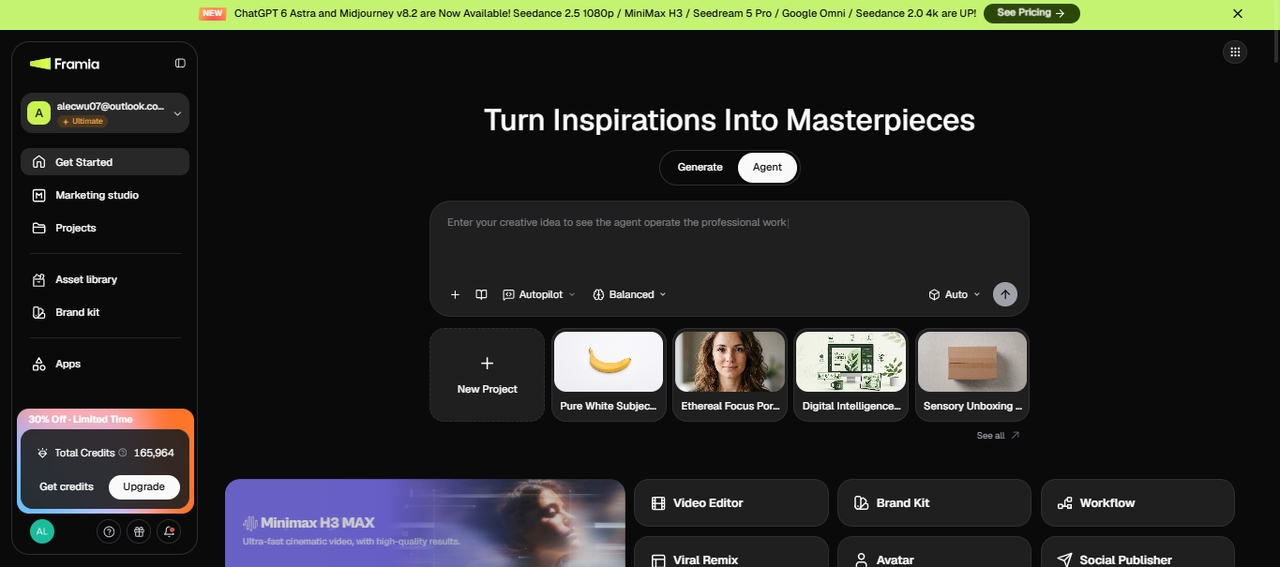
Our tester shoots product creative for skincare and home-goods brands for a living. So we gave Freepik a real brief, like "a matte skincare bottle on a marble counter, soft morning light, 9:16 crop for a social ad." Then a slow 360-degree spin of that same bottle for a 6-second clip.
We ran this brief on Freepik's Premium+ plan (Chrome, desktop, September 2026), then ran it again on Framia Pro's Pro tier. For each one, we checked three things:
- How closely the output matched the prompt
- How many retries it took
- How fast it rendered
Images: Mystic 2.5 nailed the marble reflection on try two. Flux 1.1 took four tries to stop warping the label around the curve. Nano Banana Pro was the fastest of the three, but it scrambled the small print on the label twice in a row.
Video: Kling turned the bottle spin into a smooth clip at first render. Veo 3.1 warped the label edge around the four-second mark.
Video created with Veo 3.1
Video created with Kling 3.0
Voice and Spaces: A 15-second voiceover came back well-paced but a little flat on the brand name. Chaining a sketch-to-image node into an upscaler and a video node inside Spaces worked, but it took about ten minutes to set up right the first time.
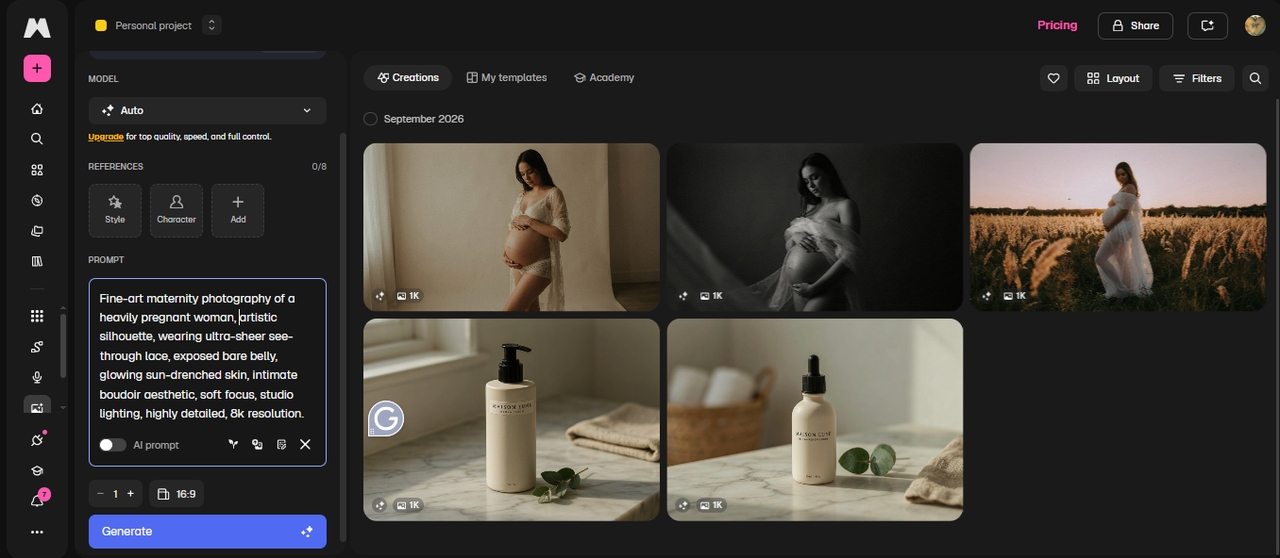
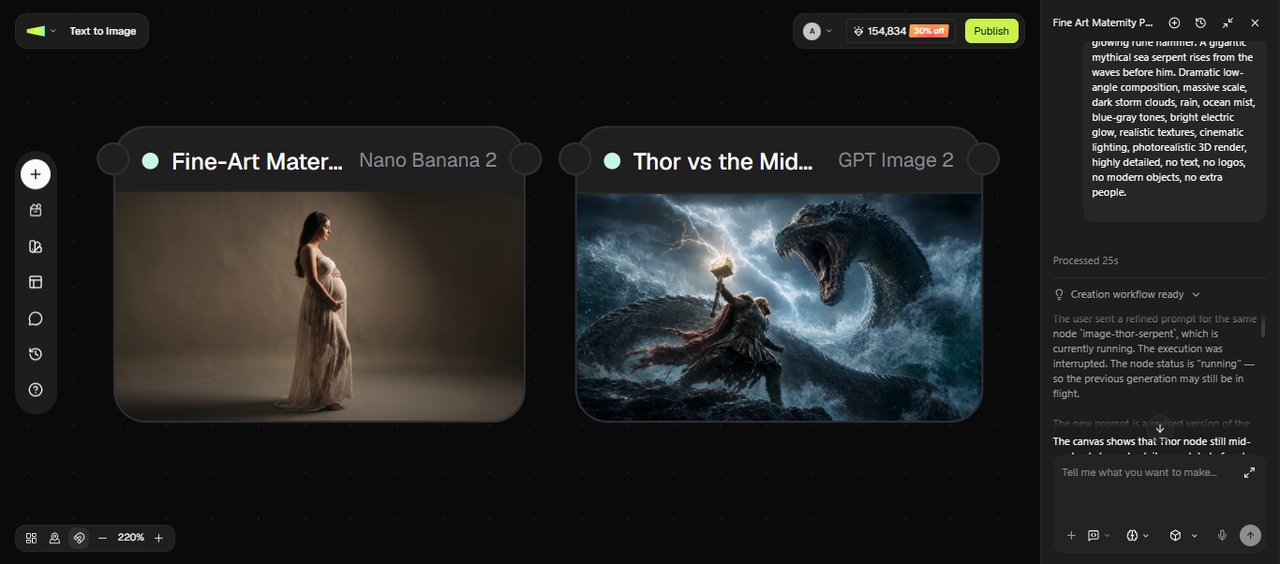
Moderation check: Reddit and G2 users report ordinary prompts getting flagged as NSFW, so we tested the two most cited examples, which are a mythology fight scene and a maternity photoshoot concept. Freepik flagged the fight scene and passed the maternity concept.
Freepik AI pricing in 2026 (updated after the Magnific move)
Annual billing sets the real monthly rate. Freepik/Magnific currently runs four paid tiers:
| Plan | Monthly (billed annually) | What it unlocks |
| Free | $0 | ~20 image generations a day, no commercial license |
| Premium | $20.00 | Stock library plus moderate AI credits |
| Premium+ | $45.00 | 600,000 credits/year, a limited "unlimited" model list |
| Pro | $110 | Full unlimited access on most models, full commercial license |
Freepik AI image generator reviews: What real users say
A long-running Reddit thread from a subscriber who logged over 100,000 credits in a single month gives one of the more detailed breakdowns available: image generation and outpainting score near the top of the scale, inpainting is inconsistent, and lip sync still produces visible glitches. That same thread's comment section repeats two complaints months apart: content moderation flags ordinary prompts (a mythology fight scene, a maternity photoshoot concept) as NSFW, and a bug briefly breaks newly generated videos when you add them to a project folder.
On G2, Magnific holds a 4.7 out of 5 from 173 reviews. Reviewers point to ease of use, image quality, and the combination of AI tools with the stock library as the strongest draw. The recurring dislikes: the subscription price, credits running out fast, and results that repeat themselves after enough searches.
Trustpilot rates it 4.0 out of 5 ("Great") from 3,153 reviews, with 75% five-star and 15% one-star, a wider spread than G2. Recent reviews praise generation speed and a clean interface. The one-star cluster centers on billing disputes: subscribers report being charged after cancellation or losing access despite an active payment, plus one detailed complaint that the "unlimited" video mode doesn't yet support the 9:16 vertical format most social creators need.
Product Hunt shows 4.7 out of 5 from 42 reviews, with the upscaler drawing the most consistent praise for detail and realism. The main gripe there is the free tier's daily generation cap, too tight to test the platform properly before paying.
Pros and cons, based on testing and real Freepik reviews
What holds up:
- One dashboard for 30-plus image and video models instead of juggling separate subscriptions
- The Magnific upscaler still does what made it famous: sharp, detailed 10K output
- A 250-million-asset stock library sits right next to the generation tools
- Fast turnaround on straightforward prompts
What to watch for:
- Credit consumption on video and high-res upscaling drains a plan quickly
- Moderation flags legitimate prompts as NSFW often enough that Reddit and G2 users both mention it unprompted
- Billing and cancellation complaints show up repeatedly on Trustpilot
- Output on complex or detailed prompts still needs a retry or two before it lands
Top Freepik AI alternatives for 2026
While Freepik AI Studio is a powerhouse for combining stock assets with generative tech, other tools excel in specialized areas like conversational editing or cinematic storytelling. Depending on whether you prioritize video automation, professional design software integration, or extreme ease of use, these five alternatives are the top contenders in 2026.
- Framia Pro
Framia Pro uses specialized AI agents to turn one prompt into campaign assets, including ads, posters, voiceovers, and music. Its Deep Research agent can add live web data to the script, while Social Publisher lets you publish finished content without switching tools.
| Freepik / Magnific | Framia Pro | |
| Entry paid plan | $20/mo | $20/mo |
| Mid-tier plan | $45/mo, 20k credits/yr, limited "unlimited" model list | $32/mo, 4,000 credits/mo, Sora 2 + Veo 3.1 unlocked |
| Top individual plan | $110/mo, full unlimited access | ~$152, full agent workflow + priority rendering |
| Campaign automation | None; you assemble each asset by hand in Spaces | AI agents assemble a full campaign (ad, poster, voiceover, music) from one prompt |
| Free plan | ~20 image generations/day, no commercial rights | Daily refresh credits, watermark-free downloads on paid tiers |
(Pricing checked against official plan pages, September 2026. Both platforms adjust tiers often, so confirm the live rate before you subscribe.)
The gap isn't about who has more models added onto a dashboard. It's about what each dollar actually unlocks and how much manual assembly is still left to a human after the AI runs.
Video generation can cost less. Freepik's full model access requires its $110/month Pro plan, while Framia Pro's Pro tier costs about $32/month and includes top models with advanced camera control. Freepik users on G2 and Trustpilot also frequently mention high subscription costs and fast credit use.
How Framia Pro handled the same test
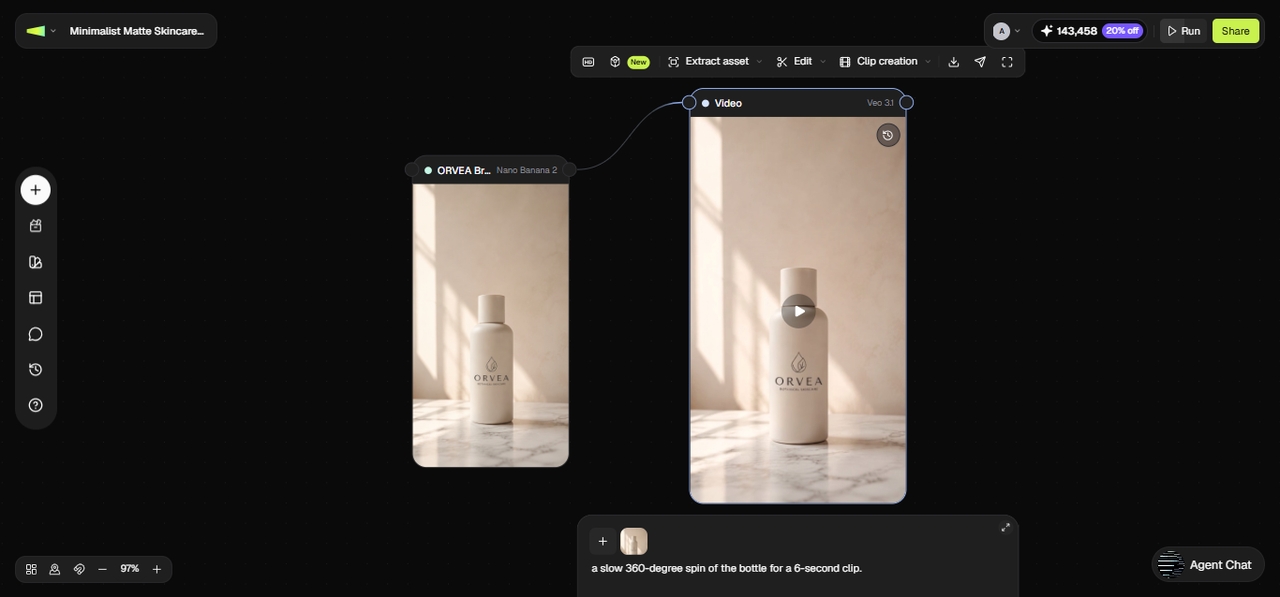
We ran the same skincare bottle brief on Framia Pro's basic tier: one prompt for the 9:16 marble-counter image, then one for the 6-second 360-degree spin. The image landed on the first. The video came back clean as well.
Moderation was the second check. The mythology fight scene and the maternity photoshoot prompt both passed on Framia Pro as you can clearly see below:
Key Features
- AI skills for creative workflows: Specialized skills can handle tasks such as ads, short videos, movies, and design from a single creative brief, reducing the need to move between separate tools.
- 20+ AI models in one workspace: Framia Pro brings together models for video, images, music, voice, and reasoning, including MiniMax H3, Veo 3.1, Kling 3.0, Seedance 2.5, Midjourney, Flux, Suno, and ElevenLabs.
- Interactive canvas and AI editing: The canvas lets you generate, refine, replace scenes, adjust content through prompts, and work with uploaded footage. Its video editor also supports scene regeneration, captions, resizing, and frame-level SmartSplit editing.
- Multimodal content creation: The platform supports image, video, music, voice, avatars, ads, product visuals, and other marketing assets, so one project can extend beyond a single video.
Pros
- One workspace can cover several parts of an AI content project.
- The agent workflow can reduce the need to switch between separate platforms.
- It suits creators who need different types of marketing assets for the same campaign.
- Multiple models give users more options when one generation does not work well.
Cons
- Credit-based system can limit heavy video usage.
- Newer platform with occasional learning curve for agents.
- LTX Studio
LTX Studio is a comprehensive, end-to-end production platform designed for filmmakers and storytelling professionals. It moves beyond simple generation by offering a full-loop workspace—from AI-generated scripts and storyboards to final 4K video renders with synchronized audio. By maintaining character and environmental consistency across different shots, it acts as a virtual film studio, significantly reducing pre-visualization time and production costs for independent creators and small production houses looking for cinematic results.
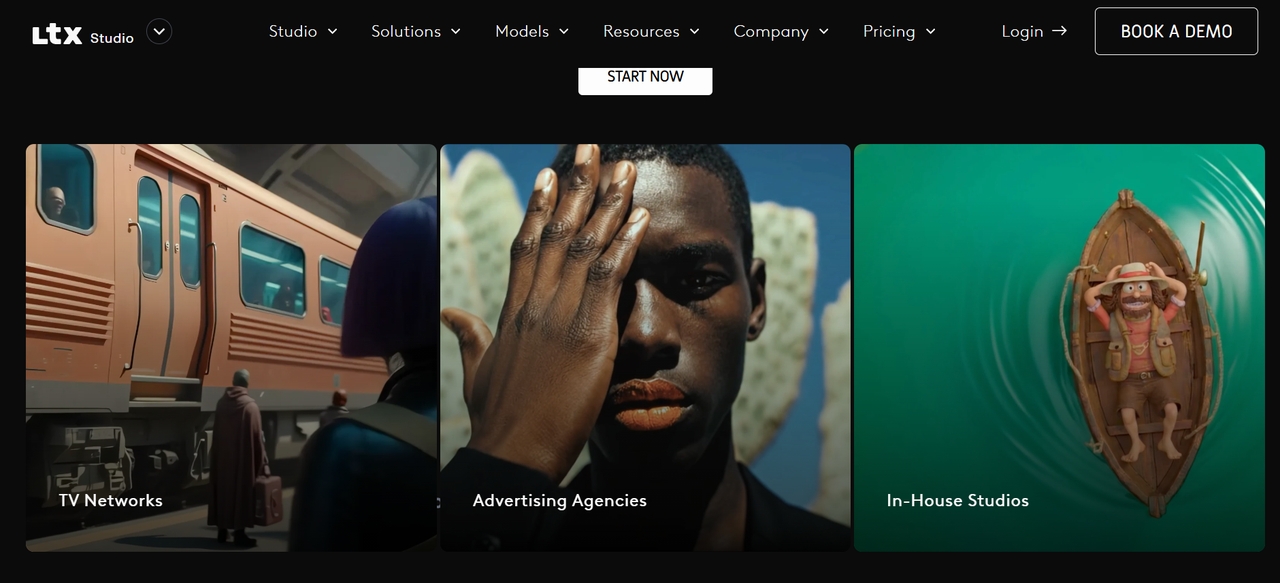
Key Features
- Storyboard generator: Automatically converts scripts into structured scenes, helping users plan and visualize complete video stories easily.
- Audio-to-video creation: Turns voice or script inputs into video sequences with synced visuals, making content creation faster.
- Scene-level control: Edit and refine each shot individually, giving more control over transitions, pacing, and storytelling flow.
- Project workflow tools: Manage entire video projects with structured timelines, improving collaboration and production efficiency.
Pros
- End-to-end filmmaking in one workspace—reduces tool-switching.
- Excellent character consistency and cinematic direction.
- Fast iteration with retake/refine tools for specific shots.
- Great for teams with collaboration and pitch deck generation.
Cons
- Occasional AI artifacts or inconsistencies in complex scenes.
- Heavy reliance on high-speed internet for rendering.
- Adobe Firefly
Adobe Firefly is a professional AI design platform integrated into Adobe Creative Cloud. It supports image, video, audio, and vector generation in one ecosystem. Firefly stands out for its commercial-safe AI and seamless integration with tools like Photoshop and Illustrator. It is built for designers, brands, and businesses that need reliable, high-quality outputs with strong editing control and professional workflows.
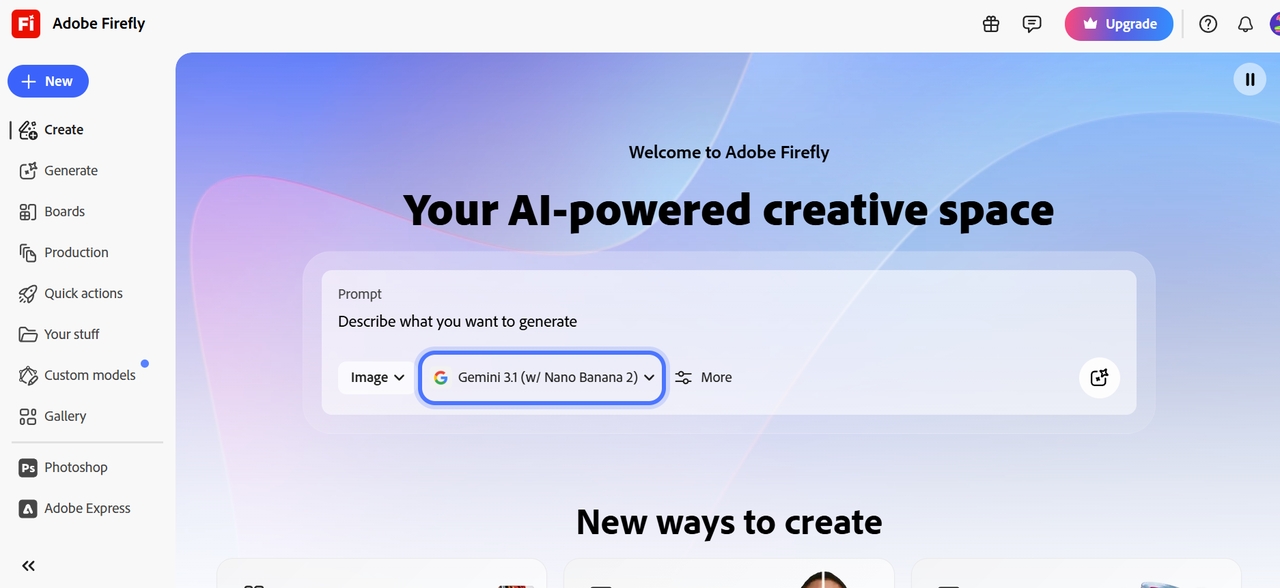
Key Features
- Text-to-image generation: Create high-quality images from prompts with consistent styles, making it useful for marketing and design projects.
- Creative Cloud integration: Works directly with Photoshop and Illustrator, allowing seamless editing and workflow continuity.
- Generative fill tools: Add, remove, or replace objects in images using AI, enabling precise and professional-level editing.
- Commercial-safe AI models: Built on licensed data, ensuring safer use for brands and businesses in commercial projects.
Pros
- Deepest integration with professional design software.
- No copyright risks for high-level commercial work.
- Exceptional precision in "Generative Fill" tasks.
- Access to the vast Adobe Stock library.
Cons
- Requires an Adobe Creative Cloud subscription for best value.
- AI image generation can sometimes feel more conservative/safe.
- Leonardo AI
Leonardo AI is a favorite among concept artists and game developers who demand granular control over the "aesthetic" and training of their AI models. It offers a powerful "AI Canvas" that enables advanced in-painting and out-painting, allowing users to expand or modify images with surgical accuracy. By allowing users to train their own specialized models (LoRAs), Leonardo provides a level of artistic consistency and customization that general-purpose tools struggle to match in 2026.
Key Features
- Advanced image generation: Produces highly detailed visuals with strong control over style, lighting, and composition with 95% accuracy.
- Custom model training: Users can train their own specialized AI models by uploading 10–20 reference images. This is ideal for maintaining a consistent character, specific art style, or unique brand aesthetic.
- Motion & video generation: Transform static images into dynamic short cinematic clips. You can control the strength of motion to create everything from subtle environmental shifts to full-scale character movement.
- Real-time canvas editing: Convert sketches into images instantly, allowing quick experimentation and creative iteration.
Pros
- Superior detail and consistency for characters/assets.
- Generous free tier (150+ daily credits) for testing.
- Granular controls and upscaling for professional outputs.
- Community models hub for endless style variety.
Cons
- Token/credit system adds complexity for heavy use.
- Steeper learning curve for advanced features.
- Canva
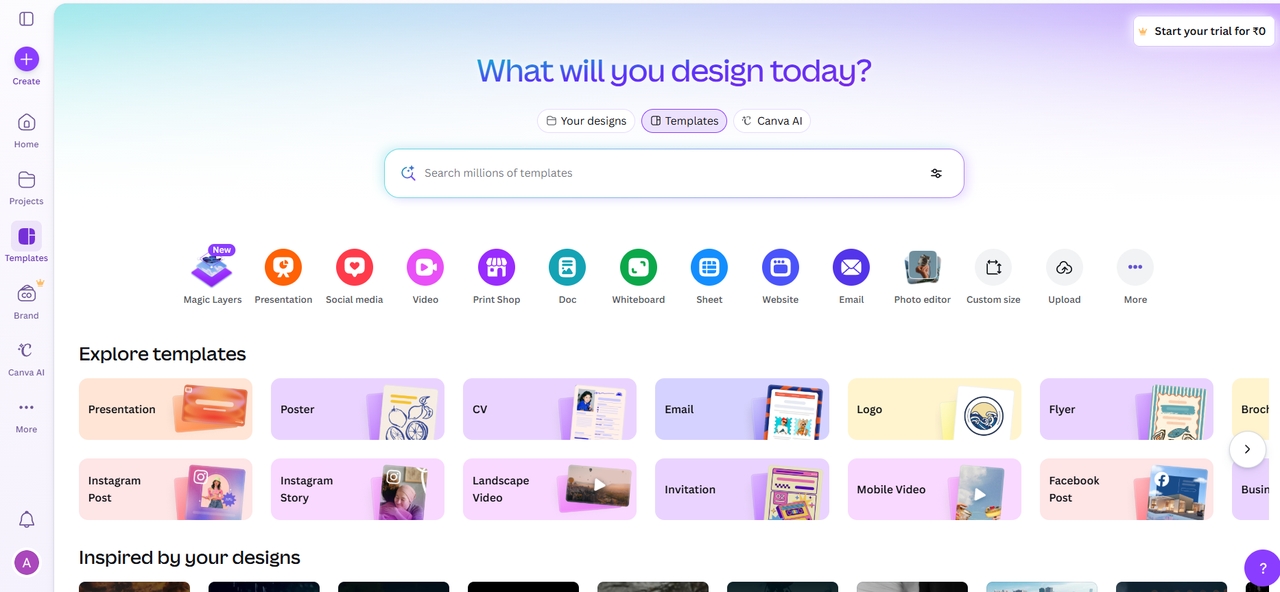
Canva AI is a simple and beginner-friendly design platform that combines templates with AI tools. It allows users to create social media graphics, presentations, and marketing content quickly. With its drag-and-drop interface and smart AI features, Canva is ideal for users who want fast, professional-looking designs without technical skills.
Key Features
- Magic Design tool: Automatically generates layouts from prompts, helping users create complete designs quickly.
- Drag-and-drop editor: Simple interface that allows easy customization of designs without needing professional skills.
- AI editing tools: Includes background removal, resizing, and enhancements to quickly refine images and visuals.
- Template library access: Offers thousands of ready-made templates for social media, ads, and presentations.
Pros
- Extremely beginner-friendly—no steep learning curve.
- Fast workflow for social posts, presentations, marketing.
- Robust free tier; Pro affordable for unlimited AI.
- Built-in brand consistency and team collaboration.
Cons
- Quality ceiling—great for drafts, less for high-end creative.
- Can feel template-heavy or less original for advanced users.
Freepik review: Final verdict
In this review, you learned that Freepik earned its reputation as a stock library long before the Magnific rebrand, and the AI Studio layered on top of it still covers a wide range of jobs in one dashboard. Where it strains is what reviewers on G2, Trustpilot, and Reddit repeat: credits that run out faster than expected and moderation that over-flags normal prompts. So, if your work leans on video, campaign automation, or getting an elite model without the top-tier price tag, Framia Pro is worth a side-by-side trial before you renew a Freepik plan.
FAQs
- Is Freepik AI free to use?
Freepik offers a free tier with a limited number of daily "credits" for AI tools and 10 stock downloads. However, for high-resolution outputs, advanced models like Sora 2, and access to the full 200M+ premium asset library, a paid Essential, Premium, or Pro subscription is required. Framia Pro alongside Freepik to access more models under one plan.
- Can I use Freepik AI images for commercial projects?
Yes, all paid plans include a commercial license for AI-generated content. This allows you to use the assets in marketing, social media, and web design. However, only the "Pro" plan includes a specific Merchandise License for using non-AI assets on physical products for sale.
- Does Freepik have an AI video generator?
Yes, Freepik supports text-to-video generation and offers access to multiple AI models, including Kling, Veo, Seedance, and Spaces. Framia Pro stands out with its AI agent, which organizes video creation tasks into a more streamlined workflow that reduce manual model selection, tool switching, and repetitive steps when developing video content.
- Is Freepik good for beginners?
Freepik is excellent for beginners, offering an intuitive interface that blends AI tools with a massive library of ready-made templates. However, those focused purely on video might find the timeline complex. For a simpler experience, Framia Pro is a top alternative, using a conversational AI agent to edit videos through easy chat commands.
- Can I upscale my AI images to print quality?
Absolutely. Freepik features a professional AI Upscaler powered by Magnific and Topaz technology. it can boost resolution up to 10K, intelligently adding realistic textures and details, making them perfectly suitable for large-scale physical printing and high-end marketing.
- What's the biggest complaint in Freepik's own reviews?
Cost and credit depletion. It shows up independently on G2, Trustpilot, and Reddit as the most repeated dislike.
- Is there a cheaper way to get the same elite video models Freepik offers?
Framia Pro unlocks MiniMax H3 and Veo 3.1 at roughly $32/month, well under Freepik's $110/month Pro tier for the same unrestricted access.
- Do I need a new account after the Magnific rebrand?
No. Existing subscriptions, credits, and saved projects moved over automatically to magnific.com.
- Why do users report NSFW flags on ordinary prompts?
Moderation on Freepik's models runs conservatively by design. Reddit and G2 both include reports of everyday prompts, such as a maternity photoshoot or a mythology battle scene, getting blocked without an obvious reason.