What is a negative prompt?
In the rapidly evolving landscape of generative AI, mastering how to communicate with models is crucial. While we often focus on telling AI what we want, it is equally important to understand how to specify what we don't want
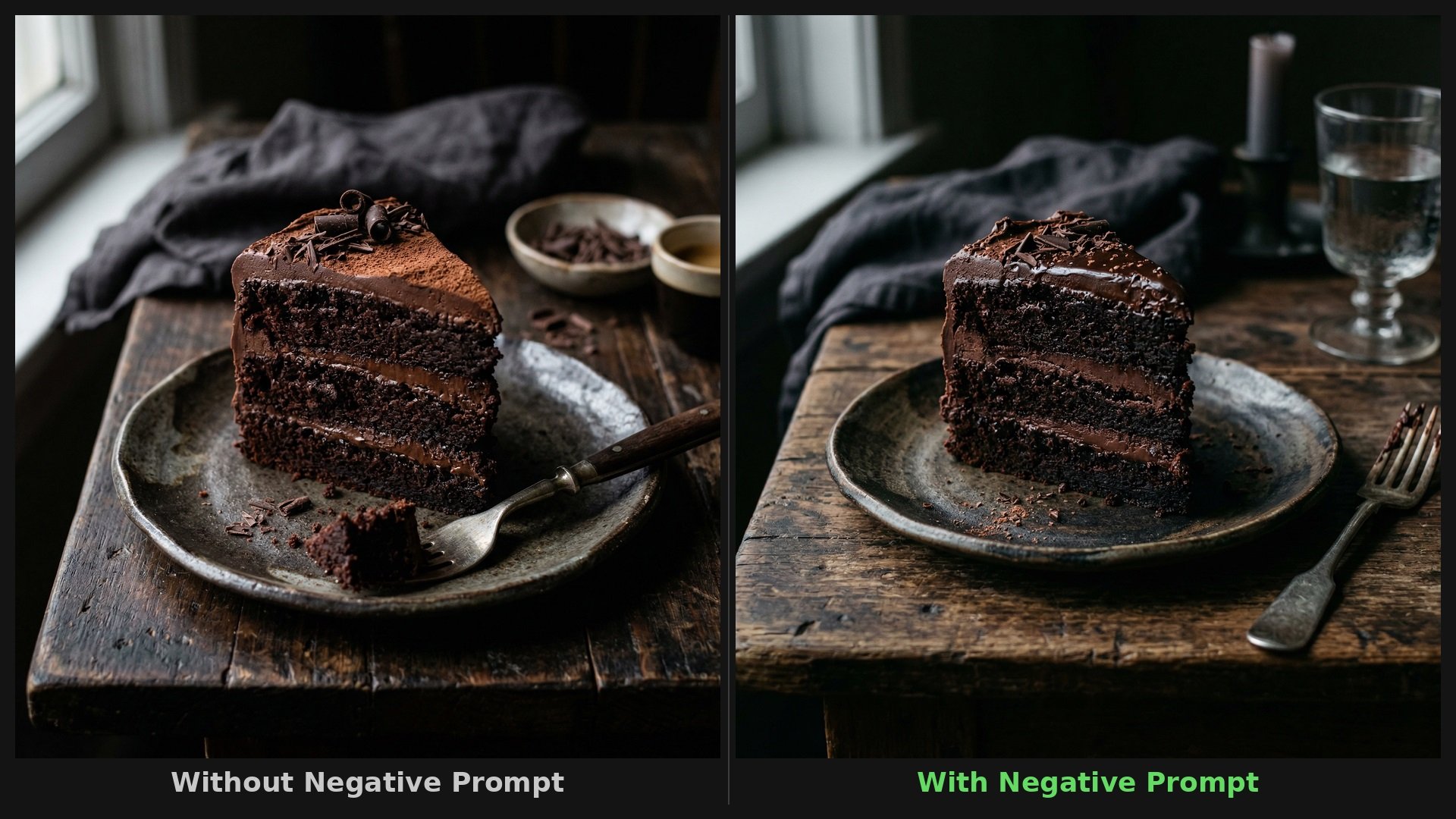
A negative prompt is a specific parameter or text instruction used in generative AI, particularly in image generators like Midjourney V7 or Stable Diffusion, and increasingly in text models, to explicitly define elements that should be excluded from the final output.
Think of it as a set of boundaries or a "do not include" list. Instead of relying solely on AI to guess what to omit based on your positive prompt, negative prompting gives you direct control over the exclusion of unwanted artifacts, styles, colors, or concepts.
By filtering out undesirable elements, negative prompts help refine the generation, resulting in cleaner, more accurate, and highly tailored outputs that closely align with your original vision.
Key components & formula of a negative prompt
Crafting an effective negative prompt is not just about randomly listing words; it requires a structured approach. Understanding the underlying components and the basic formula will help you predictably steer the AI away from unwanted results.
The anatomy of a strong negative prompt involves categorizing what you want to exclude. A reliable formula usually combines elements of style, quality, subject matter, and composition.
Here are the key components to consider when building your exclusion list:
- Quality modifiers: These terms target the technical execution of the output. Words like "blurry," "low resolution," "pixelated," "watermark," "noise," or "distorted" ensure the AI maintains high fidelity.
- Stylistic exclusions: If you want a photorealistic image, you need to exclude other art styles. Terms such as "cartoon," "anime," "3d render," "painting," or "illustration" prevent stylistic bleeding.
- Anatomical or structural errors: This is especially important for generating human figures. Keywords like "extra limbs," "mutated," "bad anatomy," "missing fingers," or "disfigured" help the AI avoid common rendering nightmares.
- Subject and object exclusions: These are specific items or concepts you want absent from the scene. If you are generating a serene landscape, you might use "people," "buildings," "cars," or "text."
- Color and lighting constraints: You can control the mood by excluding specific palettes or lighting setups, using terms like "oversaturated," "dark," "black and white," or "harsh shadows."
Common negative prompts to use in 2026
While every creative project is unique, certain negative keywords consistently resolve common AI generation issues. Depending on your desired aesthetic or subject matter, maintaining a tailored list of exclusions can drastically improve your workflow.
Here are common negative prompts categorized by project type:
1. For image quality
To guarantee crisp, professional outputs, exclude common technical rendering flaws.
Common negative prompts: blurry, low resolution, pixelated, noise, watermark, text, signature, jpeg artifacts, distorted, out of focus, worst quality.
2. For anime
When it comes to the best negative prompts for anime AI art styles, try to prevent AI from defaulting to realism or western comic aesthetics.
Common negative prompts: photorealistic, 3d render, realistic, western comic, painting, oil, real life, photography, ugly, monochrome.
3. For realistic
To achieve true-to-life photography, you must aggressively block digital or stylized art forms.
Common negative prompts: cartoon, illustration, painting, drawing, anime, 3d render, plastic, smooth skin, stylized, unreal engine, CGI, sketch.
4. For portraits
Generating human portraits requires strict boundaries to maintain natural compositions and avoid awkward framing.
Common negative prompts: bad composition, cropped, out of frame, multiple people, text, signature, duplicate, messy background, distorted proportions.
5. For face
The AI often struggles with facial symmetry and natural features. Use these to ensure beautiful, accurate faces.
Common negative prompts: asymmetrical face, deformed, ugly, bad proportions, missing facial features, mutated, poorly drawn face, plastic skin.
6. For hands
Hands are notoriously difficult for AI. These keywords specifically target the most frequent limb and digit errors.
Common negative prompts: extra fingers, missing fingers, mutated hands, bad anatomy, deformed limbs, fused fingers, six fingers, extra arms.
7. For eyes
Eyes determine the soul of a portrait. Prevent unnatural, dead, or misaligned gazes with these specific exclusions.
Common negative prompts: cross-eyed, asymmetrical eyes, dead eyes, missing eyes, mismatched colors, weird pupils, badly drawn eyes, red eyes.
Ideal examples of negative prompts that can inspire you
Seeing the difference a negative prompt makes is the best way to understand its power. Let us look at three practical examples demonstrating how adding a few exclusion keywords completely transforms and improves the final generated output.
Example 1: A Photorealistic Portrait
- Positive prompt: A close-up portrait of an elderly woman in a sunlit room.
- Without negative prompt: The result might look like a digital painting, have overly smooth skin lacking realistic texture, or include strange artifacts like warped glasses or a distorted background.
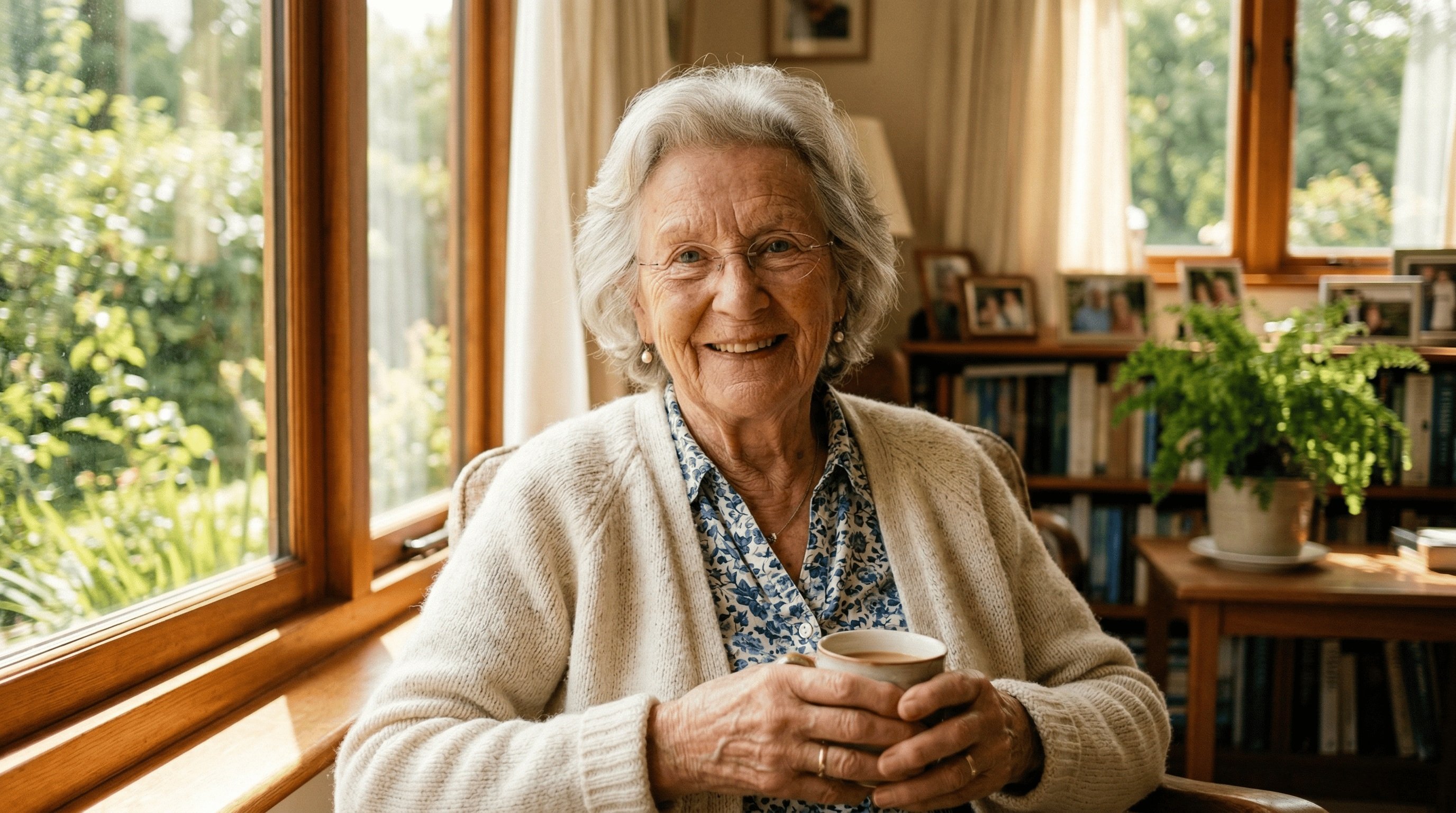
- With negative prompt:
cartoon, 3d render, illustration, smooth skin, plastic, bad anatomy, blurry, out of focus, unnatural lighting
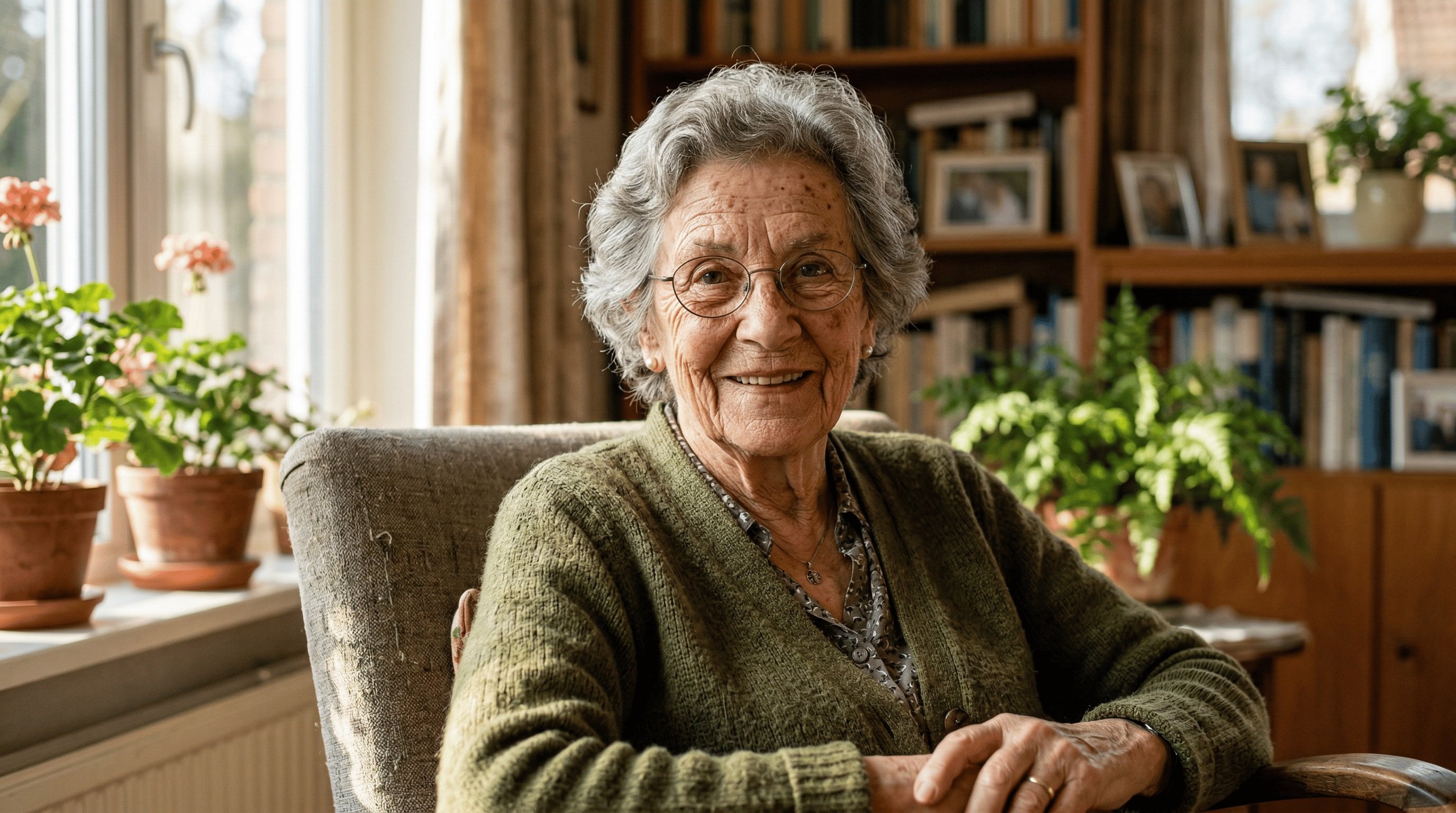
- Result: The image forces the AI away from digital art styles, pushing it to render realistic wrinkles, natural skin textures, and sharp, photographic focus.
Example 2: A Serene Nature Landscape
- Positive prompt: A lush green forest with a stream flowing through it.
- Without negative prompt: The AI might generate a scene that includes hikers on a path, a wooden bridge over the stream, or wildlife scattered throughout the image.
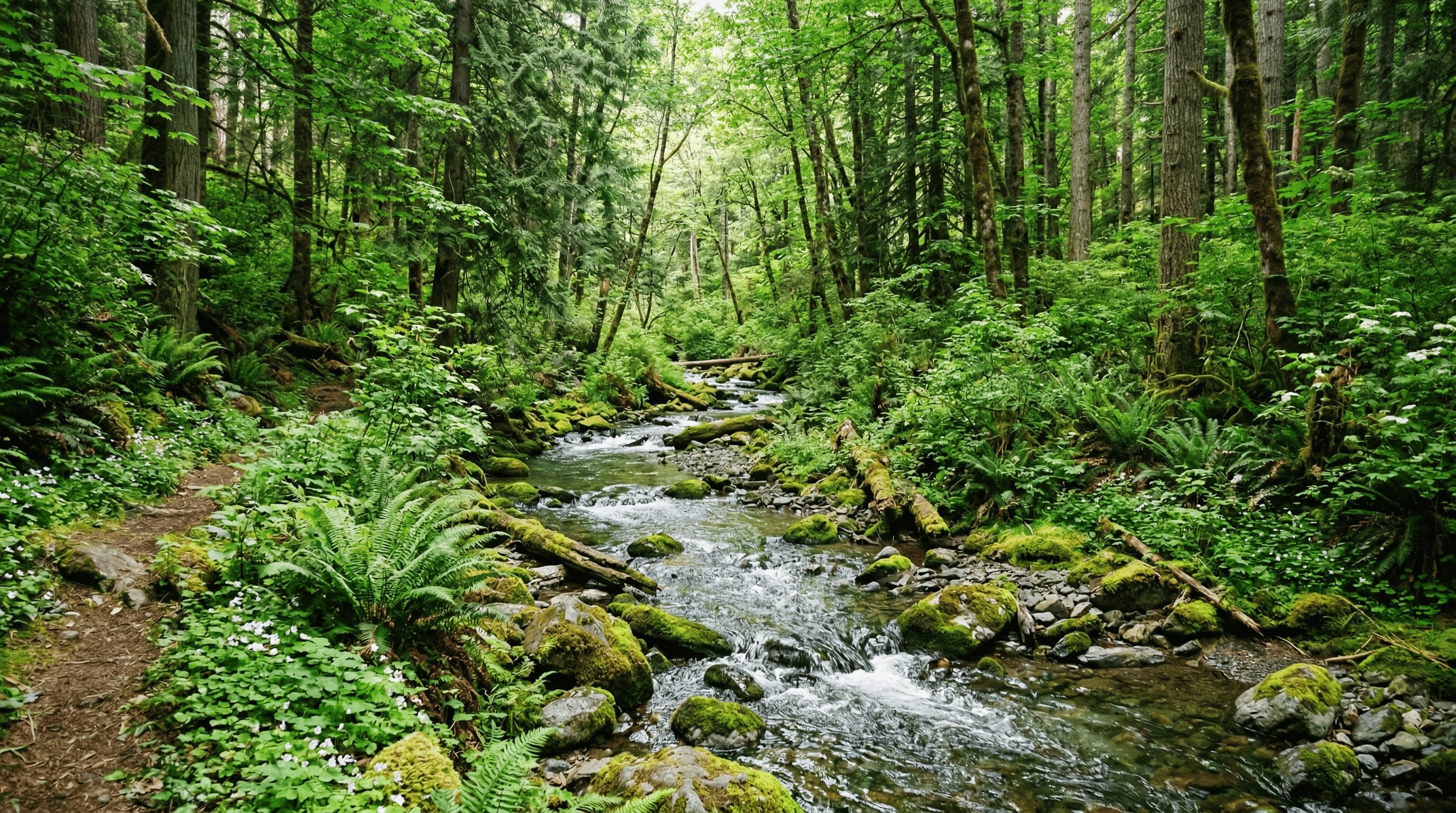
- With negative prompt:
people, humans, animals, bridges, man-made objects, buildings, text, signature, watermark, dull colors
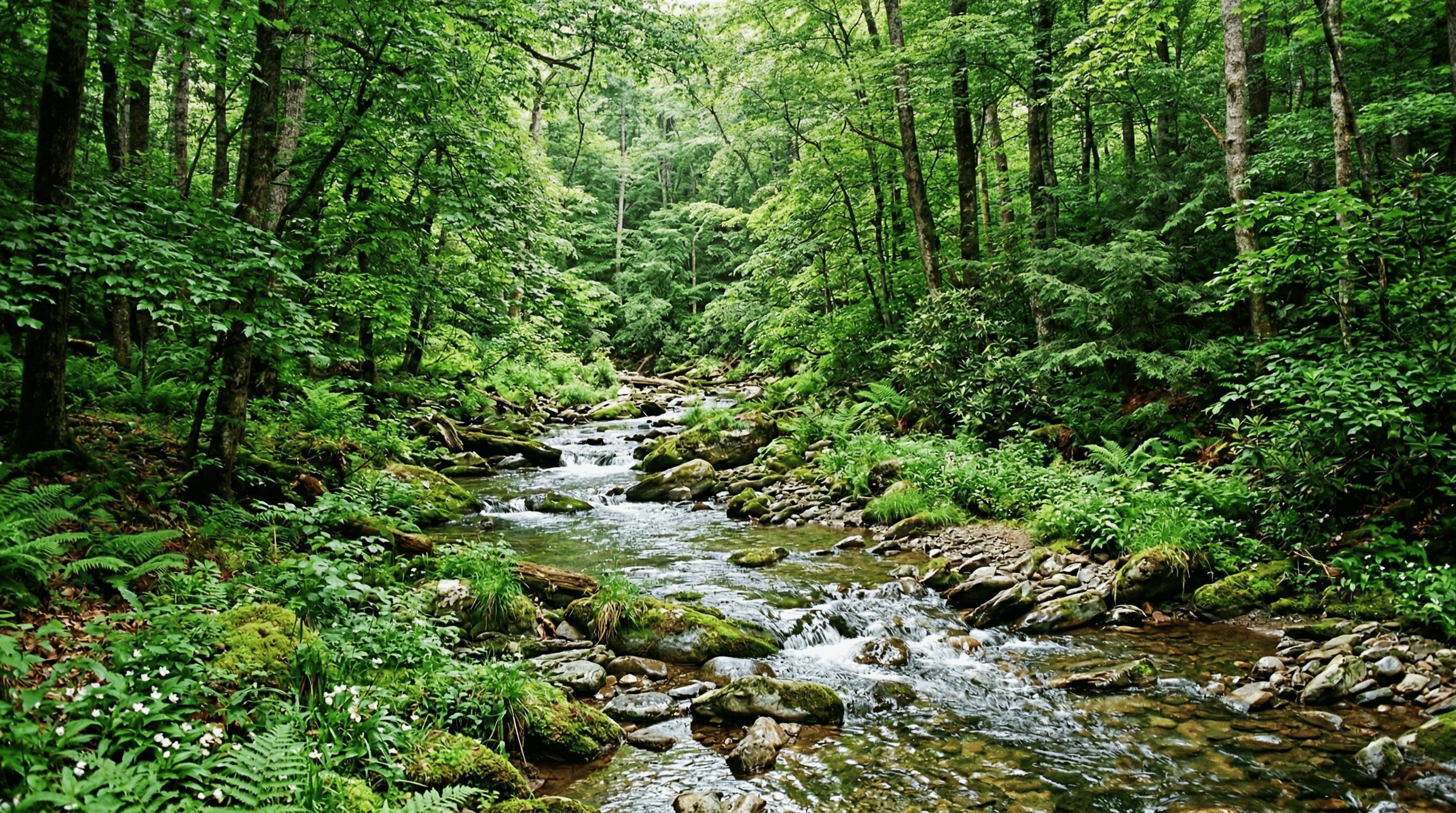
- Result: The AI strips away any human or animal presence, ensuring the focus remains entirely on the untouched, pristine natural environment without any distracting elements or artificial structures.
Example 3: A Classic Anime Character
- Positive Prompt: A vibrant 2D anime portrait of a young swordswoman with flowing silver hair, dynamic action pose, highly detailed.
- Without Negative Prompt: The model might generate a 3D-looking character, blend in realistic human facial features, produce a messy western comic style, or distort the sword.
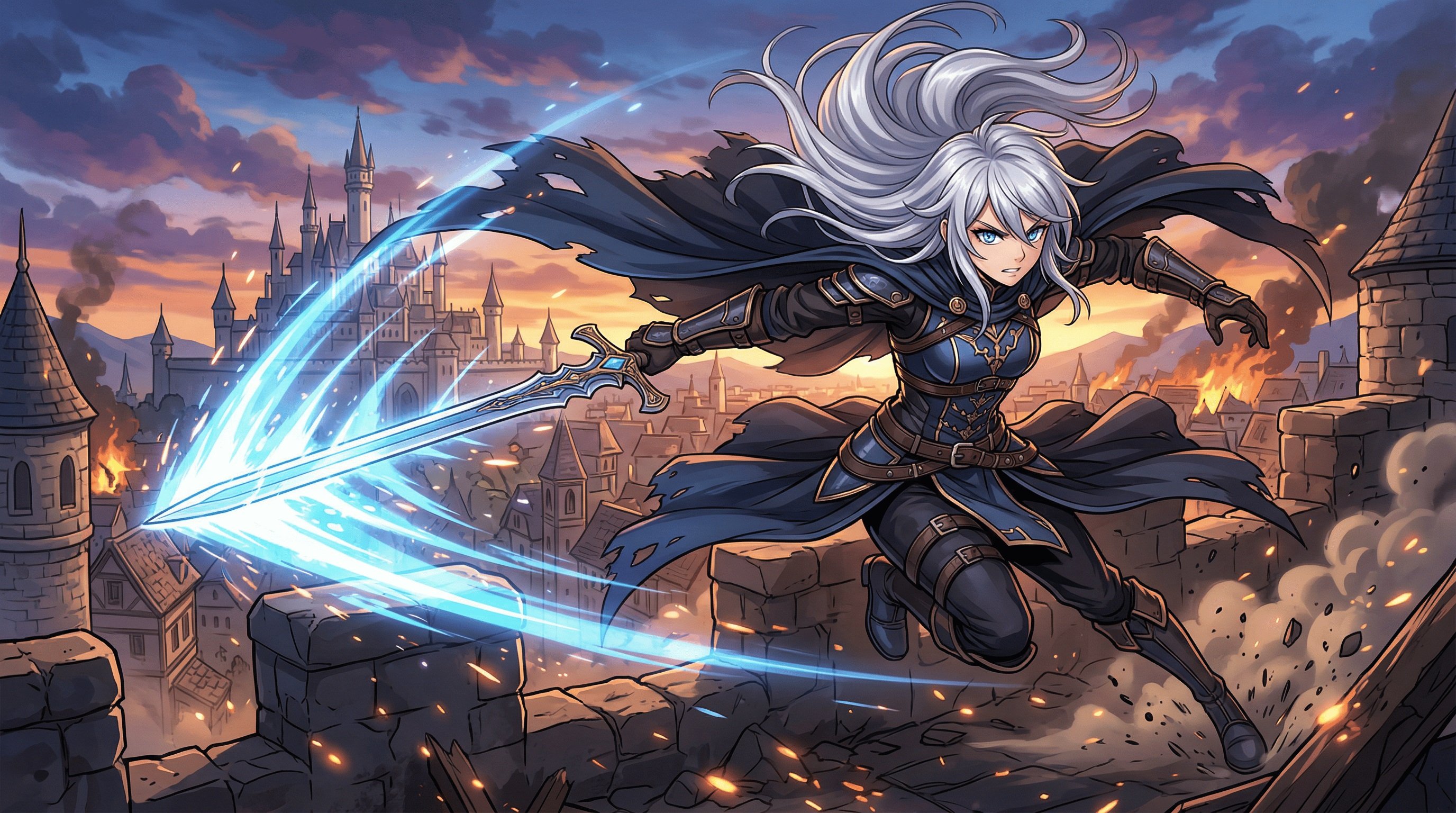
- With Negative Prompt:
3d render, realistic, photorealistic, western comic, painting, bad anatomy, missing sword, fused weapons, messy lines, dull colors
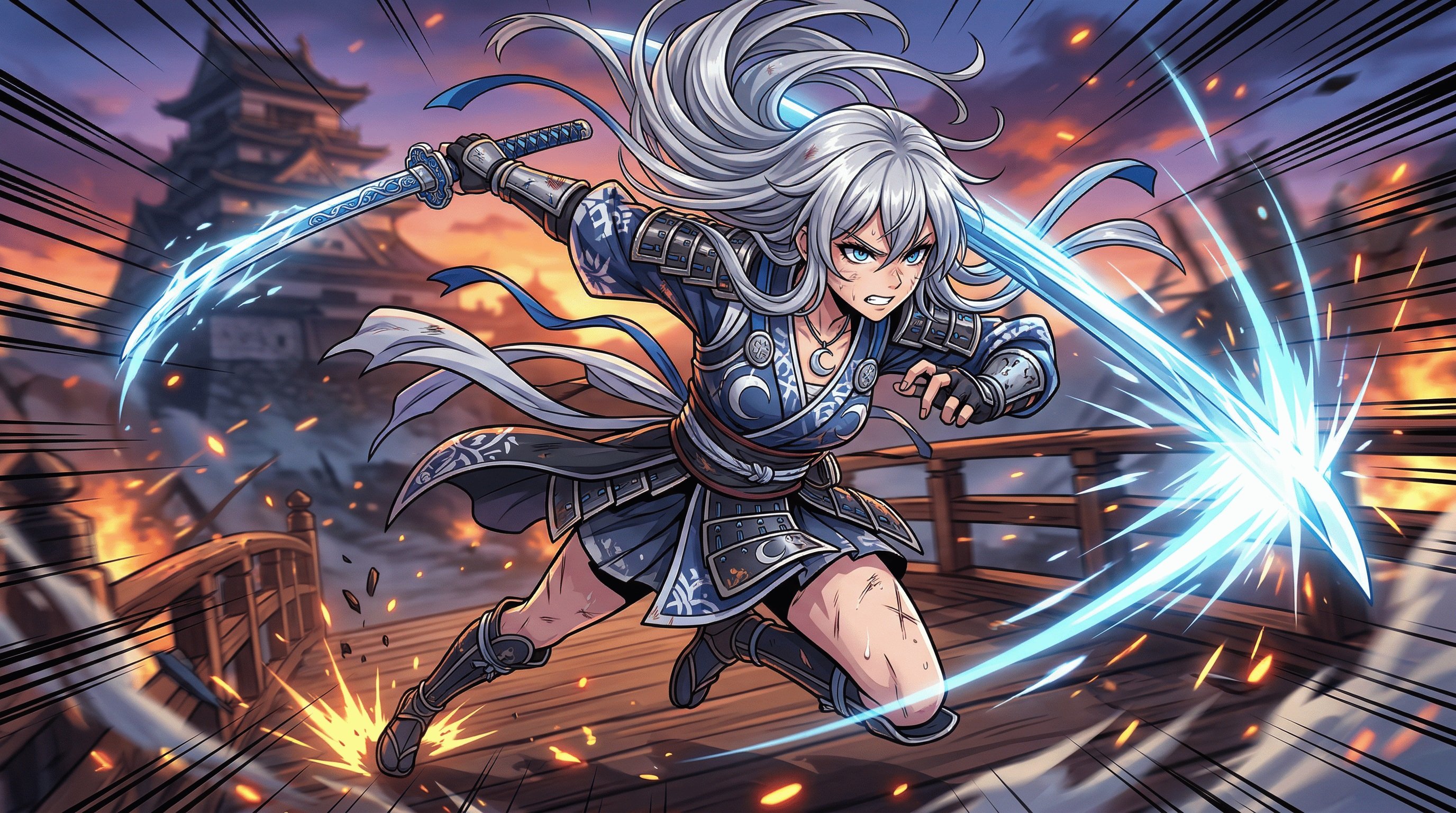
- Result: The AI strictly adheres to the requested 2D anime aesthetic, delivering clean line art, vibrant coloring, and accurate stylistic proportions while avoiding any 3D or realistic bleed-through.
How to turn perfect prompts into stunning images with Framia Pro?
Writing a highly effective negative prompt is an iterative process of observation and refinement. You cannot always predict what the AI will mistakenly generate, so building your negative prompt often happens in strategic, responsive stages. To achieve the best results with minimal frustration, it is highly recommended to pair strong prompting skills with a top-tier generative platform.
Framia Pro is an innovative, all-in-one AI creative agent platform that unifies high-quality image, video, and audio generation. By utilizing a conversational interface and specialized AI agents, it effortlessly transforms simple ideas into polished, cinematic content, allowing creators to focus entirely on refining their unique artistic vision without unnecessary complexity.
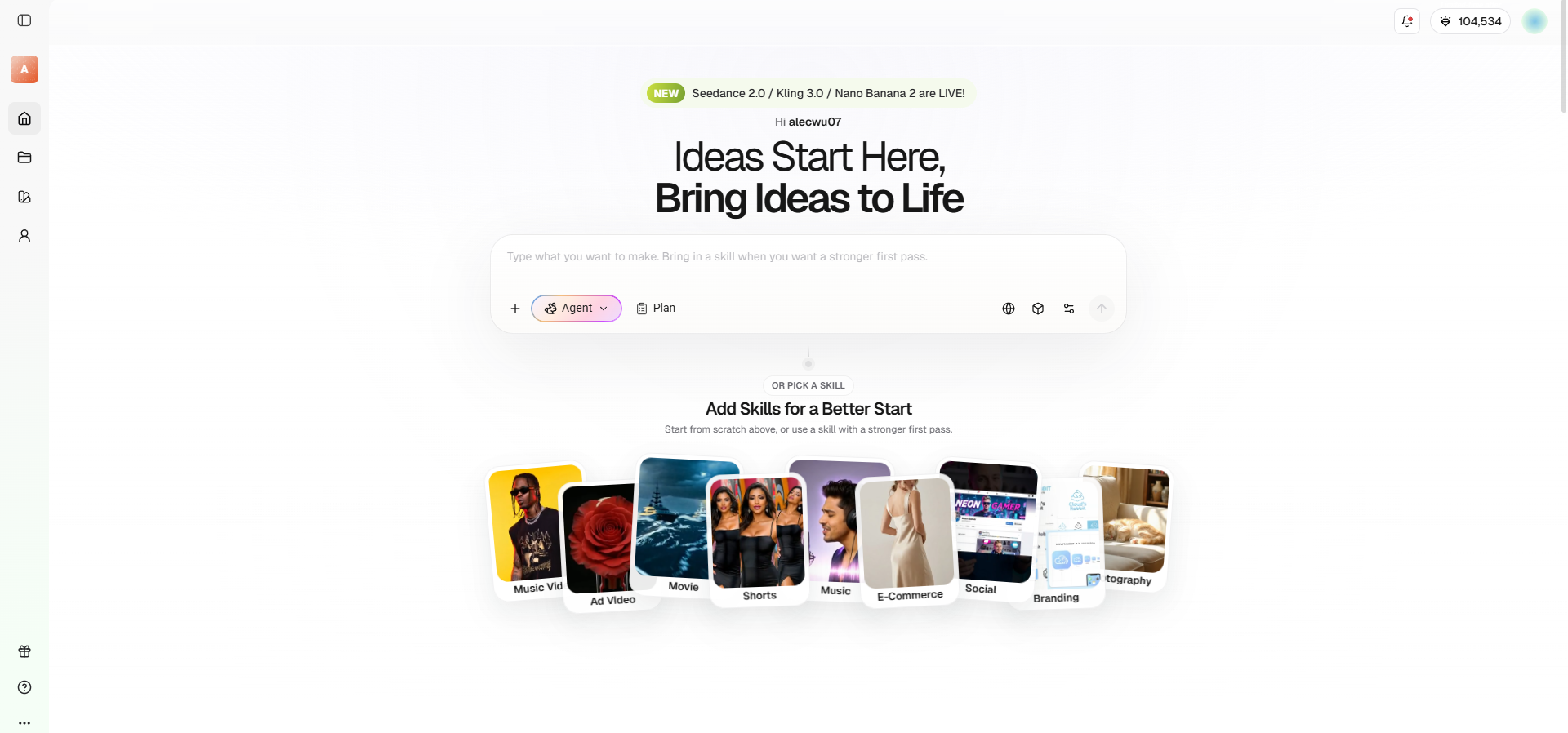
Key features of Framia Pro stand in the generative AI space:
- Advanced multi-model support: Framia integrates twenty industry-leading models, including Veo, Sora, Midjourney, and Nano Banana Pro, ensuring premium visual outputs.
- Conversational creative agents: It replaces complex timelines with specialized, chat-based AI agents building storyboards, stunning videos, and music through natural language.
- Character consistency engine: The platform allows users to lock in specific characters, perfectly maintaining their precise facial features across multiple generated scenes.
- Powerful AI inpainting/outpainting: You can effortlessly modify elements by removing backgrounds, expanding image aspect ratios, or erasing unwanted objects using simple text prompts.
- Unified timeline workflow: Synchronize generated video clips, professional AI voiceovers, and original music tracks seamlessly inside one central command center.
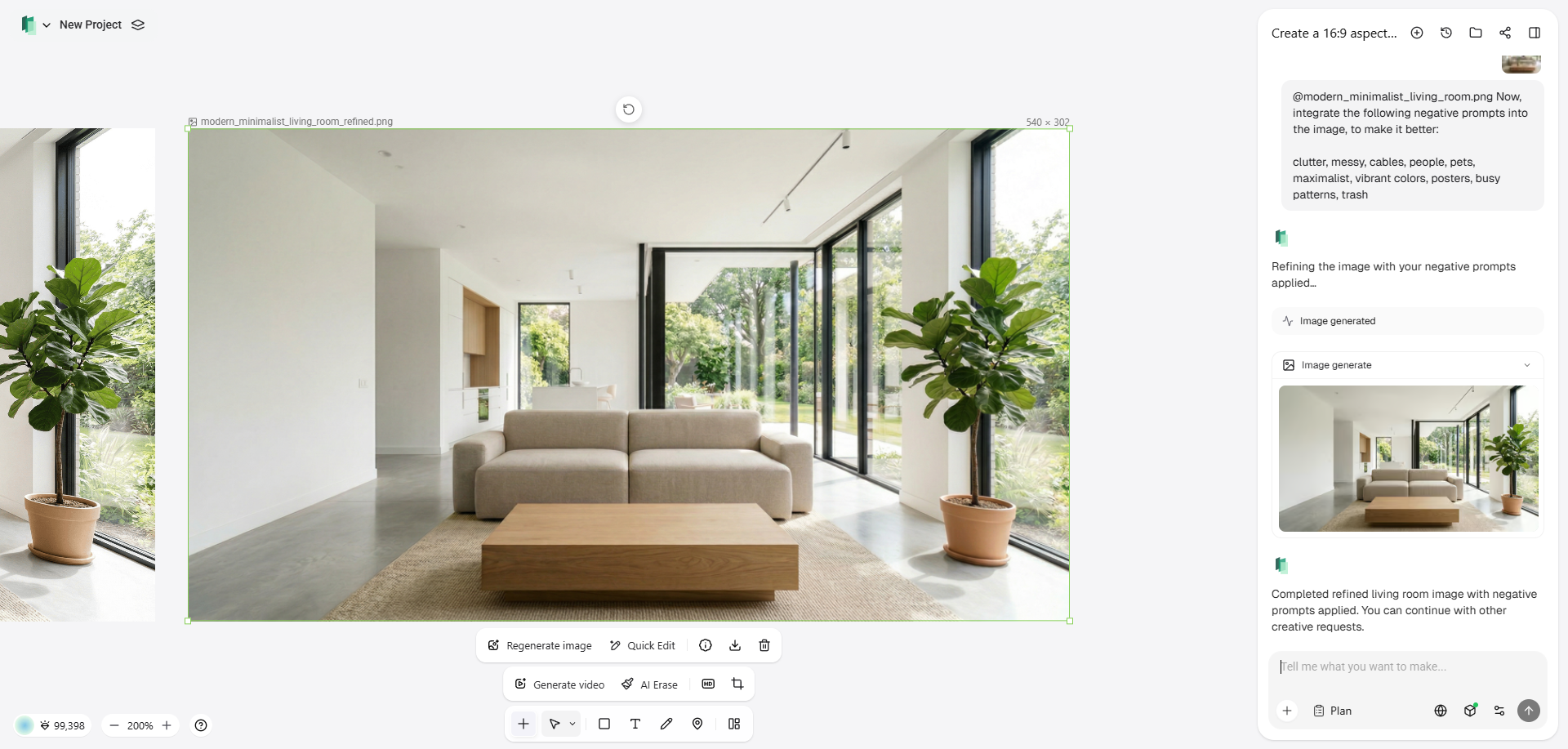
Steps to follow when turning prompts into images with Framia Pro:
Even while using advanced ecosystems like Framia Pro, mastering the negative prompt is an absolute necessity to guarantee the AI agents execute your exact vision without unwanted hallucinations.
Here is a comprehensive, expanded three-step process to help you master this technique:
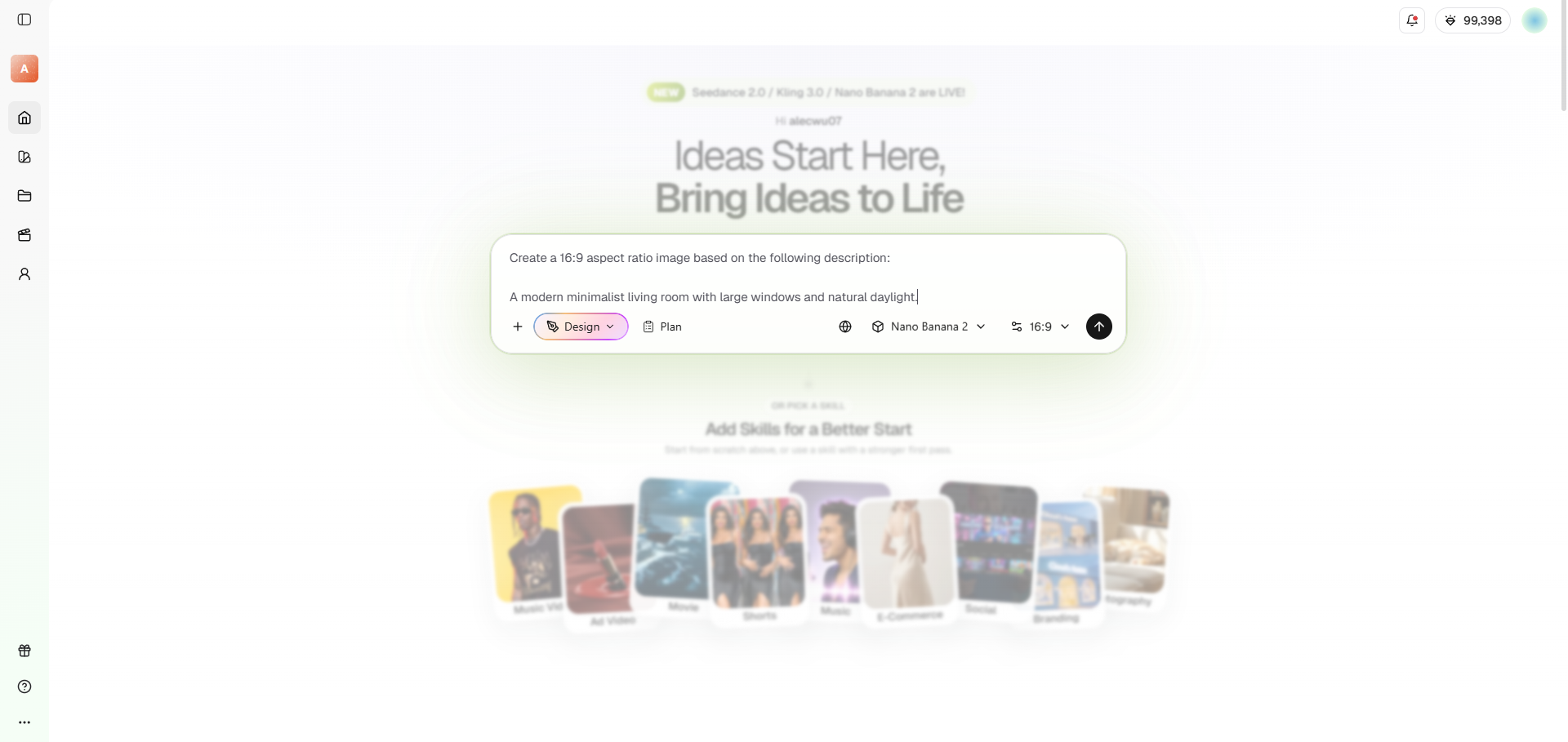
Step 1: Start with baseline generation
Begin by generating your idea using only a positive prompt. Do not add negative constraints yet. Analyze the resulting image carefully to identify any flaws, unnatural elements, or stylistic deviations from your vision.
Step 2: Identify and categorize unwanted elements
Translate spotted flaws into clear, descriptive keywords. Group these logically, starting with broad stylistic terms (like "cartoon") and moving toward specific anatomical or object-level exclusions to successfully prevent AI confusion.
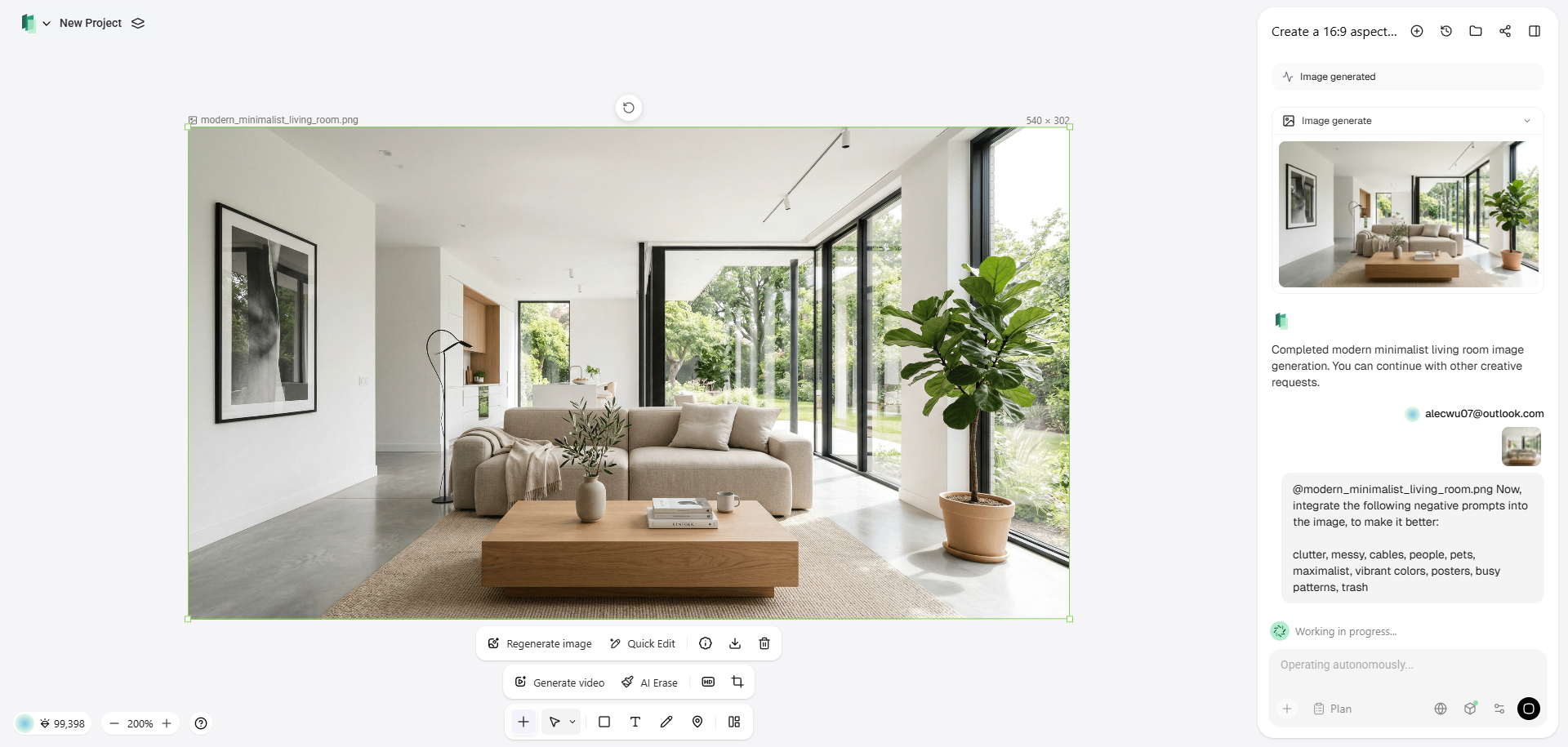
Step 3: Refine, weight, and iterate
Apply your negative keywords and regenerate. Emphasize persistent unwanted elements by assigning them a higher negative weight. Keep your list concise and systematically test adjustments by adding or removing words.
Best practices to follow when writing negative prompts
To truly leverage the capabilities of negative prompting, you need to follow certain strategic guidelines. These best practices will help you minimize trial and error, ensuring your prompts consistently yield high-quality, professional, and accurate AI generations.
- Start broad, then narrow down: Begin with general quality and style exclusions (e.g., "blurry, poor quality, cartoon") before moving to highly specific details. This establishes a clean baseline output, allowing you to easily identify and target lingering artifacts.
- Use prompt weighting carefully: If a specific unwanted element keeps appearing, use syntax to increase the negative weight (like extra fingers:1.4). However, avoid extreme weights, as they can inadvertently distort the rest of the image or confuse the model's logic.
- Maintain a personal template: Create and save a boilerplate list of universal negative keywords (such as "watermark, text, missing limbs, disfigured"). Paste this standard baseline into every new project, saving time and immediately filtering out the most common AI generation errors.
- Avoid over-prompting exclusions: Do not throw every possible negative word at the AI. An excessively long negative prompt can dilute the model's focus, causing it to ignore important positive instructions. Keep it relevant, concise, and strictly tailored to the specific scene.
- Iterate one variable at a time: When refining an output, avoid adding or removing ten negative words at once. Change one or two keywords per generation. This allows you to accurately track exactly which word successfully fixed the issue in your image.
Wrapping up
Mastering negative prompts is a game-changer for anyone working with generative AI. As we have explored, these exclusion lists give you unprecedented control over your digital creations, allowing you to bypass common AI errors and stylistic missteps.
By understanding the core components, from quality modifiers to specific object exclusions, and following a structured, iterative approach, you can transform chaotic, unpredictable outputs into highly refined masterpieces.
Whether you are generating photorealistic portraits or serene landscapes using advanced platforms like Framia Pro, implementing strategic negative prompts ensures your final output perfectly aligns with your creative vision, saving you valuable time and frustration.
FAQs
Do all AI models support negative prompts?
Most major image generators like Nano Banana 2 and Midjourney heavily rely on them. However, many basic text-generation models do not have dedicated negative prompt fields yet.
What is the most important negative prompt for AI image generators?
There isn't one universal keyword, but quality modifiers like "blurry," "distorted," and "watermark" are essential baselines to guarantee a clean, high-resolution starting point for any generation.
Can negative prompts fix bad anatomy?
Yes, adding terms like "extra limbs," "bad anatomy," or "mutated fingers" significantly reduces structural errors, though complex poses might still require multiple iterative adjustments to perfect.
How many words should a negative prompt have?
Keep it concise. A sweet spot is between 10 to 20 highly relevant keywords. Overloading the prompt can confuse the AI and dilute your primary positive instructions.
Should I use sentences or keywords for negative prompts?
Keywords separated by commas work best. AI models process these constraints as distinct tags, making a comma-separated list much more effective than writing complete conversational sentences.