Best Free AI Music Video Agent for Everyone
Start creating viral dance, lyrics, or music videos using Framia Pro's powerful music video agent. Achieve seamless beat matching effortlessly.
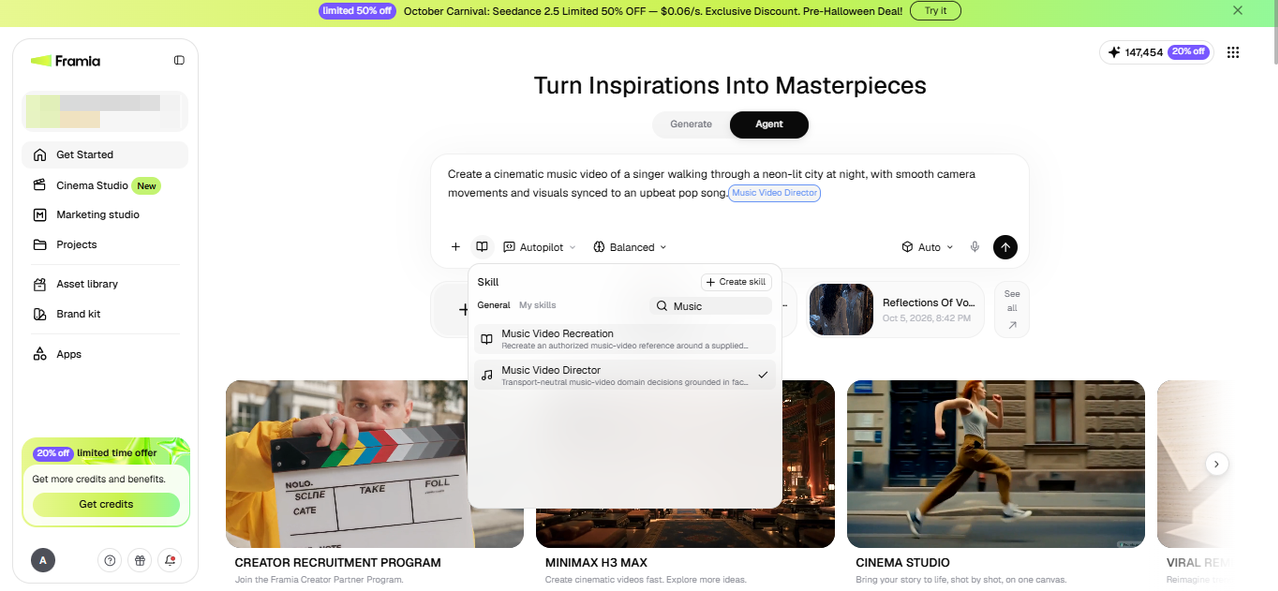
Get StartedWhat is an AI music video agent?
An AI music video agent is an AI system that can create a music video by handling several production tasks from a single prompt. It can develop the concept, write scenes, generate visuals, create or sync music, add characters or effects, and arrange clips to match the song. You can describe the style, mood, story, and music you want, and the agent can organize these elements into a complete video. Some agents also let you give follow-up instructions, such as changing a scene, adjusting the visual style, or syncing shots with specific parts of the song. This makes AI music video agents useful for musicians, content creators, marketers, and video producers who want to create music videos without managing every production step manually.
What can you create with Framia Pro's AI music video agent?
Explore music video examples in different styles, including anime, dance, romantic, dreamy, lo-fi, and horror. Use them as references when describing the look, mood, and pacing of your own project.
Singing avatar music video
Create a virtual singer using a suitable reference image and audio where supported. Describe the performer's appearance, stage, and style, then review the generated movements and synchronization. This workflow may suit creators exploring a virtual band, solo performer, or AI music diva concept.
Story-driven AI narrative MV
Build a visual story around a song by describing its characters, setting, and main events. Use suitable image and video tools to develop scenes that follow the narrative. Review scene transitions, character consistency, and any generated lip-sync before exporting.
Spotify canvas-style visuals
Create short, looping visuals inspired by the Spotify Canvas format. Describe the mood, colors, and movement you want, then review the clip and export it using an available format. Check Spotify's current specifications before uploading your finished visual.
Multilingual lyric videos
Use lyrics as the basis for a visual music project in your preferred language. Describe the text treatment, background, and pacing, then review spelling and timing. Framia Pro's [lyric videos](https://framia.converge.ai/solutions/lyric-video-generator] workflow can help you explore different ways to present a song.
Beat-matched choreography
Describe a dance style, performer, and setting to develop choreography-inspired music visuals. Audio and video tools may help guide the timing of movements and transitions, but results can vary. Review the generated sequence and adjust scenes that do not fit the track.
Music ads for campaigns
Develop short promotional videos using music, visual references, and a clear campaign brief. Describe the audience, message, and preferred style, then review the generated scenes and text. Check that the final video communicates the intended message before using it in a campaign.
Key features of Framia Pro's free AI music video generator
If you are looking for an effortless way to create AI-generated music videos, then Framia Pro is your answer. The following are some of its most crucial features that will help in shaping your end production value.
Visual music video workflow builder
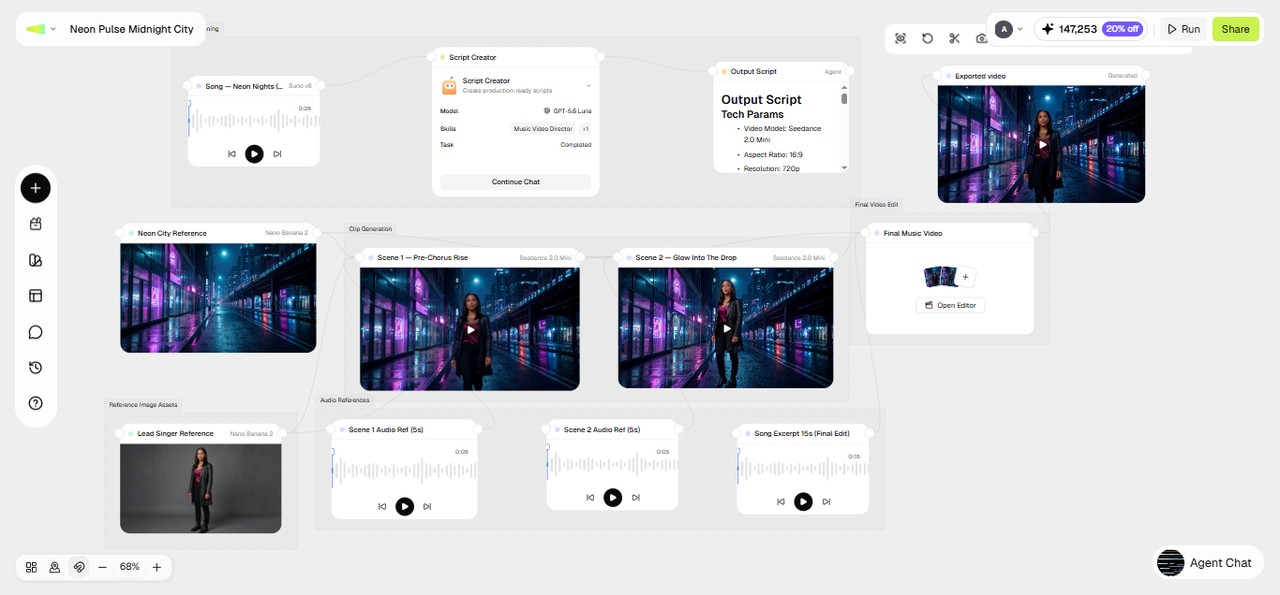
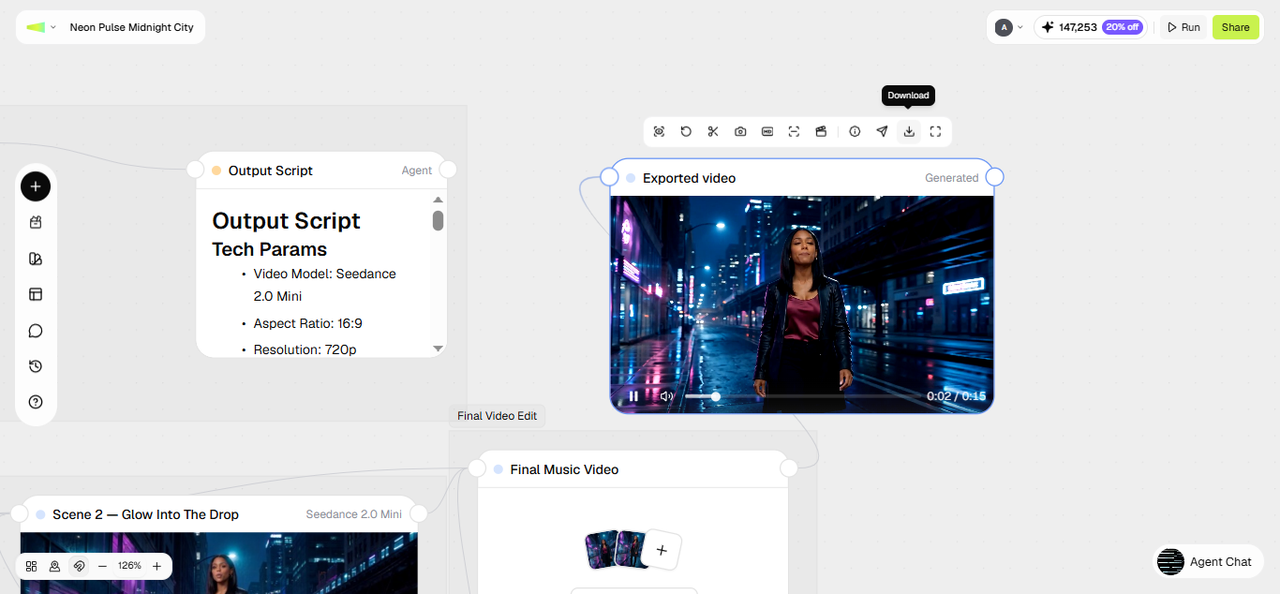
Use the visual workflow canvas to connect supported text, image, video, and audio tasks. Review the connected nodes, adjust prompts, and regenerate selected outputs when needed. This approach organizes a music video project without requiring every task to be handled separately.
Turn music or ideas into stunning videos
Use an AI music to video generator workflow to develop visual scenes from a track or creative brief. Select Veo, Seedance, and Kling for video alongside Mureka and Suno v5 and describe the desired mood, story, and aesthetic. Review the output and adjust individual scenes to better fit your music.
Sync cinematic visuals to the beat
Use intelligent beat-detection technology to help align visual transitions and effects with your audio track. This can help you create cuts that follow the music’s rhythm and highlight key moments, such as beat drops. Results may require manual adjustments to match the visuals and audio precisely.
Sing-along lyrics with natural lip-sync
Create lyric-focused visuals or explore a make photo sing workflow where supported. Use suitable source material, describe the intended performance, and review the generated text and mouth movements. Always obtain permission to use a real person's photo, likeness, and audio where required.
Keep your character and style consistent
Use reference images and related prompts to help maintain a consistent character appearance, color palette, and artistic direction. Review the results across scenes because generated details can vary. Adjust individual nodes when a character or visual element does not match your intended style.
Direct your own music video by chatting
Use follow-up prompts to request changes in your music videos with dance, such as different lighting, a new background, or revised scene pacing. You can also adjust supported nodes in the workflow canvas. Review the results after each change rather than assuming every instruction will be followed exactly.
Versatile social media-ready export formats
Choose from the aspect ratios and export options available for your project. Vertical formats can suit TikTok and Reels, square videos can work for selected social posts, and landscape formats can suit YouTube. Check each platform's current requirements before publishing.
How to use Framia Pro's best AI music video generator easily?
Ready to create your next AI music video with Framia Pro? Follow these simple steps and bring your ideas and audio files to life in minutes.
Explore Framia Pro's diverse AI music video community
DJ
Spiritual
Travel
Lo-Fi/Chill
Dreamy
Party
Romantic
Creepy/Horror
Why should you use Framia Pro's free music video generator?
While every user has a different set of needs and preferences, the following are some of the major reasons as to why you should definitely start utilizing Framia Pro's exciting AI capabilities.
Access to elite industry models
Access industry-leading powerhouses like Sora, Veo 3.1, and Kling for video, alongside Suno v5 for audio. Consolidating these elite models into one interface ensures your AI music diva output consistently matches top-tier studio standards.
Create videos with fewer production steps
Use available audio-analysis and editing features to help align scenes, transitions, and effects with the track. Check the results manually, especially around fast rhythms or major changes in the song. The tools can assist with timing but cannot guarantee a perfect match.
Perfect audio-visual synchronization
Framia Pro's intelligent engine listens to your DJ drop maker track, automatically aligning transitions and effects with the beat. This precision creates a seamless bond between audio and visuals, providing an immersive and professional experience.
Control individual creative elements
Review the project's connected nodes and adjust supported prompts, references, or settings. This allows you to make targeted changes to selected scenes instead of rebuilding every element. The available controls depend on the selected model and the type of output.
Adapt content for social media
Create a music video and, where supported, adapt its framing or scenes for shorter social clips. Review each version before publishing because different platforms have different aspect ratios and content requirements. Do not promise that one project automatically generates every format.
Meet every creative need with Framia Pro's AI music video generator
Whether you are an indie artist or an award-winning music producer, Framia Pro's AI-based tools and features can help you in your workflow, ultimately supercharging the creative output.
Independent musicians & bands
Musicians can explore visual concepts for singles, demos, and promotional tracks. Start with a song and describe the atmosphere or story you want to communicate. Review the generated visuals and make edits before using the video to promote a release.
Digital content creators
YouTubers and social media creators can experiment with music-led clips and short videos visuals. Describe the intended audience, format, and style, then review the result before publishing. Available export options and generation limits depend on the selected workflow and plan.
Anime & AMV creators
Explore an anime music video by describing the art style, characters, setting, and scene pacing. Use suitable video-generation models to develop sequences inspired by your soundtrack. Review character consistency and transitions, especially when multiple generated clips need to work together.
Visual artists & designers
Artists can explore ways to animate illustrations, cover art, and custom song lyric wall art through supported image-to-video workflows. Describe the motion and atmosphere you want, then check whether the animation preserves the artwork's important details and text.
What users say about Framia Pro's AI music video generator
Lastly, before wrapping up, let's look at some of the most vocal user reviews presented by people just like you, about Framia Pro's impact in their lives.