Share


I've spent a lot of time running the same brief through different AI video platforms to see which claims hold up outside a marketing page. This Nim AI review does the same thing. Nim AI's pitch is simple. Rather than paying for Runway, Kling, and Pika separately, one dashboard and one credit balance get you all of them. That's a real convenience if the models behind it perform consistently, so I tested that specific claim, then checked my results against Nim's Trustpilot reviews.
Key takeaways
- Nim AI (nim.video) launched in January 2025 and now serves over 1M+ users across 20+ integrated models, including Veo, Kling Pro, Luma Ray 2, Pika, and Nano Banana 2.
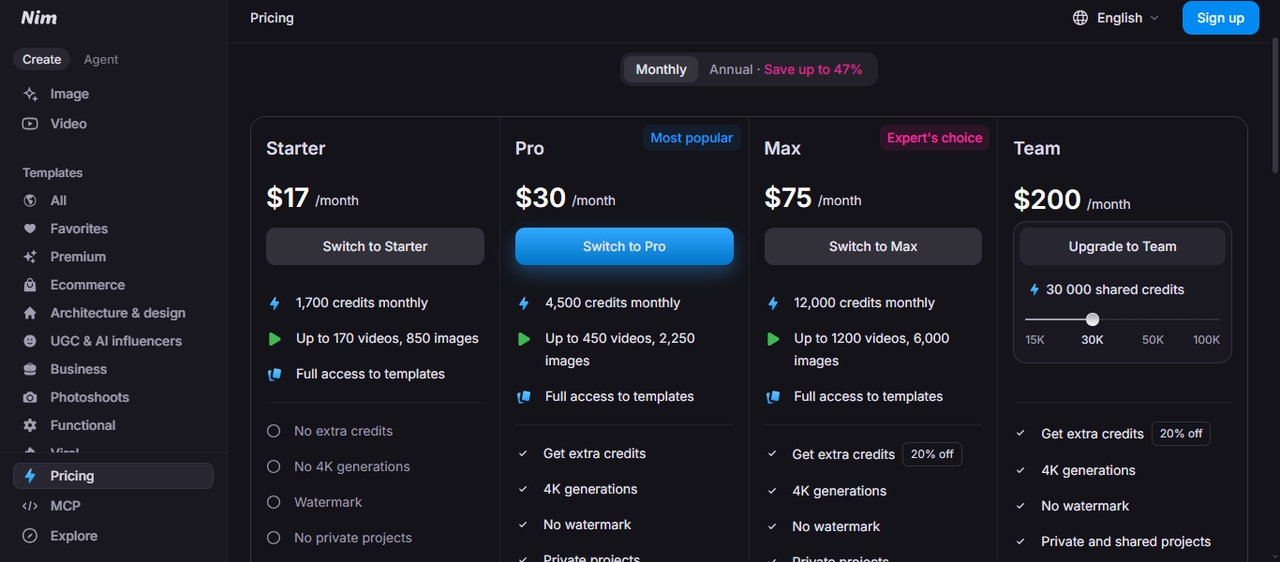
- Pricing runs Starter ($17/month, 1,700 credits, watermarked, no 4K, no private projects), Pro ($30/month, 4,500 credits, no watermark, 4K generations, private projects, most popular), Max ($75/month, 12,000 credits, discounted extra credits), and Team ($200/month, 30,000 shared credits, scalable to 100K). Annual billing saves up to 47%.
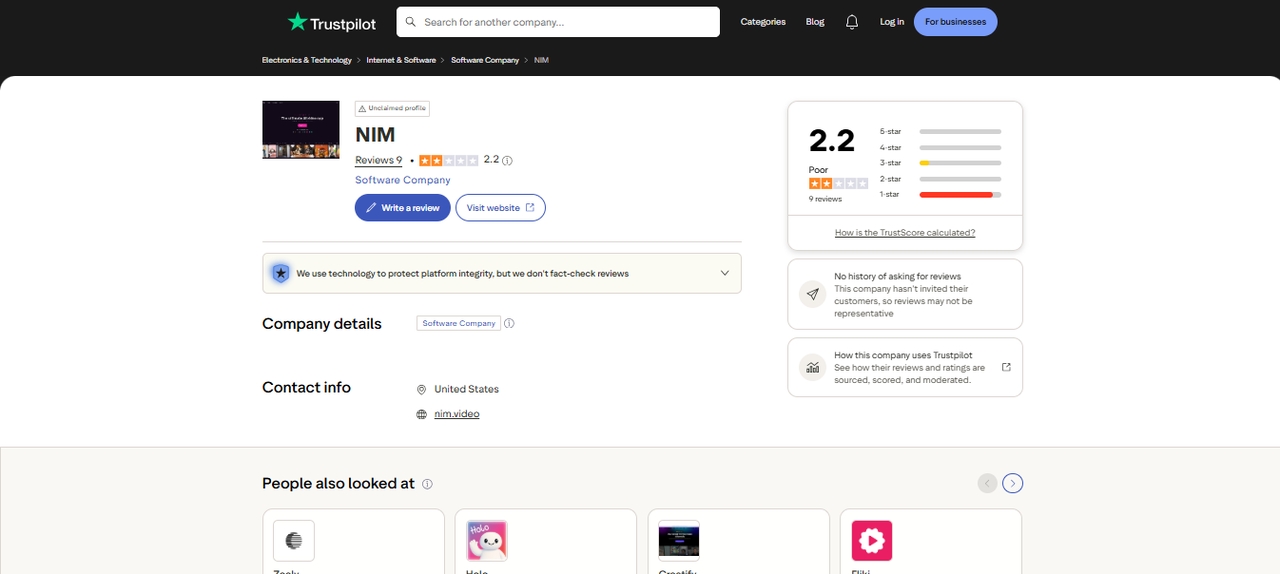
- Trustpilot rates Nim 2.2 out of 5 from 9 reviews, with 89% one-star. The sample is small, but the complaints are specific about billing charged multiple times after a cancellation request, models advertised in ads that showed "coming soon" once selected, and unresponsive support.
- My own test confirmed the platform's most common criticism directly. The same product-shot prompt produced noticeably different quality across three of Nim's integrated models.
- For consistent output without gambling on which underlying model you land on, Framia Pro runs a smaller, more curated set of frontier models with tools Nim doesn't offer.
What is Nim AI?
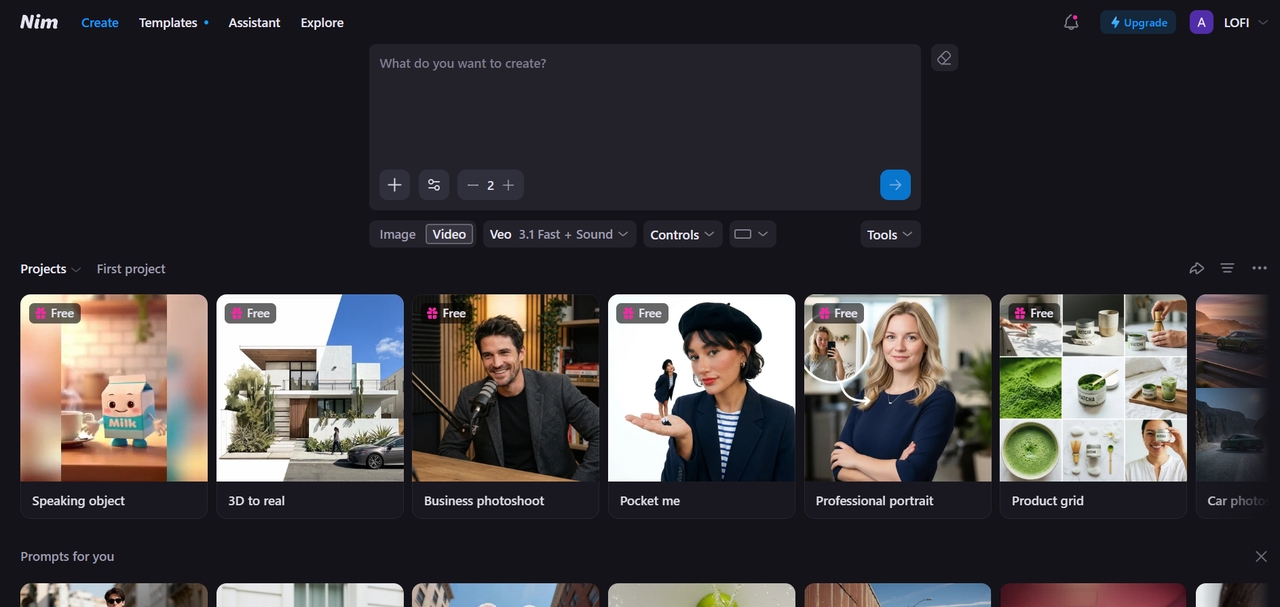
Nim AI (nim.video) launched in January 2025 and has grown to more than 2 million users, backed by over $5 million in venture funding. It positions itself as an all-in-one AI video production app, aggregating more than 20 generative models, including Veo, Kling Pro, Luma Ray 2, Pika, Runway, Hailuo, and Nano Banana 2, behind a single credit-based subscription instead of separate logins for each one.
Beyond raw generation, Nim added an agent feature called Nim Stories in mid-2025, which takes a single prompt and produces a full short-form video, including research, script, visuals, narration, and captions, rather than a single clip.
How I tested Nim AI for this review
Nim's main selling point is access to multiple AI models from one workspace. To test whether that access changes the output, I used the same model, prompt, duration, aspect ratio, and generation settings in Nim and through the model's direct platform.
My test prompt was:
“A 6-second close-up product shot of a matte black insulated water bottle rotating slowly on a marble countertop with soft studio lighting.”
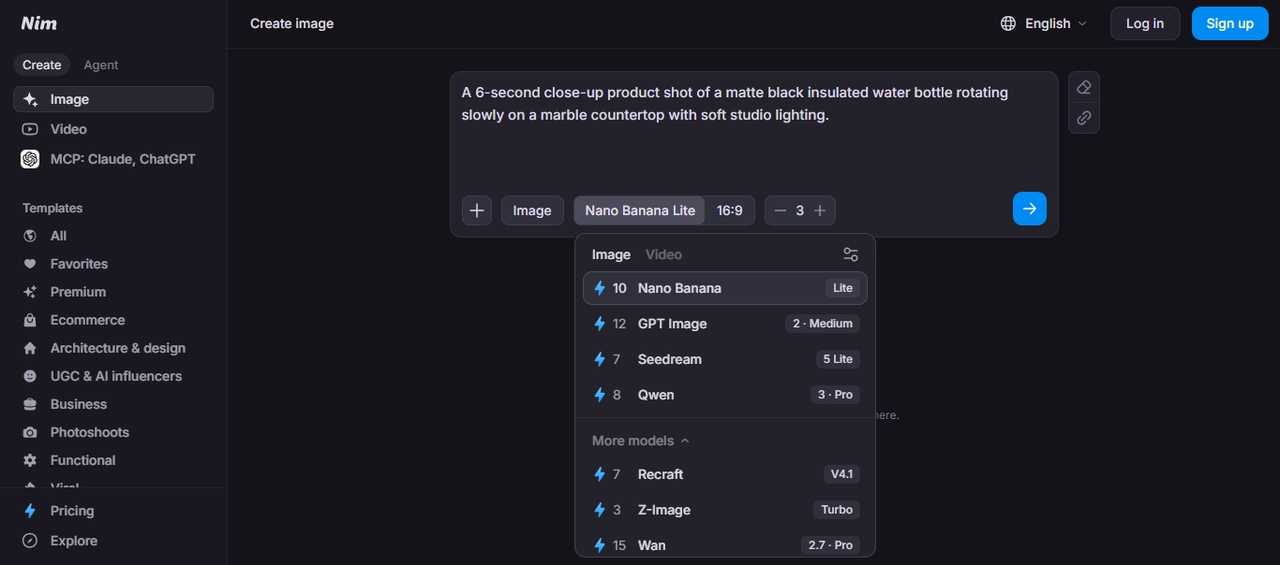
I compared the two results on four points:
- Prompt accuracy
- Product shape and label stability
- Generation time
- Credits used
This setup gives a cleaner comparison than testing three different models against one another. Different models can produce different results even when the platform is identical, so a same-model comparison isolates the effect of accessing the model through Nim.
I also checked Nim's current subscription terms and recent Trustpilot reviews. Nim's terms state that subscriptions can be canceled through account settings, with cancellation taking effect at the end of the current billing period.
I also read the full set of recent Trustpilot reviews for nim.video AI to check whether my one test session lined up with a bigger sample of real usage.
Key features of Nim AI video generator
Nim AI functions as a high-powered aggregator, bringing together the world's most advanced generative models into a single workspace. Here are key features that set it apart:
- Multiple model integration: Access a rotating roster of top AI engines, including Veo 2, Kling Pro, Pika, Runway, and Luma Ray 2, allowing users to choose the best model for their specific aesthetic or task.
- Text-to-video & Image-to-video: Nim AI video generator converts simple text descriptions into cinematic scenes. It also turns static photos into videos, breathing life into them with fluid motion, realistic physics, and professional camera movements.
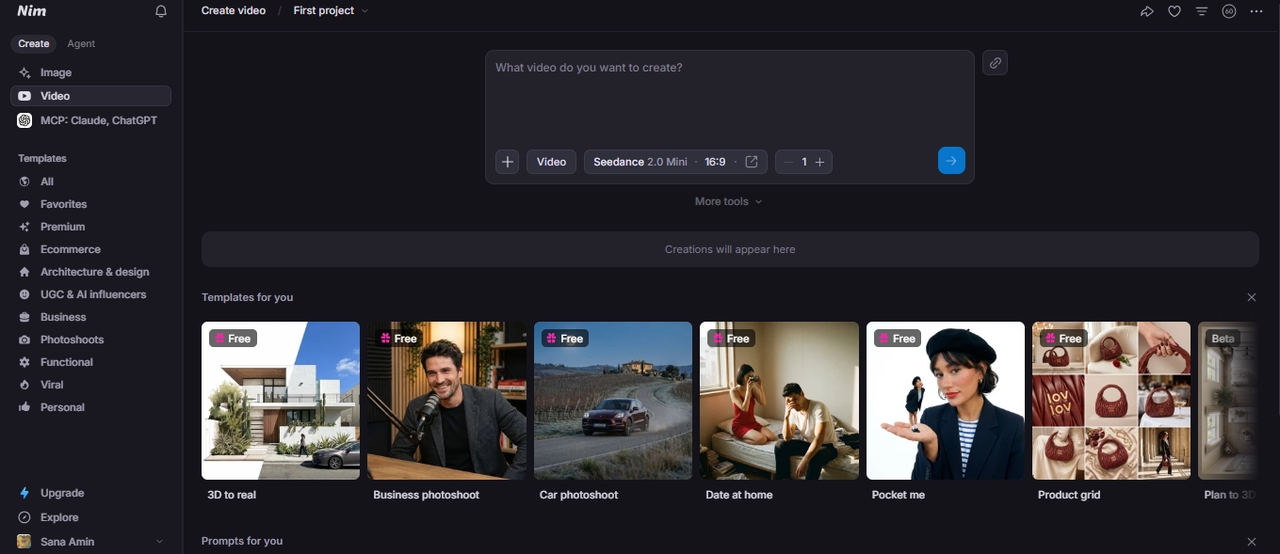
- AI lip sync & voice integration: The platform includes lip-sync technology that matches voiceovers with characters or visuals. It also supports adding audio, narration, and sound effects for more realistic and engaging videos.
- Video restyling: Change the entire aesthetic of your footage with a single click. You can convert real-world video into different artistic styles, such as anime style, cyberpunk, 3D render, or oil painting, while maintaining the original motion structure.
- Prompt assistant & templates: Nim AI offers a built-in prompt assistant that helps users craft better inputs. Combined with ready-made templates and inspiration feeds, it speeds up workflow and improves output quality.
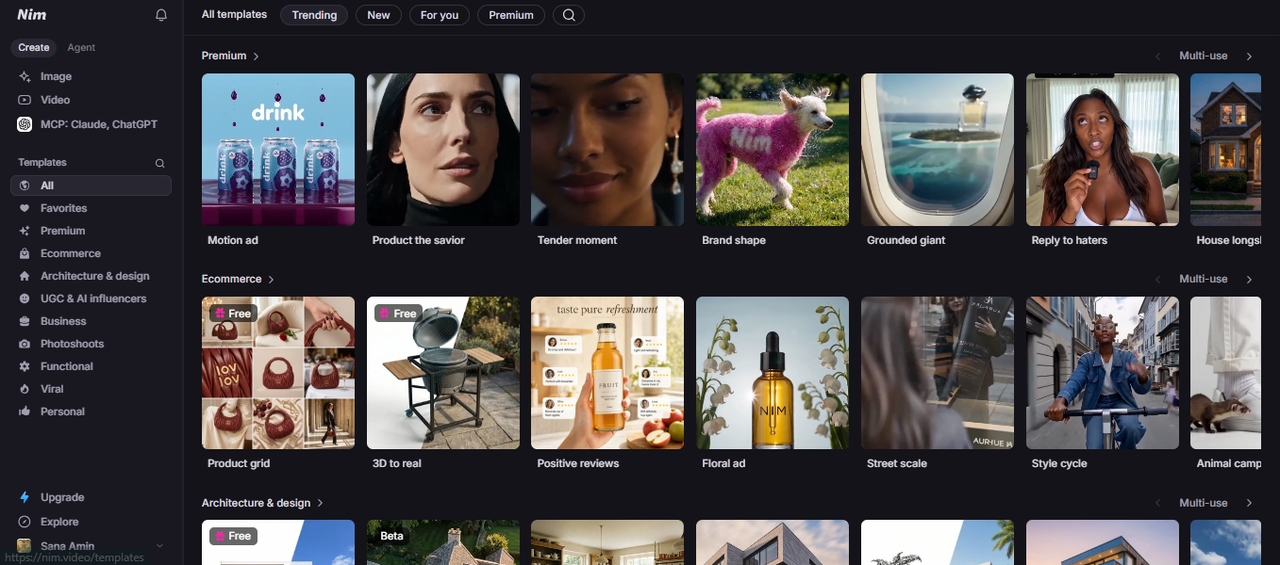
- Built-in creative editing suite: Refine your output directly within the platform using integrated post-production tools. This includes AI video upscaling for higher resolution, sharpening filters for clarity, custom lighting adjustments, and simulated camera movements like pans or zooms to add cinematic depth.
Nim AI pricing
| Plan | Price/month | Credits/month | Videos/images | 4K generations | Watermark | Private projects |
| Free | $0 | ~5-40 videos (trial pool) | — | No | Yes | No |
| Starter | $17 | 1,700 | Up to 170 videos, 850 images | No | Yes | No |
| Pro (most popular) | $30 | 4,500 | Up to 450 videos, 2,250 images | Yes | No | Yes |
| Max (expert's choice) | $75 | 12,000 | Up to 1,200 videos, 6,000 images | Yes | No | Yes |
| Team | $200 | 30,000 shared, scalable to 100K | — | Yes | No | Private and shared |
Annual billing knocks up to 47% off these rates. The credit math is consistent across every tier, roughly 10 credits per video, so a bigger plan doesn't quietly change the per-clip cost the way it does on some competitors. Extra credits are available on Pro, Max, and Team, with Max and Team getting a 20% discount on top-ups. Credits reset every billing cycle and don't roll over, so unused capacity disappears at renewal.
Nim AI review: What real users say
Trustpilot (2.2/5, 9 reviews, 89% one-star): This is a small sample, so I'm not treating it as the final word, but the specific complaints line up with each other rather than reading like random one-off frustration. One reviewer described being charged three separate times after requesting a cancellation, with support unreachable for months. Another said ads promoted specific models that displayed "coming soon" once selected inside the actual product. A third, a Max-tier subscriber, described restrictive and inconsistent content moderation along with support that never responded.
Nim AI review: Pros and cons
Elevate your content creation by harnessing the power of multiple premier AI models in one place. Discover why creators are switching to this hub—here is a quick look at the pros and cons of Nim AI:
Pros
- Genuinely broad model access, such as Kling Pro, Veo, Pika AI, Luma Ray 2, and more, from one subscription and one credit balance
- Beginner-friendly dashboard with a prompt assistant that helps with wording
- Nim Stories can produce a full short-form video, script through captions, from a single prompt
- Built-in upscaling and restyling tools save a trip to a separate editor
Cons
- Trustpilot reviews describe billing that continued after cancellation requests, with slow or unreachable support
- Some models advertised in marketing weren't available inside the product in at least one reviewer's account
- Starter plan keeps a watermark and locks out 4K generations and private projects, so real production work means upgrading to Pro or higher
Why creators are searching for Nim AI alternatives
While Nim AI is powerful, creators often face limitations like inconsistent output quality, limited customization, and a credit-based system that can become expensive for frequent use. Some users also find certain advanced features locked behind higher plans. Because of these challenges, many creators are exploring better, more flexible, and cost-effective options. Consider the 5 Nim AI alternatives below that offer improved control, quality, and scalability for video production.
| Nim AI | Framia Pro | Runway | Higgsfield AI | Kling AI | Dreamina | |
| Entry paid price | $17/mo | $16 first month | $12/mo annual | $15/mo | $10/mo | $15/mo* |
| Model approach | Aggregates 20+ third-party models | Curates multiple video, image, audio, and creative models | Uses its own models plus selected integrations | Aggregates 15+ models | Kling model family | Uses ByteDance's creative models |
| Output approach | Results vary by selected model | Model-specific output within one workspace | Consistent workflow around its own model lineup | Multiple models with different output characteristics | Single model family | Single-platform model ecosystem |
| Trend research or brand tools | Not listed as a core feature | Marketing Studio + Brand Kit | Not a core feature | Marketing and creative workflow tools | Not a core feature | Marketing and social content tools |
| Use case | Accessing multiple models from one subscription | Multi-tool creative workflows | AI video production and filmmaking | Multi-model video creation and camera control | Direct access to Kling generation | Social, marketing, image, and video creation |
Note: Pricing should be rechecked against each live pricing page before subscription.
- Framia Pro
Framia Pro runs a curated set of frontier models, Veo 3.1, Sora 2, and Kling 2.6, alongside dedicated agents for specific tasks rather than one generic dashboard. Its Agent mode creates a node-based workflow where you connect different skills and experts into one pipeline. You pick a reasoning depth for the agent, such as fast, balanced, high, or ultra high, depending on how much the task needs, with ultra high running on GPT Astra 6 for the most demanding creative and reasoning work.
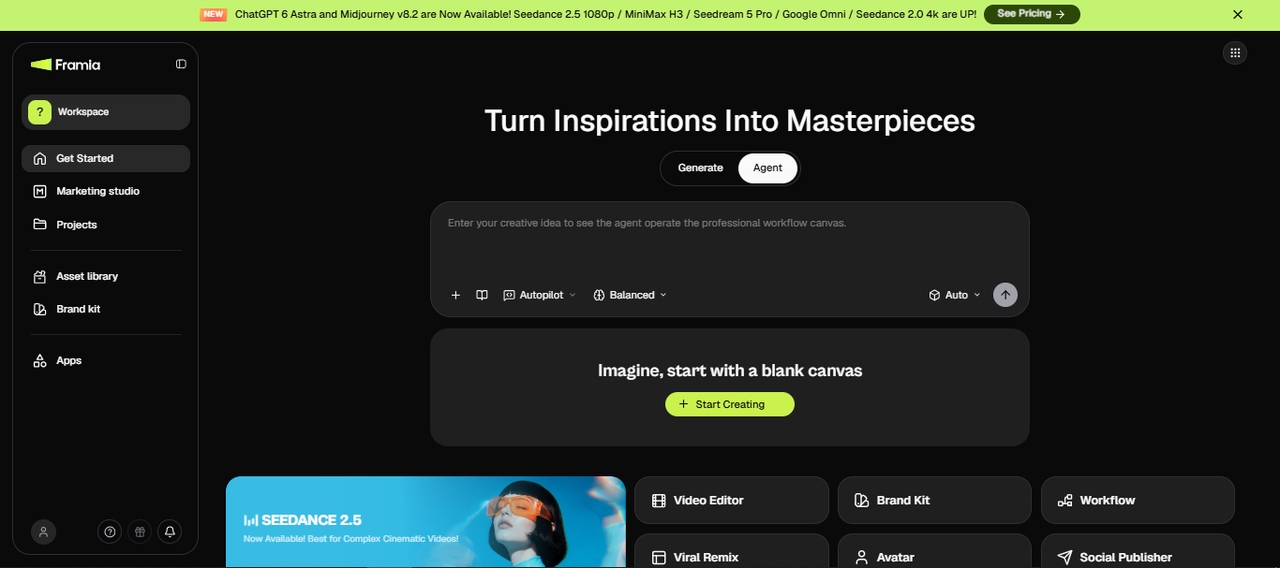
Pricing: Framia Pro runs $16 for the first month, then $20/month after that, well under Nim's Pro plan at $30/month (the tier that actually removes the watermark and unlocks 4K). The single Framia Pro plan offers workflow canvas, templates, cinema studio, marketing studiom and more.
My Framia test: I tested Veo 3.1, Seedance 2.5, and Kling 3.0 in Framia with a product-video brief. I compared prompt accuracy, product consistency, motion, and overall output quality. I also tested Canvas Editing to change a specific element without redoing the entire asset. The results gave me a direct comparison of Framia's multi-model workflow and targeted editing tools.
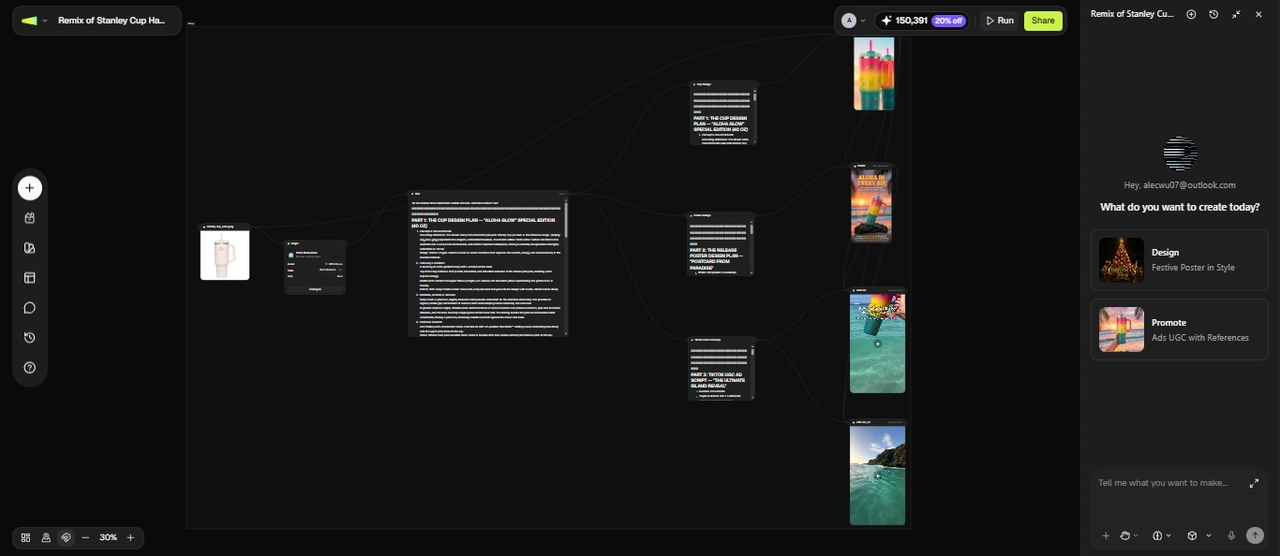

Test outcome: All three models produced usable product clips, but the results differed in motion and prompt interpretation. Canvas Editing let me target a specific element instead of starting the entire asset again.
What Framia Pro has that Nim doesn't:
- Marketing Studio. A research agent drafts a content plan from real trend data before you generate anything.
- Intelligent storyboard editor: A timeline-based editor where you can arrange clips, regenerate specific shots with agent assistance, and sync audio in real-time.
- Brand kit generator: Creates a set of brand assets using your chosen logo, color palette, and typography.
- Viral remix and trending templates: Ready-made, trend-based formats instead of a blank prompt.
- Dedicated skills for ads, design, and music help you organize different creative tasks within the same project.
- Interactive Canvas Editing: Point to specific areas of a video or image to request changes, and the AI agent will modify that exact element for you.
Pros
- Superior character consistency and multi-shot storytelling compared to single-prompt tools.
- All-in-one creative command center (video + image + music + editing) that dramatically speeds up professional workflows.
- Access to the absolute latest models (Veo 3.1, Sora 2, etc.) with frequent updates.
- Beginner-friendly agent system — you direct ideas while the AI handles execution, refinement, and continuity.
Cons
- Due to multiple models and features, new users may take time to understand the platform fully.
- Runway
Runway is best for filmmakers and creators who prioritize cinematic camera movement, realistic visuals, and detailed control over individual shots. It can replace Nim AI when a project requires more direct control over motion and scene composition.
Key features
- Camera movement: Offers controls for cinematic pans, tilts, zooms, and other camera movements.
- Image quality: Produces detailed visuals with realistic motion and strong scene consistency.
- Ease of use: Provides a dedicated video creation and editing workspace, though advanced controls take time to learn.
Limitation
- Frequent usage may become expensive due to credit consumption per generation.
- Higgsfield AI
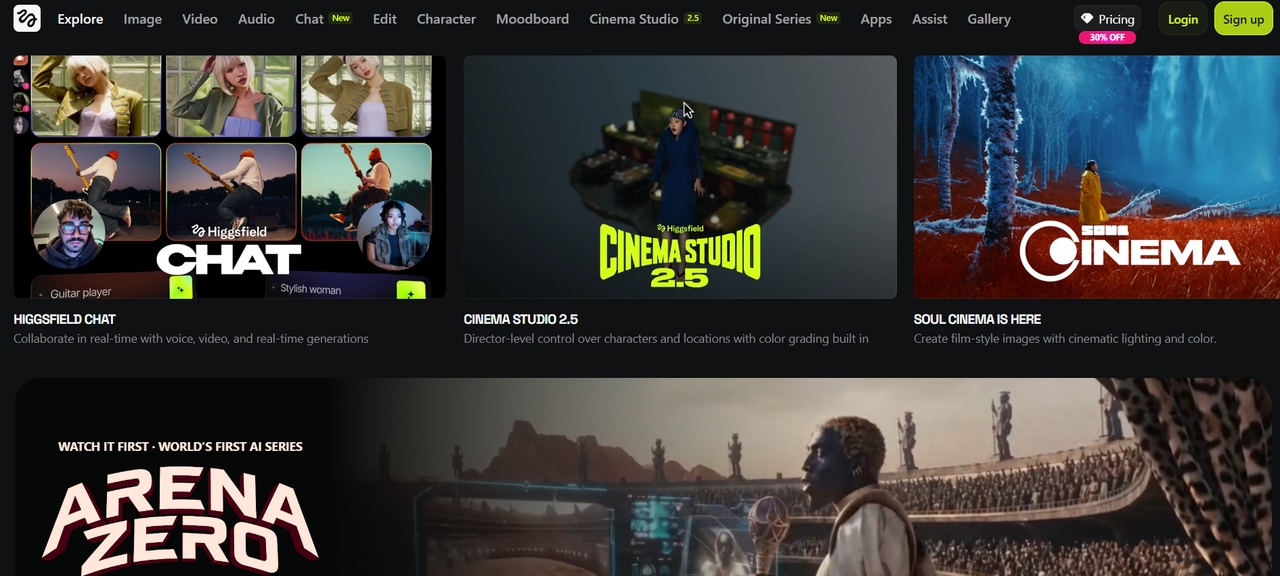
Higgsfield AI is an all-in-one studio platform that combines access to leading models (Veo 3, Kling, Hailuo, etc.) with strong character consistency, cinematic camera controls, and full workflow tools like image-to-video and editing. It suits marketers, filmmakers, and social media creators who want cinematic videos with strong camera control and consistent characters. It can replace Nim AI when precise shot direction and a range of creative tools matter more than a simple generation workflow.
Key features
- Cinema studio: Director-level cinematic control with precise camera movements (aerial pullback, earth zoom, flying cam, tracking shots), color grading, and film-style lighting physics.
- Image quality: Supports detailed visuals and character consistency across scenes through reference tools.
- Ease of use: Combines multiple AI models and creative tools in one workspace, reducing the need to switch platforms.
Limitation
- High-end models (like Kling 2.6 inside the app) consume credits very quickly.
- Kling AI
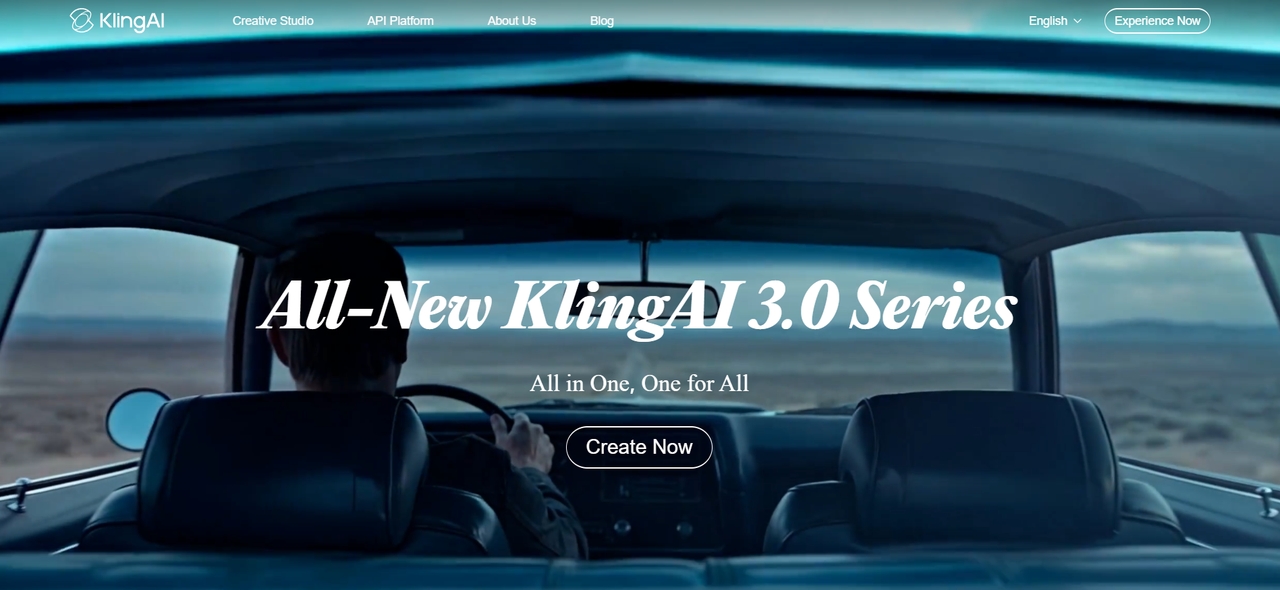
Kling AI is a leading standalone AI video generator developed by Kuaishou, known for its exceptional motion realism, strong character consistency, and groundbreaking native audio capabilities. It is a strong choice for creators who need realistic movement, detailed visuals, and consistent characters in short videos. It can replace Nim AI when natural motion and reference-based video generation are the main priorities.
Key features
- Video generation: Supports text-to-video and image-to-video generation, with reference tools for greater control over results.
- Quality: Produces realistic motion, natural human expressions, and detailed scenes.
- Motion control & storyboard tools: Precise camera movements, motion transfer from reference videos, and multi-shot sequencing for cinematic storytelling with up to 15-second clips (extendable).
Limitations
- Generation speeds can be slow, especially with complex scenes or high demand.
- Dreamina
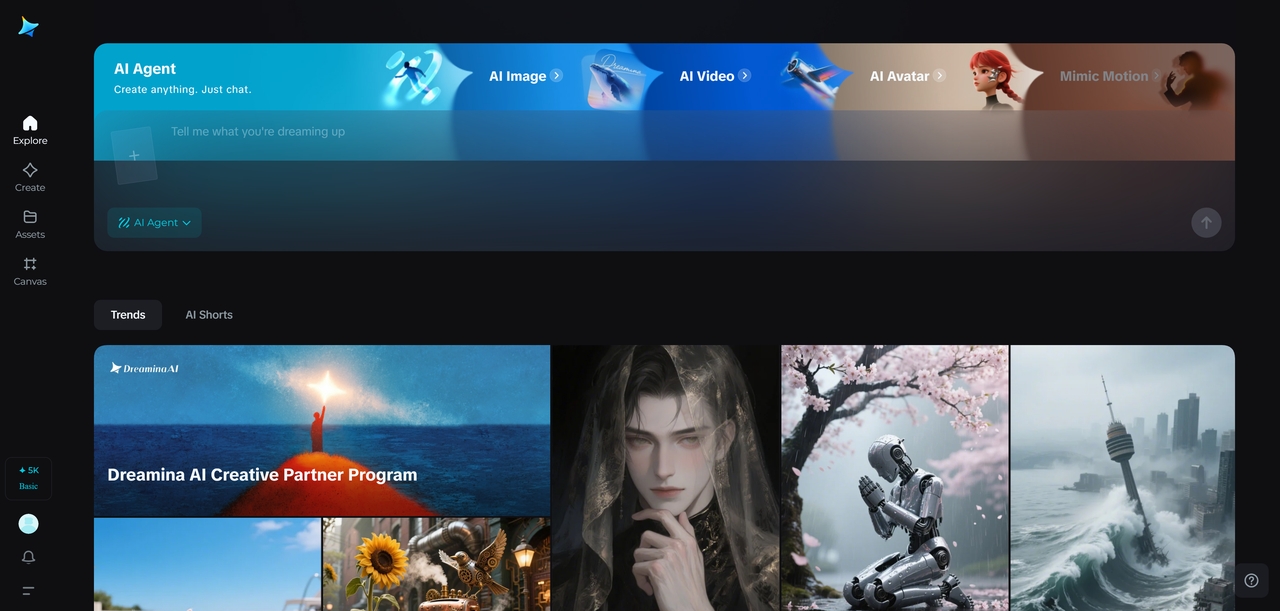
Dreamina AI is an all-in-one AI creative suite designed for beginners, social media creators, marketers, and casual designers. It combines powerful text-to-image, image-to-video, and script-to-video tools powered by its proprietary models, including the advanced Seedance 2.0 series. Dreamina is suitable for beginners, social media creators, and marketers who want to create attractive videos without a complicated production process. It can replace Nim AI for quick promotional clips, animated images, and short-form content.
Key features
- Text-to-video & Image-to-video: Generate dynamic videos from detailed text descriptions or by animating uploaded images with natural movement, realistic physics, and cinematic effects.
- Image quality: Produces detailed visuals, with enhancement tools to improve image sharpness.
- Ease of use: Offers a straightforward workflow for generating, editing, and preparing short videos for social media.
Limitation
- Video clips are relatively short (typically 5–10 seconds per generation), requiring extension or stitching for longer content.
Conclusion
In this Nim AI review, you've learned that it stands out as a powerful AI video generator with multi-model access, fast creation, and beginner-friendly features. From understanding what Nim AI is to exploring its pricing, features, and limitations, it’s clear that while the platform is useful, it may not meet every creator’s needs—especially when it comes to flexibility, control, and scalability.
That's where alternatives come in. Among them, Framia Pro proves to be a strong competitor with its multi-model ecosystem, advanced editing capabilities, and consistent, high-quality outputs. It offers greater creative freedom and a more professional workflow for serious content creators.
Ready to elevate your video production? Start creating with Framia Pro today and bring your wildest cinematic visions to life!
FAQs
1.Is Nim AI free to use?
Yes, Nim AI offers a free plan that typically includes 300 initial credits or a limited trial of 5–40 videos. This allows new users to test various models and features, though free exports often contain a platform watermark.
2.Which is the best alternative to Nim AI?
There are several alternatives, but Framia Pro stands out due to its multi-model access, advanced editing tools, and consistent output quality, making it suitable for both beginners and professionals.
3.Can I use Nim AI video for commercial projects?
Yes, you can use Nim AI for commercial projects. The Pro Plan and Max Plan both allow full commercial use and commercial rights. The Free and Starter plans are limited to personal and social media use only. Always check the latest terms on nim.video AI.
4.What industries can use Nim AI?
Nim AI can be used in marketing, social media, education, and content creation. Professionals and agencies often prefer platforms like Framia Pro for more scalable and high-quality production needs.
5.Which AI model in Nim AI works best for realistic videos?
Kling Pro is widely considered the best model in Nim AI for realistic videos. It excels at natural human movements, smooth physics, and lifelike character motion. Veo 2 offers strong cinematic quality, while Luma Ray 2 also performs well for photorealism.
6.Is Nim AI's cancellation process reliable?
Recent Trustpilot reviews describe continued charges after a cancellation request, with one reviewer reporting three separate charges for the same subscription. Keep a written record if you cancel.
7.Is Nim AI legit or a scam?
Nim AI appears to be a legitimate AI video platform, not a scam. However, Nim AI's small Trustpilot reviews are mostly negative about billing and customer support. Its current terms also confirm paid subscriptions, automatic renewals, and refund conditions.
8.How many credits does Nim AI video generation use?
Nim AI uses credits for each generation, with the amount varying by model and output. Higher-quality or more advanced models can use credits faster, so check the generation cost before creating multiple clips.