 Share


Key takeaways:
- Runway's Gen-4.5 generates 2–10-second clips, while its credit system can make monthly usage harder to predict.
- We ran the same three prompts (a product close-up, a walking human figure, and a 15-second dialogue scene) through all five tools to keep the comparison fair.
- Framia Pro carried the perfume test from script to visuals, voiceover, music, and export inside a single canvas.
- Pricing varies more than the marketing pages suggest. See the real numbers in the table below before you commit to a plan.
Runway has long been a titan in the AI video space, offering everything from Gen-1 to Gen-4.5. However, as the industry evolves, creators are looking for a Runway alternative that offers more specific control, better pricing, or specialized features for architecture and cinematic design. Whether you are a professional editor or a hobbyist, finding the right tool can significantly impact your workflow. In this guide, we review the top 5 contenders challenging the status quo.
What is Runway AI?
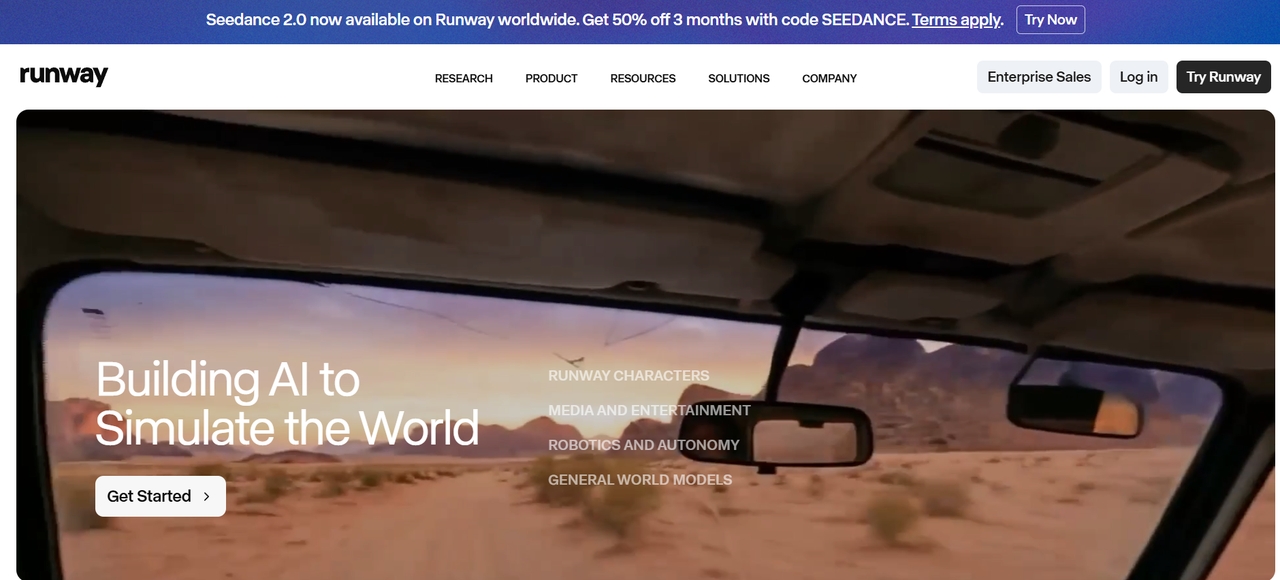
Runway is a browser-based AI video and image platform built around its own Gen-4.5 and Aleph 2.0 models, plus third-party models like Veo 3.1 and Kling. Beyond generation, it ships a set of AI Magic Tools for background removal, motion tracking, and inpainting, and it's used in production pipelines at companies like Netflix. For creators, though, two limits keep coming up:
- 2-10-second maximum clip length
- A credit system where different models drain your balance at different rates
Key features of Runway AI
Runway is an AI creative platform for generating and editing images, videos, and audio.
- Gen-4.5 video generation: Runway's latest model supports text-to-video and image-to-video with detailed camera movement and timed actions, at 2 to 10 seconds per clip. Gen-4 and Gen-4 Turbo stay available for image-to-video at lower credit costs.
- Gen-4 References: Up to three saved reference images guide characters, objects, scenes, and styles in a new generation.
- Act-Two performance capture: Act-Two transfers movement, speech, facial expressions, and gestures from a driving video to a character image or video, at 5 credits per second with a 3-second minimum.
- AI Agent and Workflows: The Agent acts as a conversational partner for multi-shot projects, and Workflows offers a node-based system for custom pipelines.
- Apps and audio tools: Apps cover image, video, and audio tasks, including Stylize Audio for changing voice style and SFX for text-generated sound effects.
Runway AI pricing (2026)
Runway AI uses a credit-based subscription model across four main tiers: a Free plan, Standard, Pro, and Unlimited. Here is a clear breakdown:
| Plan | Monthly Price (Annual) | Monthly Price (Monthly) | Credits Included |
| Free | $0 | $0 | 125 one-time credits |
| Standard | $12/mo | $15/mo | 625 credits/month |
| Pro | $28/mo | $35/mo | 2,250 credits/month |
| Max | $76/mo | $95/mo | 9,500 credits + Explore Mode |
| Enterprise | Custom | Custom | Custom |

Runway review: Pros and cons
Runway has real strengths, but a few gaps explain why so many creators start comparing other tools.
| Pros | Cons |
| • Character continuity: Gen-4 carries a character's clothing and facial features through different angles and lighting. • Team workspaces: Several people can work on the same project at the same time, which suits agencies and studios. • Integrations: It connects with Adobe Creative Suite, Canva, and Figma, and offers an API for custom workflows. • Fast turnaround: Reviewers on different platforms praise how quickly clips come back, and several call it a time saver for getting from idea to finished video. | • Clip length: A 10-second cap for Gen 4.5 sits well below Veo 3.1 (60 seconds) and Kling AI (up to 2 minutes with extension), so longer stories need stitching. • Credit costs: Credits expire monthly, and each model burns them at its own rate, so a monthly bill is hard to predict. • Learning curve: Strong, high-quality output takes plenty of practice. • Results that miss the prompt: Users mentioned that some outputs were inaccurate and unusable, and multiple retries can consume credits quickly. |
These limitations are precisely why so many creators are actively searching for a Runway alternative. Whether it's the short clip durations frustrating long-form storytellers or the credit system burning through budgets faster than expected — the gaps in Runway's offering have opened the door for a new generation of specialized tools. Below, we break down the top five platforms stepping in to fill those gaps.
Essential features to look for in Runway AI alternatives
When searching for the perfect Runway ML alternative, it's essential to look beyond basic video generation. The right tool should streamline your creative process while offering high-end technical capabilities. Here are the core features to prioritize:
- Video quality & realism
Look for high-resolution output (1080p or true 4K), realistic physics, lighting, reflections, and textures. Strong temporal consistency ensures smooth motion without flickering or artifacts. Tools that excel here deliver cinematic results suitable for professional marketing, films, or architectural visualizations.
- Longer clip duration & seamless extension
Unlike Runway’s short clip limits, the best alternatives support longer videos or easy extension features, reducing the hassle of stitching multiple short clips.
- Advanced motion & camera control
Precise camera movements (orbit, drone pans, keyframing) and reliable motion direction are critical. For architects and designer people, geometry preservation is a must to avoid warping of buildings and structures.
- Ease of use & integration
User-friendly interfaces, minimal prompt engineering (especially architectural presets), fast generation times, and workflow integration (with rendering, upscaling, or editing suites) make a tool far more practical for daily use.
- End-to-end AI agents & automation
Modern alternatives go beyond simple generation. AI agents that handle scripting, voiceover, music, editing, and full video production from a single prompt save hours of manual work.
- Pricing and value for money
Avoid unpredictable credit systems. Favor transparent subscription plans, pay-as-you-go options, or generous free tiers with clear costs per minute/second. Calculate real value based on output quality and speed.
How did we pick the best Runway alternatives?
To provide a fair and practical comparison, we evaluated each platform based on some critical benchmarks that impact professional workflows:
- Video quality & coherence: We looked for tools that produce stable, high-definition visuals without the "glitchy" artifacts common in lower-tier AI.
- Ease of use: We prioritized interfaces that are intuitive for both beginners and pro editors, minimizing the need for complex prompt engineering.
- Unique feature sets: We sought out standout capabilities like advanced lip-sync, specific cinematic camera controls, and high-fidelity motion simulation.
- Pricing transparency: We analyzed the value proposition of each tool, from free-to-play models to professional subscription tiers.
- Specific use cases: We identified which tools excel for social media, which for indie filmmaking, and which for architectural visualization.
How do we test the best Runway alternatives?
We ran the same three prompts through every tool on this list, using each platform's default resolution and a single retry allowance per prompt (to reflect realistic usage rather than best-of-ten cherry-picking):
- Test environment: Chrome on a mid-spec laptop, no local GPU, standard broadband connection
- Prompts:
- A perfume bottle in different transformations
- A person walking across a frame with natural gait
- A 15-second two-character dialogue scene
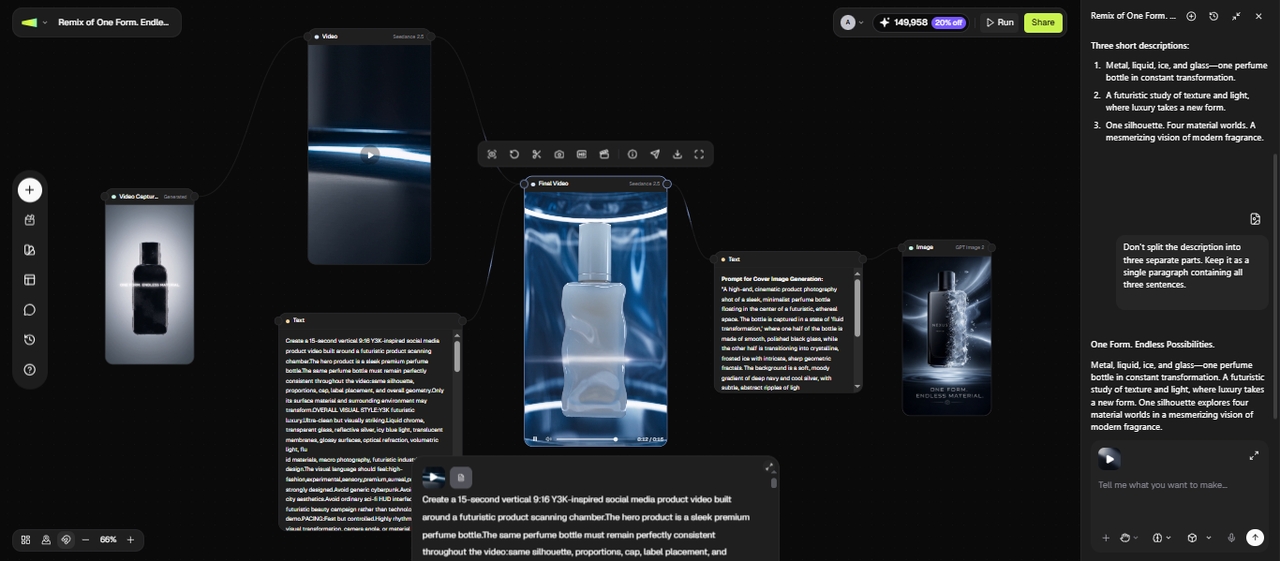
- Evaluation criteria: video/motion realism, clip length before stitching is required, native audio support, ease of use for a non-technical creator, and real monthly cost at the tier needed to remove watermarks
Top 5 Runway AI alternatives in 2026
The demand for AI video tools is growing fast, and creators are exploring better Runway alternatives that offer improved quality, pricing, and flexibility. Here are the top tools to consider in 2026.
Comparison table
| Tool | Max clip length | Native audio | Ease of use | Entry price (paid) | Best for |
| Framia Pro | Combines short clips into longer sequences within one project. | Yes, built into Workflow Mode | Guided, node-based canvas | $20/month (1500 credits) | Solo creators wanting script-to-export in one tool |
| Runway | 2-10s per clip on Gen 4.5 | No — silent output | Moderate, needs practice for pro results | $12/user/month | Teams already in a multi-tool pipeline |
| Luma Dream Machine | 5s base clips | No | Easy | ~$30/month | Cinematic lighting/b-roll |
| Kling AI | Up to 2 minutes video extension | Yes | Moderate (UI translation) | ~$7/month | Longest single clips, human motion |
| Pika | 10s base clips | Yes (SFX/lip sync) | Very easy | $10/month | Fast social/creative effects |
| Veed.io | Depends on source model | Yes (dubbing/avatars) | Easy | ~$12/user/month | Generation + full subtitle/edit pipeline |
- Framia Pro
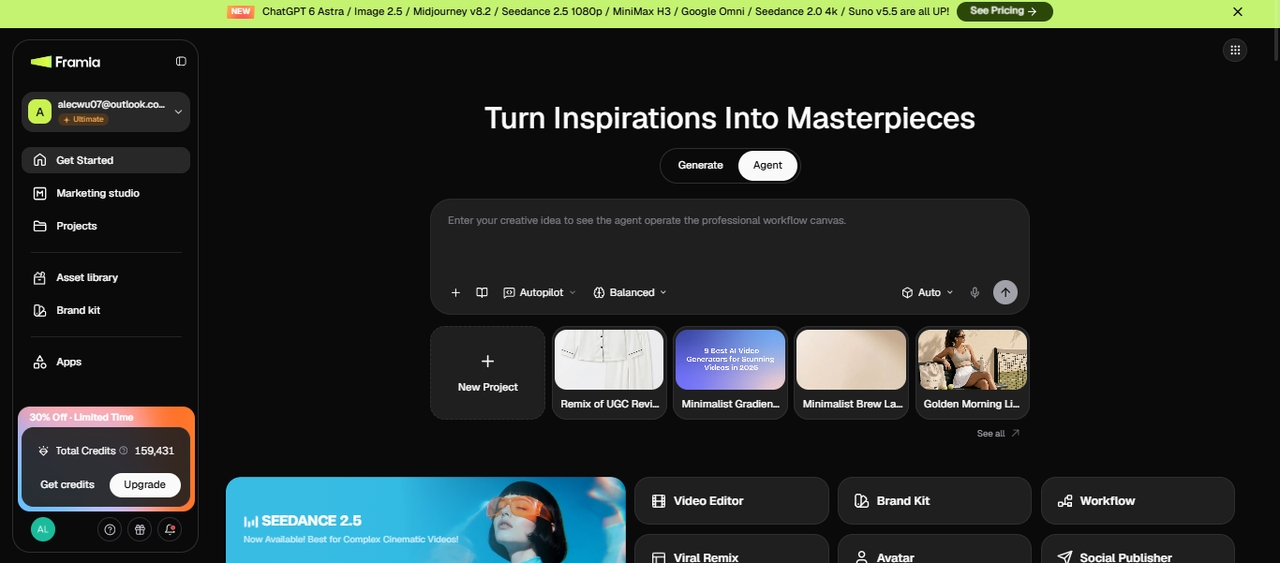
Framia Pro is an AI creative-agent platform built around a node-based canvas that connects script, shot generation, voiceover, music, and export in one workflow, rather than routing you between separate generation and editing tools. It runs 20+ underlying models, including Google Gemini 3.0, Veo 3.1, Kling 3.0, and Seedance 2.5.
Key features
- Multi-model canvas: swap between Veo 3.1, Kling 3.0, and Seedance 2.5 per shot, in one project
- Workflow Mode: chains script → shot generation → review → export from a single prompt
- Character consistency across generated shots without retraining
- Publisher: exports directly to Instagram/YouTube/TikTok, no separate download-and-upload step
- Marketing Studio: turns a brief into a full set of placement-ready campaign assets
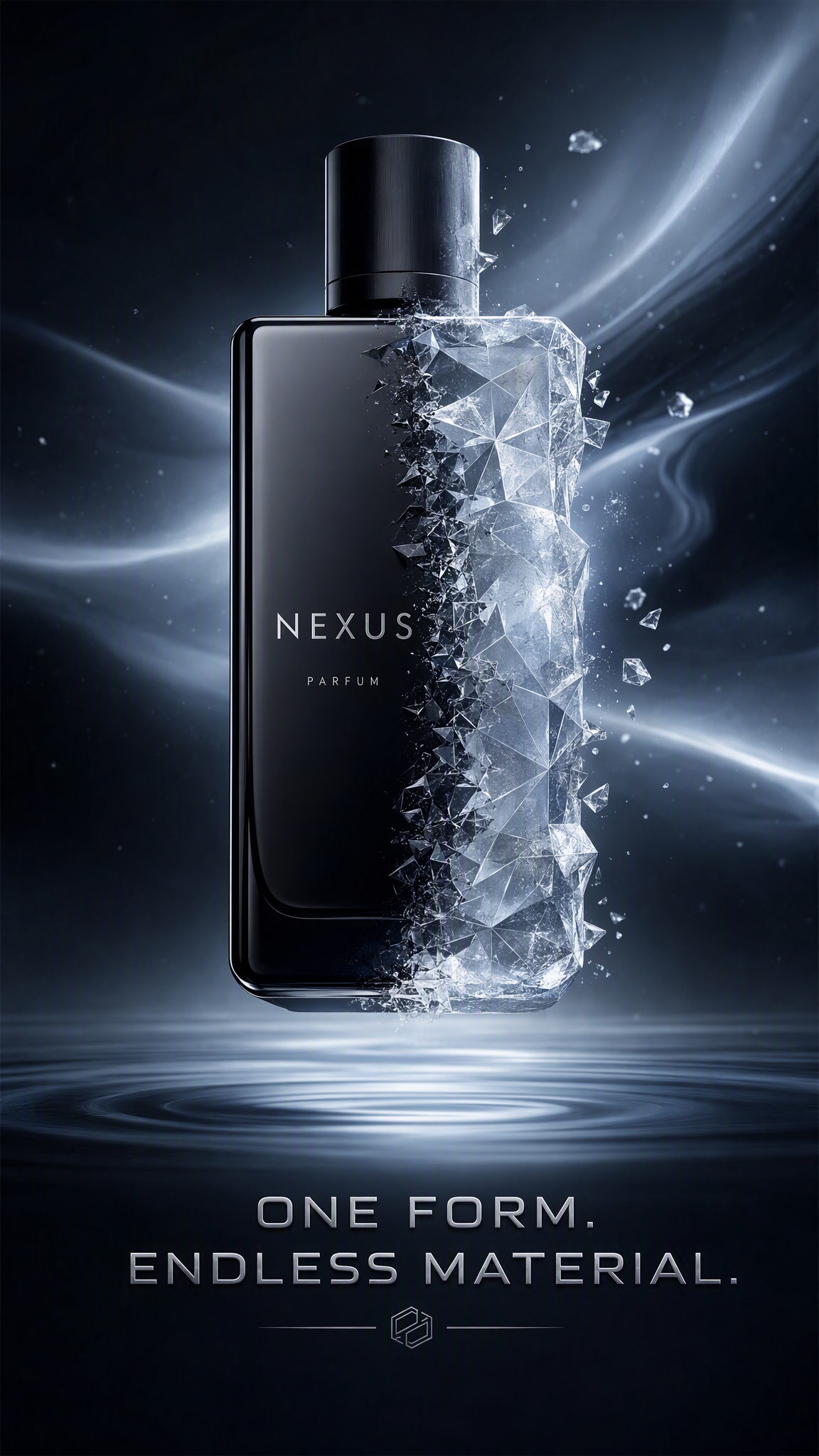
Overall experience: Framia Pro handled the shared product test well and gave me more room to continue the project after the first generation. I started with the basic concept and let Framia Pro turn it into a detailed video plan and prompts. It generated the cover image and expanded the idea into a 15-second 9:16 Y2K-inspired product video with transparent glass, liquid chrome, soft gel, ice, and prismatic glass transformations.
The final video was strong. The perfume bottle stayed recognizable through the different material changes, and the visual transitions followed the scanning concept in the prompt. The workflow also gave me supporting assets rather than only the final video.
Made with Framia Pro
Pros
- Truly all-in-one workflow (no need for external editors or audio tools).
- Excellent character and visual style persistence across long projects.
- Highly accessible for beginners through its conversational interface.
- Model flexibility, utilizing top engines like Gemini 3.0
Cons
- The "Agent" system may have a slight learning curve for users used to traditional timelines.
- Newer platform, so the community is still growing.
- Luma Dream Machine
Luma is built around Ray-series models with a strong reputation for smooth, physically accurate motion, and it's shifted toward usage-based pricing in 2026 alongside its subscription plans.
Key features
- Cinematic lighting: Advanced simulation of realistic lighting and reflections.
- Smooth camera control: Precise keyframing and natural camera movements.
- Physics accuracy: Strong material and environmental physics.
- Rapid generation: One of the fastest high-quality generators available.
Overall experience:The product close-up prompt came out with the most "shot on a real camera" lighting of any tool tested. Reflections and shadow falloff looked convincing straight out of the box. The walking-figure test showed occasional minor warping on faster movement.
Pros
- Beautiful, film-like aesthetic.
- Very easy to direct specific movements.
- Fast rendering times for 5-second clips.
- Strong mobile app experience.
Cons
- Free tier often has long server queues.
- Occasional physics "warping" in complex action shots.
- Kling AI
Originally, gaining fame for its realistic human eating and walking movements, Kling supports 1080p resolution at 30fps. It allows for videos up to two minutes long and its ability to simulate complex, large-scale movements makes it ideal for creators working on short films or dynamic social media advertisements that require more than a simple loop.
Key features
- Extended duration: Supports video extension up to 120 seconds.
- 1080p/30fps Output: High-definition, smooth motion sequences.
- Large-scale motion: Excels at complex human actions (running, eating).
- Multiple aspect ratios: Optimized for TikTok, YouTube, or Cinema.
Overall experience: The walking-figure prompt was the standout here. Gait, weight shift, and arm swing all looked natural without the slight "float" we saw in a couple of other tools. Interface labeling still leans toward translated Chinese UI conventions, which took a minute to get used to.
Pros
- Best-in-class for realistic human movement.
- Capability to produce much longer videos than competitors.
- High-definition output that requires less upscaling.
- Great for dynamic, high-action content.
Cons
- Currently operates on a waitlist/regional rollout.
- Interface can be less intuitive for Western users.
- Pika
Pika offers tools like "Modify Region," which lets you change a specific part of a video (like changing a shirt color) without regenerating the whole clip. It also includes integrated audio tools, such as Lip Sync and AI-generated sound effects to allow you to create a complete multimedia experience in one platform. It’s fast, trendy, and built for the modern digital creator.

Key features
- Modify region (Inpainting): Select and change specific areas of your video.
- Integrated lip sync: Match character mouth movements to audio files.
- Sound effects (SFX) generation: Automatically generates audio for your video.
- Expand canvas: Grow your video dimensions beyond the original frame.
Overall experience: The product close-up prompt looked more stylized than the other tools' output which makes it good for social content but less suited to anything needing photorealism. Modify Region genuinely saved a regeneration when we needed to change a background element mid-test.
Pros
- Extremely user-friendly and fast workflow.
- Great for social media and creative experiments.
- Active community and Discord integration.
- Generous free tier for testing.
Cons
- Base clips are quite short.
- More stylized than photorealistic results.
- Veed.io
Veed.io is a AI video creation and editing platform that combines text-to-video generation with post-production tools. It offers access to multiple models (Veo 3.1, Kling, etc.) inside one editor, along with AI avatars, auto-subtitles in 100+ languages, voiceovers, and dubbing. It's ideal for marketers and teams who need quick, professional videos with subtitles, translations, and easy editing — all in a single workflow.
Key features
- Multi-model access: Toggle between leading engines like Veo 3.1 and Kling.
- AI avatars & dubbing: Create realistic talking-head videos and translate them into 100+ languages.
- Auto-subtitles: Instant, highly accurate captioning with customizable styles for social media.
- Full timeline editor: Professional-grade trimming, transitions, and overlays in a web browser.
Overall experience: Veed.io isn't primarily a generation tool, and it shows. Our dialogue-scene prompt took noticeably longer to render than on the dedicated generators. Where it earned its keep was the auto-subtitle pass afterward, which needed almost no manual correction.
Pros
- Extremely efficient for social media marketing and localized content.
- No need to switch between generation and editing software.
- Massive library of stock assets, music, and sound effects.
- Industry-leading subtitle and translation accuracy.
Cons
- Higher subscription cost compared to standalone generators.
- Video generation might feel secondary to the extensive editing suite.
Which tool actually fits your needs?
Every creator has a different workflow, budget, and skill level — and the best AI video tool is simply the one that removes your biggest obstacle. Before committing to any platform, ask yourself what is actually slowing you down:
- Speed vs. quality: If you need a quick draft or social media clip, Pika or Framia Pro's fast modes are ideal. If you are rendering a final cinematic or 4K showroom video, Luma Dream Machine is the better option.
- Team size: Solo creators benefit most from all-in-one platforms like Framia Pro or Veed.io to avoid juggling five separate subscriptions. Larger studios may prefer dedicating specialist tools like Kling for generation and a separate editor for post-production.
- Technical comfort: Tools such as Kling or Runway often require prompt engineering skills to achieve consistent, high-quality results. In contrast, platforms like Framia Pro and Pika simplify the process with guided workflows and conversational interfaces.
- Budget reality: Always consider the hidden cost of iteration. Credit-based systems can become expensive when multiple regenerations are needed to get the desired output. Tools with generous free tiers or flat-rate pricing are better suited for experimentation-heavy workflows.
Why Framia Pro is the strongest Runway alternative
Framia Pro stood out in our test because of how much of the perfume-video workflow could be handled within the same project. I could take the original concept through planning, shot creation, supporting assets, and the final video workflow in one connected canvas.
For the perfume test, I started with the basic product concept and used Framia Pro to develop the video plan and prompts. It generated the cover image and expanded the idea into a 15-second 9:16 Y2K-inspired sequence featuring transparent glass, liquid chrome, soft gel, ice, and prismatic glass transformations.
The perfume bottle remained recognizable as the materials changed, while the transitions followed the scanning concept from the original prompt. The workflow also produced supporting assets alongside the video, which gave me more material to continue working with after the first generation.
That makes Framia Pro a particularly interesting option for creators who want to take an idea beyond a single AI-generated clip and develop it into a more complete video project.
Why an end-to-end platform beats stitching tools
AI video generation is only one stage of many projects. A finished video may also require scripting, multiple shots, voiceover, music, editing, and publishing.
An end-to-end platform can reduce the need to move files between different tools during these stages. Framia Pro connects these tasks through its canvas to allow you to develop and continue a project from the initial brief through the production process.
Its multi-model approach also gives creators flexibility when building different shots, while Agent and Workflow modes provide a more structured way to manage larger projects.
For creators comparing Runway alternatives, the main point is not that other platforms cannot handle individual parts of this process. It is that Framia Pro brings several of those stages into one connected workflow, which can be useful when a project goes beyond a single generated clip.
Conclusion
Runway remains a capable tool, but it's not without limitations. Of the five tools tested, Framia Pro carried the perfume project from script to export on one canvas. Its $20 entry plan covers the audio and editing steps that other setups often add as separate subscriptions.
FAQs
- What is the best Runway alternative in 2026?
The best Runway alternative depends on your needs. Framia Pro stands out for end-to-end automation, Kling AI is ideal for longer videos, and Pika works well for quick, creative social media content.
- Why are creators looking for Runway alternatives?
Many users seek alternatives due to Runway’s credit-based pricing, short clip limits, and complexity. New tools offer longer video generation, better pricing transparency, and more specialized features like AI agents or advanced camera controls.
- Which alternative is best for long-form video generation?
For long-form projects, Framia Pro supports workflows for videos up to 6 minutes. Its AI Agent let you organize and combine all the generated short clips and open them in the multi-camera automatic editor to create a full 6 minutes video.
- Which Runway alternative is best for beginners?
Framia Pro and Pika are great for beginners. They offer intuitive interfaces, minimal prompt engineering, and guided workflows, making it easy to create videos without advanced technical skills or prior editing experience.
- Do I need a powerful computer to run these?
No. All the platforms mentioned—Framia Pro, Luma, Kling, etc.—are cloud-based. All the heavy computational processing happens on their servers, meaning you only need a standard web browser and an internet connection.
- What happens if I need a clip longer than any single generation allows?
Most tools solve this by stitching multiple clips together (Runway, Luma, Pika all cap well under a minute per generation). Kling's 3-minute single-clip extension limit avoids stitching for most short-form use cases, while Framia Pro handles longer sequences by connecting multiple generated shots into one continuous project inside its canvas, rather than extending a single generation.
- Which Runway alternatives support reference images?
Several alternatives accept reference images to guide the generated video. Framia Pro, Kling AI, Luma, and Pika offer image-based workflows, though the level of control differs between models.
- Can I use the same prompt across different Runway alternatives?
You can reuse the same basic prompt, but results will differ because each model interprets prompts differently. Keeping the subject, action, camera direction, and visual style consistent gives you a better basis for comparing outputs.