GPT-6 Astra: Creative Intelligence for AI Video

Start for Free

See What You Can Create With GPT-6 Astra on Framia

Turn Rough Ideas Into Clear Creative Direction

Start with a rough idea, a few references, or an unfinished brief. GPT-6 Astra helps you develop the concept, define the visual direction, and work out what each scene needs to communicate before you start generating.

Build a Plan for Every Scene

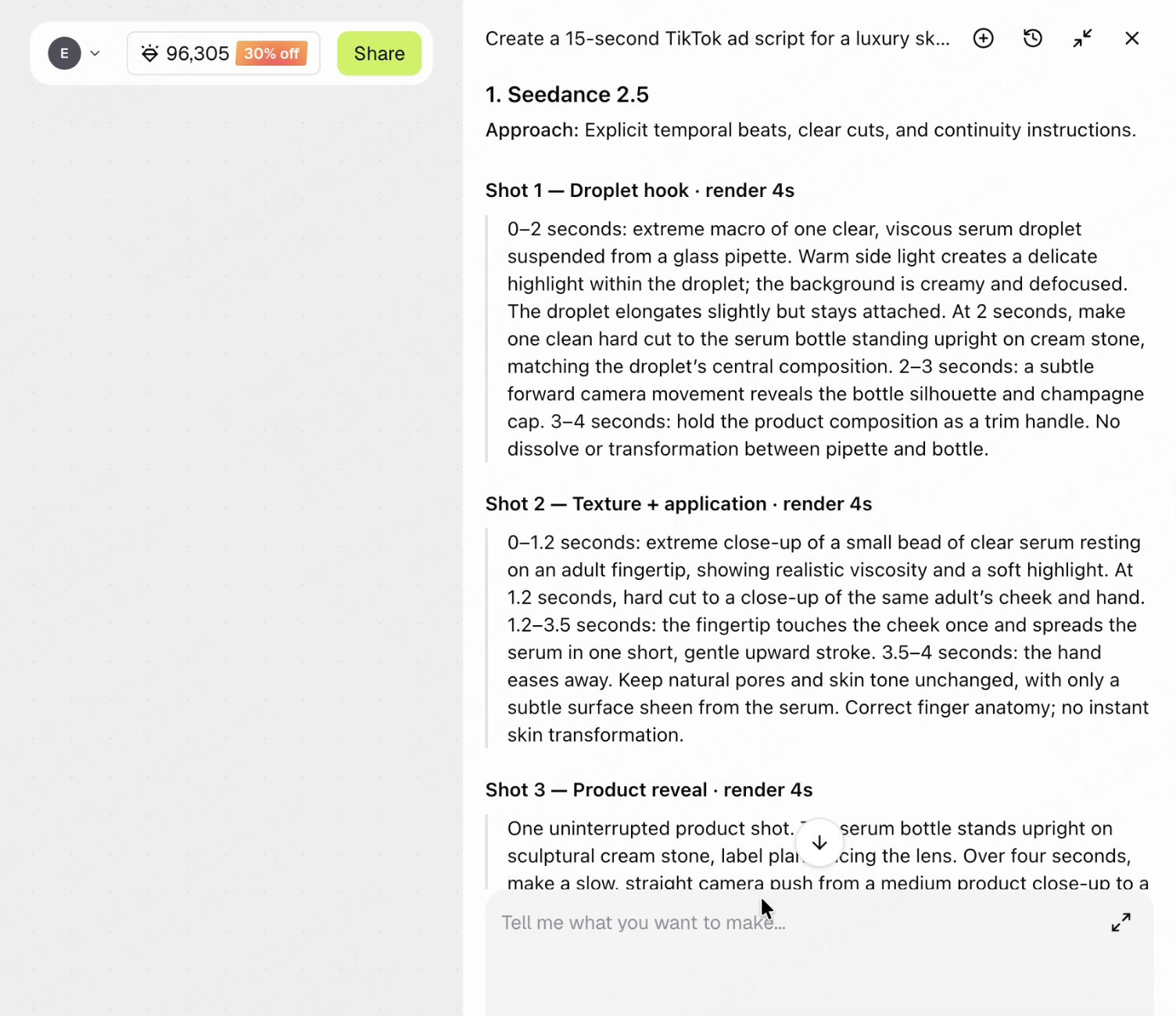
Move from a concept to a scene-by-scene production plan. GPT-6 Astra helps organize shot sequences, camera direction, pacing, and transitions, giving you a clear structure to work from in Framia.

Translate Creative Intent Into Detailed Prompts

Describe more than what should appear on screen. GPT-6 Astra helps turn your creative intent into prompts that specify subject actions, environments, camera behavior, and visual style—so you can refine individual details without rebuilding the entire idea.

Keep the Creative Direction Consistent

Give every scene a shared creative foundation. GPT-6 Astra helps carry character descriptions, visual style, and story logic across your plan, so you can revise individual shots without losing sight of the overall video.

GPT-6 Astra vs Other Creative Models

GPT-6 Astra is best for creative work that needs more than a single prompt. Compared with general writing or reasoning models, it is stronger at connecting the full video planning process — from campaign goal and audience insight to scene structure, prompt strategy, and production steps. Use GPT-6 Astra on Framia when you want to turn a rough idea into a clear, executable AI video plan before generating the final visuals.

Best For
Strength
Best Use on Framia
GPT-6 Astra
Full creative planning
Turns rough ideas into scripts, storyboards, prompts, and workflow steps
Plan a complete AI video campaign before generation
GPT5.6 Sol
Structured reasoning
Breaks complex tasks into clear plans and prompt frameworks
Draft campaign outlines, workflows, and production steps
Claude Opus
Script polish and storytelling
Strong at tone, dialogue, captions, hooks, and brand voice
Refine scripts, voiceovers, ad copy, and final wording
Gemini
Visual reference understanding
Good at analyzing images, moodboards, screenshots, and references
Extract visual direction before creating prompts or videos
Qwen
Structured outputs
Good at tables, shot lists, prompt batches, and localization
Create storyboard tables, prompt variants, and production checklists

Why Use GPT-6 Astra on Framia?

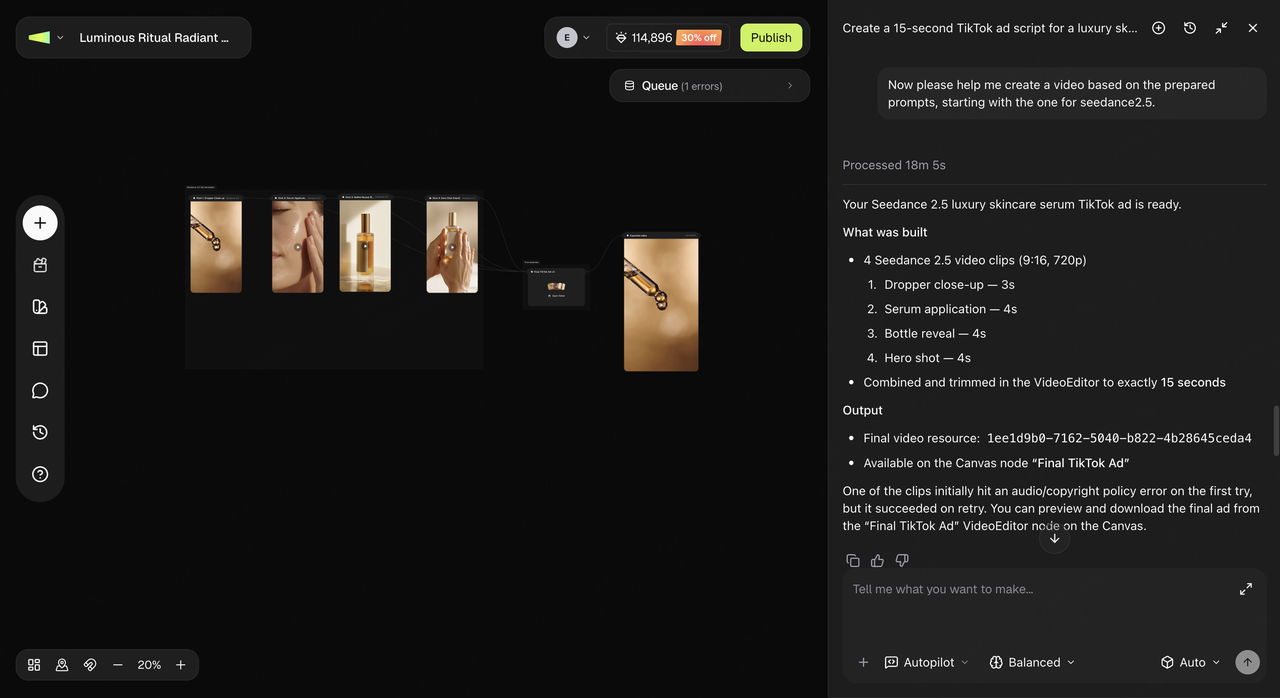
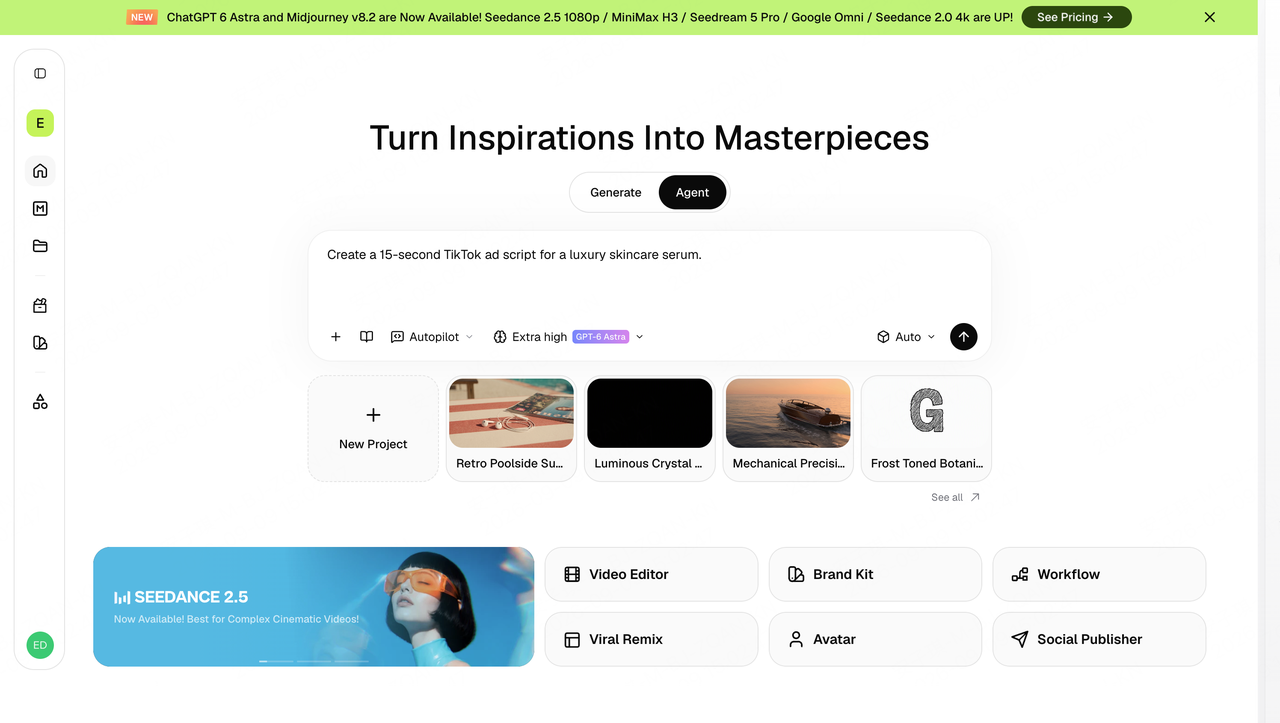
Framia turns GPT-6 Astra’s advanced planning and computer-use ability into a complete creative workflow — from researching trends to generating videos and preparing social posts.

What Can GPT-6 Astra Help You Create on Framia?

Video Script Planning
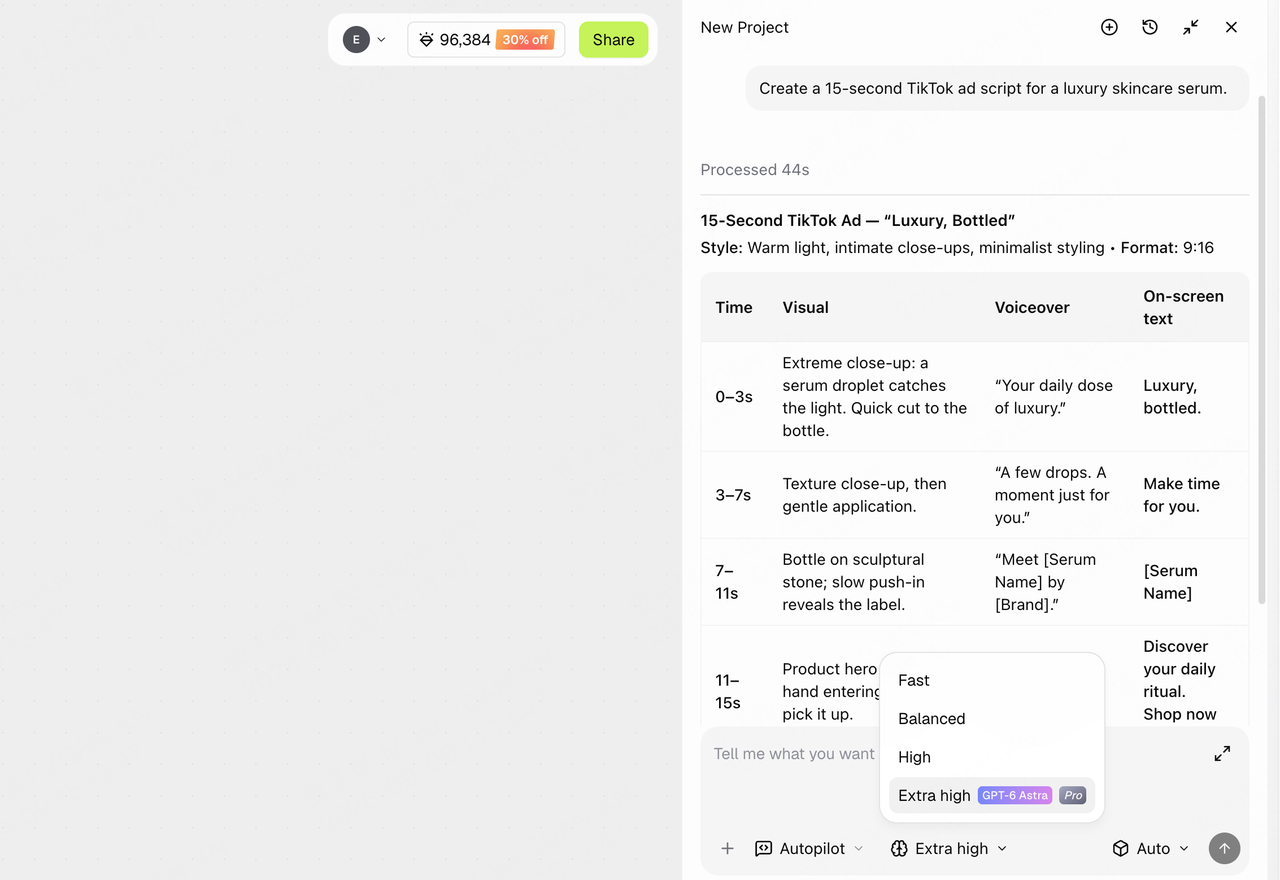
Turn a rough idea into a complete short-form video script with hooks, scenes, narration, and call-to-action.
Video Script Planning
Generate a Shot-by-Shot Storyboard
GPT-6 Astra turns your brief into a time-coded storyboard with visuals, voiceover, on-screen text, and pacing.
Generate a Shot-by-Shot Storyboard

What Can GPT-6 Astra Help You Create on Framia?

Video Script Planning
Turn a rough idea into a complete short-form video script with hooks, scenes, narration, and call-to-action.
Video Script Planning
Creative Workflow Building
Plan the full path from idea → assets → video → edit → publish.
Creative Workflow Building

What Creators Say About GPT-6 Astra?

Discover how creators, marketers, and filmmakers are transforming their workflows and bringing their cinematic visions to life with Framia Pro.


GPT-6 Astra feels less like a chatbot and more like a hands-on operator. It can understand a messy task, move through tools, and help turn an idea into something usable.
Claire M.
Claire M.
AI Product Builder
I gave Astra one broad video idea and it handled the planning, research, narration structure, and editing direction with very little hand-holding. That is the kind of AI workflow I actually want.
Nate H.
Nate H.
Video Automation Creator
The biggest difference is how well it handles multi-step creative work. Instead of only giving me copy, Astra helps organize the full production path before I start generating assets.
Maya Chen
Maya Chen
Creative Producer
For campaign work, Astra is useful because it keeps the goal, audience, message, and format connected. It makes it easier to move from a rough brief to a clear content plan.
Daniel Brooks
Daniel Brooks
Growth Marketer
I like using Astra when the task is too large for a simple prompt. It is better at breaking a creative request into scenes, talking points, and next actions.
Olivia Grant
Olivia Grant
Content Strategist
Astra works best when you give it a real assignment, not a tiny instruction. With a clear goal, it can act like the planning layer for an entire creative workflow.
Ryan Lee
Ryan Lee
AI Designer

Frequently asked questions

What is GPT-6 Astra on Framia?
GPT-6 Astra is an AI planning model available inside Framia Agent. It helps turn a rough idea into a clearer creative direction, video structure, scene plan, and production-ready instructions.
Is GPT-6 Astra an AI video generator?
Not directly. GPT-6 Astra does not replace video models. It helps plan what to create, while Framia can route the plan into image and video generation tools for production.
How is GPT-6 Astra different from Kling, Veo, Wan, or Seedance?
Kling, Veo, Wan, and Seedance focus on generating visual video output. GPT-6 Astra works earlier in the process, helping with ideas, scripts, scene logic, prompts, and campaign structure.
What can I create with GPT-6 Astra on Framia?
You can use it for product ads, social videos, explainer videos, campaign concepts, scene-by-scene plans, voiceover drafts, and prompt directions for video generation.
What should I include in my prompt?
Include your product or topic, target audience, platform, video length, style, goal, and the type of output you want. The clearer the brief, the more useful the result.
Can GPT-6 Astra help with product ads or marketing campaigns?
Yes. It is especially useful for turning campaign goals into structured creative plans, including hooks, messaging angles, scene ideas, and production steps.
Can I edit the result after GPT-6 Astra generates it?
Yes. You can refine the script, adjust the scene direction, change the style, regenerate prompts, or continue the plan with Framia’s image, video, editing, and publishing tools.
How is GPT-6 Astra priced on Framia?
Pricing may depend on your Framia plan, credit system, and selected model usage. Check the in-app pricing or credit details before generating.

Still have questions?

Have questions or need assistance? Our team is here to help!

GPT-6 Astra AI Video Planner | Framia